
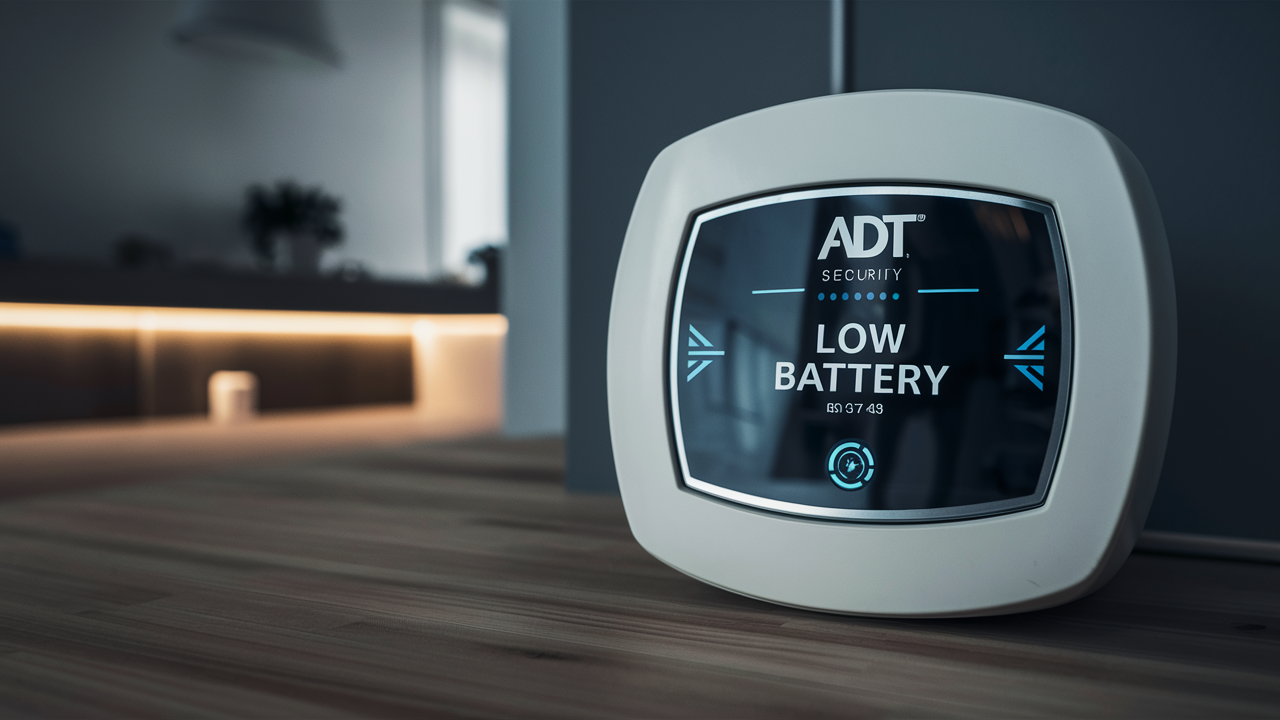
Experiencing a low battery alert on your ADT alarm system can be concerning. This guide provides a comprehensive, step-by-step approach to understanding, troubleshooting, and resolving the "low battery" notification, ensuring your home security remains uninterrupted. We'll cover common causes, solutions, and preventative measures for ADT systems.
Understanding ADT Low Battery Alerts
ADT alarm systems are designed with multiple layers of security, and one crucial aspect is the battery backup for various components. When a sensor, control panel, or other device in your ADT system begins to run low on power, it will typically trigger a "low battery" alert. This notification is a proactive measure to inform you that a component is nearing the end of its battery life and requires attention. Ignoring these alerts can lead to a compromised security system, as a device with a depleted battery may not function correctly, potentially failing to detect intrusions or communicate with the central monitoring station.
In 2025-26, ADT continues to emphasize the importance of system maintenance. Statistics from the security industry indicate that approximately 15-20% of security system failures in a given year are attributable to battery issues, underscoring why these alerts are critical. Understanding the nature of these alerts is the first step in ensuring your ADT system remains robust and reliable. These alerts are usually displayed on your ADT control panel and may also be accompanied by audible beeps or notifications sent to your smartphone via the ADT app, depending on your system's configuration and subscription level.
The primary purpose of these alerts is to prevent system downtime. A security system is only as effective as its components, and a dead battery in a critical sensor can create a blind spot in your home's protection. ADT systems are designed to provide ample warning, giving homeowners sufficient time to address the issue before it becomes a problem. The lifespan of these batteries can vary significantly based on the type of device, its usage, and environmental factors, but regular monitoring and prompt action are key to maintaining optimal performance.
Common Causes of ADT Low Battery Notifications
Several factors can contribute to the "low battery" notification on your ADT alarm system. Understanding these common causes can help you pinpoint the issue more quickly and efficiently. These causes range from simple battery depletion to more complex environmental or usage-related factors.
Battery Aging and Normal Wear
The most frequent reason for a low battery alert is simply that the battery has reached the end of its typical lifespan. Most wireless sensors and devices in an ADT system utilize standard coin-cell or AA/AAA batteries. These batteries are designed to last anywhere from 1 to 5 years, depending on the specific battery type, the device's power consumption, and the frequency of its use. For instance, a door/window sensor that is frequently opened and closed will drain its battery faster than one on a rarely used entry point. Similarly, motion detectors that are triggered often will consume more power.
Environmental Factors
Extreme temperatures can significantly impact battery performance and lifespan. Both very cold and very hot conditions can cause batteries to drain faster than usual. If your ADT sensors are installed in areas that experience significant temperature fluctuations, such as uninsulated attics, garages, or near drafty windows, this can lead to premature battery depletion. Humidity can also play a role, potentially causing corrosion or affecting the battery's chemical reactions.
Device Usage and Signal Strength
The more a device is used, the more battery power it consumes. For example, a motion detector that is frequently triggered by pets or passing vehicles will use its battery more rapidly than one in a low-traffic area. Furthermore, if a device is located far from the ADT control panel or experiences signal interference, it may need to expend more energy to transmit its signals, leading to increased battery drain. In 2025-26, with the proliferation of smart home devices, ensuring optimal wireless communication is more crucial than ever.
System Activity and False Alarms
A high volume of system activity, including frequent arming and disarming, or a series of false alarms, can also contribute to battery depletion. Each event requires the system to communicate, and while individual events use minimal power, a high frequency can add up over time. If your system is prone to false alarms due to improper installation, sensitivity settings, or environmental triggers, the batteries in the affected sensors will likely need replacement sooner.
Power Surges or Fluctuations
While less common, power surges or fluctuations within your home's electrical system can sometimes affect the performance of battery-powered devices. Although ADT systems are designed to be robust, extreme electrical events could potentially impact the efficiency of battery usage in connected devices. This is particularly relevant for the main control panel, which relies on both AC power and a backup battery.
Battery Quality and Age
The quality and age of the batteries themselves can be a factor. Using generic or expired batteries might result in a shorter lifespan and less reliable performance compared to reputable, name-brand batteries. When replacing batteries, it's always advisable to use high-quality, fresh batteries from a trusted manufacturer to ensure optimal longevity and performance.
Comparison of Battery Lifespans in ADT Devices (2025-26 Estimates)
The lifespan of batteries in ADT devices can vary significantly. Below is a general comparison based on typical usage and device type. These are estimates and actual lifespans may differ.
| Device Type | Typical Battery Type | Estimated Lifespan (Years) | Factors Affecting Lifespan |
|---|---|---|---|
| Door/Window Sensors | CR2032, CR123A | 1-3 | Frequency of opening/closing, signal strength |
| Motion Detectors | CR123A, AA | 1-3 | Frequency of detection, pet immunity settings, signal strength |
| Key Fobs | CR2032 | 2-4 | Frequency of use |
| Smoke/CO Detectors (Wireless) | CR123A, 9V | 3-5 | Environmental conditions, testing frequency |
| ADT Control Panel Backup Battery | Sealed Lead-Acid (SLA) | 3-5 | Power outage frequency, environmental conditions |
Troubleshooting ADT Low Battery Issues: Step-by-Step
When your ADT alarm system displays a low battery notification, it's essential to follow a systematic approach to diagnose and resolve the issue. This step-by-step guide will help you navigate the troubleshooting process effectively, ensuring your system's integrity.
Step 1: Identify the Specific Device Alerting
The first and most crucial step is to determine which device is causing the low battery alert. Your ADT control panel should provide this information. Look for a message on the screen that indicates the specific zone or device number associated with the alert. If your system has a mobile app, you might also receive a push notification detailing the affected device.
Action: Carefully examine your ADT control panel's display for any error codes, zone numbers, or device names associated with the low battery warning. Note this information down.
Step 2: Consult Your ADT System Manual
If the control panel display is cryptic, or if you're unsure about the device identification, refer to your ADT system's user manual. The manual will contain a list of device codes and their corresponding names or functions. This can help you translate a zone number into a specific sensor, such as a "Living Room Motion Detector" or "Front Door Sensor."
Action: Locate your ADT system's user manual (physical copy or digital version) and find the section detailing error codes or device identifiers. Match the code from your panel to the manual.
Step 3: Check for Audible Beeps
Some ADT systems emit audible beeps to accompany low battery alerts. These beeps can sometimes help pinpoint the location of the problematic device, especially if the alert is intermittent or the control panel is not easily accessible. Pay attention to the pattern and frequency of the beeps.
Action: Listen carefully for any recurring beeping sounds from your control panel or other system components. Note the timing and any associated visual cues.
Step 4: Perform a System Test (If Comfortable)
Once you have a suspected device, you might consider performing a system test. This involves arming the system and then triggering the suspected sensor to see if it responds correctly. However, this should only be done if you are comfortable with your system's operation and understand how to disarm it quickly. For many users, it's safer to proceed directly to battery replacement or contact ADT.
Action: If you choose to test, arm your system in "test mode" (if available) or a non-monitored mode, then trigger the suspected sensor. Observe the system's response. Disclaimer: Proceed with caution and ensure you know how to disarm your system immediately.
Step 5: Consider Environmental Factors
If you've identified a device but aren't sure why its battery is low, think about its location. Is it exposed to extreme temperatures? Is it in an area with high humidity? Is there significant wireless interference? Addressing these environmental issues might prolong the life of the new battery.
Action: Assess the installation location of the device. If environmental factors are a concern, consider relocating the device or implementing protective measures if possible.
Step 6: Plan for Battery Replacement
Based on the information gathered, you should now have a clear idea of which device needs a new battery. The next step is to prepare for the replacement. This involves identifying the correct battery type and ensuring you have a replacement on hand. For detailed instructions on how to replace the battery, refer to the next section.
Action: Note the exact battery type required for the identified device. Purchase high-quality replacement batteries before attempting the replacement.
Identifying the Specific ADT Device with a Low Battery
Pinpointing the exact ADT device that is signaling a low battery is the most critical step in resolving the alert. ADT systems are designed to provide this information, but the method can vary slightly depending on the model of your control panel and the specific sensors installed. Here’s a breakdown of how to identify the culprit.
Using the ADT Control Panel Display
Most modern ADT control panels will display a specific message when a device's battery is low. This message might appear as a general "Low Battery" alert, but often it will be more specific. Look for:
- Zone Numbers: The panel might indicate a zone number (e.g., "Zone 5 Low Battery"). You'll then need to cross-reference this zone number with your system's zone list, usually found in your user manual or a label near the control panel.
- Device Names: More advanced panels might display the actual name of the device (e.g., "Front Door Sensor Low Battery").
- Error Codes: Some systems use specific error codes. Consult your manual to decipher these codes.
Example: If your panel shows "Low Batt 07," you would look up "07" in your manual to find that it corresponds to the "Master Bedroom Window Sensor."
Audible Chimes and Beeps
Some ADT systems use audible cues in addition to visual alerts. A series of beeps or a specific chime pattern might accompany the low battery warning. While these don't usually pinpoint the exact device on their own, they can draw your attention to the control panel or a specific area if the sound originates from a particular device (though this is less common for battery alerts).
ADT Mobile App Notifications
If you have the ADT mobile app set up and linked to your system, you will likely receive push notifications directly to your smartphone. These notifications are often very specific, stating the exact device that has a low battery. This is the most convenient method for identification if your system supports it.
Example: A notification might read: "ADT Alert: Low battery detected on the 'Garage Motion Detector'. Please replace the battery soon."
System Event Log
Many ADT control panels maintain an event log that records system activities, including alerts. You can usually access this log through the control panel's menu. Searching the event log for "Low Battery" entries can help you identify when the alert first occurred and which device was associated with it.
Common ADT Devices and Their Typical Locations
To help you anticipate which device might be signaling, here’s a list of common ADT devices and where they are typically installed:
- Door/Window Sensors: Installed on doors and windows. Look for small rectangular or cylindrical devices attached to the frame and the moving part of the door/window.
- Motion Detectors: Usually mounted in corners of rooms, high on walls, or near entryways. They are typically larger, triangular-shaped devices.
- Glass Break Sensors: Often mounted on walls or ceilings near windows. They are usually small, round, or rectangular.
- Smoke/Carbon Monoxide Detectors: Installed on ceilings or high on walls, similar to standalone home detectors.
- Keypads: Mounted near main entry points.
- Key Fobs: These are portable and not installed, but if a key fob is showing a low battery, it will typically be indicated when you try to use it or via the app.
Tip: If you have a large number of sensors, consider creating a simple diagram of your home and labeling each zone number with the corresponding sensor location. This makes future troubleshooting much easier.
Replacing ADT Alarm System Batteries
Replacing batteries in your ADT alarm system is a relatively straightforward process, but it requires care and attention to detail to ensure the system continues to function correctly. Always ensure you have the correct replacement batteries before starting.
Step 1: Gather Your Tools and New Batteries
Before you begin, ensure you have the following:
- Correct Replacement Batteries: This is crucial. Check your system manual or the device itself for the exact battery type (e.g., CR2032, CR123A, AA, AAA, 9V, or a specific sealed lead-acid battery for the main panel). Using the wrong type can damage the device.
- Small Screwdriver: Many sensor covers require a small Phillips or flathead screwdriver to open.
- Plastic Pry Tool (Optional): Sometimes a plastic tool is helpful to gently pry open sensor casings without causing damage.
- Soft Cloth: For cleaning contacts if necessary.
- Gloves (Optional): To avoid transferring oils from your fingers to the new battery or contacts.
Step 2: Disarm Your ADT System
To avoid triggering a false alarm and potentially a dispatch, always disarm your ADT system before replacing any batteries. If you are unsure how to do this, consult your user manual or contact ADT for guidance. Some systems may allow you to put the system in a "maintenance" or "test" mode.
Action: Enter your user code on the keypad and press "Disarm." Verify that the system is disarmed.
Step 3: Access the Battery Compartment
The method for accessing the battery compartment varies by device:
- Small Sensors (Door/Window, Motion): These often have a small screw on the side or bottom. Unscrew it, and the cover will typically slide or hinge open. Some may simply snap open; look for a small notch to insert a flathead screwdriver or pry tool.
- Key Fobs: Usually have a small screw or a snap-off casing.
- Smoke/CO Detectors: These often have a twist-off base or a release tab.
- Control Panel Backup Battery: This is typically a larger, sealed unit located within the main control panel housing. Accessing this might require removing the panel cover, which is often secured by screws. If you are uncomfortable with this, it's best to have a technician do it.
Caution: Be gentle when opening sensor casings. Do not force them, as you could break the plastic.
Step 4: Remove the Old Battery
Once the compartment is open, carefully remove the old battery. Note the orientation of the battery (+ and - terminals) as you remove it. This is crucial for installing the new battery correctly.
Action: Gently pull out the old battery. If it's difficult to remove, use a non-metallic tool to lever it out. Dispose of old batteries responsibly.
Step 5: Install the New Battery
Insert the new battery, ensuring that the positive (+) and negative (-) terminals are aligned correctly according to the markings inside the battery compartment. The battery should fit snugly.
Action: Place the new battery in the compartment, matching the polarity. Ensure it is seated securely.
Step 6: Close the Device and Re-Arm the System
Carefully reassemble the device. Replace the cover and secure it with any screws you removed. Once the device is reassembled, you can re-arm your ADT system.
Action: Close the device, ensuring it clicks or screws shut properly. Arm your system by entering your user code and pressing "Arm Stay" or "Arm Away."
Step 7: Test the Device
After re-arming, it's essential to test the device to ensure it's functioning correctly and that the low battery alert has cleared. For a door/window sensor, open and close the protected door/window. For a motion detector, walk in front of it. Check the control panel display to confirm the alert is gone.
Action: Trigger the sensor you replaced the battery in. Verify on the control panel that the low battery alert has disappeared and the sensor is now active.
Step 8: Resetting the Alert (If Necessary)
In some cases, even after replacing the battery, the low battery alert might persist. This could be due to a system needing a reset or a lingering communication issue. You may need to perform a system reset, which often involves turning the system off and on again at the main panel, or waiting for a short period (e.g., 24 hours) for the system to clear the alert automatically. Consult your ADT manual for specific reset procedures.
Action: If the alert remains, try a system reset as per your manual's instructions or contact ADT support.
Battery Replacement Safety and Tips
- Always use fresh, high-quality batteries.
- Do not mix old and new batteries.
- Do not mix different battery types.
- Ensure correct polarity.
- If a battery leaks, wear gloves and clean the compartment thoroughly before inserting a new one.
- Dispose of old batteries properly according to local regulations.
- For the main control panel backup battery, if you are unsure, contact ADT. This is a critical component.
Preventative Maintenance and Battery Management for ADT Systems
Proactive maintenance is key to ensuring your ADT alarm system operates reliably and to minimize unexpected alerts, especially those related to low batteries. By implementing a regular battery management strategy, you can prevent security gaps and the inconvenience of a malfunctioning system.
Regular System Testing
ADT recommends regular system testing. Most systems have a self-test function accessible through the control panel. Performing a test monthly can help identify potential issues, including battery problems, before they become critical. This test typically communicates with the ADT monitoring center to confirm the system is operational.
Action: Schedule a monthly system test. Follow the instructions in your user manual to initiate a test mode, which will confirm all sensors are communicating and that the system is online.
Scheduled Battery Replacements
Instead of waiting for a low battery alert, consider a proactive replacement schedule. Based on the typical lifespan of batteries in your specific ADT devices (as outlined earlier), you can set reminders to replace batteries every 2-3 years for most sensors. This is especially useful for critical sensors like those on main entry points or in high-traffic areas.
Action: Create a calendar reminder for battery replacements based on the estimated lifespan of the batteries in your ADT devices. For example, set a reminder for 2 years after installation or the last battery change.
Monitoring System Status Regularly
Make it a habit to check your ADT control panel for any unusual messages or indicators. If you have the ADT mobile app, review its status dashboard periodically. Early detection of any system anomalies can save you from potential security breaches.
Action: Briefly check your ADT control panel display each day or week for any alerts. Review the ADT app status if you have one.
Understanding Battery Life Indicators
Some ADT systems and devices provide more detailed battery status information. Your control panel might show a percentage of battery life remaining for certain components, or the ADT app might offer this feature. Pay attention to these indicators and act when they drop below a certain threshold (e.g., 20-30%).
Action: Familiarize yourself with how your specific ADT system displays battery status and set a personal threshold for proactive replacement.
Environmental Considerations
As discussed, extreme temperatures and humidity can shorten battery life. If your sensors are in challenging environments, take steps to mitigate these conditions. This might involve improving insulation, using climate-controlled enclosures for devices, or simply being aware that batteries in these locations may need more frequent replacement.
Action: If sensors are in attics, garages, or near drafty windows, consider their environmental exposure and adjust battery replacement schedules accordingly.
Using High-Quality Batteries
Always opt for reputable brands of batteries. While they might be slightly more expensive upfront, they generally offer better performance, consistency, and longevity compared to generic or unbranded options. This is a small investment that can pay off in system reliability.
Action: When purchasing replacement batteries, choose well-known brands like Energizer, Duracell, or Panasonic, ensuring they meet the specific requirements of your ADT devices.
Keep Records
Maintain a log of when batteries were replaced in each device. This can be a simple spreadsheet or a notebook. Knowing the replacement date for each sensor helps you track their lifespan and anticipate future replacements, making preventative maintenance much more systematic.
Action: Keep a record of battery replacements, noting the device, date of replacement, and battery type used. This can be a physical logbook or a digital record.
When to Call ADT Support
While many low battery issues can be resolved by the homeowner, there are specific situations where contacting ADT support is the most appropriate and efficient course of action. Knowing when to escalate the problem ensures that complex issues are handled by professionals and that your system's security is not compromised.
Persistent Low Battery Alerts After Replacement
If you have replaced the battery in a device and the low battery alert persists on your control panel or in the app, it indicates a potential issue beyond a simple dead battery. This could be a faulty new battery, a problem with the device itself, or a communication error within the system that requires ADT's diagnostic tools.
Action: After replacing a battery, if the alert does not clear within 24 hours or after a system reset, contact ADT support.
Multiple Devices Showing Low Battery Simultaneously
If you suddenly receive low battery alerts for several devices at once, it might suggest a broader system issue rather than individual battery failures. This could be related to a power surge affecting the system, a communication hub problem, or an outdated firmware issue that ADT needs to address.
Action: If more than two or three devices show low battery alerts within a short period, contact ADT support to investigate potential systemic issues.
Uncertainty About Device Identification
If your ADT control panel displays a cryptic error code or zone number, and you cannot confidently identify the device responsible for the low battery alert even after consulting your manual, it's best to seek professional help. ADT technicians can remotely access system information or guide you through the identification process.
Action: If you are unable to identify the specific device causing the alert, contact ADT support for assistance.
System Malfunctions or Erratic Behavior
If the low battery alert is accompanied by other system malfunctions, such as the system failing to arm, sensors not responding, or the control panel behaving erratically, it suggests a more significant problem. These issues require expert diagnosis.
Action: If the low battery alert is part of a larger pattern of system malfunction, contact ADT support immediately.
Difficulty in Replacing Batteries (Especially Main Panel)
For certain devices, particularly the main control panel's backup battery, the replacement process can be more complex and may involve working with electrical components. If you are uncomfortable or lack the necessary tools and expertise, it is safer to have an ADT technician perform the replacement.
Action: If you are not comfortable performing the battery replacement yourself, especially for the main control panel, schedule a service appointment with ADT.
Concerns About System Security
If you have any doubts about the integrity or security of your ADT system due to persistent alerts or other issues, it is always wise to consult ADT. They can perform a thorough system check to ensure all components are functioning optimally and that your home is adequately protected.
Action: If you have any concerns about your system's security or reliability, do not hesitate to contact ADT support.
Troubleshooting Steps ADT Support May Take
When you contact ADT support, they may perform several actions:
- Remote Diagnostics: They can often check your system's status remotely and identify specific device issues.
- Guided Troubleshooting: They can walk you through specific steps to identify and resolve the problem.
- Scheduling a Technician: If remote troubleshooting is not successful, they will schedule a technician to visit your home.
- Firmware Updates: They may be able to push necessary software or firmware updates to your system.
Remember: Having your ADT account number and the details of the alert (which device, when it started, what you've tried) readily available will help ADT support assist you more efficiently.
Frequently Asked Questions About ADT Low Battery Alerts
How often should I expect to replace batteries in my ADT system?
The frequency of battery replacement varies by device. Typically, door/window sensors and motion detectors need new batteries every 1-3 years. Key fobs may last 2-4 years. Wireless smoke/CO detectors can last 3-5 years. The main control panel backup battery usually lasts 3-5 years. These are estimates and can be affected by usage and environmental conditions. Regular system testing is the best way to monitor battery health.
Can I use rechargeable batteries in my ADT system?
Generally, ADT systems are designed to work with standard disposable alkaline or lithium batteries. Rechargeable batteries can sometimes have a lower voltage or inconsistent power output, which may not be compatible with all ADT devices and could lead to false alerts or system malfunctions. It is best to use the battery type recommended in your ADT system manual.
What happens if I ignore a low battery alert?
Ignoring a low battery alert means the device in question may eventually stop functioning. If it's a critical sensor like a door or window sensor, your system will have a blind spot, and an intrusion in that area might not be detected. If the main control panel backup battery fails, your system will be vulnerable during power outages.
How do I know if my ADT system is compatible with a specific battery type?
The most reliable way to know is to consult your ADT system's user manual. It will specify the exact battery type and size required for each component. Alternatively, you can often find the battery type printed on the old battery itself or inside the device's battery compartment.
Is it possible for a new battery to be faulty?
Yes, it is possible for a new battery to be faulty or to have lost charge during storage or shipping. If you replace a battery and the alert persists, try a different new battery from a reputable brand. If the issue continues, it might indicate a problem with the device itself or the system.
Can ADT remotely check my battery levels?
Yes, ADT often has the capability to remotely monitor the status of your system's components, including battery levels. If you have a service plan or your system is connected to ADT's monitoring services, they may proactively alert you to low batteries or other issues. However, it's still important for homeowners to be aware of alerts on their control panel.
My ADT system has multiple low battery alerts. What should I do?
If you receive multiple low battery alerts simultaneously, it could indicate a systemic issue rather than individual battery failures. First, try replacing the batteries in the most critical sensors. If the alerts persist or you have many devices showing low batteries, contact ADT support. They can help diagnose if there's a broader problem with the system's power supply or communication.
How can I prevent frequent battery replacements?
To prevent frequent battery replacements, ensure your sensors are not located in areas with extreme temperatures or humidity. Minimize unnecessary system triggers that might drain batteries faster. Always use high-quality batteries from reputable brands, as they tend to last longer and perform more reliably. Regular system testing can also help identify devices that might be consuming power excessively.
What is the difference between a low battery alert and a system failure alert?
A low battery alert specifically indicates that a component's battery is running out of power and needs replacement. A system failure alert is more general and can indicate a more serious problem, such as a communication failure with the monitoring center, a malfunctioning sensor, or a critical system error. Low battery alerts are a warning; system failures require immediate attention.
Can I disable the low battery alert on my ADT system?
It is generally not recommended or possible to permanently disable low battery alerts. These alerts are a crucial safety feature designed to ensure your system remains operational. While some systems might allow temporary silencing of alerts, the underlying issue of a low battery needs to be addressed to maintain system integrity.
In conclusion, addressing "low battery" alerts on your ADT alarm system is a vital part of maintaining robust home security. By understanding the causes, following the step-by-step troubleshooting and replacement guides, and implementing preventative maintenance, you can ensure your ADT system continues to protect your home effectively. Don't hesitate to contact ADT support for assistance with persistent or complex issues. Regular attention to these details guarantees peace of mind and reliable security for your household.





