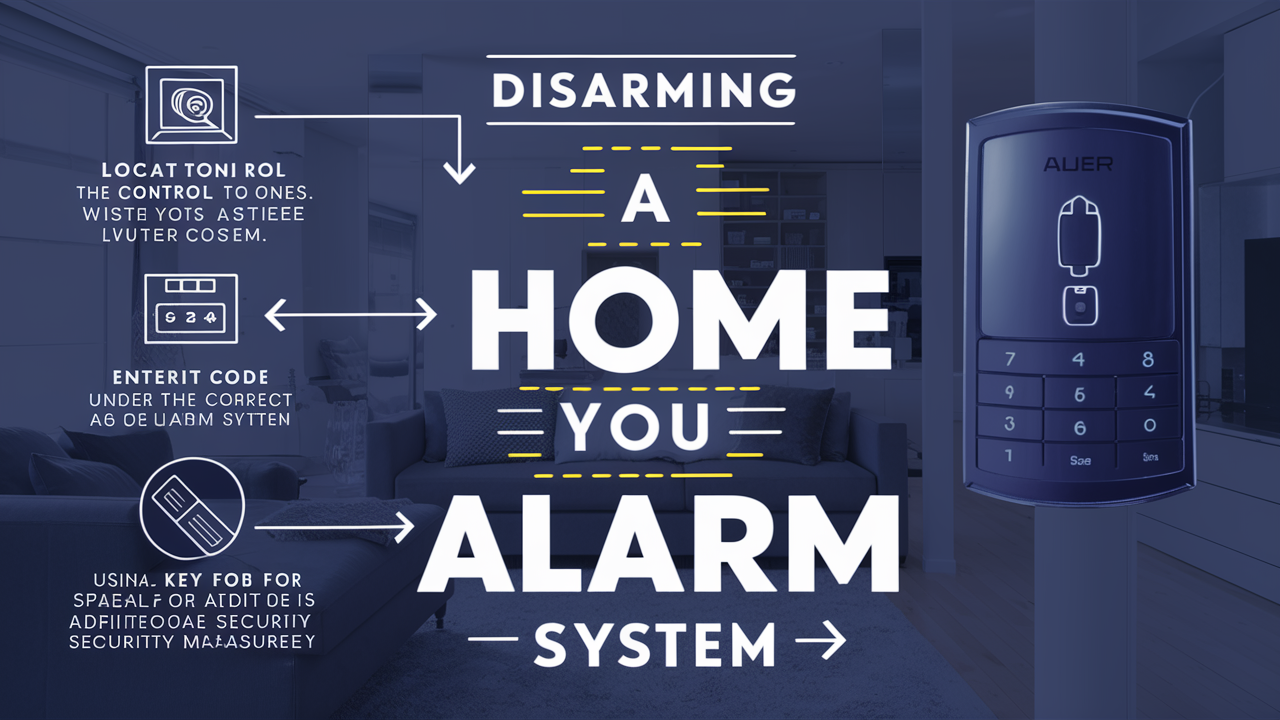
Understanding how to disarm a home alarm system is crucial for homeowners, whether for routine operation, during emergencies, or in unforeseen circumstances. This guide provides a comprehensive, step-by-step approach to safely and effectively disarming various types of home security systems, ensuring peace of mind and operational control.
Understanding Home Alarm Systems
Home alarm systems have evolved significantly over the years, from simple audible alarms to sophisticated, interconnected smart security networks. Understanding the fundamental components and operational principles of your specific system is the first step towards confidently disarming it. Most modern systems, whether traditional or smart, share common elements:
Key Components of a Home Alarm System
- Control Panel/Keypad: This is the central hub of the system. It's where you typically enter your disarm code, arm the system, and view status updates. Keypads can be physical buttons, touchscreens, or even integrated into mobile apps.
- Sensors: These are the eyes and ears of your system. They include door/window contact sensors, motion detectors, glass break sensors, and environmental sensors (smoke, carbon monoxide, water). When a sensor is triggered, it sends a signal to the control panel.
- Siren/Alarm: This is the audible component designed to deter intruders and alert occupants and neighbors. Sirens can be internal, external, or both.
- Communication Module: This component allows the system to communicate with a monitoring center or directly with the homeowner via notifications. This can be via landline, cellular, or internet (Wi-Fi/Ethernet).
Types of Home Alarm Systems
The method of disarming can vary based on the system's type and complexity. As of 2025-26, the market is dominated by a few key categories:
Traditional Hardwired Systems
These systems are permanently installed with wires connecting all components to a central control panel. They are generally reliable but less flexible and often require professional installation and maintenance. Disarming typically involves entering a code at the main keypad.
Wireless Systems
These systems use radio frequencies to communicate between components and the control panel. They offer greater flexibility in installation and are often DIY-friendly. Disarming can be done via a keypad, remote fob, or a mobile app.
Smart Home Security Systems
These are the most advanced systems, integrating with other smart home devices. They offer remote access and control via smartphone apps, voice commands, and often include features like video surveillance and smart locks. Disarming can be highly varied, from app control to geofencing (automatic disarming when you arrive home).
Understanding which type of system you have will guide you to the correct disarming procedure. For instance, a smart system might offer multiple disarming methods, while a basic wired system might only have a keypad.
The Importance of Knowing Your System
In 2025, with the proliferation of DIY security and smart home integration, homeowners are increasingly responsible for managing their own systems. Knowing your alarm system's model, manufacturer, and its specific disarming protocol is paramount. This information is usually found on the control panel itself, in the system's manual, or within the associated mobile app. Without this knowledge, attempting to disarm the system can lead to accidental triggers or system lockout.
Disarming Basic Alarm Systems
Basic alarm systems, whether traditional hardwired or simpler wireless models, generally rely on a primary method for disarming: the user code entered at the control panel. This section outlines the standard procedure and common variations.
The Standard Disarm Procedure
The most common way to disarm a basic home alarm system is by entering a unique user code at the system's keypad. This code is typically a 4-digit or 6-digit number set by the homeowner during installation.
Step-by-Step Disarming (Keypad Entry)
- Approach the Control Panel: Locate the main alarm keypad, usually near a primary entry door.
- Initiate Disarm Command: Press the "Disarm," "Off," or a similar designated button. Some systems may require you to press it before entering the code, while others may prompt for the code first.
- Enter Your User Code: Carefully type in your personal disarm code using the keypad. Ensure you are entering the correct code; most systems have a limited number of incorrect attempts before triggering an alarm or locking out the keypad.
- Confirm Disarm Status: The keypad should display a confirmation message (e.g., "System Disarmed," "Ready," or a green light) and the audible siren should cease if it was active. If the siren continues, double-check your code or consult the troubleshooting section.
Using a Remote Key Fob
Many basic and wireless systems come with a remote key fob. This offers a convenient way to arm and disarm the system without needing to be at the keypad.
Step-by-Step Disarming (Key Fob)
- Locate the Key Fob: Ensure you have your alarm system's key fob with you.
- Press the Disarm Button: Identify the button on the fob designated for disarming (often marked with a padlock icon or "Disarm").
- Activate the Button: Press and hold the disarm button for a moment, or press it once, depending on the fob's design.
- Confirm Disarm: The system should acknowledge the command with an audible chirp or a visual indicator on the keypad or a separate receiver unit. The siren should stop if it was sounding.
Understanding Master vs. User Codes
Most systems differentiate between a master code and individual user codes. The master code typically has more privileges, including the ability to add or delete user codes and change system settings. User codes are primarily for arming and disarming. It's crucial to know which code you are using and to keep your master code secure.
What Happens If the Alarm Triggers?
If your alarm has been triggered (e.g., by an accidental door opening while armed), the immediate priority is to disarm it to stop the siren. Follow the standard keypad or key fob procedure. If the system is monitored, disarming it promptly after a false alarm usually prevents the monitoring company from dispatching emergency services. However, repeated false alarms can lead to fines from local authorities or your monitoring company.
For basic systems, the disarming process is straightforward and relies on authorized credentials. The key is to have these credentials readily available and to know the correct sequence of actions.
Disarming Modern Smart Alarm Systems
Smart alarm systems, prevalent in 2025-26, offer a significantly more versatile disarming experience, leveraging mobile technology, voice control, and even automation. These systems connect to your home network and can be managed remotely, providing convenience but also requiring a different approach to security and disarming.
Disarming via Mobile App
The smartphone app is the primary interface for most smart alarm systems. It allows homeowners to control their system from anywhere with an internet connection.
Step-by-Step Disarming (Mobile App)
- Open the App: Launch the dedicated mobile application for your alarm system on your smartphone or tablet.
- Log In: Enter your username and password, or use biometric authentication (fingerprint, face ID) if enabled.
- Locate System Status: The app's dashboard will typically show the current status of your alarm system (armed, disarmed, in alert).
- Select Disarm: Tap the "Disarm" button or icon. You may be prompted to re-enter your password or use biometric verification for security.
- Confirm Disarm: The app will confirm that the system has been disarmed. You might also receive a push notification. The siren should stop if it was active.
Using Voice Commands
Many smart home ecosystems allow integration with voice assistants like Amazon Alexa, Google Assistant, or Apple's Siri. If your alarm system is compatible, you can disarm it using voice commands.
Example Voice Commands (Vary by system and assistant):
- "Hey Google, disarm my home security."
- "Alexa, tell [Alarm System Name] to disarm."
- "Siri, unlock the front door and disarm the alarm." (If integrated with smart locks)
Important Note: For security reasons, most voice assistants require a spoken PIN or password to disarm the system. Ensure this PIN is not easily guessable and is kept confidential. Some systems may also disable voice disarming altogether for enhanced security.
Geofencing and Automation
Geofencing uses your smartphone's GPS location to trigger actions automatically. For smart alarm systems, this can mean the system disarms when you enter a predefined "safe zone" around your home.
How Geofencing Works for Disarming:
- Set Up the Geofence: Within the alarm system's app or a connected smart home app, define a radius around your home.
- Enable Location Services: Ensure your smartphone has location services enabled for the app.
- Automatic Disarm: As your smartphone enters the geofenced area, the system can be configured to automatically disarm.
Caveats: Geofencing is convenient but can sometimes be unreliable due to GPS inaccuracies or battery-saving settings on your phone. It's often recommended as a supplementary disarming method rather than the sole reliance.
Emergency Disarming and Override Codes
Smart systems often have specific protocols for emergency situations. This might include a silent alarm feature where disarming the system sends a silent alert to the monitoring center without triggering the siren, or a duress code that appears to disarm the system but secretly alerts authorities.
Duress Codes:
A duress code is a specific code entered at the keypad or app that, when entered, disarms the system as usual but simultaneously sends a silent alert to the monitoring station, indicating that you are under duress. This is a critical security feature for personal safety. Always confirm with your alarm provider if your system supports duress codes and how to set them up.
System Updates and Connectivity
Smart systems rely on stable internet connections and regular software updates. If your Wi-Fi is down or the system's firmware is outdated, app-based disarming might fail. In such cases, you may need to revert to a secondary disarming method, such as a physical keypad or a backup cellular connection if your system has one.
The versatility of smart alarm systems offers unparalleled convenience, but it also means understanding multiple disarming pathways and ensuring robust security measures are in place to prevent unauthorized access.
Troubleshooting Common Disarming Issues
Even with the most advanced systems, issues can arise that prevent a smooth disarming process. Experiencing an alarm that won't disarm can be stressful, but many common problems have straightforward solutions. As of 2025-26, connectivity and power issues are among the most frequent culprits for smart systems.
System Not Responding to Code Entry
This is a common problem with keypad-based systems.
Potential Causes and Solutions:
- Incorrect Code: Double-check that you are entering the correct user code. Try entering it slowly and deliberately.
- Keypad Malfunction: The keypad itself might be dirty, damaged, or have unresponsive buttons. Clean the keypad gently with a dry cloth. If a button is physically stuck or broken, you may need to contact support.
- System Lockout: Many systems have a lockout feature after a certain number of incorrect code entries. This is a security measure to prevent brute-force attacks. The lockout period can vary from a few minutes to several hours. Wait for the lockout period to expire and try again with the correct code.
- Power Interruption: If the control panel has lost power, the keypad may not function. Check the main power supply to the control panel and the backup battery.
False Alarms After Disarming
Sometimes, a system might appear disarmed but then trigger again shortly after.
Potential Causes and Solutions:
- Incomplete Disarm: The system may not have fully registered the disarm command. Wait a few seconds and try disarming again.
- Sensor Fault: A faulty sensor might be sending intermittent signals. If this persists, you may need to identify and disable the specific sensor or have it serviced.
- System Glitch: Rare software glitches can occur. A system reboot (often involving power cycling the control panel) might resolve this. Consult your manual for the correct reboot procedure.
Mobile App Not Working for Disarming
Connectivity issues are the most frequent cause for smart system app failures.
Potential Causes and Solutions:
- Internet Connectivity: Ensure your home Wi-Fi is working and that the alarm system's hub is connected to the network. Check your router.
- App Outdated: Make sure you have the latest version of the alarm system's app installed. Check your device's app store for updates.
- Server Issues: Occasionally, the alarm company's servers might be experiencing downtime. Check the company's status page or social media for announcements.
- Phone Issues: Restart your smartphone. Ensure Bluetooth and location services are enabled if your system uses them for disarming.
- Account Login Problems: Verify your login credentials. If you've forgotten your password, use the app's password reset feature.
Siren Continues After Disarming
This is one of the most alarming (pun intended) issues.
Potential Causes and Solutions:
- System Not Fully Disarmed: As mentioned, the disarm command might not have been fully processed. Try disarming again.
- Communication Delay: In some systems, there's a slight delay between the control panel receiving the disarm command and the siren stopping. Wait up to 30 seconds.
- Tamper Alert: If the system has detected tampering (e.g., a cover removed from a sensor or the control panel), it might continue to sound the alarm as a tamper alert. Check all system components for signs of tampering.
- Power Failure to Siren: In rare cases, the siren might have its own backup battery or power source that is still active.
- System Malfunction: If all else fails, there might be a more serious system malfunction requiring professional service.
Emergency Override Procedures
In a critical situation where standard disarming methods fail, consult your alarm system's manual for any emergency override procedures. This might involve a hard reset sequence or contacting the monitoring company directly for remote assistance. For monitored systems, if you cannot disarm the system, it's crucial to contact the monitoring company to explain the situation and prevent unnecessary dispatch of emergency services, especially if it's a false alarm.
Troubleshooting often involves a process of elimination. Start with the simplest solutions (checking codes, power, connectivity) before moving to more complex steps like system reboots or contacting support. Keeping your system's manual or having digital access to it is invaluable for quick problem resolution.
Safety and Best Practices for Alarm Management
Effectively managing your home alarm system goes beyond just knowing how to disarm it. Implementing robust safety measures and adhering to best practices ensures your system remains a reliable security asset rather than a potential vulnerability. As of 2025-26, with increasingly interconnected homes, these practices are more critical than ever.
Securing Your Codes and Credentials
Your alarm codes and app login details are the keys to your home's security. Treat them with the utmost care.
- Change Default Codes Immediately: Never use the factory-set default codes. Create unique, strong codes that are easy for authorized users to remember but difficult for others to guess. Avoid sequential numbers (1234) or easily identifiable patterns (birthdays).
- Limit Code Sharing: Only share codes with trusted individuals who genuinely need access (e.g., family members, trusted pet sitters).
- Regularly Review User Codes: If you have multiple user codes, periodically review who has access and remove codes for individuals who no longer require them (e.g., former tenants, guests).
- Secure Mobile App Access: Use strong, unique passwords for your alarm system's app. Enable biometric authentication (fingerprint, face ID) for an extra layer of security. Never share your app login credentials.
- Be Wary of Phishing: Alarm companies will rarely ask for your full security code or password via email or unsolicited calls. Be suspicious of any such requests.
Regular System Maintenance and Testing
A well-maintained system is a dependable system.
- Scheduled Testing: Most alarm systems recommend monthly testing. This involves arming the system, triggering a sensor (e.g., opening a door), and then disarming it to ensure all components are functioning correctly. If your system is monitored, notify your monitoring company before testing to avoid a dispatch.
- Battery Replacement: Wireless systems rely on batteries for sensors and backup power for the control panel. Replace these batteries as recommended by the manufacturer (typically every 1-3 years) or when the system alerts you to low battery levels.
- Software Updates: For smart systems, ensure that your mobile app and the system's firmware are kept up-to-date. Updates often include security patches and performance improvements.
- Physical Inspection: Periodically check that sensors are securely mounted, wires are not damaged, and the control panel is free from obstructions.
Understanding Monitoring and Emergency Services
If your system is monitored, understanding the protocol is vital.
- Know Your False Alarm Policy: Familiarize yourself with your local municipality's and your alarm company's policies on false alarms. Repeated false alarms can lead to fines.
- Accurate Contact Information: Ensure your monitoring company has your most current contact information and emergency contact list.
- Emergency Contacts: Clearly designate who should be contacted in case of an alarm and in what order.
- Silent vs. Audible Alarms: Understand the difference and when each is appropriate. Silent alarms are crucial for personal safety, while audible alarms serve as a deterrent.
When to Call a Professional
While many issues can be resolved by homeowners, some situations require expert intervention.
- Complex Installation/Wiring Issues: If you have a hardwired system and suspect wiring problems, it's best to call a qualified technician.
- Persistent Malfunctions: If you've tried troubleshooting steps and the system continues to malfunction, a professional diagnosis is needed.
- System Upgrades: When considering upgrading to a new system or adding components, professional installation often ensures optimal performance and security.
- Security Vulnerabilities: If you suspect your system has been compromised or you have concerns about its security, consult a security professional.
Best Practices for Guests and Temporary Users
- Provide Clear Instructions: If guests or temporary users need to arm/disarm the system, provide them with clear, written instructions and the specific code to use.
- Use Temporary Codes: If your system allows, create temporary user codes that expire after a set period.
- Educate on False Alarms: Remind guests to disarm the system promptly and to avoid triggering alarms accidentally.
By integrating these safety measures and best practices into your routine, you can ensure your home alarm system functions as intended, providing a secure and reliable layer of protection for your property and loved ones. Proactive management is key to maintaining the integrity and effectiveness of your security system.
Conclusion
Mastering how to disarm your home alarm system is an essential aspect of home security management. Whether you're dealing with a traditional keypad-based setup or a sophisticated smart system controlled via a mobile app, understanding the specific procedures for your device is paramount. We've explored the core components of alarm systems, detailed step-by-step guides for disarming basic and modern systems, and provided crucial troubleshooting tips for common issues. Furthermore, we've emphasized the importance of securing your codes, performing regular maintenance, and adhering to best practices to ensure your system remains a robust defense against potential threats. By staying informed and proactive, you can confidently manage your home's security, ensuring peace of mind and operational control in all situations. Always refer to your system's manual for the most accurate and specific instructions.