Understanding how to disarm your home alarm system is crucial for everyday use, emergencies, and maintenance. This guide provides clear, step-by-step instructions and vital information to ensure you can operate your security system safely and effectively, covering common scenarios and essential troubleshooting.
Understanding Your Alarm System Basics
Before you can effectively disarm your home alarm system, it's essential to grasp the fundamental components and how they interact. Modern home security systems are sophisticated, comprising several key elements designed to detect intrusion and alert you, and potentially authorities. Understanding these parts will demystify the disarming process and help you troubleshoot effectively.
Key Components of a Home Alarm System
Most home alarm systems, whether professionally installed or DIY, share common components. Knowing what each part does is the first step to confidently managing your system.
Control Panel (The Brain)
This is the central hub of your alarm system. It receives signals from all sensors, processes them, and determines whether to trigger an alarm. It's also where you typically enter your disarm codes. For 2025-26, control panels are increasingly integrated with smart home ecosystems, allowing for app-based control and monitoring.
Keypad
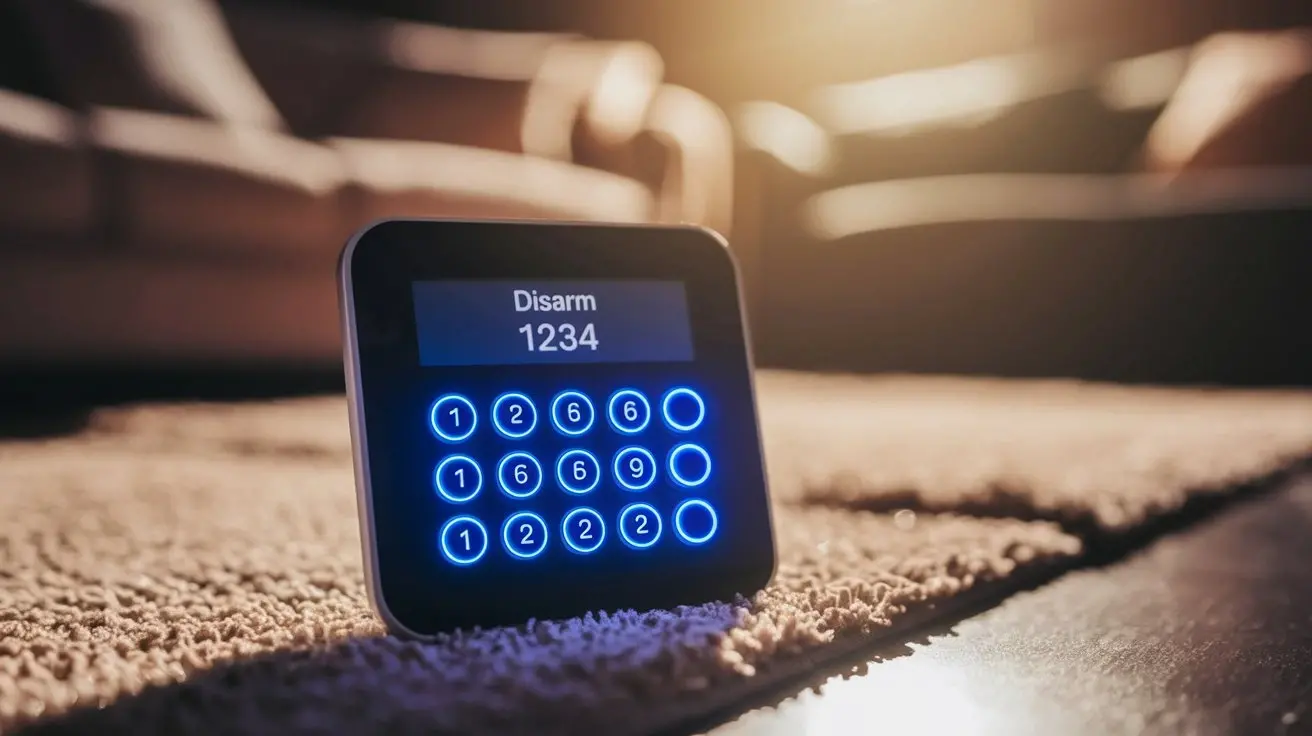
Usually located near entry points (like the front door or garage door), the keypad is your primary interface for arming and disarming the system. You'll enter your unique security code here. Some keypads are wireless, while others are wired directly to the control panel.
Sensors
These are the eyes and ears of your system. They are designed to detect specific events:
- Door/Window Sensors: These magnetic sensors trigger when a door or window is opened. They consist of two parts that complete a circuit when closed.
- Motion Detectors: These devices use infrared (IR) or microwave technology to detect movement within a designated area. Pet-friendly models are common in 2025-26 to reduce false alarms.
- Glass Break Sensors: These listen for the specific sound frequency of breaking glass.
- Environmental Sensors: While not directly related to intrusion, smoke detectors, carbon monoxide detectors, and water leak sensors are often integrated into alarm systems for comprehensive home safety.
Siren/Audible Alarm
This is the loud component designed to deter intruders and alert occupants and neighbors. The decibel level can vary significantly between systems.
Communication Module
This module allows the system to communicate alerts. It can use a landline, cellular network, or internet connection to send signals to a monitoring center or directly to your smartphone.
How Systems Arm and Disarm
When you arm your system, you're essentially telling it to be vigilant. Sensors are activated, and any trigger will initiate a response. Disarming the system tells it to stand down, preventing it from sounding the alarm when legitimate entry occurs. The process typically involves entering a specific user code followed by an 'off' or 'disarm' command.
Common Disarming Methods
The method you use to disarm your alarm system will depend on the type of system you have. While most rely on a security code, there are variations and additional methods that have become more prevalent with technological advancements in 2025-26.
Disarming with a Keypad and Code
This is the most traditional and widely used method. Every user on the system is assigned a unique code.
Steps:
- Approach the alarm system keypad.
- Enter your unique user code (typically 4-6 digits).
- Press the 'Disarm' or 'Off' button.
Important Notes:
- Ensure you enter the code correctly. Most systems allow a few attempts before triggering a lockout or a tamper alert.
- Familiarize yourself with the specific button labels for your system.
- If you are a new homeowner or have recently changed security providers, ensure you have the correct disarm codes. For 2025-26, many systems allow for temporary codes for guests or service personnel.
Disarming with a Key Fob
Key fobs offer a convenient, wireless way to arm and disarm your system. They often have buttons for 'Arm Away', 'Arm Stay', and 'Disarm'.
Steps:
- Ensure you are within range of the control panel.
- Press the 'Disarm' button on your key fob.
- The system will typically provide an audible or visual confirmation (e.g., a beep, a flashing light turning solid).
Advantages: Ideal for quick entry and exit, especially in inclement weather or when carrying items. Many key fobs in 2025-26 also include a panic button.
Disarming via Mobile App (Smart Systems)
For smart home security systems, mobile apps are a primary method of control. These apps connect to your alarm system via Wi-Fi or cellular data.
Steps:
- Open the security app on your smartphone or tablet.
- Log in using your credentials.
- Navigate to the system status screen.
- Tap the 'Disarm' button. You may need to authenticate with a PIN, fingerprint, or facial recognition.
Benefits: Allows remote disarming, provides real-time alerts, and often offers system status checks from anywhere. This is a hallmark of 2025-26 security solutions.
Disarming with Voice Commands (Smart Home Integration)
If your alarm system is integrated with a smart home assistant (like Amazon Alexa or Google Assistant), you may be able to disarm it using voice commands.
Steps:
- Activate your voice assistant (e.g., "Hey Google," "Alexa").
- Issue a command such as, "Disarm my alarm system."
- The assistant will likely prompt you for a voice PIN or a code to confirm the command.
Note: For security reasons, most systems require a voice PIN that is different from your keypad code. This feature is increasingly common in 2025-26 but should be used with caution.
Disarming in Emergency Situations (Panic Buttons)
Most alarm systems include panic buttons, either on the keypad, key fob, or within the mobile app. These are designed for immediate alerts in emergencies, not for routine disarming.
How it works: Pressing a panic button will immediately trigger the siren and send an alert to the monitoring station or designated contacts, without requiring a code. There is usually no way to "disarm" a panic alert once triggered; it must be canceled by the monitoring service after verification.
Disarming with a Key Override
Some older or simpler systems might have a physical key switch that can be used to disarm the system. This is less common in modern, feature-rich systems of 2025-26.
Steps:
- Locate the key switch.
- Insert the provided key.
- Turn the key to the 'Disarm' position.
Comparison of Disarming Methods
Here's a quick comparison to help you choose the most suitable method for your needs:
| Method | Convenience | Speed | Security Level | Typical Use Case |
|---|---|---|---|---|
| Keypad & Code | Moderate | Moderate | High | Routine entry/exit |
| Key Fob | High | High | Moderate to High | Quick entry, busy individuals |
| Mobile App | Very High | High | High (with strong authentication) | Remote control, tech-savvy users |
| Voice Command | Very High | High | Moderate (requires voice PIN) | Hands-free operation, smart home integration |
Troubleshooting Common Disarming Issues
Even with the best systems, you might encounter issues when trying to disarm your alarm. Understanding common problems and their solutions can save you time and frustration.
System Not Responding to Code Entry
This is a frequent issue. The most common reasons are:
- Incorrect Code: Double-check that you are entering the correct user code. Codes are case-sensitive or have specific digit requirements.
- Keypad Malfunction: The keypad itself might be dirty, damaged, or experiencing a technical glitch. Try cleaning the keypad gently.
- Power Issues: The control panel might have lost power. Check the main power supply and the backup battery.
- System Lockout: After too many incorrect code attempts, the system may temporarily lock you out for security. Wait for the designated lockout period (often 5-15 minutes) before trying again.
Solution:
- Verify your code.
- If the problem persists, try disarming using an alternative method (key fob or app).
- If all methods fail, you may need to contact your security provider for assistance or a system reset. For 2025-26 systems, remote diagnostics are often available.
Key Fob Not Working
A non-responsive key fob can be due to several factors:
- Dead Battery: The most common culprit. Replace the battery in the key fob.
- Out of Range: You might be too far from the control panel. Move closer.
- Interference: Other wireless devices can sometimes interfere with the signal.
- Damaged Fob: The fob itself might be broken.
Solution:
- Replace the battery.
- Ensure you are within range.
- If it continues to fail, try re-pairing the fob with the control panel (consult your manual).
- If all else fails, you may need a replacement fob.
Mobile App Not Connecting or Disarming
Smart systems rely on connectivity, making app issues common.
- No Internet/Wi-Fi: The system needs a stable internet connection to communicate with the app. Check your home network.
- App Glitch: The app itself might be experiencing a temporary issue. Try closing and reopening it.
- System Offline: The alarm system's communication module might be offline.
- Account Issues: There might be an issue with your user account or subscription.
Solution:
- Verify your home internet connection.
- Restart your router and modem.
- Force close and reopen the app.
- Check your alarm system's status indicators.
- Contact your provider if the issue persists.
False Alarms Occurring When Disarming
This is frustrating and can lead to fines. It usually means the system detected an event *before* you could disarm it.
- Delayed Entry/Exit Time: The system's entry delay might be set too short for your usual routine, or you might be taking too long to disarm after entering.
- Sensor Malfunction: A faulty door/window sensor or motion detector could be falsely triggering.
- System Fault: The control panel might have a general system fault.
Solution:
- Review your system's entry and exit delay settings with your provider.
- Test individual sensors to identify any faulty ones.
- Check for system fault messages on the keypad or app.
System Lockout After Multiple Failed Attempts
Most modern systems have a security feature that locks the keypad or system after a certain number of incorrect code entries to prevent brute-force attacks. This is a standard security protocol for 2025-26 systems.
Solution:
- Wait for the lockout period to expire. This can range from a few minutes to an hour, depending on the system's programming.
- During the lockout, try to use an alternative disarming method if available (key fob, app).
- If you are repeatedly forgetting your code, consider requesting a code change from your administrator or security provider.
Preventing False Alarms and System Malfunctions
False alarms are not only inconvenient but can also result in fines from local authorities. Proactive measures can significantly reduce their occurrence. For 2025-26, smart home integration and AI-powered anomaly detection are helping to further reduce false alarms.
Regular System Maintenance
Just like any electronic device, alarm systems require occasional checks.
- Battery Checks: Regularly test and replace backup batteries in the control panel and sensors. Most systems will alert you when a battery is low.
- Sensor Cleaning: Dust and debris can interfere with sensors, especially motion detectors. Gently clean them periodically.
- Firmware Updates: For smart systems, ensure your firmware and app are up-to-date. These updates often include bug fixes and performance improvements.
Understanding and Configuring Sensors
Proper sensor placement and configuration are key.
- Motion Detector Placement: Avoid placing motion detectors facing windows, heating vents, or areas with direct sunlight, as these can cause false triggers. Ensure they are mounted at the correct height.
- Pet-Friendly Sensors: If you have pets, use motion detectors specifically designed to ignore animals below a certain weight.
- Door/Window Sensor Alignment: Ensure the two parts of magnetic sensors are properly aligned and within their specified operating range.
Educating Household Members
Ensure everyone who has access to the system knows how to use it correctly.
- Code Management: Everyone should know their unique code and understand the importance of keeping it confidential.
- Arming/Disarming Procedures: Clearly explain the steps for arming (away vs. stay) and disarming.
- Emergency Procedures: In case of a real emergency, everyone should know how to use panic buttons or call for help.
Understanding Entry and Exit Delays
These are crucial for preventing false alarms when entering or leaving your home.
- Exit Delay: The time you have to leave the premises after arming the system.
- Entry Delay: The time you have to disarm the system after entering.
Tip: Ensure these delays are set appropriately for your household's pace. If you find yourself rushing, consider asking your provider to adjust them. For 2025-26 systems, some can even learn your typical entry/exit times.
Dealing with Environmental Factors
Extreme weather or household activities can sometimes trigger alarms.
- High Winds: Can sometimes rattle doors or windows, triggering sensors.
- Power Surges: Can cause temporary system glitches. A good surge protector for your control panel can help.
- Household Activities: Large gatherings or sudden movements near sensors might trigger them.
Note: Many modern systems (2025-26) have advanced algorithms to differentiate between genuine threats and environmental anomalies.
Advanced Considerations and System Types
The landscape of home security is constantly evolving. Understanding the different types of systems and advanced features available in 2025-26 can help you make informed decisions and manage your system more effectively.
Wired vs. Wireless Systems
The choice between wired and wireless systems impacts installation, maintenance, and features.
| Feature | Wired Systems | Wireless Systems |
|---|---|---|
| Installation | More complex, requires drilling, often professional | Easier, less invasive, DIY-friendly |
| Reliability | Generally considered more reliable, less prone to interference | Reliability has significantly improved; some interference possible |
| Maintenance | Low, no batteries to replace in sensors | Requires battery replacement in sensors and key fobs |
| Flexibility | Less flexible for adding new sensors or relocating | Highly flexible, easy to add or move sensors |
| Cost | Higher upfront installation cost, lower long-term | Lower upfront cost, ongoing battery replacement |
Monitored vs. Unmonitored Systems
This distinction affects how your alarm is handled when triggered.
- Monitored Systems: Connected to a central monitoring station. When an alarm is triggered, the station is notified and will follow a protocol, typically involving contacting you and/or dispatching emergency services. This is the standard for most professional installations in 2025-26.
- Unmonitored Systems (Self-Monitored): These systems alert you directly via your smartphone or a local siren. You are responsible for contacting authorities if necessary. DIY systems often fall into this category.
Smart Home Integration and IoT
The Internet of Things (IoT) has revolutionized home security. Systems in 2025-26 are often part of a larger smart home ecosystem.
- Integration with Smart Locks: Automatically disarm your system when you unlock your smart door.
- Integration with Smart Lights: Lights can turn on when an alarm is triggered, deterring intruders.
- Video Surveillance: Many systems integrate with smart cameras, allowing you to view live feeds or recorded events when an alarm is triggered.
- Automation Rules: Create custom rules, such as "If motion is detected after 11 PM and the system is armed, turn on all lights and send me an alert."
Understanding System Codes and User Permissions
Most systems allow for multiple user codes, each with different permission levels.
- Master Codes: Can arm, disarm, and change system settings.
- User Codes: Can arm and disarm the system.
- Guest Codes: Often temporary or with limited access.
It's crucial to manage these codes properly, especially if you have children or frequent visitors. For 2025-26, features like scheduled code deactivation are common.
Legal and Safety Considerations
Operating a home alarm system involves responsibilities and potential legal implications. Understanding these is as important as knowing how to disarm it.
False Alarm Fines and Ordinances
Many municipalities impose fines for excessive false alarms. These are intended to reduce the burden on emergency services.
- Local Regulations: Familiarize yourself with your local city or county ordinances regarding alarm systems and false alarms.
- Registration: Some areas require you to register your alarm system with the local police department.
- Number of False Alarms: Most ordinances allow a certain number of false alarms per year (e.g., 2-3) before fines are levied.
Statistics (2025-26 estimates): While exact figures vary, it's estimated that 90-95% of alarm activations are false alarms, leading to significant costs for municipalities and potential fines for homeowners. Proactive system maintenance and user education are key to avoiding these costs.
Emergency Service Dispatch Protocols
When an alarm is triggered and monitored, the central station follows specific protocols.
- Verification: Many monitoring centers attempt to verify alarms by calling you or checking video feeds before dispatching police.
- Cancelation: If you disarm the system quickly or confirm it's a false alarm during the verification call, the dispatch can be canceled.
- Response Times: Police response times can vary greatly depending on your location and the availability of officers.
Security and Privacy
With the rise of smart systems, security and privacy are paramount.
- Strong Passwords: Use strong, unique passwords for your alarm system app and any associated accounts.
- Two-Factor Authentication (2FA): Enable 2FA whenever possible for an extra layer of security.
- Data Encryption: Ensure your system uses encrypted communication channels to protect your data.
- Privacy Policies: Understand the privacy policies of your alarm provider regarding data collection and usage.
When to Disarm for Maintenance or Emergencies
There are specific situations where you might need to disarm your system temporarily.
- Contractor Access: If you have workers in your home (e.g., plumbers, electricians), you'll need to disarm the system or put it in a specific "maintenance" mode if available. Ensure you re-arm it when they leave.
- System Testing: When testing sensors or performing maintenance, it's often best to disarm the system or put it in a test mode with your monitoring company to avoid accidental dispatch.
- Power Outages: While backup batteries are standard, prolonged outages might require manual intervention.
Important: Always notify your monitoring company when you plan to perform maintenance or testing that might trigger the alarm. For 2025-26, many systems allow for a "test mode" directly through the app or a call to the monitoring center.
Conclusion
Effectively disarming your home alarm system is a fundamental skill for any homeowner. Whether you rely on a traditional keypad, a convenient key fob, or the latest mobile app technology, understanding the process ensures your security system works for you, not against you. We've covered the essential components, various disarming methods, common troubleshooting steps, and crucial preventative measures, all updated with insights relevant to 2025-26 trends. By familiarizing yourself with your system's specific operation, maintaining it regularly, and educating all household members, you can significantly reduce the likelihood of false alarms and ensure peace of mind. Remember to always consult your system's manual or your security provider for precise instructions tailored to your setup. Prioritizing these practices not only enhances your home's security but also prevents unnecessary disruptions and potential fines.