How To Disconnect Adt Alarm System ?
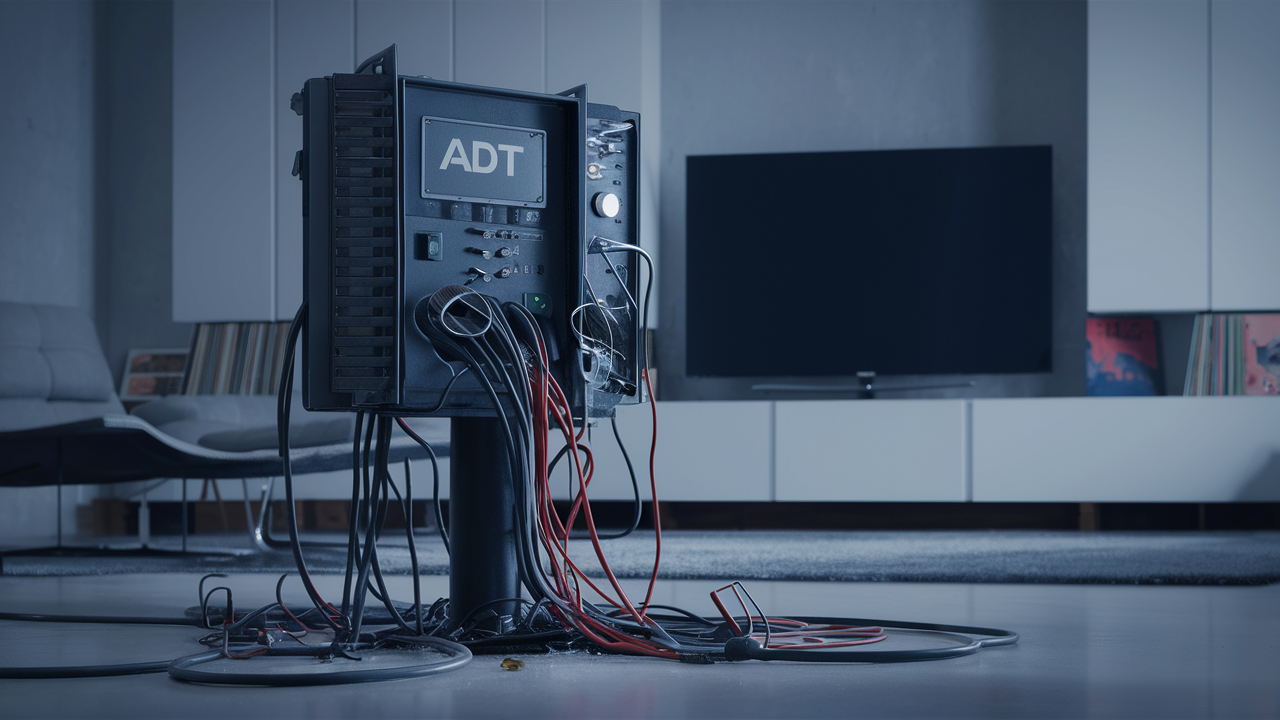
Understanding how to disconnect your ADT alarm system is crucial for various reasons, from moving to a new home to upgrading your security setup. This comprehensive guide will walk you through the entire process, ensuring you can safely and effectively deactivate your ADT system, whether you're a DIY enthusiast or need professional assistance. We'll cover everything from understanding your system's components to navigating cancellation policies and safely removing equipment.
Understanding Your ADT Alarm System
Before you can effectively disconnect your ADT alarm system, it's essential to have a foundational understanding of its components and how they work together. ADT systems are typically comprised of a central control panel, various sensors (door/window, motion, glass break), keypads, and often include features like smoke detectors, carbon monoxide detectors, and even video surveillance. The control panel is the brain of the system, communicating with all sensors and, if monitored, transmitting alerts to ADT's monitoring center. Understanding these parts will help you identify what needs to be deactivated and removed. For instance, a typical ADT Pulse system might involve a main hub, wireless sensors, and a mobile app interface. Knowing which specific ADT package you have – such as ADT Command, ADT Control, or older systems – is crucial, as the disconnection process can vary slightly.
Reasons to Disconnect Your ADT System
There are several common scenarios that prompt homeowners and renters to seek ways to disconnect their ADT alarm system. These reasons range from practical necessities to strategic decisions about home security. As of 2025-26, the most prevalent reasons include:
- Moving to a New Residence: This is perhaps the most frequent reason. If you're moving, you might want to take your existing system with you, or you might be leaving it for the new occupants. In either case, disconnection is necessary.
- Upgrading Security Systems: Many homeowners choose to upgrade to newer, more advanced smart home security systems that may not be compatible with ADT's proprietary technology. This could involve integrating with other smart devices or opting for a different monitoring service.
- Contract Expiration or Dissatisfaction: If your contract has ended, or you are unhappy with ADT's service, pricing, or response times, you may decide to disconnect and seek alternative solutions. Customer satisfaction surveys in 2025 indicate that while ADT maintains a strong brand presence, pricing and contract flexibility are growing concerns for some users.
- Relocating to a Property with Existing Security: If your new home already has a functional security system, you might decide it's more cost-effective to use that rather than installing a new ADT system.
- Simplifying Home Automation: Some users wish to consolidate their smart home devices and may find that ADT's system is a separate entity that doesn't integrate well with their preferred ecosystem (e.g., Google Home, Amazon Alexa).
- Temporary Disconnection for Renovations: During extensive home renovations, it might be necessary to temporarily disconnect the alarm system to avoid false alarms or damage to equipment.
Each of these scenarios requires a clear understanding of the disconnection process to ensure it's done correctly and without incurring unnecessary penalties or complications.
Before You Disconnect: Important Considerations
Attempting to disconnect your ADT alarm system without proper preparation can lead to complications, including contractual penalties, damage to equipment, or even voiding warranties. Here are critical factors to consider before proceeding:
- Contractual Obligations: This is paramount. Most ADT contracts are for a specific term (e.g., 3-5 years). Terminating early often incurs significant early termination fees (ETFs). Review your contract meticulously or contact ADT to understand your current status, remaining term, and any associated penalties. As of 2025, ADT's standard contracts are typically 36 months, with ETFs calculated based on the remaining months.
- Monitoring Services: Disconnecting your system means you will lose ADT's professional monitoring services. This means if an alarm is triggered, ADT will no longer dispatch emergency services. You'll need to decide if you will self-monitor, switch to a different monitoring provider, or have no monitoring at all.
- Equipment Ownership: Understand who owns the equipment. In many ADT contracts, especially older ones, ADT retains ownership of the equipment, and you are essentially leasing it. If you own the equipment, you have more flexibility in what you do with it. If ADT owns it, they will typically require its return or may charge you for it upon disconnection.
- Impact on Home Insurance: Many home insurance policies offer discounts for homes with professionally monitored alarm systems. Disconnecting your ADT system may result in the loss of this discount. Check with your insurance provider about the implications.
- Future Use of Equipment: If you plan to install a new security system, some ADT components might be reusable, although this is rare due to proprietary technology. However, if you're moving, you might want to take the system with you, which requires proper removal and potentially reactivation.
- Data and Privacy: If your ADT system includes cameras or smart home features, consider any data stored or accessible through the system. Ensure you understand how to access or delete this data before disconnection.
Addressing these points proactively will streamline the disconnection process and prevent unforeseen issues. A quick look at 2025 home security trends shows an increasing preference for systems that offer greater user control and integration, making understanding ownership and contract terms even more vital.
Methods to Disconnect Your ADT System
There are primarily two approaches to disconnecting your ADT alarm system: involving ADT professionals or attempting a do-it-yourself (DIY) method. Each has its own set of advantages, disadvantages, and required steps.
Option 1: Professional ADT Disconnection
This is the safest and most recommended method, especially if you are still under contract or if ADT owns the equipment. It involves scheduling a service appointment with ADT.
Pros:
- Expertise: ADT technicians are trained to handle their systems, ensuring a clean and correct disconnection.
- Contractual Compliance: Professionals will guide you through the contractual aspects, ensuring you meet all obligations and avoid penalties.
- Equipment Handling: If ADT owns the equipment, they will manage its removal and return.
- Reduced Risk of Damage: Less chance of damaging your property or the alarm components.
- Official Record: Provides an official record of disconnection, which can be important for insurance or future security system installations.
Cons:
- Cost: There may be a service fee for the technician's visit, especially if you are terminating your contract early or outside of a move-out clause.
- Scheduling: You need to coordinate a time that works for both you and ADT's technician.
- Potential for Upselling: Technicians might attempt to sell you new services or equipment.
When to choose this option: If you are unsure about your contract, if ADT owns the equipment, if you want to ensure a clean deactivation, or if you are uncomfortable with electrical systems.
Option 2: DIY ADT Disconnection (With Caution)
This method involves you taking the system offline and removing components yourself. It's generally only advisable if your contract has expired, you own the equipment, and you are comfortable with basic electrical and technical tasks. Even then, ADT may still require you to contact them to officially cancel monitoring services.
Pros:
- Cost Savings: Avoids potential service fees from ADT.
- Flexibility: You can perform the disconnection at your convenience.
Cons:
- Risk of Contract Violation: If you are still under contract, attempting DIY disconnection may violate terms and lead to higher penalties.
- Equipment Damage: Incorrect removal can damage sensors, wiring, or your home's walls.
- Safety Hazards: Working with electrical components carries risks if not done properly.
- Incomplete Disconnection: You might miss crucial steps, leaving the system partially active or unable to be re-purposed.
- No Official Record: ADT may not officially recognize the disconnection, potentially leading to continued billing or service issues.
When to consider this option: Only after your contract has definitively ended, you have confirmed ownership of all equipment, and you have a clear understanding of the system's components and how to safely remove them. Even in this case, contacting ADT to formally cancel monitoring is still a crucial step.
Step-by-Step Guide to Disconnecting ADT
This guide outlines the general steps involved in disconnecting an ADT alarm system. Remember to adapt these steps based on your specific system model and contract status. For 2025-26, it's important to note that ADT continuously updates its technology, so consulting your system's manual or ADT directly for model-specific instructions is always recommended.
Step 1: Contact ADT to Initiate Disconnection
This is the absolute first step, regardless of whether you plan for professional removal or DIY. You need to inform ADT of your intention to disconnect. This is crucial for:
- Understanding Your Contract: They can tell you exactly how much time is left on your contract and what your early termination fees (ETFs) would be if applicable.
- Cancelling Monitoring Services: You must officially cancel your monitoring service to avoid ongoing charges.
- Equipment Return/Purchase: They will inform you about the status of your equipment ownership and any procedures for returning it if ADT owns it.
- Scheduling a Professional: If you opt for professional disconnection, this is where you schedule the appointment.
How to contact ADT:
- Phone: Call ADT customer service. The primary number is usually found on your bill or ADT's official website. For 2025, expect wait times, so have your account information ready.
- Online Portal: Some users may be able to initiate the process or find relevant information through their ADT online account portal.
Be prepared to provide your account number, name, and address. Clearly state that you wish to disconnect your service and deactivate your alarm system. Ask for confirmation of your disconnection date and any associated fees in writing or via email.
Step 2: Understand Your Contract and Fees
As mentioned, this is a critical juncture. ADT contracts are legally binding. In 2025, standard ADT contracts often include clauses for early termination. These fees can be substantial, sometimes amounting to a significant percentage of the remaining contract value. For example, a common calculation might be 75% of the remaining monthly payments. If your contract has expired, you should no longer be subject to these fees, but you still need to formally cancel the monitoring service. ADT might also have clauses related to equipment. If you are moving and want to take your system, ensure this is permitted and understand any transfer fees or requirements. If you are simply ending service, they will inform you if you need to return equipment.
Key questions to ask ADT:
- What is the exact end date of my current contract?
- What are the penalties or fees for early termination, if any?
- Do I own the equipment, or does ADT?
- If ADT owns the equipment, how and when should it be returned?
- Are there any fees associated with cancelling the monitoring service?
Document all conversations and agreements. A written confirmation from ADT regarding your contract status and cancellation terms is invaluable.
Step 3: Schedule Professional Removal or Prepare for DIY
Based on your contract review and personal comfort level, you'll decide on the method of disconnection.
If opting for Professional Removal:
- Schedule Appointment: Work with ADT to schedule a date and time for a technician to visit your home. Ensure the technician is authorized to perform the disconnection.
- Confirm Scope: Clarify with ADT what the technician will do. Will they simply deactivate the system, or will they physically remove all components? This is important if you plan to reinstall the system elsewhere or if ADT requires equipment return.
If opting for DIY Disconnection:
- Gather Tools: You'll likely need a screwdriver set (Phillips and flathead), wire strippers, pliers, a drill (for some mounting hardware), possibly a stud finder, and safety gloves.
- Identify Components: Familiarize yourself with the location and type of all ADT components in your home. This includes the main control panel, keypads, door/window sensors, motion detectors, glass break sensors, and any cameras or sirens.
- Understand Power Sources: Know how each component is powered – either by battery or hardwired into your home's electrical system.
- Safety First: Ensure you are comfortable working with electrical wiring. If any wiring looks complex or you are unsure, it's best to stop and call a professional.
For DIY, it's highly recommended to take pictures of the installation before you start removing anything. This can be helpful for reinstallation or understanding how things were connected.
Step 4: Safely Deactivating the Control Panel
The control panel is the central hub of your ADT system. Deactivating it is a key step.
For Professional Removal: The ADT technician will handle this. They will typically access the panel's internal settings to disable the system and then disconnect it from its power source and any communication lines (like phone lines or internet). They will also typically remove the panel from the wall.
For DIY Disconnection:
- Locate the Panel: This is often a wall-mounted unit, sometimes in a closet, basement, or utility room.
- Access the Panel: Most panels have a cover that needs to be opened. This might involve unscrewing it or releasing a latch. Be gentle.
- Disconnect Battery Backup: Inside the panel, you'll find a backup battery. Disconnect its terminals (usually red and black wires). Note that the system will immediately lose power and start beeping unless it's also disconnected from AC power.
- Disconnect AC Power: The control panel is usually hardwired to your home's electrical system. You will need to find the transformer for the alarm system (often a small black box plugged into an outlet or wired directly into a junction box) and unplug it or disconnect it from the power source at the breaker box. Crucially, turn off the breaker that supplies power to the alarm system transformer before attempting to disconnect any wires. If you cannot locate the specific breaker, you may need to turn off the main breaker for your home, which will cut power to everything.
- Disconnect Communication Lines: If your system uses a landline, disconnect the phone cord from the back of the panel. If it uses an internet connection (Ethernet cable), unplug that as well. Newer ADT systems often use cellular communicators; these may require specific steps to disable, sometimes involving removing a SIM card or disabling the cellular module within the panel's settings.
- Remove the Panel: Once all power and communication lines are disconnected, you can unscrew the panel from the wall.
Important Note: After disconnecting the battery and AC power, the panel will likely emit a loud, continuous beeping sound. This is normal as it indicates a power loss. You may need to silence this by pressing a specific button or entering a code if the panel still has residual power, or it will stop once fully disconnected.
Step 5: Removing Sensors and Other Devices
Once the main control panel is deactivated, you can proceed to remove the various sensors and devices throughout your home.
Door and Window Sensors:
- These usually consist of two parts: a sensor and a magnet. They are typically attached with adhesive tape or small screws.
- If using adhesive, carefully pry the sensor off the frame or door/window using a putty knife or a thin, flat tool. Apply gentle heat with a hairdryer if the adhesive is stubborn.
- If screwed in, simply unscrew them.
- Remove any associated wiring if present.
Motion Detectors:
- These are usually mounted in corners of rooms or on walls. They are typically screwed into the wall.
- Locate the mounting screws, often on the underside or sides of the detector.
- Once unscrewed, gently pull the detector away from the wall. There may be a small wire connector to detach.
Glass Break Sensors:
- Similar to motion detectors, these are usually screwed to the wall. Unscrew them and detach any wiring.
Keypads:
- Keypads are typically mounted on the wall and may have screws or a clip mechanism to detach them from their base plate.
- Once detached, you'll need to disconnect any wires running from the wall to the keypad.
Cameras and Other Devices:
- Follow similar procedures: locate mounting screws, detach wiring, and carefully remove the device from its position. For cameras, you may also need to disconnect power adapters.
Important: Be mindful of where wires are routed. Sometimes they are hidden within walls or conduits. If you are uncomfortable with the wiring, it's best to leave it or have a professional handle it. For DIY, ensure you patch any holes left behind after removal.
Step 6: Disconnecting the Power Source
This step is critical for safety and complete deactivation. It involves ensuring the system has no power whatsoever.
For Professional Removal: The ADT technician will ensure all power sources are disconnected, including the main AC power to the transformer and the backup battery within the control panel.
For DIY Disconnection:
- Locate the Transformer: ADT systems typically use a low-voltage transformer to power the main control panel. This transformer is often plugged into a standard wall outlet (and the wire then runs to the panel) or is hardwired into a junction box.
- Unplug the Transformer: If it's a plug-in type, simply unplug it from the outlet.
- Hardwired Transformer: If the transformer is hardwired, you *must* turn off the corresponding circuit breaker in your home's electrical panel. If you are unsure which breaker controls the alarm system, it is safest to turn off the main breaker that powers your entire home. Once the power is confirmed off at the breaker, you can safely disconnect the wires connecting the transformer to the power source.
- Disconnect the Backup Battery: As mentioned in Step 4, locate the backup battery within the control panel and disconnect its terminals.
Verify No Power: After disconnecting both the AC power and the battery, the control panel should be completely dead, with no lights or sounds. If any component still shows signs of power, re-check your connections and breakers.
Step 7: Final Checks and Disposal
Once all components are removed and power is confirmed disconnected, you're nearing the end of the process.
Final Inspection:
- Walk through your home and ensure no ADT equipment remains.
- Check that all wires have been safely disconnected and, if necessary, capped off or secured according to electrical safety standards.
- If you removed components that were screwed in, you'll have holes in your walls or door frames. Decide whether to patch and paint them yourself or hire someone.
Equipment Disposal:
- If ADT Owns the Equipment: You must return it according to ADT's instructions. Failure to do so can result in charges. ADT will typically provide a shipping label or arrange for pickup.
- If You Own the Equipment: You can choose to keep it, sell it, or dispose of it.
- Selling: Some components might be resold online, though compatibility with other systems is often limited.
- Disposal: Electronic waste should be disposed of responsibly. Check your local regulations for e-waste recycling centers. Do not simply throw electronic components in the regular trash, as they can contain hazardous materials.
Confirm Service Cancellation: Even after physically disconnecting the system, ensure your monitoring service with ADT has been officially cancelled. Review your final bill from ADT to confirm no further charges are applied for monitoring or equipment lease.
Troubleshooting Common ADT Disconnection Issues
While the steps above are comprehensive, you might encounter specific problems. Here are common issues and how to address them:
- Persistent Beeping: This usually indicates a power issue. Ensure both the battery backup and AC power are disconnected. If it persists, the panel might have a fault, or a sensor might still be reporting a status.
- Contractual Disputes: If ADT claims you owe more than expected, refer to your contract and any written communication. If disputes arise, consider seeking advice from a consumer protection agency.
- Difficulty Removing Sensors: Stubborn adhesives can be softened with a hairdryer. For screws, ensure you are using the correct size screwdriver to avoid stripping them.
- Unidentified Wiring: If you find wiring you can't identify or are uncomfortable working with, stop and call a qualified electrician or ADT for professional assistance.
- ADT Refuses Disconnection: This is rare but can happen if you are still under contract and haven't met their termination requirements. Re-read your contract and communicate clearly with ADT's customer service.
- System Re-activates: If you disconnect power and battery, but the system seems to reactivate, it might be due to a brief power surge or a fault. Double-check all power sources and consider a full system reset if possible (though this is unlikely without power).
Remember, ADT's customer service is your primary resource for resolving issues related to their service and equipment. For 2025, ADT has been investing in online support and FAQs, which might offer quick solutions.
Alternative Security Solutions Post-ADT
Disconnecting your ADT system is often a precursor to adopting a new security strategy. The landscape of home security in 2025-26 is diverse and rapidly evolving. Here are popular alternatives:
- DIY Smart Home Security Systems: Brands like SimpliSafe, Ring Alarm, and Abode offer systems that are easy to install and often come with flexible monitoring plans, including self-monitoring options. These systems integrate well with other smart home devices.
- Professional Installation & Monitoring (Non-ADT): Many companies offer professional installation and 24/7 monitoring services, often with more competitive pricing or contract terms than ADT. Examples include Vivint, Frontpoint Security, and local security providers.
- Self-Monitored Systems: These systems rely on you to respond to alerts via your smartphone. They are typically the most affordable as they don't involve monthly monitoring fees. This is suitable for individuals who are home frequently or have reliable neighbors who can assist.
- Standalone Smart Devices: Instead of a full alarm system, you might opt for individual smart cameras, video doorbells, and smart locks, managed through apps. This offers a degree of security and convenience without the complexity of a central alarm panel.
- No System: Some homeowners may choose to forgo an alarm system altogether, relying on robust locks, good lighting, and community watch programs.
When choosing a new system, consider factors like installation complexity, monitoring options, integration with other smart devices, contract length, and overall cost. The trend in 2025 is towards greater user control, app-based management, and seamless integration with the broader smart home ecosystem.
ADT Cancellation Policy and Legal Aspects (2025-26)
Understanding ADT's cancellation policy is paramount to avoid legal and financial entanglements. As of 2025-26, ADT's policies generally revolve around:
- Contract Term: The standard contract length is typically 36 months. Early termination before this period incurs fees.
- Early Termination Fees (ETFs): These are often calculated as a percentage (e.g., 75%) of the remaining monthly payments for the contract duration. Some states may have laws limiting the amount of ETFs.
- Moving Clause: ADT often allows customers to transfer their service to a new home without penalty, provided the new home is within ADT's service area. There might be a transfer fee, and you may need to sign a new contract for the remaining term.
- Equipment Ownership: Historically, ADT leased most equipment. If you're in a lease agreement, you'll likely be required to return the equipment upon cancellation. Failure to do so can result in unreturned equipment fees. If you purchased the equipment outright, you own it and can keep or sell it.
- Cancellation Procedure: ADT requires formal notification of cancellation, usually by phone. Verbal agreements should always be followed up with written confirmation.
- Legal Recourse: If you believe ADT has unfairly charged you or violated contract terms, you may have legal recourse. This could involve filing a complaint with the Better Business Bureau (BBB), your state's Attorney General's office, or pursuing small claims court.
It is crucial to keep copies of your contract, all bills, and any correspondence with ADT. For the most accurate and up-to-date information, always refer to your specific contract or speak directly with an ADT representative.
Conclusion: Your ADT Disconnection Journey Complete
Successfully disconnecting your ADT alarm system requires careful planning, adherence to your contract, and a clear understanding of the process. Whether you opt for professional assistance or a cautious DIY approach, prioritizing safety and contractual compliance is key. By following the steps outlined – from initial contact with ADT and understanding your contract, to safely deactivating the control panel and removing components – you can navigate this transition smoothly. Remember that disconnecting your ADT system means relinquishing professional monitoring, so be sure to have a plan for your home security moving forward, whether that involves self-monitoring, a new provider, or a different security solution altogether. Always ensure you have official confirmation of your service cancellation to avoid unexpected charges. Your proactive approach ensures a secure and informed transition to your next chapter of home security.



