How to Install Motion Sensor Lights: Step-by-Step Guide
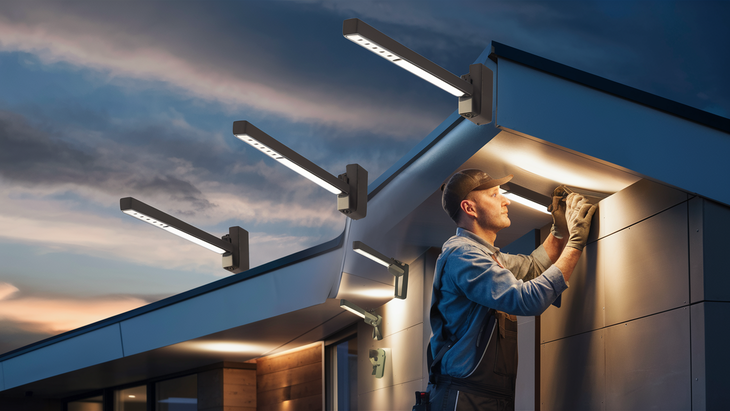
Installing motion sensor lights is a smart, energy-efficient upgrade for any home or business. This comprehensive guide provides a detailed, step-by-step process, ensuring you can confidently tackle the installation yourself, enhancing security and convenience while saving on energy costs.
Understanding Motion Sensor Lights
Motion sensor lights are intelligent lighting fixtures designed to activate automatically when movement is detected within their range. This technology offers a significant upgrade over traditional lighting, providing enhanced security, convenience, and energy savings. The core of these lights is the motion sensor itself, which utilizes various technologies to detect changes in its environment. Understanding these technologies is crucial for effective installation and optimal performance.
How Motion Sensors Work
The primary function of a motion sensor is to detect movement. Different types of sensors employ distinct methods to achieve this:
- Passive Infrared (PIR) Sensors: These are the most common type. PIR sensors detect infrared radiation emitted by warm bodies, such as humans and animals. When a warm object moves across the sensor's field of view, it causes a change in the infrared energy detected, triggering the light. They are effective for detecting people and larger animals but can be less sensitive to very small or cold objects.
- Microwave Sensors: These sensors emit microwave pulses and then analyze the reflected pulses. When an object moves, it alters the frequency of the reflected microwaves (the Doppler effect), which the sensor detects. Microwave sensors can penetrate thin walls and detect movement through obstacles, offering a wider detection area and greater sensitivity. However, they can sometimes be prone to false triggers from vibrations or moving objects outside the intended area.
- Dual-Technology Sensors: Combining PIR and microwave technologies, these sensors offer enhanced accuracy and reduce false alarms. They require both types of sensors to detect motion before activating the light, making them ideal for areas where false triggers are a concern.
The sensitivity and range of these sensors can often be adjusted, allowing for customization based on the specific installation environment. For 2025, the market is seeing a significant push towards smarter, more integrated motion sensor systems that can connect to home automation networks.
Benefits of Motion Sensor Lights
The advantages of installing motion sensor lights are numerous and contribute to both practical and financial benefits:
- Enhanced Security: Sudden illumination of an area when an intruder approaches can deter them and alert occupants or neighbors. This is a primary driver for residential installations, with studies in 2025 indicating a 15-20% reduction in attempted break-ins in homes with visible motion-activated lighting.
- Energy Efficiency: Lights only turn on when needed and switch off automatically after a period of inactivity. This significantly reduces electricity consumption compared to lights that are left on continuously. Estimates for 2025 suggest that motion sensor lighting can reduce outdoor lighting energy costs by up to 60%.
- Convenience: No more fumbling for light switches in the dark. Motion sensors provide automatic illumination for pathways, entryways, and garages, enhancing safety and ease of use.
- Reduced Light Pollution: By only illuminating areas when necessary, motion sensor lights contribute to reducing unnecessary light pollution, benefiting nocturnal wildlife and improving the visibility of the night sky.
- Cost Savings: Beyond energy bills, reduced bulb replacement frequency (due to less continuous use) and potential insurance discounts for enhanced security can lead to further savings.
Types of Motion Sensor Lights
The market offers a diverse range of motion sensor lights, each suited for different applications and preferences. Understanding these variations will help you choose the best option for your specific needs.
Integrated vs. Separate Sensor Units
Motion sensor lights can be broadly categorized into two main types based on how the sensor is incorporated:
- Integrated Units: In these fixtures, the motion sensor is built directly into the light housing. This offers a streamlined, aesthetically pleasing look and simplifies installation as there's only one unit to mount. They are common for outdoor floodlights, wall sconces, and pathway lights.
- Separate Sensor Units: These systems consist of a light fixture and a separate motion sensor unit. The sensor can be mounted independently, allowing for more precise aiming and placement to cover a specific area. This setup is often found in more advanced security lighting systems or when retrofitting existing lights with motion detection capabilities.
Power Sources
The power source is a critical consideration for installation and placement:
- Wired (AC Powered): These lights connect directly to your home's electrical system. They offer consistent power and are ideal for permanent installations where access to mains electricity is readily available, such as over doorways, garages, or along eaves.
- Battery-Powered: These lights are self-contained and require no wiring. They are convenient for areas where running wires is difficult or undesirable, such as fences, sheds, or temporary lighting needs. Battery life varies significantly by model and usage, with many requiring rechargeable batteries or periodic replacement.
- Solar-Powered: These lights feature a solar panel that charges an internal battery during the day. They are an eco-friendly and cost-effective option, requiring no external power source. However, their performance is dependent on sunlight availability, and they may be less reliable in shaded areas or during prolonged periods of cloudy weather. For 2025, solar technology has improved, offering better battery storage and more efficient panels.
Mounting Styles
The intended location dictates the mounting style:
- Wall-Mounted: Designed to be attached to exterior walls, common for security lights, porch lights, and pathway lights.
- Ceiling-Mounted: Often used for indoor applications like closets, attics, or garages, or for recessed outdoor lighting.
- Pole-Mounted: Used for larger area lighting, such as in driveways, yards, or commercial properties.
- Ground-Mounted/Stake Lights: Typically used for garden and pathway illumination, easily inserted into the ground.
Smart Features and Connectivity
Modern motion sensor lights are increasingly incorporating smart capabilities:
- Adjustable Sensitivity and Duration: Many models allow you to fine-tune how sensitive the sensor is and how long the lights stay on after activation.
- Daylight/Dusk-to-Dawn Settings: These features ensure the lights only operate during darker hours, further conserving energy.
- Wi-Fi Connectivity: Some advanced systems can connect to your home Wi-Fi network, allowing control and monitoring via a smartphone app. This can include remote activation, scheduling, and integration with other smart home devices.
- Integration with Smart Home Hubs: Compatibility with platforms like Alexa, Google Assistant, or Apple HomeKit enables voice control and automation routines.
In 2025, the trend is towards more intuitive smart home integration, with a focus on user-friendly apps and seamless control. When selecting your light, consider where it will be installed and what features will best meet your security, convenience, and energy-saving goals.
Planning Your Installation
Proper planning is the cornerstone of a successful and effective motion sensor light installation. Rushing this stage can lead to suboptimal performance, wasted effort, and potential safety hazards. A well-thought-out plan ensures the lights are positioned correctly, powered appropriately, and meet your specific needs.
Assessing Your Needs and Goals
Before purchasing any equipment, clearly define what you want your motion sensor lights to achieve:
- Security: Are you primarily looking to deter intruders? This will influence placement (e.g., covering entry points, dark corners of the yard) and the type of sensor (e.g., wider coverage, higher sensitivity).
- Convenience: Do you need automatic lighting for pathways, driveways, or entryways? This might prioritize ease of access and consistent illumination upon arrival.
- Energy Savings: Is your main goal to reduce electricity bills? This might lead you to choose solar-powered options or focus on lights with adjustable timers and sensitivity to avoid unnecessary activations.
- Area Coverage: What specific areas do you need to illuminate? Map out these zones to determine the number of lights and their optimal placement.
Choosing the Right Location
The effectiveness of your motion sensor lights hinges on their placement. Consider the following factors:
- Detection Zone: Ensure the sensor's field of view covers the intended area without being obstructed by trees, bushes, or other permanent structures. For outdoor lights, consider the typical paths people or animals might take.
- Mounting Height: Most motion sensors are designed to be mounted between 6 to 10 feet (1.8 to 3 meters) above the ground. Mounting too high can reduce sensitivity, while mounting too low might limit the detection range or make the sensor vulnerable. Always consult the manufacturer's recommendations for your specific model.
- Avoid False Triggers: Position lights away from sources of frequent false alarms. This includes areas with heavy traffic (if not intended), moving tree branches, air conditioning units, or areas where animals frequently pass if you don't want them to trigger the lights.
- Power Source Accessibility: For wired lights, ensure proximity to an electrical junction box or an accessible circuit. For solar lights, ensure the solar panel receives direct sunlight for most of the day, free from shadows cast by buildings or foliage.
- Environmental Factors: Consider exposure to direct sunlight (for solar), wind, rain, and extreme temperatures. Choose fixtures rated for outdoor use and appropriate for your climate.
Determining Power Requirements
The power source for your lights will significantly impact the installation process:
- Wired Systems: If you're installing wired lights, you'll need to determine if you can tap into an existing circuit. It's crucial to ensure the circuit can handle the load of the new lights and that you comply with local electrical codes. If you're unsure, consult a qualified electrician. For 2025, smart home integration often means pairing wired lights with low-voltage transformers or dedicated circuits.
- Battery-Powered Systems: Plan for battery replacement or recharging. Consider the type of batteries required and their expected lifespan based on usage.
- Solar-Powered Systems: Ensure the mounting location for the solar panel offers maximum sun exposure throughout the day, ideally facing south in the Northern Hemisphere.
Understanding Local Electrical Codes and Regulations
Electrical work, especially outdoor installations, must comply with local building and electrical codes. These codes are in place for safety and to prevent hazards like electrical fires or shocks. Key considerations include:
- Permits: Some installations may require permits from your local municipality.
- Wiring Standards: Ensure all wiring is done using appropriate gauge wire, weatherproof connections, and proper grounding.
- GFCI Protection: Outdoor outlets and circuits powering outdoor lights often require Ground Fault Circuit Interrupter (GFCI) protection for added safety.
If you are not comfortable or knowledgeable about electrical work, it is highly recommended to hire a licensed electrician. This is particularly true for wired installations. For 2025, regulations are increasingly emphasizing energy efficiency and smart grid compatibility.
Sketching a Layout
Create a simple sketch of your property or the area where the lights will be installed. Mark:
- The proposed locations for each light fixture.
- The approximate detection zones for each sensor.
- The path for any necessary wiring (for wired systems).
- The location of existing electrical outlets or junction boxes.
- Obstructions that might affect sensor range or solar panel performance.
This visual aid will help you confirm your placement strategy and identify any potential issues before you begin drilling or wiring.
Gathering Tools and Materials
Having the right tools and materials readily available before you start the installation process will ensure a smoother, more efficient, and safer experience. This section outlines the common items you'll need, though specific requirements may vary depending on the type of motion sensor light you've chosen.
Essential Tools
These are the fundamental tools required for most motion sensor light installations:
- Screwdriver Set: Including Phillips head and flathead screwdrivers of various sizes for removing and attaching mounting brackets, covers, and electrical connections.
- Wire Strippers/Cutters: Essential for preparing electrical wires by removing insulation and cutting them to the correct length.
- Pliers: Needle-nose pliers are useful for gripping and manipulating wires, while standard pliers can be used for tightening nuts and bolts.
- Adjustable Wrench: For tightening or loosening nuts and bolts, especially on mounting hardware.
- Voltage Tester (Non-Contact or Multimeter): Absolutely critical for safety when working with wired systems. This tool verifies that the power is off before you begin any electrical work.
- Drill and Drill Bits: For creating pilot holes for mounting screws or for drilling through walls or other materials if necessary. Ensure you have appropriate bits for the material you're drilling into (wood, brick, metal).
- Ladder: A sturdy ladder is essential for reaching mounting heights, especially for outdoor installations. Ensure it's stable and placed on a level surface.
- Safety Glasses: To protect your eyes from dust, debris, or falling objects during drilling and installation.
- Work Gloves: To protect your hands from sharp edges and provide a better grip.
- Utility Knife: Useful for cutting caulk, opening packaging, or scoring materials.
- Caulking Gun and Exterior Caulk: For sealing around the mounted fixture to prevent water ingress, which is crucial for outdoor installations.
- Measuring Tape: For accurate placement and marking of mounting points.
Materials for Installation
Beyond the light fixture itself, you may need these additional materials:
- Wire Nuts: Used to connect electrical wires securely and insulate them. Ensure you have the correct size for the gauge of wires you are connecting.
- Electrical Tape: For added insulation and securing wire connections.
- Mounting Hardware: While most fixtures come with mounting screws, you might need specific anchors or fasteners depending on your wall material (e.g., masonry anchors for brick, drywall anchors for interior walls).
- Exterior Grade Wire (if extending existing wiring): If you need to run new wiring for a wired system, ensure you use outdoor-rated, UV-resistant cable of the appropriate gauge.
- Weatherproof Junction Box (if needed): For making secure, protected electrical connections outdoors.
- Silicone Sealant/Caulk: To seal any gaps around the fixture after mounting, preventing moisture from entering the electrical components.
- Replacement Batteries (if applicable): For battery-powered units, have the correct type and number of batteries on hand.
- Mounting Pole or Extension (if applicable): For specific mounting requirements.
Specific to Your Chosen Light Type
Consider the unique requirements of your chosen motion sensor light:
- Wired Lights: You might need additional wire, conduit, wire connectors, or a junction box if you are extending existing wiring or creating a new circuit. A qualified electrician is often required for these tasks.
- Solar Lights: Ensure the solar panel is clean and unobstructed. You might need a mounting bracket if the panel isn't integrated into the fixture.
- Battery-Powered Lights: Confirm the battery type and ensure you have spares.
Safety First: Always ensure the power is completely shut off at the breaker box before starting any electrical work. Use your voltage tester to confirm the power is off at the fixture location. If you are ever in doubt about your ability to safely complete any part of the installation, do not hesitate to call a qualified electrician. For 2025, many smart lighting systems come with detailed app-guided installation, but basic electrical safety principles remain paramount.
Step-by-Step Installation Guide
This guide provides a general framework for installing motion sensor lights. Always refer to the manufacturer's specific instructions for your model, as steps and components can vary. We will cover the installation of a typical wired outdoor wall-mounted motion sensor light, as this is a common scenario.
Step 1: Turn Off the Power
Crucial Safety Step: Locate your home's main electrical panel (breaker box). Identify the circuit breaker that controls the power to the area where you will be working. Flip the breaker to the "OFF" position. To be absolutely certain, use a non-contact voltage tester at the existing light fixture or junction box to confirm that the power is indeed off. Do not proceed until you are certain the power is disconnected.
Step 2: Remove the Old Fixture (If Applicable)
If you are replacing an existing light fixture:
- Carefully remove any protective covers or globes from the old fixture.
- Locate the mounting screws or nuts that hold the fixture to the wall or mounting bracket. Unscrew these.
- Gently pull the fixture away from the wall. You will see wires connected with wire nuts.
- Untwist the wire nuts to disconnect the wires from the old fixture.
- Remove the old mounting bracket if it is not compatible with the new fixture.
Step 3: Install the New Mounting Bracket
Your new motion sensor light will come with a mounting bracket. This bracket attaches to the electrical box on your wall.
- Align the new mounting bracket over the electrical box, ensuring the screw holes line up.
- Feed the wires from the electrical box through the center opening of the bracket.
- Secure the bracket to the electrical box using the screws provided. Ensure it is firmly attached.
Step 4: Prepare the New Fixture
While the bracket is being secured, prepare your new motion sensor light:
- Remove any packaging or protective films from the new fixture.
- Identify the sensor unit. Some fixtures have integrated sensors, while others have a separate sensor that might need to be attached or adjusted.
- If the fixture requires assembly (e.g., attaching a globe or housing), do so now according to the manufacturer's instructions.
Step 5: Make the Electrical Connections
This is the most critical step. Ensure the power is still OFF.
- Identify the wires coming from your electrical box: typically a black (hot), white (neutral), and bare copper or green (ground).
- Identify the corresponding wires on your new fixture: usually black (hot), white (neutral), and green or bare copper (ground). Some fixtures may have different color coding, so check the manual.
- Connect the Ground Wires: Connect the ground wire from the fixture to the ground wire from the electrical box using a wire nut. If the mounting bracket has a ground screw, also connect the ground wire to it.
- Connect the Neutral Wires: Connect the white wire from the fixture to the white wire from the electrical box using a wire nut.
- Connect the Hot Wires: Connect the black wire from the fixture to the black wire from the electrical box using a wire nut.
- Ensure all wire nut connections are secure and that no bare wire is exposed. You can wrap a small amount of electrical tape around the wire nut and wires for extra security.
Step 6: Mount the Fixture
Carefully tuck the connected wires back into the electrical box.
- Align the new fixture with the mounting bracket.
- Secure the fixture to the bracket using the screws or nuts provided. Ensure it sits flush against the wall and is stable.
Step 7: Seal the Fixture
To protect the electrical components from moisture, especially for outdoor installations:
- Apply a bead of exterior-grade caulk or silicone sealant around the top and sides of the fixture where it meets the wall. Do not seal the bottom, as this allows any trapped moisture to drain out.
Step 8: Install Bulbs and Covers
If your fixture uses separate bulbs, install them now. Ensure you are using the correct wattage and type of bulb recommended by the manufacturer.
- Attach any protective globes or covers.
Step 9: Restore Power and Test
Go back to your electrical panel and flip the circuit breaker to the "ON" position.
- Test the Sensor: Walk into the detection zone. The light should turn on.
- Test the Timer: Observe how long the light stays on after you leave the detection zone. Adjust the timer setting if necessary (refer to your manual).
- Test Sensitivity: If your fixture has sensitivity adjustments, test different settings to ensure optimal performance.
Step 10: Adjust Sensor Settings
Most motion sensor lights offer adjustable settings for sensitivity, duration, and sometimes detection range or angles.
- Sensitivity: Adjust to avoid false triggers from non-threats (e.g., pets, moving branches) or to ensure it detects movement reliably.
- Duration: Set how long the light stays on after motion is no longer detected. Common settings range from a few seconds to several minutes.
- Range: Some sensors allow you to adjust the distance at which they detect motion.
- Aiming: For fixtures with adjustable sensor heads, aim the sensor to cover the desired area.
Fine-tuning these settings is crucial for optimal performance and energy savings. For 2025, many smart systems allow these adjustments via a mobile app, offering a more intuitive user experience.
Installing Solar-Powered Motion Sensor Lights (Simplified)
Solar installations are generally simpler:
- Choose Location: Select a spot with direct sunlight for the solar panel.
- Mount Fixture: Secure the light fixture and solar panel according to instructions (e.g., to a wall, post, or stake).
- Initial Charge: Allow the solar panel to charge the battery for at least a full day before initial testing.
- Test: Cover the solar panel to simulate darkness and trigger the motion sensor.
Installing Battery-Powered Motion Sensor Lights (Simplified)
Battery-powered lights are the easiest to install:
- Install Batteries: Insert the correct batteries into the fixture.
- Mount Fixture: Attach the light to the desired surface using screws or adhesive pads.
- Test: Activate the sensor and test its functionality.
Remember to always consult your specific product manual for detailed instructions and safety precautions. For wired installations, if you encounter any issues or are unsure about any step, it is best to consult a qualified electrician.
Troubleshooting Common Issues
Even with careful installation, motion sensor lights can sometimes present issues. Understanding common problems and their solutions can save you time and frustration. For 2025, many issues are related to connectivity or advanced settings.
Light Not Turning On
Several factors could prevent the light from activating:
- Power Supply:
- Wired: Check the circuit breaker to ensure it hasn't tripped. Verify power at the fixture using a voltage tester (remember to turn the breaker off before testing connections). Ensure all wire connections are secure and correct.
- Battery: Batteries may be dead or inserted incorrectly. Replace with fresh batteries or recharge if applicable.
- Solar: The solar panel may not be receiving enough sunlight, or the battery may be depleted. Ensure the panel is clean and unobstructed. Allow for a full day of charging.
- Sensor Settings:
- Sensitivity: The sensitivity might be set too low, or the sensor may be dirty. Clean the sensor lens and try increasing the sensitivity.
- Detection Zone: You might not be within the sensor's detection range or angle. Test by moving around in different positions.
- Ambient Light: Many sensors have a daylight override or a light sensor that prevents activation during bright conditions. Ensure the ambient light level is low enough for it to trigger.
- Faulty Unit: In rare cases, the motion sensor or the light fixture itself may be defective.
Light Turns On Randomly (False Triggers)
This is a common annoyance, often caused by environmental factors:
- Sensitivity Too High: Reduce the sensitivity setting.
- Moving Objects: Small animals, passing cars, blowing leaves, or even swaying branches can trigger the sensor. Try repositioning the sensor slightly or adjusting its angle to avoid these sources.
- Heat Sources: Air conditioning units, vents, or hot surfaces near the sensor can sometimes cause false triggers, especially with PIR sensors.
- Reflective Surfaces: Shiny objects or water surfaces can sometimes reflect infrared energy, leading to false triggers.
- Microwave Sensor Interference: If using a microwave sensor, nearby electrical devices or vibrations could cause interference.
- Dual-Tech Sensors: If you have a dual-technology sensor, ensure both technologies are calibrated correctly; otherwise, it might be overly sensitive.
Light Stays On Continuously
This usually indicates a persistent trigger or a malfunction:
- Constant Motion: Ensure there isn't a continuous source of motion within the detection zone (e.g., a pet that can't be deterred, a flag constantly flapping).
- Sensor Malfunction: The sensor may be stuck in a "motion detected" state. Try turning the power off and on again. If the problem persists, the sensor may need replacement.
- Wiring Issue: A short circuit or incorrect wiring could cause the light to remain on. Double-check all connections.
Light Turns Off Too Quickly
The timer setting is likely too short:
- Adjust Timer: Increase the duration setting on the motion sensor. Most units have adjustable timers, typically from a few seconds to 10-15 minutes.
Light Not Working After Installation
If the light worked initially and then stopped:
- Check Power: Re-verify the circuit breaker (for wired lights).
- Check Connections: Ensure all wire nuts are still secure.
- Check Bulbs: Replace the bulb, even if it looks fine.
- Check Batteries/Solar Charge: For battery or solar units, ensure they are adequately powered.
Smart Features Not Working (Connectivity Issues)
For smart motion sensor lights in 2025, connectivity is a common area for troubleshooting:
- Wi-Fi Signal: Ensure the light is within range of your Wi-Fi router. You may need a Wi-Fi extender.
- App Settings: Close and reopen the app, or check for app updates.
- Router Reboot: Sometimes, simply rebooting your router can resolve connectivity issues.
- Device Reset: Many smart devices have a reset button or a procedure to factory reset them and re-pair them with your network. Consult the manual.
General Troubleshooting Tip: Always consult the manufacturer's troubleshooting section in your product manual. They often provide specific advice for their models. If you've exhausted all troubleshooting steps and the issue persists, contact the manufacturer's customer support or a qualified electrician.
Advanced Considerations
Beyond basic installation, several advanced factors can enhance the performance, integration, and longevity of your motion sensor lights. These considerations are particularly relevant for homeowners looking to create a more sophisticated and automated environment, a growing trend in 2025.
Integration with Smart Home Systems
The rise of smart homes has transformed motion sensor lights from standalone devices into integral components of a connected ecosystem. For 2025, seamless integration is a key selling point.
- Compatibility: Ensure your chosen motion sensor lights are compatible with your existing smart home hub (e.g., Amazon Alexa, Google Assistant, Apple HomeKit, Samsung SmartThings). Look for labels like "Works with Alexa" or "Google Home compatible."
- Automation Routines: Once integrated, you can create powerful automation routines. For example:
- "When motion is detected at the front door after sunset, turn on the porch light and send a notification to my phone."
- "If motion is detected in the backyard between 11 PM and 5 AM, turn on all backyard lights to 50% brightness and sound an alert."
- "When I arrive home (geofencing), turn on the pathway lights."
- Voice Control: Control your lights with voice commands through your smart speaker or smartphone.
- Remote Monitoring: Many smart systems allow you to check the status of your lights and receive alerts remotely via a smartphone app.
This level of integration offers unparalleled convenience, enhanced security, and sophisticated control over your home's lighting.
Optimizing Sensor Placement for Specific Scenarios
While general placement guidelines are useful, fine-tuning for specific situations can maximize effectiveness:
- Driveways: Position sensors to detect vehicles approaching from the street, but avoid pointing them directly at the street to minimize triggers from passing cars. Aim for a wide sweep as cars turn into the driveway.
- Pathways: Mount lights at intervals along pathways, with sensors angled to detect movement along the path itself. Consider lower-profile pathway lights for aesthetic appeal.
- Garages: Install lights to cover the garage door entrance and the interior. Sensors mounted inside can illuminate the space as soon as the door opens.
- Large Yards: For extensive properties, consider using multiple lights with overlapping detection zones to ensure complete coverage. Networked smart lights can coordinate their actions.
- Pet Immunity: Some advanced motion sensors offer "pet immunity" settings. These are designed to ignore smaller animals while still detecting human movement, often by requiring a larger heat signature or a specific motion pattern.
Energy Efficiency Beyond Basic Functionality
While motion sensing inherently saves energy, further optimization is possible:
- Dimming Capabilities: Integrate motion sensors with dimmable LED lights. The light can come on at a lower brightness (e.g., 20%) and then ramp up to full brightness when motion is detected. This provides subtle illumination and significant energy savings.
- Daylight Harvesting: Some advanced systems can detect ambient light levels and adjust the light output accordingly, or even turn off lights completely if there's sufficient natural light.
- Scheduled Operation: Use smart features to limit the hours during which motion detection is active. For instance, you might only need security lighting active between dusk and dawn, or convenience lighting active during specific evening hours.
Maintenance and Longevity
Proper maintenance ensures your lights function correctly and last longer:
- Regular Cleaning: Clean the sensor lenses and light covers periodically (e.g., every 3-6 months) with a soft, damp cloth. Dust, cobwebs, and grime can impair sensor performance and light output.
- Check Connections: For wired systems, periodically inspect wiring connections for any signs of corrosion or loosening.
- Battery Replacement: For battery-powered units, replace batteries as needed, typically once a year or as indicated by the device.
- Solar Panel Care: Keep solar panels clean and free of debris or snow. Ensure they are not becoming shaded by overgrown trees or bushes.
- Firmware Updates: For smart lights, ensure you install firmware updates promptly, as they often include performance improvements, security patches, and bug fixes.
Choosing the Right Bulb Type
The type of bulb used in your motion sensor light is critical for performance, energy efficiency, and longevity. For 2025, LED technology is the undisputed leader.
- LEDs (Light Emitting Diodes):
- Energy Efficiency: LEDs consume significantly less energy than incandescent or halogen bulbs, leading to substantial cost savings.
- Long Lifespan: They last much longer, reducing the frequency of bulb replacements.
- Durability: LEDs are solid-state and more resistant to vibration and shock.
- Instant On: They reach full brightness immediately, which is ideal for motion-activated lights.
- Color Options: Available in various color temperatures (warm white to cool white) to suit different aesthetic preferences.
- Incandescent/Halogen: While cheaper upfront, these bulbs are highly inefficient, have short lifespans, and are prone to breaking. They are generally not recommended for motion sensor applications due to their energy consumption and frequent replacement needs.
When selecting bulbs for your motion sensor lights, always check the maximum wattage supported by the fixture and opt for energy-efficient LEDs.
Conclusion
Installing motion sensor lights is a practical, effective, and increasingly intelligent upgrade for any property. By carefully planning your installation, gathering the right tools, and following a step-by-step process, you can significantly enhance your home's security, convenience, and energy efficiency. Whether you opt for wired, solar, or battery-powered models, understanding the nuances of sensor types, placement, and power sources is key to achieving optimal performance. For 2025, the integration of smart home technology adds another layer of sophistication, allowing for seamless automation and remote control. Don't let the technical aspects deter you; with this comprehensive guide, you're well-equipped to tackle the project confidently. Prioritize safety, consult your product manual, and if in doubt, always seek professional electrical assistance. The benefits of a well-installed motion sensor lighting system—from deterring crime to saving money on energy bills—are well worth the effort.