
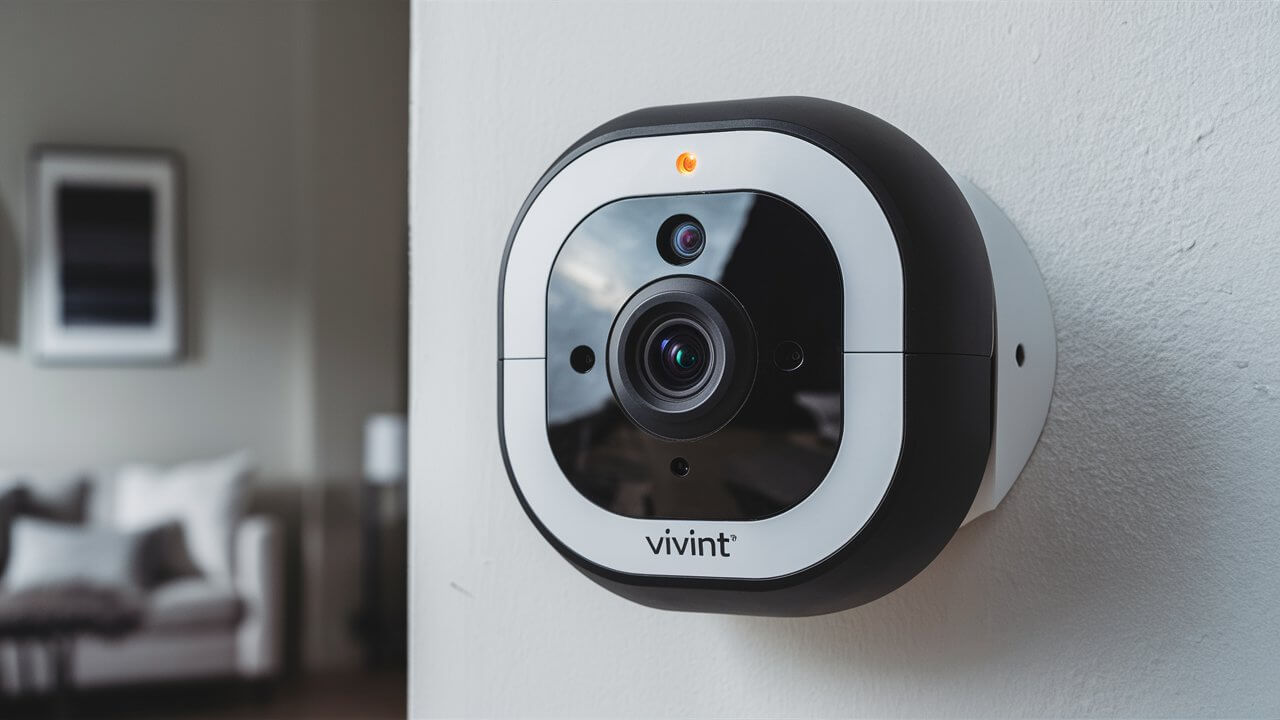
Unlock the full potential of your Vivint security cameras by learning how to ensure continuous recording. This guide provides actionable steps and insights to keep your surveillance system operational 24/7, offering peace of mind and comprehensive coverage. Discover the settings and considerations crucial for uninterrupted video capture.
Understanding Vivint Camera Recording Options
Vivint's smart home security system offers a robust suite of features, and its camera capabilities are a cornerstone of its appeal. When it comes to recording, understanding the available options is the first step toward achieving continuous surveillance. Vivint cameras are designed with flexibility in mind, catering to different user needs and preferences. The primary distinction lies between event-based recording and continuous video recording. While many users opt for event recording due to storage and bandwidth considerations, the demand for continuous recording is significant for those requiring an unbroken visual log of their property.
Vivint offers various camera models, each with specific functionalities. However, the core recording principles generally apply across the board. The system leverages cloud storage and, in some cases, local storage options, depending on the specific camera and subscription plan. The goal of continuous recording is to capture every moment, providing a comprehensive history that can be invaluable for security, evidence gathering, or simply monitoring activities. This approach ensures that no event, however minor, is missed. In 2025, the emphasis on comprehensive data capture for security and AI analysis is growing, making continuous recording a more relevant feature for many homeowners and businesses.
Continuous Recording vs. Event Recording
The fundamental difference between continuous recording and event recording lies in their trigger mechanisms and data capture frequency. Understanding this distinction is crucial for making an informed decision about how your Vivint cameras operate.
Event Recording
Event recording is the default and most common setting for many security camera systems, including Vivint. In this mode, the camera only begins recording when a specific event is detected. These events are typically triggered by motion detection, sound detection, or other sensor activity. Once an event is triggered, the camera records a segment of video (e.g., 30 seconds, 1 minute) and then stops until another event occurs.
- Pros:
- Saves Storage Space: Significantly reduces the amount of data stored, as recording only happens when there's activity.
- Conserves Bandwidth: Less data being uploaded or downloaded means less strain on your internet connection.
- Easier Review: Shorter clips focused on specific events can be quicker to review for immediate alerts.
- Cons:
- Missed Events: Crucial moments might occur in the brief periods between recordings, especially if motion is intermittent or subtle.
- Incomplete Context: A short clip might not provide the full context of a situation leading up to or following an event.
- Delayed Detection: The system needs to detect an event before it starts recording, meaning the very beginning of an incident might be missed.
Continuous Recording
Continuous recording, as the name suggests, means the camera records video footage non-stop, 24 hours a day, 7 days a week. The camera is always capturing and storing video, creating an unbroken stream of data.
- Pros:
- Uninterrupted Surveillance: Captures every single moment, ensuring no event is missed, regardless of its nature.
- Full Context: Provides a complete timeline of events, allowing for thorough investigation and understanding of incidents.
- Enhanced Security: Offers a complete record for post-incident analysis, evidence, or even for reviewing routine activities.
- AI and Analytics: Essential for advanced AI-powered analytics that require continuous data streams for pattern recognition and anomaly detection (a growing trend in 2025-26).
- Cons:
- High Storage Requirements: Generates a massive amount of data, necessitating significant storage capacity.
- Increased Bandwidth Usage: Requires a robust and stable internet connection to upload and manage continuous streams.
- More Complex Review: Sifting through hours or days of footage can be time-consuming, though smart search features can mitigate this.
- Potential Cost: Higher storage needs may translate to more expensive subscription plans or hardware.
In 2025, the debate between these two modes continues. While event recording remains practical for many, the increasing sophistication of AI analytics and the demand for absolute certainty in security coverage are pushing more users towards continuous recording solutions. The choice ultimately depends on your specific security needs, budget, and available infrastructure.
Enabling Continuous Recording on Vivint Cameras
Enabling continuous recording on Vivint cameras is a process that involves configuring settings within the Vivint app or through customer support. It's important to note that not all Vivint camera models or subscription plans may fully support true 24/7 continuous recording in the same way as dedicated NVR (Network Video Recorder) systems. Vivint's system often prioritizes cloud storage and event-based recording for efficiency. However, there are ways to maximize recording duration and achieve a near-continuous experience.
Steps to Configure Recording Settings (General Guidance)
The exact steps can vary slightly depending on your Vivint system's software version and your specific camera models. Always refer to the latest Vivint documentation or contact their support for precise instructions.
- Access the Vivint App: Open the Vivint app on your smartphone or tablet.
- Navigate to Camera Settings: Find the section for your cameras. This is usually under 'Devices' or a dedicated 'Cameras' tab.
- Select the Camera: Choose the specific camera you want to configure.
- Find Recording Options: Look for settings related to 'Recording', 'Video Settings', or 'Event Settings'.
- Adjust Sensitivity and Duration:
- Motion Sensitivity: While not directly enabling continuous recording, increasing motion sensitivity can ensure more events are captured.
- Recording Duration: Some Vivint cameras might allow you to set a longer recording duration for each event. While not continuous, this extends the capture window.
- Pre-event Recording: Ensure pre-event recording is enabled. This captures a few seconds of footage *before* the trigger event, providing crucial context.
- Continuous Recording (If Available): For models or plans that explicitly support continuous recording, there might be a toggle or option to switch from 'Event Recording' to 'Continuous Recording'. This option is often tied to specific storage solutions, like a Vivint Smart Drive or a compatible local storage device.
- Smart Clips vs. Continuous: Vivint often uses 'Smart Clips' which are short, event-triggered recordings stored in the cloud. True continuous recording typically requires a different infrastructure, often involving local storage.
Vivint Smart Drive and Continuous Recording
Vivint offers the Smart Drive, a local storage solution that can significantly enhance recording capabilities. For users aiming for continuous recording, the Smart Drive is often a prerequisite. It allows for the storage of more extensive footage locally, which can then be accessed remotely.
- Integration: The Smart Drive integrates with your Vivint system, acting as a local repository for video feeds.
- Capacity: Smart Drives come with varying capacities, and the larger the capacity, the longer the continuous recording duration possible.
- Configuration: Once installed and connected, you may need to configure the Smart Drive through the Vivint app or panel to prioritize continuous recording for specific cameras. This might involve setting the recording mode for each camera to 'Continuous' and specifying which cameras should utilize the Smart Drive for this purpose.
Contacting Vivint Support
Given the nuances of Vivint's system and the varying capabilities of different camera models and plans, the most reliable way to ensure you've configured continuous recording correctly is to contact Vivint customer support. They can:
- Confirm if your specific camera models and subscription plan support true 24/7 continuous recording.
- Guide you through the exact steps to enable and configure it.
- Advise on the necessary hardware (like the Smart Drive) and storage capacity required for your desired recording duration.
- Help troubleshoot any configuration issues.
As of 2025, Vivint continues to evolve its offerings. While cloud-based event recording remains a core feature, the availability and ease of implementing continuous recording are increasingly dependent on local storage solutions like the Smart Drive.
Factors Affecting Continuous Recording
Achieving reliable continuous recording with your Vivint cameras isn't just about flipping a switch; several critical factors influence its performance and feasibility. Understanding these elements is key to a successful setup and uninterrupted surveillance.
Internet Bandwidth
This is arguably the most crucial factor for any cloud-dependent or remotely accessible recording system. Continuous video streaming generates a significant amount of data. For a single HD camera recording 24/7, you might need anywhere from 5-10 Mbps of *upload* bandwidth per camera, and potentially more for higher resolutions or frame rates. If your internet connection is unstable or has insufficient upload speed, you'll experience:
- Dropped Recordings: The stream will intermittently stop and start.
- Lower Quality: The system may automatically reduce video quality to cope with bandwidth limitations, defeating the purpose of high-fidelity recording.
- Connectivity Issues: The camera might lose connection to the Vivint servers altogether.
In 2025, with the proliferation of 4K cameras and advanced streaming protocols, bandwidth demands are only increasing. It's essential to have a reliable, high-speed internet plan, preferably with a dedicated upload speed that can comfortably handle all your connected devices, especially cameras.
Storage Capacity
Continuous recording generates a vast amount of data. The amount of storage required depends on several variables:
- Camera Resolution: Higher resolutions (e.g., 1080p, 4K) produce larger files.
- Frame Rate (FPS): More frames per second mean more data.
- Compression: The efficiency of the video codec used (e.g., H.264, H.265) impacts file size.
- Duration of Recording: How many days or weeks of footage you need to store before it's overwritten.
A rough estimate for 1080p continuous recording at 30fps can range from 10-20 GB per day per camera. This means that for just one camera, storing a week's worth of footage could require over 100 GB. Vivint's cloud storage plans have limits, and local solutions like the Smart Drive have finite capacities. You need to ensure your chosen storage solution can accommodate your recording needs without constant overwriting if long-term archival is desired.
Camera Model and Capabilities
Not all Vivint camera models are created equal when it comes to recording features. Some older or more basic models might be primarily designed for event-based recording and may not support true 24/7 continuous recording, even with a Smart Drive. Newer, more advanced cameras are more likely to have the processing power and firmware support for continuous streams.
- Hardware Limitations: Older cameras might have limited processing power to handle continuous high-resolution streaming.
- Firmware Support: The camera's firmware must be designed to support continuous recording modes and integrate seamlessly with local storage or advanced cloud streaming.
- Power Supply: Ensure the camera has a stable and adequate power source, as continuous operation consumes more power.
It's crucial to verify the specifications of your specific Vivint camera models to understand their recording capabilities. Vivint's support team can provide this information.
Power Supply
Continuous recording is power-intensive. Cameras are typically powered via AC adapters or Power over Ethernet (PoE). Ensure that the power source for your cameras is reliable and capable of sustaining continuous operation. Power outages can interrupt recording, and if your backup power (like a UPS) isn't sufficient, your surveillance will be compromised.
Environmental Factors
While less direct, environmental factors can indirectly affect continuous recording. Extreme temperatures can impact camera performance and longevity. Poorly installed cameras exposed to direct sunlight or harsh weather might overheat or malfunction, leading to recording interruptions. Ensure cameras are installed in locations that are suitable for their operational temperature range and protected from the elements.
Vivint Subscription Plan
Vivint's service model often ties advanced features, including extended recording storage and potentially continuous recording capabilities, to specific subscription tiers. While event clips are usually standard, true 24/7 recording might require a higher-level plan or specific add-ons, especially if relying heavily on cloud storage. As of 2025, subscription models are becoming more granular, so understanding what your current plan covers is vital.
Local Storage vs. Cloud Storage
The decision between relying solely on cloud storage versus using a local solution like the Vivint Smart Drive significantly impacts continuous recording. Cloud storage is convenient but heavily reliant on internet bandwidth and subscription limits. Local storage (Smart Drive) offers more control and capacity for continuous streams but requires initial hardware investment and management. For true 24/7 recording, a robust local storage solution is often indispensable.
Storage Solutions for Continuous Recording
When aiming for continuous recording with Vivint cameras, the choice of storage solution is paramount. Relying solely on the standard cloud-based event clip storage often isn't sufficient for 24/7 surveillance. You'll need a robust system that can handle the immense volume of data generated. Vivint offers a primary solution, and understanding its capabilities and limitations is key.
Vivint Smart Drive
The Vivint Smart Drive is Vivint's dedicated local storage solution designed to enhance the capabilities of their smart home security system, including camera recording. For continuous recording, it's often the most practical and recommended option within the Vivint ecosystem.
- Functionality: The Smart Drive connects to your Vivint system and acts as a central hub for storing video footage. It allows cameras to record more footage than typically stored in the cloud, enabling longer retention periods and, crucially, continuous recording.
- Capacity: Smart Drives are available in different capacities (e.g., 1TB, 2TB). The larger the capacity, the longer you can store continuous footage before older recordings are overwritten. For example, a 2TB drive might store several weeks of continuous 1080p footage from a few cameras, whereas a 1TB drive would offer less.
- Configuration for Continuous Recording: Once installed, the Smart Drive can be configured through the Vivint app or control panel. You can typically select which cameras should record continuously and designate the Smart Drive as their primary storage. This ensures that footage is saved locally in real-time.
- Remote Access: Even though the footage is stored locally on the Smart Drive, Vivint's system allows you to access and review this footage remotely via the Vivint app, provided your internet connection is stable.
- Redundancy: Some configurations might offer a degree of redundancy, but it's important to understand the specific setup. The Smart Drive itself is a single point of failure for local storage, so data backup strategies might be considered for critical long-term archival needs.
As of 2025, the Smart Drive remains Vivint's primary answer for extended local storage and is essential for users prioritizing continuous recording. Its integration within the Vivint app makes managing and accessing this local footage relatively seamless.
Cloud Storage Limitations for Continuous Recording
Vivint's standard cloud storage is primarily designed for 'Smart Clips' – short video segments triggered by events. While convenient and accessible from anywhere, it has inherent limitations for continuous recording:
- Storage Caps: Cloud plans usually have limits on the number of clips or the total duration of stored clips. Continuous recording would quickly exceed these limits.
- Bandwidth Dependency: Uploading a constant stream of video data to the cloud requires significant and stable internet bandwidth, which can be costly and unreliable for many users.
- Cost: Maintaining large amounts of continuous cloud storage would likely incur substantial monthly fees.
- Event Focus: The system is optimized for event detection and notification, not for managing and archiving endless streams of uninterrupted video.
Therefore, while cloud storage is excellent for alerts and short event reviews, it's generally not a viable solution for true 24/7 continuous recording with Vivint.
Third-Party Local Storage (Not Officially Supported)
It's important to state that Vivint's ecosystem is designed to work with their specific hardware and software. While technically some cameras might use standard protocols that *could* be integrated with third-party NVRs or NAS devices, this is generally **not officially supported by Vivint**. Attempting to do so could:
- Void your warranty.
- Cause compatibility issues, leading to unreliable recording or system instability.
- Require advanced technical knowledge and potentially custom configurations.
- Prevent access to Vivint's cloud features and app integration.
For users seeking a seamless and supported experience with continuous recording on Vivint cameras, the Vivint Smart Drive is the recommended path. Any deviation carries significant risks.
Calculating Storage Needs
To determine the right Smart Drive capacity, you need to estimate your storage requirements. Here's a simplified calculation:
Data per hour = (Resolution Bitrate) x (Duration in hours)
Total Storage Needed = (Data per hour) x (Number of Cameras) x (24 hours/day) x (Number of Days to Retain)
Bitrates vary significantly. For example:
- A 1080p camera at 30fps with H.265 compression might use around 4-6 Mbps (Megabits per second).
- To convert Mbps to Gigabytes per hour: (Bitrate in Mbps) x (3600 seconds/hour) / (8000 bits/byte) ≈ GB per hour.
- So, 5 Mbps ≈ 5 x 3600 / 8000 ≈ 2.25 GB per hour.
- For 24 hours: 2.25 GB/hour * 24 hours ≈ 54 GB per day per camera.
- For 7 days of retention: 54 GB/day * 7 days ≈ 378 GB for one camera.
This is a simplified model. Actual usage can vary. It's generally advisable to overestimate your needs to ensure sufficient buffer and longer retention periods. Vivint's support can help refine these calculations based on specific camera models and settings.
Optimizing Vivint Camera Performance for Continuous Recording
Once you've set up continuous recording, optimizing your Vivint cameras ensures they perform at their best, providing clear footage without interruption. This involves a combination of hardware, software, and network considerations.
Network Optimization
A stable and robust network is non-negotiable for continuous recording. Even with a Smart Drive, cameras need to communicate with your network and the Vivint servers.
- Wired Connections: Whenever possible, use Ethernet cables to connect your Vivint cameras directly to your router or a network switch. Wired connections are significantly more stable and faster than Wi-Fi, eliminating interference and signal drop issues. This is the ideal scenario for continuous recording.
- Strong Wi-Fi Signal: If Wi-Fi is unavoidable, ensure your cameras are within strong signal range of your router. Consider using Wi-Fi extenders or a mesh Wi-Fi system for better coverage, especially in larger homes. Ensure your Wi-Fi channel is not congested.
- Quality of Service (QoS): If your router supports QoS settings, prioritize traffic from your Vivint cameras. This ensures that camera data gets preferential treatment over less critical traffic (like general web browsing or streaming), preventing bandwidth congestion from impacting recordings.
- Router Performance: Ensure your router is modern and capable of handling the demands of multiple high-bandwidth devices. An outdated router can become a bottleneck.
Camera Settings Adjustments
Fine-tuning camera settings can balance recording quality with storage and bandwidth efficiency.
- Resolution: While 1080p or higher offers excellent detail, consider if a slightly lower resolution (e.g., 720p) is acceptable for some cameras if storage or bandwidth is a major concern. However, for critical areas, maintain the highest possible resolution.
- Frame Rate (FPS): Standard frame rates for security are typically 15-30 FPS. Increasing FPS captures smoother motion but significantly increases file size and bandwidth usage. For continuous recording, 15-20 FPS might be a good compromise if storage is limited, while 30 FPS is ideal for capturing fast action.
- Video Compression (Codec): Vivint cameras likely use H.264 or H.265. H.265 (HEVC) offers significantly better compression than H.264, meaning smaller file sizes for the same video quality. Ensure your cameras and storage system support H.265 if available.
- Motion Zones: While not directly for continuous recording, optimizing motion zones can help the system focus on relevant areas and potentially reduce unnecessary data processing if the system has any event-based fallback mechanisms.
Power Management
Continuous recording demands consistent power. Ensure:
- Reliable Power Adapters: Use the original power adapters supplied with your cameras.
- Uninterruptible Power Supply (UPS): For critical cameras, consider connecting their power adapters (and your router/modem) to a UPS. This will keep them operational during short power outages, preventing gaps in your recording.
Firmware Updates
Vivint regularly releases firmware updates for its cameras and system components. These updates often include performance improvements, bug fixes, and enhanced features related to recording and connectivity. Ensure your cameras are set to receive automatic updates or manually check for and install them regularly.
Regular System Checks
Don't set and forget. Regularly check your system's health:
- Storage Status: Monitor the available space on your Smart Drive. Set up alerts if your system provides them.
- Connectivity: Periodically verify that all cameras are online and streaming.
- Video Quality: Review footage from different cameras to ensure the quality remains consistent and clear.
- Event Log: Check for any error messages or recording interruptions in the Vivint app's event history.
Environmental Considerations
Ensure cameras are installed in locations that don't cause overheating or strain. Direct sunlight on outdoor cameras can cause them to overheat, impacting performance and lifespan. Ensure proper ventilation if cameras are installed in enclosed spaces.
By implementing these optimization strategies, you can maximize the reliability and effectiveness of your Vivint cameras for continuous recording, providing a more comprehensive and dependable security solution.
Troubleshooting Common Continuous Recording Issues
Even with careful setup, you might encounter issues with continuous recording. Here’s a guide to troubleshooting common problems:
Issue: Cameras Not Recording Continuously / Intermittent Recording
- Check Internet Connection: This is the most common culprit.
- Speed Test: Run an internet speed test (especially upload speed) from the location of your cameras. Ensure it meets the requirements (e.g., 5-10 Mbps upload per camera for HD).
- Stability: Is your internet connection stable? Frequent drops will cause recording gaps. Contact your ISP if necessary.
- Router Reboot: Sometimes, a simple router reboot can resolve connectivity glitches.
- Verify Storage Capacity:
- Smart Drive Full: If using a Smart Drive, check its remaining capacity. If it's full, older footage will be overwritten. You may need to delete older footage or upgrade to a larger drive.
- Cloud Storage Limits: If relying partly on cloud, ensure you haven't hit your plan's limits for clip storage or duration.
- Confirm Recording Settings:
- Mode Selection: Double-check in the Vivint app that the recording mode for the affected camera is set to 'Continuous' and not 'Event' or 'Motion'.
- Camera Assignment: Ensure the camera is correctly assigned to use the Smart Drive for continuous recording if applicable.
- Check Power Supply:
- Stable Power: Ensure the camera has a consistent power supply. A flickering power source can cause the camera to reboot and interrupt recording.
- UPS Status: If using a UPS, check its charge and ensure it's functioning correctly.
- Firmware Issues:
- Outdated Firmware: Ensure your camera and Vivint system firmware are up to date. Check for updates in the Vivint app.
- Hardware Fault: In rare cases, the camera itself or the Smart Drive might be malfunctioning.
Issue: Poor Video Quality (Blurry, Pixelated)
- Bandwidth Throttling: If your internet connection is struggling, the system might automatically reduce video quality to maintain a stream. Address bandwidth issues as described above.
- Lens Obstruction/Dirt: Clean the camera lens. Dust, dirt, or water spots can significantly degrade image quality.
- Low Light Conditions: Cameras perform best in good lighting. If recording at night or in very low light, expect some degradation in quality. Ensure any IR illuminators are functioning correctly.
- Incorrect Camera Settings: Revisit resolution and frame rate settings. Ensure they are set appropriately for your needs and network capabilities.
- Camera Placement: Ensure the camera is positioned correctly and not suffering from glare or excessive motion blur due to improper angle or vibration.
Issue: Smart Drive Not Recognized or Accessible
- Physical Connection: Ensure the Smart Drive is properly connected to your Vivint system and your network (if applicable). Check all cables.
- Power: Verify the Smart Drive has power.
- System Reboot: Reboot both the Smart Drive and your Vivint control panel/router.
- Firmware Update: Ensure the Smart Drive's firmware is up to date.
- Vivint Support: If the Smart Drive is still not recognized, it may require professional diagnosis or replacement. Contact Vivint support.
Issue: System Overheating
- Ventilation: Ensure cameras and the Smart Drive have adequate ventilation. Do not place them in confined, unventilated spaces.
- Environmental Temperature: Check the operating temperature specifications for your devices. If ambient temperatures are too high, performance can suffer.
- Direct Sunlight: Outdoor cameras should not be in direct, prolonged sunlight if they are prone to overheating. Consider shading them.
General Troubleshooting Steps
- Restart Devices: Often, a simple power cycle of the camera, router, modem, and Vivint panel can resolve temporary glitches.
- Isolate the Problem: If multiple cameras are affected, the issue is likely network or storage related. If only one camera is affected, the problem is likely with that specific camera.
- Check Vivint App Notifications: Look for any error messages or alerts within the Vivint app.
- Consult Vivint Support: For persistent or complex issues, Vivint's customer support is your best resource. They have access to diagnostic tools and specific knowledge of their system.
By systematically addressing these common issues, you can maintain a reliable continuous recording setup for your Vivint cameras.
Vivint vs. Competitors: Recording Feature Comparison
When evaluating home security systems, recording capabilities are a critical differentiator. Vivint offers a robust, integrated solution, but how does it stack up against other major players in the market, particularly regarding continuous recording? Let's compare key aspects as of 2025.
| Feature | Vivint | Ring | Arlo | SimpliSafe |
|---|---|---|---|---|
| Primary Recording Mode | Event-based (Smart Clips) with optional continuous via Smart Drive. | Event-based (motion-triggered) clips. | Event-based clips; optional continuous recording on select models with specific plans/hardware. | Event-based (motion-triggered) clips. |
| Continuous Recording Support | Yes, primarily via Vivint Smart Drive (local storage). Requires specific configuration. | No native 24/7 continuous recording. Limited to event clips. | Yes, on higher-end models (e.g., Arlo Ultra, Pro series) with Arlo Secure Plus plan and potentially a base station/hub. | No native 24/7 continuous recording. Limited to event clips. |
| Local Storage Option | Vivint Smart Drive (recommended for continuous). | No dedicated local storage for continuous recording. Ring Alarm Pro offers local storage for Ring cameras via eero. | Yes, via Arlo SmartHub/Base Station (can store recordings locally). | No dedicated local storage for continuous recording. |
| Cloud Storage Model | Cloud storage for Smart Clips (duration varies by plan). | Cloud storage for clips (duration varies by Ring Protect plan). | Cloud storage for clips (duration varies by Arlo Secure plan). | Cloud storage for clips (duration varies by SimpliSafe plan). |
| Storage Capacity Limits (Cloud) | Typically 30 days for clips, number of clips may vary. | 7-60 days for clips depending on plan. | 7-30 days for clips depending on plan. | Up to 1 year for clips depending on plan. |
| Bandwidth Requirements (Continuous) | High upload bandwidth needed for Smart Drive continuous recording. | Moderate for event clips. | Moderate to high for event clips; higher for continuous options. | Moderate for event clips. |
| Ease of Setup for Continuous Recording | Requires Smart Drive purchase and configuration; generally straightforward within Vivint ecosystem. | Not applicable. | Requires compatible hardware and higher-tier plan; can be more complex. | Not applicable. |
| AI/Smart Detection Features | Person detection, package detection, vehicle detection (depending on camera model and plan). | Person detection, vehicle detection, package detection (depending on model and plan). | Advanced AI features like package, person, animal detection (depending on model and plan). | Basic motion detection; limited advanced AI. |
| Integration with Smart Home | Excellent integration within Vivint ecosystem; works with Google Assistant, Alexa. | Strong integration with Alexa; works with Google Assistant. | Works with Alexa, Google Assistant, IFTTT. | Works with Alexa, Google Assistant. |
Analysis:
Vivint: Stands out for its integrated approach. The Smart Drive makes continuous recording a viable, albeit premium, option within their ecosystem. It's designed for users who want a comprehensive, professionally monitored system with the ability to have uninterrupted local footage. The trade-off is often higher overall cost compared to DIY systems.
Ring: Excels in affordability and ease of DIY installation. Its recording is primarily event-based, making it suitable for users who don't require constant surveillance. The Ring Alarm Pro with eero offers a more integrated local storage solution than standard Ring setups, but it's still not true 24/7 continuous recording in the traditional sense.
Arlo: Offers flexibility with battery-powered cameras and strong AI features. Continuous recording is available on some of their higher-end wired models, but it requires a specific subscription plan (Arlo Secure Plus) and often a SmartHub, adding to the cost and complexity.
SimpliSafe: Focuses on simplicity and ease of use for DIY security. Their recording is strictly event-based, making it a less suitable option for those prioritizing continuous surveillance. Storage is cloud-based and tied to their subscription plans.
Key Takeaway for Continuous Recording: If true 24/7 continuous recording is a non-negotiable requirement, Vivint (with the Smart Drive) and Arlo (with specific models and plans) are the primary contenders among these brands. Vivint offers a more unified, professionally installed experience, while Arlo provides more flexibility, especially with its wireless camera options, but potentially at a higher complexity for continuous recording.
The Future of Vivint Recording Technology
The landscape of home security technology is evolving rapidly, and Vivint is at the forefront of integrating new advancements into its offerings. For recording capabilities, the future points towards enhanced intelligence, greater efficiency, and more seamless integration.
AI-Powered Analytics and Smarter Event Detection
While Vivint already offers person, package, and vehicle detection, future iterations will likely see even more sophisticated AI. This could include:
- Behavioral Analysis: AI that can identify unusual patterns of movement or activity, even if not directly triggered by traditional motion. This could flag potential loitering or suspicious behavior more accurately.
- Facial Recognition: While privacy concerns are significant, the technology for recognizing known individuals versus strangers could become more prevalent, allowing for customized alerts.
- Audio Analytics: Beyond simple sound detection, AI might be able to distinguish between different types of sounds (e.g., breaking glass, alarms, shouting) for more nuanced alerts.
These advancements mean that even event-based recording will become smarter, providing more relevant clips and reducing false alarms, thereby improving the user experience.
Enhanced Compression and Storage Efficiency
As video resolutions increase (e.g., 4K and beyond), the demand for storage and bandwidth will skyrocket. Future Vivint systems will likely leverage next-generation video compression codecs (beyond H.265), such as AV1 or VVC (Versatile Video Coding), which promise even greater efficiency. This means higher quality video can be stored and transmitted using less data, making continuous recording more feasible and affordable.
Edge Computing and Local AI Processing
Instead of relying solely on cloud processing for AI analysis, we may see more 'edge computing' where some processing happens directly on the camera or the Smart Drive. This offers several advantages:
- Reduced Latency: Faster detection and response times.
- Enhanced Privacy: Sensitive data can be processed locally without being sent to the cloud.
- Reduced Bandwidth Usage: Only relevant event data or summaries are sent to the cloud, not raw footage for analysis.
This could make continuous recording more efficient, as the system can intelligently process and flag important moments locally.
Integration with 5G and Advanced Networking
The rollout of 5G networks offers significantly higher speeds and lower latency, which could revolutionize how security cameras transmit data. For Vivint, this could mean:
- More Reliable Cloud Streaming: Faster and more stable uploads for cloud-based recordings.
- Real-time Remote Access: Near-instantaneous access to live and recorded footage, regardless of location.
- New Camera Form Factors: Potentially enabling more advanced wireless cameras that can still handle high-bandwidth streaming.
Subscription Model Evolution
Vivint's subscription services will likely continue to evolve. We might see tiered plans that offer:
- Granular Storage Options: More flexibility in choosing storage duration and capacity, both cloud and local.
- AI Feature Bundles: Specific AI capabilities tied to different subscription levels.
- Integrated Data Management: Tools that help users manage and archive their continuous recordings more effectively.
The Role of Continuous Recording
While event-based recording will likely remain the default for many due to its efficiency, the demand for continuous recording is expected to grow, especially for businesses and users prioritizing absolute certainty in surveillance. Future Vivint systems will likely make continuous recording more accessible and manageable, possibly through more powerful local storage solutions or optimized cloud architectures. The key will be balancing comprehensive data capture with user-friendliness and cost-effectiveness.
Vivint's commitment to integrating advanced technology suggests that future recording solutions will be smarter, faster, and more efficient, offering users greater peace of mind and enhanced security.
Conclusion
Mastering how to make Vivint cameras record continuously is key to maximizing your home security's effectiveness. While Vivint's system often defaults to event-based recording for efficiency, achieving 24/7 surveillance is achievable, primarily through the integration of the Vivint Smart Drive. This local storage solution is crucial for managing the substantial data generated by continuous video streams, overcoming the limitations of standard cloud storage plans.
Key to success are a robust internet connection with ample upload bandwidth, sufficient storage capacity on your Smart Drive, and correctly configured camera settings. Regularly optimizing network performance, ensuring stable power, and keeping firmware updated will further enhance reliability. While challenges like bandwidth and storage requirements exist, they are manageable with the right approach. By understanding the interplay between hardware, software, and network infrastructure, you can ensure your Vivint cameras provide the uninterrupted coverage you need. For persistent issues or complex configurations, leveraging Vivint's expert customer support is always a wise step. Embrace continuous recording to gain unparalleled peace of mind and a comprehensive visual history of your property.





