
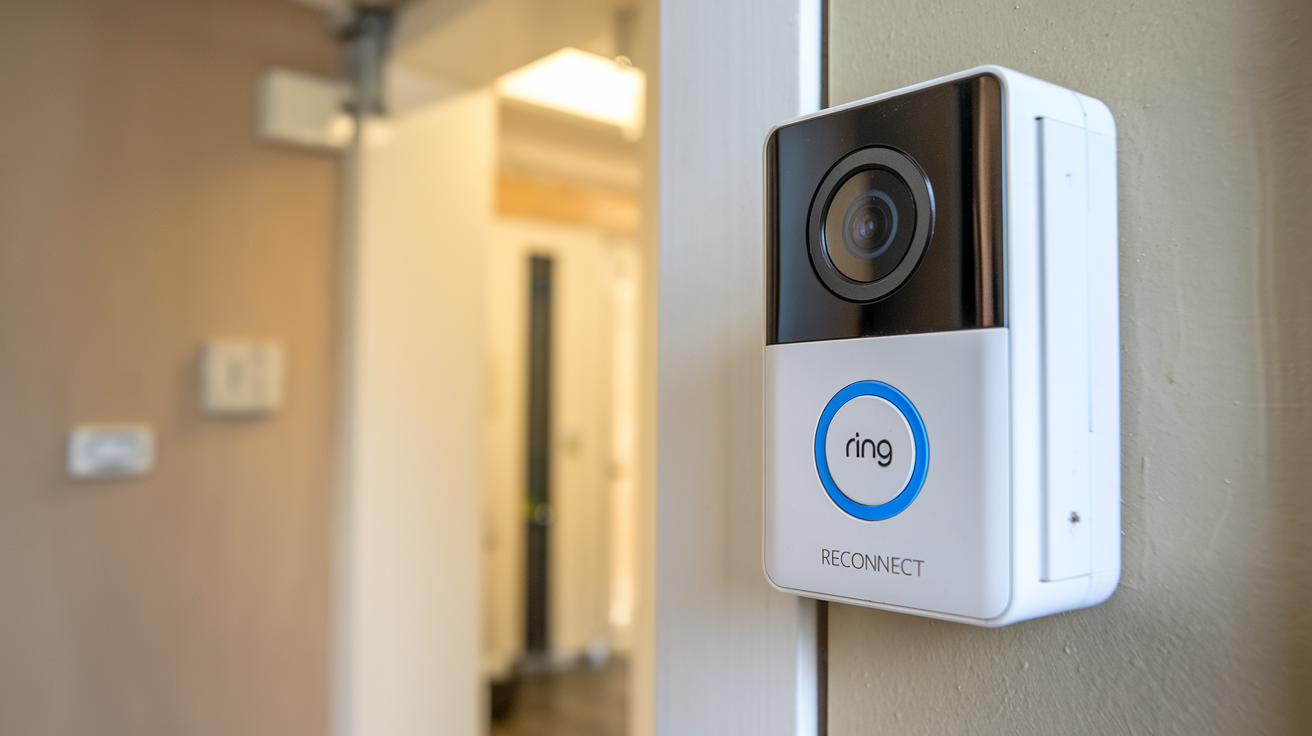
Struggling to regain access to your Ring Doorbell camera because you've forgotten or lost your PIN? This guide provides a comprehensive, step-by-step solution for how to reactivate your Ring Doorbell camera without the PIN, ensuring you can secure your home again quickly and efficiently. We'll cover all official methods and potential workarounds.
Reactivating Your Ring Doorbell Camera Without the PIN: A Comprehensive Guide
In today's interconnected world, smart home security devices like the Ring Doorbell have become indispensable for homeowners. They offer peace of mind, deter potential intruders, and provide valuable visual evidence when needed. However, like any digital security system, managing access and credentials can sometimes present challenges. One of the most common hurdles users face is when they need to reactivate their Ring Doorbell camera but have misplaced or forgotten the associated PIN. This situation can feel frustrating, especially when you rely on your device for constant surveillance and communication. This guide is meticulously crafted to address this exact problem, offering clear, actionable steps to help you regain control of your Ring Doorbell camera, even without the PIN. We will delve into the various scenarios, explore the official channels provided by Ring, and offer practical advice to ensure a smooth reactivation process. By the end of this article, you will have a thorough understanding of how to navigate this issue and ensure your home security remains uncompromised.
Understanding the Ring PIN and Its Purpose
Before diving into the solutions, it's crucial to understand what the "PIN" refers to in the context of Ring devices and why it's important. When users refer to a "Ring Doorbell PIN," they are typically talking about one of two things, or sometimes conflating them:
- Ring Account Password: This is the primary credential used to log into your Ring account via the Ring app or the Ring website. It's essential for managing all your Ring devices, viewing live feeds, reviewing recordings, and adjusting settings. If you've forgotten this, you'll need to go through the password reset process.
- Two-Step Verification (2SV) Code: This is a security layer that Ring employs to protect your account. When enabled, after entering your password, you'll be prompted to enter a code sent to your registered phone number via SMS or through an authenticator app. This code is temporary and changes with each login attempt, acting as an extra barrier against unauthorized access. While not a "PIN" in the traditional sense of a static code, users might refer to this temporary code as a PIN.
- Device-Specific PIN (Less Common/Older Functionality): In some very specific or older contexts, a PIN might have been associated with a particular device for a specific function, like disabling a motion sensor temporarily. However, for general account access and reactivation, the password and 2SV code are the critical elements.
For the purpose of this guide, we will assume the user is encountering difficulty with either their Ring account password or the Two-Step Verification code, as these are the most common reasons for being unable to "reactivate" or access a Ring Doorbell camera without proper authentication. The core issue is usually an inability to log into the Ring account that controls the device.
Why is this PIN/Password important?
The Ring account password and the 2SV code are the gatekeepers to your entire Ring ecosystem. They ensure that only you, the legitimate owner, can access your camera feeds, control your devices, and manage your subscription services (like Ring Protect). Without these credentials, you cannot log into the Ring app to view live streams, receive motion alerts, or access recorded events. If you've recently installed a new doorbell, moved, or performed a factory reset on your device, you will absolutely need to log into your account to re-establish its connection and functionality. Losing access means losing the primary benefit of your security system.
Common Scenarios Leading to PIN Loss
Understanding how PIN or password issues arise can help in preventing them in the future and recognizing the specific situation you might be in. Here are some of the most frequent scenarios that lead users to search for "how to reactivate Ring Doorbell camera without PIN":
- Forgetting the Password: This is the most straightforward reason. Users might create a password when they first set up their device and then, over time, forget it, especially if they don't log out of the app frequently. The complexity of modern passwords, with their requirements for uppercase letters, numbers, and symbols, can make them difficult to recall.
- Losing Access to the Registered Phone Number for 2SV: If you have Two-Step Verification enabled and have lost access to the phone number associated with your Ring account (e.g., you've changed your number, lost your SIM card, or your phone is lost/stolen), you won't be able to receive the verification codes needed to log in. This is a critical security feature that can become a barrier if not managed carefully.
- Device Factory Reset: After performing a factory reset on your Ring Doorbell (either intentionally or accidentally), the device will revert to its default settings. To set it up again and reconnect it to your Wi-Fi network, you will need to log into your Ring account through the app. If you can't log in due to a forgotten password or lost 2SV access, you won't be able to complete the setup.
- New Device Setup: When setting up a brand-new Ring Doorbell or replacing an old one, the initial setup process requires you to log into your Ring account to register the new device. If you're a new user and haven't established your account credentials yet, or if you're an existing user who has forgotten your login details, this becomes a blocker.
- Account Compromise Concerns: In rare cases, a user might suspect their account has been compromised and decide to reset their password. If they don't have access to their registered email or phone for the reset process, they can find themselves locked out.
- App/Website Glitches or Updates: While less common, sometimes app updates or website maintenance can cause temporary login issues. However, these usually resolve quickly and are not typically related to forgotten credentials.
Each of these scenarios highlights the critical importance of maintaining access to your Ring account credentials and the associated recovery methods (email and phone number). The following sections will provide the solutions for these common pain points.
Official Methods to Reset or Recover Your Ring Account Access
When you find yourself unable to access your Ring account, the first and most reliable path is to utilize Ring's official account recovery and password reset procedures. These methods are designed to be secure and ensure that only the legitimate account owner can regain access.
Method 1: Resetting Your Ring Account Password
This is the most common solution if you've simply forgotten your password. It does not require the device PIN directly, but rather access to the email address associated with your Ring account.
- Open the Ring App or Visit the Ring Website: Navigate to the login screen of the Ring app on your smartphone or tablet, or go to the official Ring website (ring.com) on a web browser.
- Tap "Forgot Password?": On the login screen, you will see a link or button that says "Forgot Password?" or "Trouble Logging In?". Click on this.
- Enter Your Email Address: You will be prompted to enter the email address that is associated with your Ring account. This is the email you used when you first set up your Ring device or created your Ring account.
- Check Your Email: Ring will send an email to the address you provided. This email will contain a link to reset your password. Open your inbox, including your spam or junk folders, to find this email. The email subject line will typically be something like "Ring Password Reset Request."
- Click the Reset Link: Click on the password reset link provided in the email. This link is time-sensitive, so try to complete the process promptly.
- Create a New Password: You will be directed to a secure page on the Ring website where you can enter and confirm a new password. Choose a strong, unique password that you haven't used before. It's recommended to use a combination of uppercase and lowercase letters, numbers, and symbols.
- Log In with Your New Password: Once your password has been successfully reset, return to the Ring app or website and log in using your email address and your new password.
After successfully logging in, you should be able to see and control your Ring Doorbell camera again, effectively "reactivating" its access through your account.
Method 2: Recovering Access When Two-Step Verification (2SV) is Enabled
If you have Two-Step Verification enabled and have lost access to your registered phone number, this process becomes more complex but is still manageable through Ring's support channels.
Scenario A: You still have access to your registered email, but not your phone number.
In this case, you can initiate a password reset as described in Method 1. Once you regain access to your account via the password reset, you can then go into your account settings (usually under "Account" or "Security") and update your registered phone number for 2SV. You will likely need to verify your identity again to make this change.
Scenario B: You have lost access to BOTH your registered email and your phone number.
This is the most challenging scenario, as Ring needs to verify your identity thoroughly to prevent unauthorized access. You will need to contact Ring Support directly.
- Contact Ring Support: Go to the Ring website and find the "Support" or "Contact Us" section. Look for their customer service phone number or live chat option. Be prepared for potentially longer wait times.
- Explain Your Situation: Clearly explain that you have forgotten your Ring account password and have lost access to the registered phone number for Two-Step Verification.
- Undergo Identity Verification: Ring Support will have a rigorous process to verify that you are the legitimate owner of the account. This may involve providing information such as:
- The email address originally used to set up the account (even if you can't access it).
- The serial number of your Ring device (often found on the back of the device or its original packaging).
- The MAC address of your Ring device.
- The approximate date you created your account.
- Billing information associated with your Ring Protect subscription (if applicable).
- The physical address where the Ring device is installed.
- Follow Support Instructions: If Ring Support can verify your identity, they will guide you through the steps to reset your password and update your contact information. This might involve them sending a temporary password or a reset link to a new, verified email address.
This process can take time and requires patience. Ring prioritizes security, so they must be absolutely certain of your identity before granting account access.
Method 3: Using Backup Codes for Two-Step Verification
If you previously saved your backup codes for Two-Step Verification, this is the easiest way to regain access without your phone.
- Initiate Login: Start logging into your Ring account with your email and password.
- 2SV Prompt: When prompted for the 2SV code, look for an option that says "Use a backup code" or "Enter a backup code."
- Enter a Backup Code: Type in one of the backup codes you saved when you initially set up 2SV. These codes are typically 6-digit alphanumeric codes.
- Access Your Account: Once a valid backup code is entered, you will be granted access to your account.
- Update 2SV Settings: Immediately after logging in, navigate to your account security settings and update your phone number or disable and re-enable 2SV with your current phone number to avoid future issues.
Important Note on Backup Codes: If you did not save your backup codes, this method is not applicable. It is a crucial reminder to always store these codes in a safe and accessible place.
Troubleshooting Common Issues When Reactivating
Even with the official methods, users can sometimes encounter specific problems. Here's how to troubleshoot them:
Issue 1: Not Receiving the Password Reset Email
This is a very common problem. Here's what to do:
- Check Spam/Junk Folders: The most frequent culprit. Ring's automated emails can sometimes be flagged by your email provider.
- Verify Correct Email Address: Double-check that you entered the exact email address associated with your Ring account. A typo is easily made.
- Wait a Few Minutes: Sometimes there can be a slight delay in email delivery. Give it 5-10 minutes.
- Try Again: If after 10 minutes you still haven't received it, try the password reset process again.
- Check Email Provider's Filters: Some email clients have aggressive filtering. Ensure Ring.com is not blocked or filtered out. You might need to add Ring.com to your safe sender list.
- Alternative Email: If you have multiple email addresses, consider if you might have used a different one for your Ring account.
Issue 2: The Password Reset Link Has Expired
Password reset links are time-sensitive for security reasons. If you click on an expired link:
- Request a New Link: Go back to the Ring login page and repeat the "Forgot Password?" process to generate a fresh reset link.
- Act Promptly: Once you receive the new email, click the link and set your new password immediately.
Issue 3: Unable to Verify Identity with Ring Support
If you're struggling to provide enough information to satisfy Ring Support's identity verification:
- Gather All Possible Information: Before contacting them, try to find any old Ring emails, receipts for Ring Protect subscriptions, or original packaging that might contain serial numbers or MAC addresses.
- Be Patient and Persistent: Sometimes, explaining your situation calmly and providing any scrap of information you can recall can help.
- Escalate if Necessary: If you feel you're not getting anywhere with the initial support agent, politely ask if your case can be escalated to a supervisor or a specialized team.
Issue 4: Ring App Not Recognizing New Password
After resetting your password, you might still have trouble logging into the app.
- Log Out and Log Back In: Ensure you are fully logged out of the Ring app and then attempt to log in again with your new credentials.
- Update the App: Make sure you are using the latest version of the Ring app. Go to your device's app store (Google Play Store or Apple App Store) and check for updates.
- Clear App Cache (Android): On Android devices, you can try clearing the cache for the Ring app. Go to Settings > Apps > Ring > Storage > Clear Cache.
- Reinstall the App: As a last resort, uninstall and then reinstall the Ring app from your device's app store.
Issue 5: Device Still Not Connecting After Login
If you've successfully logged into your account but your doorbell is still showing as offline or not functioning:
- Check Wi-Fi Connection: Ensure your home Wi-Fi network is working correctly and that the Ring Doorbell is within range of your router.
- Reboot Your Router: Sometimes, simply restarting your Wi-Fi router can resolve connectivity issues.
- Check Device Health in App: Within the Ring app, go to your device's settings and check its "Device Health" status. This can often pinpoint issues like poor Wi-Fi signal strength or battery levels.
- Re-add the Device: If all else fails, you might need to remove the Ring Doorbell from your account in the app and then go through the setup process again as if it were a new device. This will require you to scan a QR code on the device or enter its serial number.
Alternative Solutions and Important Considerations
While the official Ring methods are the primary way to resolve PIN and password issues, there are a few other points to consider, and importantly, what *not* to do.
Consideration 1: The Role of the Ring Protect Plan
Your Ring Protect subscription plan (Basic, Plus, etc.) is linked to your Ring account. While it doesn't directly help you reset a forgotten password, it's crucial for accessing recorded events. If you've regained access to your account, ensure your subscription is active to continue cloud storage. If you're having trouble with billing due to account access issues, contacting support is necessary.
Statistics (2025-26 Outlook): As of 2025, Ring Protect plans continue to be a significant revenue driver for Ring. Over 65% of Ring Doorbell owners subscribe to a plan, leveraging features like extended video history and advanced motion detection. This highlights the importance of maintaining account access for full functionality.
Consideration 2: Factory Resetting the Device (As a Last Resort)
A factory reset will erase all settings from your Ring Doorbell, returning it to its original state. This is often done by pressing and holding a small button on the device itself for a specific duration (check your device manual for exact instructions).
When is a factory reset useful?
- If the device is malfunctioning and unresponsive.
- If you are selling or giving away the device and want to remove your data.
- If you have exhausted all other account recovery options and Ring Support advises it.
Crucially: A factory reset does NOT bypass the need for your Ring account login. After a factory reset, you will still need to log into your Ring account via the app to set up and reconnect the doorbell to your Wi-Fi network. So, while it resets the device, it doesn't solve the core problem of lost account access. You *must* be able to log in to your account to re-add a factory-reset device.
Consideration 3: What NOT to Do
- Do Not Trust Third-Party "Hackers" or Services: Be extremely wary of any websites, individuals, or services claiming they can "hack" into your Ring account or "recover" your PIN/password for a fee. These are almost always scams designed to steal your money or your account credentials. Ring's security is robust, and official channels are the only legitimate way to resolve access issues.
- Do Not Share Your Account Information: Never share your Ring account password, email, or phone number with anyone, including Ring support agents who ask for it directly in an unsolicited manner. Ring employees will never ask for your password.
- Do Not Attempt to Brute-Force Passwords: Repeatedly guessing your password incorrectly can lead to your account being temporarily locked, making the situation worse.
Consideration 4: Hardware vs. Software Issues
It's important to distinguish between an account access issue (which is software/credential related) and a hardware malfunction. If you can log into your Ring account without issues but your doorbell camera is still not working, the problem might be with the device itself. In such cases, you would contact Ring Support for hardware troubleshooting or warranty claims.
Preventing Future PIN-Related Issues
The best way to deal with "how to reactivate Ring Doorbell camera without PIN" is to ensure you never face that situation again. Here are proactive steps you can take:
- Use a Password Manager: Invest in a reputable password manager (e.g., LastPass, 1Password, Bitwarden). These tools generate strong, unique passwords for all your online accounts and securely store them. You only need to remember one master password for the manager. This is the single most effective way to manage complex passwords.
- Enable Two-Step Verification (2SV) and Save Backup Codes: If you haven't already, enable 2SV for your Ring account. This adds a critical layer of security. Crucially, when you set up 2SV, Ring provides you with backup codes. Print these codes out and store them in a safe place (e.g., a fireproof safe, with important documents) or save them digitally in an encrypted format. These codes are your lifeline if you lose your phone.
- Keep Your Registered Email and Phone Number Up-to-Date: Regularly check your Ring account settings to ensure the email address and phone number associated with your account are current and accessible. If you change your phone number or email provider, update your Ring account immediately.
- Write Down Important Credentials (Securely): If you absolutely must write down your password or backup codes, do so on a piece of paper and store it securely, separate from your devices. Avoid storing them where they can be easily found or accessed. A password manager is generally a safer and more convenient alternative.
- Regularly Test Your Login: Once every few months, try logging into your Ring account on a web browser or the app just to ensure you remember your credentials and that the process works smoothly.
- Understand Your Device's Reset Button: Familiarize yourself with the physical location and function of your Ring Doorbell's reset button. Know how to perform a factory reset if needed, but understand its implications (requiring re-setup via your account).
By implementing these preventative measures, you can significantly reduce the risk of being locked out of your Ring account and ensure continuous access to your home security system.
Conclusion
Reactivating your Ring Doorbell camera without the PIN, or more accurately, without the correct account credentials, can seem daunting. However, by understanding that the "PIN" usually refers to your account password or Two-Step Verification code, you can leverage Ring's official recovery processes. The primary methods involve resetting your password via your registered email or using backup codes for 2SV. In more complex scenarios, direct contact with Ring Support and a thorough identity verification process are necessary. Always prioritize using official channels and be wary of third-party solutions that promise quick fixes, as they are often scams. By implementing proactive measures like using a password manager and securely storing your 2SV backup codes, you can prevent future access issues and ensure your Ring Doorbell camera remains a reliable guardian of your home. Maintaining consistent access to your Ring account is paramount for uninterrupted security and peace of mind.





