
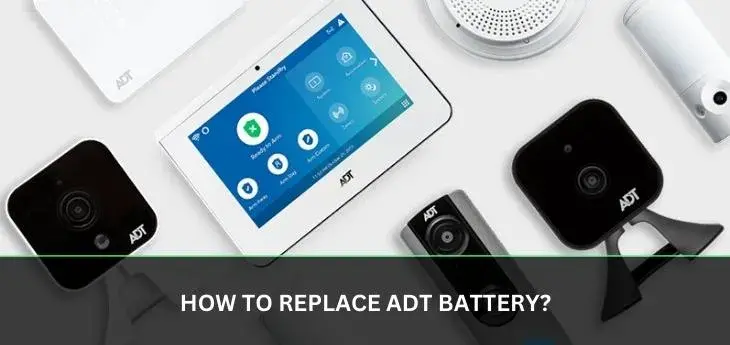
Experiencing a low battery alert from your ADT security system? This guide provides a comprehensive, step-by-step walkthrough on how to replace ADT battery, ensuring your home remains protected. We cover common ADT panel models, necessary tools, and safety precautions for a smooth and successful battery replacement process.
Understanding ADT Battery Alerts
Receiving a "low battery" notification from your ADT security system can be a cause for concern, but it's a standard part of system maintenance. These alerts are designed to proactively inform you when a component, most commonly the main control panel's backup battery, is nearing the end of its lifespan. Understanding these alerts is the first step in ensuring uninterrupted security for your home or business. In 2025, ADT systems continue to rely on these alerts to signal the need for battery replacement, preventing potential system failures during power outages. These notifications typically appear on your system's keypad or are sent via the ADT mobile app, depending on your system's configuration and connectivity. Prompt attention to these alerts is paramount, as a depleted backup battery can leave your system vulnerable.
Why Battery Replacement is Crucial
The backup battery in your ADT security system serves a critical function: it ensures your system remains operational even when the primary power source is interrupted. This is vital during power outages, which, according to recent reports for 2025, are becoming more frequent in certain regions due to extreme weather events. A fully functional backup battery guarantees that your alarm will still trigger, send signals to the ADT monitoring center, and maintain communication. Without a healthy battery, your system could become a liability rather than an asset during an emergency. Furthermore, many smart home integrations and remote access features rely on consistent power, making a robust backup battery essential for the full functionality of your ADT system. In 2025, the reliance on smart home technology means that even a brief power interruption without a functioning backup can disrupt more than just your security system.
Identifying Your ADT System and Battery Type
Before you can replace your ADT battery, you need to identify the specific model of your ADT control panel and the type of battery it uses. ADT has deployed various systems over the years, and each has its unique battery requirements. The most common batteries are sealed lead-acid (SLA) batteries, often referred to as "gel cell" batteries. These are rechargeable and designed to provide backup power. However, the size and voltage can vary significantly. You can usually find the model number of your control panel printed on the unit itself, often on the inside of the housing or on a label on the exterior. If you're unsure, consulting your original ADT installation paperwork or contacting ADT customer support can provide definitive information. For 2025, ADT continues to use similar battery technologies, but ensuring you have the correct replacement is key. Some systems might also use smaller batteries for wireless sensors, which are a different replacement process altogether, but this guide focuses on the main control panel battery.
Tools and Materials Needed
Gathering the necessary tools and materials before you begin the battery replacement process will make the job smoother and safer. For most ADT control panels, you will need:
- Replacement Battery: Ensure it's the correct type and voltage for your specific ADT panel model. Common replacements are 12V sealed lead-acid batteries.
- Screwdriver Set: Typically, a Phillips head screwdriver is required to open the control panel housing. Some panels might use Torx screws, so a small set is advisable.
- Wire Strippers/Cutters (Optional but Recommended): For safely disconnecting and connecting battery terminals if they are not quick-disconnect type.
- Gloves: To protect your hands from dirt and potential battery acid.
- Safety Glasses: To protect your eyes from any debris or accidental spills.
- Clean Cloth: For wiping down the battery compartment.
- New Battery Terminal Connectors (Optional): If the old ones are corroded or damaged.
Having these items ready ensures you can complete the replacement efficiently. For 2025, it's important to purchase batteries from reputable suppliers to ensure quality and compatibility. Generic batteries might seem cheaper but can lead to system malfunctions or reduced lifespan.
Safety First: Precautions Before You Begin
Safety is paramount when working with any electrical system, including your ADT security panel. Before you attempt to replace the battery, follow these crucial safety precautions:
- Disarm Your System: Always disarm your ADT alarm system before opening the control panel. This prevents accidental alarms and potential issues with the monitoring center.
- Consult Your Manual: If you have your ADT system's user manual, review the section on battery replacement. It will provide model-specific instructions and warnings.
- Power Down (If Possible): While the backup battery is designed to take over during a power outage, it's best practice to disconnect the AC power to the control panel at its source (e.g., unplugging the transformer or flipping the breaker) before disconnecting the battery. This is especially important if you're unsure about the system's immediate behavior.
- Handle Batteries with Care: Sealed lead-acid batteries are generally safe, but avoid puncturing or damaging them. If a battery appears swollen or is leaking, handle it with extreme caution and consider it a hazardous material.
- Proper Ventilation: Work in a well-ventilated area, especially if dealing with older batteries that might have accumulated some residue.
- Static Discharge: Be mindful of static electricity, which can damage sensitive electronic components. Ground yourself by touching a metal object before handling internal parts of the control panel.
Adhering to these safety guidelines will ensure a secure and successful battery replacement in 2025 and beyond.
Step-by-Step Guide to Replacing ADT Battery
Replacing the battery in your ADT control panel is a manageable DIY task if you follow these steps carefully. This guide focuses on the main backup battery, which is the most common component requiring replacement.
Disarming Your System
The very first step is to disarm your ADT security system. This is typically done by entering your user code on the keypad followed by the "Disarm" or "Off" button. If you have a mobile app, you can often disarm the system remotely. Confirm that the system is disarmed by checking the keypad for any active alarm or trouble lights. If you are unsure of your code or how to disarm, contact ADT customer support before proceeding.
Locating the Main Panel Battery
The main backup battery is usually housed within the primary ADT control panel, which is often a wall-mounted box. The location of this box varies depending on your system's installation, but it's typically near the main entry point or in a central location. Open the main panel door or cover. Inside, you will see the main circuit board, transformer, and the backup battery. The battery is often a rectangular, black unit secured by straps or clips, with two terminals (usually red for positive and black for negative).
Opening the Control Panel Housing
Most ADT control panel housings are secured with screws. These are typically located on the bottom or sides of the panel. Use your Phillips head screwdriver to carefully remove these screws. Keep the screws in a safe place, such as a small container, so you don't lose them. Once the screws are removed, gently pull the front cover away from the wall. Be mindful of any wires that might be connected to the cover, though typically only the main battery wires will be directly connected to the battery itself.
Disconnecting the Old Battery
Before disconnecting, ensure the system is powered down by unplugging the transformer or flipping the circuit breaker that powers the panel. Then, locate the battery terminals. They are usually connected with spade connectors. Gently pull the connectors off the battery terminals. It's crucial to disconnect the negative (black) terminal first, followed by the positive (red) terminal. This order helps prevent short circuits. If the connectors are difficult to remove, you can use wire strippers to carefully cut the connectors off, but this is a last resort. Note the orientation of the battery and its connectors for when you install the new one.
Installing the New Battery
Take your new, compatible battery. Connect the positive (red) terminal of the new battery to the corresponding positive terminal on the control panel's wiring. Then, connect the negative (black) terminal of the new battery to the negative terminal on the wiring. Ensure the connections are snug and secure. If your new battery came with protective caps on the terminals, remove them before connecting. The battery itself is usually held in place by straps or a compartment; secure it properly.
Reconnecting Power and Closing the Panel
Once the new battery is securely installed and connected, you can reconnect the AC power to the control panel. This can be done by plugging the transformer back in or flipping the circuit breaker back on. The system should power up, and you might hear the keypad chime or see lights illuminate. Carefully close the control panel housing, ensuring no wires are pinched. Reinsert and tighten the screws you removed earlier. Make sure the panel is securely fastened to the wall.
Testing Your System
After closing the panel, the system should begin to recharge the new battery. You might see a "charging" or "low battery" message temporarily disappear. It's essential to test your system to confirm everything is working correctly. Arm your system and then trigger a sensor (e.g., open a door or window that has a sensor). The alarm should sound, and you should verify that the system communicates with the ADT monitoring center. You can often place your system in "test mode" by calling ADT customer service to avoid dispatching emergency services during your test. This step is crucial to ensure your security is fully restored.
Common ADT Panel Models and Their Batteries
ADT has offered various security systems over the years, and knowing your specific model can help you find the correct replacement battery. While ADT doesn't always publicly list exact battery specifications for every older model, common types and brands are often used across their systems. For 2025, understanding these commonalities can expedite your search.
ADT SafeWatch Panels
ADT SafeWatch panels, often associated with older installations, frequently use a 12V sealed lead-acid battery. A very common battery size for these systems is the 12V 7Ah (Amp-hour) battery. Brands like DSC, Honeywell, or even ADT-branded batteries are often compatible. The physical dimensions of the battery are important; ensure the replacement fits within the battery compartment. For example, a common 12V 7Ah battery is approximately 5.95 inches long, 2.56 inches wide, and 3.7 inches tall. Always double-check the specifications of your current battery before purchasing a new one.
ADT Command Panels
The ADT Command system, a more modern offering, typically uses a 12V 7Ah or 12V 9Ah sealed lead-acid battery. These batteries are designed to provide extended backup power for the more advanced features of the Command system. Similar to SafeWatch panels, you'll need to ensure the physical dimensions and terminal type match your existing battery. The ADT Command panel housing might be slightly different, but the battery replacement process remains largely the same. Again, consulting your system's documentation or ADT support is the most reliable way to confirm the exact battery type.
Older ADT Panels
For very old ADT installations, you might encounter panels that use different battery technologies or sizes. Some older systems might have used NiCad (Nickel-Cadmium) batteries, though these are less common now due to their environmental impact and memory effect. The most prevalent type for older panels remains the 12V sealed lead-acid battery, but the Amp-hour rating could be lower (e.g., 4Ah or 5Ah) or higher, affecting the battery's physical size. If you have an older system and cannot identify the battery, taking the old battery to a battery supply store or a security system professional can help in identifying a suitable replacement.
A comparison of common battery types can be illustrative:
| Battery Type | Voltage | Typical Ah Rating | Common Use Cases | Physical Size (Approximate) |
|---|---|---|---|---|
| Sealed Lead-Acid (SLA) | 12V | 4Ah, 7Ah, 9Ah | Most ADT panels (SafeWatch, Command) | Varies by Ah rating; 7Ah ~ 5.95" x 2.56" x 3.7" |
| Sealed Lead-Acid (SLA) | 6V | 4Ah, 7Ah | Less common for main panels, sometimes for specific zone expanders or older wireless systems. | Varies by Ah rating; 6V 7Ah ~ 5.95" x 2.56" x 3.7" (but only half the voltage of a 12V) |
Troubleshooting Common Battery Replacement Issues
Even with careful execution, you might encounter issues during or after replacing your ADT battery. Here are some common problems and their solutions:
- System Still Shows "Low Battery" or "Trouble": This can happen for a few reasons. Ensure the new battery is fully charged (this can take 24-48 hours). Check that the battery terminals are clean and making a solid connection. Sometimes, the system needs a full power cycle (disconnect AC and battery, wait 30 seconds, reconnect battery then AC) to clear the old fault. If the issue persists, the battery might be faulty, or there could be a problem with the panel's charging circuit.
- False Alarms After Replacement: This is less common but can occur if the battery wasn't properly secured, or if a wire was accidentally dislodged during the process. Double-check all connections and ensure the panel cover is securely closed. If the problem continues, it might indicate a more significant system fault.
- New Battery Doesn't Fit: If the new battery physically doesn't fit in the compartment, you likely purchased the wrong size. Verify the dimensions and Ah rating of the required battery for your specific panel model. You'll need to obtain the correct replacement.
- Corroded Terminals: If the battery terminals or connectors are corroded, clean them gently with a wire brush or fine-grit sandpaper. You can also use a battery terminal cleaner solution. If the connectors are severely damaged, they may need to be replaced.
- System Not Powering Up: Ensure the AC power transformer is plugged in and the circuit breaker is on. Check that the battery is connected correctly with the correct polarity (red to red, black to black). If the system still shows no signs of life, there might be an issue with the transformer or the main control board itself.
For 2025, remember that battery technology is reliable, so most issues point to installation errors or incorrect battery selection.
When to Call a Professional
While replacing an ADT battery is often a straightforward DIY task, there are situations where calling a professional ADT technician or a qualified security system installer is the best course of action. These include:
- Uncertainty About Your System: If you are unsure about your ADT panel model, the correct battery type, or the process itself, it's safer to seek professional help. Incorrect installation can lead to system damage or malfunction.
- Complex System Configurations: If your ADT system is integrated with numerous sensors, cameras, or other smart home devices, a professional can ensure that the battery replacement doesn't disrupt these complex interconnections.
- Signs of Damage or Wear: If you notice any physical damage to the control panel, wiring, or signs of corrosion or leakage on the old battery that seems extensive, a professional can assess the situation and recommend necessary repairs or replacements beyond just the battery.
- Persistent Issues: If you've attempted the battery replacement yourself and are still experiencing trouble codes, false alarms, or system malfunctions, a technician has the diagnostic tools and expertise to pinpoint and resolve the problem.
- Lack of Tools or Confidence: If you don't have the necessary tools or feel uncomfortable working with electrical components, it's always best to err on the side of caution and hire a professional.
In 2025, ADT offers various support plans that might cover professional service calls, so check your contract details.
ADT Battery Maintenance Tips for 2025-26
Proactive maintenance can extend the life of your ADT system's battery and prevent unexpected failures. Here are some tips for 2025-26:
- Regular System Testing: Test your ADT system monthly. This not only ensures it's working correctly but also cycles the battery, which can be beneficial for its longevity.
- Respond Promptly to Alerts: Never ignore "low battery" or "trouble" alerts. Address them as soon as possible. Waiting too long can lead to the battery completely failing, leaving your system vulnerable.
- Keep the Control Panel Area Clear: Ensure the area around your ADT control panel is free of dust and debris. While the battery is sealed, excessive dust can sometimes affect ventilation or internal components over time.
- Understand Battery Lifespan: ADT backup batteries typically last between 3 to 5 years. This lifespan can be affected by factors like the frequency of power outages, the number of connected devices drawing power, and ambient temperature.
- Purchase Quality Replacement Batteries: When it's time for a replacement, invest in a reputable brand. High-quality batteries are more reliable and often have a longer service life.
- Document Your System: Keep records of your ADT system model, installation date, and any battery replacements. This information is invaluable for future maintenance and troubleshooting.
- Consider Professional Check-ups: If you have an older system or are concerned about its performance, consider scheduling a periodic check-up with an ADT technician. They can assess the overall health of your system, including the battery.
By following these maintenance tips, you can ensure your ADT security system remains a reliable guardian for your property throughout 2025 and beyond.
Conclusion
Replacing your ADT battery is a vital maintenance task that ensures continuous protection for your home or business. By understanding the alerts, identifying your system, gathering the right tools, and following the step-by-step guide, you can confidently perform this DIY procedure. Remember to prioritize safety by disarming your system and taking necessary precautions. For 2025, with increasing reliance on smart home security and the potential for more frequent power disruptions, a fully functional backup battery is more critical than ever. If you encounter any difficulties or are unsure about any part of the process, don't hesitate to contact ADT support or a qualified professional. A well-maintained ADT system provides peace of mind, and a simple battery replacement is a key step in achieving that.





