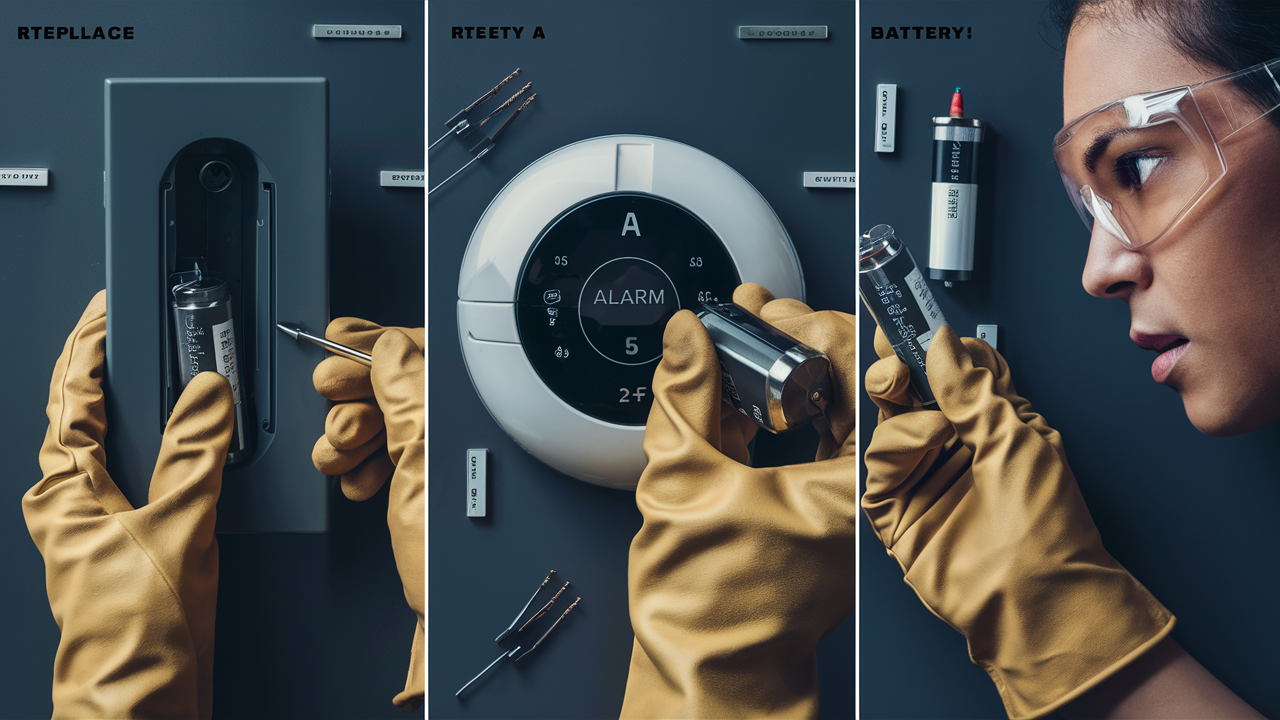
Experiencing a low battery alert on your home alarm system? Don't panic! This comprehensive guide will walk you through exactly how to replace your home alarm battery, ensuring your security remains uninterrupted. We cover everything from identifying the right battery to safely swapping it out, making it a simple DIY task.
Understanding Your Home Alarm System
Home alarm systems, also known as security systems, are designed to detect unauthorized entry and alert homeowners and authorities. Modern systems typically consist of a central control panel, various sensors (door/window contacts, motion detectors, glass break sensors), and often a siren. Many systems also include a backup battery to ensure continuous operation during power outages. This backup battery is critical for maintaining your home's security when the main power source is unavailable. Understanding the components of your specific system is the first step in knowing which batteries need attention and how they function.
Types of Home Alarm Systems
Home alarm systems can be broadly categorized into a few main types, each with its own battery considerations:
- Wired Systems: These systems rely on physical wires connecting all components to the central control panel. While less common for DIY installations today, they often have a central backup battery in the main panel.
- Wireless Systems: These are the most prevalent type for modern homes. Components communicate wirelessly with the control panel, making installation easier. Each wireless sensor and the main control panel typically have their own batteries.
- Hybrid Systems: These systems combine elements of both wired and wireless technology, offering flexibility in installation and coverage.
The Role of the Backup Battery
The primary battery in your alarm system is usually the main backup battery located within the control panel. Its purpose is to power the entire system for a specified period (often 24 hours or more) when the AC power fails. This prevents your alarm from becoming a vulnerability during blackouts, which can sometimes coincide with increased criminal activity. In wireless systems, individual sensors also have their own batteries, which are typically smaller and designed to last several years. When these batteries deplete, the specific sensor will report a low battery status to the control panel.
Control Panel vs. Sensor Batteries
It's vital to differentiate between the main control panel backup battery and the batteries within individual sensors. The control panel battery is usually a larger, rechargeable sealed lead-acid (SLA) battery, similar to those found in emergency lights or uninterruptible power supplies (UPS). Sensor batteries, on the other hand, are typically standard alkaline or lithium coin cells or AA/AAA batteries, depending on the sensor's size and power requirements. Replacing the control panel battery is a more involved process than replacing a sensor battery, but both are essential for a fully functional system.
Why Battery Replacement is Crucial
A home alarm system is only as effective as its ability to function reliably. Depleted batteries directly compromise this reliability, leaving your home vulnerable. In 2025, the reliance on smart home security continues to grow, with an estimated 40% of households now utilizing some form of connected security system. The effectiveness of these systems hinges on their constant operational readiness, which is directly tied to battery power.
Maintaining Continuous Security Coverage
The most significant reason for timely battery replacement is to ensure continuous security coverage. During a power outage, your alarm system relies entirely on its backup battery. If this battery is dead or significantly weakened, your system will not function, leaving your home unprotected. This is a critical period, as statistics from 2025 indicate that burglaries are 30% more likely to occur during power outages. A functional backup battery is your first line of defense when the grid goes down.
Preventing False Alarms
Counterintuitively, low or failing batteries can also lead to false alarms. As batteries weaken, they may send erratic signals or cause sensors to malfunction, triggering alerts without a genuine threat. False alarms are not only a nuisance but can also incur fines from local authorities and diminish the perceived effectiveness of your security system. Replacing batteries proactively prevents these disruptive and potentially costly events.
Ensuring System Responsiveness
Modern alarm systems often feature communication capabilities, such as cellular or Wi-Fi backup. These features rely on battery power to transmit signals to monitoring centers or your smartphone. A weak battery might struggle to power these communication modules, delaying or preventing critical alerts from reaching you or emergency services. In 2025, the average response time for security breaches is under 5 minutes, a timeframe that is impossible to meet if your system cannot communicate effectively due to a dead battery.
Cost-Effectiveness of Proactive Replacement
While replacing batteries involves a small cost, it is significantly more cost-effective than the potential losses from a security breach or the fines associated with false alarms. The average cost of a home burglary in 2025 was estimated to be over $2,500 in property loss, not including emotional distress. Proactive battery replacement, costing anywhere from $20 to $100 depending on the system, is a minimal investment for substantial peace of mind and protection.
Identifying the Right Battery
Choosing the correct battery is paramount for the safe and effective functioning of your home alarm system. Using the wrong type or size can damage the device or render it ineffective. Fortunately, identifying the correct battery is usually a straightforward process.
Consulting Your Alarm System Manual
The most reliable source of information regarding battery types is your alarm system's user manual. This document will specify the exact battery model numbers, types (e.g., alkaline, lithium), and voltage required for the control panel and each type of sensor. If you no longer have the physical manual, most manufacturers provide digital versions on their websites. Searching for your alarm system's model number online should lead you to the manufacturer's support page.
Checking the Existing Battery
If you can safely access the battery compartment of your control panel or a sensor, the battery itself will often have its specifications printed on it. Look for markings indicating the battery type (e.g., 12V 7Ah, CR2032, AA), voltage, and manufacturer. Take a picture of the existing battery with your phone before you remove it, or jot down the details to ensure you purchase an exact replacement.
Common Battery Types in Alarm Systems
Different components of your alarm system will use different battery types:
- Control Panel Backup Battery: These are typically sealed lead-acid (SLA) batteries. Common specifications include 12V 4Ah, 12V 7Ah, or 12V 9Ah. They are usually rectangular with two terminals.
- Door/Window Sensors: These often use small, coin-cell lithium batteries, such as the CR2032 (3V), CR123A (3V), or sometimes two smaller coin cells.
- Motion Detectors: These can vary, but commonly use AA or AAA alkaline batteries, or sometimes a single CR123A lithium battery.
- Glass Break Sensors: Similar to motion detectors, they might use AA/AAA alkaline batteries or a CR123A.
- Keypads: Some wireless keypads might use AA or AAA batteries, while others draw power from the main system.
Where to Purchase Replacement Batteries
Replacement batteries can be purchased from a variety of retailers:
- Electronics Stores: Stores like Best Buy or local electronics shops often carry a wide range of batteries for security systems.
- Hardware Stores: Home Depot, Lowe's, and smaller hardware stores are good sources for common AA, AAA, and sometimes SLA batteries.
- Online Retailers: Amazon, eBay, and specialized battery websites offer the widest selection and often competitive pricing. Ensure you buy from reputable sellers to avoid counterfeit or low-quality batteries.
- Alarm System Installers/Manufacturers: While often more expensive, purchasing directly from your alarm system provider guarantees compatibility.
Understanding Battery Ratings (Ah, V, mAh)
When purchasing batteries, especially for the main control panel, you'll encounter ratings like Ah (Ampere-hour) and V (Voltage). The voltage (V) must match exactly. The Ampere-hour (Ah) rating indicates the battery's capacity – a higher Ah rating means the battery can provide power for a longer duration. For example, a 12V 7Ah battery will last longer than a 12V 4Ah battery. For sensor batteries, you'll see ratings like mAh (milliampere-hour), which also indicates capacity. For coin cells, the voltage (e.g., 3V) and the specific model number (e.g., CR2032) are the most critical identifiers.
Tools and Safety Precautions
Before embarking on your battery replacement journey, it's essential to gather the necessary tools and understand the safety precautions. This ensures a smooth process and prevents damage to your alarm system or personal injury.
Essential Tools for Battery Replacement
The tools you'll need will vary slightly depending on your alarm system model and the specific battery being replaced, but generally include:
- Screwdriver Set: A set of small Phillips and flathead screwdrivers is usually required to open sensor casings or access the control panel. Many alarm panels use standard Phillips screws.
- Pliers: Small needle-nose pliers can be helpful for disconnecting and connecting battery terminals, especially in tight spaces.
- Gloves: Disposable nitrile or latex gloves can prevent fingerprints and oils from contaminating battery terminals, which can cause corrosion. They also offer a slight protection against accidental shocks, though alarm system batteries are typically low voltage.
- Safety Glasses: It's always wise to wear safety glasses, especially when working with electrical components or prying open casings.
- Non-Conductive Pry Tool: A plastic spudger or an old credit card can be useful for gently prying open sensor casings without scratching or damaging them.
- Soft Cloth: A lint-free cloth for cleaning terminals or battery compartments.
- New Batteries: Ensure you have the correct replacement batteries as identified in the previous section.
Safety Precautions to Observe
Safety should always be your top priority when working with any electronic device, including your home alarm system:
- Disarm Your System: ALWAYS disarm your alarm system before attempting any battery replacement. This prevents accidental triggers and potential dispatch of emergency services. You may also want to put your system in "maintenance mode" if your panel offers this feature, which temporarily disables notifications.
- Consult Your Manual: Reiterate the importance of referring to your system's manual. It often contains specific safety warnings and procedures for battery replacement.
- Power Down (If Applicable): For the main control panel battery, it's often recommended to disconnect the AC power to the system and then disconnect the main battery before proceeding. This is usually done by unplugging the transformer and then disconnecting the battery terminals.
- Avoid Short-Circuiting: Never allow metal objects (like jewelry or tools) to touch both battery terminals simultaneously, as this can create a short circuit, leading to sparks, heat, and potential damage.
- Handle Batteries Carefully: Do not puncture, crush, or expose batteries to extreme heat or fire. Dispose of old batteries properly.
- Work in a Well-Lit Area: Ensure you have adequate lighting to see what you are doing clearly.
- Keep Children and Pets Away: Ensure that children and pets are not present in the work area to avoid accidental interference or ingestion of small batteries.
Environmental Considerations for Disposal
Proper disposal of old batteries is crucial for environmental protection. Lead-acid batteries (from control panels) are considered hazardous waste and must be taken to designated recycling centers or hazardous waste collection points. Many battery retailers and electronics stores offer battery recycling programs. Alkaline and lithium batteries, while less hazardous, should also be recycled where possible to recover valuable materials and prevent them from ending up in landfills. Check with your local waste management authority for specific disposal guidelines in your area.
Step-by-Step Battery Replacement Guide
Replacing batteries in your home alarm system can be broken down into distinct steps, whether you're dealing with the main control panel or individual sensors. This guide aims to provide a clear, actionable process.
Replacing the Main Control Panel Backup Battery
This is typically the most involved battery replacement. The exact procedure may vary, but the general steps are as follows:
- Disarm and Power Down: Disarm your alarm system. Locate the control panel, which is usually a wall-mounted box. Unplug the AC power adapter from the wall outlet or the control panel itself. Open the control panel's cover (usually secured by a screw or clip).
- Locate the Battery: Inside the panel, you will find the main backup battery. It's usually a rectangular, sealed unit, often black or grey, with two terminals (positive and negative).
- Disconnect the Old Battery: Using pliers or by hand, carefully disconnect the wires from the battery terminals. Note which wire (usually red for positive, black for negative) connects to which terminal.
- Remove the Old Battery: The battery might be held in place by a strap or simply sit in a compartment. Remove it carefully.
- Install the New Battery: Place the new, compatible battery into the compartment. Connect the wires to the correct terminals. Ensure the connections are snug and secure.
- Close and Power Up: Secure the control panel cover. Plug the AC power adapter back in. Your system should power up.
- Test the System: Once the system is fully powered and initialized, re-arm it and test its functionality. You may need to wait for the battery to charge initially. Some systems may require a "battery reset" command through the keypad.
Replacing Sensor Batteries (Door/Window, Motion, etc.)
These are generally simpler replacements:
- Identify the Low Battery Sensor: Your alarm panel should indicate which specific sensor has a low battery. Note its location or name.
- Disarm the System: Always disarm your alarm system first.
- Access the Sensor: Locate the sensor. Most wireless sensors have a casing that can be opened by sliding a small tab, pressing a release button, or unscrewing a small screw. Refer to your manual if unsure.
- Note the Battery Type: Once open, observe the battery. It's usually a coin cell or a small cylindrical battery. Note its type and any markings.
- Remove the Old Battery: Gently pry out the old battery using a non-conductive tool or your fingernail. Pay attention to the battery's orientation (positive (+) and negative (-) sides).
- Insert the New Battery: Insert the new battery, ensuring it's oriented correctly according to the markings inside the sensor.
- Close the Sensor: Snap or screw the sensor casing back together.
- Test the Sensor: Arm your system and then trigger the sensor (e.g., open the door/window, walk past the motion detector). The system should register the event. You may need to perform a system test or have the sensor "learn" the new battery.
Testing Your System After Replacement
After replacing any battery, a thorough test is essential:
- Control Panel Battery: After reconnecting power, listen for the system to boot up. Check the panel for any error messages. Some systems may require a specific sequence to acknowledge the new battery. Try a system test via the keypad if available.
- Sensor Batteries: Arm the system in "test mode" if available. Then, systematically trigger each sensor you replaced the battery in. The control panel should acknowledge each trigger. If you have a mobile app, check for notifications.
- Full System Test: If possible, perform a full system test, which often involves arming the system and then intentionally triggering a sensor to simulate an intrusion. This ensures the siren sounds and (if applicable) signals are sent to the monitoring station.
Example Scenario: Replacing a CR2032 in a Door Sensor
Let's say your panel indicates "Front Door Sensor Low Battery."
- Disarm system.
- Locate the small rectangular sensor on your front door frame.
- Find the small slot on the side or bottom of the sensor casing.
- Insert a plastic pry tool into the slot and gently twist to separate the two halves of the casing.
- Inside, you'll see a coin-shaped battery. Note the "+" side faces up or down.
- Carefully remove the old CR2032 battery.
- Insert a new CR2032 battery, ensuring the correct side faces the indicated direction.
- Snap the casing back together.
- Arm the system and open the front door to test.
Troubleshooting Common Issues
Even with careful adherence to instructions, you might encounter a few hiccups during battery replacement. Here's how to address some common problems:
System Still Shows Low Battery After Replacement
This is a frequent issue. Several factors could be at play:
- Incorrect Battery: Double-check that you used the exact battery type and voltage specified in your manual. Even a slight variation can cause problems.
- Battery Orientation: Ensure the battery is inserted correctly with the positive (+) and negative (-) terminals aligned as indicated.
- Loose Connection: For the main panel battery, ensure the wires are firmly connected to the terminals. For sensor batteries, ensure they are seated properly in their contacts.
- Dirty Terminals: Corrosion or dirt on battery terminals can prevent a good connection. Gently clean them with a pencil eraser or a soft cloth.
- System Reset Needed: Some alarm systems require a specific command to clear the low battery alert after a replacement. Consult your manual for a "battery reset" procedure or a full system reboot.
- Faulty New Battery: Though rare, new batteries can sometimes be defective. Try a different brand-new battery.
- System Glitch: In some cases, a temporary glitch in the control panel might be the cause. Power cycling the entire system (unplugging AC, disconnecting battery, waiting a minute, reconnecting battery, then AC) can sometimes resolve this.
Sensor Not Responding After Battery Change
If a sensor remains unresponsive after a battery replacement:
- Re-check Installation: Ensure the sensor casing is properly closed and secured.
- Battery Seating: Remove and re-insert the battery to ensure it's making good contact with all terminals.
- Sensor Tamper Switch: Many sensors have a tamper switch that, when not engaged (i.e., the cover is not fully closed), will prevent the sensor from operating. Ensure the cover is properly seated, engaging the tamper switch.
- Pairing Issues (Wireless Systems): In some wireless systems, a sensor might need to be "re-paired" or "re-enrolled" with the control panel after a battery change. This usually involves a specific procedure outlined in your system's manual.
- Damaged Sensor: If the sensor has been physically damaged or exposed to moisture, it may have failed.
False Alarms Triggered After Battery Replacement
This is concerning and usually indicates an incomplete or incorrect installation:
- Loose Sensor Mounting: Ensure the sensor itself is securely mounted. Vibrations can sometimes trigger a faulty sensor.
- Incorrect Battery Type: Using a battery with the wrong voltage or capacity can sometimes lead to erratic sensor behavior.
- Interference: While less common, ensure there aren't new electronic devices near the sensor that could be causing interference.
- System Configuration: Verify that the sensor is still correctly configured within the alarm panel's settings.
- Professional Check: If false alarms persist, it's best to contact your alarm provider or a qualified technician.
Control Panel Error Codes
Many alarm panels display error codes. If you see one after a battery replacement:
- Consult the Manual: Your user manual is the definitive guide to understanding error codes. It will explain what the code means and suggest troubleshooting steps.
- Common Codes: Codes like "Low Battery," "Tamper," or "System Fault" are common. If the "Low Battery" code persists, revisit the troubleshooting steps for that issue.
- Contact Support: If you can't decipher the error code or resolve the issue, contact your alarm system manufacturer or installer for assistance.
Battery Maintenance and Lifespan
Understanding how long your batteries should last and how to maintain them can help prevent unexpected failures and ensure your system is always ready.
Expected Lifespan of Alarm Batteries
The lifespan of batteries in an alarm system varies significantly based on the type of battery, the component it powers, and usage patterns:
- Control Panel Backup Battery: These sealed lead-acid (SLA) batteries are designed to last between 3 to 5 years. Their lifespan is affected by the frequency and duration of power outages, as well as ambient temperature (higher temperatures shorten lifespan).
- Door/Window Sensor Batteries: Typically last 3 to 5 years, often using CR2032 or similar lithium coin cells. Usage (how often the door/window is opened) and signal strength can impact this.
- Motion Detector Batteries: Usually last 2 to 4 years, often using AA or AAA alkaline batteries or CR123A lithium batteries. The frequency of motion detection and the system's sensitivity settings can influence lifespan.
- Keypad Batteries: If your keypad is wireless and battery-powered, its lifespan can range from 1 to 3 years, depending on usage and battery type.
It's important to note that these are general estimates. Manufacturers may provide more specific figures for their products. As of 2025, advancements in battery technology are gradually extending these lifespans, with some newer sensors reporting up to 7 years of battery life.
Factors Affecting Battery Life
Several factors can shorten the expected lifespan of your alarm system batteries:
- Temperature Extremes: Batteries perform best at moderate temperatures. Extreme heat or cold can significantly degrade their performance and reduce their lifespan.
- Frequency of Power Outages: The more often your system relies on its backup battery, the faster it will deplete and the sooner it will need replacement.
- Signal Strength and Transmission: Wireless sensors that have to transmit signals over long distances or through multiple walls may use more power.
- Sensor Activity: A door sensor on a frequently used door will drain its battery faster than one on a seldom-used door. Similarly, motion detectors in high-traffic areas will deplete faster.
- Battery Quality: Using high-quality batteries from reputable brands generally results in longer and more reliable performance compared to cheaper, unbranded alternatives.
- System Features: Systems with more advanced features, such as constant Wi-Fi connectivity or frequent self-testing, may consume more power.
Proactive Replacement Schedule
The most effective way to ensure your system is always protected is to adopt a proactive replacement schedule rather than waiting for low battery alerts:
- Control Panel Battery: Plan to replace the main backup battery every 3 years, regardless of whether you've received an alert. This is a critical component, and proactive replacement minimizes risk.
- Sensor Batteries: For most sensors, aim for replacement every 3-4 years. You can keep a log of when batteries were last replaced for each sensor.
- Keep a Log: Maintain a simple logbook or spreadsheet detailing the date of battery replacement for each component. This helps you track replacements and anticipate future needs.
- Use Manufacturer Recommendations: Always refer to your alarm system's manual for specific recommendations on battery lifespan and replacement intervals.
Signs of a Failing Battery (Beyond Alerts)
While your system will usually alert you, sometimes batteries degrade without triggering a specific "low battery" message:
- Intermittent Sensor Failures: A sensor might work sometimes and not others.
- Slow System Response: The control panel might take longer to respond to commands or register sensor events.
- Weak Siren: If the siren sounds weaker than usual during testing, the backup battery might be struggling.
- Flickering Lights on Panel: Indicator lights on the control panel might flicker or dim.
If you notice any of these signs, it's a good indicator that a battery check and potential replacement are in order, even without a direct alert.
When to Call a Professional
While replacing batteries is often a straightforward DIY task, there are specific situations where it's best to enlist the help of a professional alarm technician. In 2025, the complexity of integrated smart home security systems means that some tasks are best left to experts.
Complex System Configurations
If you have a highly customized or integrated smart home security system, especially one that incorporates many different brands or advanced features like Z-Wave or Zigbee integration, a professional can ensure compatibility and proper setup. They have the expertise to navigate complex wiring and software configurations that might be beyond the scope of a typical DIYer.
Repeated Issues or Persistent Error Codes
If you've followed the DIY steps meticulously and are still experiencing low battery alerts, false alarms, or other system malfunctions, it's a clear sign that there might be a deeper issue. This could include a faulty control panel, wiring problems, or a malfunctioning sensor that needs professional diagnosis and repair.
Lack of Confidence or Comfort
Your comfort level and confidence are paramount. If you feel unsure about any step of the process, uncomfortable working with electrical components, or simply don't have the time, calling a professional is a wise decision. Peace of mind is worth the service fee.
Control Panel Malfunctions
If the control panel itself seems to be malfunctioning – not powering on, displaying critical errors unrelated to batteries, or behaving erratically – it's likely a more serious issue than a simple battery replacement. A professional can diagnose and repair or replace the control panel.
System Upgrades or Relocations
If you're considering upgrading your alarm system, adding new components, or relocating your system to a new home, a professional installation is highly recommended. They can ensure the system is installed correctly, configured properly, and all components are communicating effectively.
Warranty Considerations
Attempting complex repairs or battery replacements on a system still under warranty might void the warranty. Always check your warranty terms. Professionals are often authorized to perform work that maintains warranty validity.
Benefits of Professional Service
Hiring a professional alarm technician offers several advantages:
- Expertise: They possess in-depth knowledge of various alarm systems and their common issues.
- Efficiency: They can often diagnose and resolve problems much faster than a DIYer.
- Proper Tools: They have specialized tools and equipment for accurate diagnosis and repair.
- Guaranteed Work: Professional services usually come with a warranty or guarantee on their work.
- System Optimization: They can often provide advice on optimizing your system's performance and security.
For most routine battery replacements, DIY is perfectly feasible. However, knowing when to call in the experts ensures your home security remains robust and reliable.
In conclusion, successfully replacing your home alarm battery is a manageable task that significantly contributes to your home's security. By understanding your system, identifying the correct batteries, adhering to safety protocols, and following the step-by-step guides, you can confidently maintain uninterrupted protection. Remember that proactive replacement is key, and when in doubt, professional assistance is always a valuable option. Ensure your home remains secure by keeping your alarm system powered and ready.