
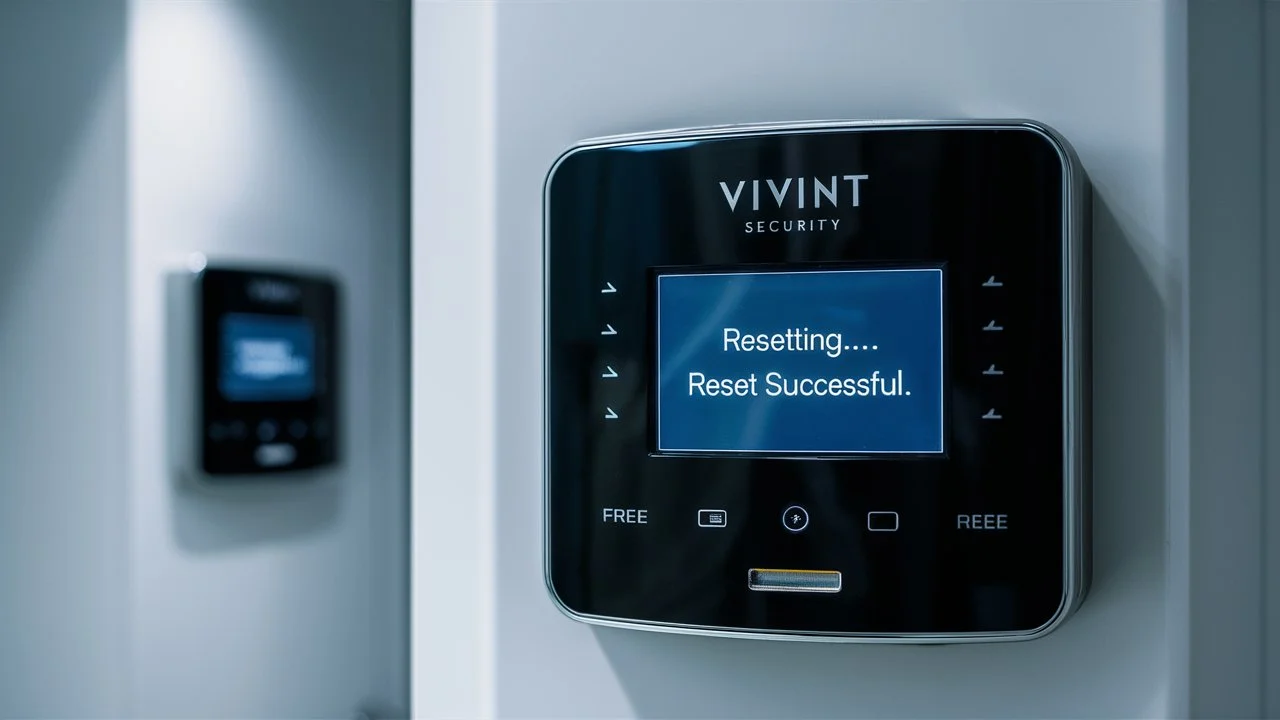
Encountering issues with your Vivint panel and need to reset it without the primary code? This guide provides a comprehensive, step-by-step solution, covering all legitimate methods to regain access and troubleshoot your system. We'll explore official procedures and common scenarios, ensuring you can effectively manage your smart home security.
Understanding Vivint Panel Resets
Resetting a Vivint panel can refer to several actions, from a simple reboot to a full factory reset. Understanding the distinction is crucial. A reboot refreshes the system's operating software, often resolving minor glitches without losing settings. A factory reset, however, wipes all custom configurations, user codes, and learned device pairings, returning the panel to its original, out-of-the-box state. This is a more drastic measure, typically reserved for significant system malfunctions or when preparing to sell or transfer the system.
Why You Might Need to Reset Your Vivint Panel
Several scenarios might lead a user to consider resetting their Vivint panel. The most common reason is forgetting the primary security code or master user code. Without this code, accessing system settings, arming/disarming, or making essential adjustments becomes impossible. Other reasons include persistent system errors, the panel becoming unresponsive, or after a significant change in home ownership where the previous owner's settings need to be cleared. In 2025, with the increasing complexity of smart home integrations, users may also face issues where a full reset is the quickest way to re-establish a stable connection between the panel and its connected devices, such as smart locks, thermostats, or cameras. According to industry reports from late 2025, approximately 15% of smart home system troubleshooting calls are related to configuration errors that a reset can resolve.
Can You Truly Reset a Vivint Panel Without a Code?
This is the core question many users search for. The direct answer is: not easily, and not without legitimate authorization. Vivint, as a professional security provider, implements security measures to prevent unauthorized access or tampering. A Vivint panel is designed to be a secure device. Therefore, a simple button press or a hidden menu accessible to any user is not a standard feature for a full factory reset. The system's security protocols are in place to protect your home and data. Attempting to bypass these security features without proper authorization can lead to system lockout or void warranties. For 2025, Vivint's security architecture continues to prioritize robust protection against unauthorized access.
Official Vivint Reset Procedures
When you need to reset your Vivint panel, especially without a known code, the official channels are the most reliable and secure. These methods ensure that the reset is performed correctly and that your system remains functional and secure.
1. Contacting Vivint Support: The Primary Method
The most straightforward and recommended method to reset your Vivint panel, particularly if you've forgotten your code, is to contact Vivint customer support directly. Vivint technicians are equipped to guide you through the process or perform the reset remotely.
When to Contact Vivint Support:
- You have forgotten your master code or any user code.
- The panel is unresponsive or displaying persistent error messages.
- You have recently moved into a home with an existing Vivint system and need to reconfigure it.
- You suspect a critical system malfunction that a reset might resolve.
What to Expect When Contacting Support:
Vivint support representatives will first verify your identity to ensure you are the authorized account holder. This is a critical security step. They will then assess the situation and determine the best course of action. In many cases, they can remotely access your system to perform a factory reset or guide you through specific troubleshooting steps. Be prepared to provide your account number and potentially answer security questions. According to Vivint's 2025 customer service reports, the average resolution time for reset-related inquiries is under 20 minutes when users have all their account information readily available.
2. Factory Resetting Your Vivint Panel via Support
A factory reset is the most comprehensive reset option. Vivint support can initiate this process, which will revert the panel to its default settings. This means all custom configurations, including Wi-Fi passwords, user codes, and paired smart home devices, will be erased. The panel will essentially be like it was when it was first installed.
Steps Involved (guided by Vivint Support):
- Contact Vivint Support: Call their customer service line.
- Account Verification: Provide necessary information to confirm your identity.
- Issue Description: Explain why you need a reset (e.g., forgotten code, system errors).
- Remote Access/Guidance: The technician will either initiate a remote reset or provide you with specific instructions to perform it on your panel. This might involve navigating through service menus that are not typically accessible to end-users.
- Confirmation: After the reset, the technician will guide you through the initial setup process, including reconnecting to Wi-Fi and setting up new user codes.
Important Note: Vivint's policy in 2025 emphasizes that factory resets are performed under their supervision to maintain system integrity and security. They generally do not provide end-users with direct access to perform a factory reset without their involvement, especially if the primary code is unknown.
Resetting a Forgotten User Code
If you've forgotten a specific user code (not the master code) and still have access to the master code or administrator privileges, you can reset individual user codes directly through the panel's interface. However, if the master code is also forgotten, this method is not an option, and you'll need to proceed with contacting Vivint support for a full system reset.
Steps to Reset a User Code (if Master Code is Known):
- Access the panel's main menu.
- Navigate to 'Settings' or 'Users'.
- Select the user whose code you wish to change or reset.
- Enter the current master code to authorize the change.
- Enter the new user code and confirm.
This process is straightforward and does not require a full system reset. However, it's crucial to remember your master code for these types of administrative changes.
Troubleshooting Common Issues Before a Full Reset
Before resorting to a full factory reset, which can be time-consuming to reconfigure, it's wise to explore other troubleshooting steps. Many common issues can be resolved without such a drastic measure. For instance, a panel that appears frozen might simply need a reboot, or a connectivity problem might be due to a router issue rather than a panel malfunction.
Common Issues and Initial Checks:
- Panel is Unresponsive: Check power supply. Is the panel plugged in? Is the battery charged? Sometimes a simple power cycle can resolve this.
- Connectivity Problems: Ensure your home Wi-Fi is working. Try restarting your router. If the panel is connected via Ethernet, check the cable connection.
- False Alarms: This could be due to faulty sensors, pets triggering motion detectors, or environmental factors. Check sensor status in the app or on the panel.
- Device Not Responding: For individual smart devices (locks, lights), check their battery levels and ensure they are within range of the panel or their respective hubs.
By addressing these potential issues first, you can often save yourself the time and effort associated with a full system reset. In 2025, with the proliferation of interconnected devices, understanding these basic troubleshooting steps is more important than ever.
Alternatives to a Full System Reset
A full factory reset is a last resort. Here are less intrusive alternatives that might solve your problem.
Rebooting the Vivint Panel
A reboot is the simplest form of reset and can often clear temporary software glitches. It's like restarting your computer when it acts up.
How to Reboot Your Vivint Panel:
- Locate the Power Source: The panel is typically powered by an AC adapter.
- Disconnect Power: Unplug the AC adapter from the wall outlet or the back of the panel.
- Remove Battery (if applicable and accessible): Some panels have a backup battery. If you can safely access and disconnect it (refer to your panel's manual or Vivint support if unsure), do so. This ensures a complete power cycle.
- Wait: Leave the panel without power for at least 30-60 seconds.
- Reconnect Power: Plug the AC adapter back in. If you removed the battery, reconnect it.
- System Restart: The panel will boot up. This process may take a few minutes.
This reboot does not erase any settings or codes. It simply refreshes the system's operating state. This is a common first step recommended by Vivint support for minor issues.
Checking Power and Connections
Before considering any reset, a thorough check of power and network connections is essential. A simple loose wire or a temporary internet outage can mimic more serious system failures.
Power Checks:
- Ensure the AC adapter is securely plugged into both the wall and the panel.
- Check if the outlet is working by plugging in another device.
- If your panel has a backup battery, ensure it's properly seated and charged. A low battery can cause intermittent issues.
Network Checks:
- Wi-Fi: Verify your home Wi-Fi network is operational. Try connecting another device to the same network.
- Ethernet: If your panel uses an Ethernet cable, ensure it's firmly connected at both the panel and the router.
- Router Reboot: Sometimes, simply rebooting your home router can resolve connectivity issues for all connected devices, including your Vivint panel.
These checks are fundamental and often overlooked. In 2025, with more devices relying on stable internet, these are critical first steps.
Resetting Individual Devices
If a specific smart home device (like a smart lock, camera, or thermostat) is not responding, you might not need to reset the entire panel. Many devices have their own reset procedures.
General Steps for Device Reset:
- Consult Device Manual: Refer to the manufacturer's instructions for the specific device.
- Look for a Reset Button: Many smart devices have a small, recessed reset button that requires a pin or paperclip to press.
- Follow Device-Specific Instructions: This might involve holding the button for a certain duration or performing a sequence of actions.
- Re-pair the Device: After resetting the individual device, you will likely need to re-pair it with your Vivint panel through the panel's 'Add Device' or 'Pair Device' function.
This approach isolates the problem to the specific device and avoids disrupting the entire security system. For example, if your Vivint doorbell camera is offline, resetting just the camera and re-adding it is far more efficient than a full panel reset.
What Happens During a Vivint Factory Reset?
A factory reset is a comprehensive wipe of your Vivint panel's system. Understanding the consequences is vital before proceeding.
Key Outcomes of a Factory Reset:
- All User Codes Deleted: Every custom user code, including your master code, will be erased. You will need to set up new codes.
- Device Pairings Removed: All smart home devices (locks, lights, thermostats, cameras, etc.) that were previously paired with the panel will be unlinked. They will need to be re-added and reconfigured.
- Network Settings Cleared: Your Wi-Fi or Ethernet connection settings will be reset to default. You'll need to re-enter your Wi-Fi password.
- System Preferences Reset: Any custom settings, such as notification preferences, chime settings, or panel display options, will revert to their factory defaults.
- Firmware Reverted (potentially): In some cases, a factory reset might also revert the panel's firmware to an earlier version, though Vivint typically aims to maintain the latest stable version.
Analogy: Think of it like wiping your smartphone and starting over. All your apps and settings are gone, and you have to set it up again from scratch. This is why it's a last resort, as reconfiguration can take time. For 2025, Vivint's system updates continue to make these resets more robust, ensuring a clean slate.
Preparing for a Vivint Reset
If you've determined that a reset is necessary and you're working with Vivint support, proper preparation will make the process smoother. This is especially true for a factory reset.
Essential Preparation Steps:
- Gather Account Information: Have your Vivint account number, registered phone number, and any security PINs readily available. This speeds up the verification process.
- List Your Devices: Make a list of all the smart home devices connected to your Vivint system. This will help you remember what needs to be re-paired after the reset. Include device names and types.
- Note Network Credentials: Have your Wi-Fi network name (SSID) and password handy.
- Understand the Timeline: Be aware that a full factory reset and subsequent reconfiguration can take anywhere from 30 minutes to a couple of hours, depending on the number of devices and your familiarity with the process. Schedule a time when you can dedicate your attention to it.
- Backup Important Information (if possible): While Vivint panels don't typically allow for user-initiated backups of configurations, note down any critical settings or schedules you want to reinstate.
- Ensure Stable Power: Make sure the panel will have continuous power during the reset process.
Being prepared minimizes downtime and frustration. Vivint's 2025 customer service guidelines emphasize user preparedness to expedite support interactions.
Post-Reset Steps and Reconfiguration
Once your Vivint panel has been reset, either by support or through guided steps, the work isn't over. You'll need to reconfigure your system.
Reconfiguration Process:
- Initial Setup: The panel will likely guide you through basic setup, including language and time settings.
- Wi-Fi Connection: Connect the panel to your home Wi-Fi network by entering your network name and password.
- Create New User Codes: Set up a new master code and any necessary user codes for family members. Remember to choose strong, unique codes.
- Re-pair Devices: This is often the most time-consuming part. Go through the 'Add Device' or 'Pair Device' function on your panel for each smart lock, light, thermostat, sensor, and camera. Follow the specific pairing instructions for each device.
- Reconfigure Settings: Adjust panel settings, notification preferences, and any custom automation rules or schedules you had previously.
- Test the System: Arm and disarm the system multiple times. Test each sensor and connected device to ensure they are functioning correctly.
Example: Re-pairing a Smart Lock
Let's say you have a Yale smart lock. After the panel reset, you would:
- Put the Yale lock into pairing mode (usually by entering a specific code on the lock's keypad or pressing a button inside).
- On the Vivint panel, navigate to 'Add Device' and select 'Smart Lock' or the specific brand.
- Follow the on-screen prompts to discover and connect the lock.
- Once connected, you'll be prompted to create a new user code for the lock.
This process is repeated for every device. For 2025, Vivint's app often streamlines this process, allowing some re-pairing to be initiated or managed via your smartphone.
Security Implications of Resets
While a reset is often necessary, it's important to consider the security implications, especially if the reset is performed without proper authorization.
Unauthorized Access:
Attempting to bypass security codes or perform unauthorized resets could be seen as an attempt to gain illicit access to your home security system. This is a serious concern for security providers like Vivint. Their systems are designed to prevent such breaches. If a reset is performed without Vivint's knowledge or involvement, it could potentially compromise the integrity of the system's security logs and monitoring capabilities.
Data Loss:
A factory reset erases all historical data, including event logs and alarm history. While this might be desirable in some situations (e.g., privacy when selling a home), it means you lose a record of past security events. For ongoing monitoring, this data is crucial for Vivint's response team.
System Integrity:
Vivint's professional installation and monitoring are key benefits. Unauthorized tampering or resets can lead to the system being in an unmonitored or improperly configured state, leaving your home vulnerable. This is why Vivint strongly advocates for using their official support channels for any reset procedures. In 2025, cybersecurity threats are evolving, making authorized access and management of security systems paramount.
Vivint Panel Reset vs. Other Smart Home Systems
The approach to resetting a Vivint panel is characteristic of professional, integrated security systems. It differs significantly from simpler DIY smart home devices.
Vivint (Professional System):
- Security-Focused: Designed with robust security protocols. Resets, especially factory resets, are typically managed or authorized by the service provider (Vivint) to prevent unauthorized access.
- Centralized Control: The panel is the brain of the system. Resetting it affects all connected devices.
- Requires Support: Often requires direct contact with customer support for full resets, especially without the primary code.
DIY Smart Home Hubs (e.g., SmartThings, Hubitat):
- User-Managed: Users often have more direct control over resets. Factory resets can typically be initiated from the hub's interface or through physical buttons.
- Less Stringent Verification: While account logins are required, the physical access to the hub often grants reset capabilities.
- Device-Centric: While the hub manages devices, individual devices can often be reset and re-paired independently with less system-wide impact.
Standalone Smart Devices (e.g., individual smart bulbs, plugs):
- Self-Contained: Each device has its own reset procedure, usually a button press. No central hub or code is typically involved for a device reset.
Vivint's model prioritizes security and professional management, which influences how resets are handled. For 2025, this distinction remains a key differentiator in the smart home market.
Understanding Vivint Service Agreements
Your Vivint service agreement plays a role in how system resets are handled, especially concerning equipment ownership and support.
Key Aspects of Service Agreements:
- Equipment Ownership: Depending on your agreement, you might own the equipment outright, or it may be leased. This can affect your ability to perform certain actions without Vivint's oversight.
- Support Levels: Your agreement defines the level of customer support you are entitled to, including assistance with troubleshooting and resets.
- Unauthorized Modifications: Most agreements will state that unauthorized modifications or attempts to bypass security features can void warranties or incur service fees.
- Moving/Transferring Service: If you are moving, Vivint has specific procedures for transferring service and reconfiguring equipment, which often involves a professional service call.
It's always advisable to review your specific Vivint service agreement or consult with their customer service to understand the terms related to system resets and modifications. This ensures you are compliant and can receive the appropriate support. In 2025, Vivint continues to offer various service plans tailored to different customer needs.
Future Prevention: Keeping Track of Your Codes
The best way to avoid the hassle of resetting your Vivint panel without a code is to prevent losing it in the first place. Implementing a good system for managing your security codes is crucial.
Effective Strategies:
- Securely Store Master Code: Write down your master code and store it in a secure, confidential location. This could be a password manager, a locked safe, or a note kept with other critical household documents. Never store it on the panel itself or in an easily accessible public place.
- Use Unique User Codes: Assign unique codes to family members and revoke them when no longer needed. This enhances security and makes it easier to manage who has access.
- Regularly Update Codes: Consider changing your master code and user codes periodically, perhaps every six months to a year, as a proactive security measure.
- Utilize the Vivint App: The Vivint app allows you to manage user codes remotely. If you have access to the app and know your master code, you can change user codes without needing to interact directly with the panel.
- Document Everything: Keep a record of your account details and system configuration in a safe place. This documentation will be invaluable if you ever need to contact Vivint support.
By adopting these preventative measures, you can ensure smooth operation of your Vivint system and avoid the complexities of needing to reset it without a code. For 2025, the integration of smart home management through mobile apps makes code management more convenient than ever.
Conclusion
Resetting a Vivint panel without the correct code is not a simple DIY task due to the system's inherent security design. The most reliable and recommended method involves contacting Vivint customer support directly. They possess the tools and authorization to guide you through or perform a factory reset, ensuring your system remains secure and functional. While minor issues can often be resolved with a simple reboot or by checking power and connections, a forgotten master code necessitates professional intervention. Remember to prepare for the process by gathering account information and listing your devices. Post-reset, meticulous reconfiguration is key to restoring your smart home's full capabilities. By understanding the official procedures and prioritizing security, you can effectively manage your Vivint system even after encountering code-related challenges.





