
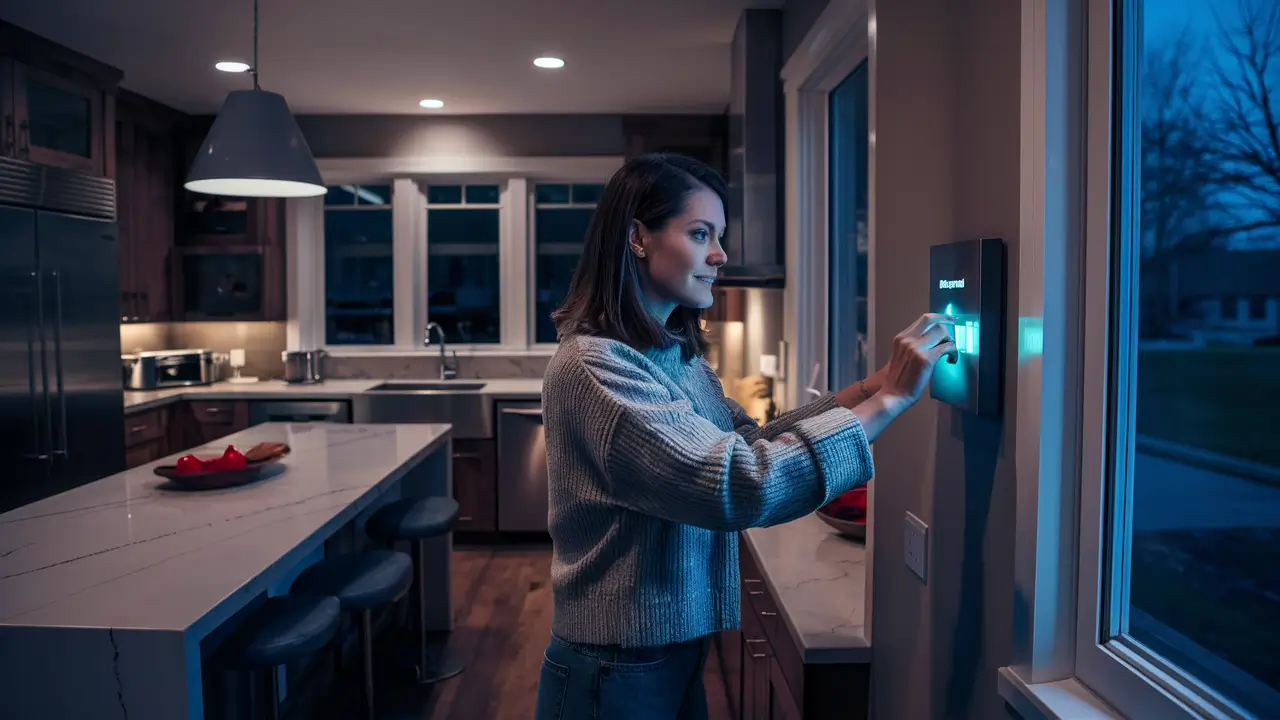
Securing your home with an ADT alarm system at night offers peace of mind. This guide will walk you through the simple, effective steps to arm your ADT system for overnight protection, ensuring your family and property remain safe while you rest. We'll cover various arming modes and best practices for optimal security.
Understanding ADT Arming Basics
ADT alarm systems are designed for ease of use, yet understanding the fundamental principles behind arming is crucial for effective overnight security. At its core, an alarm system acts as a vigilant guardian, monitoring designated entry points and interior zones for unauthorized activity. When the system is armed, sensors connected to doors, windows, and motion detectors become active. If any of these sensors are triggered while the system is armed, it initiates a pre-programmed response, typically sounding an audible alarm and notifying the ADT monitoring center.
The primary goal of arming your ADT system is to deter potential intruders and alert you and the authorities to any security breaches. For nighttime use, the focus shifts to ensuring your family can move freely within the home without triggering the alarm unnecessarily, while still protecting all external entry points. This balance is achieved through different arming modes, which we will explore in detail.
Key components of your ADT system include:
- Control Panel: The central hub where you interact with the system, arming, disarming, and checking its status.
- Sensors: Devices placed on doors and windows (contact sensors) that detect opening, or motion detectors that sense movement within a room.
- Keypads: Often integrated into the control panel or as separate units, used for entering your security code.
- Yard Signs and Window Decals: Visible deterrents that inform potential intruders that your home is protected by ADT.
Understanding these components and their roles is the first step to mastering how to set your ADT alarm at night. The system's effectiveness hinges on proper installation, regular testing, and correct usage, especially during sensitive periods like nighttime when different security needs arise.
Preparing Your Home for Night Arming
Before you even think about pressing the arm button on your ADT control panel, a few proactive steps can significantly enhance your overnight security and prevent false alarms. Think of this as a pre-flight check for your home's defense system. Proper preparation ensures that your ADT system is optimized to protect you while allowing for necessary nighttime movements.
Securing Entry Points
The most critical aspect of nighttime security is ensuring all primary entry points are securely closed and locked. This includes:
- Doors: Double-check that all exterior doors – front, back, side, and garage entry doors – are firmly shut and locked. Even a slightly ajar door can prevent your ADT system from arming in certain modes or could be an easy entry point.
- Windows: Ensure all ground-floor windows are closed and locked. For upper-floor windows, while less common entry points, it's still good practice to ensure they are secured, especially if they are easily accessible.
- Sliding Doors: These can be a common vulnerability. Ensure they are not only locked but also consider using a secondary security bar or pin lock for added protection.
Identifying and Managing Interior Zones
Your ADT system likely has motion detectors placed in key areas of your home. For nighttime arming, you need to consider how these sensors will function. If you plan to sleep on the main floor, you might need to disable motion detectors in that area or use an arming mode that bypasses them.
Motion Detector Strategy:
- Upstairs Sleepers: If your bedrooms are on an upper floor, you can typically arm all motion detectors, as movement downstairs would likely indicate an intruder.
- Main Floor Sleepers: If bedrooms are on the main floor, you'll likely need to use a mode that bypasses interior motion detectors. This means the system will rely solely on door and window sensors for perimeter protection.
- Pets: If you have pets, especially larger ones, you might need pet-immune motion detectors or specific programming to prevent them from triggering the alarm. Inform your ADT technician about your pets during installation.
Checking Sensor Functionality
A sensor that isn't working is a blind spot in your security. Before relying on your system at night, a quick check can provide peace of mind.
- Walk Test: Most ADT systems have a "Test" or "Walk Test" mode. This allows you to trigger sensors without setting off the audible alarm or dispatching authorities. Open doors, walk past motion detectors, and ensure the system registers each event on the control panel.
- Battery Levels: Wireless sensors are battery-powered. While ADT systems typically alert you to low batteries, it's wise to be aware of their general lifespan and replace them proactively. Check your system's status for any low battery notifications.
Clear Pathways and Obstructions
While not directly related to arming the system, ensuring clear pathways can be important for evacuation in an emergency. Also, ensure that nothing is obstructing door or window sensors, or motion detectors. For instance, large furniture placed directly in front of a motion detector might impede its detection capabilities. This preparation phase is about creating a robust and reliable security environment for your ADT system to operate within.
ADT Alarm System Arming Modes for Night
ADT offers several arming modes, each designed for different scenarios. Understanding these modes is fundamental to effectively setting your ADT alarm at night. The primary distinction for overnight security lies between "Stay" and "Away" modes, and how they interact with interior sensors like motion detectors.
The "Stay" Mode
The "Stay" mode is specifically designed for when you are home and intend to move around within the premises. When you arm your system in "Stay" mode, it typically activates all perimeter sensors (doors and windows) but bypasses interior motion detectors. This allows you to walk freely through your home without triggering the alarm.
When to Use "Stay" Mode:
- Overnight: This is the most common use case for "Stay" mode. You arm it before going to bed, securing all entry points while allowing you to get up for a drink of water or use the restroom without setting off the alarm.
- Home During the Day: If you are home but want to secure the perimeter, "Stay" mode is appropriate.
- Family Members Sleeping: If some family members are asleep in rooms with motion detectors, and others are not, "Stay" mode ensures the sleeping areas are not compromised by accidental movement.
Key Characteristics of "Stay" Mode:
- Perimeter sensors (doors, windows) are active.
- Interior motion detectors are generally inactive (bypassed).
- Allows for movement within the home.
- Provides security against external breaches.
The "Away" Mode
The "Away" mode is designed for when your home is unoccupied. In this mode, all sensors, including perimeter sensors and interior motion detectors, are activated. If any sensor is triggered, the alarm will sound.
When to Use "Away" Mode:
- Leaving the House: When the entire household is leaving for an extended period.
- When No One is Home: For complete protection when the house is empty.
Key Characteristics of "Away" Mode:
- All sensors (perimeter and interior) are active.
- Provides maximum security when the home is vacant.
- Not suitable for nighttime use if you intend to move around.
Understanding Bypass Options
Some ADT systems allow for manual bypassing of specific sensors. This can be useful in niche situations. For example, if a particular window is being repaired and cannot be secured, you could manually bypass that sensor before arming the system.
Bypassing a Sensor:
- Purpose: To temporarily disable a specific sensor while the rest of the system remains armed.
- How it Works: Typically involves selecting the sensor zone on the control panel and confirming the bypass.
- Caution: Bypassing sensors creates vulnerabilities. Only do so when absolutely necessary and remember to re-enable them once the issue is resolved.
Choosing the Right Mode for Night
For the vast majority of users asking "How to set ADT alarm at night?", the answer is to use the "Stay" mode. This mode offers the perfect balance: it secures your home's perimeter against external threats while allowing you to move freely within your home without triggering a false alarm. If your ADT system has specific variations of "Stay" mode (e.g., "Stay Instant" vs. "Stay Delay"), consult your system's manual or ADT support for the precise functionality.
The "Away" mode is generally too sensitive for nighttime use, as any movement could set it off. Always confirm which mode you are selecting on your control panel before leaving it armed for the night.
Step-by-Step Guide: How to Set ADT Alarm at Night
Setting your ADT alarm system for the night is a straightforward process once you understand the basic arming modes. This guide will walk you through the typical steps. Keep in mind that the exact wording and button placement may vary slightly depending on your specific ADT control panel model (e.g., ADT Command, Safewatch Pro, Vista series).
1. Ensure All Entry Points are Secure
Before you begin the arming process, perform a quick check:
- Verify that all exterior doors are closed and locked.
- Confirm that all accessible windows are closed and locked.
- Ensure any sliding glass doors are secured.
If any are open, close and lock them first. Attempting to arm the system with an open entry point will usually result in a system alert or prevent arming altogether.
2. Approach the Control Panel
Locate your ADT control panel. This is typically mounted on a wall near a main entry point, or it might be a touchscreen interface like the ADT Command system.
3. Enter Your Security Code
You will need your 4-digit user code (or master code) to operate the system. On most keypads, you'll see a prompt to "Enter Code" or similar. Type in your code.
Example: If your code is 1234, you would press 1, then 2, then 3, then 4.
4. Select the "Stay" Arming Mode
After entering your code, the panel will likely display several options. For nighttime security, you want to select the mode that protects your perimeter while allowing movement inside. This is almost always labeled as "Stay".
- On Traditional Keypads: Look for a button clearly labeled "Stay" or sometimes "Home." Press this button after entering your code.
- On Touchscreen Panels (e.g., ADT Command): You will typically see an "Arm" button. Tapping this will bring up options like "Stay," "Away," and "Bypass." Select "Stay."
5. Confirm Entry Delay (If Applicable)
When you arm in "Stay" mode, there might be a brief entry delay for the doors you've designated as entry doors. This allows you to exit the house after arming. The system will usually indicate the exit delay countdown. Once the delay expires, the system is fully armed in "Stay" mode.
Important Note: If you are arming the system from inside the house after everyone is settled for the night, you may want to ensure there is no entry delay enabled for the doors you might use to exit to your yard briefly. Check your system's programming for this setting.
6. Verify System Status
Once the arming process is complete, the control panel should display a confirmation. This might be a green light, a message like "System Armed Stay," or an icon indicating the armed status.
- Audible Confirmation: Many systems provide a series of beeps or a voice prompt to confirm arming.
- Visual Confirmation: The keypad display or touchscreen should clearly show that the system is armed in "Stay" mode.
7. What to Do If the System Won't Arm
If the system indicates it cannot arm (e.g., a "Fault" or "Not Ready" message), do not ignore it. This usually means a sensor is not in its proper state:
- Check Doors/Windows: The most common reason is an open door or window. The panel will usually indicate which zone is open (e.g., "Zone 03 Open"). Go and check that specific door or window.
- Motion Detector Issues: If a motion detector is triggered during the arming sequence, it might prevent arming. Ensure no one is in the path of the motion detector.
- System Faults: Less commonly, there might be a system fault. If you can't resolve it by checking sensors, consult your ADT manual or contact ADT support.
Example Scenario:
It's 11:00 PM. You've finished your nightly routine. You walk to the control panel near your front door.
- You press the "Disarm" button (if it was previously armed) and enter your code: 1234.
- The panel lights up, showing "Ready to Arm."
- You press the "Stay" button.
- The panel beeps, and a message appears: "Exit Delay ON." You have 30 seconds to leave the house if needed.
- You walk away from the panel. After 30 seconds, the beeping stops, and the panel displays "System Armed Stay."
Your ADT system is now armed for the night, protecting your home's perimeter while allowing you to move freely inside.
Troubleshooting Common Night Arming Issues
Even with a well-maintained system, occasional issues can arise when trying to set your ADT alarm at night. Understanding these common problems and their solutions can save you time and ensure your home remains protected. False alarms are also a concern, and proper troubleshooting can prevent them.
Issue 1: "Not Ready" or "Fault" Message on the Panel
Description: This is the most frequent issue. The system refuses to arm because a sensor is not in its correct state, or there's a system malfunction.
Common Causes:
- Open Door or Window: A door or window is not fully closed or latched. The system's contact sensors detect this as an open breach.
- Motion Detector Triggered: Someone or something (like a pet) is in the detection zone of an interior motion sensor.
- Sensor Malfunction: A sensor may be damaged, have a loose connection, or a dead battery (for wireless sensors).
- Keypad/Panel Issue: Less common, but the panel itself might have a temporary glitch.
Solutions:
- Check All Zones: The control panel usually indicates which zone is causing the fault. For example, it might say "Zone 5 Fault." Identify Zone 5 on your system map (often provided by ADT during installation) to see what sensor it corresponds to (e.g., "Living Room Window").
- Close and Secure: Systematically check all doors and windows, ensuring they are firmly closed and latched. Pay attention to basement windows, garage doors, and patio doors.
- Clear Motion Detectors: Ensure no one is standing in front of a motion detector. If you have pets, ensure they are not triggering it.
- Bypass the Zone (Temporary): If you cannot immediately resolve the issue but need to arm the system (e.g., a window is temporarily stuck open), you can often bypass the specific faulty zone. This means the system will arm, but that particular zone will not be monitored. Remember to unbypass it later. The process usually involves pressing a "Bypass" button and then the number corresponding to the zone.
- Reboot the System: For minor glitches, sometimes a simple reboot of the control panel can resolve the issue. This usually involves unplugging the transformer and temporarily removing the backup battery. Consult your ADT manual or ADT support before attempting this.
Issue 2: False Alarms During the Night
Description: The alarm sounds unexpectedly while the system is armed in "Stay" mode, causing disruption and potentially unnecessary calls to authorities.
Common Causes:
- Pet Movement: Pets triggering motion detectors, especially larger pets or those that jump on furniture.
- Drafts and Vibrations: Strong drafts can sometimes cause lightweight doors or windows to move slightly, triggering contact sensors. Vibrations from heavy traffic or appliances can also be a factor.
- Incorrect Arming Mode: Accidentally arming in "Away" mode when you intended to use "Stay."
- System Faults: A sensor that is intermittently failing might trigger an alarm.
- Unsecured Entry Points: A door or window that wasn't fully closed or locked.
Solutions:
- Pet-Immune Motion Detectors: If pets are a recurring issue, discuss upgrading to pet-immune motion detectors with ADT. These are designed to ignore movement below a certain weight or size.
- Secure Loose Items: Ensure curtains are not blowing into motion detectors and that doors and windows are firmly shut. Consider secondary locks or security bars for sliding doors or windows prone to drafts.
- Verify Arming Mode: Always double-check the panel display to confirm you've armed in "Stay" mode.
- System Maintenance: Schedule regular system checks with ADT to ensure all sensors are functioning correctly and batteries are in good condition.
- Review Entry Delay Settings: Ensure your entry delay times are appropriate for your habits.
Issue 3: System Fails to Respond to Code Entry
Description: You enter your code, but the keypad doesn't respond, or it shows an error.
Common Causes:
- Incorrect Code: The most obvious reason. Ensure you are entering the correct user code.
- Power Outage: If the main power is out and the backup battery is also depleted, the system may not function.
- Keypad Malfunction: The keypad itself might be faulty.
Solutions:
- Try the Master Code: If you have a master code, try using that.
- Check Power: Look for indicator lights on the panel. If there are none, check your home's circuit breaker for the alarm system and ensure the transformer is plugged in.
- Contact ADT: If the keypad is unresponsive or showing persistent errors, it's time to contact ADT for technical support.
Issue 4: Alarm Sounds Immediately After Arming
Description: You arm the system, and it immediately goes into alarm, often before the exit delay even expires.
Common Causes:
- Entry Delay Not Active: You might have armed in a mode that doesn't have an entry delay for the door you used to exit.
- Door/Window Opened After Arming: Someone inadvertently opened a door or window after the exit delay expired.
- Faulty Sensor: A sensor that is failing might report a breach immediately.
Solutions:
- Disarm and Re-Arm: Disarm the system, wait a moment, and then re-arm, ensuring you select "Stay" and allow the exit delay to complete before leaving the vicinity of the panel.
- Check Entry/Exit Delay Settings: Ensure your designated entry/exit doors have the correct delay programmed.
- Inspect Sensors: Carefully check the sensors on doors and windows you might have interacted with.
By systematically addressing these common issues, you can ensure your ADT system is reliably armed every night, providing the security and peace of mind you deserve. If you consistently face issues, it's always best to contact ADT for professional diagnosis and repair.
Advanced Tips for Enhanced Night Security (2025-26)
As home security technology continues to evolve, ADT systems offer more sophisticated features and integration possibilities. For 2025-26, leveraging these advanced capabilities can significantly enhance your nighttime security beyond basic arming. These tips focus on proactive measures, smart home integration, and optimizing your system's performance.
1. Smart Home Integration and Automation
Modern ADT systems, particularly those like ADT Command and Control, integrate seamlessly with smart home ecosystems (e.g., Google Home, Amazon Alexa, Apple HomeKit). This integration opens up powerful automation possibilities for nighttime security.
- Automated Lighting: Create routines where your ADT system arming in "Stay" mode triggers specific lights to turn on or off. For instance, exterior lights could illuminate, and interior hallway lights could turn on to a dim setting, enhancing visibility and deterring potential intruders.
- Smart Locks: Integrate your ADT system with smart locks. You can set up automations where arming the system automatically locks all doors, providing an extra layer of assurance. Conversely, disarming the system could unlock a designated door for authorized entry.
- Voice Control: While you generally arm your system with a code for security, voice commands can be useful for certain functions. For example, you might be able to ask your smart assistant to "check if the ADT system is armed" or "turn on the porch light when the ADT system is armed."
Implementation Tip: When setting up these automations, always prioritize security. Ensure that critical functions like arming and disarming require your unique security code or a secure authentication method, rather than relying solely on voice commands, which can be more easily spoofed.
2. Leveraging ADT Video Doorbell and Indoor Cameras
If you have ADT-integrated video doorbells or indoor cameras, they become invaluable tools for nighttime security.
- Night Vision and Motion Detection: Most modern cameras offer excellent night vision capabilities. Configure motion detection zones around your property and inside your home. When motion is detected at night, you can receive instant alerts on your smartphone.
- Remote Monitoring: During the night, if you hear an unusual sound or want to check on a specific area, you can use the ADT app to view live feeds from your cameras. This provides real-time visual confirmation without needing to leave your bedroom.
- Two-Way Audio: If your doorbell or camera has two-way audio, you can communicate with anyone at your door or in a monitored room, which can be a powerful deterrent.
Security Insight (2025-26): With advancements in AI-powered analytics, some ADT camera systems can now differentiate between people, vehicles, and animals, reducing false alerts and providing more context to security events.
3. Advanced Sensor Placement and Types
Beyond standard door/window and motion sensors, consider specialized sensors for enhanced protection:
- Glass Break Sensors: These sensors detect the sound frequency of breaking glass, providing an alert before an intruder even enters through a window. They are particularly useful for large windows or glass doors.
- Environmental Sensors: While not directly for intrusion detection, ADT offers smoke, carbon monoxide, and flood detectors that integrate into your system. Ensuring these are functional provides comprehensive home safety, especially critical during sleep.
- Smart Window/Door Sensors: Newer sensors offer more than just open/close detection. Some can detect if a window is tilted or if a door is ajar, providing more granular information.
4. Regular System Testing and Maintenance
This is a fundamental but often overlooked aspect of advanced security. A system that isn't working correctly is useless.
- Monthly Walk Tests: Continue to perform monthly walk tests. Pay attention to the system's response time and accuracy.
- Battery Replacement Schedule: For wireless systems, keep track of battery life. ADT systems typically alert you to low batteries, but proactively replacing them before they fail is ideal. Aim for replacement every 3-5 years, depending on the sensor type and usage.
- Software Updates: If you have a smart ADT system, ensure it's set to receive automatic software updates. These updates often include security patches and performance improvements.
- Professional Inspections: Consider scheduling an annual inspection with an ADT technician to ensure all components are functioning optimally and to identify any potential issues before they become problems.
5. Understanding Your ADT App Features
The ADT mobile app is your command center when you're away from the physical panel. Familiarize yourself with its full capabilities:
- Real-time Notifications: Customize your alerts to receive immediate notifications for any system event (arming, disarming, alarms, sensor triggers).
- System Status: Check the armed status, view event history, and monitor sensor activity remotely.
- Remote Arm/Disarm: While not recommended for nighttime arming (due to the need for codes), you can remotely arm or disarm your system if needed during the day.
- Camera Feeds: Access live and recorded video from your integrated cameras.
6. Creating Custom "Night" Modes (If Available)
Some advanced ADT systems allow for the creation of custom arming modes. While "Stay" is standard, you might be able to configure a specific "Night" mode that:
- Bypasses certain motion detectors on the main floor but keeps others active upstairs.
- Turns on specific lights upon arming.
- Arms only specific zones deemed critical for overnight protection.
Consult your ADT manual or contact ADT support to see if custom modes are an option for your system and how to configure them safely.
By incorporating these advanced tips and staying informed about the latest ADT features available in 2025-26, you can elevate your home's security, ensuring a safer and more peaceful night's sleep.
Conclusion
Mastering how to set your ADT alarm at night is a fundamental aspect of ensuring your home's security and your family's peace of mind. The process, primarily revolving around the intuitive "Stay" arming mode, is designed for simplicity and effectiveness. By diligently securing all entry points, understanding the function of different sensors, and selecting the appropriate arming mode, you create a robust perimeter defense without sacrificing your ability to move freely within your home.
We've explored the importance of preparation, demystified the various arming modes, and provided a clear step-by-step guide to arming your system nightly. Furthermore, we've addressed common troubleshooting scenarios, empowering you to resolve issues quickly and maintain continuous protection. For those seeking to elevate their security, advanced tips for 2025-26 highlight the power of smart home integration, video surveillance, and diligent system maintenance. Ultimately, a well-understood and properly utilized ADT system is your most reliable ally against nighttime intrusions, offering a crucial layer of safety and tranquility.





