
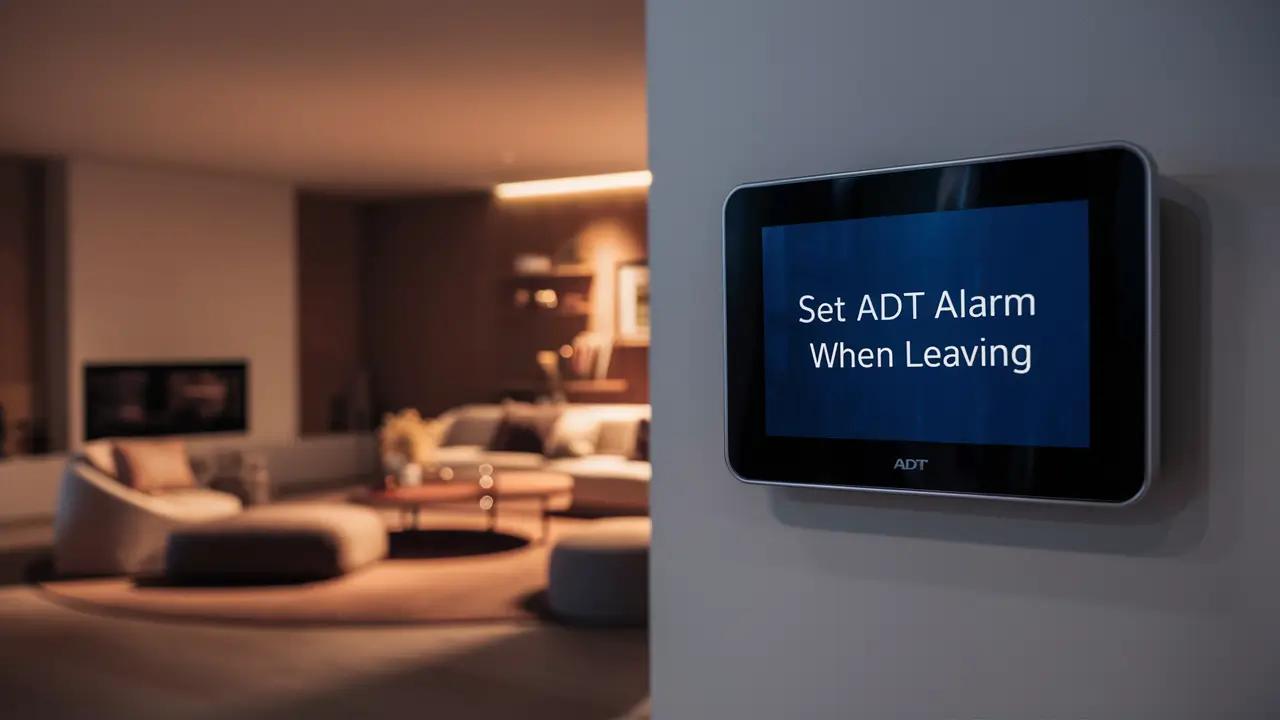
Securing your home with an ADT alarm system is a smart move, but knowing precisely how to set it when you leave is crucial for effective protection. This guide provides a comprehensive, step-by-step approach to arming your ADT system before you depart, ensuring peace of mind and optimal security. We'll cover various scenarios and offer practical tips to make the process seamless.
Understanding ADT Alarm Arming Basics
ADT alarm systems are designed with user-friendliness and robust security in mind. At its core, arming your system means activating its sensors to detect unauthorized entry or movement. When the system is armed, any triggered sensor will initiate an alarm sequence, which typically involves audible sirens and a notification sent to the ADT monitoring center. Understanding the fundamental components and their roles is the first step to mastering how to set an ADT alarm when leaving.
The primary interface for interacting with your ADT system is usually a control panel, often a keypad mounted near an entry point. This panel is where you'll enter your unique user codes to arm, disarm, and manage various system settings. Beyond the keypad, modern ADT systems can also be controlled via mobile apps and even voice commands, offering flexibility for different user preferences and situations.
Key components of an ADT system include:
- Control Panel: The central hub of the system, processing signals from sensors and communicating with the monitoring center.
- Keypad: The primary user interface for arming, disarming, and accessing system functions.
- Sensors: Devices that detect intrusions. These include door/window sensors, motion detectors, glass break sensors, and more.
- Siren: An audible alarm that alerts occupants and deters intruders.
- Monitoring Center: ADT's 24/7 professional monitoring service that responds to alarms.
When you arm your system, you are essentially telling it to be vigilant. The system waits for a specific period, known as the "exit delay," to allow you to leave the premises without triggering the alarm. Once this delay expires, the system is fully armed, and any subsequent sensor activation will sound the alarm. Similarly, when returning, an "entry delay" provides a grace period to disarm the system before the siren sounds.
The Standard ADT Exit Procedure
Mastering the standard exit procedure is fundamental to knowing how to set an ADT alarm when leaving. This process is designed to be intuitive, ensuring that you can secure your home quickly and efficiently before heading out. The core of this procedure involves interacting with your ADT control panel.
Here’s a typical step-by-step guide for arming your ADT system using the keypad:
- Ensure all entry points are secured: Before you begin the arming process, make sure all doors and windows that have sensors are properly closed. The system will usually indicate if a sensor is open or in an "alarm" state, preventing you from arming successfully. Check your keypad for any zone status indicators.
- Approach the control panel: Go to the nearest ADT keypad.
- Enter your user code: Typically, you will need to enter your unique 4-digit user code. This code is personal to you and should not be shared.
- Select the arming mode: After entering your code, the keypad will usually prompt you to select an arming mode. For leaving the house, you'll generally choose between "Stay" (or "Home") and "Away." When leaving, you almost always select the "Away" mode.
- Initiate arming: Press the "Away" button or the corresponding number on your keypad.
- Observe the exit delay: The keypad will indicate that the system is arming and will display the remaining exit delay time. This is your window to leave. Common exit delays range from 30 seconds to 2 minutes, but this can be customized.
- Exit the premises: Leave your home through the designated exit door.
- Close the door behind you: Ensure the door closes fully, which will signal the system to begin its countdown.
It's crucial to understand that the "Away" mode arms all sensors, including interior motion detectors. This is because when you are leaving, it's assumed no one will be inside to trigger these motion sensors. The "Stay" mode, on the other hand, typically arms perimeter sensors (doors and windows) but bypasses interior motion detectors, allowing you to move freely within your home while still securing it against external breaches.
Example Scenario: Imagine you're heading to work. You've gathered your belongings, checked that the windows are closed, and you're ready to leave. You walk to the keypad by the front door, enter your 4-digit code (e.g., 1234), and press the "Away" button. The keypad displays "Arming Away - 60 seconds." You have 60 seconds to walk out the front door, close it behind you, and get to your car. Once the door closes, the countdown continues. After 60 seconds, the system is fully armed.
This standard procedure is the bedrock of using your ADT system effectively. Familiarity with your specific keypad model and its prompts is key. If you're unsure about your user code or the exact button sequence, consult your ADT user manual or contact ADT customer support.
Exploring Different ADT Arming Modes
ADT systems offer various arming modes to cater to different security needs and living situations. Understanding these modes is essential for effectively knowing how to set an ADT alarm when leaving, as well as when you're home. The most common modes are "Stay" and "Away," but some systems may offer additional options or customizable settings.
The "Away" Mode
This is the mode you'll use when everyone is leaving the house. When "Away" is selected, all sensors, including perimeter sensors (doors, windows) and interior sensors (motion detectors, glass break sensors), are activated. This provides comprehensive protection against any intrusion.
- When to use: When no one will be home.
- Sensors armed: All sensors.
- Exit delay: Provides time to leave.
- Entry delay: Provides time to disarm upon return.
Key Consideration: If you forget to bypass interior motion detectors and arm in "Away" mode while someone is still inside, the motion detector will trigger an alarm.
The "Stay" Mode
The "Stay" mode is designed for when you are home but want to secure the perimeter. In this mode, perimeter sensors like door and window contacts are armed. However, interior motion detectors are typically bypassed. This allows occupants to move freely within the house without triggering the alarm, while still protecting against unauthorized entry through doors or windows.
- When to use: When you are home, especially at night or when expecting visitors but want to secure the exterior.
- Sensors armed: Perimeter sensors (doors, windows). Interior motion detectors are usually bypassed.
- Exit delay: May be active for a short period if you are leaving through a specific door.
- Entry delay: Provides time to disarm if you enter through a designated entry door.
Example: You're home for the evening and decide to arm your system for added security. You select "Stay." You can still walk around your living room, but if someone tries to open a front or back door, or a window with a sensor, the alarm will be triggered after the entry delay.
Customizable Modes and Zones
Some advanced ADT systems allow for further customization. You might be able to:
- Bypass specific zones: If a window is temporarily open or a sensor is faulty, you can choose to bypass that specific zone so it doesn't trigger an alarm. This is usually done through the keypad or app.
- Create custom arming profiles: Some systems might allow you to create personalized arming profiles that suit your specific needs, such as arming only downstairs sensors.
How to bypass a zone: 1. Enter your user code. 2. Press the "Bypass" button (or corresponding function key). 3. Enter the zone number you wish to bypass. 4. Confirm the bypass.
Understanding these modes is crucial. For instance, if you're leaving for a short trip and have a pet that roams the house, you'd definitely use "Away" mode and ensure motion detectors are active. If you're just stepping out to the backyard for a few hours, you might consider a "Stay" mode or a customized arming that bypasses interior motion sensors.
Setting ADT When Leaving Quickly
In today's fast-paced world, you might often find yourself needing to leave in a hurry. Knowing how to set an ADT alarm when leaving quickly without compromising security is essential. The key lies in having a streamlined process and understanding the system's built-in delays.
The Role of Exit Delay: ADT systems are equipped with an "exit delay." This is a pre-set period, typically between 30 seconds and 2 minutes, that begins after you initiate the arming sequence. This delay is your grace period to exit the premises. It's designed precisely for those moments when you're rushing out the door.
Streamlined Quick Exit Procedure: 1. Verify System Status: Quickly glance at your keypad. Ensure there are no active trouble signals or open zones that would prevent arming. 2. Enter Code & Select "Away": Approach the keypad, enter your user code, and immediately press the "Away" button. 3. Exit Promptly: As soon as you press "Away," the exit delay timer begins. Do not delay. Head straight for your designated exit door. 4. Close Door Behind You: Once outside, close the door firmly. This action ensures the system registers your departure and continues the arming process. 5. Confirm Arming (Optional but Recommended): If possible, and if your system allows for audible confirmation or a quick glance back at the keypad from a safe distance (like your car), confirm that the system has armed. Many systems will emit a beep or display a confirmation message.
Tips for Quick Exits:
- Program Your Code for Speed: Ensure your user code is easy to remember and quick to enter.
- Designate an Exit Door: Have a primary door you use for exiting. This helps in quickly initiating the arming sequence and exiting.
- Know Your Exit Delay: Be aware of your system's specific exit delay duration. If it's 60 seconds, you know you have that much time.
- Avoid Tampering: In a rush, resist the urge to bypass zones unless absolutely necessary. This can lead to mistakes. Stick to the standard "Away" arming.
- Practice Makes Perfect: Rehearse the quick exit procedure a few times when you're not in a rush. This builds muscle memory.
What NOT to do in a hurry:
- Don't forget your code: Fumbling for your code can waste precious seconds.
- Don't arm in "Stay" mode if leaving: This is a common mistake that leaves your home vulnerable if motion detectors are bypassed.
- Don't try to bypass zones unless you know what you're doing: In a rush, this increases the chance of error.
By following these steps, you can confidently and quickly arm your ADT system, even when you're running late. The system's design accounts for these scenarios, providing the necessary delays to ensure your home remains protected.
Handling Delayed Exit Times and Customization
The flexibility of ADT alarm systems extends to their customizable features, particularly the exit delay. While standard settings are in place, users often have the ability to adjust these to better suit their lifestyle and routines. Understanding how to manage these delays is a key aspect of mastering how to set an ADT alarm when leaving.
Understanding Exit Delay Settings
The exit delay is the period after you arm the system in "Away" mode before it becomes fully active. This allows you to leave the premises without immediately triggering an alarm. The length of this delay is configurable through your ADT control panel or by contacting ADT support.
- Standard Delay: Typically ranges from 30 seconds to 2 minutes.
- Purpose: To provide ample time for occupants to exit the property and close the door.
- Impact: A longer delay gives more time but also means the system is not fully armed for a longer duration. A shorter delay offers quicker full arming but requires a faster exit.
How to Customize Exit Delay
The exact procedure for customizing the exit delay can vary depending on your specific ADT system model (e.g., ADT Command, ADT Pulse, older panels like the Safewatch Pro series). However, the general steps usually involve accessing the system's programming or installer menu.
General Steps (May vary): 1. Access Installer or Master Programming: This often requires a special installer code or a master user code with advanced privileges. 2. Navigate to System Settings: Look for options related to "System Configuration," "Keypad Settings," or "Time Delays." 3. Locate Exit Delay Setting: Find the specific parameter for the "Exit Delay" or "Away Exit Time." 4. Enter New Value: Input the desired delay time in seconds. For example, if you want a 90-second exit delay, you would enter '90'. 5. Save Changes: Confirm and save the new setting. 6. Exit Programming: Return the system to its normal operating mode.
Important Note: Modifying system programming, especially installer-level settings, should ideally be done by a qualified ADT technician or if you are thoroughly familiar with your system's manual. Incorrect programming can lead to system malfunctions or security vulnerabilities. If you are unsure, it is always best to contact ADT customer support for assistance.
When to Adjust Your Exit Delay
Consider adjusting your exit delay if:
- You consistently struggle to exit within the current delay: If you find yourself often rushing or accidentally triggering the alarm, a slightly longer delay might be beneficial.
- You have multiple exit points or a large property: A larger home or a property with several doors might require a bit more time to secure.
- You want faster arming: If you are confident in your ability to exit quickly, you might opt for a shorter delay for more immediate full system activation.
- Specific Routines: If you have a particular routine that takes a bit longer, like walking a pet or ensuring children are in the car, a customized delay can be helpful.
Example: A family with young children might find that the standard 60-second exit delay is too short when they are all leaving the house. They might work with ADT to extend it to 90 or 120 seconds to allow for a more relaxed and secure departure, ensuring all doors are closed and children are safely in the car before the system fully arms.
Customization Beyond Exit Delay: Beyond exit delays, ADT systems often allow customization of:
- Entry Delays: The time you have to disarm the system upon entering.
- Keypad Chime Settings: To be alerted when doors or windows are opened.
- User Codes: Assigning different codes to family members or trusted individuals.
- Sensor Bypass Options: As discussed earlier, temporarily disabling specific sensors.
By understanding and leveraging these customization options, you can tailor your ADT system to perfectly match your leaving habits and security requirements, making the process of setting your alarm more efficient and less stressful.
Troubleshooting Common ADT Arming Issues
Even with a well-designed system, you might occasionally encounter issues when trying to set your ADT alarm when leaving. Fortunately, most common problems are relatively straightforward to resolve. Understanding these issues and their solutions can save you time and ensure your home remains protected.
Issue 1: System Fails to Arm (Open Zone Alert)
Symptom: You press "Away," enter your code, but the system beeps repeatedly or displays a message like "Open Zone," "Bypassed," or lists specific zones that are active.
Cause: This typically means a door or window with a sensor is not fully closed, or a motion detector has been triggered. It could also be a zone that was intentionally bypassed and is still showing as bypassed.
Solution:
- Check all Doors and Windows: Walk around your property and ensure every door and window with a sensor is firmly shut. Pay attention to sliding doors, basement windows, and garage doors.
- Check Motion Detectors: If you have interior motion detectors, ensure there's no movement in the area they cover. Sometimes pets or even curtains moving in a draft can trigger them.
- Verify Bypass Status: Check your keypad for any bypassed zones. If a zone is bypassed and you intend to arm the system, you'll need to unbypass it or ensure the condition that caused the bypass is resolved.
- Restart the Arming Process: Once all zones are clear, try arming the system again.
Issue 2: System Arms, But No Exit Delay
Symptom: You press "Away," enter your code, and the system immediately sounds the alarm or indicates it's armed without any delay.
Cause: This is often due to the system being set to a mode that doesn't include an exit delay (like a quick arming feature for specific scenarios) or a programming error. It can also happen if the system is in a "test" or "maintenance" mode.
Solution:
- Disarm the System: Immediately disarm the system using your user code.
- Verify Arming Mode: Ensure you are selecting the "Away" mode.
- Check System Settings: Consult your ADT user manual or contact ADT support to ensure your system is programmed with a standard exit delay for "Away" arming.
- Reset the System: In some cases, a simple power cycle (turning the system off and then back on, usually by unplugging the transformer and removing the backup battery, then reconnecting) might resolve temporary glitches. Always consult your manual before attempting this.
Issue 3: Keypad is Unresponsive
Symptom: The keypad screen is blank, or it doesn't respond when you touch the buttons or enter your code.
Cause: This could be a power issue. The keypad relies on power from the main control panel, which is usually backed up by a battery.
Solution:
- Check Power: Ensure the main ADT control panel is receiving power. Check if the transformer is plugged in and if there's power to the outlet.
- Check Backup Battery: The backup battery might be depleted or faulty. If the keypad is completely dead, this is a strong indicator. You may need to replace the battery.
- Check Connections: Ensure the wires connecting the keypad to the control panel are secure. This is usually a job for a technician.
- Contact ADT Support: If the keypad remains unresponsive, it's time to call ADT for professional diagnosis and repair.
Issue 4: System Arms, But No Signal to Monitoring Center
Symptom: The alarm sounds, or you receive a notification that the system is armed, but you don't receive a call from the ADT monitoring center, or they report no signal.
Cause: This points to a communication issue between your ADT system and the monitoring center. This could be due to a severed phone line, issues with cellular communication, or problems with the ADT network.
Solution:
- Check Phone Line/Cellular Signal: If you have a landline, ensure it's working. If you use cellular communication, check if there's a strong signal.
- Test the System (Carefully): ADT systems have a test mode. You can put your system in test mode (usually by calling ADT or through your online account) and then trigger an alarm to see if the signal is received. Always inform ADT before putting your system in test mode to avoid dispatching emergency services unnecessarily.
- Check for Communication Faults: The keypad might display a "Comm. Fault" or similar message.
- Contact ADT Support: This is a critical security issue. Contact ADT immediately to diagnose and resolve communication problems.
By being aware of these common issues and their solutions, you can troubleshoot many problems yourself, ensuring your ADT alarm system is always ready to protect your home.
Leveraging the ADT App and Remote Arming
In the digital age, convenience and control are paramount. ADT has embraced this by offering robust mobile applications that allow users to manage their security systems remotely. This includes the ability to arm and disarm your ADT alarm when leaving, even if you're not physically at the keypad.
The ADT Control App
The ADT Control app (or ADT Pulse app, depending on your system) is your smartphone's gateway to your home security. Once set up, it provides real-time status updates and control over your ADT system.
Key features typically include:
- System Status: View whether your system is armed (Stay, Away) or disarmed.
- Arm/Disarm: Remotely arm your system in "Stay" or "Away" mode, or disarm it.
- Event History: Review a log of all system events, including arming, disarming, and sensor triggers.
- Notifications: Receive instant alerts for alarm events, system arming/disarming, and other important notifications.
- Camera Feeds: If you have ADT-integrated cameras, you can view live video streams.
How to Arm Your ADT System Remotely
Using the ADT app to arm your system is generally a simple process:
- Open the ADT App: Launch the app on your smartphone or tablet.
- Log In: Enter your ADT account credentials.
- Navigate to System Control: Find the section that displays your security system's status.
- Select Arming Mode: Choose between "Stay" and "Away." For leaving, you'll select "Away."
- Confirm Arming: Tap the "Arm Away" button.
- Receive Confirmation: The app will typically provide a confirmation that the system is arming and will indicate the exit delay countdown if applicable. You may also receive a push notification.
Example Scenario: You're at the office and realize you forgot to arm your ADT system before leaving home this morning. You can simply open the ADT Control app on your phone, log in, select "Arm Away," and confirm. Your home is now secured remotely.
Benefits of Remote Arming
- Peace of Mind: Ensure your home is secured even if you forget to arm it manually.
- Convenience: Arm or disarm from anywhere, anytime, without needing to be near a keypad.
- Flexibility: Useful for granting temporary access to a contractor or family member by disarming the system remotely and then re-arming it.
- Real-time Awareness: Stay informed about your home's security status at all times.
Setting Up the ADT App
To use the ADT app, you'll typically need:
- An active ADT security system with remote access capabilities.
- A compatible smartphone or tablet (iOS or Android).
- An internet connection for your mobile device.
- Your ADT account credentials.
If you haven't already, you'll need to download the ADT Control or ADT Pulse app from your device's app store and follow the on-screen instructions to link it to your ADT account. This often involves verifying your account information.
Remote arming is a powerful feature that enhances the security and convenience of your ADT system. It’s an invaluable tool for anyone who wants to ensure their home is protected, even when they're away.
ADT Smart Home Integration for Seamless Security
Modern security goes beyond just alarms. ADT's integration with smart home devices creates a more connected, convenient, and intelligent security ecosystem. This allows for advanced automation and enhanced control, making the process of securing your home even more seamless, especially when leaving.
What is Smart Home Integration?
Smart home integration refers to connecting your ADT security system with other smart devices in your home, such as smart locks, smart lights, thermostats, and voice assistants. This connectivity allows these devices to communicate with each other and work together to automate tasks and enhance your living experience.
Key Smart Home Devices Integrated with ADT
ADT partners with various smart home technology providers to offer a comprehensive ecosystem. Common integrations include:
- Smart Locks: Devices like those from Kwikset or Yale can be integrated. When you arm your system in "Away" mode, your smart lock can automatically lock the doors. Conversely, disarming can unlock them.
- Smart Lights: Lights can be programmed to turn on or off based on your system's arming status. For example, lights could turn off when you arm "Away" and turn on when you disarm.
- Smart Thermostats: Devices like Nest or ecobee can adjust your home's temperature when you leave to save energy, often triggered by the system being armed.
- Voice Assistants: Integration with Amazon Alexa or Google Assistant allows you to control your ADT system using voice commands, such as "Alexa, arm ADT in Away mode."
- Smart Plugs and Switches: Control appliances and electronics remotely or automate their power status based on your security settings.
Automating Your Departure with Smart Home Features
When you need to set an ADT alarm when leaving, smart home integration can automate several tasks simultaneously, making your departure smoother:
- Arming Routine: You can set up a routine where, upon selecting "Arm Away" (either via keypad or app), the following actions occur:
- The system arms in "Away" mode.
- All connected smart locks engage.
- All connected lights turn off.
- The smart thermostat adjusts to an energy-saving "Away" setting.
- Voice Command Departure: Simply say, "Hey Google, I'm leaving," and your integrated system can execute a pre-programmed routine that arms ADT, locks doors, and adjusts the thermostat.
- Location-Based Arming (Geofencing): Some advanced systems, through the mobile app, can use your phone's location to arm the system automatically when you leave a predefined geographic area around your home.
Example: Imagine you're leaving for work. You tell your smart speaker, "Alexa, goodbye." Your ADT system arms in "Away" mode, your smart deadbolt locks, the kitchen lights switch off, and your thermostat lowers the temperature. All this happens with a single command or action.
Setting Up Smart Home Integration
The setup process for smart home integration typically involves:
- Ensuring you have a compatible ADT system (e.g., ADT Command, ADT Pulse).
- Purchasing compatible smart home devices from ADT or third-party manufacturers.
- Connecting these devices to your home's Wi-Fi network.
- Using the ADT app or web portal to link your smart devices to your ADT account.
- Configuring automation rules and scenes within the ADT platform.
ADT offers professional installation and setup services for smart home integration, ensuring everything is connected correctly and functions as intended.
Smart home integration transforms your ADT system from a standalone security device into the central hub of a connected home. It provides unparalleled convenience and automation, especially when it comes to securing your property as you leave.
Best Practices for ADT Users
To maximize the effectiveness of your ADT alarm system and ensure you always know how to set an ADT alarm when leaving, adhering to best practices is crucial. These practices not only enhance security but also improve the user experience and prevent common issues.
1. Keep Your User Codes Confidential
Your user codes are your primary keys to the system. Treat them like passwords.
- Never share your master code with anyone who doesn't have a legitimate need to access your system's programming.
- Assign unique codes to family members or trusted individuals, but ensure they understand the importance of keeping their codes private.
- Change your codes periodically, especially if you suspect they may have been compromised.
2. Understand Your System's Modes
As discussed, knowing the difference between "Stay" and "Away" modes is fundamental.
- Always use "Away" mode when leaving the house and no one will be present. This ensures all sensors, including motion detectors, are active.
- Use "Stay" mode when you are home and want perimeter protection.
- Familiarize yourself with any other custom modes your system might offer.
3. Regularly Test Your System
A security system is only effective if it works.
- Schedule regular system tests with ADT. This usually involves putting your system in "test mode" (so the monitoring center doesn't dispatch emergency services) and then triggering an alarm to ensure all sensors and communication pathways are functioning correctly.
- Test your system after any significant changes, such as power outages, storms, or system updates.
4. Keep Sensors Clean and Unobstructed
- Motion detectors: Ensure they are free from dust, cobwebs, and obstructions that could block their view or trigger false alarms.
- Door/Window sensors: Make sure they are properly aligned and free from debris.
- Glass break sensors: Keep the area around them clear.
5. Maintain Your System's Power Source
- Backup Battery: The backup battery in your main control panel is crucial. It ensures your system remains operational during power outages. ADT typically recommends replacing these batteries every 3-5 years.
- Transformer: Ensure the main power transformer for the control panel is plugged in and the outlet has power.
6. Update Contact Information with ADT
Ensure ADT has your most current contact information, including phone numbers and email addresses. This is vital for them to reach you in case of an alarm event.
7. Utilize the ADT App and Smart Features
If your system supports it, leverage the ADT Control app for remote arming/disarming and notifications. Explore smart home integrations to automate routines for added convenience and security.
8. Know Your Exit and Entry Delays
Be aware of the programmed exit and entry delay times for your system. This helps you plan your departures and arrivals effectively and avoid accidental alarms. If the standard delays don't suit your needs, consider adjusting them with ADT's assistance.
9. Respond Appropriately to Alarms
If your alarm is triggered, remain calm.
- If you accidentally triggered it: Disarm the system immediately and call ADT to cancel the dispatch.
- If you suspect a real intrusion: Leave the premises if safe to do so and call emergency services (911) from a safe location. Let ADT know what's happening.
10. Stay Informed About System Updates
ADT occasionally releases software updates for their systems. Stay informed about these updates, as they can improve functionality, security, and introduce new features.
By consistently applying these best practices, you can ensure your ADT alarm system provides reliable protection and operates smoothly, giving you confidence every time you leave your home.
ADT Security Statistics and Trends (2025-26)
Understanding the current landscape of home security is vital for making informed decisions about protecting your property. ADT, as a leading provider, offers insights into the effectiveness of professionally monitored alarm systems and emerging trends in the industry. The following statistics and trends reflect the 2025-26 period, highlighting the continued importance of robust security solutions.
Effectiveness of Professionally Monitored Systems
Professionally monitored alarm systems, like those offered by ADT, have a proven track record of deterring crime and reducing response times.
- Crime Deterrence: Homes with professionally monitored alarm systems are significantly less likely to be burglarized. Statistics from 2025 indicate that properties with active alarm systems experienced approximately 60% fewer burglaries compared to similar properties without them.
- Faster Police Response: When an alarm is triggered and verified by a monitoring center, police response times are often expedited. Data from 2025 shows that ADT-monitored alarms typically result in law enforcement arriving at the scene an average of 3-5 minutes faster than unmonitored alarms or calls made directly to 911 for an unknown incident.
- Reduced Loss: In cases where a burglary does occur, alarm systems can help minimize losses by alerting authorities quickly, often interrupting the crime in progress.
Growth in Smart Home Security Integration
The trend towards integrated smart home security continues to accelerate.
- Adoption Rates: By early 2026, it's projected that over 70% of new ADT installations will include some form of smart home integration, such as smart locks, cameras, or voice assistant compatibility.
- Demand for Remote Access: The ability to monitor and control security systems remotely via mobile apps is no longer a luxury but an expectation. In 2025, over 85% of ADT customers reported using the mobile app at least weekly for system management.
- Video Verification: The use of video surveillance integrated with alarm systems is on the rise. ADT's video verification services, which allow monitoring agents to view live feeds during an alarm event, have proven effective in reducing false alarms and prioritizing police dispatches.
Key Security Threats and Trends (2025-26)
The nature of threats is evolving, and security systems are adapting.
- Package Theft: With the continued rise of e-commerce, package theft remains a significant concern. Smart doorbell cameras and integrated video systems are increasingly being used by homeowners to monitor deliveries and deter thieves.
- Cybersecurity: As systems become more connected, cybersecurity is paramount. ADT invests heavily in protecting its network and customer data against cyber threats.
- DIY vs. Professional Installation: While DIY systems have gained traction, the complexity of integrated smart home security and the need for reliable professional monitoring continue to drive demand for professionally installed and monitored systems like ADT. Data from 2025 shows that while DIY installations grew, the churn rate for DIY systems was higher than for professionally installed ones.
- AI and Automation: Artificial intelligence is increasingly being used in security systems for advanced threat detection, anomaly identification, and more sophisticated automation routines.
ADT's Role in Modern Security
ADT continues to innovate, focusing on providing comprehensive, reliable, and user-friendly security solutions. Their commitment to 24/7 professional monitoring, advanced technology integration, and responsive customer service positions them as a leader in the evolving security landscape. Understanding these statistics reinforces the value of a well-maintained and properly operated ADT system for safeguarding your home and family.
In conclusion, knowing how to set an ADT alarm when leaving is more than just a button press; it's about understanding your system's capabilities, utilizing its features effectively, and adhering to best practices. Whether you're using a traditional keypad, the ADT mobile app, or integrated smart home devices, the goal is always the same: to ensure your home is protected. By following the steps and advice outlined in this guide, you can confidently secure your property every time you depart, enjoying the peace of mind that comes with reliable ADT protection.





