How To Stop Home Alarm From Beeping?
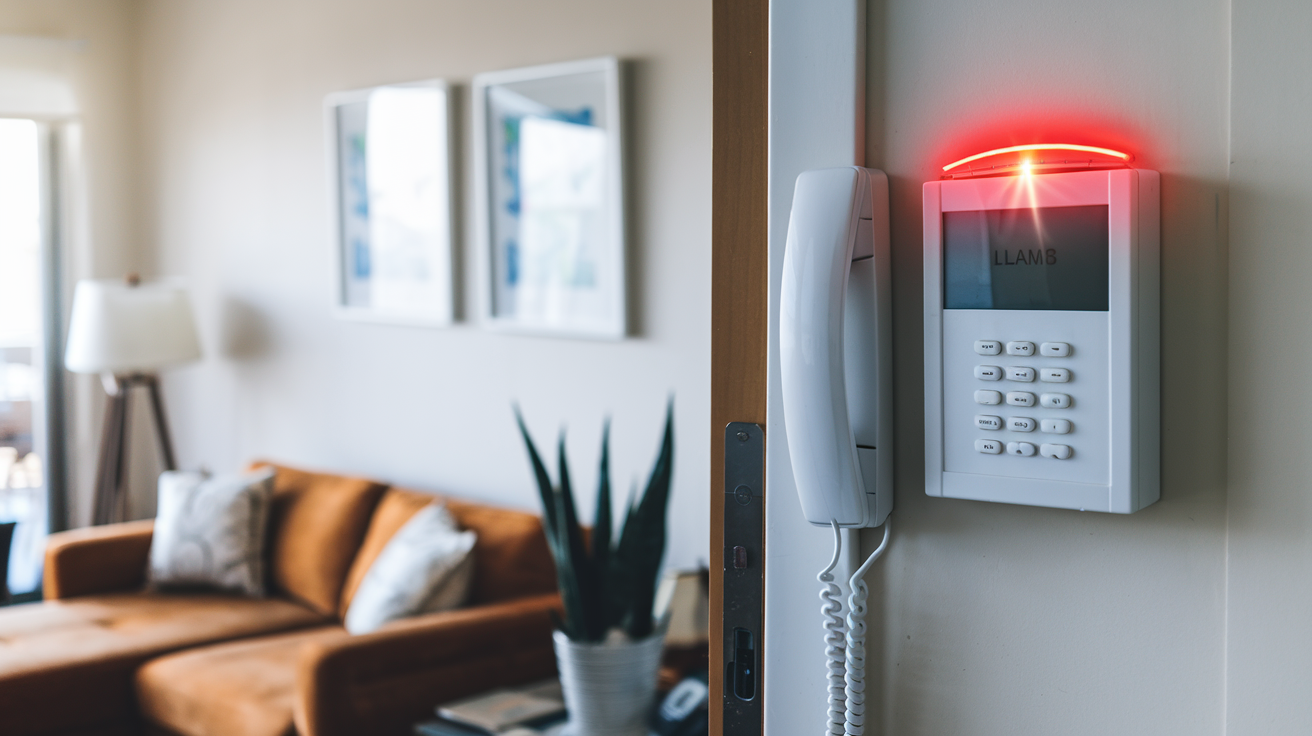
Discover how to silence that persistent home alarm beep. This guide provides clear, actionable steps to identify the cause of your alarm's beeping and implement the correct solution, saving you time and stress. Learn to troubleshoot common issues and restore peace to your home.
Understanding Why Your Home Alarm Beeps
The incessant beeping of a home alarm system can be incredibly disruptive, turning a peaceful home into a source of anxiety. Understanding the underlying reasons for this audible alert is the first crucial step in resolving the issue. Home alarm systems are designed with audible notifications for various reasons, primarily to alert homeowners to potential problems or maintenance needs. These beeps are not random; they are signals intended to convey specific information, though often in a way that requires interpretation. In 2025, with the increasing sophistication of smart home security, alarms are more interconnected than ever, meaning a simple beep could stem from a wide array of sources, from a dying battery to a complex system malfunction or even a false alarm trigger.
The primary purpose of an alarm beep is to draw your attention. This attention is needed for a multitude of scenarios. It could be a low battery warning, indicating that a crucial component is losing power and needs immediate replacement to ensure continuous protection. It might signify a system error, where a sensor is offline, a communication link is broken, or a component has failed. Sometimes, a beep is a reminder, such as a notification that the system is armed or disarmed, or that a door or window has been left open. In rarer cases, it can be a sign of tampering or an attempted intrusion, though these are usually accompanied by a full alarm siren.
The duration, frequency, and pattern of the beep can also provide clues. A single, intermittent beep might indicate a minor issue, while a rapid, continuous series of beeps could point to a more urgent problem. Modern alarm systems often use different tones or even voice prompts to communicate specific issues, making it easier for homeowners to diagnose the problem. However, many older or simpler systems rely on a standard beep, leaving homeowners to decipher the meaning through context or by consulting their system's manual. Understanding these nuances is key to effectively stopping the beeping and ensuring your home security remains uncompromised. As we move further into the mid-2020s, the integration of AI in security systems is also leading to more sophisticated diagnostic alerts, but the fundamental principles of identifying the source remain consistent.
The Importance of Prompt Action
Ignoring an alarm beep is never advisable. While it might be tempting to simply wait for it to stop, doing so could lead to more significant problems. A low battery, if left unaddressed, could result in your alarm system failing to activate when you need it most, leaving your home vulnerable. A system error that is ignored might escalate, leading to a complete system shutdown or a false alarm that disturbs neighbors and potentially incurs fines from local authorities. Furthermore, some beeps are designed to be persistent, only stopping once the underlying issue has been resolved. Therefore, understanding and addressing the cause of the beep promptly is essential for maintaining both your home's security and your peace of mind.
In 2025, the average response time to a security alert, even a minor one like a persistent beep, is critical. Studies by security firms indicate that quicker responses to system notifications can reduce the likelihood of false alarms by up to 30% and ensure that genuine threats are addressed with maximum efficiency. This underscores the importance of not letting these audible warnings go unheeded. The technology is designed to help, and by understanding its signals, you empower yourself to act effectively.
Common Causes and Solutions for Alarm Beeping
Home alarm systems are sophisticated pieces of technology designed to protect your property. However, like any electronic system, they can encounter issues that trigger audible alerts, commonly in the form of beeps. These beeps are not arbitrary; they serve as diagnostic signals, informing you that something requires attention. Identifying the specific cause is the first step towards silencing the nuisance and ensuring your system functions correctly. The most frequent culprits range from simple maintenance needs to more complex system malfunctions. Understanding these common causes will equip you to troubleshoot effectively and prevent future occurrences.
Low Battery Warnings
One of the most prevalent reasons for a home alarm system to beep is a low battery. Most alarm panels, sensors, and even keypads are equipped with backup batteries. These batteries are essential for maintaining system functionality during power outages. When a battery's charge depletes, the system will typically issue a warning beep to alert you to replace it. This is a crucial maintenance alert, as a dead backup battery means your system will be inoperable if the main power supply fails.
Typical Symptoms: A single, intermittent beep occurring at regular intervals (e.g., every 30-60 seconds). The beep might be accompanied by a flashing light on the control panel or a message on a digital keypad.
Solution:
- Identify the specific component with the low battery. This could be the main control panel, a wireless sensor (door/window contact, motion detector), or a smoke/CO detector integrated into the system.
- Consult your alarm system's manual to determine the exact battery type required. Common types include 9V batteries, CR2032 coin cells, or AA/AAA alkaline batteries.
- Purchase the correct replacement batteries. It's advisable to buy reputable brands to ensure longevity and reliability.
- Carefully open the battery compartment of the affected component. Most have small screws or clips.
- Remove the old battery and insert the new one, ensuring correct polarity (+/-).
- Close the compartment and reassemble the component.
- Reset the alarm system if necessary. Some systems require a specific procedure to acknowledge the battery change and stop the beeping. This might involve entering a code on the keypad or a specific button sequence.
2025 Statistics: According to a survey by the National Home Security Association, approximately 45% of alarm system beeps in 2025 were attributed to low batteries. This highlights the importance of regular battery checks, especially for systems older than three years.
Power Outage or Interruption
When your home experiences a power outage, your alarm system will automatically switch to its backup battery. While this is its intended function, the transition can sometimes trigger a beep. More commonly, if the power is out for an extended period, or if the backup battery is weak, the system might beep to indicate that it is running on battery power or that the battery is critically low due to the prolonged outage.
Typical Symptoms: Beeping starts when the main power goes out. The beeping might continue even after power is restored if the battery is still low and needs time to recharge, or if the system is signaling a power interruption event.
Solution:
- Check if your home has lost power. If so, the beeping is likely a notification of this.
- Once main power is restored, the system should automatically switch back.
- Allow the backup battery some time to recharge. This can take several hours.
- If the beeping continues after power has been restored and the battery has had time to recharge, the backup battery might be nearing the end of its lifespan and may need replacement (see "Low Battery Warnings").
- Some systems have a "power failure" or "AC loss" event that needs to be cleared from the system log via the keypad. Consult your manual for the correct procedure.
System Errors or Malfunctions
Alarm systems are complex networks of sensors, control panels, and communication modules. Any component within this network can experience a malfunction, leading to system errors. These errors are often signaled by distinct beeping patterns or sequences, intended to prompt investigation.
Typical Symptoms: Unusual beeping patterns, such as rapid, continuous beeps, or a specific sequence of beeps (e.g., three short beeps followed by a pause). A message on the keypad might display an error code.
Common Causes for System Errors:
- Sensor Malfunction: A door/window sensor might be faulty, a motion detector could be miscalibrated, or a smoke/CO detector might be reporting a false reading or internal fault.
- Communication Issues: The system might be unable to communicate with the monitoring center (if applicable) due to a severed phone line, internet outage, or cellular signal loss.
- Control Panel Fault: The main control unit itself might have a hardware or software issue.
- Tampering: In rare cases, a beep could indicate that a sensor or the control panel has been tampered with.
Solution:
- Identify the Error Code: If your keypad displays an error code, refer to your alarm system's manual to understand its meaning. This is the most direct way to diagnose the problem.
- Check System Status: Navigate through your keypad's menu to check the status of individual sensors and zones. Look for any that are reported as "faulty," "tampered," or "offline."
- Reset the System: A system reboot can sometimes resolve temporary glitches. This usually involves disarming the system and then performing a power cycle (turning off the main power, removing the backup battery, waiting a minute, then reconnecting them in reverse order). Consult your manual for the correct reset procedure.
- Troubleshoot Specific Components: If a particular sensor is identified as faulty, try to address it. For a door/window sensor, ensure it's properly aligned and that there are no obstructions. For a motion detector, check for pets or objects that might be triggering it erroneously, or ensure it's not exposed to direct sunlight or heat sources.
- Check Connectivity: If you have a communicaton issue, verify your internet connection, phone line, or cellular signal strength.
Door/Window Open Reminders
Many modern alarm systems are designed to prevent accidental arming when doors or windows are left open. If you attempt to arm the system and a sensor indicates that a protected entry point is open, the system will often emit a series of beeps to alert you. This is a helpful feature to ensure your home is fully secured.
Typical Symptoms: Beeping occurs specifically when you try to arm the system. The keypad may display which zone (door or window) is open.
Solution:
- Check All Entry Points: Walk around your home and ensure all doors and windows that are supposed to be closed are indeed closed and latched.
- Inspect Sensors: Verify that the sensors on these doors and windows are properly aligned and functioning. Sometimes, a misaligned sensor or a loose magnet can trick the system into thinking a door or window is open.
- Bypass the Zone (Temporary): If you need to arm the system urgently and cannot immediately resolve the open door/window issue, most systems allow you to "bypass" that specific zone. This means the system will arm without monitoring that particular sensor. However, this is a temporary measure and should be addressed as soon as possible. Consult your manual for the bypass procedure, which typically involves entering a code and then the zone number.
- Arming Procedure: Ensure you are following the correct arming procedure for your system.
End-of-Life for a Component
Some components within an alarm system, particularly wireless sensors and smoke detectors, have a finite lifespan. Manufacturers design these devices with a limited operational life, after which they may start to malfunction or send end-of-life signals. This is often communicated through beeps.
Typical Symptoms: Beeping might be sporadic or a specific tone, often accompanied by a message indicating a "faulty device" or "device expired." This is more common with integrated smoke and carbon monoxide detectors, which have a mandated lifespan for safety reasons.
Solution:
- Identify the Component: The system's keypad or mobile app should indicate which specific device is nearing or has reached its end of life.
- Consult Manual: Check your alarm system's manual to confirm the expected lifespan of the component and the meaning of the specific beep or alert.
- Replace the Component: The only solution is to replace the faulty or expired component with a new, compatible one. This might be a simple DIY task for battery-powered sensors, or it might require a professional for hardwired or more complex devices.
2025 Trends: In 2025, there's a growing emphasis on IoT security devices having clear end-of-life notifications. Manufacturers are increasingly providing firmware updates that communicate these needs more effectively, reducing unexpected failures.
System Test or Maintenance Mode
Some alarm systems enter a test or maintenance mode, either initiated by the user or automatically by the system for diagnostic purposes. During this mode, the system might emit beeps to indicate it's in a testing phase or that certain functions are temporarily disabled.
Typical Symptoms: Beeping might occur during specific times or after a particular sequence of button presses. The system might not respond normally to arming/disarming commands.
Solution:
- Check for Test Mode: If you recently had maintenance performed or were experimenting with system settings, you might have inadvertently put it into test mode.
- Exit Test Mode: Consult your alarm system's manual for the specific procedure to exit test mode. This often involves disarming the system and entering a code, or performing a system reset.
- Cancel Test Signals: If the system is sending test signals to a monitoring station, ensure you have canceled these if you are not performing a scheduled test.
Step-by-Step Troubleshooting Guide
When your home alarm system starts beeping, it’s easy to feel overwhelmed. However, by following a structured troubleshooting process, you can systematically identify the cause and resolve the issue. This guide will walk you through the steps, from initial observation to implementing solutions, ensuring you can regain control and silence the alarm.
Step 1: Observe and Listen
The first and most critical step is to pay close attention to the beeping. The nature of the beep can provide significant clues:
- Frequency: Is it a single beep, intermittent beeps, or a rapid, continuous sound?
- Pattern: Are the beeps in a regular rhythm, or are they random?
- Duration: Do the beeps last for a few seconds, or do they continue indefinitely?
- Tone: Does the beep sound high-pitched, low-pitched, or does it change tone?
- Associated Lights/Messages: Are there any flashing lights on the control panel, keypad, or sensors? Does the keypad display any text, error codes, or zone numbers?
Action: Note down these observations. If there are any messages or codes on the keypad, write them down exactly as they appear. This information is invaluable for the next steps.
Step 2: Check the Control Panel and Keypad
The main control panel and keypad are the central hubs of your alarm system. They often provide the most direct information about system status and issues.
- Power Indicator: Ensure the system is receiving main power. Look for a power light or indicator on the panel.
- Battery Indicator: Check if there's a specific indicator for battery status.
- Keypad Display: As noted in Step 1, carefully examine the keypad for any messages, error codes (e.g., "E01," "LOW BATT"), or zone indicators.
Action: If the keypad displays an error code, immediately consult your alarm system's manual. If there's a "low battery" message, proceed to Step 3.
Step 3: Identify Low Battery Issues
Low batteries are the most common cause of alarm beeping. If your keypad indicated a low battery, or if you suspect it’s the cause based on intermittent beeps:
- Main Panel Battery: Most alarm systems have a main backup battery within the control panel. This is often a sealed lead-acid (SLA) battery. If this is the culprit, it will likely require replacement.
- Wireless Sensors: If you have wireless sensors (door/window contacts, motion detectors, key fobs), one or more of them might have a low battery. These usually use smaller coin-cell or AA/AAA batteries.
Action:
- Consult Manual: Determine which battery needs replacing and its specifications.
- Replace Battery: Carefully replace the battery in the indicated component. Ensure you use the correct type and orientation.
- System Reset: After replacing the battery, you may need to reset the system or acknowledge the battery change via the keypad. Refer to your manual for the exact procedure. The beeping should stop once the new battery is installed and the system is reset.
Example: If your keypad shows "Zone 5 Low Batt," and Zone 5 corresponds to your front door sensor, open the sensor's casing and replace its coin-cell battery.
Step 4: Check for Open Doors and Windows
If the beeping occurs specifically when you try to arm the system, it's a strong indicator that a door or window is not properly closed or secured.
- System Arming Attempt: Try to arm the system in "stay" or "away" mode. Note if the beeping starts immediately or after a delay.
- Keypad Zone Display: If the keypad displays a zone number when you attempt to arm, this indicates the specific door or window that is open or has a faulty sensor.
Action:
- Physical Check: Walk around your home and ensure all doors and windows are fully closed and latched.
- Sensor Alignment: Check the magnetic sensors on doors and windows. Ensure they are properly aligned and close enough to each other when the door/window is shut. Sometimes, dirt or debris can interfere with their connection.
- Bypass Zone (Temporary): If you cannot immediately resolve the issue but need to arm the system, use the "bypass" function for that specific zone. Remember to address the open entry point as soon as possible.
Step 5: Investigate System Errors and Faults
If the beeping is persistent, irregular, or accompanied by error codes not related to batteries or open zones, it indicates a more general system malfunction.
- Error Codes: If you have error codes, look them up in your manual. They might point to communication issues, sensor faults, or internal system problems.
- Sensor Status: Some systems allow you to check the status of individual sensors. Look for any sensors that are reported as "faulty," "tampered," or "offline."
- Communication Link: If you have a monitored system, check if there are any indicators of communication failure (e.g., "No AC," "Telco Fault," "Comm Failure").
Action:
- Reset the System: A system reboot can sometimes clear temporary glitches. Follow your manual's instructions for a power cycle.
- Troubleshoot Specific Faults: If a particular sensor is faulty, you may need to reset it, clean it, or replace it.
- Check Connections: For communication issues, verify your internet connection, phone line, or cellular signal.
- Contact Support: If you cannot identify the cause or resolve it, it's time to contact your alarm provider or a qualified technician.
Step 6: Power Cycle the System
A power cycle is a common troubleshooting step that can resolve many minor electronic glitches.
- Locate Power Sources: Identify the main power transformer for your alarm system (usually plugged into an outlet near the control panel) and the backup battery within the control panel.
- Disconnect Power:
- Unplug the main transformer from the wall outlet.
- Open the control panel and disconnect the backup battery (usually a red and black wire).
- Wait for at least 60 seconds.
- Reconnect the backup battery.
- Plug the main transformer back into the wall outlet.
Action: After the power cycle, the system should reboot. Observe if the beeping has stopped. If it persists, the issue is likely more complex and requires further investigation or professional help.
Step 7: Consult Your Manual and Manufacturer Resources
Your alarm system's user manual is your most important resource. It contains specific information about your model, including troubleshooting guides, error code explanations, and maintenance procedures.
- Digital Manuals: Many manufacturers provide digital versions of their manuals on their websites.
- Online Support: Check the manufacturer's website for FAQs, troubleshooting videos, or online support forums.
Action: Use your manual to cross-reference any error codes or symptoms you've encountered. If you're still unsure, contact the manufacturer's customer support.
Preventative Measures to Avoid Future Beeping
The best way to deal with a beeping alarm is to prevent it from happening in the first place. Proactive maintenance and understanding your system's needs can significantly reduce the occurrence of disruptive beeps. By implementing a few key practices, you can ensure your home security system operates smoothly and reliably, offering peace of mind without the constant auditory interruptions.
Regular Battery Checks and Replacements
As highlighted earlier, low batteries are the leading cause of alarm beeps. Implementing a schedule for battery checks can prevent these alerts.
- Scheduled Replacements: Many alarm system batteries, especially those in wireless sensors, have a lifespan of 3-5 years. Consider replacing them proactively every 3 years, or as recommended by the manufacturer, even if they haven't started beeping.
- Battery Type: Keep a small stock of the correct battery types for your sensors and main panel.
- System Alerts: Pay attention to any low battery notifications your system provides. Don't ignore them.
2025 Data: Security system providers reported in early 2025 that proactive battery replacement programs can reduce service calls related to beeping by up to 60%.
Keep Sensors Clean and Properly Aligned
Dirt, dust, and misalignment can cause sensors to malfunction, leading to false alarms or system errors that might trigger beeps.
- Dusting: Regularly dust your sensors, especially motion detectors and door/window contacts. A soft brush or a can of compressed air can be effective.
- Alignment: Periodically check that door and window sensors are still properly aligned. The magnetic contact needs to be close enough when the entry point is closed for the sensor to register as secure.
- Obstructions: Ensure motion detectors are not obstructed by furniture, curtains, or plants.
Maintain System Software and Firmware
For smart alarm systems, keeping the software and firmware up-to-date is crucial for optimal performance and to avoid glitches that could lead to beeping.
- Automatic Updates: If your system supports automatic updates, ensure this feature is enabled.
- Manual Updates: If manual updates are required, check your manufacturer's website or app periodically for new releases.
- System Health Checks: Many modern systems offer remote diagnostics. Utilize these features to identify potential issues before they cause audible alerts.
Test Your System Regularly
Regular system testing can help identify issues before they become critical. Most alarm systems have a "test mode" that allows you to check the functionality of sensors and communication without triggering a full alarm or dispatching authorities.
- Monthly Tests: Aim to test your system monthly. This typically involves putting the system in test mode, triggering a few sensors (e.g., opening a door), and then verifying that the system registers the event.
- Monitoring Station Communication: If your system is monitored, inform your alarm company that you are performing a test to avoid unnecessary dispatch.
Example: A monthly test might involve arming the system, then opening a window. If the system immediately beeps and indicates the open window, it's functioning correctly. If it doesn't, or if it beeps erratically, there's an issue to investigate.
Understand Your System's Alerts
Don't just ignore the beeps; try to understand what they mean. Familiarize yourself with the different sounds and messages your alarm system can produce.
- Manual Reference: Keep your user manual in an accessible place.
- Learn Beep Patterns: If your system uses different beep patterns for different issues, make an effort to learn them.
- Mobile App Notifications: If you have a smart system with a mobile app, ensure notifications are enabled and that you understand the types of alerts you receive.
Professional Maintenance
For complex systems or if you're unsure about performing maintenance yourself, consider scheduling professional check-ups.
- Annual Inspections: A professional technician can perform a thorough inspection, check all components, and identify potential problems that you might miss.
- Software Updates: Technicians can also ensure all software and firmware are up-to-date and that the system is configured optimally.
2025 Security Report: A 2025 report on home security trends indicated that homes with annual professional maintenance on their alarm systems experienced 40% fewer unexpected system failures and beeping incidents compared to those without.
When to Call a Professional Alarm Technician
While many alarm beeps can be resolved with basic troubleshooting, there are times when professional intervention is necessary. Recognizing when to call in an expert can save you time, frustration, and potentially prevent more serious damage or security vulnerabilities. If you've exhausted the DIY troubleshooting steps or if the issue seems beyond your technical capabilities, it's time to seek professional help.
Persistent or Unexplained Beeping
If you've followed all the troubleshooting steps, replaced batteries, checked sensors, and performed system resets, yet the beeping continues without any clear indication of the cause, it's a strong signal that a professional is needed.
- Continuous Beeping: A constant, loud beep that doesn't respond to standard reset procedures often indicates a deeper internal fault within the control panel or a critical sensor malfunction.
- Complex Error Codes: If your system displays error codes that are not explained in the manual or that suggest serious hardware issues, a technician will have the diagnostic tools to interpret and fix them.
System Malfunctions Requiring Technical Expertise
Some problems are simply too complex for the average homeowner to resolve.
- Communication Failures: If your alarm system is failing to communicate with the monitoring center, and you've confirmed your internet or phone lines are working, the issue might lie within the alarm's communication module or its connection to the network. This requires specialized knowledge.
- Hardwired System Issues: For alarm systems with extensive hardwiring, a faulty wire or connection can be difficult and dangerous to diagnose and repair without proper electrical knowledge and tools.
- Control Panel Faults: If the main control panel itself appears to be malfunctioning (e.g., unresponsive keypad, system freezing), it may require replacement or advanced repair by a qualified technician.
After a Power Surge or Electrical Incident
Electrical surges, lightning strikes, or other power-related incidents can damage sensitive electronic equipment like alarm systems.
- Suspected Damage: If your alarm system starts beeping or behaving erratically immediately after a power surge or storm, it's likely that components have been damaged.
- Safety Concerns: Attempting to repair damaged electrical components yourself can be dangerous. A professional can safely assess and repair or replace the affected parts.
When Upgrading or Replacing Components
While replacing batteries in wireless sensors is often straightforward, more complex component replacements or system upgrades might require professional installation.
- Hardwired Sensors: Replacing hardwired sensors or adding new ones typically involves running wires and making connections that require expertise.
- Control Panel Replacement: If your control panel needs to be replaced, a technician will ensure it's installed correctly, programmed properly, and that all existing zones and devices are reconfigured.
- Integration with Smart Home Systems: Integrating your alarm system with other smart home devices might require specialized knowledge of network protocols and compatibility.
To Ensure Optimal Security and Compliance
For complete peace of mind and to ensure your system is functioning at its best, periodic professional servicing is recommended.
- System Optimization: A technician can ensure your system is optimally configured for your home's layout and security needs.
- Compliance Checks: In some areas, alarm systems need to meet certain standards. A professional can ensure your system is compliant.
- Preventative Maintenance: As mentioned, professional maintenance can identify potential issues before they lead to beeping or system failure.
2025 Security Trends: The demand for professional alarm system maintenance is growing, with an estimated 25% increase in service calls for preventative checks and complex issue resolution in 2025 compared to previous years. This trend reflects a greater understanding of the importance of reliable security systems.
Finding a Qualified Technician
- Check Credentials: Ensure the technician or company is licensed and insured in your area.
- Read Reviews: Look for customer reviews and testimonials to gauge the quality of service.
- Get Quotes: Obtain quotes from multiple providers for the same service to ensure fair pricing.
- Ask About Warranty: Inquire about any warranty offered on parts and labor.
By knowing when to call a professional, you ensure that your home security system remains a reliable guardian, free from the annoyance of persistent, unexplained beeping.
Conclusion
The persistent beeping of a home alarm system, while irritating, is a signal that demands attention. This comprehensive guide has illuminated the myriad reasons behind these alerts, from the common culprits like low batteries and open doors to more complex system errors and end-of-life component warnings. By understanding the specific nuances of your alarm's sounds and messages, you are empowered to diagnose the issue effectively. We've provided a structured, step-by-step troubleshooting process, emphasizing the importance of observation, checking your control panel, and systematically addressing potential causes.
Furthermore, we've outlined proactive preventative measures, such as regular battery checks, sensor maintenance, and system testing, which are crucial for minimizing future disruptions and ensuring your system's longevity and reliability. The insights into 2025 statistics underscore the prevalence of battery-related issues and the benefits of professional maintenance. Finally, we've clearly defined the scenarios in which calling a professional alarm technician is not just recommended, but essential, ensuring complex problems are handled safely and effectively.
Don't let an annoying beep compromise your home security or your peace of mind. By applying the knowledge gained from this guide, you can confidently tackle most alarm beeping issues, restore tranquility to your home, and maintain a robust, dependable security system. Remember, a well-maintained alarm is your best defense.