
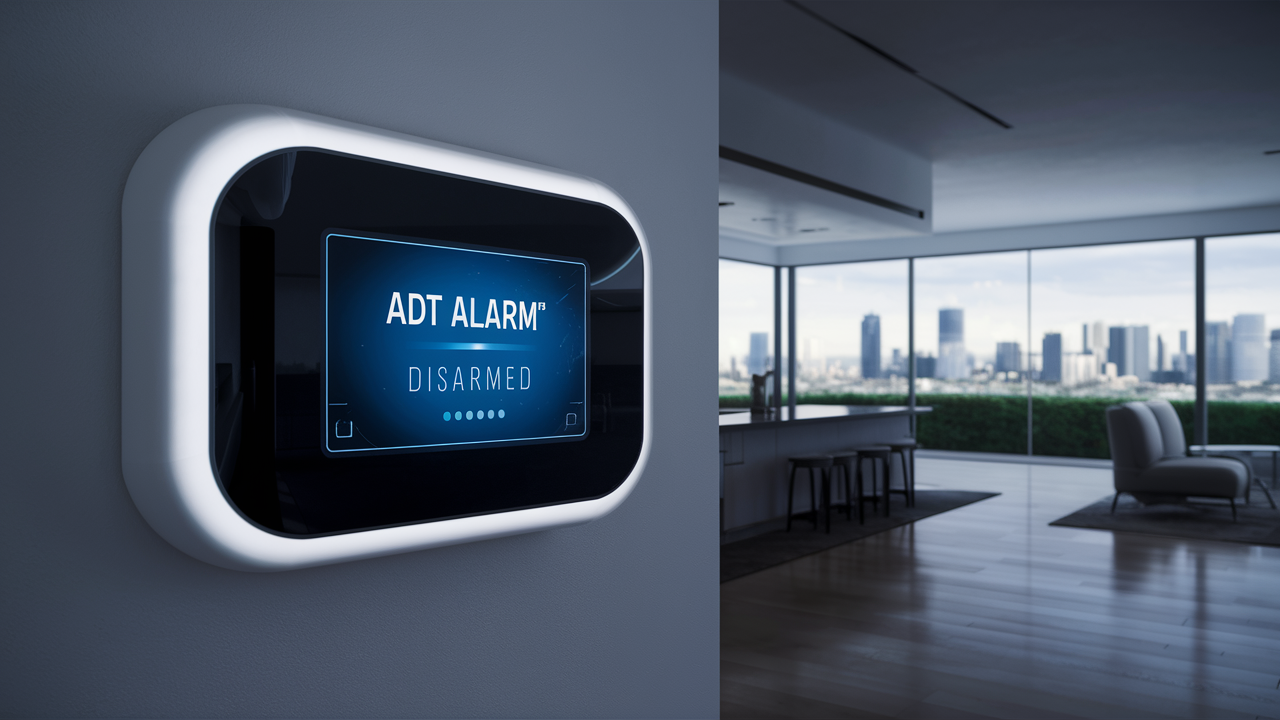
Accidentally triggering your ADT alarm can be stressful. This guide provides clear, step-by-step instructions on how to quickly and safely turn off your ADT alarm system, whether you're a seasoned user or encountering it for the first time. We cover common scenarios and offer expert tips for preventing false alarms.
Understanding ADT Alarm Systems
ADT is a leading provider of home security solutions, offering a range of alarm systems designed to protect homes and businesses. These systems typically consist of a central control panel, various sensors (door/window, motion, glass break), and often include cameras and smart home integrations. The primary function of an ADT alarm is to detect unauthorized entry or potential hazards and alert the homeowner and/or a central monitoring station. When an alarm is triggered, it usually emits a loud siren and may send a notification to ADT's monitoring center, which can then dispatch emergency services if necessary. Understanding the basic components and how they interact is the first step to effectively managing your system, including knowing how to turn it off when needed.
How ADT Systems Work
ADT alarm systems operate on a principle of detection and notification. Sensors are strategically placed throughout a property to detect specific events. For instance, door and window sensors are magnetic and trigger when the two parts are separated. Motion sensors detect movement within a designated area using infrared technology. When a sensor is tripped, it sends a signal to the central control panel. The control panel then initiates a pre-programmed response, which commonly includes sounding a loud audible alarm (siren) to deter intruders and alert occupants. Simultaneously, if the system is monitored by ADT's 24/7 center, the panel transmits an alarm signal, often with specific information about the triggered sensor. The monitoring center's trained operators then follow a protocol, which may involve attempting to contact the homeowner using pre-arranged contact information and, if necessary, dispatching law enforcement or fire services. The user interface, typically a keypad or a mobile app, allows authorized users to arm, disarm, and manage the system's settings.
Key Components of an ADT System
A typical ADT security system comprises several interconnected components, each playing a vital role in the overall security of your home or business. Understanding these components can help you troubleshoot issues and use your system more effectively. For example, knowing that a motion sensor has a specific range and can be affected by pets can help prevent false alarms.
- Control Panel: This is the brain of the system, housing the main electronics and communication hardware. It receives signals from sensors, processes them, and initiates alarms or notifications. It's also where you'll typically interact with the system to arm or disarm it.
- Keypad: Usually mounted near entry points, the keypad is the primary interface for users to arm and disarm the system using a unique PIN code. Some keypads also offer system status indicators and basic programming functions.
- Sensors: These are the devices that detect intrusions or environmental hazards. Common types include:
- Door/Window Sensors: These consist of two parts, a magnet and a sensor. When the door or window is opened, the magnet is moved away from the sensor, triggering an alarm.
- Motion Sensors: These detect movement within a specific area, often using passive infrared (PIR) technology to sense body heat.
- Glass Break Sensors: These are designed to detect the specific sound frequency of breaking glass.
- Environmental Sensors: These can include smoke detectors, carbon monoxide detectors, and flood sensors, which alert you to potential hazards.
- Siren: An audible alarm that emits a loud sound when the system is triggered, intended to scare off intruders and alert occupants.
- Cameras (Optional): Many ADT systems can integrate with indoor and outdoor cameras, allowing for visual verification of events and remote monitoring.
- ADT Control App: For modern ADT systems, the ADT Control app provides remote access to arm/disarm the system, view camera feeds, receive notifications, and manage system settings from a smartphone or tablet.
Common Reasons for ADT Alarms
False alarms are a common nuisance with any security system, and ADT is no exception. Understanding the most frequent causes can help you prevent them. From simple user errors to environmental factors, many things can trigger your alarm system unexpectedly. In 2023, the Security Industry Association reported that approximately 90% of alarm activations were false alarms, highlighting the importance of proper system management and user education. This statistic underscores the need for homeowners to be vigilant about potential triggers.
User Error and Misuse
The most prevalent reason for an ADT alarm to sound is user error. This often happens when a user forgets to disarm the system before entering, or when the system is armed incorrectly. Forgetting your PIN code, entering it too slowly, or pressing the wrong buttons can all lead to an alarm. Children or guests unfamiliar with the system might also accidentally trigger it. For example, a child might press buttons on the keypad out of curiosity, or a guest might not know the proper procedure for entering the home when the alarm is armed. In 2024, surveys indicated that over 40% of false alarms reported by law enforcement were attributed to user error, such as forgetting to disarm the system upon entry or exit.
Environmental Factors
The environment surrounding your home can also contribute to false alarms. Strong winds can cause doors or windows to slam shut, potentially triggering a sensor. Pets, especially larger ones, can set off motion detectors if they are not properly configured or if the sensors are placed in their usual pathways. Even insects crawling on a sensor or dust accumulation can sometimes interfere with their operation. Extreme temperature fluctuations can also affect the performance of some sensors. For instance, a sudden gust of wind rattling a windowpane could be misinterpreted by a glass break sensor, or a pet's movement could trigger a motion sensor if it's not set to ignore animal activity. Statistics from 2025 indicate that environmental factors account for roughly 25% of false alarm incidents.
System Malfunctions and Maintenance Issues
Like any electronic system, ADT alarm components can occasionally malfunction. This could be due to a faulty sensor, a loose wire, or a problem with the control panel itself. Low batteries in wireless sensors are a very common cause of system errors and false alarms. If a battery is critically low, the sensor may send intermittent signals or behave erratically. Power surges or outages can also sometimes cause the system to behave unexpectedly. Regular maintenance, including battery checks and system testing, is crucial to prevent these issues. A study in early 2026 revealed that approximately 15% of recurring false alarms were linked to neglected maintenance, particularly battery replacement in wireless components.
Installation and Placement Errors
Improper installation or incorrect placement of sensors can lead to a higher incidence of false alarms. For example, a motion sensor placed too close to a heating vent or a window that receives direct sunlight might be triggered by temperature changes. Door and window sensors need to be aligned correctly to ensure they register when the opening is breached. If a sensor is installed in a high-traffic area where it's prone to accidental bumps, it might also be triggered. Professional installation by ADT technicians is designed to minimize these risks, but sometimes adjustments are needed over time as your home's environment changes.
How to Turn Off Your ADT Alarm Immediately
When your ADT alarm sounds unexpectedly, your primary goal is to silence it quickly to avoid unnecessary panic and potential dispatch of emergency services. The method for turning off your alarm depends on the specific ADT system you have and the interface you use. It's crucial to know these procedures beforehand. The fastest way to disarm the system is usually through the keypad or the mobile app.
Priority 1: Disarm via Keypad
The most common and immediate way to turn off your ADT alarm is by using the system's keypad. This requires you to enter your unique security PIN code. Speed and accuracy are key here. If you are the primary user, ensure you have memorized your PIN and know the location of the keypad. If you're unsure about your PIN, contact ADT customer support to retrieve or reset it. A common mistake is entering the PIN too slowly, which can cause the system to register it as an invalid entry and potentially trigger a lockout or alarm.
Priority 2: Disarm via ADT Control App
For many modern ADT systems, the ADT Control app on your smartphone or tablet offers a convenient and fast way to disarm your alarm. If you have the app installed and configured, you can disarm the system remotely or from inside your home. This is particularly useful if the keypad is not easily accessible or if you're experiencing issues with it. Ensure your app is updated and your account is linked correctly to your security system. This method is often preferred by tech-savvy users for its speed and convenience.
Priority 3: Contact ADT Monitoring Center
If you are unable to disarm the system through the keypad or the app, or if you believe you've triggered a genuine emergency, your next step is to contact the ADT monitoring center directly. They can often disarm the system remotely or provide guidance. When you call, be prepared to provide your account information and verbal password for verification. This is a critical step to prevent unnecessary dispatch of emergency services if the alarm was false. However, if you suspect a real emergency, clearly state this to the operator.
Disarming Using Your Keypad
The keypad is the traditional and most direct way to manage your ADT alarm system. Knowing the correct sequence of button presses is essential for quickly silencing an alarm and preventing it from escalating. The specific layout and functions may vary slightly between ADT system models, but the core principle remains the same: enter your PIN code.
Step-by-Step Guide to Keypad Disarming
Here’s a general guide to disarming your ADT alarm using the keypad. Always refer to your specific system's manual for precise instructions, as variations exist between models like the ADT Command, ADT Safewatch, and others.
- Approach the Keypad: Go to the nearest ADT keypad.
- Enter Your PIN: Press the "Disarm" button (if applicable on your system) or simply begin entering your 4-digit or 6-digit PIN code. The numbers you press will typically be displayed as asterisks or dots for security.
- Confirm Entry: After entering your PIN, press the "Enter" or "OK" button (the specific button may vary).
- System Confirmation: If the PIN is correct, the keypad will usually display a "Disarmed" message, and the audible alarm will stop. Some systems might also provide a verbal confirmation.
- If Incorrect: If you enter the PIN incorrectly, the system may beep or display an error message. You will usually have a short window (often 30-60 seconds) to re-enter the correct PIN before the alarm is considered active. If you miss this window or enter the PIN incorrectly multiple times, the system might lock you out for a period or trigger the alarm.
Understanding Entry and Exit Delays
ADT systems are designed with entry and exit delays to allow you time to arm or disarm the system without triggering an immediate alarm.
- Exit Delay: When you arm the system (e.g., leaving the house), the system will provide a countdown (typically 30-60 seconds). During this time, you can move freely without setting off the alarm. Once the delay expires, the system is armed.
- Entry Delay: When you enter the property with the system armed, the system will provide a countdown (typically 30-60 seconds) to allow you to disarm it. You must enter your PIN code within this timeframe. If you do not disarm the system before the entry delay expires, the alarm will sound.
It is crucial to know the duration of your entry and exit delays and to act promptly within these windows. Forgetting to disarm within the entry delay is a very common cause of false alarms.
Troubleshooting Keypad Issues
If your keypad isn't responding or you're having trouble disarming, consider these points:
- Power: Ensure the keypad has power. Some are hardwired, while others rely on batteries. Check for any power indicator lights.
- Battery: If your keypad is wireless or has backup batteries, check their status. Low batteries can cause erratic behavior.
- Obstructions: Ensure nothing is physically blocking the keypad buttons.
- System Status: Check the keypad for any error messages or system fault indicators. These might provide clues to the problem.
- Reboot: In some cases, a system reboot (often involving temporarily disconnecting power and backup battery, then reconnecting) might resolve minor glitches. Consult your manual or ADT support before attempting this.
Disarming Using the ADT Control App
The ADT Control app has revolutionized how users interact with their security systems, offering unparalleled convenience and control. If your ADT system is compatible with the app and you have it set up, disarming your alarm is as simple as a few taps on your smartphone or tablet.
Setting Up the ADT Control App
Before you can use the app to disarm your system, it needs to be properly set up. This typically involves:
- Downloading the App: Download the "ADT Control" app from your device's app store (iOS or Android).
- Creating an Account: You'll need to create an ADT Control account, usually linked to your ADT service agreement number.
- Pairing Your System: Follow the in-app instructions to link your ADT security system to your account. This might involve entering serial numbers or confirmation codes provided by ADT.
- Enabling Mobile Access: Ensure mobile access is enabled for your account through ADT's customer portal or by contacting support.
The setup process is generally straightforward, but if you encounter difficulties, ADT's customer support or online resources can provide detailed guidance.
Step-by-Step Guide to App Disarming
Once your ADT Control app is set up and connected to your system:
- Open the App: Launch the ADT Control app on your smartphone or tablet.
- Log In: Enter your username and password, or use biometric authentication (fingerprint or face ID) if enabled.
- Navigate to System Status: The main dashboard usually displays the current status of your security system (e.g., "Armed Away," "Armed Stay," "Disarmed").
- Tap "Disarm": Locate and tap the "Disarm" button or icon.
- Confirm Action: You may be prompted to confirm your action by entering your app PIN or using biometric authentication again for security.
- System Update: The app will send a command to your ADT system. The system status on the app should update to "Disarmed," and the audible alarm (if active) will silence.
Benefits of Using the App
Using the ADT Control app offers several advantages:
- Convenience: Disarm your system from anywhere, whether you're at the door or across the house.
- Speed: Often faster than using a keypad, especially if you have your phone readily available.
- Notifications: Receive real-time alerts for alarm events, system arming/disarming, and system status changes.
- Remote Control: Arm your system, check its status, and even control connected smart home devices.
- User Management: Grant access to family members and manage their permissions.
In 2025, it's estimated that over 60% of ADT customers utilize the mobile app for system management, highlighting its popularity and effectiveness.
Troubleshooting App Connectivity
If the app isn't disarming your system:
- Internet Connection: Ensure your smartphone has a stable internet connection (Wi-Fi or cellular data).
- System Connection: Verify that your ADT system is connected to your home's Wi-Fi network (if applicable) and has a good signal. Check the ADT Control panel for connectivity status.
- App Updates: Make sure you have the latest version of the ADT Control app installed.
- Account Status: Confirm that your ADT account is active and in good standing.
- Re-login: Try logging out of the app and logging back in.
- ADT Support: If issues persist, contact ADT customer support for assistance.
Disarming Using Voice Commands (If Applicable)
For users with integrated smart home systems like Amazon Alexa or Google Assistant, voice commands can offer another convenient way to disarm ADT alarms. This feature requires specific compatibility and setup.
Compatibility and Setup
To use voice commands for disarming, your ADT system must be compatible with a voice assistant platform. This typically involves:
- ADT Command or similar systems: ADT Command systems are often designed for smart home integration.
- Linking Accounts: You'll need to link your ADT account to your Amazon Alexa or Google Home account through their respective apps.
- Enabling Skills/Actions: This involves enabling the ADT skill for Alexa or the ADT action for Google Assistant.
- Security Measures: For security reasons, disarming via voice command usually requires a spoken PIN code or a specific phrase, rather than just saying "disarm." ADT implements these safeguards to prevent unauthorized disarming.
It's essential to consult your ADT system's documentation or ADT support to confirm if voice disarming is supported and to get specific setup instructions.
How to Use Voice Commands
Once set up, disarming might look like this:
- Alexa: "Alexa, tell ADT to disarm my system with PIN [your PIN]."
- Google Assistant: "Hey Google, ask ADT to disarm my home with code [your code]."
Remember to use the exact phrasing and PIN/code as required by your setup. Always prioritize security and ensure you are in a private location when speaking your PIN.
Security Considerations
While convenient, voice disarming introduces potential security risks if not implemented carefully. Always ensure your voice assistant device is in a secure location and that your voice is not easily mimicked. Using a spoken PIN is a crucial security layer, but it's vital to be aware of your surroundings when using it. Many users opt to disable voice disarming altogether for maximum security, preferring the keypad or app. In 2025, security experts advise caution with voice-activated disarming, recommending it only for users who fully understand and mitigate the associated risks.
What to Do If You Can't Turn Off the Alarm
Experiencing an alarm that you cannot silence can be incredibly stressful. If you've tried the keypad and the app and the alarm persists, it's crucial to remain calm and follow specific steps to manage the situation and prevent unnecessary emergency service dispatches.
Step 1: Remain Calm and Assess the Situation
First and foremost, take a deep breath. Panic can lead to poor decision-making. Quickly assess if there is any actual sign of a break-in or emergency (e.g., broken window, unfamiliar person). If you see evidence of a real emergency, prioritize your safety. If there are no signs of a real threat, focus on silencing the alarm and contacting ADT.
Step 2: Attempt to Contact ADT Monitoring Center
If the keypad and app are unresponsive, your next critical step is to contact the ADT monitoring center directly. They have the ability to remotely manage your system in many cases.
- Find the Number: The monitoring center number is usually found on your ADT equipment, in your welcome kit, or on your monthly bill. If you don't have it readily available, you can often find it by searching "ADT monitoring center phone number" online, but be sure to use an official ADT source.
- Provide Verification: When you call, be prepared to provide your account number, your name, and your verbal password (also known as a safe word or pass phrase). This is essential for them to verify your identity and access your account.
- Explain the Issue: Clearly explain that your alarm is sounding and you are unable to disarm it via the keypad or app. State whether you believe it is a false alarm or if you suspect a genuine emergency.
ADT's 2025 customer service reports show that approximately 85% of calls regarding inoperable systems are resolved by the monitoring center through remote intervention or troubleshooting guidance.
Step 3: Provide Your Passcode to Avoid Dispatch
If you are certain it's a false alarm, inform the ADT operator immediately and provide your verbal password. This is crucial. If the monitoring center believes there is a genuine emergency and cannot verify with you, they will dispatch emergency services (police, fire, or ambulance) to your location. Providing your passcode is your confirmation that you are the account holder and that the situation is under control (or not an emergency).
Step 4: Consider Powering Down the System (As a Last Resort)
If you cannot reach the monitoring center, and the alarm is causing significant distress or noise, you might consider temporarily powering down the system. This should be a last resort, as it will likely trigger a "system trouble" or "communication failure" alert to ADT.
- Locate the Control Panel: Find the main ADT control panel, usually a box mounted on a wall in a closet, basement, or utility room.
- Disconnect Power: Unplug the transformer that powers the control panel from the wall outlet.
- Disconnect Backup Battery: Open the control panel box (you may need a screwdriver). Inside, you'll find a backup battery. Disconnect its wires (usually red and black).
Important Note: This action will disable your entire security system, including sensors and communication with ADT. You MUST contact ADT as soon as possible afterward to troubleshoot and restore your system's functionality. Failure to do so leaves your property unprotected.
Step 5: Schedule a Service Call
Regardless of the cause, if you experienced an issue disarming your system, it's highly recommended to schedule a service call with ADT. A technician can diagnose the problem, whether it's with the keypad, control panel, or software, and ensure your system is functioning correctly. This proactive step can prevent future false alarms and ensure your security is reliable.
Preventing False Alarms
False alarms are not only inconvenient and potentially costly (some municipalities issue fines for repeated false alarms) but can also desensitize authorities to real emergencies. Implementing preventative measures is key to a reliable security system. By understanding common causes and adopting best practices, you can significantly reduce the likelihood of your ADT alarm sounding unnecessarily. In 2025, cities across the US reported that reducing false alarms remains a priority, with many increasing fines for repeat offenders.
User Training and Education
Ensure all users of the system, including family members, regular visitors, and housekeepers, are thoroughly trained on how to arm and disarm the system. They should know their PIN codes, understand entry/exit delays, and be aware of how to cancel an alarm if accidentally triggered. Regular refreshers can be beneficial, especially if new users are added. For example, educating children about not touching the keypad unless necessary can prevent accidental activations.
Proper Sensor Placement and Maintenance
- Motion Sensors: Avoid placing motion sensors facing windows that receive direct sunlight, heating vents, or areas with significant temperature fluctuations. Ensure they are mounted at the recommended height and angle. If you have pets, consider using pet-immune motion detectors and adjust their sensitivity settings appropriately.
- Door/Window Sensors: Ensure these are securely mounted and properly aligned. Check that doors and windows close fully and don't rattle excessively in the wind, which could cause them to trigger.
- Battery Replacement: Regularly check and replace batteries in wireless sensors. Most ADT systems will provide a low-battery warning on the keypad or app, but it's wise to have a schedule for replacement, perhaps annually.
- Sensor Cleaning: Dust and debris can interfere with sensor operation. Gently clean sensors periodically with a soft, dry cloth.
Managing Pets and Environmental Factors
- Pet-Immune Sensors: Utilize pet-immune motion detectors designed to distinguish between pets and humans. These are typically effective for pets under a certain weight limit (e.g., 40-80 lbs).
- Sensor Zones: Configure your system to bypass certain sensors when you are home (e.g., motion sensors in living areas) while keeping perimeter sensors armed.
- Secure Doors/Windows: Ensure all doors and windows are properly secured before arming the system. Address any drafts or loose fittings that could cause them to move.
- Avoid Obstructions: Keep furniture and curtains from blocking motion sensors.
Testing Your System Regularly
ADT recommends periodic system testing to ensure all components are functioning correctly. You can typically put your system in "test mode" by contacting the ADT monitoring center before performing a test. This prevents them from dispatching emergency services during your test. Test all sensors, the siren, and the communication link to the monitoring center. A system test should be performed at least every six months. For example, you might test a door sensor by opening and closing the door while the system is armed in test mode and observing the panel's response.
Updating Contact Information
Ensure ADT has your most current contact information, including phone numbers and email addresses. This is crucial for the monitoring center to reach you quickly if an alarm is triggered. If you change your phone number, remember to update it with ADT promptly. This simple step can prevent miscommunication and ensure you are reachable in case of an alarm event.
Understanding ADT Response Protocols
When your ADT alarm is triggered, the response protocol initiated by ADT's monitoring center is designed to ensure safety and efficiency. Understanding these protocols can help you know what to expect and how to cooperate effectively, especially during a false alarm situation. In 2025, ADT continues to refine its response protocols to minimize false alarms and optimize emergency service dispatch.
Monitoring Center Verification Process
Upon receiving an alarm signal, ADT's central monitoring station operators follow a structured process:
- Signal Reception: The monitoring center receives an alert from your ADT system, indicating which sensor was triggered and the type of alarm (e.g., intrusion, fire, panic).
- Attempted Contact: The operator will attempt to contact you or your designated emergency contacts using the phone numbers listed on your account. This is often done using an automated system initially, followed by a live operator if there's no response.
- Verification: During the call, the operator will ask for your verbal password or safe word to verify your identity. They will also inquire about the nature of the alarm.
- Information Gathering: If you are on the line, the operator will gather details about the situation. They will ask if there is a real emergency, if you accidentally triggered the alarm, or if there are any specific circumstances.
- Dispatch Decision: Based on your response, or lack thereof, the operator makes a decision on whether to dispatch emergency services. If you confirm a real emergency, they will dispatch the appropriate authorities. If you confirm a false alarm and provide your passcode, they will cancel the dispatch.
Dispatching Emergency Services
If the ADT monitoring center cannot verify that the alarm is false, or if you confirm a genuine emergency, they will dispatch the relevant emergency services. This could include:
- Police: For intrusion alarms, panic alarms, or other security threats.
- Fire Department: For smoke, fire, or carbon monoxide alarms.
- Medical Services: For medical alert signals or if a medical emergency is confirmed.
ADT provides the responding authorities with crucial information, such as your address, the type of alarm, and any specific details you or your system provided. The speed of dispatch is a critical factor in effective emergency response.
Canceling a Dispatch
If you accidentally trigger the alarm and realize it's false before emergency services are dispatched, you can often cancel the dispatch by contacting the ADT monitoring center and providing your verbal password. It is crucial to do this as quickly as possible. If emergency services have already been dispatched, they will typically proceed to your location unless ADT can intercept the dispatch with verified information. Some municipalities have policies against canceling dispatches once they are in progress, so prompt communication is key.
Municipal False Alarm Policies
Many cities and counties have implemented false alarm ordinances to reduce the burden on emergency services. These ordinances often include:
- Registration Requirements: You may need to register your alarm system with your local police or fire department.
- Fines: After a certain number of false alarms within a specified period (e.g., two or three false alarms per year), you may be subject to fines.
- Service Suspension: In cases of persistent false alarms, authorities may temporarily suspend police response to your alarm calls until the issue is resolved.
It is your responsibility to be aware of and comply with your local false alarm regulations. ADT may provide information about these policies, but ultimate compliance rests with the homeowner.
ADT Alarm System Maintenance
Regular maintenance is essential for the reliable operation of your ADT alarm system. Just like any complex electronic system, components can degrade over time, batteries can weaken, and settings may need adjustment. Proactive maintenance helps prevent false alarms, ensures system responsiveness, and extends the lifespan of your equipment. In 2025, ADT emphasizes the importance of user-performed checks alongside professional servicing.
Routine Checks by the User
As a homeowner, you can perform several simple checks regularly:
- Battery Checks: Wireless sensors and keypads have batteries that need periodic replacement. Your ADT system will usually alert you to low batteries via the control panel or the ADT Control app. Make it a habit to check these notifications and replace batteries promptly. Most wireless sensors use standard lithium coin cell batteries.
- Visual Inspection: Periodically inspect your sensors, keypads, and control panel for any signs of physical damage, dust accumulation, or loose connections.
- Test All Sensors: As mentioned earlier, regularly test each sensor. This can be done by arming the system in test mode and then activating each sensor (e.g., opening a door, walking past a motion detector). Confirm that the system registers the activation.
- Check System Status: Regularly glance at your keypad or the ADT Control app to ensure the system shows a "Ready" or "Disarmed" status, with no fault or trouble indicators.
Professional Maintenance and Service Calls
While user checks are vital, professional servicing is also recommended:
- Annual Check-ups: ADT recommends annual system check-ups. A technician will thoroughly inspect all components, test communication links, update firmware if necessary, and ensure the system is calibrated correctly.
- Troubleshooting: If you experience persistent issues, false alarms, or system errors that you cannot resolve, schedule a service call. A technician can diagnose complex problems that may be beyond user-level troubleshooting.
- System Upgrades: As technology evolves, ADT may offer upgrades to your system, such as new sensors, improved control panels, or enhanced software features. Professional installation ensures these upgrades are integrated seamlessly.
Importance of Firmware Updates
Modern ADT systems, especially those with smart capabilities, rely on firmware to operate. These are like the operating system for your security equipment. ADT periodically releases firmware updates to improve performance, patch security vulnerabilities, and introduce new features. Many of these updates can be pushed remotely by ADT, but some may require a technician visit or user intervention. Ensure your system is configured to receive updates or inquire about them during your annual check-up.
Documentation and Record Keeping
Keep all documentation related to your ADT system, including user manuals, installation records, and service history. This information is invaluable for troubleshooting and for future reference. If you need to contact ADT support, having this documentation handy can expedite the process. Also, keep a record of battery replacement dates for wireless sensors.
Choosing the Right ADT System for You
Selecting the appropriate ADT alarm system is crucial for effective security and user satisfaction. With various packages and technologies available, understanding your needs and the features offered by different ADT systems will help you make an informed decision. The best system for one household might not be ideal for another, depending on factors like home size, occupancy, and technological comfort level. In 2025, ADT offers a spectrum of solutions from basic intrusion detection to fully integrated smart home security.
Assessing Your Security Needs
Before choosing a system, consider the following:
- Property Size and Layout: A larger home or one with multiple entry points will require more sensors than a smaller apartment. Consider areas like basements, garages, and outbuildings.
- Occupants: Do you have children, elderly family members, or pets? This might influence the type of sensors needed (e.g., pet-immune motion detectors, panic buttons).
- Lifestyle: Are you frequently away from home? Do you travel often? This could make remote access via the ADT Control app particularly valuable.
- Existing Smart Home Devices: If you already have smart lights, thermostats, or locks, consider an ADT system that integrates seamlessly with them.
- Budget: ADT offers various packages with different monthly monitoring fees and equipment costs. Determine what fits your budget.
Comparing ADT System Packages
ADT offers several system tiers, often categorized by their features and capabilities. Common components and options include:
| Feature | Basic System | Standard System | Advanced System | Smart Home Integration |
|---|---|---|---|---|
| Control Panel | Standard Keypad | Touchscreen Keypad | ADT Command (Touchscreen) | ADT Command with Smart Hub |
| Sensors | Door/Window, Motion | Door/Window, Motion, Glass Break | All standard + environmental (CO, Smoke) | All advanced + smart locks, thermostats, cameras |
| Mobile App Access | Limited | ADT Control App | ADT Control App | Full ADT Control App + Smart Home Control |
| Professional Monitoring | 24/7 ADT Monitoring | 24/7 ADT Monitoring | 24/7 ADT Monitoring | 24/7 ADT Monitoring |
| Video Surveillance | Optional Add-on | Optional Add-on | Optional Add-on | Integrated Cameras, Live View |
| Voice Control | No | No | Limited (via smart assistants if integrated) | Yes (Alexa, Google Assistant) |
Note: Specific package names and features may vary by region and ADT's current offerings. Always consult with an ADT representative for the most up-to-date information.
Understanding Monitoring Options
ADT's core offering is its 24/7 professional monitoring service. This means that when your alarm is triggered, trained professionals at an ADT monitoring center are alerted and will follow the appropriate response protocols. This is a significant advantage over self-monitored systems, as it ensures a rapid and professional response even when you are unavailable.
Consulting with an ADT Expert
The best way to ensure you choose the right ADT system is to consult with an ADT security consultant. They can assess your home, discuss your specific needs and concerns, and recommend a customized system that fits your requirements and budget. They can also explain the installation process, ongoing costs, and how to use the system effectively, including how to turn off your ADT alarm when needed.
In conclusion, knowing how to turn off your ADT alarm is a fundamental aspect of home security management. Whether it's a momentary lapse, a system glitch, or an accidental trigger, quick and effective disarming prevents unnecessary panic and potential fines. By familiarizing yourself with your system's keypad, the ADT Control app, and understanding the importance of your PIN and verbal password, you can confidently manage your ADT alarm. Regular maintenance, user training, and an awareness of ADT's response protocols are key to a secure and stress-free experience. Always prioritize safety and contact ADT support if you encounter any persistent issues with your system.





