
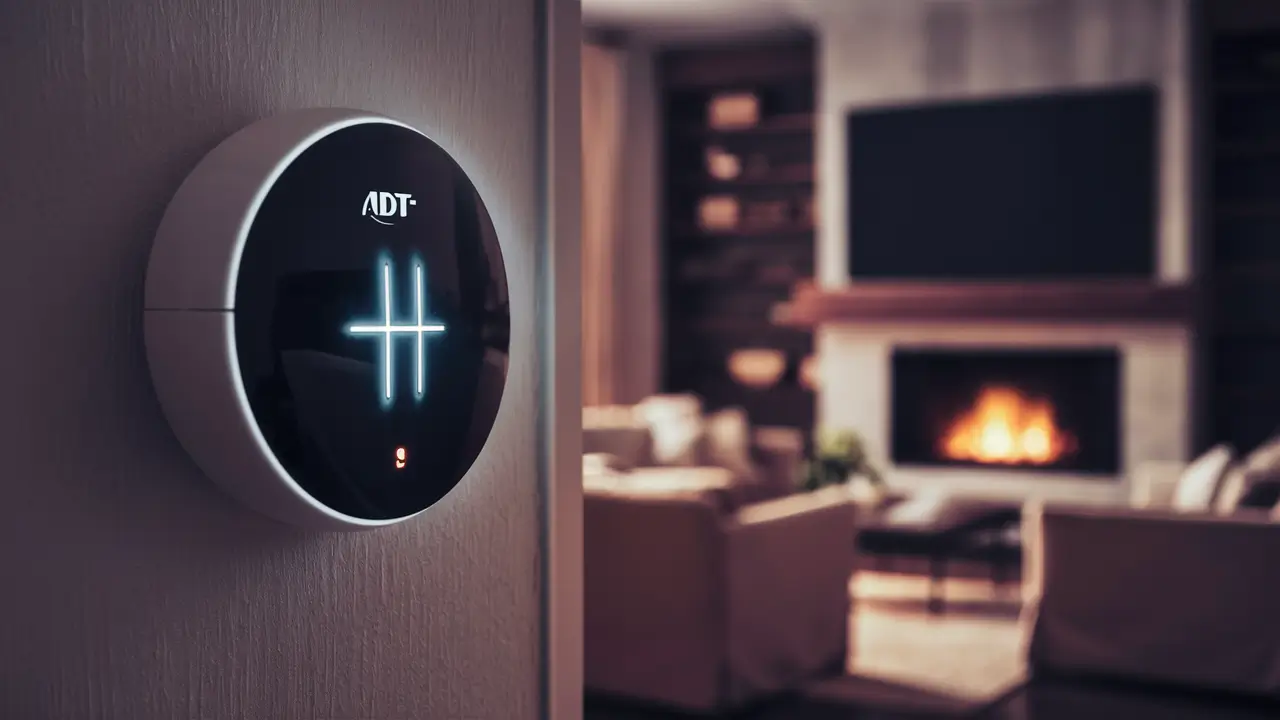
Discover the straightforward steps to silence your ADT alarm system's chime, whether you're looking for a temporary pause or a permanent deactivation. This guide provides clear, actionable instructions for 2025-26, ensuring you regain control over your home's auditory notifications without compromising security.
Understanding the ADT Chime Functionality
The chime feature on your ADT alarm system is a valuable tool designed to provide immediate auditory feedback whenever a specific action occurs. Typically, this action is the opening or closing of a door or window that is protected by a sensor. When the system is armed in "Stay" mode, the chime alerts you when an entry point is accessed, allowing you to confirm that everyone in the household is accounted for before leaving or to know if someone has entered while you are home. In "Away" mode, it can still provide a notification, though its primary purpose shifts to indicating the arming/disarming process or a sensor trigger.
The sound itself is usually a distinct, brief beep or series of beeps, easily distinguishable from an alarm siren. This subtle notification is intended to be informative without being overly disruptive. For instance, if you're home and the system is in "Stay" mode, and a child opens the front door, the chime will sound, letting you know without triggering a full alarm. This functionality is particularly useful for monitoring the comings and goings of family members, especially children or elderly individuals, and for ensuring that doors and windows are properly secured.
The customization of the chime feature can vary depending on the specific ADT control panel model you have. Older systems might offer fewer options, while newer, more advanced panels, especially those integrated with the ADT Control app, provide a greater degree of flexibility. This flexibility often extends to the volume of the chime, the specific sounds used for different events, and, crucially, the ability to enable or disable the chime altogether for specific sensors or for the entire system. Understanding these nuances is the first step toward effectively managing your ADT system's auditory alerts.
For many users, the chime is an essential part of their home security routine, offering peace of mind and an extra layer of awareness. However, there are legitimate reasons why someone might wish to temporarily or permanently disable this feature. The subsequent sections will delve into these reasons and the practical methods for achieving this. As of 2025-26, ADT continues to refine its systems, with a growing emphasis on user-friendly control through digital platforms, making the process of managing features like the chime more accessible than ever before.
Reasons to Turn Off Your ADT Chime
While the ADT chime serves a valuable purpose, there are several common scenarios where disabling it becomes a practical necessity or a matter of personal preference. Understanding these reasons can help you determine if turning off the chime is the right decision for your household.
One of the most frequent reasons is **reducing noise pollution**. If you have a busy household with frequent comings and goings, or if you have pets that might accidentally trigger a door or window sensor, the constant chiming can become disruptive. For example, a dog nudging a door open or a strong gust of wind rattling a window could set off the chime repeatedly, leading to annoyance. In such cases, disabling the chime can create a more peaceful living environment.
Another common reason is **avoiding disturbance during specific times**. Many users wish to disable the chime during sleeping hours or when entertaining guests. If you have a baby who is easily woken by sounds or if you're hosting a quiet gathering, the chime can be an unwelcome interruption. Temporarily disabling it ensures that these important moments are not disturbed.
For some, the chime might be perceived as **redundant**. If you have other means of monitoring your home's entry points, such as smart door sensors that send notifications directly to your phone, the audible chime on the panel might be unnecessary. In this situation, disabling the chime can declutter your auditory experience without sacrificing awareness.
Furthermore, **system maintenance or testing** can be a temporary reason to disable the chime. When performing checks on sensors or making adjustments to your system, you might want to temporarily silence the chime to avoid false notifications or to focus on the task at hand.
Finally, **personal preference** plays a significant role. Some individuals simply prefer a quieter home environment and find the chime feature to be an unnecessary distraction. They may prioritize visual notifications or a silent system, opting to turn off the chime for a more streamlined experience. As of 2025-26, with the increasing integration of smart home technology, users have more control than ever over their system's notifications, making it easier to tailor the experience to their exact needs.
Methods to Turn Off the ADT Chime
ADT offers several ways to manage the chime feature on your alarm system, catering to different user preferences and technical comfort levels. The method you choose will depend on your specific ADT system model and whether you prefer to make adjustments yourself or seek assistance.
Method 1: Adjusting Settings Directly on the ADT Control Panel
This is often the most direct method, allowing you to make changes on the physical control panel of your ADT system. The exact steps can vary significantly based on the model of your ADT panel (e.g., ADT Command, Safewatch Pro, Vista series). However, the general process involves navigating through the system's menu.
General Steps (may vary by panel):
- Access the Menu: Look for a "Menu," "Settings," or "System" button on your control panel. You may need to enter a user code (your primary user code or a master code) to access these settings.
- Navigate to Sensor Settings or Zone Settings: Within the menu, you'll typically find an option related to "Zones," "Sensors," or "Device Settings." This is where individual sensors and their behaviors are configured.
- Select the Specific Sensor: You will likely see a list of all the sensors connected to your system, often identified by their zone number or a descriptive name (e.g., "Front Door," "Living Room Window"). Select the sensor for which you want to disable the chime.
- Find the Chime Option: Once you've selected a sensor, look for an option labeled "Chime," "Chime Enable/Disable," or "Door Chime."
- Disable the Chime: You should see an option to turn the chime "Off," "Disabled," or "None" for that specific sensor. Select this option. Some systems might allow you to disable the chime for all sensors simultaneously, while others require individual adjustments.
- Save Changes: After making your selection, be sure to save the changes. This is often done by pressing an "End," "Save," or "Done" button, or by exiting the menu.
Example Scenario: On an ADT Command panel, you might navigate to "Security" > "Tools" > "Installer Tools" (requires installer code, or user code for limited options) > "Sensors" > Select Sensor > "Chime" > "Off." For user-level access, you might find options under "User Settings" that allow disabling chime for specific zones if permitted by the installer.
Important Note: Access to certain advanced settings, including the ability to disable the chime for all sensors or modify system-wide configurations, may require an installer code. If you do not have this code, you will likely need to contact ADT or a certified technician. Attempting to access installer menus without the correct code can sometimes lock you out of the system or lead to unintended consequences.
Method 2: Utilizing the ADT Control App
For users with newer ADT systems that are integrated with the ADT Control mobile app, managing the chime feature can be incredibly convenient and user-friendly. This method allows for remote adjustments and often provides a more intuitive interface.
General Steps:
- Download and Log In: Ensure you have the ADT Control app installed on your smartphone or tablet and that your system is linked to your account. Log in using your ADT credentials.
- Navigate to System Settings: Once logged in, look for a "Settings" or "System Settings" option. This is usually found in the main menu or by tapping on your system's name.
- Find Sensor or Zone Configuration: Within the settings menu, locate the section dedicated to managing your sensors or zones. This might be labeled "Sensors," "Zones," "Devices," or similar.
- Select the Sensor: Browse through the list of your connected sensors and tap on the one you wish to modify.
- Adjust Chime Settings: You should find an option to control the chime for that specific sensor. This might be a toggle switch (On/Off) or a dropdown menu where you can select "Chime," "No Chime," or "Off."
- Save Changes: After making your desired adjustments, ensure you save the changes. The app typically prompts you to do this automatically, or there might be a "Save" or "Update" button.
Example Scenario: In the ADT Control app, you might go to "Menu" > "Devices" > "Sensors" > Select "Front Door Sensor" > Tap the gear icon for settings > Toggle "Chime" to the Off position.
Benefits of the App: The ADT Control app allows you to disable or enable the chime for individual sensors remotely. This is incredibly useful if you're away from home and want to temporarily silence a sensor that's causing nuisance chimes, or if you want to make quick adjustments without needing to be at the control panel. As of 2025-26, the ADT Control app is a cornerstone of ADT's smart home integration, offering robust control over various system features.
Method 3: Contacting ADT Customer Support
If you're uncomfortable making adjustments yourself, don't have access to the necessary codes, or are unsure about your system's specific configuration, contacting ADT customer support is a reliable option.
How to Proceed:
- Find Your Account Information: Have your ADT account number and your primary user code ready. This will help the representative verify your identity and access your system's details.
- Call ADT Customer Service: You can find the customer service number on your ADT bill or by visiting the official ADT website.
- Explain Your Request: Clearly state that you wish to disable the chime feature for specific sensors or for your entire system. Be prepared to provide details about which sensors you want to affect and why.
- Follow Representative's Instructions: The ADT representative will guide you through the process. They may be able to make the changes remotely for you, or they might instruct you on how to do it yourself via the panel or app. In some cases, they may need to schedule a technician visit if the changes are complex or require on-site access.
When to Use This Method: This is the recommended approach if:
- You have an older ADT system model that lacks app integration.
- You don't have the installer code and need advanced system-wide changes.
- You are unsure about navigating your system's menus.
- You want to ensure the changes are made correctly and securely.
ADT's customer service is equipped to handle a wide range of requests, and they can often resolve issues efficiently over the phone. For 2025-26, ADT continues to invest in its customer support infrastructure to provide timely assistance.
Troubleshooting Common ADT Chime Issues
While disabling the chime is usually straightforward, you might encounter a few common issues. Here's how to address them:
Issue 1: Chime Still Sounds After Disabling
- Check for Multiple Sensors: Ensure you have disabled the chime for all relevant sensors. Sometimes, a door might have two sensors (e.g., one on the door, one on the frame), or you might have overlooked a specific window.
- Verify System Arming Mode: The chime behavior can sometimes differ between "Stay" and "Away" modes. Double-check your system's programming for both modes.
- App Sync Issues: If you used the ADT Control app, try refreshing the app or logging out and back in. Sometimes, there's a slight delay in the system reflecting the app's changes.
- Panel Reset: As a last resort for panel settings, a system reboot might be necessary. Consult your panel's manual or ADT support before attempting this.
Issue 2: Cannot Access Chime Settings on Panel
- User Code Restrictions: Your user code might not have the necessary permissions to change chime settings. You may need to use a master user code or the installer code.
- System Programming: In some ADT systems, chime settings are locked by the installer to prevent accidental changes. You will need to contact ADT support or a technician to make these adjustments.
- Panel Malfunction: While rare, the control panel itself could have a glitch. If you suspect this, contact ADT for diagnosis.
Issue 3: Chime is Too Loud/Quiet
- Volume Adjustment: Some ADT panels allow you to adjust the chime volume independently of the alarm siren. Look for a "Volume" setting within the system's audio or sound preferences.
- App Control: If using the ADT Control app, check if there's a volume slider or setting available for the chime.
- Contact ADT: If volume control isn't accessible through the panel or app, ADT support can advise if this is a configurable option for your specific system.
Issue 4: Chime Activates Randomly
- Sensor Issues: A faulty sensor or a misaligned sensor can cause the chime to activate without the door or window actually being opened. Check if the sensor is properly seated and if the magnet alignment is correct.
- Environmental Factors: Strong vibrations, drafts, or extreme temperature changes can sometimes affect sensor performance, leading to false triggers.
- Professional Inspection: If random chimes persist, it's best to have a technician inspect your sensors and system for potential faults.
By systematically addressing these common issues, you can ensure your ADT chime is functioning as intended, or that it's successfully disabled when desired.
Alternatives to Completely Disabling the Chime
Completely disabling the chime isn't always the best solution. ADT offers several alternative ways to manage notifications that might better suit your needs, providing alerts without the constant auditory feedback.
1. Schedule-Based Chime:
Some advanced ADT systems, particularly those integrated with the ADT Control app, allow you to set schedules for when the chime is active. For example, you could program the chime to be active only during specific hours of the day (e.g., when children are home from school) and automatically disable it during sleeping hours or when you're away. This offers a balance between awareness and peace.
2. Sensor-Specific Chime Control:
Instead of disabling the chime for all sensors, you can often choose to disable it only for specific doors or windows. For instance, you might want to keep the chime active for the front door but disable it for less frequently used back windows. This allows for targeted notification management.
3. Silent Arming/Disarming:
Many ADT systems allow you to arm or disarm the system silently. This means the system will acknowledge the command without emitting audible beeps from the panel. This is useful for not disturbing others when entering or leaving the house. This setting is usually found within the panel's system settings or via the ADT Control app.
4. Visual Notifications:
If you are using the ADT Control app, you can rely on push notifications sent directly to your smartphone. These notifications can alert you to sensor activity without any audible sound from the alarm panel. You can customize which events trigger these notifications, providing a silent but effective way to stay informed. This is a key feature for modern smart homes in 2025-26.
5. Adjusting Chime Volume:
As mentioned in troubleshooting, if the chime is simply too loud, you might be able to adjust its volume. Lowering the chime volume can make it less intrusive while still providing an audible alert when needed.
These alternatives offer greater flexibility, allowing you to tailor your ADT system's notifications to your lifestyle without compromising your security awareness.
ADT Chime vs. Other Smart Home Notification Systems
In the evolving landscape of smart home technology, ADT's chime feature exists alongside a multitude of other notification systems. Understanding these differences can help you appreciate the ADT chime's role and its place in a comprehensive smart home setup.
ADT Chime:
- Purpose: Primarily an audible alert for door/window sensor activity, providing immediate feedback.
- Nature: Localized, audible notification directly from the alarm panel.
- Integration: Tied to the security system's core functionality.
- Control: Adjustable via panel settings, app, or ADT support.
- Customization: Varies by model, often limited to on/off per sensor or system-wide.
Smart Door/Window Sensors with App Notifications:
- Purpose: Sends push notifications to smartphones/tablets for any sensor activity.
- Nature: Remote, digital alerts that can be customized with sound and vibration.
- Integration: Can be standalone or part of a broader smart home ecosystem (e.g., Google Home, Amazon Alexa).
- Control: Managed through the manufacturer's app.
- Customization: Highly customizable – choose which sensors trigger notifications, notification sounds, and even create automated routines.
Smart Home Hubs (e.g., SmartThings, Hubitat):
- Purpose: Act as central controllers for various smart devices, enabling complex automation and notifications.
- Nature: Can trigger a wide range of alerts, including audible alarms, app notifications, email alerts, or even voice announcements through smart speakers.
- Integration: Connects disparate devices from different brands.
- Control: Managed through the hub's dedicated app.
- Customization: Extremely high level of customization for triggers, actions, and notifications.
Video Doorbells and Security Cameras:
- Purpose: Provide visual confirmation and alerts for activity at entry points or around the property.
- Nature: Primarily visual, often with accompanying motion detection alerts sent to a mobile app. Some may have audible alerts for doorbell presses.
- Integration: Can often integrate with other smart home platforms.
- Control: Managed through the device's app.
- Customization: Motion detection zones, sensitivity, and notification types are usually adjustable.
Comparison Table (2025-26 Overview):
| Feature | ADT Chime | Smart App Notifications | Smart Hub Automation |
|---|---|---|---|
| Primary Alert Type | Audible (Panel) | Digital (Mobile App Push) | Multiple (App, Audible, Email, etc.) |
| Scope | Local to Panel | Remote (Requires Internet) | Remote & Local (Depends on Setup) |
| Customization | Moderate | High | Very High |
| Dependency | ADT System | Device Manufacturer App / Internet | Hub & Connected Devices |
The ADT chime is a foundational element of its security system, offering immediate, local feedback. Smart app notifications and hub automation provide more advanced, remote, and customizable alert options, often complementing the core security system rather than replacing it entirely. For users seeking comprehensive control, integrating these systems is key.
Security Implications of Disabling the Chime
While disabling the ADT chime offers convenience, it's crucial to understand the potential security implications. The chime is more than just an annoyance; it serves a specific purpose in alerting you to activity.
Reduced Situational Awareness: The primary function of the chime is to provide an immediate auditory cue when a protected door or window is opened. If this chime is disabled, you lose that instant awareness. You might not know if a door has been opened while you are in another part of the house, or if a child has opened a window without permission. This reduced awareness could delay your response to a potential security breach or an unauthorized entry.
Missed Entry/Exit Events: In "Stay" mode, the chime is designed to alert you when someone opens an entry door. This is vital for knowing when family members arrive or depart. Without it, you might be unaware that someone has entered or left your home, which could be critical information in certain situations.
False Alarm Reduction vs. Security: While disabling the chime can reduce nuisance alerts from pets or accidental triggers, it's important to strike a balance. If the chime is overly sensitive and causing frequent false alerts, it might be better to adjust sensor sensitivity or re-align sensors rather than disabling the chime altogether. A system that is too sensitive can be as problematic as one that provides no feedback.
Reliance on Other Notifications: If you disable the chime, you must ensure you have reliable alternative notification methods in place. This typically means relying heavily on push notifications from the ADT Control app or other smart home devices. If your internet connection is down, or if your phone is not with you or is on silent, you could miss critical alerts. The chime provides a layer of security that is independent of your internet connection or mobile device.
Impact on Home Occupancy Detection: For some security strategies, the chime's feedback is part of a routine. For example, a parent might listen for the chime to know their child has arrived home from school. Disabling it removes this simple, reliable indicator.
Recommendation for 2025-26:
Given these considerations, it's generally recommended to **avoid disabling the chime permanently for all sensors**. Instead, explore the alternative methods discussed earlier:
- Disable only for specific, less critical sensors.
- Utilize scheduling features to disable it during specific times (e.g., overnight).
- Ensure you have robust app-based notifications set up as a backup.
- If the chime is too frequent, troubleshoot the underlying cause (e.g., sensor alignment, pet activity) rather than disabling the feature.
The ADT chime is a valuable component of your security system. While convenience is important, it should not come at the expense of your home's overall security.
The Future of ADT Notifications and Chimes
The world of home security and smart home technology is constantly evolving, and ADT is at the forefront of integrating new advancements. The future of ADT notifications, including the chime feature, is likely to be characterized by greater intelligence, personalization, and seamless integration.
Enhanced AI and Machine Learning: Expect ADT systems to become smarter in how they interpret events. AI could differentiate between a pet nudging a door and a human attempting to force entry, potentially adjusting chime behavior or notification types based on learned patterns. This could lead to fewer false alerts and more relevant notifications.
Deeper Smart Home Integration: As smart homes become more prevalent, ADT will likely offer even tighter integration with platforms like Google Home, Amazon Alexa, and Apple HomeKit. This could mean more sophisticated voice control over notifications, or the ability to trigger complex routines based on security events. For example, an ADT sensor trigger could automatically turn on lights, lock other doors, and send a notification to your phone simultaneously.
Personalized Notification Profiles: The ability to customize notifications will become even more granular. Users might be able to create multiple profiles for different scenarios (e.g., "Family Home," "Vacation Mode," "Guest Mode"), each with its own specific chime and notification settings for various sensors. This level of personalization will cater to diverse household needs.
Advanced Sensor Technology: Future ADT systems may incorporate more advanced sensors that can detect not just opening and closing, but also motion, vibration, and even environmental changes (like temperature or smoke) with greater accuracy. This richer data will enable more context-aware notifications and chimes.
Biometric Integration: While still a developing area for mass-market security, future ADT systems could potentially integrate with biometric authentication methods (fingerprint scanners, facial recognition) for disarming. This could lead to more seamless and secure access control, potentially influencing how chime and notification behaviors are managed during entry and exit.
Focus on User Experience: ADT will continue to prioritize user experience, making it easier to manage all aspects of the security system, including notifications, through intuitive mobile apps and simplified control panels. The goal will be to provide robust security without overwhelming the user with unnecessary alerts.
In essence, the ADT chime, while a traditional feature, will likely evolve. It may become a more intelligent, context-aware component of a broader, highly personalized notification ecosystem. The trend is towards smarter, more integrated systems that offer users precise control over their home's security and alerts, ensuring peace of mind in an increasingly connected world.
Conclusion
Mastering the ADT chime feature is essential for optimizing your home security experience. Whether you're seeking to eliminate unnecessary noise, tailor alerts to specific times, or ensure you're aware of every entry, understanding how to turn off or manage your ADT chime is a key aspect of system control. We've explored the various methods, from direct panel adjustments and the intuitive ADT Control app to seeking assistance from ADT customer support.
Remember that while disabling the chime offers convenience, it's crucial to consider the security implications. Prioritize maintaining situational awareness by utilizing alternative notification methods like app-based alerts or by selectively disabling the chime only for non-critical sensors or during specific times. The future of ADT notifications points towards even greater personalization and intelligence, offering more sophisticated ways to manage your home's security alerts. By applying the knowledge from this guide, you can ensure your ADT system provides the right level of notification for your needs, enhancing both your comfort and your security.





