Encountering a home alarm system that won't disarm can be a stressful experience. This guide provides clear, step-by-step instructions on how to turn off your alarm system at home, covering common scenarios and troubleshooting tips for immediate relief and peace of mind.
Understanding Your Home Alarm System
Before we delve into the 'how-to' of disarming, it's crucial to understand the basic components and operational principles of most home alarm systems. Modern systems, whether professionally installed or DIY, typically consist of a central control panel, various sensors (door/window contacts, motion detectors, glass break sensors), and a siren or audible alarm. The control panel is the brain of the system, receiving signals from sensors and communicating with the monitoring station (if applicable).
The Role of the Control Panel
The control panel is where you'll interact most frequently with your alarm system. It usually features a keypad for entering your security code, a display screen, and sometimes status indicator lights. Understanding its location and basic functions is the first step to effectively managing your system. Many systems have a "stay" mode (for when you're home) and an "away" mode (for when you leave). Knowing which mode your system is in can help diagnose why it might be triggering unexpectedly.
Security Codes and User Management
Every alarm system user is assigned a unique security code. This code is essential for arming and disarming the system. Master codes have full control, while user codes may have limited permissions. In 2025, the average household has at least two primary users and often a few secondary users (like trusted neighbors or family members) with specific codes. Keeping these codes secure and knowing who has access is paramount. If you've forgotten your code, or suspect it's been compromised, this is a critical point to address.
Monitoring Services and Their Impact
Many home alarm systems are connected to professional monitoring services. When an alarm is triggered, the system sends a signal to the monitoring center. Operators then attempt to verify the alarm (often by calling a pre-determined contact list) before dispatching emergency services. Understanding whether your system is monitored and how the verification process works can help you react appropriately when the alarm sounds, and also understand why it might not be shutting off immediately if it's in a verification cycle.
Types of Alarm Systems
The method for disarming can vary slightly depending on the type of system. We generally see three main categories:
- Wired Systems: These are older but still common. They rely on physical wires connecting sensors to the control panel. Disarming is typically done via a hardwired keypad.
- Wireless Systems: These are more modern and easier to install. Sensors communicate wirelessly with the control panel. Disarming is usually via a keypad, a key fob, or a smartphone app.
- Smart Home Integrated Systems: These systems often integrate with broader smart home ecosystems (like Google Home or Amazon Alexa) and can be controlled via apps, voice commands, or traditional keypads.
In 2025, the trend strongly favors wireless and integrated smart home systems, offering greater convenience but also introducing new potential points of failure or complexity when disarming.
Common Methods to Disarm Your Alarm
The most straightforward way to turn off your alarm system is by using the correct disarming procedure. This usually involves entering your unique security code. However, the exact steps can differ slightly based on your system's manufacturer and model.
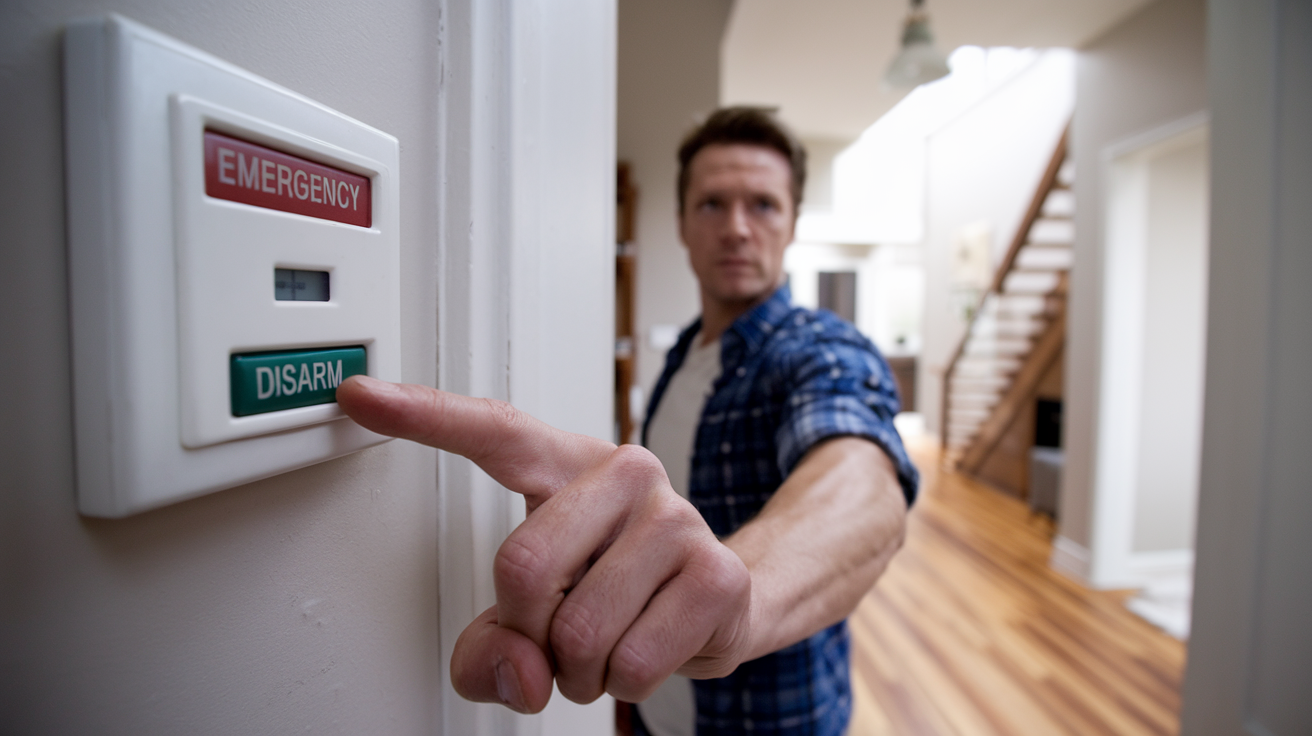
Using the Keypad
This is the most traditional and widely used method. The process typically involves:
- Approach the control panel: Locate the main keypad, usually near an entry door.
- Enter your security code: Type in your 4-to-6-digit user code.
- Press the "Disarm" or "Off" button: Some systems require you to press a specific button after entering the code. Others automatically disarm upon correct code entry.
- Listen for confirmation: A beep or a verbal confirmation from the system usually indicates it has been successfully disarmed. The status light on the keypad should change from red (armed) to green or off (disarmed).
Example: For a common systVivinte ADT or Vivint, you might press "Disarm" then enter your code, or simply enter your code and the system disarms. If you enter the wrong code multiple times, the system may lock you out for a period or trigger a silent alarm.
Using a Key Fob
Key fobs offer a convenient, wireless way to disarm your system, especially when approaching your home. They typically have dedicated "disarm" buttons.
- Locate the disarm button on your fob: This is usually a distinct icon.
- Press the button: Aim the fob towards the control panel or a nearby receiver.
- Check system status: The keypad lights or audible beeps will confirm deactivation.
Statistic: In 2025, approximately 65% of new alarm system installations include key fob functionality for ease of use.
Using a Smartphone App
For smart home integrated systems, smartphone apps are becoming the primary method for control, including disarming.
- Open your alarm system's app: Ensure your phone is connected to the internet.
- Log in to your account: Use your registered credentials.
- Locate the "Disarm" or "Home" option: This is usually prominent on the main dashboard.
- Confirm the action: The app will typically ask for a confirmation, possibly requiring a PIN or biometric authentication (fingerprint/face ID).
- Verify system status: The app will show the system as disarmed, and you should hear confirmation from the physical panel if you are nearby.
Example: For systems like SimpliSafe or Ring Alarm, the app provides real-time status updates and remote control capabilities, making it easy to disarm from anywhere.
Using Voice Commands (Smart Home Integration)
If your system is integrated with a smart assistant like Amazon Alexa or Google Assistant, you might be able to disarm it with your voice.
- Activate your voice assistant: Say "Hey Google" or "Alexa."
- Issue the command: Say "Disarm my alarm system" or "Turn off the alarm."
- Provide your voice PIN: For security, most systems will require a spoken PIN code.
Important Note: For security reasons, many systems require you to set up a specific voice PIN that is different from your keypad code. This prevents unauthorized voice commands from disarming your system.
Using a Landline or Cellular Backup
In some rare cases, if your primary method fails, you might be able to disarm via a phone call to a designated number, especially if you have a landline-based system or a cellular backup that allows remote interaction. This is less common for direct disarming and more for system status checks or emergency contacts.
Troubleshooting Persistent Alarms
What happens when the usual methods don't work, or the alarm keeps triggering? This section addresses common issues and how to resolve them when your alarm system refuses to be silenced.
False Alarms and How to Stop Them
False alarms are common and can be caused by various factors. If your alarm triggers unexpectedly:
- Attempt to disarm immediately: Use your primary method (keypad, fob, app).
- Identify the source (if possible): Check sensor status on your app or keypad. A blinking sensor light or app notification might indicate which sensor triggered the alarm (e.g., a door left ajar, a motion detector sensing movement).
- Secure the area: If it's a motion sensor, ensure no pets or objects are triggering it. If it's a door/window sensor, ensure it's properly closed and sealed.
- Silence the siren: Most systems allow you to silence the siren temporarily by entering your code, even if the system remains in an alarm state. This provides a brief respite while you troubleshoot.
Example: A common cause of false alarms in 2025 is the increased use of smart home devices that can interfere with wireless signals, or pets triggering motion sensors. Many systems now have pet-immune motion detectors.
Power Issues
Alarm systems rely on a stable power supply. If the power goes out or fluctuates, it can cause the system to malfunction.
- Check the main panel: Look for any error messages or indicator lights on the control panel.
- Verify power connection: Ensure the transformer is plugged in and the circuit breaker for the alarm system hasn't tripped.
- Battery backup: Most systems have a backup battery. If this battery is depleted or faulty, the system may behave erratically or fail to disarm. You might see a "low battery" or "system fault" message. Replacing the backup battery is often a straightforward DIY task for many systems.
Statistic: In 2025, power outages are still a significant cause of alarm system disruptions, with approximately 30% of service calls related to power or battery issues.
Sensor Malfunctions
A faulty sensor can continuously send false triggers to the control panel, preventing disarming.
- Check sensor status: Use your system's app or keypad to identify any sensors reporting an issue.
- Inspect the sensor: Look for visible damage, ensure it's properly mounted, and check for obstructions. For door/window sensors, ensure they are aligned correctly.
- Clean sensors: Dust or debris can sometimes interfere with sensor operation.
- Reset the sensor: Some wireless sensors can be reset by removing and reinserting their batteries or by following a specific reset procedure outlined in your manual.
Communication Errors
If your system is monitored, communication errors can lead to persistent alarms or an inability to disarm remotely.
- Check network connection: For systems using Wi-Fi or cellular communication, ensure the network is active and stable.
- Contact your provider: If you suspect a communication issue with the monitoring service, it's best to contact them directly. They can often diagnose and resolve the problem remotely.
System Lockout
Entering an incorrect security code too many times will usually trigger a lockout to prevent unauthorized access. The system may go into a permanent alarm state or simply refuse all input.
- Wait for the lockout period to expire: Most systems have a timed lockout (e.g., 5-15 minutes).
- Contact your provider: If the lockout persists or you can't reset it after the waiting period, you'll need to contact your alarm company for assistance. They can often remotely reset the system or provide a temporary override code.
Software Glitches
Like any electronic device, alarm systems can experience software glitches. A simple reboot can sometimes resolve these issues.
- Power cycle the system: This involves carefully disconnecting the power supply to the main control panel, removing the backup battery, waiting for about 30 seconds, and then reconnecting the battery and power. Always refer to your system's manual for the correct procedure, as improper power cycling can cause permanent damage or data loss.
- Check for firmware updates: For smart systems, ensure the firmware is up-to-date. Updates can fix bugs and improve performance.
Disarming During a System Fault
When your system displays a "fault" or "trouble" message, it indicates a problem that needs attention. While in a fault state, disarming might be challenging.
Steps to take:
- Note the fault code: Most systems display a specific code (e.g., "F1," "Trouble 1") that corresponds to the issue. Consult your manual or the provider's website to understand the code's meaning.
- Attempt standard disarm: Even with a fault, try your normal disarm procedure. Sometimes, the system will allow disarming while still indicating a fault.
- Silence the siren: If the alarm is sounding due to the fault, try to silence it using your code.
- Address the fault: Based on the fault code, take the appropriate troubleshooting steps outlined in this guide or your manual. For example, a "low battery" fault requires battery replacement. A "communication fault" might require checking your internet or phone line.
- Contact support: If you cannot identify or resolve the fault, contact your alarm system provider. They have the tools and expertise to diagnose and fix complex system faults.
Emergency Disarming Procedures
In a true emergency where the system is malfunctioning and you need to disarm it quickly, some systems have emergency override procedures. These are usually documented in the system's manual and may involve a specific sequence of button presses or a temporary code provided by the manufacturer.
Important considerations:
- Know your manual: Keep your alarm system's user manual in an accessible place. It's your primary resource for such situations.
- Emergency contact list: Ensure your emergency contact list with your monitoring company is up-to-date.
- Inform authorities: If you believe the system is malfunctioning and causing a nuisance or security risk, and you cannot disarm it, consider informing your local non-emergency police line to avoid unnecessary dispatch of emergency services.
When to Call a Professional
While many alarm system issues can be resolved with basic troubleshooting, there are times when professional intervention is necessary. Knowing when to escalate is key to resolving the problem efficiently and safely.
Persistent and Unresolvable Issues
If you've followed all the troubleshooting steps and your alarm system continues to malfunction, trigger false alarms, or refuse to disarm, it's time to call a professional. This could indicate a deeper hardware problem with the control panel, sensors, or wiring.
System Tampering or Damage
If you suspect your alarm system has been tampered with or physically damaged, do not attempt to fix it yourself. This could be a sign of a security breach, and a professional installer or security technician can assess the damage, ensure the system is secure, and make necessary repairs.
Complex System Failures
Some system failures are complex and require specialized diagnostic tools. This might include issues with the central processing unit, communication modules, or integrated smart home components that are beyond the scope of typical user maintenance.
After Power Surges or Electrical Storms
Significant electrical events, like lightning strikes or major power surges, can damage sensitive electronic components in your alarm system. If your system acts erratically after such an event, a professional inspection is recommended.
Upgrades and Replacements
If your system is outdated, no longer meets your security needs, or you're experiencing frequent issues, a professional can advise on and perform upgrades or replacements. This ensures you have a reliable and modern security solution.
DIY Installation Gone Wrong
For those who opted for DIY installation, if you encounter persistent problems that you can't resolve, it's a strong indicator that professional assistance is needed to correct any installation errors.
Choosing a Professional
When seeking professional help, consider the following:
- Your original installer: If your system was professionally installed, contact that company first. They are most familiar with your specific setup.
- Reputable security companies: If your original installer is unavailable, choose a well-established and reputable security company. Check reviews and ask for references.
- Certified technicians: Ensure the technicians are certified and experienced with your alarm system brand.
Statistic: In 2025, the average cost for a professional alarm system service call ranges from $100 to $300, depending on the complexity of the issue and location.
Preventative Measures and Best Practices
The best way to avoid the stress of a malfunctioning alarm system is through proactive maintenance and adherence to best practices. By taking a few simple steps, you can ensure your system remains reliable.
Regular System Testing
Most alarm system manufacturers recommend testing your system at least once a month. This helps identify potential issues before they become critical.
- Notify your monitoring company: Before testing, call your monitoring service and inform them you'll be testing your system. This prevents them from dispatching emergency services unnecessarily.
- Test each sensor: Arm your system in "test" mode (if available) or a specific test sequence. Open doors, windows, or walk in front of motion detectors to ensure each sensor is communicating correctly.
- Verify siren and communication: Ensure the siren sounds during testing (if applicable) and that your monitoring company receives the test signals.
- Report issues: If any sensor fails to trigger or the system doesn't respond as expected, contact your provider immediately.
Keep Your Security Codes Secure
Treat your security codes like passwords. Do not share them with unauthorized individuals. If a code is compromised, change it immediately.
Maintain Your Equipment
- Clean sensors: Regularly dust and clean all sensors, especially motion detectors and door/window contacts, to ensure optimal performance.
- Check batteries: For wireless systems, keep track of battery life. Most systems will alert you when batteries are low, but it's good practice to check them periodically, especially before seasonal changes. Replace batteries proactively.
- Inspect wiring (for wired systems): Periodically check visible wiring for any signs of damage or wear.
Update Contact Information
Ensure your monitoring company has your most current contact information, including phone numbers and emergency contacts. This is crucial for alarm verification.
Understand Your System's Limitations
Be aware of what your alarm system can and cannot do. For instance, motion detectors may not detect slow-moving objects, and some systems may have blind spots. Knowing these limitations helps in proper placement of sensors and understanding potential false alarm triggers.
Stay Informed About Updates
For smart home integrated systems, keep your system's firmware and mobile app updated. Manufacturers regularly release updates to improve security, fix bugs, and add new features.
Proper Arming and Disarming Habits
- Always arm your system: Make it a habit to arm your system when leaving and when sleeping.
- Disarm promptly: When returning home, disarm the system as soon as possible to avoid triggering an alarm.
- Use the correct mode: Utilize "stay" mode when you are home and "away" mode when you leave.
Pet Considerations
If you have pets, ensure your motion detectors are pet-immune or installed at a height that avoids triggering them. Consider using pet-specific sensors if necessary.
Statistic: In 2025, proactive maintenance and regular testing have been shown to reduce false alarms by up to 40% and extend the lifespan of alarm system components by an average of 3-5 years.
Conclusion
Successfully turning off your home alarm system hinges on understanding its components, using the correct disarming methods, and knowing how to troubleshoot common issues. Whether you're using a keypad, key fob, or a smartphone app, prompt and accurate input of your security code is usually the key. Persistent alarms, however, demand a systematic approach, checking for power issues, sensor malfunctions, or system lockouts. For complex problems or suspected tampering, never hesitate to call a professional installer or security technician. By implementing regular testing, maintaining your equipment, and staying informed, you can ensure your home security system functions reliably, providing peace of mind and safeguarding your home effectively. Prioritizing these preventative measures will save you from the stress and inconvenience of a malfunctioning alarm when you need it most.