
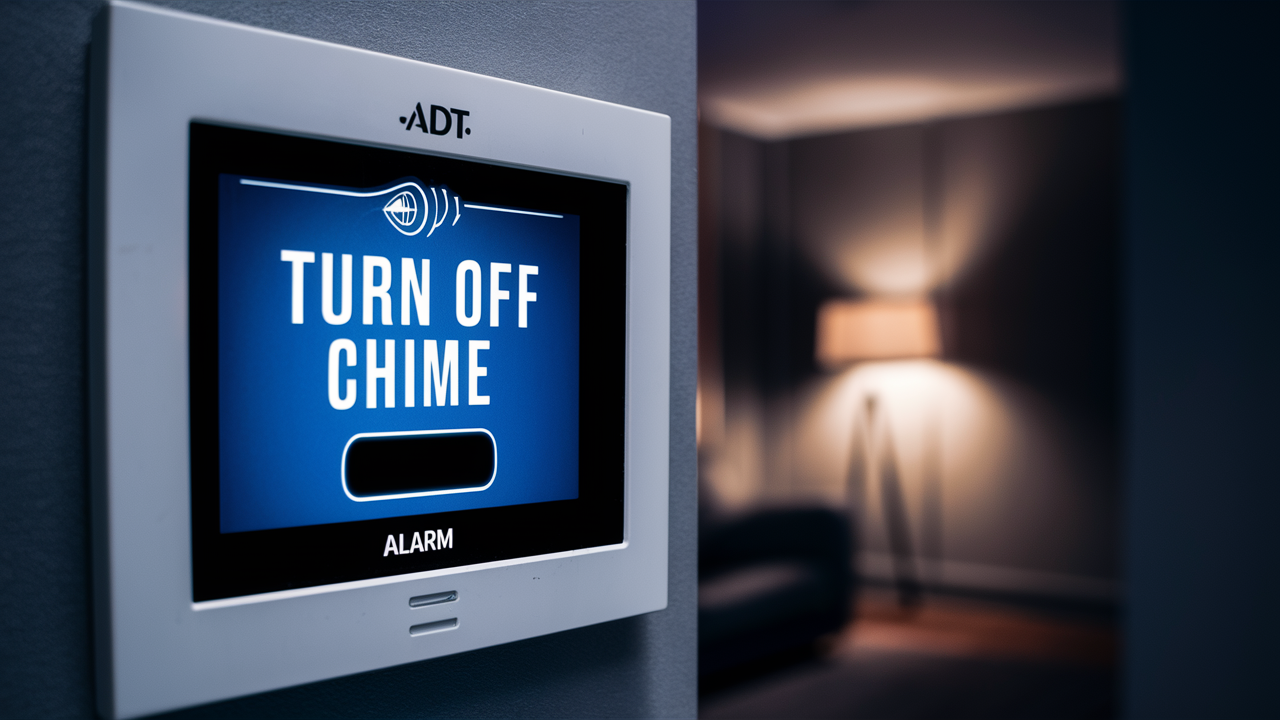
Discover the straightforward steps to silence your ADT alarm panel's chime, enhancing your home's tranquility without compromising security. This guide offers clear instructions for disabling or adjusting the audible alerts, ensuring you regain peace and quiet when needed.
Understanding the ADT Chime Feature
The ADT chime feature, often referred to as "door chime" or "entry/exit chime," is a standard function integrated into many ADT alarm systems. Its primary purpose is to provide an audible notification whenever a protected door or window is opened while the system is disarmed. This feature is particularly useful for homeowners and business owners who want to be aware of movement within their premises, even when the alarm is not actively armed for security. For instance, if you're home and the system is disarmed, the chime will sound when someone enters or exits through a designated door, alerting you to their presence. This can be helpful for monitoring children, pets, or simply keeping track of who is coming and going.
The chime is typically configured on a per-sensor basis. This means you can choose which specific sensors (doors and windows) will trigger the chime. This granular control allows for customization based on your needs and the layout of your property. For example, you might want the chime to activate when the front door is opened but not when a seldom-used basement window is accessed. The sound of the chime is usually a distinct, short beep or series of beeps, designed to be noticeable but not overly intrusive. The volume and type of chime can sometimes be adjusted, depending on the specific ADT control panel model and its programming. Understanding these basic functionalities is the first step in deciding whether and how to modify the chime settings.
ADT's systems are designed with user-friendliness in mind, and the chime feature is no exception. It's a subtle yet effective way to enhance situational awareness. In 2025, with the increasing integration of smart home technology, ADT continues to refine these features, offering more sophisticated control options through their mobile apps and advanced control panels. For example, some newer systems might allow you to schedule when the chime is active or even disable it remotely. The core principle, however, remains the same: providing an audible cue for specific events.
It's important to distinguish the chime feature from alarm notifications. The chime is an alert for *disarmed* system events, whereas an alarm notification is triggered when the system is *armed* and a sensor is breached, leading to a full alarm event and potential dispatch of authorities. Understanding this distinction is crucial for proper system management and for knowing when the chime is active and when it's not. The chime is a passive alert system, designed for informational purposes, not as a direct security deterrent in its active state.
The technology behind the chime involves simple electronic signals transmitted from the sensor to the control panel. When a magnetic contact on a door or window is broken (meaning the door or window is opened), it sends a signal. If the panel is programmed to chime for that specific sensor and is in a disarmed state, it will emit the audible chime. This process is instantaneous, providing immediate feedback. The sophistication of ADT's systems means this can be managed through the panel itself, or in more advanced setups, through a connected app, offering convenience and flexibility to the user. The goal is always to balance user convenience with robust security.
Why You Might Want to Turn Off the ADT Chime
While the ADT chime feature offers valuable awareness, there are several compelling reasons why a user might choose to disable or modify it. The most common motivation is a desire for increased peace and quiet, especially in residential settings. For families with young children or infants, the constant beeping every time a door or window is opened can be disruptive to sleep schedules or quiet time. Similarly, if you have pets that frequently go in and out through a specific door, the continuous chime can become an annoyance rather than a helpful alert.
Another significant reason is managing the chime during specific times or events. For example, during a party or gathering, the chime might sound every time a guest enters or leaves, which can be distracting and interrupt conversations. In a business environment, particularly during operating hours, the chime could be a constant source of noise that interferes with productivity or customer interactions. In such scenarios, temporarily disabling the chime or adjusting its settings can significantly improve the ambiance and focus.
Furthermore, some users may find that the chime is no longer necessary for their lifestyle. As children grow older and become more independent, or as household routines change, the need for constant monitoring of entry and exit points diminishes. In these cases, the chime might simply become redundant, adding unnecessary noise without providing a proportionate benefit. For individuals who are highly attuned to sound or easily startled, the chime can also be a source of minor stress or discomfort.
Consider the scenario of a busy household with multiple entry points. If the system is programmed to chime on every door and window, the sheer volume of chimes throughout the day can be overwhelming. This is especially true if the system isn't granularly configured. Users might opt to disable it entirely to avoid this sensory overload. The desire for a more serene home environment is a powerful driver for adjusting such features. In 2025, with a greater emphasis on home wellness and reducing environmental stressors, the ability to control ambient noise is more valued than ever.
Moreover, some users might prefer to rely on other forms of notification or monitoring. For instance, if you have a smart doorbell that provides video and audio alerts, or if you simply have a good understanding of who is coming and going, the ADT chime might feel like an outdated or superfluous alert. The goal is to have a security system that serves your specific needs without being a nuisance. The ability to customize the system, including features like the chime, is a key aspect of ensuring user satisfaction and long-term adoption of security technology. This personalization is a hallmark of modern security solutions.
Finally, in some cases, users might be experiencing technical issues with the chime, such as it sounding randomly or not at all. While this might require troubleshooting, a temporary solution could be to disable it until the underlying problem is resolved. This ensures that the system's primary security functions are not compromised by a malfunctioning secondary feature. The flexibility to manage these features is a testament to the evolving design of home security systems.
Preparing to Disable the ADT Chime
Before you embark on disabling the ADT chime feature, a few preparatory steps will ensure a smooth and successful process. The most crucial step is to identify your specific ADT control panel model. ADT offers a range of systems, and the method for accessing and modifying settings can vary significantly between them. Common ADT panels include the ADT Command, ADT Pulse, and older models like the Safewatch series. Knowing your panel's model number, often found on the back or inside the panel cover, is essential for finding the correct instructions or user manual.
Once you know your panel model, consult your user manual. Most ADT user manuals provide detailed instructions on how to navigate the system's menu and adjust various settings, including the chime function. If you no longer have a physical copy, ADT's official website or a quick online search for "[Your ADT Panel Model] user manual PDF" should yield results. The manual will guide you through the specific button presses or touch-screen interactions required to access the relevant settings.
It's also highly recommended to have your system's master code or user code readily available. Many system settings, including the chime, are considered user-configurable but may require a valid code for access to prevent unauthorized changes. This code is typically provided during the installation of your ADT system. If you've forgotten your master code, you may need to contact ADT customer support to reset it, which could involve a fee or a technician visit.
Consider the scope of your desired change. Do you want to disable the chime for all sensors, or only specific ones? Some systems allow for granular control, letting you turn off the chime for individual doors or windows. If you only want to silence the chime for a particular entry point, ensure you understand how to make that specific adjustment. This level of customization can be very useful for tailoring the system to your exact needs without losing the chime functionality on other sensors.
Before making any changes, it's a good practice to understand the potential security implications. While disabling the chime might offer convenience, it also removes an audible cue that can alert you to unexpected activity when the system is disarmed. For instance, if a child opens a door you didn't expect them to, you won't get the chime notification. Weigh the benefits of silence against the potential loss of this subtle awareness. We'll delve deeper into security implications later in this guide.
If you are unsure about any step or uncomfortable making the changes yourself, it's always best to contact ADT customer support. They can guide you through the process over the phone or schedule a technician to visit your home and make the adjustments for you. For 2025, ADT's customer service infrastructure is robust, with various support channels available, including online chat, phone support, and their mobile app. Ensuring you have the correct information and understanding the process beforehand will make the actual disabling of the chime a much more straightforward task.
Finally, after you've made the changes, it's crucial to test the system. Arm and disarm the system, and then open and close the doors and windows for which you intended to disable the chime. Verify that the chime no longer sounds. Also, test a sensor for which you *intended* to keep the chime active to ensure you haven't inadvertently disabled it. This testing phase is critical to confirm that the changes have been applied correctly and that the system is functioning as expected.
Disabling the Chime on Different ADT Panels
The process for disabling the ADT chime varies depending on the specific control panel model you have. ADT has evolved its technology over the years, offering different interfaces and programming methods. Here, we’ll cover some of the most common ADT panel types and how to manage their chime settings. Remember to always consult your specific user manual for the most accurate instructions.
ADT Command Panel
The ADT Command panel is a modern, touchscreen-based system. Disabling the chime on this panel is generally straightforward and can often be done through the user-friendly interface.
- Access the Menu: On the main touchscreen, tap the 'Menu' icon.
- Navigate to Settings: Look for an option like 'Settings,' 'System Settings,' or 'Tools.' You may need to enter your master code or user code to proceed.
- Find Chime Settings: Within the settings menu, search for 'Chime,' 'Door Chime,' or 'Entry/Exit Chime.'
- Adjust Sensor Settings: You will likely see a list of all sensors connected to your system. For each sensor (e.g., Front Door, Kitchen Window), there will be an option to enable or disable the chime. Tap the toggle or checkbox next to the sensors for which you want to disable the chime.
- Save Changes: Ensure you tap a 'Save,' 'Apply,' or 'Done' button to confirm your modifications.
Some ADT Command systems might also offer chime customization through the ADT mobile app, allowing you to make these adjustments remotely.
ADT Pulse System
The ADT Pulse system, also often featuring a touchscreen interface, offers similar accessibility for chime settings, with variations in menu navigation.
- Access the Panel Menu: From the main screen, tap the 'Menu' or 'More' option.
- Select System Settings: Navigate to 'System Settings' or a similar category. You'll likely need your user code.
- Locate Chime Options: Look for 'Chime Settings' or 'Door Chime.'
- Configure Individual Sensors: The system will display a list of sensors. You can typically select each sensor and toggle the chime function on or off. Some systems might offer a global "Chime Off" option, while others require individual sensor configuration.
- Confirm and Save: After making your selections, confirm the changes by tapping 'Save' or 'OK.'
Similar to the Command system, ADT Pulse users can often manage chime settings via the ADT Pulse mobile app, which provides a convenient way to control various aspects of their security system.
Older ADT Safewatch Panels (e.g., Vista Series)
Older panels, often using keypads with numbered buttons and a small LCD screen, require a different approach, typically involving installer or master codes and specific key sequences.
Method 1: Through User Menu (if available)
- Enter Programming Mode: Press the 'X' button (or similar function key) followed by your master code.
- Access System Settings: Look for a menu option related to 'System Settings' or 'User Settings.' This might involve pressing a specific number key.
- Find Chime Control: Navigate through the sub-menus to find 'Chime' or 'Door Chime.'
- Disable Chime: The system might offer an option to disable all chimes or select specific zones. Follow the on-screen prompts.
- Exit Programming: Press the '#' key or the 'Off' button to exit programming mode and save changes.
Method 2: Using Installer/Master Codes (More Common for Deeper Settings)
Note: Modifying settings using installer codes can be complex and may require specific knowledge of zone programming. If you are not comfortable, it's best to contact ADT.
- Enter Installer Programming: Typically, this involves pressing '[Installer Code] * 8' (e.g., 4112 * 8). The installer code is usually a default unless changed by the installer.
- Navigate to Zone Programming: Find the section for zone definition or zone properties. This might be section `01` or similar.
- Locate Chime Setting for Each Zone: For each zone (representing a sensor), there's usually a bit or flag that controls the chime. You'll need to identify which bit corresponds to the chime function and disable it for the desired zones. For example, in some Vista panels, zone type programming (Section 07) determines chime behavior. You would change the zone type to one that doesn't include chime.
- Save Changes: Exit programming mode by pressing '#' or 'Off.'
Important Note for Older Panels: If you cannot locate the chime setting in the user menu or are uncomfortable with installer programming, contact ADT. They can guide you or send a technician. For older systems, the chime might be tied to the zone type definition, meaning you'd change the "zone type" to one that doesn't include chime functionality. For example, a "Door/Window" zone type might have a chime option, while a different type might not. This requires a deeper understanding of the panel's programming.
ADT Control (App-Based Management)
For systems managed through the ADT Control app (often associated with newer ADT Command or Pulse systems), the process is typically very intuitive:
- Open the ADT Control App: Log in to your account.
- Navigate to Devices: Find the 'Devices' or 'Sensors' section.
- Select the Sensor: Tap on the specific door or window sensor you want to adjust.
- Find Chime Settings: Within the sensor's details, you should see an option for 'Chime' or 'Door Chime.'
- Toggle Off: Simply toggle the switch to the 'Off' position for the desired sensor.
- Save: The changes are usually saved automatically or with a 'Save' button.
This app-based control is a significant convenience offered by modern ADT systems, allowing users to manage their security settings from anywhere.
General Advice:
- Master Code is Key: Most user-accessible settings require your master code.
- Consult Your Manual: This is the most reliable source for your specific panel.
- When in Doubt, Call ADT: For safety and to avoid unintended consequences, professional assistance is always an option.
By identifying your panel and following the appropriate steps, you can effectively manage the chime feature to suit your preferences.
Troubleshooting Common Chime Issues
While disabling the chime is often a straightforward process, sometimes users encounter issues. Whether the chime isn't turning off as expected, or it's behaving erratically, here are some common troubleshooting steps for ADT alarm systems.
Chime Remains Active After Disabling
Possible Cause: Changes not saved correctly or system reboot needed.
Solution:
- Re-save Settings: Go back into the system's settings and ensure you have explicitly saved the changes. Sometimes, a confirmation step is missed.
- System Reboot: For some panels, a full system reboot might be necessary for the changes to take effect. This usually involves temporarily disconnecting power to the main panel and its backup battery, then reconnecting them in the correct order (battery first, then AC power). Consult your manual for the correct reboot procedure for your specific model.
- Incorrect Sensor Selected: Double-check that you have disabled the chime for the correct sensor. If you have multiple doors or windows, it's easy to select the wrong one.
Chime Sounds Randomly or When Not Expected
Possible Cause: Faulty sensor, loose wiring, or incorrect programming.
Solution:
- Check Sensor Status: On your ADT panel or app, check the status of individual sensors. Look for any sensors that are showing as "open" or "faulted" when they shouldn't be. This could indicate a faulty sensor or a loose connection.
- Inspect Sensors: Physically inspect the door/window sensors. Ensure they are properly aligned and that the magnet is securely attached. Sometimes, vibrations or shifting can cause misalignment.
- Clean Sensors: Dust or debris can sometimes interfere with the magnetic connection of the sensors. Gently clean them.
- Review Zone Programming: If you suspect a programming issue, especially on older panels, it might be necessary to review the zone type programming. An incorrectly assigned zone type could cause unexpected chime behavior. This is often best handled by an ADT technician.
- Contact ADT: If the issue persists, it's likely a hardware problem with a sensor or the control panel itself. Contact ADT support for further diagnosis and potential repair or replacement.
Chime Not Working at All (When Intended)
Possible Cause: Chime feature disabled system-wide, or specific sensor chime disabled.
Solution:
- Verify System-Wide Setting: Ensure that the chime feature hasn't been accidentally disabled for all sensors on the panel or through the app.
- Check Individual Sensor Settings: Confirm that the chime is enabled for the specific sensors you want to hear.
- Volume Settings: While less common for chime, check if there are any volume controls for audible alerts on your panel that might be set too low or muted.
- Test Different Sensors: If only one sensor isn't chiming, the issue is likely with that specific sensor or its programming. If multiple sensors aren't chiming, it points to a system-wide setting or a more significant issue.
Difficulty Accessing Chime Settings
Possible Cause: Incorrect user code, panel lockout, or advanced programming required.
Solution:
- Verify Your Code: Ensure you are using the correct master code or user code. Codes are case-sensitive or numeric, depending on the system.
- Check for Lockouts: Some systems have lockout periods after multiple incorrect code entries. Wait the designated time or contact ADT.
- Consult User Manual: The manual is crucial for understanding the exact sequence of button presses or menu navigation for your panel.
- Contact ADT Support: If you cannot access the settings, ADT support can help you retrieve your code or guide you through the process. They can also determine if the chime settings are locked by installer programming.
Chime Sounds During Alarm Event
Possible Cause: Misunderstanding of chime vs. alarm sounds.
Solution: The chime is designed to sound *only* when the system is disarmed and a protected door or window is opened. During an armed alarm event, you will hear the siren and potentially different notification tones from the panel, not the chime. If you are hearing what you believe to be the chime during an armed event, it's likely a different audible alert. Understanding the distinction is key.
General Troubleshooting Tips:
- Keep Records: Note down any error messages or specific behaviors you observe.
- Power Cycle: A simple power cycle (unplugging AC, removing battery, waiting a minute, reconnecting battery then AC) can resolve many minor glitches.
- Document Changes: If you make changes, write them down so you know what was altered.
For persistent or complex issues, especially those involving programming or potential hardware faults, contacting ADT professional support is the most reliable way to get your chime settings working correctly and ensure your system's overall integrity.
Alternatives to Completely Disabling the Chime
Completely disabling the ADT chime might not always be the ideal solution. Fortunately, ADT systems often offer more nuanced options that allow you to enjoy peace and quiet while retaining some level of awareness or functionality. Exploring these alternatives can help you find a balance that perfectly suits your needs.
Selective Chime Disabling
As mentioned earlier, many ADT panels and apps allow you to disable the chime on a per-sensor basis. This is the most common and effective alternative.
- Example: You might want the chime to sound when the front door opens (to know when children arrive home from school) but not when the back door opens frequently for pets. By disabling the chime only for the back door sensor, you achieve both goals.
- Benefit: Retains awareness for critical entry points while eliminating nuisance chimes from less important ones.
Scheduling Chime Activity
Some advanced ADT systems, particularly those integrated with smart home platforms or newer control panels, may offer scheduling features. This allows you to define specific times when the chime is active.
- Example: You could schedule the chime to be active only during daytime hours (e.g., 8 AM to 6 PM) and automatically disable it overnight.
- Benefit: Provides quiet during sleeping hours while maintaining awareness during the day. This requires a system that supports scheduling, often managed via the app or advanced panel settings.
Adjusting Chime Volume
While not all ADT panels offer this feature, some allow you to adjust the volume of the chime sound. If the chime is simply too loud for your liking, reducing its volume can be a good compromise.
- Example: Lowering the chime volume from its maximum setting to a moderate level can make it less intrusive without eliminating the audible cue entirely.
- Benefit: Reduces annoyance while still providing a noticeable alert. Check your system's settings or manual for volume control options.
Using Different Chime Tones (if available)
Certain ADT systems might offer a selection of different chime sounds. Some sounds may be less jarring or noticeable than others.
- Example: If your system offers a choice between a loud beep and a softer tone, selecting the softer tone can make the chime more palatable.
- Benefit: Offers a subtle auditory cue without being overly disruptive. This feature is less common but worth checking in your system's settings.
Leveraging Other Smart Home Notifications
If you have other smart home devices, you might be able to use them as alternative notification methods, effectively replacing the chime's function.
- Example: Integrate your ADT system with a smart home hub (like Google Home or Amazon Alexa) and set up routines. When a specific door opens (and the ADT chime is off), you could receive a notification on your smartphone, have a smart speaker announce it, or trigger a smart light to flash.
- Benefit: Provides more versatile and customized notifications that can be tailored to your preferences and other smart devices. This often requires advanced setup and integration.
Temporary Chime Disabling
Instead of permanent disabling, consider temporarily turning off the chime when needed.
- Example: If you're hosting a party, disable the chime for the duration of the event and then re-enable it afterward. This is easily done via the app or panel if you have quick access.
- Benefit: Maintains system functionality for the long term while providing quiet when specifically required.
Using ADT's Professional Monitoring Features
Remember that the chime is an alert for *disarmed* events. For security when the system is *armed*, ADT's core monitoring service is your primary tool. If you are concerned about not hearing an entry, ensure your system is armed when you leave. The chime is supplementary awareness, not a replacement for active security.
By considering these alternatives, you can fine-tune your ADT system's chime feature to provide the right level of awareness and convenience without sacrificing the peace and quiet of your home or business. Always refer to your specific ADT panel's user manual or contact ADT support for guidance on the features available for your system.
Security Implications of Disabling the Chime
While disabling the ADT chime offers undeniable benefits in terms of convenience and reduced noise pollution, it's crucial to understand the potential security implications. The chime feature, though seemingly minor, plays a role in maintaining situational awareness, and its absence can subtly alter how you perceive activity around your property.
Reduced Awareness of Unintended Entry
The primary function of the chime is to alert you when a protected door or window is opened while the system is disarmed. This is particularly valuable in a home environment.
- Scenario: A child might open a door they shouldn't, or a pet might push open a door to get outside. Without the chime, you might not be immediately aware of this event.
- Implication: This can lead to situations where children or pets wander off unnoticed, or where an intruder could potentially gain access to your home without you being alerted, especially if you are distracted or in another part of the house. In 2025, with increasing concerns about child safety and home security, this awareness is more important than ever.
Masking of Suspicious Activity
In certain situations, the chime can act as an early warning system for suspicious activity. If you hear the chime unexpectedly, it might prompt you to investigate, potentially deterring a burglar or identifying a problem before it escalates.
- Scenario: If someone is attempting to gain unauthorized entry and opens a door or window, the chime will sound, alerting you to the attempt.
- Implication: Disabling the chime removes this early auditory cue. An intruder could potentially open a door and enter your home without you immediately knowing, giving them more time to operate undetected.
Reliance on Other Security Measures
When the chime is disabled, you become more reliant on other security measures and your own vigilance.
- Scenario: You might need to rely more heavily on visual checks, smart doorbell notifications, or simply being more attentive to sounds around your home.
- Implication: This requires a conscious effort to maintain awareness. If you are accustomed to the chime providing a subtle reminder, its absence might lead to complacency if not actively managed.
Impact on Household Members
If multiple people live in the home, and the chime is disabled, ensure everyone understands the change and the implications.
- Scenario: One family member might disable the chime for convenience, but another might still rely on it for awareness.
- Implication: A lack of clear communication about system changes can lead to misunderstandings and a false sense of security for some individuals in the household.
When Disabling Might Be Less Risky
There are situations where disabling the chime might carry less security risk:
- Businesses: In many commercial settings, the chime is disabled during business hours to avoid disruption. Security is typically managed through other means, such as surveillance and access control systems.
- Highly Secure Environments: In homes where all entry points are constantly monitored visually or through other advanced systems, the chime's role might be less critical.
- Specific Use Cases: If the chime is only disabled for a specific, low-traffic sensor (e.g., a seldom-used basement window) and the rest of the system is robust, the risk might be minimal.
Recommendations for Mitigating Risks
If you choose to disable the chime, consider these recommendations:
- Regular System Arming: Ensure you consistently arm your ADT system when leaving your home or business. The chime is for disarmed events; the alarm is for armed events.
- Utilize Other Notifications: If your ADT system offers app notifications for sensor activity (even without chime), ensure these are enabled and that you respond to them.
- Visual Checks: Make it a habit to visually check doors and windows periodically, especially if you have disabled the chime on key entry points.
- Educate Household Members: Ensure everyone in the household understands that the chime has been disabled and what that means for awareness.
- Consider Alternatives: As discussed in the previous section, explore alternatives like selective disabling or scheduling to find a compromise.
Ultimately, the decision to disable the ADT chime is a personal one, weighing convenience against potential security trade-offs. By understanding these implications, you can make an informed choice that best protects your home and family.
Conclusion: Managing Your ADT Chime Effectively
The ADT chime feature is a valuable tool for enhancing situational awareness within your home or business. However, its audible nature can sometimes lead to disruptions, prompting many users to seek ways to turn it off or modify its behavior. As we've explored, disabling the chime is achievable on most ADT panels, whether through intuitive touchscreen interfaces like the ADT Command and Pulse systems, or via more intricate keypad programming on older models. The key lies in identifying your specific panel and consulting its user manual or ADT's support resources.
Before making any changes, preparation is paramount. Knowing your panel model, having your master code ready, and understanding the potential security implications are vital steps. While the convenience of a silent home is appealing, it's essential to weigh this against the reduced awareness of unexpected entry or suspicious activity. We've detailed how to troubleshoot common issues, from chimes that won't disable to those that sound erratically, ensuring you can address any technical hiccups.
Furthermore, completely disabling the chime isn't always necessary. Alternatives such as selective sensor disabling, scheduling chime activity, or adjusting volume offer a more balanced approach. By leveraging these options, you can tailor your ADT system to provide the right level of auditory feedback for your specific lifestyle and security needs. Remember, the chime is an alert for disarmed states; robust security when armed relies on the core monitoring services ADT provides. Effectively managing your ADT chime means making informed decisions that align with your comfort, convenience, and security priorities. Always prioritize understanding your system and, when in doubt, seek professional guidance from ADT.





