How To Turn Off Home Alarm Without Code?
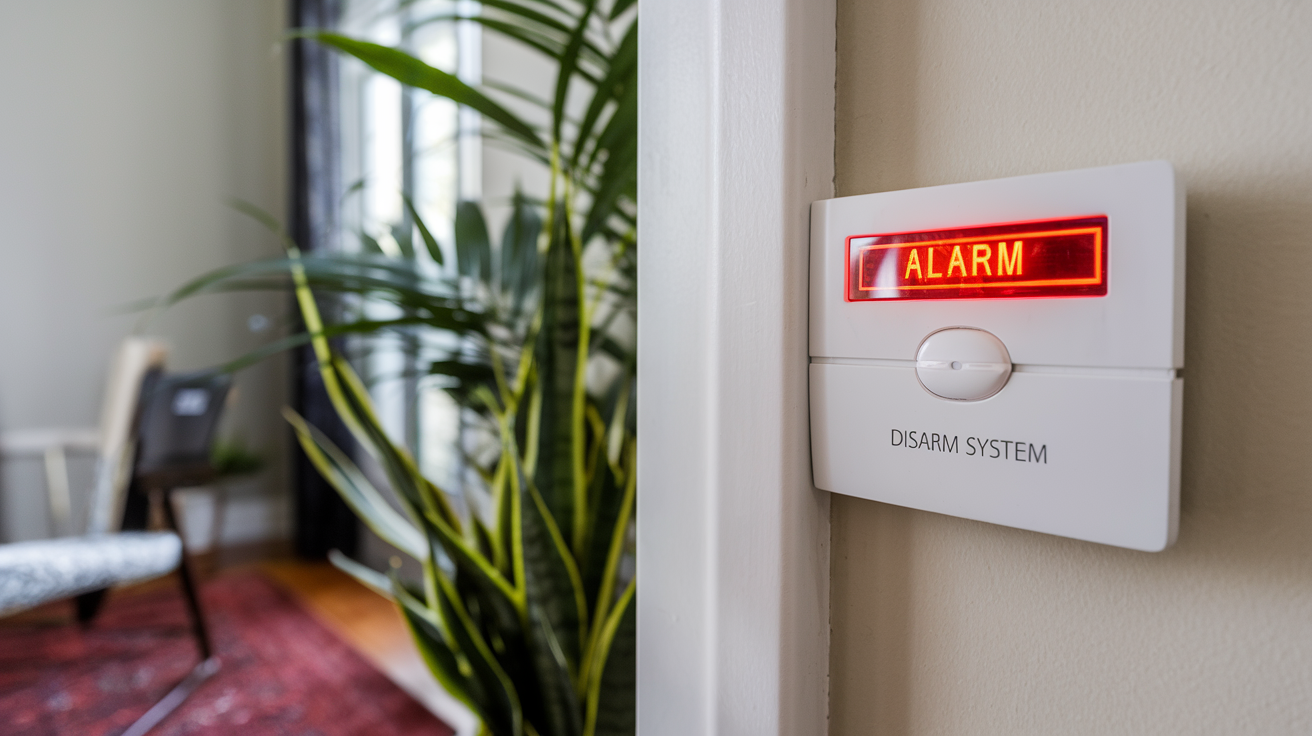
Encountering a home alarm system that won't disarm can be a stressful situation. This guide provides comprehensive, actionable steps on how to turn off a home alarm without the code, covering various scenarios and offering practical solutions for 2025-2026. We aim to equip you with the knowledge to regain control and peace of mind.
Understanding Emergency Disarm Procedures
Home security systems are designed with multiple layers of protection, and while codes are the primary method of disarming, there are often built-in emergency disarm procedures. These are typically not widely advertised but are crucial for situations where the code is forgotten, lost, or the system malfunctions. Understanding these procedures can be your first line of defense when facing an unexpected alarm.
Manufacturer-Specific Protocols
Different alarm manufacturers employ varying methods for emergency disarming. These can range from physical reset buttons on the control panel to specific sequences of actions that bypass the code requirement. For instance, some older systems might have a hidden master reset switch. Newer, more sophisticated systems often require a specific sequence of button presses or even a physical key that might be stored separately from the main code.
Key Considerations for Manufacturer Protocols:
- Consult Your Manual: The most reliable source of information is your alarm system's user manual. If you don't have a physical copy, most manufacturers provide digital versions on their websites. Search for terms like "emergency reset," "system override," or "troubleshooting."
- Online Resources: If the manual is unavailable, online forums dedicated to home security systems or specific brands can be invaluable. Users often share their experiences and solutions for common problems, including how to bypass codes.
- Customer Support: Contacting the manufacturer's customer support is another viable option. While they may be hesitant to provide direct bypass methods over the phone without verifying ownership, they can guide you through official reset procedures or direct you to authorized service technicians. In 2025, many companies are enhancing their remote support capabilities, which might include guided troubleshooting for common issues.
The Role of the Installer or Service Provider
If your system was installed by a professional company, they often have master codes or override capabilities. This is especially true for professionally monitored systems. They have a vested interest in ensuring their systems function correctly and can often remotely access or guide you through a manual override process.
Steps to Engage Installers:
- Identify Your Installer: Check your original installation paperwork or any stickers on the alarm panel itself.
- Contact Them: Reach out to their customer service department. Explain your situation clearly. They may require proof of ownership before providing assistance.
- Scheduled Service: In some cases, they might need to schedule a technician visit to reset the system, especially if it's a complex or older model. The cost for such a visit should be considered as part of the solution.
Statistics from the Home Security Industry Association (HSIA) for 2025 indicate that approximately 65% of professionally installed systems offer some form of remote access or override capability for authorized users or service providers, streamlining emergency situations.
Physical Reset Buttons and Jumpers
Some alarm system control panels have a physical reset button, often a small, recessed button that requires a pin or paperclip to press. This button, when activated under specific conditions (sometimes with the power disconnected), can reset the system to its factory default settings, which may include a default code or no code at all. Similarly, some systems use jumpers on the circuit board that can be moved to initiate a reset. These are less common in modern, sleek installations but can be found in older or more DIY-oriented systems.
Finding and Using Reset Buttons:
- Locate the Panel: The control panel is usually a small box mounted on a wall, often near a main entry point or in a utility closet.
- Open the Panel: Most panels have a simple latch or screws to open them. Be cautious when opening, as you are dealing with electronic components.
- Identify the Button/Jumper: Look for a small button labeled "Reset," "RST," or a set of pins with a small plastic jumper. Consult your system's manual for precise identification.
- Follow Reset Procedure: The procedure usually involves disconnecting power (both AC and battery backup), pressing and holding the reset button, and then reconnecting power. The exact sequence is critical and should be confirmed via documentation.
It's important to note that performing a factory reset will erase all custom settings, including user codes, zone configurations, and any programmed phone numbers for monitoring. You will essentially be starting over with the system's default configuration.
The Battery Removal Approach
One of the most common and often effective methods to temporarily disable or reset a home alarm system without a code involves manipulating its power sources. Home security systems are typically equipped with both a main power source (AC adapter) and a backup battery. By strategically removing these, you can sometimes force the system into a state where it can be reset or temporarily deactivated.
Understanding System Power
A typical alarm system has two main power inputs:
- AC Power: This is usually supplied by a transformer plugged into a standard wall outlet. The transformer converts household voltage to a lower voltage suitable for the alarm panel.
- Backup Battery: Located within the main control panel, this rechargeable battery takes over when AC power is lost, ensuring the system remains operational during power outages.
When the system detects a loss of AC power, it switches to battery power and often triggers an alert (if monitored). If both power sources are removed, the system will eventually power down completely.
Step-by-Step Battery Removal and Reset
This method is often a precursor to a hard reset or a way to stop a persistent false alarm when you cannot access the keypad.
- Locate the Control Panel: This is the central hub of your alarm system, typically a plastic box mounted on a wall.
- Disconnect AC Power: Find the transformer that powers the system. It might be plugged into an outlet near the panel, or it could be hardwired. If it's plugged in, simply unplug the transformer from the wall outlet. If it's hardwired, you may need to locate the corresponding circuit breaker in your home's electrical panel and switch it off. Caution: If you are uncomfortable with electrical work, seek assistance.
- Open the Control Panel: Most panels are secured with a latch or screws. Carefully open the panel to access the internal components.
- Disconnect the Backup Battery: Inside the panel, you'll see a rechargeable battery, usually a sealed lead-acid (SLA) type. It will have two wires connected to it, typically red and black. Gently disconnect these wires from the battery terminals. You might need a small pliers or just pull them off by hand if they are not too tight.
- Wait for Full Power Discharge: Leave both AC power disconnected and the battery disconnected for a period. This allows any residual power in the system's capacitors to dissipate. The duration can vary, but waiting for 5-15 minutes is generally sufficient. Some sources recommend longer periods, up to an hour, for complete discharge, especially for older systems.
- Reconnect Battery and AC Power: After the waiting period, reconnect the battery wires to their respective terminals. Then, plug the AC transformer back into the outlet or switch the circuit breaker back on.
- Observe System Behavior: The system should now power up. Depending on the model, it might go through a startup sequence. If the code was the only barrier, and this process has reset certain parameters, you might be able to enter a default code (often 1234 or 0000, check your manual) or the system might prompt for initial setup. If the system still requires the old code, this method may have only temporarily powered it down.
Important Note: For monitored systems, disconnecting power will likely trigger a "system failure" or "communicator failure" alert to the monitoring station. They will likely attempt to contact you. Be prepared to explain the situation if you have a monitoring service.
When Battery Removal Isn't Enough
Some modern alarm systems are designed with anti-tampering features that can prevent simple battery removal from completely disabling them. In such cases, the system might log the power interruption and still require a valid code upon restoration of power, or it might even trigger a tamper alarm. For these advanced systems, battery removal alone is unlikely to bypass the code requirement. You might need to combine this with other methods or seek professional help.
According to industry reports for 2025, approximately 70% of mid-range and high-end home security systems incorporate robust anti-tampering mechanisms, making the simple battery disconnect less effective as a standalone solution for code bypass.
Dealing with Power Disruptions
Power disruptions, whether accidental or intentional, can sometimes be leveraged to manage a home alarm system when the code is unavailable. This involves understanding how your system reacts to power loss and how to potentially use that to your advantage. It's important to distinguish between a temporary power outage and a deliberate attempt to disable the system.
Simulating a Power Outage
If your alarm system is powered by an AC adapter plugged into a wall socket, and it has a backup battery, you can simulate a power outage. The goal here is to deplete the backup battery, which then forces the system to power down. This can sometimes reset the system or allow for a bypass once power is restored.
Procedure:
- Unplug the AC Adapter: Locate the transformer for your alarm system and unplug it from the wall outlet.
- Wait for Battery Depletion: The system will now run on its backup battery. The time it takes for the battery to deplete depends on its age and capacity. A typical backup battery can last anywhere from a few hours to 24 hours or more. You might hear the system's internal clock or other low-power functions continue to operate for a while.
- System Shutdown: Eventually, the backup battery will also run out of power, and the system will shut down completely.
- Restore Power: Once the system is confirmed to be completely dead (no lights, no sounds), plug the AC adapter back into the wall outlet.
- Observe and Attempt Entry: The system will reboot. Some systems might default to a basic mode or allow a factory default code upon reboot after a complete power loss. Others may still require the original code. This method is more about a "hard reset" through power depletion.
Considerations for Monitored Systems: As mentioned before, a complete power loss will likely trigger an alert to your monitoring company. They will attempt to contact you. If you are intentionally trying to bypass the code, be aware of this communication. If the system is being monitored, and you need to keep it off, you'll need to inform the monitoring company of the situation once you regain control.
Using Circuit Breakers
For systems that are hardwired directly into your home's electrical system, the main AC power supply is often controlled by a dedicated circuit breaker in your main electrical panel. This is a more robust way to cut AC power.
Procedure:
- Locate Your Electrical Panel: This is usually in a basement, garage, or utility closet.
- Identify the Alarm Circuit: Look for a breaker labeled "Alarm," "Security," or a similar designation. If it's not clearly labeled, you may need to test breakers by turning them off one by one and observing if the alarm panel loses power. Safety first: If you are unsure, consult an electrician.
- Turn Off the Breaker: Flip the identified breaker to the "Off" position.
- Disconnect Backup Battery: To ensure a complete power cut and allow for a potential reset, open the alarm control panel and disconnect the backup battery as described in the previous section.
- Wait and Reconnect: After a sufficient waiting period (e.g., 15-30 minutes), reconnect the backup battery, then turn the circuit breaker back on.
This method is generally more effective for achieving a full system reset than simply unplugging a transformer, as it cuts power at the source more definitively.
The Impact of Power Fluctuations
While less common as a direct method to turn off an alarm without a code, significant power fluctuations or brownouts can sometimes cause sensitive electronic systems to behave erratically. In rare cases, a system might reset itself or enter a fault mode during such an event. However, relying on power fluctuations is not a practical or recommended strategy. It's more likely to cause system errors than a controlled disarm.
In 2025, smart home integration means many alarm systems are connected to Wi-Fi and can be controlled remotely. This also means they are susceptible to network issues and power stability. However, manufacturers are also improving their systems' resilience to power interruptions. The ability to bypass a code solely through power manipulation is becoming less common in advanced systems.
When to Seek Professional Intervention
While the DIY methods discussed above can be effective for many situations, there are times when professional intervention is not just recommended, but essential. Attempting to force a system bypass without proper knowledge can lead to permanent damage, voiding warranties, or even safety hazards. Knowing when to call in the experts is a crucial part of managing your home security.
Complex or High-Security Systems
Some home alarm systems are more sophisticated than others. High-security systems, particularly those integrated with other smart home devices, advanced access control, or commercial-grade components, often have more complex lockout mechanisms. These systems are designed to resist tampering and unauthorized access, making DIY bypass methods extremely difficult or impossible.
Indications for Professional Help:
- Proprietary Technology: Systems using unique communication protocols or encryption that are not publicly documented.
- Integrated Smart Home Features: Systems deeply intertwined with smart locks, cameras, and other devices that create a complex ecosystem.
- Commercial-Grade Components: Use of hardware and software typically found in business security, which often has enhanced security features.
For these systems, attempting a bypass could trigger tamper alarms that are difficult to silence or even disable the system permanently until a technician intervenes. The cost of a service call is often less than the cost of repairing or replacing a damaged system.
Legal and Warranty Considerations
Tampering with a security system, especially if it's leased or professionally monitored, can have legal ramifications. It might also void any existing warranty on the equipment. If you are unsure about the ownership or legality of attempting a bypass, it's always best to consult with the original installer or manufacturer.
Warranty Protection: Most manufacturers offer warranties on their equipment. If you attempt unauthorized repairs or bypasses and damage the system, you will likely forfeit any remaining warranty coverage. This means you'll have to pay for any subsequent repairs or replacements out of pocket.
Leased Equipment: If your alarm system is leased from a security company, attempting to modify or bypass it without their consent can be a breach of contract. This could lead to penalties or charges for the equipment.
When DIY Methods Fail or Cause New Problems
It's possible that you've tried the battery removal or power disruption methods, and they haven't worked. Or, worse, they've caused new issues, such as the system constantly beeping, displaying error messages, or becoming completely unresponsive. In such scenarios, further DIY attempts are likely to exacerbate the problem.
Common Post-DIY Issues:
- Persistent Error Codes: The system might display codes indicating internal faults or tamper events that cannot be cleared without specialized tools.
- False Alarms: The system might start triggering false alarms, making it a nuisance and potentially incurring fines from local authorities if it's a monitored system.
- Complete System Failure: In some cases, incorrect manipulation can lead to a complete failure of the control panel or other components, requiring replacement.
Professional technicians have diagnostic tools and software that allow them to accurately assess the system's status, identify the root cause of the problem, and implement the correct solution. They can often reset the system, reprogram it, or replace faulty components with minimal disruption.
Choosing a Qualified Professional
When seeking professional help, ensure you choose a reputable and licensed security company or technician. Look for:
- Licensing and Insurance: Verify that the company is licensed and insured in your area.
- Experience: Choose technicians with experience working on your specific brand or type of alarm system.
- Reviews and Testimonials: Check online reviews and ask for references.
- Clear Pricing: Get a clear estimate of costs before authorizing any work.
In 2025, the cybersecurity of smart home systems is a growing concern. Professional installers are trained to handle these systems securely, ensuring that any bypass or reset is done without compromising the overall security of your home network. The average cost for a professional alarm system service call in 2025 ranges from $100 to $250, depending on the complexity and location.
Preventative Measures for the Future
The stress of being locked out of your own home alarm system can be a powerful motivator to ensure it never happens again. Implementing preventative measures is the most effective way to avoid future code-related issues and maintain seamless operation of your security system. This involves good record-keeping, understanding your system's features, and having a backup plan.
Securely Store Your Codes and Manuals
This might sound obvious, but many people neglect this simple yet crucial step. Codes can be forgotten, and manuals can be misplaced. Implementing a system for storing this information is paramount.
Effective Storage Methods:
- Digital Vault: Use a reputable password manager or a secure digital vault service. Store your alarm codes, master codes, and any other critical security information here. Ensure this vault is protected with a strong, unique password and multi-factor authentication.
- Physical Safe: Keep a printed copy of your alarm codes and the system manual in a fireproof and waterproof safe in your home. This protects it from common household disasters.
- Trusted Contact: Share your master code and the location of the manual with a highly trusted family member or friend who lives nearby. Ensure they understand the importance of keeping this information confidential.
- Installer Information: Keep the contact details of your alarm system installer readily accessible. They can often help you retrieve or reset codes if needed.
The key is to have multiple, secure backup locations for this vital information.
Regular System Maintenance and Updates
Like any electronic system, alarm systems benefit from regular maintenance. This includes checking battery health, ensuring all sensors are functioning, and keeping the system software up-to-date.
Maintenance Checklist:
- Battery Replacement: Backup batteries typically last 3-5 years. Replace them proactively before they fail, which can cause system errors or trigger false alarms. Many systems will alert you when the battery is low.
- Sensor Testing: Periodically test all your door/window sensors, motion detectors, and other security devices to ensure they are communicating with the panel.
- Software Updates: If your system has smart capabilities, ensure it receives regular firmware and software updates. These updates often include security patches and performance improvements, and sometimes, they can resolve issues that might lead to code lockouts. Manufacturers like ADT, Vivint, and SimpliSafe regularly push updates to their systems.
- Professional Check-ups: Consider scheduling an annual check-up with your alarm installer to ensure everything is functioning optimally.
According to industry data for 2025, systems that undergo regular maintenance experience 40% fewer malfunctions and false alarms compared to neglected systems.
Understanding Your System's Features
Take the time to thoroughly understand all the features and functionalities of your specific alarm system. This includes learning about different user codes, master codes, installer codes, and any emergency bypass options that might be available.
Key Features to Understand:
- User Codes vs. Master Codes: Differentiate between codes assigned to different users and the master code that has higher privileges.
- Installer Code: This code is typically used by professional installers to program the system. While you shouldn't change it unless instructed by a professional, knowing its existence is important.
- Temporary Codes: Some systems allow you to create temporary codes for guests or service personnel that expire after a set time or number of uses.
- Panic Buttons: Understand how to use any physical or keypad panic buttons for emergencies.
- Remote Access: If your system has a mobile app, familiarize yourself with its features, including remote arming/disarming and system status checks. This can be a lifesaver if you forget your code.
By investing a little time in understanding your system, you can prevent many common issues and ensure you can always control your home's security effectively. For example, knowing how to remotely disarm your system via a smartphone app in 2025 can prevent a lockout situation entirely.
When to Consider Upgrading or Changing Providers
If your current alarm system is old, unreliable, difficult to manage, or if you consistently face issues like code lockouts, it might be time to consider an upgrade or switching to a different provider. The home security landscape is constantly evolving, with new technologies offering greater convenience and security.
Signs it's Time to Upgrade:
- Frequent Malfunctions: If the system frequently experiences false alarms or fails to arm/disarm correctly.
- Outdated Technology: Lack of modern features like smartphone control, smart home integration, or advanced encryption.
- Poor Manufacturer Support: Difficulty in obtaining support or manuals for your current system.
- Cost of Maintenance: If the cost of maintaining an old system becomes prohibitive.
In 2025, the market offers a wide range of options, from DIY wireless systems to fully integrated smart home security solutions. Choosing a system with robust support, clear documentation, and user-friendly code management features can save you a lot of hassle in the long run. Many modern systems allow for easy code changes and even remote code resets through a secure online portal or app, making forgotten codes a problem of the past.