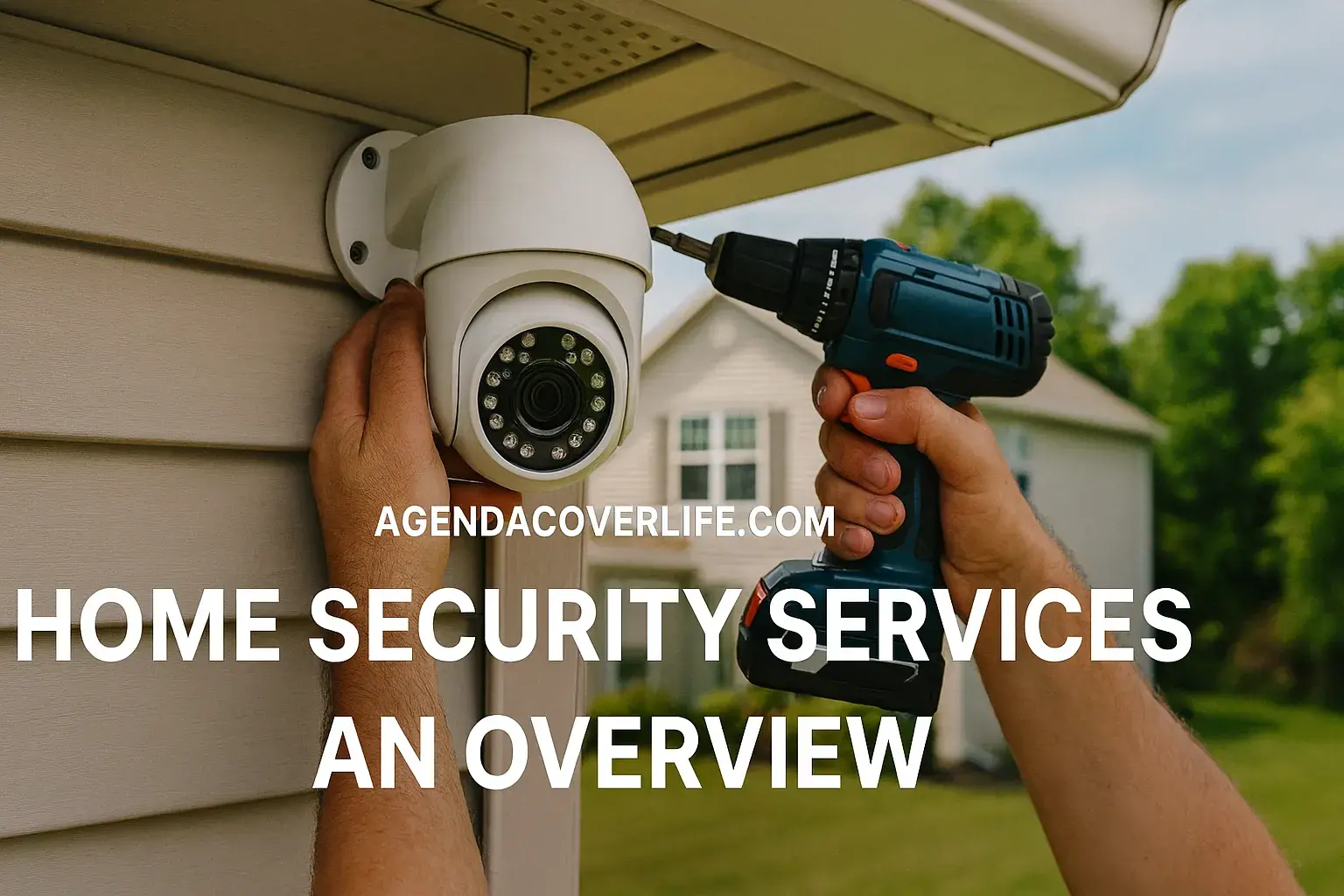
Upgrade your home security with smart, affordable, and modern solutions. This guide offers comprehensive strategies to protect your property, incorporating the latest technology and budget-friendly options for peace of mind in 2025-26.
Why Upgrade Your Home Security?
In 2025-26, the landscape of home security is more dynamic than ever. With evolving threats and increasingly sophisticated technology, a proactive approach to safeguarding your residence is paramount. Upgrading your home security isn't just about deterring burglars; it's about creating a safer environment for your family, protecting your valuable possessions, and gaining invaluable peace of mind. The perception of security is often tied to visible deterrents and advanced technological features that not only prevent intrusions but also provide immediate alerts and remote monitoring capabilities. As crime statistics continue to fluctuate, with reports indicating a 3-5% increase in property crimes in certain urban areas in late 2024 and early 2025, investing in robust security measures becomes a prudent decision for homeowners. Furthermore, the rise of smart home technology has made advanced security features more accessible and affordable than ever before, allowing for customized solutions that fit various budgets and living situations. This guide will walk you through the essential steps and considerations for upgrading your home security, focusing on smart, affordable, and modern protection solutions that deliver maximum value.
Assessing Your Current Security Setup
Before embarking on any upgrade, a thorough assessment of your existing security measures is crucial. This foundational step helps identify vulnerabilities and areas that require immediate attention, ensuring your investment is directed effectively. Think of it as a security audit of your own home.
Identifying Weak Points
Begin by walking around your property, both inside and out, with a critical eye. Consider the following:
- Entry Points: Examine all doors and windows. Are they solid? Do they have sturdy locks? Are there any signs of wear or damage that could be exploited? Pay close attention to sliding doors, basement windows, and garage doors, which are often overlooked but can be common entry points.
- Lighting: Adequate exterior lighting is a significant deterrent. Are your pathways, entrances, and dark corners well-lit? Motion-activated lights are particularly effective.
- Visibility: Are there overgrown shrubs or trees that could provide cover for intruders? Is your home easily visible from the street, or does it appear isolated?
- Existing Systems: If you already have an alarm system, is it functional? Are the sensors still working? Is the monitoring service up-to-date?
- Habits: Consider your daily routines. Do you often forget to lock doors or windows? Are packages left unattended for extended periods?
Understanding Local Crime Trends (2025-26 Data)
Staying informed about local crime statistics can provide valuable context for your security upgrade. According to the latest reports from the National Crime Prevention Council (NCPC) for late 2024 and projected trends for 2025-26, areas with higher rates of property crime often see a corresponding increase in demand for advanced security solutions. For instance, metropolitan areas with a population density exceeding 500,000 are projected to experience a 4-6% rise in residential burglaries, making robust perimeter security and smart surveillance increasingly important. Conversely, suburban and rural areas might focus more on deterrents like visible cameras and alarm systems. Researching your specific neighborhood's crime rates through local police department websites or community forums can help tailor your security strategy. For example, if package theft is a prevalent issue, investing in a video doorbell becomes a higher priority.
Evaluating Your Needs
Your assessment should lead to a clear understanding of your specific needs. Are you primarily concerned about break-ins, package theft, or monitoring children and pets? Do you travel frequently and require remote access? Your answers will guide your choices in smart security devices and systems.
Smart Security Essentials for Modern Homes
Smart security systems offer a significant upgrade over traditional alarms, providing enhanced control, convenience, and intelligence. These systems leverage internet connectivity to enable remote monitoring, automated responses, and integration with other smart home devices.
Smart Doorbells: The First Line of Defense
A smart doorbell is one of the most popular and effective starting points for a modern security upgrade. These devices combine a doorbell, camera, microphone, and speaker into a single unit, allowing you to see, hear, and speak to visitors from anywhere via your smartphone.
- Features: High-definition video, night vision, motion detection, two-way audio, and cloud storage for recorded events.
- Benefits: Deters potential intruders by making them aware they are being recorded, allows you to screen visitors, and provides evidence in case of an incident.
- 2025-26 Trends: Look for models with advanced AI-powered person detection to reduce false alerts from pets or passing cars, and improved battery life for wireless options.
Smart Cameras: Eyes on Your Property
Indoor and outdoor smart cameras provide continuous surveillance and can be strategically placed to cover blind spots. They offer real-time alerts and recorded footage, acting as both a deterrent and an invaluable investigative tool.
- Indoor Cameras: Ideal for monitoring children, pets, or interior spaces. Many offer features like two-way audio for communication and privacy modes.
- Outdoor Cameras: Designed to withstand the elements, these cameras offer robust surveillance of your property's perimeter. Look for weatherproofing (IP ratings), wide-angle lenses, and advanced motion detection.
- Key Features: 1080p or higher resolution, infrared night vision, customizable motion zones, and integration with smart home ecosystems (e.g., Alexa, Google Assistant).
Smart Locks: Keyless Convenience and Control
Smart locks replace traditional deadbolts, offering keyless entry via a smartphone app, keypad, or even voice commands. They provide enhanced security and convenience, especially for families.
- Benefits: Grant temporary access to guests or service providers remotely, receive notifications when doors are locked or unlocked, and eliminate the risk of lost keys.
- Types: Full replacement deadbolts, retrofit deadbolts, and smart lock add-ons for existing deadbolts.
- Security Considerations: Ensure the lock uses strong encryption and has a reliable battery backup.
Smart Sensors: Detecting Intrusions
These small, wireless devices are crucial for detecting unauthorized entry or movement within your home.
- Door/Window Sensors: Trigger an alert when a door or window is opened.
- Motion Sensors: Detect movement within a designated area. Advanced models can differentiate between people, pets, and inanimate objects.
- Glass Break Sensors: Detect the sound of breaking glass, providing an early warning of a potential forced entry.
Smart Home Hubs/Base Stations: The Brains of the Operation
A central hub or base station is often required to connect and manage your various smart security devices. It acts as the communication bridge between your devices, your home network, and your smartphone app.
- Functionality: Manages device pairing, automates routines, and facilitates remote access.
- Integration: Many hubs are compatible with a wide range of smart devices, allowing for a cohesive smart home ecosystem.
Affordable Protection Strategies
Upgrading home security doesn't have to break the bank. Several cost-effective strategies can significantly enhance your home's safety and security without requiring a massive financial outlay.
DIY Installation of Smart Devices
Many smart security devices are designed for easy DIY installation, saving you significant professional installation fees. Smart doorbells, cameras, and locks often come with clear instructions and require basic tools. For instance, a typical smart doorbell installation takes about 15-30 minutes and involves connecting wires to your existing doorbell transformer and mounting the device. Similarly, many smart cameras can be mounted with a few screws and connected to your Wi-Fi network via a smartphone app. This approach can save hundreds of dollars in labor costs.
Leveraging Existing Technology
Before purchasing new devices, assess what you already own. Many modern smartphones can function as temporary security cameras using specific apps. Older tablets can also be repurposed for home monitoring. Additionally, if your router supports it, you might be able to set up basic motion detection alerts or network intrusion warnings.
Focusing on Deterrents
Simple, low-cost deterrents can be highly effective:
- Improved Lighting: Install affordable motion-activated LED floodlights in key areas. These are energy-efficient and provide a strong visual deterrent.
- Visible Signage: Place security system signs and window stickers (even if you don't have a full system) in prominent locations. While not a foolproof measure, they can make potential intruders think twice.
- Landscaping: Trim bushes and trees around windows and doors to eliminate hiding spots. This is a free or low-cost maintenance task that improves visibility and security.
- Reinforcing Doors: Install sturdy deadbolts on all exterior doors. Consider reinforcing strike plates with longer screws that penetrate the door frame and into the wall stud for added strength against forced entry.
Bundling and Sales
Keep an eye out for deals and promotions. Many retailers offer discounts on smart home security bundles, which can include a combination of cameras, sensors, and a hub at a reduced price compared to purchasing individual items. Black Friday, Cyber Monday, and other holiday sales periods are excellent times to find these deals. Subscription services for cloud storage or professional monitoring can also be compared to find the most affordable plans.
Choosing Budget-Friendly Brands
While premium brands offer advanced features, many reputable manufacturers provide excellent value at lower price points. Brands like Wyze, Eufy, and Blink often offer feature-rich smart cameras and doorbells at a fraction of the cost of high-end alternatives. Research reviews and compare specifications to find devices that meet your essential needs without unnecessary extras.
Considering Used or Refurbished Equipment
For certain devices, like standalone smart cameras or sensors, purchasing refurbished equipment from reputable sellers can offer significant savings. Ensure that the product comes with a warranty for peace of mind.
Modern Security Features to Consider
Beyond the basic smart devices, several advanced features can elevate your home security system, offering greater intelligence, convenience, and resilience. These features leverage AI, enhanced connectivity, and integrated functionality.
Artificial Intelligence (AI) in Surveillance
AI is revolutionizing home security by enabling smarter detection and reducing false alarms. Many modern cameras and doorbells now incorporate AI for:
- Person Detection: Distinguishes between people, animals, vehicles, and other moving objects, sending relevant alerts only when a person is detected. This significantly reduces nuisance notifications.
- Facial Recognition: Some advanced systems can learn to recognize familiar faces (family members, friends) and alert you when an unknown person is detected.
- Package Detection: Alerts you specifically when a package is delivered or removed from your doorstep.
Enhanced Connectivity and Wireless Technologies
The reliability of your security system depends heavily on its connectivity. Consider systems that utilize robust wireless protocols:
- Wi-Fi 6/6E: For seamless integration with your smart home network, ensuring stable connections for multiple devices.
- Z-Wave and Zigbee: These low-power, mesh networking protocols are often used for smart sensors and locks, providing a reliable and dedicated network for your security devices that doesn't rely solely on your Wi-Fi.
- Cellular Backup: For alarm systems, cellular backup ensures that your system can still communicate with monitoring services even if your home internet connection is cut or disabled. This is a critical feature for comprehensive security.
Professional Monitoring vs. Self-Monitoring
This is a key decision in modern security systems:
- Self-Monitoring: You receive alerts directly on your smartphone and are responsible for contacting authorities if an incident occurs. This is typically the more affordable option, often involving no monthly fees or only fees for cloud storage.
- Professional Monitoring: A third-party company monitors your system 24/7. If an alarm is triggered, they verify the emergency and dispatch emergency services. This offers greater peace of mind but usually involves a monthly subscription fee. According to industry reports for 2025, approximately 65% of homeowners with advanced security systems opt for professional monitoring.
Integration with Other Smart Home Devices
The true power of modern security lies in its integration with your broader smart home ecosystem. Consider systems that work seamlessly with:
- Smart Lighting: Set lights to turn on automatically when motion is detected by an outdoor camera or when an alarm is triggered.
- Smart Speakers/Displays: Use voice commands to arm/disarm your system, check camera feeds, or receive security alerts.
- Smart Thermostats: Some systems can adjust thermostat settings when you leave the house, saving energy.
Environmental Sensors
Expand your security beyond intrusion detection:
- Smoke and Carbon Monoxide Detectors: Smart versions can send alerts to your phone even when you're away, and some can integrate with your security system to trigger other actions, like turning on lights.
- Water Leak Sensors: Detect leaks in basements, under sinks, or near water heaters, preventing costly water damage.
Video Doorbells with Advanced Features
Look for doorbells with:
- Pre-roll Recording: Captures a few seconds of video *before* motion is detected, providing crucial context.
- Customizable Activity Zones: Define specific areas within the camera's view to monitor for motion, reducing false alarms.
- Two-Way Talk with Noise Cancellation: Clearer communication with visitors or potential intruders.
DIY vs. Professional Installation: Making the Right Choice
Deciding between a do-it-yourself (DIY) installation and professional setup is a critical step in upgrading your home security. Both approaches have distinct advantages and disadvantages, and the best choice depends on your technical aptitude, budget, and the complexity of the system you select.
DIY Installation: Pros and Cons
Pros:
- Cost Savings: The most significant advantage is avoiding professional installation fees, which can range from $100 to $500 or more depending on the system's complexity.
- Flexibility and Control: You can install the system on your own schedule and place devices exactly where you want them.
- Learning Opportunity: Installing the system yourself can provide a deeper understanding of how it works, making troubleshooting easier.
- Accessibility: Many modern smart security devices are designed with user-friendly interfaces and straightforward installation guides.
Cons:
- Time Commitment: Installation can be time-consuming, especially for larger or more complex systems.
- Technical Skill Required: While many systems are user-friendly, some may require basic knowledge of wiring, drilling, or Wi-Fi network configuration.
- Potential for Errors: Incorrect installation can lead to system malfunctions, false alarms, or security vulnerabilities.
- Limited Support: While manufacturers offer support, you are primarily responsible for diagnosing and fixing any installation-related issues.
Professional Installation: Pros and Cons
Pros:
- Expertise and Efficiency: Trained professionals ensure the system is installed correctly, optimally placed, and fully functional, often completing the job much faster than a DIYer.
- System Optimization: Installers can advise on the best placement for sensors and cameras to maximize coverage and effectiveness.
- Warranty and Support: Professional installation often comes with a warranty on the labor, and the installer can be a point of contact for future support.
- Complex Systems: For more intricate wired systems or those requiring integration with existing home infrastructure, professional installation is often necessary.
Cons:
- Higher Cost: Installation fees can add a significant expense to the overall security system purchase.
- Scheduling Constraints: You need to schedule an appointment, which may involve waiting for availability and taking time off work.
- Less Control: You have less control over the exact timing and placement of devices compared to a DIY approach.
Making the Decision
To make the right choice, consider these factors:
- System Complexity: A simple video doorbell and a few wireless cameras are generally easy DIY projects. A comprehensive wired alarm system with multiple sensors and integration with smart home hubs might be better suited for professional installation.
- Your Technical Comfort Level: If you're comfortable with basic tools and following instructions, DIY is a viable option. If you're not tech-savvy or prefer not to deal with potential technical hiccups, professional installation is recommended.
- Budget: Calculate the total cost, including installation fees, and compare it to the savings you might achieve with DIY.
- Time Availability: Do you have the time to dedicate to a proper installation?
For many homeowners in 2025-26, a hybrid approach is common: purchasing smart, wireless devices that are easy to install themselves while perhaps consulting a professional for advice on system design or for the installation of more complex components like smart locks that require precise fitting.
Integrating Your Smart Security System
A truly modern home security system is more than just a collection of devices; it's an integrated ecosystem that works harmoniously to protect your home and enhance your daily life. Integration allows for automation, streamlined control, and a more intelligent response to security events.
Choosing a Compatible Ecosystem
The first step in integration is selecting devices that are compatible with a common smart home platform or hub. The major players in 2025-26 include:
- Amazon Alexa: Widely supported, allowing voice control of devices and creation of routines.
- Google Assistant: Similar to Alexa, offering voice control and routine automation through Google Home devices.
- Apple HomeKit: Known for its strong emphasis on privacy and security, compatible with a growing range of smart home products.
- Dedicated Security Hubs: Brands like Samsung SmartThings, Hubitat, or dedicated security system hubs (e.g., from SimpliSafe, Ring Alarm Pro) offer robust integration capabilities, often with more advanced automation options.
When purchasing new devices, always check for compatibility badges (e.g., "Works with Alexa," "HomeKit Certified").
Creating Automated Routines and Scenes
Once your devices are connected, you can create powerful automations:
- "Away" Mode: When you leave the house, a single command (voice or app) can arm your security system, turn off lights, adjust the thermostat, and lock doors.
- "Welcome Home" Mode: As you arrive, the system can disarm, turn on specific lights, and unlock the front door.
- Motion-Triggered Events: If an outdoor camera detects motion at night, it can trigger all exterior lights to turn on, deterring potential intruders and illuminating the area.
- Doorbell Alerts: When someone rings your smart doorbell, you can set it to display the camera feed on your smart TV or Google Nest Hub, and simultaneously turn on your porch light.
- Alarm Response: If a door/window sensor is triggered while the system is armed, it can automatically turn on all indoor and outdoor lights to maximum brightness, making it harder for an intruder to operate unseen.
Leveraging IFTTT (If This Then That)
For advanced users, services like IFTTT can connect devices and services that might not natively integrate. For example, you could set up an applet that sends you a text message if your security camera detects a person while you are at work, or logs an event in a spreadsheet if a specific sensor is triggered.
Ensuring Network Security
Integrating smart devices into your home network introduces potential security risks if not managed properly. To mitigate these:
- Secure Your Wi-Fi: Use a strong, unique password for your Wi-Fi network and enable WPA2 or WPA3 encryption.
- Change Default Passwords: Always change the default administrator passwords on your router and all smart devices.
- Guest Network: Consider setting up a separate guest Wi-Fi network for your smart devices to isolate them from your primary network, which contains your computers and sensitive data.
- Regular Updates: Keep your router firmware and all smart device software updated to patch security vulnerabilities.
- Two-Factor Authentication (2FA): Enable 2FA on all accounts associated with your smart security devices for an extra layer of security.
Understanding System Limitations
While integration offers immense benefits, it's important to understand potential limitations. Internet outages can affect the functionality of cloud-dependent devices. Battery-powered devices will eventually need their batteries replaced. A well-integrated system should have redundancies and fail-safes, such as cellular backup for critical alerts, to minimize these risks.
Budgeting for Security Upgrades
Creating a realistic budget is essential for a successful home security upgrade. It ensures you prioritize the most impactful solutions and avoid overspending. The cost of upgrading can vary widely, from a few hundred dollars for basic smart devices to several thousand for comprehensive systems with professional installation and monitoring.
Initial Investment Costs
This includes the purchase price of hardware:
- Smart Doorbells: $50 - $250
- Smart Cameras (Indoor/Outdoor): $30 - $200 per camera
- Smart Locks: $100 - $300
- Door/Window Sensors: $15 - $40 per sensor
- Motion Sensors: $20 - $50
- Smart Home Hubs: $50 - $200
- Professional Installation Fees: $100 - $500+
Example Budget Scenario (Affordable DIY):
- 1 Smart Video Doorbell: $100
- 2 Outdoor Smart Cameras: $150 ($75 each)
- 4 Door/Window Sensors: $60 ($15 each)
- 1 Smart Home Hub (if needed): $70
- Total Initial Investment: $380
Example Budget Scenario (Mid-Range with Professional Monitoring):
- 1 Smart Video Doorbell: $150
- 2 Outdoor Smart Cameras: $250 ($125 each)
- 1 Smart Lock: $200
- 4 Door/Window Sensors: $60
- 1 Motion Sensor: $30
- 1 Security Hub/Base Station: $150
- Professional Installation: $250
- Total Initial Investment: $1090
Ongoing Costs
These are recurring expenses that should be factored into your long-term budget:
- Cloud Storage Subscriptions: Many smart cameras and doorbells offer free limited storage, but extended history or higher quality often requires a monthly fee ($3 - $15 per month per device or for a package).
- Professional Monitoring Fees: If you opt for 24/7 professional monitoring, expect to pay $15 - $50 per month.
- Internet Service: A reliable internet connection is crucial for most smart security systems.
- Battery Replacements: Wireless devices will eventually require battery replacements, a minor but recurring cost.
Example Ongoing Costs (Mid-Range System):
- Cloud Storage (2 cameras): $10/month
- Professional Monitoring: $25/month
- Total Ongoing Cost: $35/month
Prioritizing Your Spending
If your budget is limited, focus on the most critical areas:
- Entry Points: Secure all doors and windows with sturdy locks and consider smart locks or sensors.
- Visibility: Install good exterior lighting, especially around main entrances.
- Deterrents: Use visible signage and ensure your property is not easily concealed.
- Key Monitoring: A smart doorbell and one or two strategically placed cameras can provide significant coverage.
As your budget allows, you can gradually add more devices and features. Many companies offer flexible subscription plans that allow you to scale your monitoring services as needed.
Future-Proofing Your Home Security
The world of technology evolves rapidly, and home security is no exception. Future-proofing your system means investing in solutions that are adaptable, upgradeable, and designed to remain effective against emerging threats and technological advancements through 2025-26 and beyond.
Choosing Open and Interoperable Systems
Opt for security systems and devices that support open standards like Z-Wave, Zigbee, or Matter (the emerging smart home interoperability standard). This ensures that your devices can communicate with a wider range of future products, even from different manufacturers. Systems that rely on proprietary protocols may become obsolete more quickly.
Investing in Scalable Solutions
Select a system that can grow with your needs. If you start with a basic DIY setup, ensure the platform you choose allows for easy addition of more sensors, cameras, or even integration with more advanced security features later on. A modular system is key to future-proofing.
Prioritizing Software Updates and Support
Manufacturers who regularly provide software updates for their devices are crucial. These updates often include security patches to protect against new vulnerabilities, as well as feature enhancements. Check the manufacturer's track record for ongoing support and updates before making a purchase.
Considering AI and Machine Learning Advancements
AI is a rapidly developing field in security. Systems that incorporate AI for smarter detection, anomaly recognition, and predictive analytics will likely offer superior performance in the long run. While cutting-edge AI features may be expensive now, they represent the direction of future security technology.
Preparing for Smart Grid and IoT Integration
As homes become more interconnected with smart grids and other IoT devices, your security system will need to integrate seamlessly and securely. Choosing systems that are designed with robust network security protocols and are adaptable to future communication standards will be essential.
Long-Term Durability and Quality
Invest in well-built, durable hardware. Outdoor cameras need to withstand harsh weather, and smart locks need to be robust. While it might be tempting to go for the cheapest option, higher-quality devices are likely to last longer and perform more reliably over time, reducing the need for premature replacements.
Regular System Audits
Future-proofing also involves ongoing maintenance. Schedule periodic reviews of your security system, much like you would with a car. Check that all sensors are functioning, cameras have clear views, and software is up-to-date. Assess if your current system still meets your evolving security needs.
Conclusion: Securing Your Peace of Mind
Upgrading your home security in 2025-26 is an investment in safety, peace of mind, and the protection of your most valuable asset – your home. By understanding your current vulnerabilities, embracing smart technology, and adopting affordable strategies, you can create a robust and modern defense system. From intelligent video doorbells and AI-powered cameras to seamless smart lock integration and comprehensive sensor networks, the options available today offer unparalleled control and protection. Remember to prioritize features that align with your specific needs and budget, whether you opt for a DIY approach or professional installation. By carefully assessing your options, integrating your chosen devices effectively, and planning for ongoing maintenance and future scalability, you can build a resilient security system that adapts to the evolving technological landscape and keeps your home and loved ones safe. Don't wait for an incident to prompt action; take proactive steps today to secure your sanctuary with smart, affordable, and modern protection solutions