
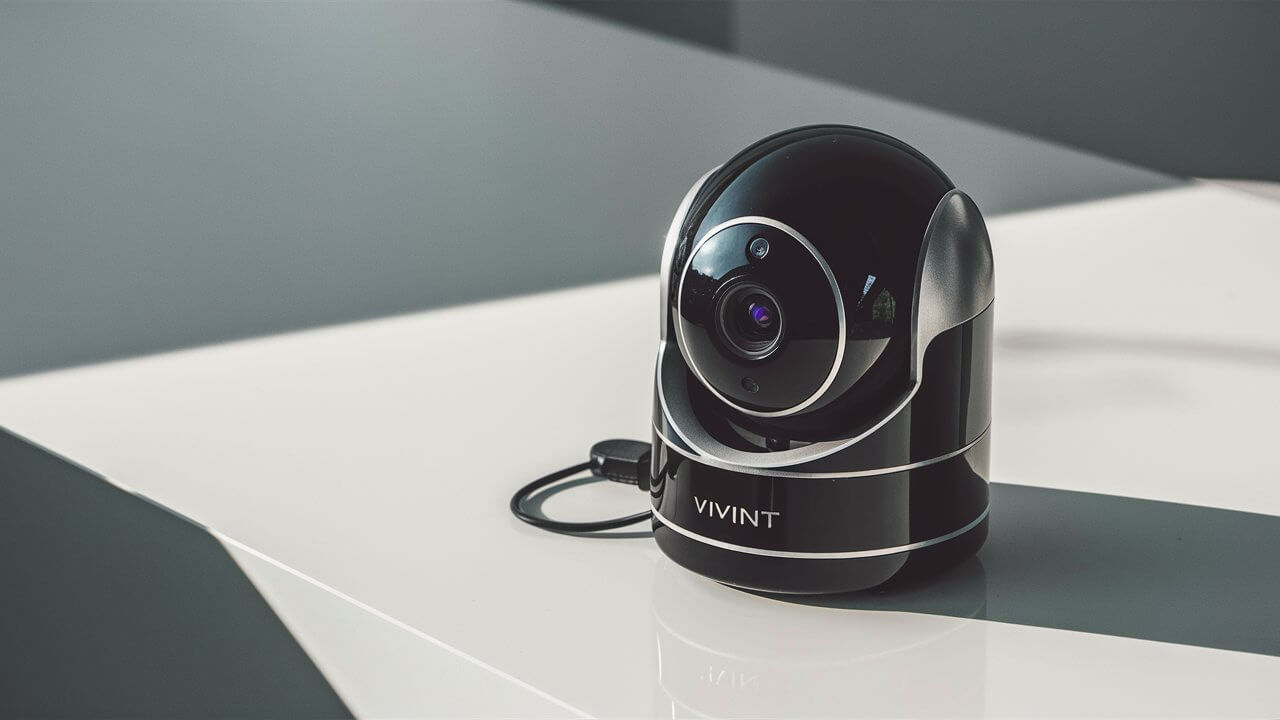
Discover how to leverage your Vivint camera's functionality even without an active monitoring service. This guide provides practical, actionable steps for maximizing your existing hardware, from local storage options to understanding its limitations, ensuring you get the most out of your investment.
Understanding Vivint Service Tiers and Camera Functionality
Vivint's ecosystem is built around its professional monitoring service, which unlocks the full potential of its smart home devices, including cameras. When you subscribe to a Vivint service plan, you gain access to cloud storage for recorded footage, remote access via the Vivint app, intelligent alerts, and integration with other Vivint security components like doorbells, motion sensors, and smart locks. The core functionality of the cameras themselves—capturing video and audio—is hardware-based and generally operates independently of the service subscription for live viewing. However, the features that make them "smart" cameras, such as recording events, sending notifications, and providing a history of footage, are heavily reliant on an active service plan.
Vivint typically offers several service tiers. The most basic plans often include professional monitoring and some level of cloud storage for security events. Higher-tier plans might offer extended cloud storage, advanced analytics, or broader smart home integration. Without any active service, the cameras essentially revert to being basic IP cameras, albeit with proprietary firmware that can limit their direct compatibility with third-party systems. This means that while the hardware is still capable of capturing video, the software interface and cloud-based features provided by Vivint become inaccessible. Understanding these tiers is crucial for setting realistic expectations about what your Vivint cameras can do when not connected to a paid service. For instance, the ability to review footage from a week ago, receive alerts for motion detection, or remotely check in on your property is directly tied to your subscription status.
In 2025-26, the smart home security market continues to evolve, with a growing emphasis on data privacy and user control. While Vivint focuses on its integrated service model, users are increasingly seeking more flexibility. This has led to a demand for understanding how to utilize existing hardware even when opting out of or pausing a subscription. The primary challenge with Vivint cameras without service is the lack of direct access to their advanced features, which are designed to work within the Vivint ecosystem. The cameras themselves are robust pieces of hardware, but their true value proposition is realized through the software and cloud infrastructure provided by Vivint.
The Role of Vivint Service in Camera Operation
The Vivint service acts as the central nervous system for its security devices. When a Vivint camera is part of an active service plan, it connects to Vivint's secure cloud servers. This connection facilitates several key functions:
- Cloud Storage: Footage captured during events (like motion detection or door opening) is uploaded to the cloud, providing a secure backup and history that can be accessed remotely.
- Remote Access: The Vivint app allows users to view live feeds from their cameras, review recorded clips, and receive notifications from anywhere with an internet connection.
- Smart Alerts: Service plans enable intelligent notifications based on motion, sound, or specific event triggers, differentiating between a person, package, or vehicle in 2025-26 advanced models.
- System Integration: Cameras work in conjunction with other Vivint devices, allowing for automated responses, such as lights turning on when motion is detected by a camera.
- Firmware Updates: Vivint pushes firmware updates to connected cameras to improve performance, security, and add new features, which is typically managed through the service.
Without an active service, these functionalities are significantly curtailed or completely disabled. The camera's ability to record and store footage is the most directly impacted feature. Cloud storage becomes unavailable, and without a service plan, the camera's proprietary software often prevents it from easily integrating with other network-attached storage (NAS) devices or third-party NVR (Network Video Recorder) systems, which are common alternatives for local storage in non-Vivint setups.
Vivint Camera Hardware vs. Software Functionality
It's essential to distinguish between the physical capabilities of the Vivint camera hardware and the software-driven features that require a Vivint service subscription. The hardware includes the lens, image sensor, microphone, speaker (on some models), Wi-Fi or Ethernet connectivity, and internal processing power. These components are responsible for capturing high-definition video and audio. For example, a Vivint indoor camera might have a 1080p resolution sensor, a wide-angle lens, and infrared night vision. These are all hardware features.
The software, on the other hand, is what dictates how this captured data is processed, stored, and accessed. Vivint's proprietary software, running on their servers and accessible through their app, manages recording schedules, motion detection algorithms, cloud uploads, and user interface. When the service is inactive, the camera's software often defaults to a minimal operational mode, primarily focused on local connectivity if any is even permitted without a registered service account. The challenge for users is that Vivint does not officially support or provide tools for accessing raw video streams (like RTSP) or integrating these cameras into generic NVR systems when the service is not active, unlike many other IP camera manufacturers. This proprietary approach is a key differentiator and a significant hurdle for those looking to use Vivint cameras without their intended service.
Local Storage Options for Vivint Cameras
One of the primary concerns when a Vivint service plan is inactive is the loss of cloud storage. This means any footage captured by your cameras will not be saved remotely, making it inaccessible once it's overwritten or if the camera is powered off. While Vivint's ecosystem is heavily geared towards cloud storage, some users explore options for local storage. However, it's crucial to understand that Vivint has designed its system to make direct local storage challenging without their service.
Historically, some Vivint camera models might have had a microSD card slot for local recording. This feature, if present, could potentially offer a limited form of local storage. However, the accessibility and functionality of this feature without an active service plan can be inconsistent and is not officially supported by Vivint for continuous recording or event-based backup when the service is offline. The camera's firmware often prioritizes cloud storage and may not allow for easy retrieval or management of footage from a microSD card when not connected to the Vivint service. Furthermore, the presence of a microSD card slot varies significantly by model. Newer models, especially those designed for professional installation and service, might omit this feature entirely.
For instance, the Vivint Indoor Camera (2nd Gen) and the Vivint Outdoor Camera Pro (2nd Gen) are designed to work seamlessly with Vivint's cloud storage. While some older models might have had limited local storage capabilities, Vivint's strategy in recent years (2025-26) has been to centralize data management through their cloud service. This means that even if a camera has a microSD card slot, it might only be used as a backup for critical event recordings that are also sent to the cloud, or its functionality might be severely restricted without an active service. Accessing this footage often still requires the Vivint app and an active account, even if the service plan itself is basic.
MicroSD Card Functionality (If Available)
If your specific Vivint camera model features a microSD card slot, it's worth investigating its capabilities. The primary function of a microSD card in security cameras is to provide an onboard storage solution. This can be useful for capturing footage locally, especially if internet connectivity is intermittent or if you wish to avoid cloud storage fees.
However, with Vivint cameras, the reality is often more complex. When a Vivint service plan is active, the microSD card might serve as a secondary backup for critical event recordings that are also uploaded to the cloud. In this scenario, the primary method of accessing footage remains through the Vivint app and cloud storage. If the service plan is inactive, the camera's firmware may not be configured to utilize the microSD card for continuous recording or even for storing event footage that can be easily retrieved. Some users report that the card might be formatted by the camera and remain largely inaccessible or only usable for very specific, limited recording functions that are not practical for general surveillance.
Key points regarding microSD cards:
- Model Dependency: Not all Vivint cameras have microSD card slots. Check your specific model's specifications.
- Firmware Limitations: Vivint firmware often prioritizes cloud storage and may restrict microSD card functionality when no active service is detected.
- Limited Accessibility: Footage stored on a microSD card might not be easily accessible through the Vivint app or downloadable without an active service.
- Not a Replacement for Cloud: Even if functional, it's unlikely to offer the same level of convenience, capacity, or remote access as Vivint's cloud storage.
In 2025-26, Vivint's focus remains on its integrated cloud-based services, making the microSD card, if present, a secondary and often unreliable storage solution for users without an active plan. For users seeking robust local storage, alternative camera systems or professional NVR solutions are generally more suitable.
Exploring Third-Party NVR/DVR Integration (Challenges)
For most IP cameras, integrating them with a Network Video Recorder (NVR) or Digital Video Recorder (DVR) system is a standard practice for local storage. These systems allow you to record footage from multiple cameras onto a hard drive, offering significant storage capacity and often advanced management features. However, this is where Vivint cameras present a significant challenge.
Vivint cameras are designed as proprietary devices within the Vivint ecosystem. They do not typically broadcast standard video streams like RTSP (Real-Time Streaming Protocol) or ONVIF (Open Network Video Interface Forum) compliance, which are the common protocols used by NVRs to connect to and record from IP cameras. This lack of open standards means that Vivint cameras are not directly compatible with most third-party NVR systems.
Even if you were to find a way to access the camera's IP address on your local network, attempting to configure it with an NVR would likely fail because the camera doesn't offer the necessary streaming protocols. Vivint's firmware is locked down to ensure that the cameras function primarily with their own service and app. This is a deliberate design choice to maintain the integrity of their security platform and encourage subscription to their services.
Why Vivint cameras are difficult to integrate with NVRs:
- Proprietary Protocols: Vivint uses its own communication protocols, not standard ones like RTSP or ONVIF.
- Firmware Restrictions: The camera's firmware is designed to communicate with Vivint servers and may not allow for external access to video streams.
- No Official Support: Vivint does not provide any documentation or support for integrating their cameras with third-party NVRs, especially when service is inactive.
Therefore, while the concept of using an NVR for local storage is valid for many IP cameras, it is generally not a viable solution for Vivint cameras when you are trying to avoid their service. Any claims of successful integration often involve complex, unsupported hacks that are prone to breaking with firmware updates and are not recommended for reliable surveillance.
Accessing Live Feeds Without Service
The ability to view a live feed from your Vivint cameras is a fundamental feature that many users want to retain, even without an active monitoring service. This allows for basic monitoring of your home or property. However, the method and ease of accessing live feeds without service depend heavily on the camera model and whether you have any lingering access to your Vivint account or app.
If you have an active Vivint account but have canceled the service plan, you might still be able to access live feeds through the Vivint app. Vivint's policy on this can vary, but generally, even without a paid service, the app might allow basic live viewing of connected cameras. This is because the camera is still registered to your account and connected to your home Wi-Fi network. The app acts as the bridge to your camera's IP address on your local network, and if Vivint allows this basic functionality, you can use it. However, this access is often limited; you won't get recorded footage, alerts, or advanced features.
The situation becomes more challenging if you no longer have access to your Vivint account or if the cameras have been de-provisioned from your account after a service cancellation. In such cases, accessing the live feed directly becomes significantly more difficult, if not impossible, through official channels. Vivint's system is designed to authenticate cameras through their service. Without that authentication, the camera might not even connect to your Wi-Fi network or be discoverable.
Using the Vivint App for Live Viewing
The Vivint app is the primary interface for interacting with your Vivint cameras. When your service is active, it provides a comprehensive suite of features, including live streaming, recorded playback, and system management. When the service is canceled, the app's functionality is reduced, but it may still offer a pathway to live viewing.
Scenario 1: Account Active, Service Canceled
If you have canceled your Vivint monitoring service but your Vivint account is still active, you can likely still use the Vivint app to view live feeds from your cameras. The cameras remain connected to your home Wi-Fi network and are associated with your account. When you open the app and navigate to the camera section, it will attempt to connect to your cameras. If the connection is successful, you will see the live video stream.
Important considerations:
- Internet Connection: Both your home Wi-Fi and your mobile device need a stable internet connection.
- Camera Connectivity: The cameras must be powered on and connected to your Wi-Fi network.
- App Functionality: Recorded footage, motion alerts, two-way talk (if applicable), and other advanced features will likely be unavailable.
- Potential Limitations: Vivint may implement limitations on live viewing duration or frequency for users without an active service plan. This can change with app or firmware updates.
Scenario 2: Account Deactivated or Camera Unlinked
If your Vivint account has been deactivated, or if the cameras have been unlinked from your account (which can happen after a prolonged period without service or a change in ownership), then using the Vivint app for live viewing becomes extremely difficult. The cameras require authentication through the Vivint service to operate. Without this, they may not function at all or may enter a dormant state.
In 2025-26, Vivint continues to emphasize its integrated service model, making it less likely that cameras will offer standalone live viewing capabilities once they are fully de-provisioned from the Vivint network.
Direct IP Access and RTSP (Generally Not Supported)
Many IP cameras, especially those designed for DIY installation and integration into broader surveillance systems, offer direct IP access. This usually involves accessing the camera's web interface via its IP address on your local network or using protocols like RTSP to stream video directly to NVRs, media players (like VLC), or other compatible software.
Vivint cameras, however, are an exception to this rule. They are not designed for direct IP access or RTSP streaming. Vivint intentionally locks down their cameras to ensure they operate exclusively within their secure, proprietary ecosystem. This means:
- No Web Interface: You cannot typically log into a Vivint camera via a web browser to configure settings or view a live stream.
- No RTSP/ONVIF: Vivint cameras do not broadcast RTSP or ONVIF streams, making them incompatible with standard NVRs and third-party surveillance software.
This is a significant limitation for users who wish to use their Vivint cameras without the associated service. While some older, less sophisticated IP cameras might offer these features, Vivint's focus on a managed, integrated service means their hardware is tightly coupled with their software and cloud infrastructure. Therefore, attempting to find an RTSP URL for a Vivint camera is generally a fruitless endeavor. Any workarounds found online are often unreliable, specific to older models, or quickly patched by Vivint through firmware updates.
Using Vivint Cameras for Basic Surveillance
Even without an active Vivint service plan, your Vivint cameras can still serve a purpose for basic surveillance needs. The core function of any camera is to capture video, and this capability remains even when cloud storage and advanced features are disabled. The key is to understand what "basic surveillance" entails in this context and how to configure your setup to achieve it.
Basic surveillance typically means being able to see what's happening in real-time or having the ability to review recent footage. As discussed, reviewing footage becomes the primary challenge without cloud storage. However, live viewing, if still accessible via the Vivint app, can be sufficient for some users who simply want to check in on their property periodically.
For example, a homeowner might want to check if a package has arrived, see if a pet is behaving, or ensure their children have arrived home safely from school. If the Vivint app still allows live feed access, these scenarios can be addressed. The limitation is the lack of a recording history. If an event occurs while you are not actively watching the live feed, and you don't have cloud storage, that event will likely go unrecorded and unreviewed.
Live Viewing as a Primary Function
The most practical use of a Vivint camera without service is its function as a live viewer. If your Vivint account is still active and linked to the cameras, you can open the Vivint app on your smartphone or tablet and select your cameras to view their live feeds. This is akin to using a basic webcam or a simple IP camera that you can access remotely.
How to maximize live viewing:
- Ensure Connectivity: Confirm that your cameras are powered on and successfully connected to your home Wi-Fi network. Check your router settings if you suspect connectivity issues.
- Stable Internet: A strong and stable internet connection at your home is crucial for reliable live streaming.
- App Updates: Keep the Vivint app updated to the latest version. Updates can sometimes restore or maintain functionality, even for users without active service.
- Regular Checks: Make it a habit to check the live feeds periodically, especially if you are concerned about specific times or events.
In 2025-26, with increasing reliance on remote monitoring, even basic live viewing can provide significant peace of mind. However, it's essential to remember that this is a reactive rather than proactive surveillance method. You are observing events as they happen, not reviewing past incidents.
Limitations of No Recording Capabilities
The most significant limitation when using Vivint cameras without service is the absence of reliable recording capabilities. Without cloud storage or a compatible NVR, any video captured by the camera is essentially ephemeral.
Consequences of no recording:
- Missed Events: If an incident occurs (e.g., a break-in, vandalism, or even a package theft) while you are not actively watching the live feed, you will have no record of it.
- No Evidence: In the event of a crime or dispute, you will not have video evidence to support your claims or assist law enforcement.
- Troubleshooting Difficulties: If a camera stops working, it's harder to diagnose the issue without historical footage that might show when the problem started.
- Limited Peace of Mind: While live viewing offers some reassurance, the lack of a recording history can diminish the overall security benefit.
This limitation is a direct result of Vivint's business model, which is centered around its paid monitoring and cloud storage services. For users who require recording capabilities, investing in a system that supports local storage (like an NVR with compatible cameras) or maintaining an active cloud service is necessary.
Using Cameras for "Awareness" Rather Than "Security"
Given the limitations, it's more accurate to describe the use of Vivint cameras without service as providing "awareness" rather than robust "security." Awareness implies being able to check in on your property and see what's happening in real-time. Security, on the other hand, implies a system that can detect, record, and potentially alert you to threats, providing a deterrent and evidence.
Examples of "awareness" use cases:
- Pet Monitoring: Check on your pets throughout the day to ensure they are safe and not causing mischief.
- Delivery Monitoring: See when a package is delivered and if it's still present.
- Child Arrival: Confirm when children arrive home from school.
- General Property Check: Get a quick visual confirmation of your property's status.
These are valuable functions, but they do not replace the comprehensive security offered by a fully functional system with recording and alerts. It's crucial for users to understand this distinction to avoid overestimating the capabilities of their Vivint cameras when the service is inactive.
Troubleshooting and Limitations When Vivint Service is Offline
When your Vivint service is offline, troubleshooting becomes more complex because you lose access to Vivint's support resources and diagnostic tools. The cameras are designed to operate within their managed ecosystem, and when that ecosystem is disrupted, unexpected issues can arise. Understanding these common problems and limitations is key to managing your expectations.
The most frequent issue users encounter is the inability to connect to the cameras at all. This can stem from various factors, including Wi-Fi connectivity problems, camera firmware issues, or Vivint's own service deactivation protocols. Without the ability to easily access camera settings or view diagnostic logs, pinpointing the exact cause can be challenging.
Furthermore, even if you can establish a connection, the performance might be degraded. Live feeds could be choppy, connections might drop frequently, or the video quality might suffer. These issues are often exacerbated by the lack of active service, which might prevent the camera from receiving necessary updates or optimizations.
Common Connectivity Issues
Connectivity is the backbone of any smart camera system. When Vivint service is offline, maintaining that connection can become a hurdle.
Potential causes for connectivity loss:
- Wi-Fi Network Changes: If you change your Wi-Fi network name (SSID) or password, your Vivint cameras will lose their connection. Reconnecting them without the Vivint app's guided setup (which relies on service authentication) can be difficult.
- Router Issues: Router firmware updates, firmware corruption, or simply a router reboot can sometimes disrupt the camera's connection.
- Internet Service Provider (ISP) Problems: Outages or changes with your ISP can affect the camera's ability to communicate with Vivint's servers (even for basic functionality) or your ability to access the app remotely.
- Camera Firmware Glitches: Without active service, cameras might not receive critical firmware updates that fix bugs or improve connectivity. This can lead to them becoming unstable over time.
- Vivint's Deactivation Protocols: In some cases, Vivint might remotely disable cameras or limit their functionality after a service cancellation, especially if the equipment is still considered leased or if the account is significantly delinquent.
Troubleshooting these issues often involves standard network diagnostics: rebooting your router and modem, checking Wi-Fi signal strength near the cameras, and ensuring your mobile device is on the same network when attempting initial setup or troubleshooting. However, without the ability to perform factory resets that properly re-provision the camera onto a network or access advanced settings, resolving persistent connectivity issues can be frustrating.
Firmware and Software Updates
Firmware and software updates are critical for maintaining the security, performance, and functionality of any electronic device, including smart cameras. Vivint, like most manufacturers, regularly releases updates to address bugs, patch security vulnerabilities, and introduce new features.
When you have an active Vivint service plan, these updates are typically pushed automatically to your cameras. The Vivint app or your panel will notify you, or the updates will occur in the background. This ensures your cameras are always running the latest, most stable version of the software.
However, when the Vivint service is offline, the mechanism for receiving these updates is often disrupted. Cameras may not be able to connect to Vivint's update servers, or Vivint may intentionally disable update delivery for cameras not associated with an active service. This can lead to several problems:
- Security Vulnerabilities: Cameras running older firmware may be susceptible to security exploits that have been patched in newer versions.
- Performance Degradation: Bugs that cause performance issues (e.g., dropped connections, poor video quality) may not be fixed.
- Compatibility Issues: As the Vivint app is updated, older camera firmware might become incompatible, further limiting functionality.
- Lack of New Features: You will miss out on any new features or improvements that Vivint introduces.
In 2025-26, cybersecurity threats are constantly evolving. Running unpatched firmware on any connected device poses a risk. For Vivint cameras without service, this risk is amplified because you lack the primary channel for security updates.
The "Bricked" Camera Phenomenon
The term "bricked" refers to an electronic device that has become inoperable and cannot be recovered. While less common with Vivint cameras in normal operation, there are scenarios where a camera could become effectively "bricked" when service is offline, particularly due to firmware issues or deactivation protocols.
How cameras can become "bricked" without service:
- Failed Firmware Updates: If a firmware update is interrupted (e.g., due to a power outage or Wi-Fi drop) while the service is offline, the camera's firmware could become corrupted, rendering it unusable.
- Remote Deactivation: Vivint might have the ability to remotely disable cameras that are no longer part of an active service agreement. While this is usually reversible by reactivating service, if the camera is then sold or no longer associated with an account, it might become permanently locked.
- Proprietary Lock-in: The tightly controlled nature of Vivint's ecosystem means that if the camera cannot authenticate with Vivint's servers, it may simply refuse to operate, effectively becoming a useless piece of hardware.
It's important to note that Vivint generally aims to provide a good user experience, and "bricking" is usually a last resort or a consequence of failed processes. However, the risk exists, especially when attempting to operate devices outside their intended service model. If a Vivint camera becomes unresponsive and cannot be re-provisioned or accessed, it might be beyond recovery without Vivint's direct intervention, which would likely require reactivating a service plan.
Alternative Uses and DIY Solutions
While Vivint cameras are designed for their integrated service, users looking to repurpose them without active service might explore unconventional routes. These often involve DIY approaches and a willingness to experiment, understanding that success is not guaranteed and may void warranties or violate terms of service.
The primary goal for many in this situation is to gain some level of local control or to integrate the camera into a different smart home ecosystem. This typically involves trying to bypass Vivint's proprietary software and access the camera's raw video feed or underlying operating system.
Disclaimer: These methods are generally not supported by Vivint and may require advanced technical knowledge. Proceed at your own risk.
Repurposing Vivint Cameras as Basic Webcams (Limited Success)
The idea of turning a security camera into a general-purpose webcam is appealing, especially if the hardware itself is high-quality. However, as previously established, Vivint cameras do not typically offer standard webcam interfaces or protocols like UVC (USB Video Class).
Some highly technical users might attempt to find a way to intercept the video stream at a lower level or to flash custom firmware onto the camera. This is an extremely advanced DIY project that involves:
- Reverse Engineering: Analyzing the camera's network traffic and firmware to understand its communication protocols.
- Exploiting Vulnerabilities: Finding security flaws in the camera's software that allow for unauthorized access or modification.
- Custom Firmware: Developing or finding custom firmware that replaces Vivint's proprietary software with a more open system (e.g., one that supports RTSP or standard webcam protocols).
This is a complex and time-consuming endeavor, and the likelihood of success is low, especially with newer Vivint camera models. The hardware is often tightly integrated with specific Vivint cloud services, making it difficult to decouple. Furthermore, any successful modification could render the camera permanently inoperable if not done correctly.
Exploring Open-Source Surveillance Software (If Direct Stream is Found)
If, by some chance, a user manages to find a way to access a direct video stream from a Vivint camera (e.g., an RTSP feed, though this is highly improbable), they could then integrate it with open-source surveillance software. Platforms like:
- Blue Iris: A powerful Windows-based video surveillance software.
- ZoneMinder: A free, open-source video surveillance software suite for Linux.
- Home Assistant: An open-source home automation platform that can integrate various devices, including cameras, if they expose compatible streams.
These platforms allow users to manage multiple cameras, set up recording schedules, configure motion detection, and create custom alerts. However, the prerequisite for using them with Vivint cameras is the availability of a standard video stream. Since Vivint cameras are designed not to provide this, this path is generally blocked.
In 2025-26, the trend in DIY smart home security leans towards cameras that are explicitly designed for local control or offer open APIs. Vivint's closed ecosystem makes it an outlier in this regard.
Selling or Repurposing the Hardware
Given the significant challenges in using Vivint cameras without their service, a more practical approach for some users might be to sell the hardware. Vivint cameras, especially if they are in good condition, can still hold some value on the secondary market. Buyers who are existing Vivint customers or who are looking for specific Vivint camera models might be willing to purchase them.
When selling, it's crucial to:
- Factory Reset: Ensure the camera is factory reset to remove any association with your Vivint account. This is vital for the buyer's ability to set it up with their own service.
- Be Transparent: Clearly state that the camera is a Vivint device and requires an active Vivint service plan to function fully.
- Check Vivint Policies: Understand Vivint's policies on equipment ownership and transfer, especially if the equipment was leased.
Alternatively, if the camera hardware itself is robust (e.g., good lens, sensor), some users might explore if it's possible to flash entirely different, open-source firmware onto the device, effectively turning it into a generic IP camera. This is an extremely advanced process, akin to hacking, and is not recommended for the average user. It often requires specialized tools and a deep understanding of embedded systems.
Legal and Privacy Considerations
When using any surveillance equipment, including Vivint cameras, it's crucial to be aware of the legal and privacy implications. These considerations become even more important when operating the cameras outside of their intended, managed service, as you are solely responsible for ensuring compliance.
Laws regarding video surveillance vary significantly by location (state, country, and even local ordinances). These laws often dictate where cameras can be placed, what they can record, and how that footage can be used. For instance, recording audio without consent is illegal in many jurisdictions, and placing cameras in areas where individuals have a reasonable expectation of privacy (like bathrooms or private bedrooms) is generally prohibited.
When using Vivint cameras without service, you lose the benefit of Vivint's standardized approach to data security and privacy policies, which are designed to align with industry best practices and legal requirements. You are now the sole custodian of the data, and any breaches or misuse fall entirely on you.
Recording Audio
Many Vivint cameras are equipped with microphones, allowing for two-way audio communication and audio recording. However, the legality of recording audio is much stricter than video recording.
In the United States, federal law permits the recording of audio if at least one party to the conversation consents. This is known as a "one-party consent" law. However, many states have stricter "two-party consent" laws, requiring that all parties involved in a conversation consent to being recorded.
Key considerations for audio recording:
- Jurisdiction: Determine the laws in your specific state and locality regarding audio recording.
- Consent: If you are in a two-party consent state, you must obtain explicit consent from everyone being recorded. This is often impractical for general surveillance.
- Vivint App Settings: Vivint's app typically allows you to disable audio recording for each camera. If you are using the camera without service, ensure audio recording is turned off unless you are fully compliant with local laws.
- Privacy of Neighbors: Be mindful of whether your camera's microphone can pick up audio from neighboring properties, which could lead to privacy violations.
For most users operating Vivint cameras without service, it is advisable to disable audio recording entirely to avoid potential legal issues, especially since you lose the clear guidance Vivint's service provides on these matters.
Privacy Expectations and Neighbor Concerns
The placement of surveillance cameras can raise privacy concerns among neighbors. Even if your cameras are pointed solely at your own property, they might inadvertently capture footage or audio from adjacent properties.
Best practices to respect privacy:
- Strategic Placement: Position cameras to focus on your property's entry points, yard, or driveway, avoiding direct views into neighbors' windows or private outdoor spaces.
- Avoid Overlapping Fields of View: Be conscious of where your cameras are pointed and how their fields of view might overlap with neighboring properties.
- Communicate with Neighbors: If you have concerns, or if your cameras might capture footage from their property, it's good practice to have an open conversation with your neighbors. Transparency can help alleviate concerns.
- Secure Your System: Even without Vivint service, ensure your Wi-Fi network is secured with a strong password. A compromised camera system could be used for malicious purposes, impacting both your privacy and that of others.
In 2025-26, privacy is a paramount concern for many individuals. Proactive steps to ensure privacy and maintain good neighborly relations are essential when deploying any surveillance technology.
Data Security When Not Using Vivint Cloud
When you are not using Vivint's cloud service, you are responsible for the security of any footage stored locally (e.g., on a microSD card, if applicable) or if you manage to access a direct stream. This means securing your home network and any devices used to access the cameras.
Data security measures:
- Strong Wi-Fi Password: Use WPA2 or WPA3 encryption and a complex, unique password for your home Wi-Fi network.
- Router Security: Keep your router's firmware updated and disable features like WPS if not actively used. Change the default router administrator password.
- Device Security: If you are accessing cameras from a computer or mobile device, ensure those devices are also protected with strong passwords or biometric locks and have up-to-date operating systems and security software.
- Local Storage Security: If using a microSD card, be aware that it can be physically stolen or accessed if the camera is compromised.
Vivint's cloud service provides a level of managed security, including encryption of data in transit and at rest. When operating without this service, you are essentially taking on the role of the security administrator for your camera system.
Maximizing Your Vivint Hardware Investment
Even if you've decided to discontinue your Vivint monitoring service, your Vivint cameras are still valuable pieces of hardware. The goal is to extract as much utility from them as possible, given the constraints. This involves understanding their limitations and focusing on the functions that remain accessible.
The primary way to maximize your investment is to leverage the live viewing capabilities, as discussed earlier. If your Vivint account is still active, the Vivint app remains your gateway to seeing what's happening in real-time. This can provide a degree of awareness and peace of mind that is still beneficial.
Beyond live viewing, consider the long-term strategy. If the cameras are still functional and you have no intention of reactivating Vivint service, exploring the resale market might be the most financially sound option. This allows you to recoup some of your initial investment and put that capital towards a surveillance system that better suits your current needs and budget.
Realistic Expectations for Continued Use
It's crucial to set realistic expectations for how much functionality you can retain from Vivint cameras without an active service. They are designed as part of a subscription-based ecosystem. While the hardware itself is capable, the software and cloud infrastructure are what unlock its full potential.
Key takeaways for realistic expectations:
- Live Viewing is Primary: Your main utility will be live streaming, provided your Vivint account remains active and the app supports it.
- No Recording: Do not expect reliable recording capabilities without cloud storage or a compatible NVR.
- Limited Support: Vivint support will likely be unavailable for troubleshooting issues related to cameras operating without service.
- Potential for Future Limitations: Vivint may update its app or backend systems in ways that further limit functionality for non-subscribers.
By understanding these limitations, you can avoid frustration and make informed decisions about how to best utilize your existing hardware.
When to Consider Upgrading or Switching Systems
If your primary need is robust security, including reliable recording, motion alerts, and remote access to footage, then Vivint cameras without service will likely fall short. In such cases, it's advisable to consider upgrading or switching to a different surveillance system.
Signs that it's time to upgrade:
- Need for Recorded Footage: If you require evidence or the ability to review past events, a system with local or cloud recording is essential.
- Lack of Alerts: If you need to be notified of specific events (e.g., motion detection, person detection), a system that provides intelligent alerts is necessary.
- Connectivity Issues: If you are experiencing persistent connectivity problems that cannot be resolved, it may indicate hardware limitations or incompatibility with your network.
- Desire for Integration: If you want to integrate your cameras with other smart home platforms or DIY systems, you'll need cameras that support open standards like RTSP or ONVIF.
- Cost-Effectiveness: Compare the ongoing cost of Vivint service with the upfront cost of a DIY system that meets your needs. For some, a one-time purchase of cameras and an NVR can be more cost-effective in the long run.
Many excellent DIY security camera systems are available in 2025-26, offering features like local SD card storage, NVR compatibility, and integration with platforms like Home Assistant. These systems provide greater flexibility and control, especially for users who prefer to manage their own data and avoid subscription fees.
The Value of Vivint Hardware on the Secondary Market
Vivint hardware, including cameras, is generally well-built and designed for performance. This makes it attractive on the secondary market, particularly for individuals who are already within the Vivint ecosystem or are looking for specific Vivint camera models at a lower cost.
When selling Vivint cameras, be sure to:
- Factory Reset: This is the most critical step. A factory reset ensures that the camera is no longer linked to your account and can be set up by a new owner. Instructions for factory resets can usually be found on Vivint's support website or by searching online for your specific camera model.
- Include All Accessories: Provide all original mounting hardware, power adapters, and cables.
- Honest Description: Clearly state the model of the camera and its capabilities. Mention that it requires an active Vivint service plan to function.
- Competitive Pricing: Research similar listings to set a fair price.
Selling the hardware can be a practical way to recoup some of your investment, especially if you are transitioning to a different security system. It allows you to get value from your existing equipment rather than letting it sit unused.
In conclusion, while using Vivint cameras without an active service plan presents significant limitations, it's not entirely without utility. The primary function that often remains accessible is live viewing through the Vivint app, provided your account is still active. This allows for basic awareness of your property. However, the absence of recording capabilities, the lack of official support for local storage or third-party integration, and potential connectivity issues mean that these cameras cannot replace a fully functional security system. For users requiring robust security features, exploring alternative systems or selling the Vivint hardware to invest in a more suitable solution is often the most practical path forward. Always prioritize legal and privacy considerations when deploying any surveillance technology.





