Lockdown Your Smart House: Comprehensive Guide for the Best Home Security Systems
Securing your connected home is paramount in today's digital age. This comprehensive guide equips you with the knowledge to select and implement the best smart home security systems, ensuring peace of mind and robust protection against evolving threats. Discover essential features, integration possibilities, and expert advice to lockdown your smart house effectively.
Why Smart Home Security Matters in 2025-26
The landscape of home security has undergone a dramatic transformation with the advent of smart home technology. In 2025-26, a smart home is no longer a luxury but a common reality for millions. This interconnectedness, while offering unparalleled convenience, also presents new vulnerabilities. Traditional security measures are often insufficient against sophisticated digital threats and evolving physical intrusion methods. Smart home security systems offer a proactive, integrated approach, leveraging advanced technology to protect your property, loved ones, and digital assets. The increasing prevalence of cyber-attacks targeting IoT devices underscores the urgent need for robust, intelligent security solutions. Statistics from the National Cybersecurity Alliance in late 2025 indicate a 30% rise in reported home network breaches linked to unsecured smart devices, highlighting a critical gap in consumer awareness and preparedness. Investing in a comprehensive smart home security system is not just about deterring burglars; it's about creating a secure, resilient living environment that adapts to the digital age.
Understanding the Core Components of Smart Home Security
A robust smart home security system is a symphony of interconnected devices, each playing a crucial role in safeguarding your residence. Understanding these components is the first step toward building an effective defense. These systems are designed to work in concert, providing layered security and immediate alerts.
Smart Hub/Gateway
The brain of your smart home security system. The smart hub acts as a central controller, connecting all your security devices and enabling them to communicate with each other and with you via a mobile app. It often supports various wireless protocols like Wi-Fi, Z-Wave, Zigbee, and Bluetooth, ensuring compatibility with a wide range of devices. Without a central hub, individual devices operate in isolation, limiting their potential and the system's overall effectiveness. For instance, a motion sensor might detect activity, but without a hub, it cannot trigger a siren or send an alert to your phone.
Smart Security Cameras
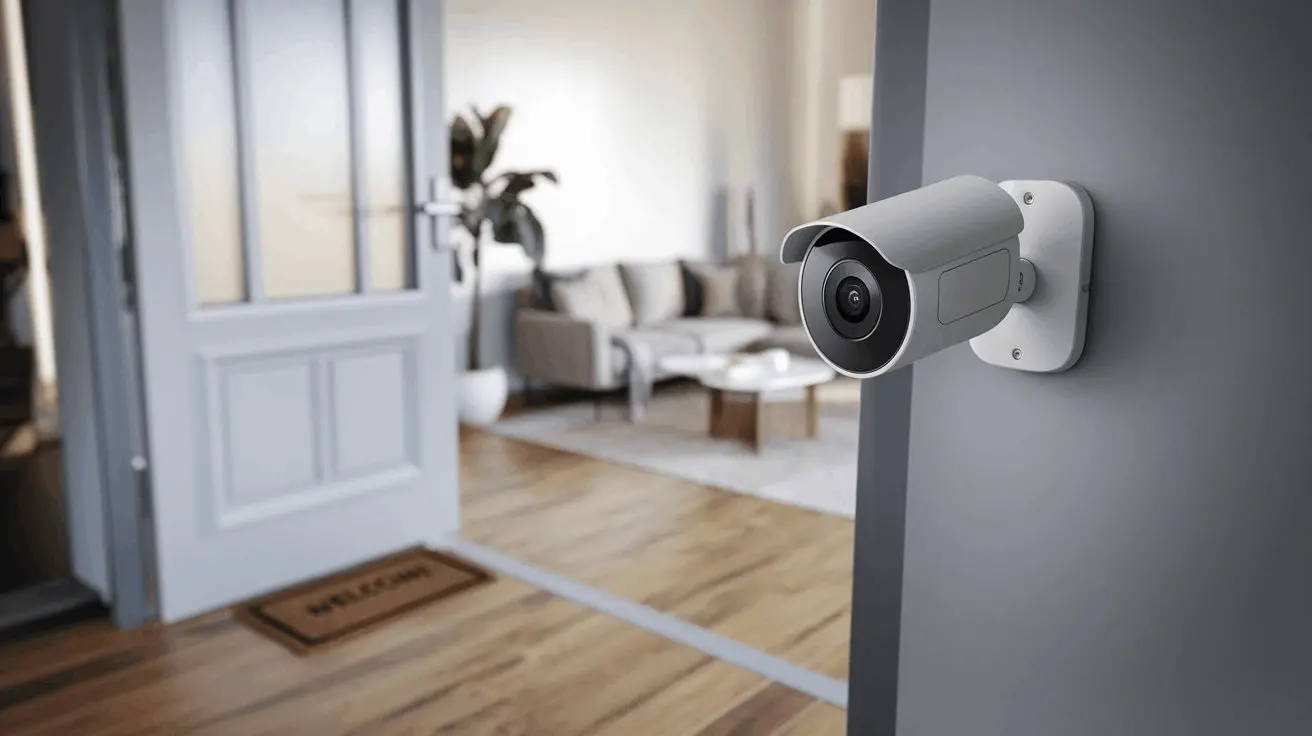
These are your eyes and ears, providing real-time video surveillance of your property, both indoors and outdoors. Modern smart cameras offer high-definition video, night vision, motion detection, two-way audio, and cloud or local storage options. Advanced AI capabilities in 2025-26 models can distinguish between people, pets, and vehicles, reducing false alarms. Outdoor cameras are crucial for monitoring entry points, while indoor cameras can provide peace of mind when you're away.
Smart Sensors
These devices are designed to detect specific events and trigger alerts. Common types include:
- Door/Window Sensors: These magnetic sensors trigger an alert when a door or window is opened. They are essential for monitoring entry points.
- Motion Sensors: Utilizing infrared or microwave technology, these detect movement within a designated area. Advanced sensors can be pet-immune to avoid false alarms from animals.
- Glass Break Sensors: These listen for the specific frequency of breaking glass, providing an early warning if a window is shattered.
- Environmental Sensors: While not strictly security devices, smart smoke detectors, carbon monoxide detectors, and water leak sensors are vital for overall home safety and often integrate with security systems for unified alerts.
Smart Locks
These allow you to lock and unlock your doors remotely via a smartphone app, create temporary access codes for guests, and receive notifications when your door is locked or unlocked. Keyless entry, auto-locking features, and integration with other smart devices enhance convenience and security.
Smart Sirens/Alarms
When a sensor is triggered, a loud siren can deter intruders and alert neighbors. Smart sirens can be controlled remotely and often feature adjustable volume levels.
Smart Doorbells
These combine a doorbell button with a camera, microphone, and speaker. They allow you to see, hear, and speak to visitors at your door from anywhere via your smartphone, even when you're not home. Many also offer motion detection and recording capabilities.
Professional Monitoring Services
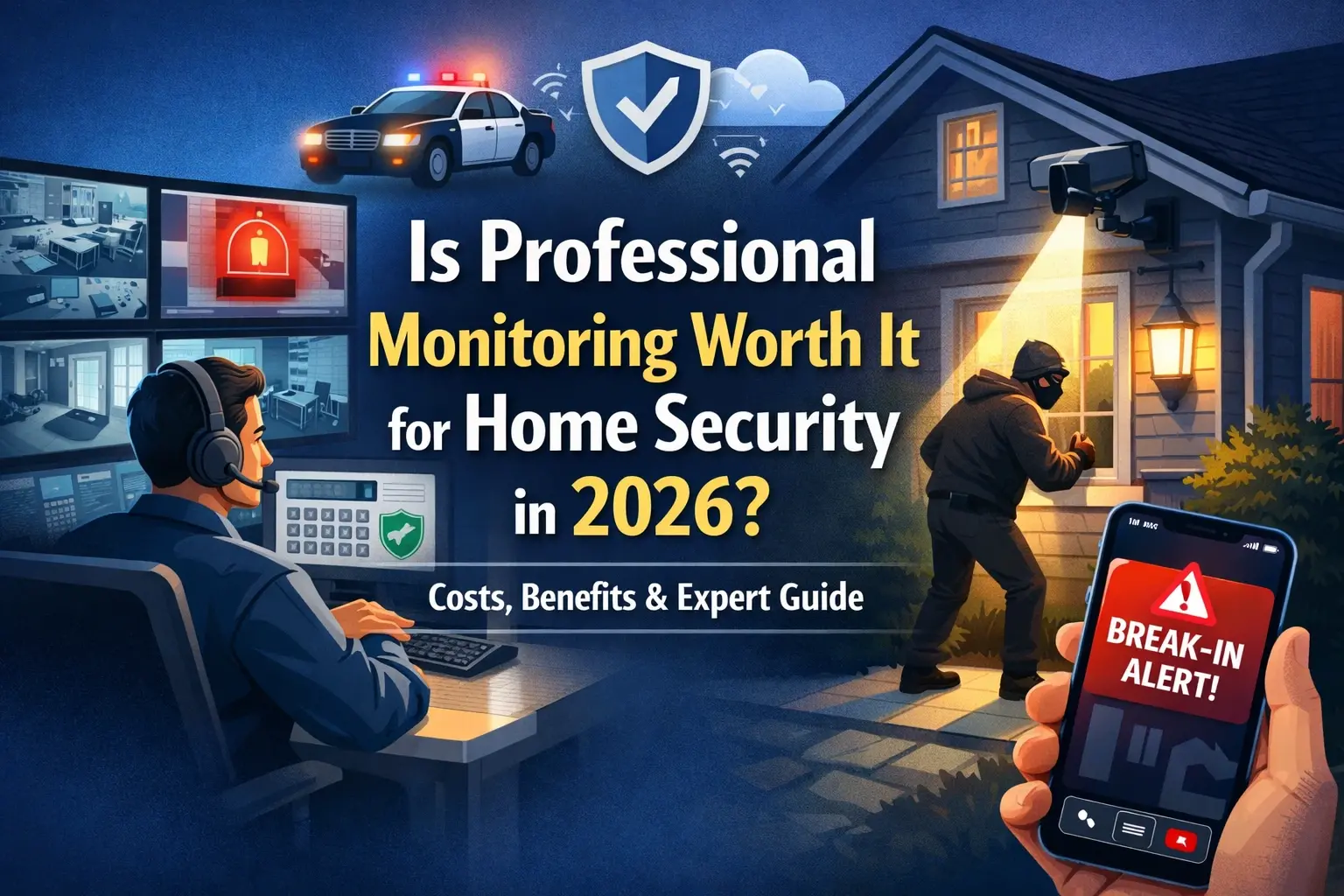
While many smart systems offer self-monitoring through app notifications, professional monitoring services provide an added layer of security. Trained professionals monitor your system 24/7 and can dispatch emergency services (police, fire department) if an alarm is triggered. This is particularly valuable for those who may not always be able to respond to alerts immediately.
Essential Features to Look For in 2025-26
The smart home security market is constantly evolving, with new features emerging to enhance protection and user experience. When evaluating systems for your smart house, prioritize these key functionalities:
High-Definition Video and Night Vision
Clear video footage is crucial for identifying threats and providing evidence. Look for cameras offering at least 1080p resolution. Advanced night vision capabilities, using infrared LEDs, ensure clear visibility even in complete darkness. Some high-end systems in 2025-26 are incorporating color night vision for even better detail.
Two-Way Audio
This feature allows you to communicate with individuals near your cameras or doorbell in real-time. It's invaluable for speaking with delivery personnel, warning off potential intruders, or checking in with family members.
Motion Detection and Smart Alerts
Sophisticated motion detection algorithms are essential to minimize false alarms. Look for systems that can differentiate between people, pets, vehicles, and general movement. AI-powered analytics can send highly specific alerts, such as "Person detected at front door," allowing for a more informed response.
Remote Access and Control
The ability to monitor your home, arm/disarm the system, view live camera feeds, and control smart locks from anywhere via a mobile app is fundamental. Ensure the app is user-friendly and provides robust control options.
Integration Capabilities
A truly smart security system should integrate seamlessly with other smart home devices and platforms (e.g., Amazon Alexa, Google Assistant, Apple HomeKit). This allows for automation, such as lights turning on when motion is detected or the thermostat adjusting when the system is armed.
Power Backup and Connectivity Options
Consider systems with battery backup for essential components in case of a power outage. For connectivity, Wi-Fi is standard, but cellular backup provides an extra layer of security, ensuring your system remains online even if your internet connection is disrupted. Some advanced systems offer both.
Data Encryption and Privacy
With increasing concerns about data breaches, robust encryption for video feeds and personal data is paramount. Understand the provider's privacy policy and how your data is stored and protected. Look for end-to-end encryption where possible.
Scalability and Expandability
Your security needs may change over time. Choose a system that allows you to easily add more cameras, sensors, or other devices as needed without significant cost or complexity.
Professional Monitoring Options
Evaluate whether you need 24/7 professional monitoring. This service can be a lifesaver in critical situations, but it comes with a monthly fee. Some systems offer tiered monitoring plans to suit different budgets and needs.
Local vs. Cloud Storage
Decide whether you prefer to store video footage locally (e.g., on an SD card or a Network Video Recorder - NVR) or in the cloud. Cloud storage offers convenience and accessibility but often involves subscription fees and potential privacy concerns. Local storage provides more control but requires managing the storage hardware.
Types of Smart Home Security Systems
The smart home security market offers a diverse range of systems, catering to different user preferences, technical skills, and budget constraints. Understanding these categories will help you narrow down your choices.
All-in-One DIY Systems
These systems are designed for easy installation by the homeowner. They typically include a central hub, a few sensors, and sometimes a camera. Setup usually involves plugging in the hub, downloading an app, and pairing the devices. They are often subscription-free for basic monitoring, with optional paid services for advanced features or professional monitoring. Examples include Ring Alarm, SimpliSafe, and Abode. These are excellent for renters or those who prefer a hands-on approach to securing their smart house.
Modular DIY Systems
Similar to all-in-one DIY systems, but with greater flexibility. You can purchase individual components (cameras, sensors, locks, etc.) from a specific brand and build a custom system around a compatible hub or even use a smart home platform like SmartThings or Home Assistant as the central controller. This offers maximum customization but may require more technical knowledge to integrate different brands.
Professionally Installed and Monitored Systems
These systems are installed by trained technicians and typically come with a mandatory professional monitoring contract. While offering convenience and expert setup, they often involve higher upfront costs and long-term commitments. Brands like ADT and Vivint fall into this category. They provide a comprehensive security solution for those who want a hands-off approach.
Component-Based Smart Home Security
This approach involves integrating various smart devices from different manufacturers into a unified system using a powerful smart home hub or platform. For example, you might use a Philips Hue smart bulb system, a Nest Cam, and a Yale smart lock, all controlled through Amazon Alexa or Google Home. This offers immense flexibility but requires a good understanding of smart home protocols and compatibility. It's ideal for tech-savvy users who want to build a highly personalized smart house security ecosystem.
Video Surveillance Focused Systems
These systems prioritize cameras and video recording. They might include multiple high-resolution cameras with advanced analytics, NVRs for extensive local storage, and sophisticated remote viewing capabilities. While they offer excellent visual monitoring, they might rely on third-party sensors or smart home platforms for alarm triggers and broader security functions. Brands like Arlo and Reolink often excel here.
Comparison of System Types:
| Feature | All-in-One DIY | Modular DIY | Professionally Installed | Component-Based |
|---|---|---|---|---|
| Installation Difficulty | Easy | Moderate | Easy (Professional) | Difficult |
| Customization | Moderate | High | Low | Very High |
| Monthly Fees | Optional | Optional | Usually Required | Rare (Platform dependent) |
| Technical Expertise | Low | Moderate | Low | High |
| Ideal For | Beginners, Renters | Homeowners wanting flexibility | Those seeking full service | Tech enthusiasts, custom builders |
Navigating Smart Home Integration and Ecosystems
The true power of a smart home security system lies in its ability to integrate with your broader smart home ecosystem. In 2025-26, this means seamless communication between your security devices, smart lighting, thermostats, voice assistants, and more. This interoperability allows for powerful automations that enhance both security and convenience.
Major Smart Home Platforms
Several dominant platforms facilitate this integration:
- Amazon Alexa: Widely adopted, Alexa allows voice control of security devices and can trigger routines based on security events. For example, "Alexa, arm the house" could lock doors, turn off lights, and set the thermostat.
- Google Assistant: Similar to Alexa, Google Assistant enables voice commands for security systems and integrates with Google Home devices. Routines can be set up to automate actions based on security status or sensor triggers.
- Apple HomeKit: Known for its strong focus on security and privacy, HomeKit allows for secure control of compatible smart home devices, including security systems, through the Home app and Siri.
- Samsung SmartThings: A versatile platform that supports a wide range of devices using Z-Wave, Zigbee, and Wi-Fi. SmartThings offers robust automation capabilities, allowing for complex "if this, then that" scenarios involving security devices.
- Home Assistant: An open-source platform that offers unparalleled customization and local control. It's favored by advanced users who want complete control over their smart home and privacy, integrating virtually any device, regardless of manufacturer.
Creating Powerful Automations
Integration unlocks sophisticated automations that go beyond basic alerts:
- "Away" Mode: When you leave, your system can automatically lock doors, arm sensors, turn off lights, and adjust the thermostat. This can be triggered manually, by geofencing (your phone leaving a certain area), or by a scheduled time.
- "Welcome Home" Mode: Upon your return, the system can disarm, unlock the front door, turn on specific lights, and adjust the thermostat to your preferred setting.
- Deterrent Scenarios: If motion is detected outdoors at night, the system can automatically turn on exterior lights and play a pre-recorded warning message through an outdoor speaker.
- Emergency Response: A smoke detector triggering could automatically unlock doors for easier evacuation and send alerts to emergency contacts. A break-in detected by a sensor could trigger all interior lights to flash, disorienting an intruder while simultaneously notifying authorities.
- Video Recording Triggers: Motion detected by a sensor can automatically trigger specific cameras to begin recording and send a notification with a video clip.
Ensuring Compatibility
Before purchasing devices, always check for compatibility badges (e.g., "Works with Alexa," "HomeKit Certified," "Works with Google Home"). For more complex setups using platforms like SmartThings or Home Assistant, consult their respective device compatibility lists. Choosing devices that use standard protocols like Z-Wave Plus or Zigbee 3.0 generally increases the likelihood of successful integration.
Installation and Setup: DIY vs. Professional
The decision between a DIY (Do-It-Yourself) installation and professional setup is a significant one, impacting cost, time, and the overall effectiveness of your smart home security system. Both approaches have their merits, and the best choice depends on your technical aptitude, available time, and comfort level with technology.
DIY Installation
Pros:
- Cost Savings: Eliminates professional installation fees, which can range from a few hundred to over a thousand dollars.
- Flexibility: You can install the system on your own schedule, at your own pace.
- Learning Opportunity: Gain a deeper understanding of your security system's components and how they work, which can be beneficial for troubleshooting.
- Control: You have complete control over the placement and configuration of each device.
Cons:
- Time Commitment: Can be time-consuming, especially for larger homes or more complex systems.
- Technical Skill Required: May require some basic technical knowledge, such as understanding Wi-Fi networks, using smartphone apps, and potentially drilling holes for mounting devices.
- Potential for Errors: Incorrect installation can lead to system malfunctions, false alarms, or security vulnerabilities.
- Troubleshooting: You are solely responsible for diagnosing and fixing any issues that arise.
Tips for DIY Installation:
- Read all instructions thoroughly before starting.
- Watch installation videos provided by the manufacturer.
- Ensure your Wi-Fi signal is strong in all areas where you plan to install devices.
- Test each component thoroughly after installation.
- Keep all manuals and documentation in a safe place.
Professional Installation
Pros:
- Expertise: Trained technicians ensure devices are installed correctly, optimally placed, and integrated seamlessly.
- Time Savings: Frees up your time, as the professionals handle the entire installation process.
- System Optimization: Professionals can advise on the best placement for sensors and cameras to maximize coverage and minimize blind spots.
- Warranty and Support: Often comes with a warranty on installation and direct support for any post-installation issues.
- Peace of Mind: Knowing the system is installed by experts can provide significant reassurance.
Cons:
- Higher Cost: Professional installation fees can be substantial.
- Scheduling Constraints: You need to schedule an appointment, which may involve waiting for availability.
- Less Control: You have less direct control over the exact placement and configuration choices compared to DIY.
- Potential for Upselling: Some installers may try to upsell additional services or equipment.
When to Consider Professional Installation:
- You have a large or complex home layout.
- You are not comfortable with technology or DIY projects.
- You want the assurance of expert setup and troubleshooting.
- The system requires hardwiring or complex network configurations.
Step-by-Step Guide to DIY Installation (General):
- Unboxing and Inventory: Carefully unpack all components and verify that everything listed in the manual is present.
- Hub Setup: Connect the smart hub to your router via Ethernet cable (if required) and plug it into a power source. Follow the app's instructions to connect it to your Wi-Fi network.
- App Download and Account Creation: Download the system's mobile app on your smartphone or tablet and create an account.
- Device Pairing: Follow the app's prompts to add each device. This usually involves pressing a button on the device or scanning a QR code.
- Sensor Placement:
- Door/Window Sensors: Mount one piece on the frame and the other on the door/window, ensuring they are aligned and close when the opening is shut.
- Motion Sensors: Place them in high-traffic areas, typically in corners of rooms, at a height recommended by the manufacturer to cover the widest area. Avoid pointing them directly at heat sources or windows that receive direct sunlight.
- Glass Break Sensors: Install them within the recommended range of windows, usually on a wall or ceiling.
- Camera Installation: Mount cameras in strategic locations, ensuring they have a clear view of the desired area. Connect them to power and pair them with the hub/app.
- Smart Lock Installation: Follow the specific instructions for your smart lock model, which usually involves replacing your existing deadbolt.
- System Testing: Arm and disarm the system. Trigger each sensor individually to ensure it registers correctly in the app and sends alerts. Test camera feeds and two-way audio.
- Configuration: Customize settings in the app, such as notification preferences, alarm delays, and automation rules.
Choosing the Right System for Your Needs
Selecting the best smart home security system involves a careful assessment of your unique requirements, lifestyle, and property. There's no one-size-fits-all solution, so consider the following factors:
Property Type and Size
Apartments/Small Homes: A basic DIY system with a few door/window sensors, a motion detector, and a smart camera might suffice. Focus on ease of installation and portability if you're renting.
Medium to Large Homes: You'll likely need more sensors to cover all entry points, multiple motion detectors, and potentially indoor and outdoor cameras. Consider a system with good range and expandability.
Multi-Story Homes: Ensure your Wi-Fi network covers all floors. You might need range extenders or a mesh Wi-Fi system. Consider cameras with good vertical field of view.
Properties with Outbuildings (Garages, Sheds): Wireless sensors and cameras with good battery life or solar power options are ideal for these locations.
Occupancy and Lifestyle
Families with Children/Pets: Look for pet-immune motion sensors and indoor cameras with two-way audio for communication. Consider systems that allow for easy guest access via smart locks.
Frequent Travelers: Remote access, reliable mobile alerts, and professional monitoring are crucial. Cloud storage for video footage is also highly beneficial.
Elderly Residents: Simple interfaces, voice control, and integration with medical alert devices (if available) can be important. Fall detection sensors might also be considered.
Home Businesses: Separate zones for different areas of the house, robust logging of activity, and high-quality video surveillance are key.
Technical Proficiency
Beginner: Opt for all-in-one DIY systems with intuitive apps and straightforward setup processes (e.g., SimpliSafe, Ring Alarm). Professional installation is also a good option.
Intermediate: You might be comfortable with modular DIY systems, integrating a few different brands, or using platforms like SmartThings.
Advanced: Home Assistant or other open-source platforms offer maximum control and customization for those with strong technical skills.
Budget Considerations
Upfront Costs: This includes the price of the hardware (hub, sensors, cameras, locks). DIY systems generally have lower upfront costs than professionally installed ones.
Monthly Fees: Many systems offer optional professional monitoring, cloud storage for video, and advanced features for a recurring fee. Some systems are entirely subscription-free for basic self-monitoring.
Long-Term Value: Consider the total cost of ownership over several years, factoring in potential subscription increases or the need to replace aging hardware.
Integration Needs
Do you already have a smart home ecosystem (e.g., Alexa, Google Home)? Prioritize systems that integrate seamlessly with your existing setup. If you're starting from scratch, choose a system that aligns with your preferred platform.
Privacy and Data Security
Research the company's data privacy policies. Understand where your video footage is stored (cloud vs. local) and how it's protected. Look for systems that offer end-to-end encryption.
Example Scenario: A Family in a Suburban Home
Needs: Protect a 3-bedroom house, monitor children and pets, receive alerts when away, integrate with existing Google Assistant devices.
Recommended System Type: A modular DIY system or a comprehensive all-in-one DIY system that integrates with Google Assistant.
Key Components:
- Smart Hub (e.g., Google Nest Hub with built-in security features or a dedicated security hub like Abode)
- 3-4 Door/Window Sensors (for all exterior doors and accessible ground-floor windows)
- 2 Pet-Immune Motion Sensors (for main living areas)
- 1-2 Indoor Cameras (one in the living room, one for a nursery/playroom)
- 1 Outdoor Camera (for the front porch/driveway)
- Smart Lock (for the front door)
- Optional: Smart Smoke/CO Detector
Considerations:
- Ensure cameras have two-way audio.
- Opt for cloud storage for video clips for easy access when away.
- Set up Google Assistant routines for arming/disarming and receiving alerts.
Budgeting for Smart Home Security
Establishing a realistic budget is crucial when investing in a smart home security system. The costs can vary significantly based on the type of system, the number of components, and whether you opt for professional monitoring or installation. Here's a breakdown to help you plan:
Hardware Costs
This is the initial investment in the physical devices. Prices vary widely:
- Smart Hub: $50 - $200
- Door/Window Sensors: $15 - $40 each
- Motion Sensors: $20 - $50 each
- Smart Cameras (Indoor): $50 - $200 each
- Smart Cameras (Outdoor): $100 - $300 each
- Smart Locks: $100 - $300 each
- Smart Doorbells: $100 - $250 each
- Smart Sirens: $30 - $100
Example Budget for a Small Home (DIY):
- Hub: $100
- 4 Door/Window Sensors: 4 x $25 = $100
- 1 Motion Sensor: $30
- 1 Indoor Camera: $100
- 1 Outdoor Camera: $150
- Smart Lock: $150
- Total Hardware Estimate: $630
Installation Costs
- DIY: $0 (your time and effort)
- Professional Installation: $100 - $500+ (one-time fee, depending on system complexity and provider)
Monthly Subscription Fees
These are recurring costs for services:
- Professional Monitoring: $15 - $60 per month. This is often a significant portion of the ongoing cost for systems like ADT or Vivint, but also available as an add-on for many DIY systems.
- Cloud Video Storage: $5 - $20 per month per camera or for a package of cameras. This allows you to access recorded video footage remotely. Many systems offer a free tier with limited storage or event-based recording.
- Cellular Backup: $5 - $15 per month. Ensures your system stays connected if your home internet goes down.
- Advanced Features: Some systems charge extra for features like AI-powered person detection, extended warranties, or priority support.
Example Monthly Costs for a DIY System with Services:
- Professional Monitoring: $30
- Cloud Storage (2 cameras): $10
- Cellular Backup: $5
- Total Monthly Estimate: $45
Total Cost of Ownership
When budgeting, consider the total cost over 3-5 years. A system with a higher upfront hardware cost but no monthly fees might be more economical long-term than a cheaper system with expensive recurring subscriptions.
Tips for Budgeting
- Prioritize: Identify the most critical areas or features you need. Start with essential components and expand later.
- Look for Bundles: Many manufacturers offer starter kits or bundles that provide better value than purchasing individual components.
- Sales and Promotions: Keep an eye out for holiday sales, Black Friday deals, or seasonal promotions from security companies.
- Compare Plans: If opting for professional monitoring or cloud storage, compare the plans and features offered by different providers to find the best value.
- Consider Free Tiers: Many DIY systems offer robust self-monitoring and basic features for free. Evaluate if this meets your needs before committing to paid services.
Future Trends in Smart Home Security
The evolution of smart home security is relentless, driven by advancements in AI, IoT, and user expectations. Looking ahead to 2026 and beyond, several key trends are set to shape how we protect our smart houses:
Enhanced AI and Machine Learning
Expect even more sophisticated AI capabilities. This includes advanced facial recognition for personalized alerts, predictive analytics to identify potential threats before they occur, and more accurate anomaly detection in home activity patterns. AI will also refine motion detection to drastically reduce false alarms and provide richer context for alerts.
Proactive and Predictive Security
The focus will shift from reactive responses to proactive prevention. Systems will leverage data from multiple sources (weather, local crime reports, device behavior) to anticipate risks. For example, a system might alert you to a potential security risk due to unusual activity in your neighborhood or warn of a vulnerability in your network before it's exploited.
Seamless Biometric Integration
Biometric authentication (fingerprint, facial recognition, voiceprints) will become more commonplace, not just for unlocking doors but for arming/disarming systems and accessing sensitive data. This offers a highly secure and convenient alternative to passcodes.
Greater Emphasis on Cybersecurity
As smart homes become more integrated, the threat of cyberattacks on IoT devices will grow. Future systems will incorporate advanced cybersecurity protocols, end-to-end encryption as standard, and more robust network security features to protect against hacking and data breaches. Regular security updates and vulnerability patching will be paramount.
Edge Computing for Faster Processing
More data processing will occur directly on the devices themselves (edge computing) rather than relying solely on the cloud. This will lead to faster response times for alerts and automations, improved privacy as less data is sent off-site, and reduced reliance on internet connectivity.
Drone and Robot Integration
While still in nascent stages for consumer markets, we may see early integrations of security drones or robots for property patrols, particularly for larger estates or in high-risk areas. These could provide aerial views or autonomous perimeter checks.
Advanced Environmental Monitoring
Beyond smoke and CO, expect more sophisticated environmental sensors that can detect air quality issues, unusual temperature fluctuations indicative of system failures, or even potential gas leaks, all integrated into the central security dashboard.
Interoperability Standards
Efforts towards universal interoperability standards (like Matter) will continue to mature, making it easier to mix and match devices from different manufacturers and build truly cohesive smart home ecosystems without compatibility headaches.
Personalized Security Profiles
Systems will become more adept at learning individual household routines and preferences, allowing for highly personalized security settings that adapt dynamically throughout the day and week.
Conclusion: Your Smart Home, Secured
Locking down your smart house in 2025-26 is no longer an option but a necessity. By understanding the core components, prioritizing essential features, and carefully selecting a system that aligns with your lifestyle and budget, you can build a robust defense against both physical and digital threats. Whether you opt for a user-friendly DIY kit, a professionally installed solution, or a highly customized integrated system, the key is a proactive approach. Embrace the power of smart technology to create a secure, convenient, and peace-of-mind-filled living environment. Invest wisely, stay informed about emerging trends, and ensure your smart home remains your sanctuary.