
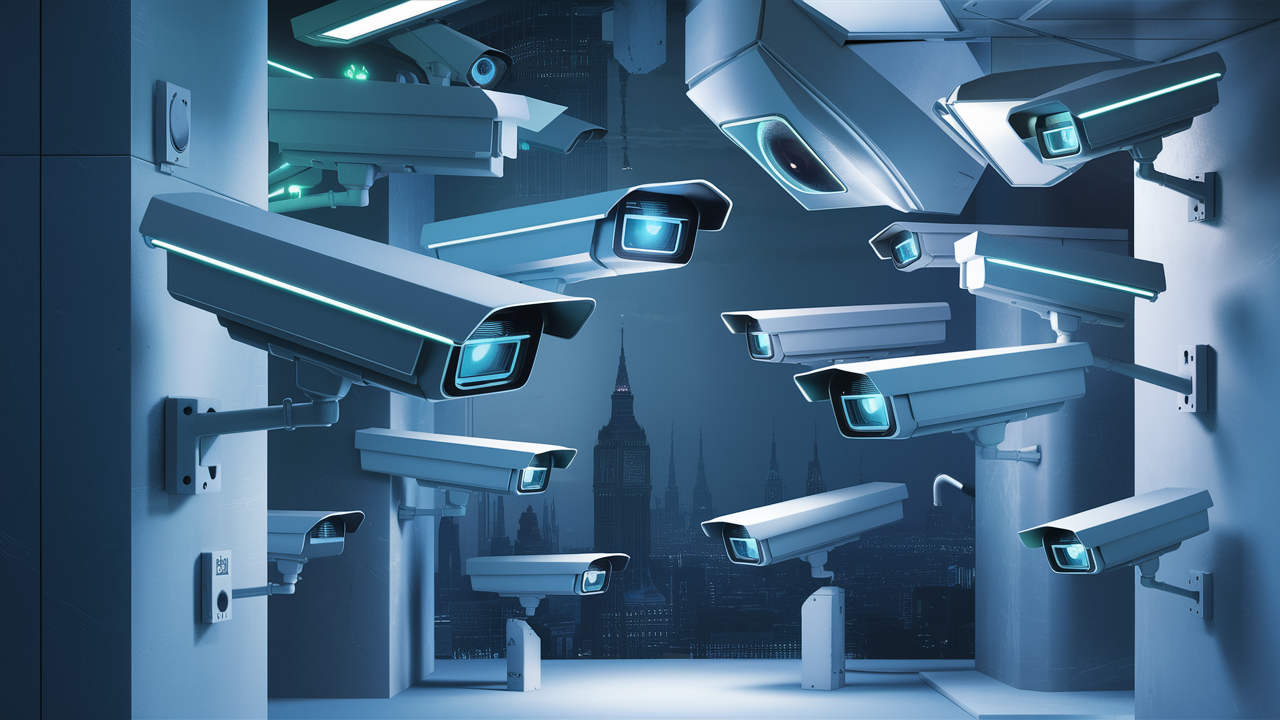
Discover cameras designed for continuous recording, ensuring you never miss a moment. This guide breaks down the best options for 24/7 surveillance, from home security to professional applications, detailing features, power requirements, and storage solutions crucial for uninterrupted operation.
What Does 24/7 Recording Actually Mean?
When we talk about cameras that record 24/7, we're referring to devices capable of continuous, uninterrupted video capture throughout a full 24-hour cycle. This isn't just about turning a camera on and letting it run; it involves specific hardware, software, and power considerations to ensure it operates non-stop. Unlike motion-activated recording, which only saves footage when movement is detected, 24/7 recording captures everything, providing a complete historical log of events. This is crucial for comprehensive security, detailed event analysis, and monitoring situations where constant oversight is paramount. The technology has evolved significantly, with modern systems offering high-resolution footage, advanced compression techniques to manage storage, and robust power solutions to maintain operation even during outages.
Types of Cameras Capable of 24/7 Recording
Not all cameras are built for the demands of continuous recording. The primary distinction lies in their intended use and technical specifications. Security cameras, particularly those designed for professional surveillance, are typically engineered for 24/7 operation. These include:
Dome Cameras
Dome cameras are discreet and often vandal-resistant, making them suitable for both indoor and outdoor environments. Their spherical housing protects the lens and internal components. Many dome cameras, especially IP (Internet Protocol) models, are designed for continuous recording and can be integrated into Network Video Recorder (NVR) systems for centralized storage and management. Their low profile makes them less obtrusive, a desirable trait for many surveillance applications.
Bullet Cameras
Bullet cameras are the classic, elongated security cameras. They are highly visible, acting as a deterrent, and are often used for outdoor perimeter security. Like dome cameras, many bullet cameras, especially modern IP versions, are built for 24/7 operation. They typically feature weatherproofing and infrared (IR) capabilities for night vision, essential for round-the-clock monitoring.
PTZ (Pan-Tilt-Zoom) Cameras
PTZ cameras offer advanced control, allowing users to remotely pan, tilt, and zoom the camera's view. This makes them ideal for covering large areas or tracking moving subjects. Higher-end PTZ cameras are almost universally designed for 24/7 recording and often come with features like pre-set tours and automatic tracking. Their ability to cover a wide field of view makes them efficient for monitoring expansive spaces without needing multiple fixed cameras.
Turret Cameras (Eyeball Cameras)
Turret cameras are a hybrid, often resembling dome cameras but with a more accessible lens that can be adjusted without removing the cover. They are generally easier to install and maintain than traditional dome cameras. Many turret cameras are designed for continuous recording and are a popular choice for both residential and commercial security due to their balance of features and cost-effectiveness.
Specialty Cameras
Beyond these common types, specialized cameras also support 24/7 recording. This can include 360-degree cameras for panoramic views, body cameras for law enforcement or field workers, and even dashcams that can be set to record continuously (though this is highly dependent on the specific model and its power source). The key differentiating factor for 24/7 capability across all types is their design to handle constant data output and power draw.
DIY vs. Professional Systems for 24/7 Recording
When considering cameras for 24/7 recording, the choice often boils down to a DIY approach or a professional installation. DIY systems, typically using Wi-Fi cameras or standalone DVR/NVR kits, offer flexibility and lower upfront costs. However, they might have limitations in terms of scalability, reliability, and advanced features compared to professional-grade systems. Professional systems, often using wired IP cameras connected to a robust NVR, are designed for high reliability, seamless integration, and extensive storage capabilities, making them the preferred choice for critical infrastructure or large-scale surveillance needs.
Essential Features for 24/7 Camera Systems
To ensure your camera system can effectively record 24/7, several key features are non-negotiable. These features directly impact the quality, reliability, and usability of your continuous footage.
Resolution and Frame Rate
Resolution: For 24/7 recording, higher resolution is generally better. While older systems might have operated at 720p or 1080p, 2025-26 standards lean towards 2K (4MP) or 4K (8MP) for detailed clarity. Higher resolution allows for better identification of individuals and objects, even when zoomed in. However, it also significantly increases storage requirements.
Frame Rate (FPS): The number of frames captured per second. A standard frame rate for surveillance is 15-30 FPS. For 24/7 recording, aiming for at least 15 FPS is recommended to capture smooth motion. Higher frame rates (e.g., 30 FPS) provide more fluid video but consume more bandwidth and storage. The choice depends on the application; for general surveillance, 15-20 FPS is often sufficient, while high-speed events might benefit from 30 FPS or more.
Night Vision (Infrared - IR)
Continuous recording means the system must function day and night. Infrared (IR) LEDs on the camera emit invisible light, illuminating the scene in complete darkness. The range and effectiveness of IR illumination vary significantly by model. For 24/7 outdoor surveillance, robust IR capabilities with a range of 30-50 meters (or more for larger areas) are essential. Some advanced cameras also feature IR cut filters that automatically switch between color and black-and-white imaging to optimize performance in varying light conditions.
Wide Dynamic Range (WDR) / Digital Wide Dynamic Range (DWDR)
Scenes often have extreme differences in lighting, such as a bright window behind a dimly lit room. WDR technology helps to balance these extreme contrasts, ensuring details are visible in both the brightest and darkest areas of the image simultaneously. This is crucial for 24/7 recording, as lighting conditions change constantly throughout the day and night. DWDR is a software-based solution that is less effective than true WDR but can still offer some improvement.
Weatherproofing (IP Rating)
For outdoor 24/7 recording, cameras must withstand environmental elements. Look for IP ratings, such as IP66 or IP67, which indicate protection against dust and water ingress. These ratings ensure the camera can operate reliably in rain, snow, and extreme temperatures without damage.
Audio Recording
Some 24/7 cameras include built-in microphones for audio recording. This can be a valuable addition for security and evidence gathering, providing a more complete picture of events. However, it's important to be aware of local laws and privacy regulations regarding audio surveillance.
Remote Access and Mobile App Support
Modern 24/7 camera systems should offer remote access via a mobile app or web browser. This allows you to view live feeds, review recorded footage, and receive alerts from anywhere in the world. Reliable connectivity and a user-friendly interface are key for managing your continuous surveillance.
Analytics and Smart Features
While 24/7 recording captures everything, advanced analytics can help sift through the data. Features like motion detection zones, line crossing detection, object recognition (people, vehicles), and facial recognition can trigger alerts or tag specific events, making footage review more efficient. These features are particularly useful for reducing false alarms and quickly finding relevant recordings.
Comparison of Key Features for 24/7 Cameras
Here's a simplified comparison of how different camera types might prioritize these features:
| Feature | Dome Camera | Bullet Camera | PTZ Camera | Turret Camera |
|---|---|---|---|---|
| Resolution | Good to Excellent (often 2K/4K) | Good to Excellent (often 2K/4K) | Excellent (often 4K) | Good to Excellent (often 2K/4K) |
| Night Vision | Good (IR range varies) | Very Good (often longer IR range) | Excellent (variable IR, often with spotlights) | Good (IR range varies) |
| WDR/DWDR | Commonly available | Commonly available | Standard feature | Commonly available |
| Weatherproofing | Excellent (IP66/IP67) | Excellent (IP66/IP67) | Excellent (IP66/IP67) | Good to Excellent (IP66/IP67) |
| Audio | Less common, but increasing | Less common, but increasing | Less common, but increasing | Increasingly common |
| Remote Access | Standard (via NVR/Cloud) | Standard (via NVR/Cloud) | Standard (via NVR/Cloud) | Standard (via NVR/Cloud) |
Powering Your 24/7 Surveillance: The Critical Factor
The most significant challenge for any 24/7 recording system is maintaining a constant power supply. Without it, even the most advanced camera is useless. There are several primary methods for powering these devices:
Power over Ethernet (PoE)
PoE is a highly recommended solution for wired IP cameras. It allows data and power to be transmitted over a single Ethernet cable. This simplifies installation, reduces cable clutter, and ensures a stable power source for the camera. PoE requires a PoE-enabled switch or injector and cameras that support PoE. For 24/7 operation, a reliable PoE switch is essential. Most professional-grade IP cameras designed for continuous recording will support PoE.
Dedicated Power Adapters
Many cameras, especially older analog systems or some Wi-Fi cameras, use dedicated power adapters that plug into a standard electrical outlet. For 24/7 recording, this means ensuring these outlets are on a reliable circuit and that the adapters are of good quality. The main drawback is the need for proximity to an outlet, which can limit camera placement.
Uninterruptible Power Supply (UPS)
A UPS is a battery backup system that provides power to connected devices during an electrical outage. For 24/7 surveillance, connecting your NVR, PoE switch, and potentially even your modem/router to a UPS is crucial. This ensures that your recording system continues to operate and store footage even if the main power fails. The runtime of the UPS will determine how long your system can operate independently. For critical applications, a UPS with extended runtime or a generator backup is advisable.
Solar Power (for remote locations)
In remote locations where mains power is unavailable, solar-powered cameras with battery backup are an option. These systems typically consist of a camera, a solar panel, and a rechargeable battery. While they can provide continuous power in ideal conditions, their reliability can be affected by weather (cloudy days, long nights) and require careful sizing of the solar panel and battery to ensure consistent operation.
Power Consumption Considerations
The power consumption of a camera varies based on its features (resolution, IR, Wi-Fi, etc.). High-resolution cameras with extensive IR illumination can draw more power. When planning a 24/7 system, it's important to calculate the total power draw of all devices (cameras, NVR, switch) to properly size your power supply, UPS, and PoE switch. For example, a typical IP camera might consume 5-10W, while a PoE switch might draw 50-100W or more depending on the number of ports and connected devices.
Storage Solutions for Constant Footage
Recording 24/7 generates a massive amount of data. Choosing the right storage solution is critical for ensuring you can store footage for the desired duration without interruption.
Network Video Recorders (NVRs)
NVRs are the backbone of most wired IP camera systems. They are dedicated devices designed to receive, record, and manage video streams from IP cameras. NVRs typically have multiple hard drive bays, allowing for significant storage capacity. The capacity can range from a few terabytes (TB) for small systems to hundreds of TB for enterprise-level solutions. NVRs offer features like continuous recording, motion-triggered recording, remote access, and video analytics integration.
Digital Video Recorders (DVRs)
DVRs are used with analog or HD-TVI/CVI/AHD cameras. While still in use, NVRs are generally preferred for new installations due to the superior quality and flexibility of IP cameras. DVRs also have hard drive bays for local storage.
Cloud Storage
Many modern Wi-Fi cameras and some NVR systems offer cloud storage options. Footage is uploaded to remote servers, providing a secure off-site backup. This is excellent for disaster recovery and remote access. However, continuous 24/7 recording to the cloud can incur significant subscription fees, especially for high-resolution footage and long retention periods. Bandwidth is also a crucial consideration; uploading constant high-definition video requires a very robust internet connection.
On-Board Storage (SD Cards)
Some cameras have built-in SD card slots for local storage. While useful as a backup or for standalone cameras, relying solely on SD cards for 24/7 recording of an entire system is generally not feasible due to limited capacity and potential for card failure. They are best used as a secondary or tertiary storage method.
Hard Drive Capacity Calculation
Estimating storage needs is vital. The amount of storage required depends on:
- Camera Resolution: Higher resolution = more data.
- Frame Rate (FPS): More frames per second = more data.
- Compression Technology: H.265 and H.265+ are significantly more efficient than H.264, reducing storage needs by up to 50%.
- Number of Cameras: More cameras = more data.
- Recording Mode: Continuous recording uses more space than motion-triggered.
- Retention Period: How many days/weeks/months of footage you need to keep.
Example Calculation (2025-26 Data):
Let's assume:
- 4 x 4MP (2K) IP cameras
- H.265 compression
- 15 FPS
- Continuous recording
- Need to retain footage for 30 days
A rough estimate for a 4MP camera at 15 FPS with H.265 is about 5-8 GB per day per camera. For 4 cameras, that's 20-32 GB per day. To retain 30 days of footage, you would need approximately 600 GB to 960 GB of storage. This is a simplified estimate, and actual usage can vary. Modern NVRs often use RAID configurations for redundancy and performance, which also affects usable storage.
Storage Redundancy and RAID
For critical 24/7 recording systems, data redundancy is essential. NVRs often support RAID (Redundant Array of Independent Disks) configurations. RAID 1 (mirroring) writes the same data to two drives, so if one fails, the other has a complete copy. RAID 5 or RAID 6 offer more advanced protection with data striping and parity, allowing for drive failures while maintaining data integrity and performance. This ensures that even if a hard drive fails, your continuous recording is not interrupted.
Choosing the Right 24/7 Camera System for Your Needs
Selecting the appropriate 24/7 camera system involves assessing your specific requirements and budget. Here's a breakdown of common scenarios:
Home Security
For most homes, a DIY system using Wi-Fi cameras or a small NVR kit is sufficient. Look for cameras with good resolution (1080p or 2K), reliable night vision, and easy-to-use mobile apps. Continuous recording might be set to a specific area, with motion detection for less critical zones. A 2TB or 4TB NVR is often adequate for a few cameras with 1-2 weeks of retention. Powering can be via dedicated adapters or PoE for wired options.
Example Products (2025-26 Market): Brands like Reolink, Amcrest, and Wyze offer affordable solutions. For more robust DIY, consider systems from brands like Hikvision or Dahua (often requiring more technical setup).
Small Business Surveillance
Small businesses often require more robust solutions, focusing on critical entry points, cash registers, and inventory areas. A wired NVR system with 4-8 channels is common. Cameras should have good resolution (2K or 4K), WDR for varied lighting, and potentially audio. PoE is highly recommended for reliable power and data. A 4TB to 8TB NVR with 30 days of retention is a good starting point. Remote access for management is essential.
Example Products (2025-26 Market): Brands like Ubiquiti (UniFi Protect), Axis Communications (entry-level), and professional lines from Hikvision/Dahua are suitable.
Large Commercial/Industrial Applications
These applications demand high reliability, scalability, and advanced features. Professional-grade IP cameras (dome, bullet, PTZ) are standard, often with 4K resolution, advanced analytics, and long-range IR. Robust NVRs with multiple drive bays, RAID support, and high channel counts (16, 32, or more) are necessary. PoE is a must, often managed by enterprise-grade switches. Cloud backup for critical footage and a dedicated IT infrastructure for management are common. Retention periods of 30-90 days or more are typical.
Example Products (2025-26 Market): Axis Communications, Hanwha Vision, Hikvision (enterprise series), Dahua (enterprise series), Bosch.
Specialized Use Cases (e.g., Construction Sites, Remote Monitoring)
For construction sites or remote areas, ruggedized, wireless, or solar-powered cameras might be necessary. PTZ cameras with long zoom capabilities can cover large areas. Robust weatherproofing and tamper resistance are critical. Storage might involve edge computing devices or cloud-based solutions with cellular connectivity. Battery life and power management are paramount.
Example Products (2025-26 Market): Specialized rugged cameras, cellular-enabled cameras (e.g., from Verkada, though often subscription-based), and solar-powered surveillance kits.
Budget Considerations
The cost of 24/7 camera systems can vary dramatically:
- DIY Wi-Fi Cameras: $50 - $300 per camera, plus cloud subscription fees.
- Entry-Level NVR Kits: $300 - $800 for a 4-channel system with 1-2TB storage.
- Mid-Range NVR Systems: $800 - $2,500 for 8-16 channels, higher resolution cameras, and larger storage.
- Professional/Enterprise Systems: $3,000 - $10,000+ depending on scale, camera types (PTZ, specialized), and storage requirements.
Remember to factor in installation costs if you opt for professional setup, as well as ongoing costs for cloud storage or maintenance.
Installation and Maintenance Considerations
Proper installation and regular maintenance are crucial for ensuring your 24/7 camera system operates reliably.
Installation Best Practices
- Planning: Map out camera placement, considering field of view, lighting, potential blind spots, and cable runs.
- Power: Ensure a stable and adequate power supply for all devices. Use PoE where possible for wired systems.
- Cabling: Use high-quality Ethernet cables (Cat5e or Cat6) for IP cameras to ensure optimal performance and prevent signal degradation. Protect outdoor cables from the elements.
- Mounting: Securely mount cameras to prevent tampering or accidental dislodgement. Consider vandal-proof enclosures for high-risk areas.
- Network Configuration: Properly configure your network, including IP addresses, subnets, and firewall rules, especially for remote access.
- NVR/DVR Setup: Configure recording schedules, motion detection zones, and storage settings according to your needs.
Routine Maintenance
- Clean Lenses: Dust, dirt, and spiderwebs can obstruct the view. Clean camera lenses regularly (monthly or as needed) with a soft, lint-free cloth.
- Check Connections: Periodically inspect all cable connections to ensure they are secure and free from damage.
- Firmware Updates: Keep camera and NVR/DVR firmware updated to patch security vulnerabilities and improve performance. Check manufacturer websites for updates.
- Hard Drive Health: Monitor the health of your NVR/DVR hard drives. Many systems have S.M.A.R.T. (Self-Monitoring, Analysis and Reporting Technology) features to alert you to potential drive failures. Replace drives proactively if they show signs of wear.
- Test Recording: Periodically review recorded footage to ensure the system is capturing clear video and that playback is smooth.
- Power System Check: For UPS systems, test the battery backup periodically (e.g., every 6-12 months) to ensure it's functioning correctly.
Troubleshooting Common Issues
No Video Feed: Check power, network connections, and NVR/DVR settings. Ensure the camera is online and properly configured.
Poor Image Quality: Clean the lens. Check lighting conditions. Ensure resolution and frame rate are set appropriately.
Intermittent Recording: Investigate power stability, network issues, or storage capacity problems. A failing hard drive can also cause this.
Remote Access Issues: Verify internet connectivity, router settings (port forwarding), and NVR/DVR network configuration.
Legal and Privacy Aspects of 24/7 Recording
Implementing 24/7 surveillance systems comes with significant legal and ethical responsibilities. It's crucial to understand and comply with relevant regulations to avoid penalties and maintain trust.
Privacy Laws
Laws regarding video and audio surveillance vary by region (country, state, city). In many places, recording in areas where individuals have a reasonable expectation of privacy (e.g., bathrooms, private offices without consent) is illegal. Public areas generally have fewer restrictions, but signage is often required.
Consent and Notification
For employees, it's common practice to inform them that they are under video surveillance. In some jurisdictions, explicit consent might be required, especially for audio recording. Clearly visible signage indicating that surveillance is in progress is a common and often legally mandated practice.
Data Retention Policies
Establish clear policies on how long footage is retained. Regulations may dictate minimum or maximum retention periods. Securely store recorded data and ensure it is only accessible to authorized personnel. Implement procedures for data deletion when it is no longer needed or legally required.
Audio Recording Laws
Audio recording is often subject to stricter laws than video. In "one-party consent" states or countries, only one person involved in the conversation needs to consent to the recording. In "two-party consent" jurisdictions, all parties must consent. Always verify the laws applicable to your location before enabling audio recording.
Security of Recorded Data
Protecting recorded footage from unauthorized access, breaches, or tampering is paramount. Use strong passwords, enable encryption where possible, and secure your NVR/DVR and network infrastructure. Cloud storage providers should also be vetted for their security practices.
Recommendation: Always consult with legal counsel to ensure your surveillance practices comply with all applicable local, state, and federal laws and regulations.
Conclusion
Choosing cameras that record 24/7 requires careful consideration of their intended use, essential features like resolution and night vision, and, critically, reliable power and storage solutions. From the simplicity of DIY Wi-Fi cameras to the robust capabilities of professional IP systems, there's a solution for every need. Prioritizing features like PoE for stable power, H.265 compression for efficient storage, and considering NVRs with RAID for data redundancy will ensure your continuous surveillance is effective and reliable. Always remember to adhere to legal and privacy regulations to maintain ethical and compliant operations. By understanding these factors, you can confidently select and implement a 24/7 camera system that provides the comprehensive monitoring and security you require.





