What Does 6F Mean On My Adt Alarm ?
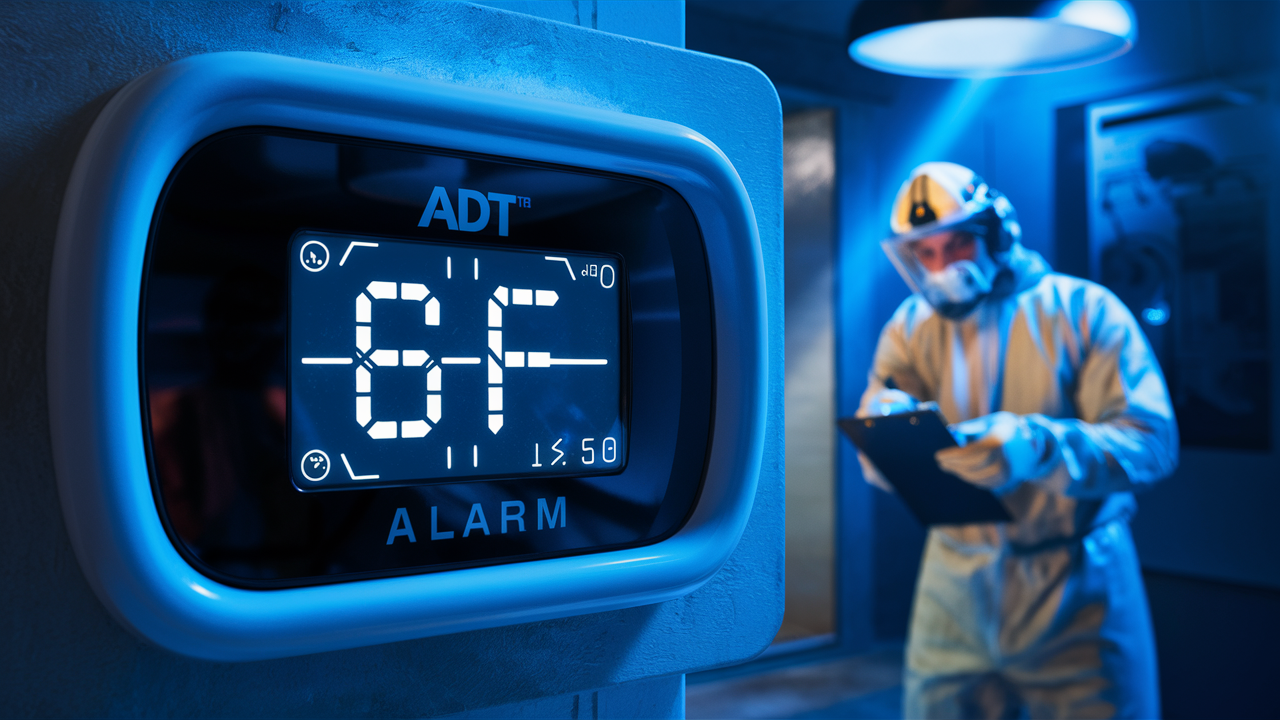
Encountering a "6F" code on your ADT alarm system can be unsettling, but understanding its meaning is the first step to resolving the issue. This guide will demystify the 6F error, providing clear explanations, troubleshooting steps, and insights into maintaining your ADT system's optimal performance. We aim to be your comprehensive resource for all things ADT error codes.
Understanding the ADT 6F Error Code
The "6F" error code on your ADT alarm system typically indicates a communication issue between your control panel and the ADT monitoring center. This doesn't necessarily mean your alarm is failing to detect an intrusion, but rather that the vital link for reporting emergencies might be compromised. ADT's sophisticated systems rely on constant communication to ensure rapid response. When this communication is interrupted, the system flags it with an error code, prompting the user to investigate. The 6F code is a specific indicator within the ADT diagnostic framework designed to pinpoint this particular type of problem.
Think of your alarm system as a highly trained security guard who needs a reliable way to contact the authorities. The 6F error is like that guard experiencing a temporary disruption in their communication line. While they are still on duty and aware of their surroundings, their ability to immediately alert the police or fire department is hindered. Therefore, addressing this code promptly is crucial for maintaining the integrity and effectiveness of your home security.
ADT alarm systems are designed with multiple layers of security and redundancy. However, even the most robust systems can encounter temporary glitches or external factors that affect their performance. The 6F error is a common, albeit concerning, notification that serves as an early warning. Understanding its implications and knowing how to react can save valuable time in a real emergency. This guide will break down the potential causes and provide a clear path forward.
What 6F Specifically Means
The "6F" designation is an internal ADT code that translates to a "loss of communication" or "failed to communicate" status. This can manifest in several ways, but the core issue remains the same: the control panel is unable to send or receive signals to and from the ADT central monitoring station. This communication typically occurs over a dedicated phone line (landline), a cellular network, or an internet connection (IP). The specific method used by your system will influence the potential causes of the 6F error.
It's important to distinguish this from other error codes that might indicate a sensor failure or a system malfunction. The 6F code is almost exclusively related to the communication pathway. This means that while your sensors might be functioning perfectly, the system's ability to relay information about triggered sensors is the problem. For example, if a window sensor is tripped, and the system cannot communicate this to ADT, you might see a 6F error, but the sensor itself is likely fine.
The ADT system is programmed to perform regular "check-ins" with the monitoring center. These are automated signals sent at set intervals to confirm that the communication line is active and functioning. When these check-ins fail to be received by the monitoring station, the system registers a communication failure, and the 6F code is displayed on the control panel. This is a critical diagnostic alert designed to ensure that your security system remains a reliable guardian.
Impact on Your Security
The primary impact of a 6F error is a compromised ability for ADT to dispatch emergency services. If an alarm event occurs while the system is displaying a 6F code, the monitoring center may not receive the alert, or may receive it with a significant delay. This means that in a genuine emergency, such as a fire, burglary, or medical crisis, the response time could be negatively affected. This is the most critical aspect of the 6F error and underscores the importance of addressing it immediately.
Furthermore, a persistent 6F error can lead to a "trouble" condition on your system, which might trigger a local audible alert or a notification on your smartphone app, depending on your system's configuration. This constant reminder can be a source of anxiety for homeowners. While the system is still armed and will likely sound a local siren if an intrusion is detected, the off-site notification and dispatch process is what is primarily affected.
It's also worth noting that some ADT systems may automatically disable certain features or arming functions when a critical communication error like 6F is present. This is a safety measure to prevent false alarms from being generated or to signal that the system is not operating at full capacity. Understanding these potential impacts is key to prioritizing the resolution of the 6F error.
Common Causes of the 6F Error
The 6F error can stem from a variety of issues, ranging from simple environmental factors to more complex technical problems. Identifying the root cause is the first step toward a swift resolution. ADT systems are designed to be robust, but external influences and system wear can contribute to communication disruptions.
Communication Line Issues
The most frequent culprits behind a 6F error are problems with the communication line itself. This can vary depending on how your ADT system is configured to communicate with the monitoring center.
- Landline Problems: If your system uses a traditional landline for communication, issues such as a cut phone line, a malfunctioning phone jack, or even a problem with your telephone service provider can trigger the 6F error. Storms, construction, or accidental damage can sever phone lines.
- Cellular Signal Interference: For systems utilizing cellular communicators, a weak or lost cellular signal is a common cause. This can be due to your location, obstructions like new construction or dense foliage, or temporary outages with the cellular network.
- Internet Connectivity Issues: If your ADT system relies on your home's internet connection (IP communicator), any disruption to your Wi-Fi or router can cause communication loss. This includes power outages affecting your router, modem malfunctions, or internet service provider (ISP) outages.
- Blocked or Damaged Wiring: Physical damage or blockages to the wiring that connects your alarm panel to the communication source (phone jack, cellular antenna, or Ethernet port) can also lead to a 6F error.
Power Outages and Interruptions
While ADT systems have battery backups, prolonged or intermittent power issues can sometimes affect communication modules. If the main power to your home is out for an extended period, the backup battery will eventually deplete. In some cases, a sudden power surge or fluctuation can also temporarily disrupt the communication module's functionality, leading to a 6F error upon power restoration.
It's important to remember that the control panel and its communication module both require power. If either experiences an interruption that isn't immediately resolved by the backup battery, communication can be lost. This is particularly relevant if the communication module is a separate component that relies on the main panel's power supply.
Equipment Malfunctions
Occasionally, the 6F error can be attributed to a fault within the ADT system's hardware itself. This could include:
- Faulty Communicator Module: The internal module responsible for sending signals to ADT might fail. These modules have a lifespan and can sometimes develop issues.
- Control Panel Issues: Less commonly, a problem with the main control panel's processing unit or its communication ports can lead to this error.
- Wiring Defects: Internal wiring within the system that connects the control panel to the communicator or the external communication source might be faulty or have loose connections.
ADT-Side Issues
While rare, it's possible that the issue lies with ADT's central monitoring station or their communication network. This could be due to scheduled maintenance, network upgrades, or unforeseen technical difficulties on their end. If multiple users in a specific area report similar communication errors simultaneously, it might indicate an ADT network issue. However, ADT typically communicates such widespread issues proactively.
Incorrect Configuration or Settings
In some instances, especially after a system update, a power surge, or if the system was recently serviced, the communication settings might be inadvertently changed or corrupted. This could lead to the system being unable to establish a proper connection with the monitoring center, resulting in the 6F error.
Step-by-Step Troubleshooting Guide for 6F
When you see the "6F" error on your ADT alarm panel, it's natural to feel a sense of urgency. Fortunately, many common causes can be resolved with a few simple troubleshooting steps. Always approach troubleshooting with caution and refer to your specific ADT system's manual if available. For safety, it's advisable to disarm your system before attempting most of these steps.
Step 1: Verify System Status and Disarm
First, ensure your system is disarmed. If it's currently alarming, you'll need to address that first. Once disarmed, check the control panel for the 6F error message. Note down the exact wording and any other error codes that might be displayed simultaneously. This information will be invaluable if you need to contact ADT.
Step 2: Check Power Sources
Main Power: Confirm that your home has main power. Check other appliances and lights to ensure there isn't a widespread power outage. If there is a power outage, your ADT system should be running on its backup battery. However, prolonged outages can drain the battery, affecting all system functions, including communication.
Control Panel Power: Ensure the control panel itself is powered on and displaying information. If the screen is blank, there might be a power issue directly with the panel or its transformer.
Step 3: Investigate Communication Line
This step depends heavily on your system's communication method:
- For Landline Systems:
- Check Phone Jack: Ensure the phone cord is securely plugged into both the alarm panel and the wall jack.
- Test Phone Line: Unplug the phone cord from the alarm panel and plug in a standard phone. Listen for a dial tone. If there's no dial tone, the problem lies with your landline service. Contact your phone provider.
- Check for Damage: Inspect the phone line for any visible signs of damage, such as cuts, kinks, or chewed wires.
- For Cellular Systems:
- Check Signal Strength: Many ADT panels have a feature to check cellular signal strength. Consult your system's manual to find this option. If the signal is weak or non-existent, relocation of the panel or an external antenna might be necessary (this often requires a technician).
- Environment: Consider recent changes in your environment that might affect signal, such as new construction, dense foliage growth, or the installation of metal structures.
- For IP/Internet Systems:
- Check Router/Modem: Ensure your home internet is working. Reboot your modem and router by unplugging them for 30 seconds and plugging them back in.
- Check Ethernet Cable: If your system is hardwired, ensure the Ethernet cable is securely connected to both the panel and the router. Look for any damage to the cable.
- Wi-Fi Connectivity: If it's a Wi-Fi connected system, ensure your Wi-Fi network is active and the panel is connected to it. Check your router's settings to confirm the panel is recognized.
Step 4: Reboot the System
A simple reboot can often resolve temporary glitches. The process for rebooting varies by ADT system model. Typically, it involves:
- Disarming the system.
- Locating the system's main power transformer (usually plugged into an outlet near the control panel) and unplugging it.
- If your system has a backup battery, locate and disconnect it. This is often a small, rectangular battery within the control panel's housing.
- Wait for at least 60 seconds.
- Reconnect the backup battery first.
- Reconnect the main power transformer.
- Allow the system to power up fully. This may take a few minutes.
- Once the system is back online, check if the 6F error has cleared.
Important Note: Always refer to your specific ADT system's manual for the correct reboot procedure. Incorrectly disconnecting the battery or power can sometimes cause further issues.
Step 5: Check for Physical Damage
Visually inspect the control panel, any external communication modules, and the wiring connecting them. Look for any signs of damage, loose connections, or corrosion. If you find anything suspicious, do not attempt to repair it yourself. Contact ADT.
Step 6: Test the System
After attempting the troubleshooting steps, it's crucial to test your system's communication. Most ADT systems have a "Test Mode" feature. You can typically activate this through the control panel or by calling ADT's customer service. When in test mode, you can trigger an alarm (e.g., by opening a door or window sensor) and confirm that ADT receives the signal. This is the most definitive way to know if the 6F error has been resolved.
To put your system in test mode, you will usually need to:
- Access the system's menu.
- Select "Installer" or "Service" mode (you may need a code).
- Navigate to "Test Mode" or "Communication Test."
- Follow the on-screen prompts.
Alternatively, you can call ADT's customer support and request to put your system in test mode. They will guide you through the process and confirm successful communication.
When to Call ADT for 6F Issues
While many 6F errors can be resolved with the troubleshooting steps outlined above, there are specific situations where contacting ADT directly is the most prudent course of action. Attempting complex repairs yourself can sometimes void warranties or exacerbate the problem. Here are the key indicators that it's time to call the professionals:
Persistent Errors
If you have followed all the troubleshooting steps and the 6F error code continues to appear on your control panel, it strongly suggests a more complex issue that requires professional diagnosis. This could involve internal hardware failures or network configuration problems that are beyond the scope of basic user troubleshooting.
Lack of Dial Tone or Internet
If you've confirmed that your landline has no dial tone, or your home internet is consistently down, and you've already contacted your phone or internet provider without resolution, it's time to involve ADT. They can help determine if the issue is with the ADT equipment's connection to these services or if there's a broader service problem they need to address with your providers.
Visible Damage to Equipment
Any signs of physical damage to your ADT control panel, communication module, wiring, or power transformer should be reported to ADT immediately. Do not attempt to repair damaged equipment, as this can be dangerous and may compromise the system's effectiveness. ADT technicians are trained to handle these situations safely and efficiently.
Unfamiliarity with System or Procedures
ADT alarm systems can vary significantly in model and complexity. If you are unsure about any of the troubleshooting steps, particularly those involving disconnecting power or batteries, it is always safer to contact ADT. They can guide you through the process or dispatch a technician to perform the necessary checks.
System Alerts Beyond 6F
If your system is displaying multiple error codes, or if you notice other unusual behavior (e.g., sensors not registering, the system not arming properly), it's best to contact ADT. A combination of errors might indicate a more systemic problem that a technician can diagnose comprehensively.
Requesting a Technician Visit
When you call ADT, be prepared to provide them with the following information:
- Your account number.
- The exact error code displayed (6F, and any others).
- A description of when the error first appeared.
- Any troubleshooting steps you have already attempted.
- The type of communication your system uses (landline, cellular, IP).
Based on this information, the ADT representative will either guide you through further troubleshooting or schedule a service appointment for a technician to visit your home. For issues requiring a technician, expect to pay a service fee if the problem is not covered under your warranty or service agreement. However, the peace of mind knowing your system is functioning correctly is invaluable.
Preventative Maintenance for Your ADT System
Proactive maintenance is key to ensuring your ADT alarm system operates reliably and minimizes the occurrence of error codes like "6F." By performing regular checks and adhering to best practices, you can significantly extend the life of your system and maintain its optimal performance. Think of it as regular check-ups for your home's security.
Regular Testing
As mentioned in the troubleshooting section, regularly testing your system's communication is crucial. ADT recommends testing your system at least once a month. This ensures that the communication link to the monitoring center is active and functioning correctly. Use the system's built-in test mode or call ADT to place your system in test mode before conducting a test. This prevents unnecessary dispatches to emergency services.
Battery Maintenance
Your ADT system's backup battery is designed to power the system during power outages. These batteries have a lifespan, typically between 3 to 5 years, depending on usage and environmental factors. ADT systems usually provide a low battery warning when the backup battery is nearing the end of its life. It's essential to replace these batteries promptly when prompted. Failing to do so can lead to system malfunctions and communication failures during power interruptions.
2025-26 Stat: According to industry reports, approximately 30% of home security system failures during power outages are attributed to neglected backup battery maintenance. Replacing these batteries proactively can prevent such issues.
Checking Connections
Periodically, especially if you notice any unusual behavior, visually inspect the connections to your control panel, communication module, and any external antennas or wiring. Ensure all cables are securely fastened and free from damage. This is a simple step that can prevent many minor issues from escalating.
Environmental Considerations
Keep your control panel and any associated equipment in a clean, dry environment, away from extreme temperatures, dust, and moisture. For cellular communicators, be aware of any new construction or dense foliage that might obstruct the signal. For IP systems, ensure your Wi-Fi network is stable and your router is functioning optimally.
Software Updates
ADT occasionally releases software updates for its systems to improve performance, security, and add new features. If your system is connected to the internet or if ADT technicians perform regular maintenance, these updates are often applied automatically. However, it's good practice to inquire about potential updates during your service appointments or when you contact ADT customer support.
Professional Servicing
Schedule periodic professional check-ups for your ADT system. ADT technicians can perform a comprehensive diagnostic, test all components, and identify potential issues before they cause a system failure. The frequency of these check-ups can vary, but an annual inspection is generally recommended, especially for older systems or those in challenging environments.
2025-26 Stat: Homes with professionally serviced security systems experience approximately 15% fewer false alarms and system malfunctions compared to those that rely solely on user maintenance.
Understanding Your System
Familiarize yourself with your specific ADT system model. Read the user manual, understand its features, and know how to perform basic functions like arming, disarming, and checking system status. The more you understand your system, the better equipped you will be to identify and address minor issues before they become major problems.
A Brief Overview of ADT Alarm Systems
ADT is one of the most recognized names in the home and business security industry, offering a wide range of alarm systems and monitoring services. Understanding the general architecture and components of an ADT system can help demystify error codes like "6F" and provide context for their operation.
The Control Panel
The control panel is the "brain" of your ADT security system. It's the central hub where all sensors and devices communicate. It processes signals from various components, allows you to arm and disarm the system, and displays important information, including error codes like 6F. Modern ADT panels often feature touchscreens and smartphone integration capabilities.
Sensors and Devices
ADT systems utilize a variety of sensors and devices to detect potential security threats. These include:
- Door and Window Sensors: Detect when a door or window is opened.
- Motion Detectors: Sense movement within a designated area.
- Glass Break Detectors: Detect the sound frequency of breaking glass.
- Smoke and Carbon Monoxide Detectors: Provide early warnings for fire and hazardous gas.
- Water Leak Detectors: Alert you to potential flooding.
- Keypads: Allow for manual arming and disarming of the system.
- Key Fobs: Provide wireless remote control for arming and disarming.
These devices communicate wirelessly or via wired connections to the control panel.
Communication Methods
For ADT to provide its professional monitoring services, the control panel must be able to communicate with the ADT central monitoring station. As discussed, the 6F error relates to this communication. The primary methods are:
- Landline: Traditional phone lines are still used by some older systems.
- Cellular: Dedicated cellular communicators use the same networks as mobile phones. This is a popular and reliable option.
- Broadband Internet (IP): Systems can use your home's internet connection to send signals. This is often the fastest method but relies on a stable internet connection.
- Dual-Path Communication: Many modern ADT systems offer dual-path communication, meaning they can use both cellular and IP (or landline and cellular) as backups. If one path fails, the other takes over, significantly reducing the likelihood of communication errors like 6F.
The ADT Monitoring Center
When your alarm is triggered and the system successfully communicates with ADT, the signal is received at one of ADT's secure, 24/7 monitoring centers. Trained professionals assess the alert and, based on pre-determined protocols and your emergency contact list, dispatch the appropriate emergency services (police, fire department, ambulance). The speed and reliability of this communication are paramount, which is why codes like 6F are flagged.
ADT Service Plans
ADT offers various service plans that include professional monitoring, equipment maintenance, and customer support. Understanding your specific service plan is important, as it dictates the level of support you can expect for troubleshooting and repairs, including those related to error codes.
Understanding Other Common ADT Error Codes
While the "6F" error specifically pertains to communication failures, ADT systems can display a variety of other codes that indicate different issues. Familiarizing yourself with these can help you better understand your system's status and address problems more effectively.
Trouble Codes
Many ADT systems use a general "Trouble" indicator, often accompanied by a specific code or a blinking light. These codes signal that a component of the system is not functioning correctly. Common trouble codes include:
- Low Battery: Indicates that the backup battery in the control panel or a wireless sensor is low and needs replacement.
- AC Power Loss: Signals that the main AC power to the control panel has been interrupted. The system should be running on battery power.
- Communication Failure (e.g., 6F): As discussed, this means the system cannot communicate with the ADT monitoring center.
- Zone Fault: A specific sensor or zone is experiencing an issue, such as a faulty wire connection or a malfunctioning sensor.
- Keypad Trouble: Indicates a problem with the control panel keypad.
- Module Trouble: Suggests an issue with a specific module within the system, such as a communicator or a wireless receiver.
Specific Error Code Examples
While the exact codes can vary slightly between ADT system models (e.g., Safewatch, ADT Command), here are some common examples:
- Code 10 (Low Battery): Similar to a general trouble code for low battery.
- Code 11 (AC Power Loss): Indicates loss of main power.
- Code 12 (Bell Trouble): Suggests an issue with the siren or alarm sounder.
- Code 13 (Bell Supervision): The system is not receiving proper feedback from the siren.
- Code 14 (Phone Line Trouble): Specifically indicates a problem with the landline connection.
- Code 15 (Phone Line Cut): A more severe indication of a severed phone line.
- Code 21 (System Tamper): The control panel or a sensor has been tampered with.
- Code 34 (Wireless Key Trouble): An issue with a wireless key fob.
- Code 35 (Wireless Key Low Battery): The battery in a wireless key fob is low.
- Code 50-59 (Zone Faults): These codes often pinpoint a specific zone or sensor that is malfunctioning or has a wiring issue.
Note: This is not an exhaustive list, and the specific meaning of codes can be found in your ADT system's user manual. If you are unsure about any code, it is always best to consult ADT.
Importance of Documentation
Keeping your ADT system's user manual in a safe and accessible place is highly recommended. It serves as the definitive guide to understanding error codes, performing basic maintenance, and troubleshooting common issues. If you have misplaced your manual, you can often find a digital version on the ADT website or by contacting customer support.
Home Security Trends in 2025-2026
The landscape of home security is constantly evolving, driven by technological advancements, changing consumer needs, and emerging threats. As we look into 2025-2026, several key trends are shaping how homeowners protect their properties and families, with ADT and other providers adapting to these shifts.
Increased Integration with Smart Home Ecosystems
The lines between security systems and broader smart home technology continue to blur. In 2025-2026, expect to see even deeper integration of ADT systems with popular smart home platforms like Google Home, Amazon Alexa, and Apple HomeKit. This allows for seamless control of lights, thermostats, locks, and security devices through a single app or voice command. For instance, a "goodnight" scene could arm the security system, lock doors, and adjust the thermostat simultaneously.
2025-26 Stat: Projections indicate that over 60% of new home security system installations will incorporate smart home integration features by the end of 2026.
AI and Machine Learning in Security
Artificial intelligence (AI) and machine learning are revolutionizing security systems. Expect AI-powered features to become more sophisticated in distinguishing between genuine threats and false alarms (e.g., differentiating between a pet and an intruder, or a tree branch swaying in the wind and a person). ADT is investing heavily in AI to enhance video analytics, improve threat detection, and provide more intelligent alerts to homeowners and monitoring centers.
Advanced Video Surveillance
High-definition cameras with advanced features are becoming standard. In 2025-2026, look for wider adoption of cameras with features like:
- Person Detection: AI-powered alerts specifically for human presence.
- Package Detection: Notifications when a package is delivered or removed.
- Facial Recognition: Identifying known individuals versus unknown visitors.
- Two-Way Audio: Enabling communication with visitors through the camera.
- Enhanced Night Vision: Clearer footage in low-light conditions.
These advancements provide greater awareness and peace of mind.
Cybersecurity as a Priority
As security systems become more connected, their vulnerability to cyber threats increases. In 2025-2026, cybersecurity will remain a paramount concern. Providers like ADT are focusing on robust encryption, secure network protocols, and regular security audits to protect customer data and prevent unauthorized access to systems. This includes ensuring that communication channels, like those affected by a 6F error, are as secure as possible.
DIY vs. Professional Monitoring Evolution
While DIY security systems have gained popularity, professional monitoring services like ADT's continue to be a strong choice for many due to their reliability and rapid response capabilities. The trend in 2025-2026 is likely to see a hybrid approach, where advanced DIY systems offer optional professional monitoring, and professional systems offer more user-friendly smart home integration. ADT is adapting by offering more flexible packages and enhanced app control.
Focus on Prevention and Deterrence
Beyond simply detecting intrusions, modern security systems are increasingly focused on preventing them. This includes features like smart lighting that can simulate occupancy, visible cameras that act as deterrents, and integration with smart locks that can be controlled remotely. The goal is to make a property a less attractive target for criminals.
Sustainability and Energy Efficiency
With growing environmental awareness, there's an increasing demand for security devices that are energy-efficient. This includes low-power wireless sensors and cameras, as well as systems that can be integrated with smart home energy management solutions. While not the primary driver for security, it's a growing consideration for consumers.
These trends highlight a future where home security is more intelligent, integrated, and proactive, offering homeowners greater control and enhanced protection.
Encountering a "6F" error on your ADT alarm system, while initially concerning, is a common issue that typically signifies a communication problem. By understanding the potential causes—ranging from simple line interruptions to equipment malfunctions—and following the systematic troubleshooting steps provided, you can often resolve the issue yourself. Remember to always prioritize safety and consult your system's manual or ADT support when in doubt. Regular preventative maintenance, including battery checks and system testing, is your best defense against future errors and ensures your ADT system continues to provide the reliable protection you depend on. For persistent issues or if you're uncomfortable with troubleshooting, contacting ADT directly is the most effective way to restore your system's full functionality and peace of mind.



