
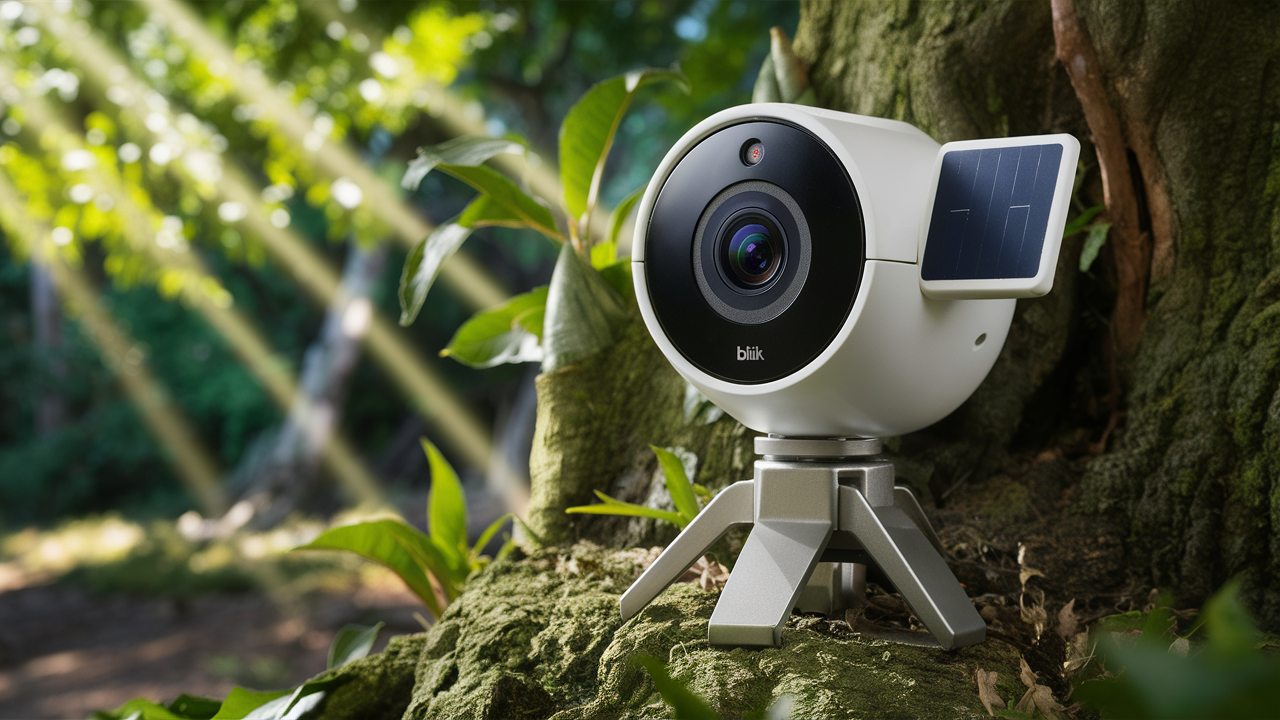
Discover what a Blink camera is: an affordable, easy-to-use smart home security solution offering wireless convenience and essential monitoring features for your peace of mind. This guide dives deep into its capabilities and benefits.
What Exactly Is A Blink Camera?
At its core, a Blink camera is a wireless, internet-connected (Wi-Fi) home security camera designed for simple setup and operation. Blink, a subsidiary of Amazon, focuses on providing affordable and accessible smart home security solutions. These cameras are primarily used for monitoring indoor and outdoor spaces, offering features like motion detection, live video streaming, and two-way audio. Their appeal lies in their ease of installation, long battery life (for battery-powered models), and integration with the broader Amazon ecosystem, including Alexa. They serve as a cost-effective entry point into home surveillance, allowing users to keep an eye on their property, pets, or loved ones remotely via a smartphone app.
The market for smart home security has exploded in recent years, with consumers increasingly seeking ways to enhance their safety and convenience. Blink cameras have carved out a significant niche by prioritizing affordability and user-friendliness without completely sacrificing essential functionality. Unlike some high-end systems that require professional installation and complex wiring, Blink cameras are designed for the DIY enthusiast. This democratizes home security, making it accessible to a wider audience who might be intimidated by more complex systems.
The primary function of a Blink camera is to act as a digital eye on your property. Whether you're at work, on vacation, or simply in another room of your house, you can access a live feed from your camera. This real-time visibility is crucial for deterring potential intruders, checking on package deliveries, or simply ensuring that your children or pets are safe and sound. The motion detection capabilities further enhance this by alerting you to any activity that occurs within the camera's field of view, allowing for prompt investigation.
Furthermore, Blink cameras are not standalone devices. They are part of a connected ecosystem managed through the Blink Home Monitor app. This app is the central hub for controlling your cameras, viewing live streams, accessing recorded clips, and customizing settings. The integration with Amazon Alexa is a significant selling point, enabling voice commands for arming/disarming systems, viewing camera feeds on compatible smart displays, and receiving notifications. This seamless integration simplifies the user experience, making it feel like a natural extension of an existing smart home setup.
In essence, a Blink camera is a smart, wireless surveillance device that provides remote monitoring capabilities for homes and small businesses. It emphasizes affordability, ease of use, and integration, making it a popular choice for individuals looking for a straightforward and budget-friendly way to enhance their home security.
Key Features and Technology
Blink cameras are equipped with a range of features designed to provide effective and convenient home monitoring. Understanding these capabilities is crucial to appreciating their value proposition.
Video Quality and Resolution
Most Blink cameras offer HD video recording, typically at 1080p resolution. This ensures that footage is clear enough to identify individuals and details within the frame. Some higher-end models might offer enhanced clarity or frame rates. The field of view also varies, with most cameras providing a wide-angle lens to capture a broader area, reducing the need for multiple cameras in smaller spaces.
Motion Detection
A cornerstone of any security camera, Blink's motion detection system is designed to alert users when activity is detected. Users can customize motion zones within the camera's view to focus on critical areas and reduce false alarms from passing cars or trees. When motion is detected, the camera can be configured to record a clip and send a notification to the user's smartphone.
Night Vision
Blink cameras feature infrared night vision, allowing them to record clear black-and-white video in low-light or complete darkness. This is essential for round-the-clock surveillance, ensuring that your property is monitored even after sunset. The range and clarity of night vision can vary slightly between models.
Two-Way Audio
Many Blink cameras include built-in microphones and speakers, enabling two-way audio communication. This feature allows users to not only hear what's happening around the camera but also to speak through the camera's speaker. This is useful for communicating with delivery personnel, deterring intruders, or speaking with family members.
Power Options: Battery vs. Wired
A significant differentiator for Blink is its focus on battery-powered cameras. These cameras often boast exceptionally long battery life, sometimes lasting up to two years on a single set of AA lithium batteries. This eliminates the need for nearby power outlets and simplifies installation, making them ideal for locations where wiring is difficult or impossible. Blink also offers wired camera options for continuous power.
Local Storage and Cloud Storage
Blink cameras offer flexibility in how video footage is stored. Some models support local storage via a USB drive inserted into the Sync Module, providing a cost-effective way to save clips without a subscription. Alternatively, users can opt for Blink's cloud storage plans, which allow access to recorded clips from anywhere via the app. The availability and specifics of local storage depend on the camera model and Sync Module version.
Weather Resistance
For outdoor models, weather resistance is a critical feature. Blink's outdoor cameras are designed to withstand various environmental conditions, including rain, snow, and heat, ensuring reliable operation year-round. The IP rating for weather resistance should be checked for specific outdoor models.
Connectivity and Sync Module
Blink cameras connect to your home Wi-Fi network. For battery-powered cameras, a Blink Sync Module is typically required. The Sync Module acts as a central hub, communicating with the cameras and then connecting to your Wi-Fi. This design helps conserve battery power by allowing the cameras to remain in a low-power state until motion is detected or live view is initiated. The Sync Module also facilitates local storage for compatible models.
Smart Home Integration
As an Amazon product, Blink cameras integrate seamlessly with Amazon Alexa. This allows for voice control of arming/disarming the system, viewing live feeds on Echo Show devices, and receiving motion alerts through Alexa-enabled speakers. This integration enhances convenience and allows for a more hands-free experience.
Advanced Features and Customization
Beyond the core functionalities, Blink cameras offer several customization options. Users can adjust motion sensitivity, set schedules for when cameras are armed, create custom motion detection zones, and configure notification preferences. These settings allow users to tailor the system to their specific needs and reduce unnecessary alerts.
Types of Blink Cameras Available
Blink offers a diverse range of cameras to suit various home security needs, from indoor monitoring to robust outdoor surveillance. Understanding the different models helps users select the best fit for their specific requirements.
Blink Indoor Cameras
These are designed for internal use, providing peace of mind by allowing you to monitor living rooms, nurseries, or entryways. They are typically compact, easy to set up, and powered by AA lithium batteries, offering long operational life. Key features include HD video, motion detection, and two-way audio. They are ideal for keeping an eye on pets or children when you're away.
Blink Outdoor Cameras
Built to withstand the elements, Blink Outdoor cameras are weather-resistant and suitable for mounting outside your home. They offer the same core features as indoor cameras, including HD video, motion detection, and night vision, but with enhanced durability. They are powered by AA lithium batteries and are perfect for monitoring your front door, backyard, or driveway.
Blink Mini Cameras
The Blink Mini is a compact, plug-in indoor camera that offers an affordable entry point into the Blink ecosystem. It provides HD video, motion detection, and two-way audio, all within a small form factor that can be discreetly placed in any room. Its primary advantage is its simplicity and direct power connection, eliminating battery concerns for indoor use. It does not require a Sync Module.
Blink XT Series (e.g., Blink XT2)
While some older models like the XT2 are still in circulation and offer excellent performance, Blink has been updating its product lines. The XT2 was known for its battery life, cloud storage capabilities, and two-way audio. Newer outdoor models have largely superseded these, offering similar or improved features.
Blink Video Doorbell
This smart doorbell replaces your existing doorbell and allows you to see, hear, and speak to visitors from anywhere using your smartphone. It features HD video, motion detection, and two-way audio. It can be wired to your existing doorbell chime or powered by the included battery pack, offering flexibility in installation. It also connects via Wi-Fi and can work with a Sync Module for enhanced features or local storage.
Blink Sync Module
While not a camera itself, the Sync Module is a crucial component for most Blink camera systems (excluding the Blink Mini). It acts as the bridge between your Wi-Fi network and your battery-powered Blink cameras. It manages the cameras' power consumption, enabling their long battery life, and is required for features like local storage (on compatible models) and system arming/disarming.
When choosing a Blink camera, consider the location (indoor/outdoor), power source preference (battery or wired), and specific features like two-way audio or doorbell functionality. Many users opt for a combination of cameras to create a comprehensive security setup.
Comparison of Blink Camera Models (2025-26)
The Blink product line continues to evolve, with new models and updates released periodically. As of 2025-26, the primary offerings generally include:
| Feature | Blink Indoor Camera | Blink Outdoor Camera | Blink Mini | Blink Video Doorbell |
|---|---|---|---|---|
| Primary Use | Indoor monitoring | Outdoor monitoring | Indoor monitoring (compact) | Front door/entryway monitoring |
| Power Source | 2x AA Lithium Batteries (up to 2 years) | 2x AA Lithium Batteries (up to 2 years) | Plug-in power adapter | Wired or Battery Pack |
| Video Resolution | 1080p HD | 1080p HD | 1080p HD | 1080p HD |
| Night Vision | Yes (Infrared) | Yes (Infrared) | Yes (Infrared) | Yes (Infrared) |
| Two-Way Audio | Yes | Yes | Yes | Yes |
| Motion Detection | Yes (Customizable Zones) | Yes (Customizable Zones) | Yes (Customizable Zones) | Yes (Customizable Zones) |
| Weather Resistance | No | Yes (IP65 rated) | No | Yes (for doorbell unit) |
| Sync Module Required | Yes | Yes | No | Optional (for certain features/local storage) |
| Local Storage Support | Via Sync Module 2 (with USB drive) | Via Sync Module 2 (with USB drive) | No | Via Sync Module 2 (with USB drive) |
| Field of View | 110° Diagonal | 110° Diagonal | 110° Diagonal | 130° Horizontal, 75° Vertical |
Setting Up Your Blink Camera: A Step-by-Step Guide
One of Blink's biggest selling points is its user-friendly setup process. Whether you're installing an indoor camera, an outdoor camera, or a video doorbell, the steps are generally straightforward and designed for DIYers. Here’s a comprehensive guide:
Step 1: Unboxing and Initial Checks
Carefully unpack your Blink camera and its accessories. Ensure you have the camera, the Sync Module (if applicable), power adapters, mounting hardware, and batteries. Check for any visible damage. For battery-powered cameras, insert the included AA lithium batteries, paying attention to polarity.
Step 2: Download the Blink Home Monitor App
On your smartphone or tablet, download the "Blink Home Monitor" app from the Apple App Store or Google Play Store. Create a Blink account or log in if you already have one. This app will be your central control panel for all Blink devices.
Step 3: Set Up the Sync Module (If Applicable)
If your camera requires a Sync Module (e.g., Blink Indoor, Outdoor), plug it into a power outlet near your Wi-Fi router. The Sync Module will then need to be connected to your Wi-Fi network. Open the Blink app, tap the '+' icon to add a new device, and select "Sync Module." Follow the on-screen instructions, which typically involve scanning a QR code on the Sync Module or entering its serial number. The app will guide you through connecting the Sync Module to your Wi-Fi network.
Step 4: Add Your Camera to the App
Once the Sync Module is set up (or if you're setting up a Blink Mini which doesn't need one), it's time to add your camera. In the Blink app, tap the '+' icon again and select your camera model. The app will prompt you to scan a QR code located on the camera itself or its packaging. Follow the app's instructions to pair the camera with your account and Sync Module (if used).
Step 5: Connect Camera to Wi-Fi
For cameras that connect directly to Wi-Fi (like the Blink Mini) or after the Sync Module is connected, the app will guide you through connecting the camera to your home Wi-Fi network. Ensure your Wi-Fi password is correct.
Step 6: Mount Your Camera
For Indoor Cameras: These can be placed on shelves, tables, or mounted on walls using the included hardware. Choose a location that provides a good view of the area you want to monitor.
For Outdoor Cameras: Select a mounting location that offers a clear view of your desired area (e.g., front door, backyard). Use the provided mounting bracket and screws. Ensure the camera is positioned to capture the most important angles. For battery-powered outdoor cameras, consider the angle for optimal motion detection. For wired outdoor cameras, ensure proximity to a power source.
For Video Doorbell: Turn off power to your existing doorbell at the circuit breaker. Remove your old doorbell and mount the Blink Video Doorbell using the provided hardware. Connect the wires according to the instructions, ensuring they align with your existing doorbell wiring or battery pack configuration. Restore power at the breaker.
Step 7: Configure Settings in the Blink App
Once the camera is physically installed and connected, dive into the Blink app to customize its behavior:
- Motion Detection: Enable motion detection and adjust sensitivity. Define "Motion Zones" to focus on specific areas and ignore others, reducing false alerts.
- Recording Settings: Set the length of video clips recorded upon motion detection.
- Notifications: Configure push notifications to your smartphone for motion events.
- Arm/Disarm Schedules: Set up schedules for when your cameras should be armed and disarmed automatically.
- Live View: Test the live view functionality to ensure the camera is streaming video clearly.
- Two-Way Audio: Test the microphone and speaker for clear communication.
Step 8: Test and Refine
Walk in front of the camera to trigger motion detection and ensure you receive notifications and recordings. Review the footage and adjust motion zones or sensitivity as needed. For the video doorbell, have someone ring the bell to test the live view and two-way audio communication.
By following these steps, you can quickly and easily set up your Blink camera system and begin enjoying enhanced home security and monitoring.
The Blink App and Ecosystem
The Blink Home Monitor app is the central nervous system for your entire Blink security setup. It's designed to be intuitive and user-friendly, providing comprehensive control over your cameras and system settings from virtually anywhere in the world. Understanding the app's capabilities is key to maximizing the benefits of your Blink cameras.
Core App Functionalities
- Device Management: Add, remove, and manage all your Blink cameras and Sync Modules within the app.
- Live View: Access a live, real-time video stream from any of your cameras with a single tap. This is essential for checking in on your property at any moment.
- Motion Alerts: Receive instant push notifications on your smartphone or tablet whenever motion is detected by a camera. These alerts are crucial for immediate awareness of potential events.
- Clip Access: View and download recorded video clips that are triggered by motion detection or manual recording. Clips are stored either locally (with Sync Module 2 and USB drive) or in the cloud (with a subscription).
- Two-Way Audio: Initiate or respond to conversations using the built-in microphone and speaker on supported cameras directly through the app.
- Arm/Disarm System: Easily arm or disarm your entire Blink system, or individual cameras, with a tap. This can also be automated with schedules.
Customization and Settings
The Blink app empowers users to tailor their security experience:
- Motion Sensitivity: Adjust how sensitive the motion detection is to reduce false alarms and ensure you're alerted to relevant activity.
- Motion Zones: Define specific areas within the camera's field of view where motion should be detected. This is incredibly useful for ignoring busy streets while focusing on your doorstep.
- Recording Settings: Control the duration of video clips recorded when motion is detected.
- Notification Preferences: Customize which events trigger notifications and how you receive them.
- Scheduling: Set up automated arming and disarming schedules based on your daily routine or specific times.
- Camera Settings: Adjust video quality, enable/disable features like infrared night vision, and manage other camera-specific parameters.
Integration with Amazon Alexa
As an Amazon product, Blink cameras boast seamless integration with Amazon Alexa-enabled devices. This integration offers enhanced convenience and voice control:
- Voice Commands: Arm or disarm your Blink system by simply saying, "Alexa, arm Blink," or "Alexa, disarm Blink."
- Live View on Smart Displays: Ask Alexa to show you the live feed from a specific camera on compatible Echo Show devices (e.g., "Alexa, show me the front door camera").
- Motion Notifications: Receive motion alerts through your Alexa-enabled speakers.
- Routine Integration: Incorporate Blink arming/disarming into Alexa Routines for a more automated smart home experience.
This synergy between Blink and Alexa makes managing your home security more intuitive and integrated with your existing smart home setup.
The Sync Module's Role
The Blink Sync Module is a vital part of the Blink ecosystem for most battery-powered cameras. It:
- Conserves Battery Life: It allows battery-powered cameras to remain in a low-power state, only waking up for motion detection or live view requests, thus extending battery life significantly (often up to two years).
- Connects to Wi-Fi: It acts as the intermediary between your cameras and your home Wi-Fi network.
- Enables Local Storage: With Sync Module 2 and a compatible USB flash drive, users can store video clips locally, offering an alternative to cloud storage.
Blink Subscription Plans (Blink Subscription Plan - BSP)
While Blink cameras can function without a subscription, a Blink Subscription Plan unlocks enhanced features and cloud storage. This plan provides:
- Cloud Storage: Store an unlimited number of motion detection video clips for up to 60 days in the cloud, accessible from anywhere.
- Extended Clip Lengths: Longer recording durations for motion events.
- Person Detection: Advanced AI that can distinguish between people and other motion events, providing more relevant alerts.
- 24/7 Live Streaming: For certain models, the subscription enables continuous live streaming capabilities.
Understanding these subscription benefits is crucial for users who want to maximize their Blink camera's functionality and ensure their footage is securely backed up.
The Blink app and its ecosystem are designed to provide a cohesive and accessible smart home security experience. By offering robust features, customization options, and seamless integration, Blink empowers users to monitor their homes effectively and affordably.
Blink Cameras vs. The Competition: A 2025-26 Overview
The smart home security market is crowded, with numerous brands offering a wide array of cameras. Blink differentiates itself primarily through its affordability, long battery life (for battery-powered models), and strong integration with the Amazon ecosystem. However, it's important to compare Blink to its competitors to understand its strengths and weaknesses in the 2025-26 landscape.
Key Competitors
Major competitors in the smart home camera space include:
- Ring: Also owned by Amazon, Ring offers a similar range of cameras, doorbells, and security systems. Ring often has more advanced features and a slightly higher price point, with a strong emphasis on its security ecosystem and professional monitoring options.
- Wyze: Known for its extremely low prices, Wyze offers feature-rich cameras that often rival more expensive brands. They provide good video quality and smart features, but their battery life and build quality may not match Blink's premium offerings.
- Arlo: Arlo cameras are generally considered premium devices, offering excellent video quality, advanced features, and robust build quality. However, they come with a significantly higher price tag and often require subscriptions for full functionality.
- Google Nest: Google's Nest cameras are known for their intelligent features, including advanced AI-powered detection, seamless integration with the Google Home ecosystem, and sleek design. They are typically priced higher than Blink and often rely on cloud storage.
- Eufy: Eufy emphasizes local storage and privacy, offering cameras with built-in storage solutions or support for local network storage. They aim to provide a balance of features, affordability, and privacy.
Blink's Competitive Advantages (2025-26)
- Affordability: Blink cameras consistently rank among the most budget-friendly options in the market. This makes them an excellent choice for individuals or families looking to secure their homes without a significant financial outlay.
- Exceptional Battery Life: The AA lithium battery-powered models offer industry-leading battery life, often lasting up to two years. This drastically reduces maintenance and makes installation flexible, as no power outlets are needed.
- Ease of Use and Setup: Blink systems are renowned for their simple, plug-and-play installation process, making them accessible even for those with minimal technical expertise.
- Amazon Ecosystem Integration: For users already invested in Amazon's smart home products (like Echo devices), Blink offers seamless voice control and integration, enhancing the overall smart home experience.
- Local Storage Option: With the Sync Module 2, Blink provides a cost-effective local storage solution, appealing to users concerned about cloud privacy or subscription costs.
Where Blink Might Fall Short
- Video Quality Nuances: While 1080p HD is standard, some competitors offer higher resolutions, wider dynamic range, or better low-light performance that can be noticeable in challenging conditions.
- Advanced AI Features: Competitors like Google Nest and Arlo often provide more sophisticated AI features, such as package detection, facial recognition, or more granular activity zones, which Blink may not offer or implement as deeply.
- Subscription Model: While Blink offers local storage, its most advanced features (like person detection and 24/7 streaming on some models) are tied to its subscription plan, which can add up over time.
- Build Quality and Durability: While generally good, some premium competitors might offer more robust build materials and enhanced durability, especially for outdoor cameras exposed to extreme weather.
- Professional Monitoring: Blink does not offer a dedicated professional monitoring service, unlike some competitors (e.g., Ring Alarm, ADT integration).
Blink vs. Ring
Both are Amazon-owned. Blink is generally the more budget-friendly option with a focus on battery life. Ring often offers more advanced features, a wider range of accessories, and a more robust ecosystem, including professional monitoring. Ring cameras might have slightly better low-light performance in some models.
Blink vs. Wyze
Wyze is typically cheaper than Blink, but Blink often has superior battery life for its wireless models and a more polished app experience. Wyze cameras are usually plug-in, making battery life a non-issue, but limiting placement options.
Blink vs. Arlo/Google Nest
These premium brands offer higher video quality, more advanced AI features, and often a more sophisticated user interface. However, their higher price point and reliance on subscriptions for full functionality make Blink a more attractive option for budget-conscious consumers.
In summary, Blink occupies a strong position in the market by offering a compelling balance of affordability, essential features, and exceptional battery life. It's an ideal choice for users prioritizing cost-effectiveness and ease of use, especially within the Amazon smart home ecosystem. For those requiring cutting-edge AI, superior video resolution, or professional monitoring, other brands might be a better fit.
Pros and Cons of Blink Cameras
Like any technology, Blink cameras come with their own set of advantages and disadvantages. Understanding these can help potential buyers make an informed decision about whether Blink is the right fit for their home security needs.
Pros:
- Affordability: This is arguably Blink's biggest strength. Blink cameras are significantly less expensive than many competitors, making them accessible to a wider range of consumers.
- Exceptional Battery Life: The battery-powered models (Indoor, Outdoor) boast an impressive battery life, often lasting up to two years on a single set of AA lithium batteries. This minimizes the hassle of frequent battery changes and allows for flexible placement without needing nearby power outlets.
- Easy Installation and Setup: Blink cameras are designed for DIY installation. The setup process, guided by the Blink Home Monitor app, is straightforward and typically takes minutes, requiring no professional expertise.
- Compact and Discreet Design: The cameras, especially the Blink Mini, are small and unobtrusive, allowing them to blend easily into home decor.
- Local Storage Option: With the Sync Module 2 and a USB flash drive, users can store video clips locally, offering a cost-effective alternative to cloud storage subscriptions and addressing privacy concerns for some.
- Good Integration with Amazon Alexa: For users within the Amazon ecosystem, the seamless integration with Alexa for voice control and smart home routines is a significant convenience.
- HD Video Quality: Most Blink cameras offer 1080p HD video, providing clear and detailed footage for effective monitoring.
- Weather Resistance (Outdoor Models): The dedicated outdoor cameras are built to withstand various weather conditions, ensuring reliable performance year-round.
- Two-Way Audio: The ability to communicate through the camera's speaker and microphone adds a layer of interaction and security.
Cons:
- Subscription Required for Full Cloud Features: While local storage is an option, advanced features like cloud storage, extended clip lengths, and person detection are tied to the Blink Subscription Plan (BSP), which adds an ongoing cost.
- Limited Advanced AI Features: Compared to premium competitors, Blink's AI capabilities are more basic. Features like facial recognition or advanced object detection (beyond person detection) are generally not available.
- Video Quality Limitations: While 1080p is good, some competitors offer higher resolutions, better low-light performance, or wider dynamic range, which can result in superior image quality in certain conditions.
- No Professional Monitoring Option: Blink systems do not offer integration with professional monitoring services, which might be a requirement for some users seeking a comprehensive security solution.
- Sync Module Dependency (for some models): Battery-powered cameras require a Sync Module, adding another piece of hardware to manage and connect to Wi-Fi.
- Occasional App Glitches: While generally stable, like any app, the Blink Home Monitor app can occasionally experience minor glitches or delays, though updates usually address these.
- Limited Field of View on Some Models: While generally wide, some competitors offer even wider fields of view, potentially covering more area with a single camera.
Overall, Blink cameras are an excellent choice for users who prioritize affordability, ease of use, and long battery life for basic home monitoring. They provide essential security features without breaking the bank. However, users seeking the absolute latest in AI technology, superior video quality in all conditions, or professional monitoring services might need to consider higher-priced alternatives.
Real-World Use Cases and Scenarios
Blink cameras are versatile and can be deployed in a multitude of situations to enhance security, provide peace of mind, and offer convenience. Their affordability and ease of use make them suitable for a wide range of users and scenarios.
1. Deterring Burglary and Vandalism
Placing Blink Outdoor cameras at key entry points like the front door, back door, and garage can act as a visual deterrent to potential intruders. The visible presence of a camera, combined with motion-activated recording and notifications, can discourage criminal activity. If an incident does occur, the recorded footage can be invaluable for identifying suspects and providing evidence to law enforcement.
2. Monitoring Children and Pets
Blink Indoor cameras are perfect for keeping an eye on children when they are home alone or playing in a specific room. The two-way audio feature allows parents to communicate with their children remotely. Similarly, pet owners can use Blink cameras to check on their pets, ensure they are not causing mischief, or simply to see them when they are away from home. The motion detection can alert owners to unusual activity from their pets.
3. Package Delivery Monitoring
With porch piracy being a growing concern, a Blink camera (especially the Video Doorbell or an Outdoor camera) positioned to cover the front porch is invaluable. It allows homeowners to see when packages are delivered, receive notifications, and even communicate with delivery drivers if needed. This helps prevent theft and ensures you are aware of all deliveries.
4. Checking on Elderly Relatives or Vulnerable Individuals
For families caring for elderly parents or individuals with special needs, Blink cameras can provide a non-intrusive way to check in. They can offer reassurance that the individual is safe, alert caregivers to falls or unusual activity, and facilitate communication through the two-way audio feature. It's important to ensure privacy and consent are respected in such scenarios.
5. Home Maintenance and Service Monitoring
When service professionals (plumbers, electricians, cleaners) are working in your home, a Blink camera can provide oversight. You can monitor their progress, ensure they are performing the agreed-upon work, and have a record of their presence and activities. This can also be useful for checking on the status of home improvement projects.
6. Vacation Home or Rental Property Monitoring
Blink cameras are an excellent, cost-effective solution for monitoring vacation homes or rental properties. They allow owners to remotely check on the property's status, ensure it's secure, and monitor activity, even when they are far away. The long battery life of outdoor models is particularly beneficial for locations that may not have easy access to power.
7. Garage and Driveway Security
Outdoor cameras or the video doorbell can be strategically placed to cover the garage and driveway. This helps monitor vehicle security, detect suspicious activity around your vehicles, and provide a clear view of who is approaching your home.
8. Simple Interior Monitoring
Beyond specific use cases, Blink Indoor cameras can simply provide general peace of mind. Placing them in common areas like the living room or hallway allows for quick checks on the home's interior, ensuring everything is as it should be.
9. Smart Home Automation Integration
By integrating with Alexa, Blink cameras can become part of larger smart home routines. For example, a routine could be set to arm the Blink system when you say "Alexa, I'm leaving," or to turn on lights when motion is detected by an outdoor camera after dark.
The versatility of Blink cameras, combined with their user-friendly interface and affordable price point, makes them a practical solution for a wide array of home monitoring and security needs in 2025-26.
Security and Privacy Considerations
When deploying any smart home device, especially cameras, security and privacy are paramount concerns. Blink, like other connected devices, requires careful consideration to ensure your data and home remain protected.
Data Encryption
Blink states that video data is encrypted both in transit (from the camera to the cloud or Sync Module) and at rest (when stored). This is a crucial security measure to prevent unauthorized access to your video feeds. End-to-end encryption is the gold standard, and while Blink implements strong encryption, it's always wise to stay informed about their specific protocols.
Account Security
Your Blink account is the gateway to your camera system. Therefore, securing your account is vital:
- Strong, Unique Passwords: Use a complex password that is not reused for other online accounts. Consider using a password manager to generate and store strong passwords.
- Two-Factor Authentication (2FA): Enable 2FA on your Blink account if available. This adds an extra layer of security by requiring a second verification step (e.g., a code sent to your phone) when logging in from a new device.
- Be Wary of Phishing: Never click on suspicious links in emails or messages claiming to be from Blink, asking for your login credentials. Always go directly to the official Blink website or app.
Network Security
Your home Wi-Fi network is the backbone of your smart home. Securing it is essential:
- Secure Your Wi-Fi Router: Use a strong WPA2 or WPA3 password for your Wi-Fi network. Change the default router login credentials.
- Guest Network: Consider setting up a separate guest network for your IoT devices, including Blink cameras. This isolates them from your primary network, limiting the potential impact if a device is compromised.
- Regular Router Updates: Keep your router's firmware updated to patch any security vulnerabilities.
Privacy Concerns
- Placement: Be mindful of where you place your cameras. Avoid positioning them in areas where individuals have a reasonable expectation of privacy, such as bathrooms or bedrooms (unless specifically intended and with consent).
- Data Storage: Understand where your video clips are stored (local vs. cloud) and Blink's data retention policies. The option for local storage with Sync Module 2 can provide greater control over your data.
- Third-Party Access: Be aware of how Blink shares data with third parties. Review Blink's privacy policy for details on data usage and sharing practices.
- Camera Tampering: While less common, physical tampering with cameras is a possibility. Outdoor cameras should be mounted securely, and any signs of tampering should be investigated immediately.
Blink's Privacy Policy and Terms of Service
It is highly recommended to read and understand Blink's official privacy policy and terms of service. These documents outline how your data is collected, used, stored, and protected. Staying informed about any changes to these policies is also important.
Staying Updated
Technology evolves rapidly, and so do security threats. Regularly check for firmware updates for your Blink cameras and Sync Module, as these often include security patches. Keep the Blink Home Monitor app updated as well.
By taking these proactive steps, users can significantly enhance the security and privacy of their Blink camera system, enjoying the benefits of smart home monitoring with greater peace of mind.
Understanding Blink Subscription Plans
Blink offers a subscription service, known as the Blink Subscription Plan (BSP), which enhances the functionality and cloud storage capabilities of your Blink cameras. While Blink cameras can operate without a subscription, the BSP unlocks a suite of premium features that many users find valuable. As of 2025-26, the specifics of these plans are designed to offer tiered benefits.
What the Blink Subscription Plan Offers
The BSP typically provides the following key benefits:
- Cloud Storage: This is a primary benefit. Instead of relying solely on local storage (via Sync Module 2 and a USB drive), the BSP allows you to store an unlimited number of motion detection video clips in the cloud. This means your recordings are accessible remotely and backed up off-site, providing an extra layer of security against data loss.
- Extended Cloud Storage Duration: Recorded clips are typically stored in the cloud for up to 60 days, giving you ample time to review and download footage. The exact duration can vary based on plan specifics and updates.
- Person Detection: This advanced AI feature allows your Blink cameras to differentiate between people and other types of motion (like animals, vehicles, or falling leaves). This leads to more relevant and actionable motion alerts, reducing false notifications and ensuring you're only alerted to significant events.
- 24/7 Live Streaming: For certain Blink camera models, the subscription enables continuous live streaming. This means you can monitor your camera feed for extended periods without the limitations imposed on non-subscription plans, which often restrict live view duration to conserve battery or data.
- Extended Clip Lengths: Subscription plans often allow for longer video recordings when motion is detected, capturing more context around an event.
Subscription Tiers (General Structure)
Blink has historically offered different subscription tiers, often categorized by the number of cameras covered:
- Single Camera Plan: This plan is ideal for users who have only one or a few Blink cameras and want to access the premium features for those specific devices.
- Unlimited Cameras Plan: This plan covers an unlimited number of Blink cameras associated with a single Blink account. It's the most cost-effective option for users with multiple Blink devices installed throughout their property.
It's important to check the current offerings on the Blink website, as plan structures and pricing can be updated.
Local Storage vs. Cloud Storage
Users have a choice:
- Local Storage (Free with Sync Module 2): If you have a Sync Module 2 and a compatible USB flash drive, you can store video clips directly on the drive. This is a one-time hardware cost and avoids ongoing subscription fees. However, clips are only accessible when you are physically near the Sync Module (or if you have specific network configurations), and the drive's capacity is limited.
- Cloud Storage (Requires Subscription): With the BSP, clips are stored on Blink's secure servers, accessible from anywhere via the Blink Home Monitor app. This offers greater convenience and remote access but incurs a recurring monthly or annual fee.
Cost and Value Proposition
The cost of the Blink Subscription Plan is generally competitive within the smart home security market. The value proposition lies in the convenience of cloud storage, the accuracy of person detection, and the extended live streaming capabilities. For many users, the peace of mind and reduced false alarms provided by person detection alone make the subscription worthwhile.
How to Subscribe
Subscribing is typically done directly through the Blink Home Monitor app. Users can select their desired plan, enter payment information, and activate the subscription for their account. Free trials are often available, allowing users to test the premium features before committing.
Understanding the Blink Subscription Plan is crucial for users who want to leverage the full potential of their Blink cameras. It provides a clear path to enhanced features, secure cloud storage, and more intelligent monitoring capabilities.
Troubleshooting Common Blink Camera Issues
While Blink cameras are generally reliable, users may occasionally encounter issues. Here are some common problems and their troubleshooting steps:
1. Camera Not Connecting to Wi-Fi
Symptom: Camera shows as "Offline" in the app, or fails to connect during setup.
Troubleshooting:
- Check Wi-Fi Signal Strength: Ensure the camera (or Sync Module) is within a good range of your Wi-Fi router.
- Restart Router and Sync Module: Unplug your Wi-Fi router and Sync Module for 30 seconds, then plug them back in.
- Verify Wi-Fi Password: Double-check that you entered the correct Wi-Fi password during setup.
- 2.4GHz Network: Most Blink devices operate on the 2.4GHz Wi-Fi band. Ensure your router is broadcasting a 2.4GHz network and that the camera is trying to connect to it.
- Router Settings: Some advanced router settings (like MAC filtering or firewall rules) might block the camera. Temporarily disable them to test.
2. Motion Detection Not Triggering Alerts or Recordings
Symptom: No notifications or clips are generated even when motion is clearly present.
Troubleshooting:
- Check Arm/Disarm Status: Ensure the system or the specific camera is armed in the Blink app.
- Motion Detection Enabled: Verify that motion detection is enabled for the camera in the app settings.
- Motion Zones: If you've set up motion zones, ensure the motion is occurring within those zones. Adjust zones if necessary.
- Sensitivity Settings: Increase the motion sensitivity setting.
- Battery Level: For battery-powered cameras, very low battery levels can sometimes affect functionality. Check battery status.
- Firmware Updates: Ensure your camera and Sync Module have the latest firmware installed.
3. Poor Video Quality (Blurry, Pixelated, or Dark Footage)
Symptom: Video feed is unclear, grainy, or too dark, especially at night.
Troubleshooting:
- Check Wi-Fi Signal: A weak Wi-Fi connection can lead to poor video quality. Improve signal strength if possible.
- Clean the Lens: Ensure the camera lens is clean and free of smudges, dust, or obstructions.
- Lighting Conditions: For low-light situations, ensure the infrared night vision is enabled and functioning. Check if there are any obstructions blocking the IR emitters.
- Night Vision Settings: Verify night vision settings are configured correctly in the app.
- Resolution Settings: While Blink cameras typically record at 1080p, ensure no settings have inadvertently reduced the resolution.
4. Two-Way Audio Not Working
Symptom: Cannot hear audio from the camera, or the audio from the app is not transmitted through the camera's speaker.
Troubleshooting:
- App Permissions: Ensure the Blink Home Monitor app has permission to access your device's microphone and speaker.
- Volume Levels: Check the volume settings on your smartphone/tablet.
- Restart App and Device: Close and reopen the Blink app. Restart your smartphone/tablet.
- Firmware Updates: Ensure all devices have the latest firmware.
5. Battery Draining Too Quickly
Symptom: Batteries on battery-powered cameras need frequent replacement, despite being advertised to last up to two years.
Troubleshooting:
- Excessive Motion Events: Frequent motion detection and recording will drain batteries faster. Adjust motion zones and sensitivity to reduce unnecessary triggers.
- Frequent Live Views: Constantly initiating live views will also consume battery power.
- Weak Wi-Fi Signal: The camera may work harder to maintain a connection with a weak signal, draining the battery.
- Temperature Extremes: Very cold or very hot temperatures can impact battery performance.
- Battery Quality: Ensure you are using high-quality AA lithium batteries, as recommended by Blink. Rechargeable batteries may not perform as well.
- Firmware Issues: Ensure firmware is up to date.
6. Sync Module Issues
Symptom: Sync Module is offline or not communicating with cameras.
Troubleshooting:
- Power Cycle: Unplug the Sync Module from power for 30 seconds, then plug it back in.
- Check Wi-Fi Connection: Ensure the Sync Module is connected to your Wi-Fi network. Refer to Wi-Fi connection troubleshooting.
- Firmware Update: Make sure the Sync Module has the latest firmware.
- Reset Sync Module: If issues persist, you may need to perform a factory reset on the Sync Module (refer to Blink's support documentation for the exact procedure).
If you continue to experience issues after trying these troubleshooting steps, it's recommended to visit the Blink support website or contact Blink customer service for further assistance.
The Future of Blink and Smart Home Security
The smart home security landscape is in a constant state of evolution, driven by advancements in AI, connectivity, and consumer demand for more integrated and intuitive solutions. Blink, as a prominent player in the affordable segment, is poised to adapt and grow within this dynamic market.
Continued Focus on Affordability and Accessibility
Blink's core strength lies in its ability to deliver essential smart home security features at a low price point. It's highly probable that Blink will continue to prioritize this strategy, making smart home security accessible to an even broader audience. Expect new models that offer improved features without a significant price hike, further solidifying their position as a budget-friendly leader.
Enhanced AI and Smart Features
As AI technology matures, Blink will likely integrate more sophisticated features. This could include:
- Advanced Person Detection: Moving beyond basic person detection to differentiate between familiar faces and strangers, or to identify specific actions like running or falling.
- Package Detection: More reliable identification of package deliveries, providing specific alerts for these events.
- Sound Detection: Recognizing specific sounds like glass breaking or smoke alarms, offering an additional layer of security.
- Improved Activity Zones: More granular control over motion detection zones, allowing for complex custom configurations.
Seamless Ecosystem Integration
Given Blink's ownership by Amazon, expect even deeper integration with the Alexa ecosystem. This could lead to more natural voice commands, richer integrations with other Amazon devices, and potentially more sophisticated routine capabilities that incorporate Blink into broader smart home automation scenarios.
Connectivity and Power Innovations
While current battery life is impressive, future innovations might explore even longer-lasting batteries or more efficient power management techniques. Additionally, as Wi-Fi 6E and Wi-Fi 7 become more prevalent, Blink might adapt its devices to leverage these faster and more robust wireless standards for improved performance and connectivity.
Privacy and Security Enhancements
With increasing awareness around data privacy, Blink will likely continue to invest in robust security measures. This includes strengthening encryption protocols, offering more transparent data usage policies, and potentially providing users with greater control over their data storage and access.
Integration with Other Smart Home Devices
The trend towards interoperability in the smart home is undeniable. While Blink is tightly integrated with Alexa, future developments might see Blink devices working more seamlessly with other smart home platforms or standards, such as Matter, allowing for greater flexibility in building a diverse smart home ecosystem.
Hardware Evolution
We can anticipate new hardware form factors and improved camera technology. This might include higher resolution sensors, better low-light performance, wider fields of view, or even integrated features like spotlights or sirens in future models.
In conclusion, Blink is well-positioned to remain a significant player in the smart home security market. By continuing to focus on its core strengths of affordability and ease of use while embracing technological advancements in AI, connectivity, and privacy, Blink is set to offer increasingly capable and accessible security solutions for homes worldwide.
Conclusion
In summary, a Blink camera represents an accessible and user-friendly entry into the world of smart home security. Offering a compelling blend of affordability, impressive battery life for wireless models, and straightforward setup, Blink cameras empower individuals to monitor their homes effectively. Key features like HD video, motion detection, two-way audio, and seamless integration with Amazon Alexa provide essential functionality for peace of mind.
While competitors may offer more advanced AI or higher-end video quality, Blink's value proposition remains strong, particularly for budget-conscious consumers. The availability of local storage options further enhances its appeal for those prioritizing privacy and avoiding ongoing subscription costs. Whether you're looking to deter intruders, keep an eye on pets, monitor package deliveries, or simply gain an extra layer of awareness, Blink cameras provide a reliable and cost-effective solution. By understanding their features, potential drawbacks, and the benefits of subscription plans, users can confidently choose and implement a Blink system tailored to their specific needs, enhancing their home security in 2025-26 and beyond.





