
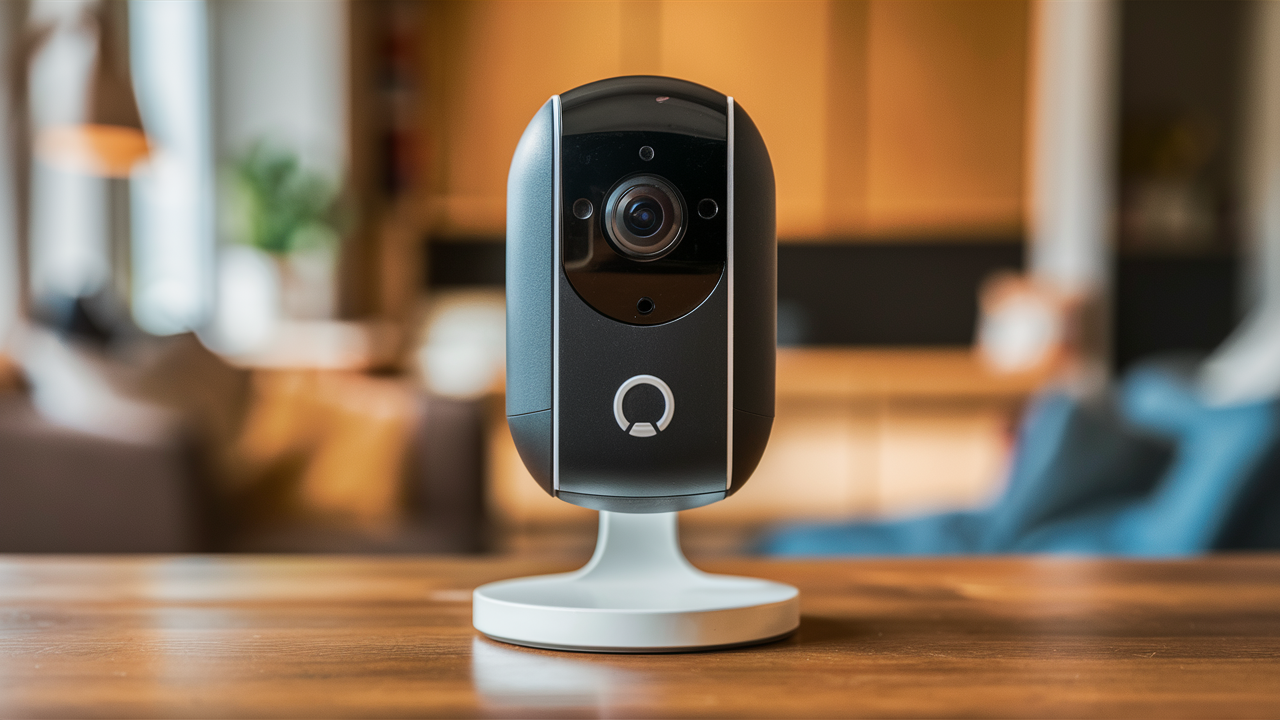
Ring cameras offer a robust and accessible solution for home security, providing homeowners with real-time monitoring, motion detection alerts, and two-way audio communication directly from their smartphones. This guide explores what a Ring camera is and how it can significantly enhance your peace of mind.
What Exactly Is a Ring Camera?
At its core, a Ring camera is a smart home security device designed to monitor your property, deter potential intruders, and provide you with remote access to live video feeds and recorded events. These cameras integrate seamlessly with your home's Wi-Fi network, allowing you to view footage, receive motion alerts, and communicate with visitors through a dedicated mobile application. Ring, a subsidiary of Amazon, has become a prominent name in the DIY home security market, offering a range of products that cater to various needs and budgets. Whether you're looking for a doorbell camera to screen visitors or a robust outdoor camera system to cover your entire property, Ring offers a comprehensive ecosystem of devices.
The primary function of a Ring camera is to provide a visual deterrent and a means of immediate notification and response. By placing these cameras strategically around your home, you create a visible security presence that can discourage criminal activity. When motion is detected, or when someone rings the doorbell, you receive an instant alert on your smartphone, tablet, or computer, enabling you to see, hear, and speak to whoever is at your door or on your property, regardless of your physical location. This immediate connectivity is what sets smart security cameras like Ring apart from traditional security systems.
Key Features and Functionality
Ring cameras are packed with features designed to enhance home security and user convenience. Understanding these functionalities is crucial to appreciating the value proposition of these devices.
Motion Detection and Alerts
One of the most fundamental features is advanced motion detection. Ring cameras utilize infrared sensors and intelligent algorithms to detect movement within their field of view. Users can customize motion zones, specifying areas where they want to receive alerts, thereby reducing false alarms from passing cars or swaying branches. When motion is detected, the camera records a short video clip and sends an instant push notification to your connected device. This allows for proactive monitoring and immediate awareness of any activity around your home.
Two-Way Talk
The integrated microphone and speaker system allows for two-way communication. This means you can speak with visitors, delivery personnel, or even potential intruders directly through the Ring app. This feature is invaluable for managing deliveries when you're not home, screening visitors before opening the door, or verbally warning off suspicious individuals.
Live View
The Live View feature grants you access to a real-time, high-definition video stream from your Ring camera at any time. Whether you're at work, on vacation, or simply in another room, you can pull up the Ring app and see exactly what's happening at your property. This provides unparalleled peace of mind and control over your home's security.
Night Vision
Equipped with infrared LEDs, most Ring cameras offer excellent night vision capabilities. This ensures clear video footage even in complete darkness, providing continuous surveillance around the clock. The quality of night vision can vary slightly between models, but all are designed to provide a usable image in low-light conditions.
HD Video Quality
Ring cameras typically record in high-definition (HD) video, often 1080p or higher. This ensures that you can clearly see details such as faces, license plates, and other important information in the footage. The clarity of the video is essential for identification purposes and for reviewing recorded events.
Siren (Select Models)
Some higher-end Ring camera models, particularly the Spotlight Cam and Floodlight Cam, feature a built-in siren. This siren can be remotely activated through the app to deter intruders. Its loud sound can effectively scare away potential threats and alert neighbors to suspicious activity.
Customizable Motion Zones
As mentioned earlier, customizable motion zones are a significant advantage. Instead of a general motion alert, you can draw specific areas on the camera's view where you want motion to be detected. This helps to filter out irrelevant events and ensures you only get notified about activity in critical areas, such as your front porch or driveway.
Integration with Alexa and Other Smart Home Devices
Ring cameras are part of the Amazon ecosystem, meaning they integrate seamlessly with Amazon Alexa-enabled devices. You can use voice commands to view live feeds on Echo Show devices, receive alerts, and even trigger actions. This integration extends to other Ring devices, creating a cohesive smart home security network.
Types of Ring Cameras Available
Ring offers a diverse range of camera products, each designed to address specific security needs and installation preferences. Understanding these options helps in selecting the most suitable device for your home.
Video Doorbells
These are Ring's flagship products. They replace your existing doorbell and feature a camera, microphone, speaker, and motion sensor. They are ideal for monitoring your front door, screening visitors, and receiving package delivery notifications. Popular models include the Ring Video Doorbell, Ring Video Doorbell 3, and the advanced Ring Video Doorbell Pro 2.
Wired vs. Battery-Powered Doorbells
Ring offers both wired and battery-powered video doorbells. Wired models require connection to your home's existing doorbell wiring, providing continuous power and often more advanced features. Battery-powered models offer greater installation flexibility, as they don't require existing wiring, but their batteries need periodic recharging or replacement.
Spotlight Cams
Spotlight Cams are designed for outdoor use and feature integrated LED spotlights that illuminate when motion is detected. This feature acts as a powerful deterrent and enhances night vision. They typically offer a wider field of view than doorbells and are suitable for driveways, backyards, and side entrances. They come in wired, battery, and solar-powered variants.
Floodlight Cams
Similar to Spotlight Cams, Floodlight Cams also feature powerful LED lights but with a broader, more intense illumination. They are designed to cover larger areas and provide superior visibility in dark outdoor spaces. These are excellent for comprehensive property surveillance and are usually wired for continuous power.
Stick Up Cams
Stick Up Cams are versatile indoor/outdoor cameras that can be placed on shelves, mounted on walls, or attached to various surfaces. They offer a compact design and are available in wired, battery, and solar-powered options. Their flexibility makes them suitable for monitoring specific indoor areas or smaller outdoor zones.
Indoor Cams
Specifically designed for indoor use, Ring Indoor Cams provide an affordable way to monitor living spaces, nurseries, or any area within your home. They offer features like two-way talk and motion detection but are not weatherproof and lack the advanced outdoor features of other Ring cameras.
Pathlight and Spotlight Battery
These are smaller, more discreet outdoor lighting and camera solutions. Pathlights are designed to illuminate walkways and garden paths, while the Spotlight Battery offers a compact, battery-powered spotlight with a camera. They are ideal for adding targeted surveillance and lighting to specific outdoor areas.
How Ring Cameras Work
Understanding the underlying technology and network connectivity of Ring cameras reveals their smart functionality.
Wi-Fi Connectivity
All Ring cameras rely on your home's Wi-Fi network to transmit data. They connect to your router, allowing them to send video feeds, alerts, and audio to the Ring cloud servers and subsequently to your mobile device. A stable and strong Wi-Fi signal is crucial for optimal performance. Ring recommends a minimum upload speed of 2 Mbps for each camera, with higher speeds being beneficial for multiple devices or higher resolution streaming.
Power Sources
Ring cameras utilize various power sources:
- Hardwired: Many models, especially video doorbells and floodlight cams, connect to your home's existing electrical wiring or doorbell transformer. This provides continuous power, eliminating the need for battery charging.
- Battery-Powered: These cameras use rechargeable battery packs. While offering installation flexibility, the batteries need to be recharged periodically (typically every few months, depending on usage).
- Solar-Powered: Some battery-powered models can be paired with a Ring Solar Panel accessory. This accessory continuously charges the battery using sunlight, significantly reducing or eliminating the need for manual charging.
The Ring Cloud
When a Ring camera detects motion or a doorbell press, it records video and uploads it to Ring's secure cloud servers. This cloud storage is essential for accessing recorded footage later. Without a Ring Protect plan, you can only view live feeds and receive real-time alerts. Recorded events are typically stored for a limited time (e.g., 60 days, depending on the plan and region) before being automatically deleted.
The Ring App
The Ring app is the central hub for managing your Ring cameras. Available for iOS and Android devices, it allows you to:
- View live video feeds.
- Receive motion and doorbell alerts.
- Communicate via two-way talk.
- Review recorded event history.
- Adjust motion detection settings and zones.
- Manage device settings and privacy features.
- Arm and disarm your system (if applicable).
Motion Detection Technology
Ring cameras employ a combination of Passive Infrared (PIR) sensors and video analytics to detect motion. PIR sensors detect heat signatures, while video analytics analyze changes in the video stream. This dual approach helps to differentiate between actual movement and environmental changes, improving accuracy and reducing false alarms. Advanced models offer customizable motion zones and proximity alerts.
Installation and Setup: A Step-by-Step Guide
Installing a Ring camera is generally a straightforward process designed for DIY enthusiasts. The exact steps may vary slightly depending on the specific model, but the general procedure remains consistent.
Step 1: Download the Ring App and Create an Account
Begin by downloading the Ring app from your device's app store (Apple App Store or Google Play Store). Once installed, open the app and follow the on-screen instructions to create a new Ring account or log in if you already have one.
Step 2: Set Up Your Device in the App
Inside the app, select "Set Up a Device" and choose the type of Ring camera you are installing. The app will guide you through the initial setup process, which usually involves scanning a QR code on the device or entering a setup code. This links the camera to your Ring account.
Step 3: Connect to Your Wi-Fi Network
The app will prompt you to connect your Ring camera to your home's Wi-Fi network. You'll need to select your network name (SSID) and enter your Wi-Fi password. Ensure your Wi-Fi signal is strong at the installation location.
Step 4: Physical Installation
This is where the process differs based on the camera type:
For Video Doorbells:
- Remove your existing doorbell button.
- Install the mounting bracket provided with your Ring doorbell, using the included screws and anchors. If wiring, ensure you connect the wires to the terminals on the bracket.
- Attach the Ring doorbell to the mounting bracket.
- Restore power to your doorbell circuit.
For Outdoor Cameras (Spotlight/Floodlight/Stick Up):
- Choose a suitable location with a clear view of the area you want to monitor.
- Mount the bracket securely to the wall or surface using the provided hardware. For wired models, ensure you have access to a power source.
- Attach the camera to the bracket.
- Connect power (plug in the adapter, connect wiring, or ensure the battery is charged/solar panel is connected).
For Indoor Cameras:
- Place the camera on a stable surface or mount it using the included hardware.
- Plug in the power adapter to power the camera.
Step 5: Configure Motion Settings
Once the camera is physically installed and powered on, return to the Ring app. You'll be prompted to configure your motion detection settings. This includes setting up motion zones, adjusting motion sensitivity, and defining motion schedules if desired.
Step 6: Test Your System
Walk in front of the camera to test motion detection and ensure you receive alerts. Ring the doorbell (if applicable) to test the video and two-way talk functionality. Review the recorded clips in the app to confirm everything is working as expected.
Note: For wired doorbell installations, it's recommended to turn off power to your doorbell circuit at the breaker box before starting to avoid electrical shock.
The Ring App and Monitoring Experience
The Ring app is the nerve center of your Ring camera system, providing a user-friendly interface for managing all aspects of your home security. The monitoring experience is designed to be intuitive and accessible from anywhere in the world.
Dashboard and Device Management
Upon opening the app, you're greeted with a dashboard that displays all your Ring devices. Each device is represented by a card showing its current status (e.g., online, offline, battery level). Tapping on a device card opens its individual control panel.
Live View and Interaction
The Live View screen is where you see the real-time feed from your camera. Here, you can:
- Start a conversation: Tap the microphone icon to speak through the camera's speaker.
- Listen: The speaker icon allows you to hear audio from the camera's location.
- View history: Access a chronological list of recorded events.
- Take a snapshot: Manually capture a still image from the live feed.
- Activate the siren: (On applicable models) Trigger the built-in siren.
Event History and Review
The Event History section is crucial for reviewing past activity. Recorded events are listed by date and time, categorized by type (e.g., Motion, Doorbell Press). Tapping on an event opens the recorded video clip. Users can download, share, or delete these clips. The availability of recorded footage depends on your Ring Protect subscription plan.
Customization and Settings
Within each device's settings, you can fine-tune various aspects:
- Motion Settings: Adjust motion sensitivity, define motion zones, and set motion schedules.
- Camera Settings: Control video quality, night vision settings, and LED light behavior.
- Device Health: Monitor battery levels, Wi-Fi signal strength, and firmware updates.
- Notification Settings: Customize which types of alerts you receive and how they are delivered (push notifications, email).
- Privacy Settings: Enable features like Motion Snooze, disable the microphone or camera, or set up shared user access.
Shared Users and Guest Access
Ring allows you to grant access to your Ring system to other users, such as family members or trusted neighbors. Shared users can view live feeds, receive alerts, and communicate through the cameras. Guest access can also be set up for temporary visitors.
The overall monitoring experience is designed to be proactive rather than reactive. Instead of waiting for something to happen, you are empowered to see and respond to events as they unfold, significantly enhancing your home's security and your personal sense of safety.
Understanding Ring Protect Plans
While Ring cameras offer basic functionality out of the box, a Ring Protect subscription plan unlocks their full potential, particularly regarding video recording and storage. As of 2025, these plans are essential for most users who want to leverage recorded footage.
Basic Plan
The Ring Protect Basic plan is designed for a single Ring device. Its primary benefits include:
- Video Recording: Stores recorded video clips from your Ring device for up to 60 days in the cloud.
- Rich Notifications: Receive rich notifications with snapshots of motion events.
- Package Detection: (On select devices) Alerts you when a package is detected.
- In-App Review and Sharing: Review, download, and share recorded videos.
This plan is ideal for users who have only one or two Ring devices and primarily need to review events after they occur.
Plus Plan
The Ring Protect Plus plan offers comprehensive coverage for an entire home. It includes all the features of the Basic plan, plus:
- Unlimited Ring Devices: Covers all Ring cameras and doorbells at your home address.
- 24/7 Professional Monitoring: For Ring Alarm security systems, this plan provides professional monitoring services, allowing for dispatch of emergency services.
- Extended Warranty: Offers an extended warranty on all Ring devices.
- Bird's Eye View: Provides an aerial view of motion events, showing the path of movement.
This is the most popular plan for homeowners with multiple Ring devices or those who also have the Ring Alarm system.
Pro Plan (New for 2025-26)
While Ring has historically focused on Basic and Plus, there's a growing trend towards more advanced, AI-driven features. The anticipated "Pro Plan" for 2025-26 is expected to include:
- Advanced AI Person Detection: Differentiate between people, animals, and vehicles with higher accuracy.
- Customizable Event Summaries: AI-generated summaries of daily activity.
- Integration with Ring's broader ecosystem: Deeper integration with other Amazon smart home devices and services.
- Enhanced Cloud Storage Options: Potentially longer storage durations or higher resolution options.
Pricing for these plans is subject to change, but as of late 2024, the Basic plan typically costs around $3-$5 per month or $30-$50 annually, while the Plus plan is around $10-$15 per month or $100-$150 annually.
Without a subscription, Ring cameras primarily function as live monitoring devices, sending alerts but not storing video history. This is a critical distinction for potential buyers to understand.
Ring Cameras vs. The Competition (2025-26 Overview)
The smart home security market is highly competitive. Ring faces strong competition from brands like Google Nest, Arlo, Eufy, and Wyze. Here's a comparative look, focusing on key differentiators and market positioning as of 2025-26.
Ring's Strengths:
- Amazon Ecosystem Integration: Seamless integration with Alexa and other Amazon devices is a major advantage for existing Amazon customers.
- Affordability and Value: Ring often offers competitive pricing, especially for its entry-level devices, making smart security more accessible.
- User-Friendly App: The Ring app is generally well-regarded for its ease of use and comprehensive features.
- Wide Product Range: A diverse selection of doorbells, outdoor cameras, and indoor cameras caters to various needs.
- Community Features: Ring's Neighbors app fosters community engagement by allowing users to share crime and safety alerts.
Key Competitors and Their Offerings:
Google Nest:
Nest cameras are known for their excellent video quality, AI-powered features (like familiar face detection, which is often part of a Nest Aware subscription), and robust integration with the Google ecosystem. They tend to be at a higher price point than Ring, and their subscription service (Nest Aware) is also generally more expensive.
Arlo:
Arlo is a premium brand often lauded for its wire-free camera designs, superior battery life, and advanced features like 4K recording and integrated solar charging options. Arlo's subscription plans are also on the higher end, and their setup can sometimes be more complex than Ring's.
Eufy:
Eufy focuses on local storage options, appealing to users who are concerned about cloud privacy or want to avoid subscription fees. Many Eufy cameras offer built-in storage (e.g., microSD cards or HomeBase), though this can limit remote access and advanced features. They offer a good balance of features and price.
Wyze:
Wyze is the budget champion, offering extremely low-cost smart home devices. While their cameras are feature-rich for the price, they often lag behind competitors in build quality, reliability, and advanced features. Their subscription service is also very affordable.
Comparison Table (Illustrative - 2025-26)
| Feature | Ring | Google Nest | Arlo | Eufy |
|---|---|---|---|---|
| Price Range | $$ - $$$ | $$$ - $$$$ | $$$ - $$$$ | $$ - $$$ |
| Subscription Model | Required for full recording | Required for full recording/AI | Required for full recording | Optional (local storage) |
| Ecosystem Integration | Amazon Alexa | Google Assistant | Limited (works with Alexa/Google) | Limited (works with Alexa/Google) |
| Local Storage Option | No | No | Via HomeBase (select models) | Yes (HomeBase/microSD) |
| Ease of Use | High | High | Moderate | High |
Ring's sweet spot remains its balance of features, affordability, and integration within the vast Amazon ecosystem. While competitors may offer superior video quality or more advanced AI, Ring's accessibility and comprehensive product line make it a leading choice for many homeowners.
The Multifaceted Benefits of Using Ring Cameras
Beyond basic security, Ring cameras offer a range of benefits that enhance convenience, safety, and peace of mind for homeowners.
Enhanced Home Security and Deterrence
The most obvious benefit is improved security. The visible presence of a Ring camera can deter potential burglars and vandals. When an incident does occur, the camera provides crucial evidence that can aid in identifying suspects and recovering stolen property. The ability to monitor your property remotely means you're never truly out of touch with what's happening at home.
Visitor Management and Screening
With a Ring doorbell, you can see who is at your door before you open it. This is invaluable for screening visitors, ensuring you don't open the door to strangers or unwanted solicitors. It also allows you to communicate with delivery drivers, providing instructions for package placement or confirming deliveries even when you're not home.
Package Theft Prevention
Package theft is a growing concern. Ring doorbells and cameras can help by alerting you to deliveries and allowing you to communicate with delivery personnel. If you witness a package being stolen, you can often scare off the thief with the two-way talk feature or activate the siren. The recorded footage also serves as evidence for law enforcement and insurance claims.
Peace of Mind While Traveling
For homeowners who travel frequently, Ring cameras offer unparalleled peace of mind. You can check in on your home, pets, or loved ones remotely, ensuring everything is safe and sound. Receiving alerts about unexpected activity allows for immediate awareness and response, even when you're miles away.
Monitoring Children and Pets
Indoor Ring cameras can be used to keep an eye on children playing, check in on pets while you're at work, or ensure elderly family members are safe and well. The two-way talk feature allows for communication, making it a versatile tool for family monitoring.
Integration with Smart Home Ecosystems
As part of the Amazon ecosystem, Ring cameras integrate seamlessly with Alexa-enabled devices. This allows for voice control, such as asking Alexa to show you the front door camera feed on an Echo Show. This interconnectedness simplifies smart home management and enhances convenience.
Community Safety and Awareness
The Ring Neighbors app allows users to share and view safety alerts and crime incidents in their local area. This fosters a sense of community and collective security, empowering residents to be more aware of potential threats and take proactive measures. By sharing relevant footage (anonymously if desired), users can help law enforcement and their neighbors stay informed.
Potential for Insurance Discounts
Some home insurance providers offer discounts for homeowners who install security systems, including smart cameras like Ring. The presence of a visible security system can reduce the perceived risk for insurers, leading to potential savings on premiums.
Privacy and Security Considerations
While Ring cameras offer significant security benefits, it's crucial to address potential privacy and security concerns. Ring, like any connected device, has aspects that users should be aware of.
Data Encryption and Cloud Security
Ring states that all video streams are end-to-end encrypted when they travel from the device to the Ring cloud and then to the user's app. This encryption helps protect the data from unauthorized access during transmission. However, the security of the cloud itself is paramount, and users rely on Ring's robust cybersecurity measures to protect their recorded footage.
Account Security Best Practices
- Strong Passwords: Always use a strong, unique password for your Ring account. Avoid using easily guessable information.
- Two-Factor Authentication (2FA): Enable 2FA on your Ring account. This adds an extra layer of security by requiring a code from your phone or authenticator app in addition to your password when logging in from a new device.
- Review Shared Users: Regularly review who has access to your Ring account and revoke access for anyone who no longer needs it.
Device Security
- Firmware Updates: Keep your Ring devices' firmware up to date. Ring regularly releases updates to patch security vulnerabilities and improve performance. The app will usually notify you when updates are available.
- Physical Security: Ensure your Wi-Fi network is secured with a strong password and WPA2/WPA3 encryption.
Privacy Zones and Features
Ring offers features to help manage privacy:
- Motion Snooze: Temporarily disable motion alerts for a set period if you don't want to be disturbed.
- Privacy Zones: On select models, you can define specific areas within the camera's view that will not be recorded or monitored. This is useful for avoiding recording neighboring properties or private areas.
- Disabling Microphone/Camera: In some cases, you can choose to disable the microphone or the camera feed entirely through the app settings.
Concerns Regarding Data Usage and Sharing
As a subsidiary of Amazon, there are always questions about how user data is collected and used. Ring's privacy policy outlines their data practices. It's important for users to read and understand this policy. While Ring states they do not sell personal information, they may share aggregated or anonymized data for various purposes, including improving their services and for marketing. Users concerned about this should review their privacy settings and understand the implications of using cloud-connected devices.
Overall, by following best practices for account security and understanding the available privacy features, users can significantly mitigate potential risks associated with Ring cameras.
Choosing the Right Ring Camera for Your Needs
With a variety of Ring cameras available, selecting the best one depends on your specific requirements, budget, and installation preferences. Here's a guide to help you make an informed decision.
1. Identify Your Primary Monitoring Area
Front Door: If your main concern is monitoring who approaches your front door, package deliveries, and visitors, a Ring Video Doorbell is the ideal choice. Consider wired models for continuous power or battery-powered for flexibility.
Driveway/Yard: For larger outdoor areas, you'll need a camera with a wider field of view and potentially enhanced lighting. Ring Spotlight Cams and Floodlight Cams are excellent for these purposes. Floodlight Cams offer more powerful illumination.
Side Entrances/Backyard: Similar to driveways, Spotlight Cams or Stick Up Cams (with outdoor power options) are suitable for these areas.
Indoor Monitoring: If you need to monitor inside your home (e.g., pets, children, a specific room), the Ring Indoor Cam is a cost-effective solution.
2. Consider Power Source Options
Hardwired: If you have existing doorbell wiring or easy access to an electrical outlet outdoors, hardwired options (like the Video Doorbell Pro 2 or Floodlight Cam Wired) offer the most convenience and reliability.
Battery-Powered: For locations without existing wiring, battery-powered cameras (like the Video Doorbell 3, Spotlight Cam Battery) offer great flexibility. Be prepared to recharge batteries periodically.
Solar-Powered: If you choose a battery-powered camera, consider pairing it with a Ring Solar Panel for continuous charging, especially in sunny locations. This significantly reduces maintenance.
3. Evaluate Features and Budget
Basic Needs: If you only need live view and motion alerts, a basic Ring Video Doorbell or Stick Up Cam might suffice.
Enhanced Features: For features like advanced motion detection, built-in sirens, or wider fields of view, consider models like the Spotlight Cam or Floodlight Cam.
Video Quality: Most Ring cameras offer 1080p HD video. If higher resolution is a priority, look at newer models like the Video Doorbell Pro 2 which offers 1536p.
Subscription Costs: Remember to factor in the cost of a Ring Protect plan, which is necessary for accessing recorded footage. The Basic plan covers one device, while the Plus plan covers all devices at a location.
4. Installation Complexity
DIY Friendly: Most Ring cameras are designed for easy DIY installation. However, hardwired installations may require basic electrical knowledge or the assistance of an electrician.
Placement: Think about where you'll mount the camera. Ensure you have a strong Wi-Fi signal in that location.
Example Scenarios:
- Apartment Dweller: A Ring Video Doorbell (battery-powered) is often a great option for apartments, provided your building management allows it.
- Suburban Homeowner: A combination of a Video Doorbell (wired or battery) for the front, and Spotlight Cams or Floodlight Cams for the backyard and side entrances, would provide comprehensive coverage.
- Rental Property Owner: Battery-powered or solar-powered options offer flexibility and are easier to install and remove when tenants change.
By carefully considering these factors, you can confidently choose the Ring camera that best fits your security needs and lifestyle.
Real-World Scenarios and Examples
To truly understand the value of Ring cameras, let's explore some practical, real-world scenarios where they have proven invaluable.
Scenario 1: The Package Thief
Situation: Sarah lives in a busy urban neighborhood where package theft is common. She ordered an expensive new gadget online and was worried about it being stolen from her porch before she could get home from work.
Ring Solution: Sarah has a Ring Video Doorbell installed. She receives a notification on her phone as soon as the delivery driver places the package. She can see the driver leave and then, a few minutes later, sees a person loitering near her porch. She uses the two-way talk feature to say, "Can I help you?" The suspicious individual, startled by the voice coming from the doorbell, quickly walks away. Later, she reviews the footage to confirm the person's appearance, which she shares with her neighbors via the Neighbors app, and reports the attempted theft to the police.
Outcome: Sarah's package was secured, and her quick action, enabled by the Ring doorbell, potentially prevented a theft and alerted her community.
Scenario 2: The Unexpected Visitor
Situation: Mark is working from home in his home office at the back of the house. His elderly mother, who lives alone, often visits him unexpectedly. He doesn't always hear the doorbell when he's focused on work.
Ring Solution: Mark has a Ring Video Doorbell connected to his smartphone and an Echo Show device in his office. When his mother arrives, the doorbell triggers an alert on his phone and announces "Someone is at the front door" on his Echo Show. He can see it's his mother and uses the Echo Show to activate two-way talk, saying, "Hi Mom, I'm on a call right now, but I'll be there in two minutes. Just head inside, the door is unlocked."
Outcome: Mark's mother was able to enter comfortably without waiting, and Mark could manage the interaction without disrupting his work. The Ring system provided convenience and ensured his mother felt welcomed and safe.
Scenario 3: The Nighttime Intruder
Situation: The Johnson family was asleep when their Ring Spotlight Cam detected motion in their backyard. The area is poorly lit and a common entry point for petty criminals.
Ring Solution: The motion detection triggered the powerful LED spotlights on the camera, instantly illuminating the backyard. The camera began recording, and the Johnsons received an alert on their phones. Mr. Johnson, waking up to the alert, saw a live feed of a person trying to pry open their shed door. He remotely activated the loud built-in siren on the Spotlight Cam. The sudden noise and bright lights startled the intruder, who immediately fled the property.
Outcome: The Ring Spotlight Cam acted as an effective deterrent, preventing a potential break-in and securing the Johnsons' property. The recorded footage was later provided to the local police.
Scenario 4: Monitoring a New Pet
Situation: The Chen family recently adopted a rescue dog and were concerned about how it would adjust to being left alone during the day. They wanted to ensure it wasn't destructive or distressed.
Ring Solution: They installed a Ring Indoor Cam in the living room where the dog spends its time. Through the Ring app, they could check in on their dog throughout the day. They saw that the dog was initially anxious but soon settled down and mostly slept. They used the two-way talk feature to speak to the dog occasionally, which seemed to calm it. They also received motion alerts if the dog was unusually active, allowing them to check if everything was okay.
Outcome: The Chens gained peace of mind knowing their dog was safe and adjusting well. The camera helped them understand their pet's behavior and provide reassurance when needed.
These examples highlight how Ring cameras are not just security devices but versatile tools that enhance daily life, provide proactive solutions, and offer invaluable peace of mind in a variety of situations.
The Future of Ring and Home Security
The landscape of home security is constantly evolving, driven by advancements in AI, connectivity, and user expectations. Ring, as a major player, is poised to continue shaping this future. Several trends are likely to influence Ring's product development and the broader home security market in the coming years (2025-2027 and beyond).
Enhanced AI and Machine Learning
Expect Ring cameras to become even smarter. Advanced AI will likely enable more sophisticated features like:
- Hyper-accurate object and person detection: Differentiating between a person, a package, a vehicle, or an animal with near-perfect accuracy, reducing false alerts to a minimum.
- Behavioral analysis: Identifying unusual patterns of activity, such as loitering or suspicious movements, even if they don't trigger traditional motion sensors.
- Facial recognition (opt-in): Allowing users to tag familiar faces, so alerts can specify "Familiar Face: John Doe" rather than just "Motion Detected." This feature will undoubtedly come with significant privacy considerations and regulatory scrutiny.
- Predictive analytics: Using AI to identify potential security risks before they escalate, perhaps by analyzing patterns of activity in the neighborhood.
Seamless Ecosystem Integration
As Amazon continues to expand its smart home offerings, Ring devices will likely become even more deeply integrated. This could include:
- Proactive Alexa routines: Alexa could automatically arm Ring cameras when you leave home or trigger lighting when motion is detected.
- Interoperability with other Amazon devices: Enhanced communication and automation between Ring, Echo, Fire TV, and other Amazon products.
- Potential for integration with Amazon's broader services: While speculative, there could be future integrations related to Amazon delivery services or other home-related offerings.
Improved Connectivity and Power Solutions
- 5G and Wi-Fi 7: As newer network technologies become more widespread, Ring cameras could leverage higher bandwidth and lower latency for improved streaming quality and faster response times.
- Advanced Battery Technology: Longer-lasting batteries or more efficient solar charging solutions could further enhance the appeal of wire-free cameras.
- Edge Computing: More processing will likely be done directly on the camera (at the "edge") rather than solely in the cloud. This can improve speed, reduce reliance on internet connectivity for certain functions, and enhance privacy by processing data locally.
Focus on Privacy and User Control
With increasing awareness and regulatory focus on data privacy, Ring and other companies will need to prioritize user control. Expect more granular privacy settings, clearer data usage policies, and potentially more robust on-device processing to minimize the amount of sensitive data sent to the cloud.
Subscription Service Evolution
Ring Protect plans will likely evolve to offer tiered services with more advanced AI features, extended cloud storage, and potentially integration with other security services. The "Pro Plan" concept is likely to become more defined, catering to users who want the absolute cutting edge in smart home security.
The future of home security, as exemplified by Ring, points towards a more intelligent, integrated, and proactive approach. These devices will continue to evolve from simple monitoring tools into sophisticated guardians of our homes, offering greater convenience, enhanced safety, and a deeper sense of control.
Conclusion
In summary, a Ring camera is a sophisticated smart home security device that empowers homeowners with remote monitoring, real-time alerts, and interactive communication capabilities. From its core function of deterring crime and providing visual evidence, to its utility in managing visitors, preventing package theft, and offering peace of mind while traveling, the benefits are extensive. The diverse range of Ring cameras, from video doorbells to outdoor spotlight and floodlight models, ensures there's a solution for nearly every need and installation preference, all managed through a user-friendly mobile application.
While the initial purchase provides basic functionality, unlocking the full potential of recorded video history and advanced features requires a Ring Protect subscription. Understanding the different plan tiers is crucial for maximizing your investment. In the competitive smart home security market, Ring stands out for its strong integration with the Amazon ecosystem, competitive pricing, and a comprehensive product lineup that caters to a broad audience. As technology advances, we can anticipate even more intelligent AI-driven features, seamless integration, and enhanced privacy controls, solidifying Ring's position as a leader in the future of home security.
For anyone seeking to enhance their home's safety, improve convenience, and gain invaluable peace of mind, exploring the capabilities of a Ring camera is a highly recommended step. Invest in a Ring camera today and take proactive control of your home's security.





