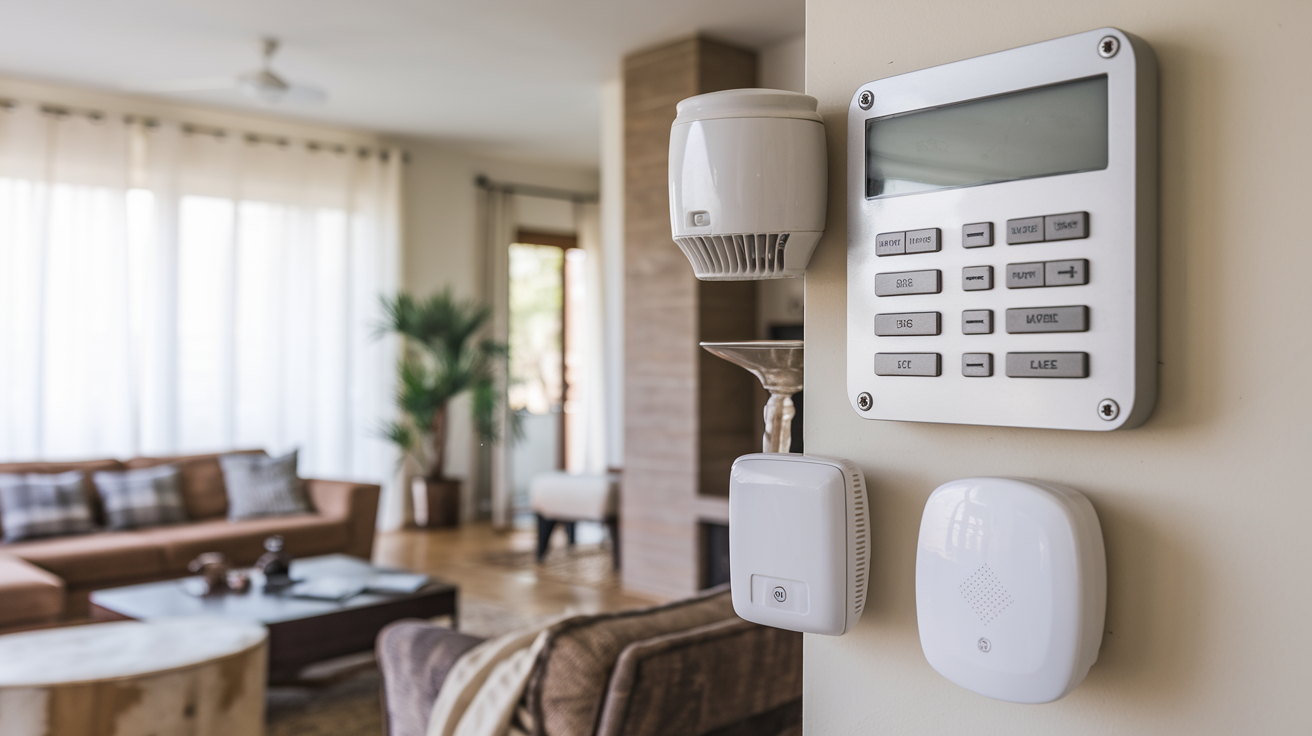
Choosing the best home alarm system is crucial for safeguarding your property and loved ones. This comprehensive guide dives deep into the factors that define an effective security solution, helping you navigate the options to find the perfect fit for your needs and budget in 2025-26.
What Exactly Is A Home Alarm System?
A home alarm system, often referred to as a burglar alarm or security system, is a network of devices designed to detect unauthorized entry into a home or other building. When triggered, these systems typically alert the homeowner, and potentially a professional monitoring service, to a potential intrusion. Modern systems go far beyond simple door and window sensors, incorporating advanced technology like cameras, motion detectors, and smart home integration to provide comprehensive security and peace of mind. In 2025-26, the definition has expanded to encompass not just intrusion detection but also environmental monitoring (smoke, CO, water leaks) and even proactive threat deterrence.
Understanding the Key Components of a Home Alarm
To truly understand what makes a home alarm system effective, it's essential to break down its core components. Each part plays a vital role in the overall security network. The best systems offer a robust combination of these elements, tailored to individual needs.
Control Panel
The brain of the operation, the control panel is where all the sensors communicate. It's typically a wall-mounted unit or a base station that allows you to arm and disarm the system, view status updates, and manage settings. Modern control panels often feature touchscreens and mobile app connectivity, offering convenient remote access.
Door and Window Sensors
These are the most fundamental components. They consist of two parts, usually a magnet and a sensor, that are placed on doors and windows. When the door or window is opened, the connection is broken, triggering the alarm. Their simplicity makes them highly reliable for detecting perimeter breaches.
Motion Detectors
Motion detectors use various technologies, most commonly passive infrared (PIR) or microwave, to sense movement within a room. PIR sensors detect changes in heat signatures, while microwave sensors emit and receive microwave signals. Advanced systems may use dual-technology sensors to reduce false alarms.
Glass Break Sensors
These sensors are designed to detect the specific sound frequencies associated with breaking glass. They are particularly useful for homes with large windows or glass doors, providing an extra layer of security against forced entry through these vulnerable points.
Security Cameras
Increasingly a standard feature, security cameras provide visual verification of events. They can be indoor or outdoor, wired or wireless, and often come with features like night vision, two-way audio, and motion-activated recording. Live streaming and recorded footage are typically accessible via a mobile app.
Keypads and Key Fobs
Keypads are used to enter your security code to arm or disarm the system. Key fobs offer a more convenient, button-press alternative. Many systems also allow for app-based control, making physical keypads less critical for some users.
Sirens and Alarms
The audible component. Sirens are designed to be loud enough to deter intruders and alert neighbors. The decibel level can vary significantly between systems.
Environmental Sensors
Beyond intrusion, many systems now include sensors for smoke, carbon monoxide, and water leaks. These add significant value by providing early warnings for potential disasters, making the system a more holistic safety solution.
Types of Home Alarm Systems: A Comparative Look
The landscape of home security has diversified, offering various types of systems to suit different needs and preferences. Understanding these distinctions is key to selecting the best home alarm for your situation.
Wired Systems
Traditional wired systems connect all components via physical wires running through the walls to the central control panel. Pros: Generally more reliable, less susceptible to wireless interference, and often considered more secure against jamming. Cons: Installation can be complex and invasive, requiring drilling and potentially damaging walls. Upgrades or additions can be difficult. Best for: New constructions or major renovations where wiring can be easily integrated, or for those prioritizing ultimate reliability over ease of installation.
Wireless Systems
Wireless systems use radio frequencies to communicate between components and the control panel. Pros: Easy and quick to install, minimal disruption to home decor, and flexible for adding or moving sensors. Many DIY options are wireless. Cons: Can be susceptible to wireless interference, battery replacement is required for sensors, and some argue they are less secure against jamming (though this is becoming less of a concern with modern encryption). Best for: Existing homes, renters, or those who prefer a DIY installation approach.
Hybrid Systems
These systems combine wired and wireless components, allowing users to leverage the benefits of both. For example, a wired control panel might communicate with wireless door/window sensors and a wireless camera. Pros: Offers the best of both worlds, providing flexibility and reliability. Cons: Can sometimes be more complex to set up and manage. Best for: Homeowners looking for a customized solution that balances ease of use with robust security.
DIY (Do-It-Yourself) Systems
These systems are designed for self-installation, often featuring wireless components and user-friendly setup guides. They typically come with a mobile app for control and monitoring. Pros: Significantly lower upfront costs, no installation fees, and greater control over the system. Cons: Requires time and effort for installation, troubleshooting may fall solely on the user, and some may lack advanced features found in professionally installed systems. Best for: Tech-savvy individuals, budget-conscious homeowners, and those who enjoy hands-on projects.
Professionally Installed Systems
These systems are installed by trained technicians from a security company. They often come with professional monitoring services. Pros: Expert installation ensures optimal placement and functionality, professional monitoring provides 24/7 oversight, and often includes advanced features and support. Cons: Higher upfront costs, potential monthly fees for monitoring and equipment leases, and less flexibility in system customization. Best for: Those who want a hassle-free experience, prefer expert setup, and desire round-the-clock professional oversight.
Monitoring Options: Professional vs. DIY
One of the most critical decisions when choosing a home alarm system is how it will be monitored. This choice significantly impacts response times, costs, and the overall security posture of your home.
Professional Monitoring
In this model, your alarm system is connected to a central monitoring station staffed by trained professionals, typically 24/7. When an alarm is triggered, the monitoring station receives the signal and follows a pre-determined protocol. This usually involves:
- Verifying the alarm (e.g., by calling you or your designated contacts).
- Dispatching emergency services (police, fire department) if the alarm is confirmed as a genuine emergency.
- Providing a record of the event.
Pros:
- 24/7 Oversight: Constant vigilance, even when you're asleep, away, or unable to respond.
- Faster Response: Professionals are trained to act quickly and efficiently, potentially reducing response times from law enforcement.
- Peace of Mind: Knowing that trained personnel are watching over your home.
- Insurance Discounts: Many insurance companies offer discounts for homes with professionally monitored systems.
Cons:
- Monthly Fees: This is the primary drawback, with costs typically ranging from $20 to $60+ per month.
- False Alarm Fines: Some municipalities charge fines for excessive false alarms, which can still occur even with professional monitoring.
- Less Control: You have less direct control over the response protocol compared to DIY monitoring.
Self-Monitoring (DIY Monitoring)
With self-monitoring, your alarm system connects directly to your smartphone or other personal devices. When an alarm is triggered, you receive notifications (e.g., push alerts, text messages, emails) and are responsible for assessing the situation and contacting emergency services if necessary.
Pros:
- No Monthly Fees: This is the biggest advantage, saving you significant money over time.
- Full Control: You decide how to respond to alerts.
- Flexibility: Easily adjust notification settings and response plans.
Cons:
- Reliance on You: If you miss a notification, are in an area with no service, or are otherwise unable to respond, your home may be unprotected.
- Slower Response: The time it takes for you to receive, interpret, and act on an alert can be longer than a professional's immediate dispatch.
- Potential for Panic: Dealing with a real emergency alone can be stressful.
- No Insurance Discount: Most insurance companies do not offer discounts for self-monitored systems.
Which is best? For maximum security and peace of mind, especially for those who travel frequently or have high-value properties, professional monitoring is often recommended. For budget-conscious individuals who are comfortable with technology and can reliably respond to alerts, self-monitoring can be a viable and cost-effective option. Many modern systems offer a hybrid approach, allowing you to start with self-monitoring and upgrade to professional monitoring later.
Smart Home Integration: The Future of Security
The concept of a "smart home" has evolved rapidly, and home alarm systems are now at the forefront of this integration. In 2025-26, a truly effective home alarm system is often one that seamlessly communicates with other smart devices in your home, creating a more automated, convenient, and secure environment.
Voice Assistants
Systems compatible with Amazon Alexa, Google Assistant, or Apple's Siri allow you to arm/disarm your system, check its status, or even trigger specific routines using voice commands. For example, you could say, "Hey Google, arm the house in away mode," or "Alexa, show me the front door camera." This adds a layer of convenience, especially when your hands are full.
Smart Locks
Integrating your alarm system with smart locks offers powerful automation possibilities. When you arm your system in "away" mode, smart locks can automatically lock all doors. Conversely, when you disarm the system, specific doors can unlock. Some systems can even send alerts if a door is unlocked manually while the alarm is armed.
Smart Lighting
Imagine your lights turning on automatically when motion is detected outdoors after dark, or all lights turning off when you arm your system to leave. Smart lighting integration can deter potential intruders by making your home appear occupied and can enhance convenience by automating your home's ambiance.
Smart Thermostats
While less directly related to security, smart thermostats can be part of a broader smart home ecosystem. Some advanced systems might allow for adjustments to temperature based on whether the home is occupied or vacant, contributing to energy efficiency.
Smart Doorbells and Cameras
This is perhaps the most common and beneficial integration. Smart doorbells with integrated cameras allow you to see and speak to visitors from anywhere via your smartphone. When combined with an alarm system, they can trigger recordings and alerts when motion is detected, providing a visual record of who is approaching your property.
Automation Rules and Routines
The true power of smart home integration lies in creating custom automation rules. For instance:
- "Good Morning" Routine: Disarming the alarm, unlocking the front door, turning on specific lights, and adjusting the thermostat.
- "Leaving Home" Routine: Arming the alarm, locking all doors, turning off lights, and setting the thermostat to an energy-saving mode.
- "Security Alert" Routine: If a motion sensor is triggered while the alarm is armed, all smart lights in the house turn on to full brightness, and the smart doorbell camera starts recording.
Benefits of Smart Home Integration:
- Enhanced Convenience: Automate daily tasks and control your home with voice or app.
- Increased Security: Create layered security responses and deterrents.
- Energy Efficiency: Optimize energy usage based on occupancy.
- Remote Access: Manage your entire home ecosystem from anywhere.
When evaluating home alarm systems in 2025-26, prioritize those that offer robust smart home compatibility with the platforms and devices you already use or plan to adopt. This ensures your security system is not just a standalone device but a central hub for your connected home.
How to Choose the Best Home Alarm System for You
Selecting the "best" home alarm system is subjective and depends entirely on your unique circumstances. To make an informed decision, consider the following critical factors:
Assess Your Security Needs
What are you trying to protect against?
- Intrusion: This is the primary concern for most. Consider the number of entry points (doors, windows) and potential vulnerabilities.
- Environmental Threats: Do you need smoke, CO, or water leak detection?
- Package Theft: Smart doorbells and outdoor cameras are crucial here.
- Pet Ownership: If you have pets, you'll need motion sensors that can differentiate between humans and animals to avoid false alarms.
Budget Considerations
Home alarm systems vary widely in cost. Determine your budget for:
- Upfront Equipment Costs: This can range from a few hundred dollars for basic DIY kits to several thousand for comprehensive professionally installed systems.
- Installation Fees: If opting for professional installation, factor in these costs.
- Monthly Monitoring Fees: If you choose professional monitoring, this is an ongoing expense.
- Potential Service/Maintenance Fees: Some companies may charge for system maintenance or support.
Installation Preference
Are you comfortable with DIY installation, or do you prefer the expertise of a professional? This will significantly narrow down your options. DIY systems are generally more affordable upfront but require your time and effort. Professional systems offer convenience and assurance but come at a higher cost.
Monitoring Preference
As discussed earlier, professional monitoring offers 24/7 oversight but incurs monthly fees. Self-monitoring is free but places the responsibility of response entirely on you. Consider your lifestyle, comfort level with technology, and risk tolerance.
Smart Home Compatibility
If you have or plan to build a smart home, ensure the alarm system integrates seamlessly with your existing devices (voice assistants, smart locks, lights, etc.). Check for compatibility with platforms like Amazon Alexa, Google Assistant, Apple HomeKit, or Z-Wave/Zigbee protocols.
Ease of Use
The system should be intuitive and easy to operate. This includes the control panel, mobile app, and any keypads or fobs. A complicated system is less likely to be used correctly, diminishing its effectiveness.
Scalability and Customization
Can the system be easily expanded with additional sensors or cameras as your needs change? Look for systems that allow for customization to fit your specific home layout and security priorities.
Reputation and Reviews
Research the brand and specific system you are considering. Read customer reviews, check independent security ratings, and look for information on customer service quality and reliability. For 2025-26, pay attention to reviews that mention long-term performance and support.
Contract Terms (for professional systems)
If you opt for a professionally monitored system, carefully review the contract terms. Understand the contract length, cancellation policies, equipment ownership, and any hidden fees. Some companies offer month-to-month options, while others require long-term commitments.
By systematically evaluating these factors, you can move beyond the generic question of "What is the best home alarm?" and identify the system that is truly the best fit for *your* home and lifestyle.
Installation and Setup: DIY vs. Professional
The installation and setup process is a critical step in deploying your home alarm system. The choice between DIY and professional installation has significant implications for cost, time, and effectiveness.
DIY Installation
DIY home alarm systems are designed with the homeowner in mind, prioritizing ease of setup. The process typically involves:
- Unboxing and Inventory: Ensure all components are present and undamaged.
- Placement of Sensors: Following the manual's guidance, strategically place door/window sensors, motion detectors, and other devices. For example, motion detectors are often placed in corners of rooms, about 6-8 feet high, facing common traffic areas. Door/window sensors should be aligned precisely.
- Mounting the Control Panel/Hub: Choose a central location, ideally near your primary internet router if it's a Wi-Fi hub, and within reach of a power outlet.
- Connecting to Power and Network: Plug in the control panel and connect it to your home's Wi-Fi network or wired Ethernet.
- Pairing Devices: Most wireless systems use a simple app-based process to pair each sensor with the control panel. This often involves pressing a button on the sensor or entering a code.
- Downloading and Configuring the App: Install the system's mobile app on your smartphone or tablet. Log in, set up your account, and configure settings like notification preferences, user codes, and emergency contact information.
- Testing the System: Crucially, test every sensor and component. Arm the system and intentionally trigger each sensor to ensure it communicates with the panel and sends alerts correctly. Check camera feeds and audio.
Pros of DIY:
- Cost Savings: Eliminates installation fees, which can be hundreds of dollars.
- Flexibility: Install on your own schedule, at your own pace.
- Learning Opportunity: You gain a deeper understanding of how your system works, which can be helpful for troubleshooting.
Cons of DIY:
- Time Commitment: Can take several hours, depending on the complexity of the system and your home.
- Potential for Errors: Incorrect placement or setup can lead to false alarms or missed events.
- Troubleshooting Burden: If issues arise, you are responsible for diagnosing and resolving them.
Professional Installation
Professional installation involves a trained technician from the security company who will install and configure the system for you.
- Site Survey: The technician will assess your home's layout, identify potential vulnerabilities, and recommend optimal placement for all components.
- Component Installation: They will securely mount and connect all sensors, cameras, control panels, and other devices. For wired systems, this involves running wires discreetly.
- System Configuration: The technician will configure the control panel, connect it to the network and monitoring service, and set up user accounts and preferences.
- System Testing: They will perform thorough testing of all components to ensure proper functionality and communication.
- User Training: The technician will walk you through how to operate the system, use the app, and understand different modes and features.
Pros of Professional Installation:
- Expertise and Assurance: Ensures components are optimally placed and the system is configured correctly for maximum effectiveness.
- Time Savings: Frees up your time, as the technician handles the entire process.
- Warranty and Support: Often comes with a warranty on installation and ongoing support from the company.
- Reduced Risk of Errors: Minimizes the chance of installation mistakes that could compromise security.
Cons of Professional Installation:
- Higher Upfront Cost: Installation fees can add significantly to the overall price.
- Scheduling: You need to schedule an appointment, which may involve waiting.
- Less Control: You have less direct involvement in the placement and setup decisions.
Which is better? For most modern wireless systems, DIY installation is entirely feasible and can save a considerable amount of money. However, if you have a complex home layout, prefer not to deal with technical setup, or are investing in a high-end wired system, professional installation offers peace of mind and ensures the system is deployed to its full potential.
Cost Considerations: What to Expect in 2025-26
The cost of a home alarm system is a significant factor for most consumers. In 2025-26, pricing remains dynamic, influenced by technology advancements, market competition, and the type of system and services chosen. Here's a breakdown of what to expect:
Upfront Equipment Costs
This is the initial investment in the hardware. Prices vary dramatically:
- Basic DIY Kits: Expect to pay between $200 and $500 for a starter kit that includes a control panel, a few door/window sensors, and a motion detector.
- Mid-Range DIY Systems: For more comprehensive DIY systems with cameras, additional sensors, and smart home features, costs can range from $500 to $1,000+.
- Professionally Installed Systems: The equipment cost is often bundled into a package or financed over time. Initial equipment packages can range from $500 to $2,000+, depending on the number of components and features. Some companies may offer "free" equipment with long-term contracts, but the cost is factored into the monthly fees.
Installation Fees
This applies primarily to professionally installed systems:
- Professional Installation: Fees can range from $100 to $500 or more, depending on the complexity of the installation and the company's pricing structure. Some companies offer free installation as a promotional incentive, often tied to a contract.
- DIY Installation: $0, as you are performing the installation yourself.
Monthly Monitoring Fees
This is a recurring cost for professionally monitored systems:
- Professional Monitoring: Typically ranges from $20 to $60+ per month. The price depends on the service provider, the level of service (e.g., basic intrusion monitoring vs. comprehensive environmental monitoring and video verification), and contract length.
- Self-Monitoring: $0. This is the primary financial advantage of DIY systems.
Additional Costs and Fees
- Equipment Upgrades: Adding more sensors, cameras, or other devices will incur additional costs.
- Service/Maintenance Plans: Some companies offer optional plans for ongoing maintenance and support, which can add $10-$20 per month.
- App Subscriptions: While most basic app functionality is free, advanced features like extended cloud video storage or advanced analytics may require a subscription.
- Cellular Backup Fees: If your system uses cellular communication for backup (highly recommended), there might be a small additional monthly fee, often bundled into the monitoring cost.
- False Alarm Fines: While not a direct cost from the security company, local municipalities may fine homeowners for excessive false alarms.
Example Cost Scenarios (Illustrative for 2025-26):
Scenario 1: Budget-Conscious DIYer
- System: SmartThings Home Security Starter Kit with additional sensors.
- Upfront Equipment: $400
- Installation: $0
- Monthly Monitoring: $0 (self-monitored)
- Total First Year Cost: $400
- Total Three-Year Cost: $400
Scenario 2: Mid-Range Professional System
- System: ADT Command or Vivint Smart Home package.
- Upfront Equipment: $750 (financed into monthly payments)
- Installation: $250 (one-time fee)
- Monthly Monitoring: $45 (includes cellular backup)
- Total First Year Cost: $1,000 (installation + 12 months monitoring) + equipment financing
- Total Three-Year Cost: $1,550 (installation + 36 months monitoring) + equipment financing
Scenario 3: High-End Smart Home Integrated System (DIY)
- System: Abode Pro Kit with multiple cameras and smart locks.
- Upfront Equipment: $900
- Installation: $0
- Monthly Monitoring: $30 (optional professional monitoring)
- Total First Year Cost: $900 (self-monitored) or $1,260 (with professional monitoring)
- Total Three-Year Cost: $900 (self-monitored) or $1,980 (with professional monitoring)
When comparing prices, always look at the total cost of ownership over a period of 3-5 years. A system with a lower upfront cost but high monthly fees might end up being more expensive in the long run than a system with higher initial equipment costs but no ongoing fees.
Top Home Alarm Brands and Systems in 2025-26
The home security market is competitive, with several established brands and newer players offering a range of solutions. Here are some of the top contenders and their offerings, considered for their performance and features in 2025-26:
Vivint Smart Home
Focus: All-in-one smart home security solutions with professional installation and monitoring. Key Features: Integrated smart home ecosystem (locks, lights, thermostats), professional monitoring, advanced mobile app, high-definition cameras, robust customer support. Best For: Homeowners looking for a premium, integrated smart home experience with professional oversight and willing to commit to a contract. Considerations: Higher monthly costs and longer contract terms.
SimpliSafe
Focus: User-friendly DIY security systems with optional professional monitoring. Key Features: Easy setup, no long-term contracts, affordable equipment, wide range of sensors, optional 24/7 professional monitoring for a monthly fee, good mobile app. Best For: Renters, homeowners who want flexibility, and those seeking a balance of DIY convenience and optional professional monitoring without long commitments. Considerations: Cameras and smart hVivinttegration are improving but may not be as seamless as Vivint's.
ADT
Focus: Long-standing leader in professionally installed and monitored security. Key Features: Extensive network of local technicians, reliable professional monitoring, wide range of equipment options, strong brand recognition, smart home integration capabilities. Best For: Homeowners who prioritize a trusted, established brand and professional installation and monitoring, often with longer contracts. Considerations: Can be more expensive, and contract terms are typically longer.
Ring Alarm (Amazon)
Focus: Affordable DIY security systems deeply integrated with Ring's ecosystem of cameras and doorbells. Key Features: Very affordable equipment, easy DIY setup, optional professional monitoring (Ring Protect Pro subscription), seamless integration with Ring cameras and other Amazon smart devices. Best For: Existing Ring users, budget-conscious individuals, and those who want a simple, expandable DIY system with optional professional monitoring. Considerations: Relies heavily on Wi-Fi; cellular backup requires a higher subscription tier. Smart home integration beyond Ring/Amazon is more limited.
Abode
Focus: Versatile DIY security systems offering a high degree of customization and smart home compatibility. Key Features: Supports Z-Wave, Zigbee, and HomeKit; excellent for DIYers who want to integrate with a wide range of smart devices; optional professional monitoring; robust mobile app. Best For: Tech-savvy homeowners, smart home enthusiasts, and those who want a highly customizable and interoperable DIY system. Considerations: May have a steeper learning curve for some users compared to simpler systems.
Google Nest Secure (Discontinued but components may be available) / Google Home Security
Focus: Google's approach to home security, often integrated with Nest cameras and Google Assistant. While Nest Secure was discontinued, Google continues to integrate security features into its broader ecosystem. Key Features: Seamless integration with Google Assistant and Nest cameras, user-friendly app, potential for advanced AI features. Best For: Users heavily invested in the Google/Nest ecosystem. Considerations: Availability of dedicated "Nest Secure" type systems is limited; focus is on broader smart home integration.
Frontpoint Security
Focus: High-quality DIY systems with a strong emphasis on customer service and user experience. Key Features: Wireless components, easy installation, optional professional monitoring, robust mobile app, good customer support. Best For: Homeowners looking for a reliable DIY system with excellent support and a focus on ease of use. Considerations: Equipment can be a bit pricier than some competitors.
Table: Quick Comparison of Top Brands (2025-26)
| Brand | Installation Type | Monitoring Options | Smart Home Integration | Contract Required? |
|---|---|---|---|---|
| Vivint | Professional | Professional (24/7) | Excellent (Proprietary Ecosystem) | Yes (typically 3-5 years) |
| SimpliSafe | DIY | Self or Optional Professional | Good (growing) | No |
| ADT | Professional | Professional (24/7) | Good | Yes (typically 1-3 years) |
| Ring Alarm | DIY | Self or Optional Professional | Excellent (Amazon/Ring Ecosystem) | No (subscription for pro monitoring) |
| Abode | DIY | Self or Optional Professional | Excellent (Broad Compatibility) | No (subscription for pro monitoring) |
| Frontpoint | DIY | Self or Optional Professional | Good | No (subscription for pro monitoring) |
When choosing, consider not just the features but also the long-term support and customer service reputation of the brand. Reading recent reviews is crucial for understanding current performance and satisfaction levels.
Making Your Final Decision
The journey to finding the "best home alarm" system culminates in a decision that balances your specific needs, budget, and preferences. By now, you should have a clear understanding of the core components, different system types, monitoring options, and the importance of smart home integration. The key is to move from a general search to a personalized solution.
Recap of Key Considerations:
- Security Goals: Prioritize what matters most – intrusion, environmental hazards, or specific vulnerabilities.
- Budget: Factor in upfront costs, installation, and ongoing monthly fees.
- Installation: Decide between the convenience of professional installation or the cost savings of DIY.
- Monitoring: Choose between the 24/7 oversight of professional monitoring or the cost-free control of self-monitoring.
- Smart Home: Ensure compatibility with your existing or desired smart home ecosystem.
- Ease of Use: Select a system that is intuitive and straightforward for all household members.
- Reputation: Research brands and read recent customer reviews for insights into reliability and support.
Actionable Steps:
- List Your Priorities: Jot down your must-have features and deal-breakers.
- Get Quotes: For professional systems, get multiple quotes and compare them carefully, paying attention to contract terms and total cost over time.
- Read Reviews: Look for recent, detailed reviews from users with similar home types and needs.
- Test if Possible: Some companies offer trial periods. If available, take advantage of them to see if the system fits your lifestyle.
- Consider Future Needs: Choose a system that can grow with you. Can you easily add more sensors or cameras later?
Ultimately, the best home alarm system is one that provides you with reliable protection, peace of mind, and fits seamlessly into your daily life. Whether you opt for a fully integrated smart home security suite with professional monitoring or a simple, cost-effective DIY system, the goal is to create a safer environment for yourself and your family. By applying the knowledge gained from this guide, you are well-equipped to make an informed decision that best secures your home in 2025-26 and beyond.