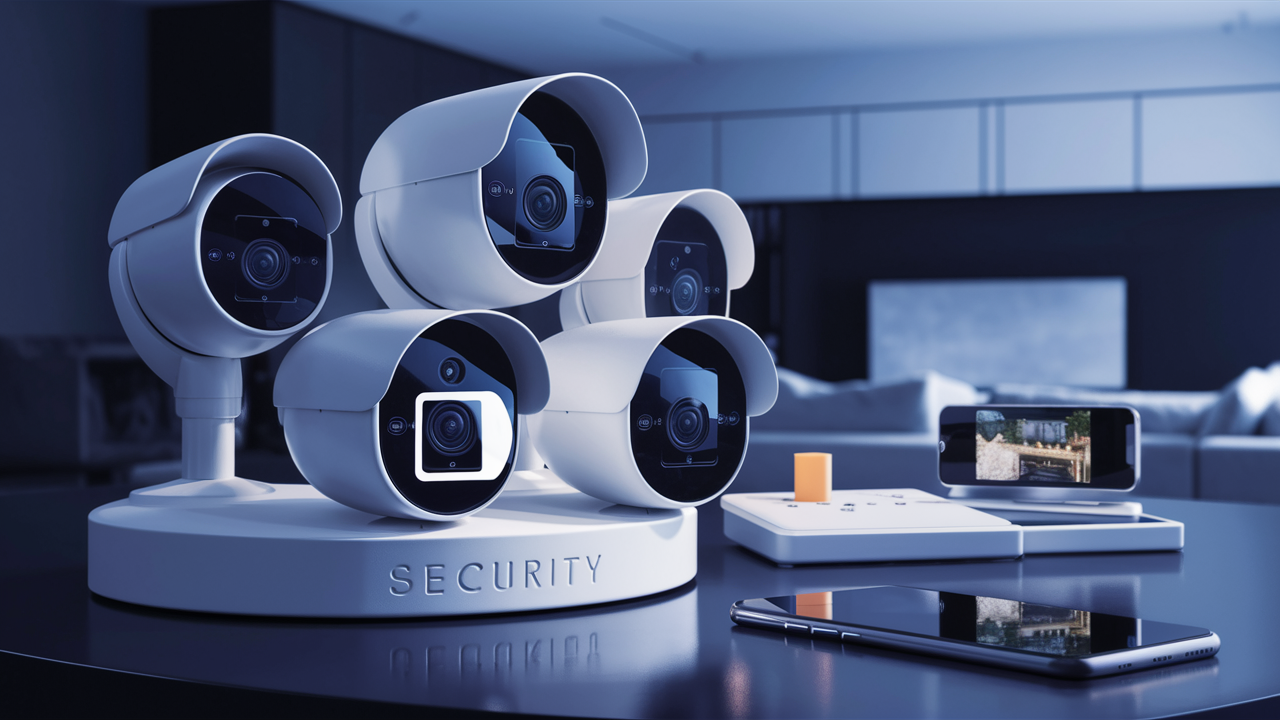
Choosing the best home surveillance system in 2025-26 involves balancing advanced features, ease of use, and affordability. This guide will help you navigate the options, from DIY kits to professional installations, ensuring your home is secure and your family is protected. We'll break down the essential components and help you make an informed decision.
What Exactly Is a Home Surveillance System?
A home surveillance system, also known as a home security system or CCTV (Closed-Circuit Television) system, is a network of interconnected devices designed to monitor and record activity around your property. Its primary purpose is to deter potential intruders, provide evidence in case of a crime, and offer peace of mind. Modern systems often integrate cameras, sensors, alarms, and remote access capabilities, allowing homeowners to keep an eye on their property from anywhere in the world via smartphone apps. The evolution of these systems has moved beyond simple recording to intelligent monitoring with features like motion detection, facial recognition, and smart home integration, making them an indispensable part of contemporary home safety strategies.
Key Components of a Modern System
Understanding the core components is vital to selecting the right home surveillance system. Each part plays a crucial role in the overall effectiveness of your security setup.
Cameras
Cameras are the eyes of your surveillance system. They capture video footage of your property. Key considerations for cameras include:
- Resolution: Higher resolution (e.g., 1080p, 4K) provides clearer images, essential for identifying faces or license plates. In 2025-26, 4K is becoming increasingly standard for high-end systems.
- Field of View (FOV): A wider FOV covers more area, reducing the number of cameras needed.
- Night Vision: Infrared (IR) LEDs allow cameras to see in low-light or complete darkness. The range and clarity of night vision vary significantly.
- Durability: Weatherproof (IP-rated) cameras are necessary for outdoor use to withstand rain, dust, and temperature changes.
- Connectivity: Wired (Ethernet/PoE) systems offer more stable connections, while wireless (Wi-Fi) systems are easier to install.
- Audio: Some cameras include two-way audio, allowing you to hear and speak through the camera.
Digital Video Recorder (DVR) or Network Video Recorder (NVR)
These are the brains of the operation, responsible for receiving, processing, and storing video footage from your cameras. The choice between a DVR and NVR depends on the type of cameras you use:
- DVR: Used with analog or HD-over-coaxial cameras. It requires a direct cable connection from each camera to the DVR.
- NVR: Used with IP (Internet Protocol) cameras. IP cameras connect to your network (often via Wi-Fi or Ethernet), and the NVR records their streams. NVR systems generally offer higher resolution and more advanced features.
Storage capacity is a critical factor, usually measured in terabytes (TB). The amount of storage needed depends on the number of cameras, recording resolution, frame rate, and how long you want to retain footage.
Sensors and Alarms
Beyond cameras, other sensors enhance security:
- Motion Detectors: Trigger recording or alerts when movement is detected. Advanced systems use AI to differentiate between pets and people.
- Door/Window Sensors: Alert you when a door or window is opened.
- Glass Break Sensors: Detect the sound of breaking glass.
- Sirens: Audible alarms that can deter intruders and alert neighbors.
Remote Access and Monitoring
This is a hallmark of modern surveillance systems. It typically involves:
- Mobile Apps: Allow you to view live feeds, recorded footage, and receive alerts on your smartphone or tablet.
- Cloud Storage: Offers a secure off-site backup of your footage, accessible from anywhere. Subscription fees often apply.
- Professional Monitoring: A third-party service that monitors your system 24/7 and dispatches emergency services if an alarm is triggered.
Types of Home Surveillance Systems
The market offers a variety of systems, each catering to different needs and budgets. Understanding these types will help narrow down your choices.
Wired Systems
Wired systems, typically using DVRs and analog/HD-TVI cameras, connect each camera to the recorder via coaxial cables. Power can also be delivered through these cables (PoC - Power over Coax) or via separate power adapters.
- Pros: Generally more reliable, less susceptible to interference, and can offer higher bandwidth for better video quality.
- Cons: Installation can be more complex and invasive, requiring drilling through walls to run cables.
Wireless (Wi-Fi) Systems
These systems use IP cameras that connect to your home's Wi-Fi network. They transmit video data wirelessly to an NVR or directly to cloud storage.
- Pros: Easier and quicker installation, flexible placement of cameras, and often more aesthetically pleasing due to fewer visible wires.
- Cons: Can be susceptible to Wi-Fi interference, signal strength issues, and may require frequent battery changes for battery-powered models.
Hybrid Systems
Some systems allow for a mix of wired and wireless cameras, offering flexibility in installation and coverage.
All-in-One Kits
These are typically DIY-friendly packages that include a set number of cameras, an NVR/DVR, and necessary cables. They are popular for their convenience and often lower upfront cost.
Smart Home Integrated Systems
These systems are designed to work seamlessly with other smart home devices (e.g., smart locks, lights, voice assistants). They offer enhanced automation and control, allowing for complex security routines.
Professional Security Systems
These systems are installed and monitored by professional security companies. They often include a broader range of sensors, dedicated cellular backup, and 24/7 monitoring services.
Crucial Factors to Consider When Choosing
Selecting the "best" system is subjective and depends on your specific needs. Here are the key factors to evaluate:
Coverage Area and Camera Placement
Map out the areas you want to monitor. This includes entry points (doors, windows), vulnerable areas (backyards, garages), and common areas inside your home. The number and type of cameras needed will depend on this assessment. For 2025-26, consider cameras with wider fields of view and advanced AI-powered object detection to minimize blind spots.
Video Quality and Resolution
Aim for at least 1080p (Full HD) resolution for clear images. 2K or 4K resolution offers superior detail, which is crucial for identifying individuals and objects. Consider how well the cameras perform in various lighting conditions, especially at night.
Storage Options
Decide how you want your footage stored. Options include local storage (DVR/NVR hard drive), SD cards in cameras, or cloud storage. Local storage is a one-time purchase, while cloud storage usually involves a monthly subscription but offers off-site backup and remote access. For 2025-26, cloud storage is becoming more robust with features like continuous recording and longer retention periods.
Ease of Installation and Use
Are you comfortable with DIY installation, or do you prefer professional setup? Wireless systems are generally easier to install. The user interface of the mobile app and the recording software should be intuitive and easy to navigate.
Connectivity and Power
For wired systems, consider the ease of running cables. For wireless systems, ensure you have a strong and stable Wi-Fi signal in all camera locations. Power source is also important: wired cameras often use PoE (Power over Ethernet) or separate power adapters, while wireless cameras can be battery-powered (requiring recharging or replacement) or plugged into an outlet.
Advanced Features
Consider features like motion detection zones, person detection, two-way audio, smart alerts, and integration with other smart home devices. AI-powered analytics are becoming more prevalent, offering smarter and more accurate alerts.
Scalability
Can the system be expanded later with more cameras or storage if your needs change? This is important for long-term security planning.
Budget and Ongoing Costs
Determine your upfront budget and factor in any potential ongoing costs, such as cloud storage subscriptions, professional monitoring fees, or battery replacements.
Brand Reputation and Support
Research brands known for reliability, good customer support, and regular software updates. Reading user reviews can provide valuable insights.
Top Home Surveillance Systems: A 2025-26 Comparison
While the "best" system is personal, several brands consistently rank high for their performance, features, and value. Here's a look at some leading contenders for 2025-26, with a focus on their strengths:
| System Type | Brand Example | Key Strengths | Potential Downsides | Ideal For |
|---|---|---|---|---|
| DIY Wireless (All-in-One) | Reolink / Eufy | Easy setup, good value, local storage options, smart features. | Wi-Fi dependency, limited scalability for very large properties. | Homeowners seeking a balance of features and affordability, renters. |
| Wired (DVR/NVR) | Lorex / Swann | Reliable, high-quality footage, extensive local storage, robust for larger homes. | More complex installation, less flexible camera placement. | Homeowners prioritizing reliability and comprehensive coverage, those comfortable with more involved installation. |
| Smart Home Integrated | Ring / Google Nest | Seamless integration with smart ecosystems, user-friendly apps, cloud-centric. | Subscription fees for full features, privacy concerns for some users. | Existing smart home users, those prioritizing app control and integration. |
| Professional Installation & Monitoring | ADT / Verizon Security | 24/7 professional monitoring, comprehensive system, cellular backup, peace of mind. | Higher monthly costs, longer contract commitments, less DIY customization. | Homeowners seeking the highest level of security and professional support. |
| Advanced AI Features | SkyBell (Video Doorbells) / Arlo | Sophisticated person/package detection, advanced analytics, high-resolution cameras. | Can be more expensive, reliance on subscription for full AI features. | Users who want intelligent alerts and advanced detection capabilities. |
Note: Specific model recommendations can change rapidly. Always check the latest reviews and specifications for 2025-26.
Reolink
Reolink is a popular choice for DIY enthusiasts. Their systems, both wired (NVR) and wireless, offer excellent value with high-resolution cameras (often 2K or 4K) and robust local storage options. Many of their wireless cameras are battery-powered and solar-compatible, offering flexibility. Their mobile app is generally well-regarded for its functionality, including smart detection features that reduce false alerts. For 2025-26, Reolink continues to innovate with improved AI detection and wider FOV lenses.
Eufy
Eufy, a brand under Anker, focuses on privacy and ease of use. Their wireless systems often come with a HomeBase that stores footage locally, eliminating mandatory subscription fees for basic recording. They offer a range of cameras, including battery-powered options with impressive battery life and AI-powered motion detection. Eufy's integration with voice assistants like Alexa and Google Assistant is also a strong point.
Lorex
Lorex is a long-standing player in the surveillance market, known for its comprehensive wired and wireless systems. They offer high-resolution cameras, from 1080p to 4K, and robust NVR/DVR units with ample storage. Lorex systems are often favored for their reliability and extensive feature sets, making them suitable for larger homes or businesses. Their latest offerings in 2025-26 include advanced color night vision and wider dynamic range for clearer footage in challenging lighting.
Swann
Swann provides a wide array of security solutions, from simple DIY kits to more advanced multi-camera systems. They offer both wired and wireless options, with a focus on user-friendly setup and operation. Many Swann systems come with advanced features like heat and motion detection (True Detect™) and integrated spotlights. Their commitment to providing clear, reliable footage in various conditions makes them a solid choice.
Ring
Ring, owned by Amazon, is renowned for its video doorbells and expanding range of security cameras. Their systems are heavily integrated with the Amazon ecosystem and offer excellent app control and smart alerts. Ring cameras are typically wireless and battery-powered or hardwired. The Ring Protect Plan is required for video storage and advanced features, which is a recurring cost to consider. For 2025-26, Ring is enhancing its AI capabilities and integration with other Ring devices.
Google Nest
Google Nest offers sleek, user-friendly security cameras and doorbells that integrate seamlessly with the Google Home ecosystem. They are known for their high-quality video, intelligent alerts (including familiar face detection with Nest Aware subscription), and ease of use. Nest cameras are primarily wireless and designed for straightforward installation. The subscription model for Nest Aware is a key consideration for accessing advanced features and cloud storage.
ADT
ADT is one of the largest professional security providers. Their systems are installed by certified technicians and come with 24/7 professional monitoring, which can dispatch emergency services. ADT offers a comprehensive range of sensors, cameras, and smart home integration. While offering high security and peace of mind, ADT systems typically involve higher monthly fees and longer contract commitments compared to DIY options.
Verizon Security
Verizon offers integrated home security solutions, often combining internet services with security packages. These systems are typically professionally installed and monitored, providing a robust security network with smart home capabilities. They often feature cellular backup for continuous connectivity even if your internet goes down. Verizon's offerings are competitive for those looking for an all-in-one service provider.
SkyBell
While SkyBell is primarily known for its smart video doorbells, it represents the growing trend of specialized smart home security devices. These devices often offer advanced features like package detection and high-definition video. For 2025-26, the market is seeing more specialized cameras focusing on specific needs, complementing broader surveillance systems.
Arlo
Arlo is a leader in high-end wireless security cameras, known for their premium build quality, excellent video resolution (including 2K and 4K options), and advanced features like color night vision and smart object detection. Their cameras are often battery-powered and designed for easy DIY installation. Arlo's subscription service, Arlo Secure, unlocks advanced features and cloud storage. They are a strong contender for users prioritizing top-tier video quality and smart functionality.
DIY vs. Professional Installation: Which is Right for You?
The decision between installing your system yourself or hiring professionals is a significant one, impacting cost, time, and the system's ultimate effectiveness.
DIY Installation
Pros:
- Cost Savings: Significantly lower upfront cost as you're not paying for labor.
- Flexibility: You can install the system on your own schedule and choose the exact placement of each component.
- Control: You have complete control over the setup and configuration.
- Scalability: Easier to add components or upgrade over time as your needs evolve.
Cons:
- Time and Effort: Can be time-consuming, especially for wired systems that require drilling and running cables.
- Technical Skill: May require some technical aptitude, particularly for network configuration and troubleshooting.
- Potential for Errors: Incorrect installation can lead to performance issues or security vulnerabilities.
- Limited Support: You are your own IT support.
Best for: Renters, tech-savvy homeowners, those on a tighter budget, or those who enjoy hands-on projects.
Professional Installation
Pros:
- Expertise: Technicians have the knowledge to optimize camera placement, ensure secure wiring, and configure the system for maximum effectiveness.
- Time Savings: The installation is handled quickly and efficiently by trained professionals.
- Warranty and Support: Systems installed by professionals often come with a warranty on both equipment and labor, and ongoing support.
- Comprehensive Systems: Professionals can recommend and install more complex systems with integrated sensors and alarms.
Cons:
- Higher Cost: Installation fees can add significantly to the overall price of the system.
- Less Flexibility: You are limited by the installer's schedule and recommendations.
- Potential for Contracts: Many professional services come with long-term contracts, especially if monitoring is included.
Best for: Homeowners who want a robust, hassle-free system, those who lack technical skills or time, or those who prioritize peace of mind from professional setup and monitoring.
Advanced Features to Look For
As surveillance technology advances, so do the features available. In 2025-26, look for these innovations:
AI-Powered Analytics
Beyond simple motion detection, AI can now differentiate between people, vehicles, animals, and even packages. This leads to more relevant alerts and fewer false alarms. Features like facial recognition (though with privacy implications) are also becoming more sophisticated.
Color Night Vision
Traditional night vision uses infrared (IR) LEDs, producing black and white images. Color night vision technology uses ambient light or low-level illumination to provide color images even in very low light conditions, offering better detail and context.
Two-Way Audio
Allows you to communicate with people near the camera, whether it's to greet a visitor, warn off an intruder, or speak to a delivery person. This feature is common in video doorbells and some security cameras.
Smart Home Integration
The ability to connect your surveillance system with other smart devices (lights, locks, voice assistants) allows for automated security routines. For example, lights could turn on when motion is detected, or you could ask your voice assistant to show you a specific camera feed.
Local Storage with Remote Access
While cloud storage is popular, many users still prefer local storage (on an NVR/DVR or SD card) for privacy and to avoid subscription fees. The best systems now offer secure remote access to this local footage, providing the best of both worlds.
Wide Dynamic Range (WDR) / High Dynamic Range (HDR)
These technologies help cameras capture clear images in scenes with both very bright and very dark areas simultaneously, such as a doorway with bright sunlight outside and a dim interior. This prevents blown-out highlights and overly dark shadows.
Edge AI
Processing AI algorithms directly on the camera or NVR/DVR rather than relying solely on the cloud. This can improve response times, reduce bandwidth usage, and enhance privacy.
5G Connectivity
For wireless systems, the rollout of 5G networks promises faster speeds and lower latency, potentially improving the performance and responsiveness of Wi-Fi and cellular-connected cameras.
Budgeting for Your Home Surveillance System
The cost of home surveillance systems can vary dramatically. Here's a breakdown to help you plan:
DIY Systems (All-in-One Kits)
- Upfront Cost: $150 - $1,000+ depending on the number of cameras and features.
- Ongoing Costs: Minimal, unless opting for cloud storage or enhanced monitoring features.
Wired Systems (DVR/NVR)
- Upfront Cost: $300 - $2,000+ for a complete kit with multiple cameras and a high-capacity recorder. Professional installation can add $200 - $1,000+.
- Ongoing Costs: Primarily for potential hard drive replacement over many years.
Professional Installation & Monitoring
- Upfront Cost: $0 - $1,000+ (equipment costs can be bundled or paid upfront).
- Ongoing Costs: $30 - $100+ per month for monitoring services, cloud storage, and system maintenance. Contracts can range from 1 to 5 years.
Cloud Storage Subscriptions
- Cost: $5 - $30+ per month per system or per camera, depending on the provider and features (e.g., storage duration, number of cameras).
Key Budgeting Tips:
- Prioritize: Identify your most critical security needs and invest in those areas first.
- Compare Total Cost of Ownership: Consider upfront costs plus any recurring fees over the system's expected lifespan.
- Look for Bundles: All-in-one kits often offer better value than purchasing individual components.
- Factor in Installation: If opting for professional installation, get detailed quotes.
- Consider Sales and Promotions: Many retailers offer significant discounts during holiday seasons or special events.
Installation and Setup Guide
While specific steps vary by system, here's a general guide for setting up a typical DIY wireless or wired system:
Step 1: Plan Your Layout
Identify key areas to monitor (entrances, driveways, backyards). Determine camera placement to maximize coverage and minimize blind spots. Consider the angle, height, and potential obstructions. For wired systems, plan the cable routes.
Step 2: Mount Cameras
For wireless cameras, follow the manufacturer's instructions. This usually involves screwing a mounting bracket to the wall or ceiling and attaching the camera. Ensure they are securely fastened and positioned correctly. For wired cameras, run the cables through walls, attics, or conduits to the desired locations before mounting.
Step 3: Connect to Power
Wireless cameras may be battery-powered (charge them fully first) or require plugging into a power outlet. Wired cameras might use PoE (Power over Ethernet) through the Ethernet cable, or require a separate power adapter connection.
Step 4: Connect to Recorder (DVR/NVR) or Network
For Wired Systems: Connect each camera's coaxial cable to the corresponding port on the DVR. Connect the DVR to your router via an Ethernet cable for remote access.
For Wireless Systems: Power on the NVR (if applicable) and connect it to your router. Follow the NVR or camera app's instructions to connect each IP camera to your Wi-Fi network and pair it with the NVR or cloud service.
Step 5: Configure Software and App
Download the system's mobile app and/or desktop software. Follow the on-screen prompts to set up your account, discover cameras, and configure settings such as recording schedules, motion detection zones, and alert preferences.
Step 6: Test and Adjust
View live feeds from all cameras to ensure they are positioned correctly and providing clear images. Test motion detection and alerts. Adjust camera angles, sensitivity settings, and recording parameters as needed.
Step 7: Secure Your Network
Ensure your Wi-Fi network is secured with a strong password. For NVRs, change the default administrator password to something strong and unique.
Maintaining Your Surveillance System
Regular maintenance ensures your system continues to operate effectively and reliably.
Regularly Check Camera Views
Periodically review the live feeds from all cameras to ensure they are still clear, properly aligned, and not obstructed by new growth (trees, bushes) or debris.
Clean Camera Lenses
Dust, dirt, and spiderwebs can degrade image quality. Gently clean camera lenses with a soft, microfiber cloth. For outdoor cameras, this might be needed more frequently.
Check Storage Capacity
Ensure your DVR/NVR or cloud storage has sufficient space. If using local storage, set it to overwrite old footage automatically or manually clear space as needed.
Update Firmware and Software
Manufacturers frequently release firmware updates for cameras and NVRs, as well as app updates. These updates often include security patches, performance improvements, and new features. Check for updates regularly.
Test Sensors and Alarms
If your system includes door/window sensors, motion detectors, or alarms, test them periodically to ensure they are functioning correctly.
Check Power Sources
For battery-powered cameras, monitor battery levels and recharge or replace them as needed. For wired systems, ensure all power connections are secure.
Review Recordings and Alerts
Occasionally review recent recordings and alert logs to confirm the system is capturing events as expected and that alerts are accurate.
Legal and Privacy Considerations
Operating a home surveillance system comes with responsibilities regarding privacy and legal compliance. It's crucial to be aware of these aspects.
Recording Audio
In many jurisdictions, recording audio without the consent of all parties involved is illegal. Be aware of your local laws regarding audio recording. Most home surveillance systems allow you to disable audio recording if necessary.
Privacy of Neighbors
Ensure your cameras are primarily focused on your own property. Avoid pointing cameras directly into your neighbors' windows, backyards, or private spaces. This can lead to disputes and potential legal issues.
Public Areas
While you can generally record public areas visible from your property (like sidewalks or streets), be mindful of privacy laws. Avoid continuous, invasive recording of public spaces if not necessary for security.
Data Security
If using cloud storage or remote access, ensure your system uses strong encryption and that your account credentials are secure. Regularly update passwords and enable two-factor authentication where available.
Inform Visitors
It's good practice to inform visitors, such as guests or service providers, that they are being recorded. Some systems have a visual indicator (like an LED light) when recording.
Local Laws and Regulations
Laws regarding surveillance vary significantly by state, city, and country. Research your local regulations to ensure compliance. This is particularly important if you live in an area with strict privacy laws.
By understanding and adhering to these legal and privacy considerations, you can ensure your home surveillance system provides security without infringing on the rights of others.
In conclusion, the best home surveillance system for you in 2025-26 is one that aligns perfectly with your specific needs, budget, and technical comfort level. Whether you prioritize the ease of DIY wireless setups with advanced AI features from brands like Reolink or Eufy, the robust reliability of wired systems from Lorex, or the seamless integration and professional monitoring offered by ADT, there's a solution available. Carefully consider your property's layout, desired video quality, storage preferences, and crucial advanced features like AI analytics and color night vision. By thoroughly evaluating these factors and understanding the trade-offs between DIY and professional installation, you can confidently select a system that provides robust security and invaluable peace of mind for your home and family.