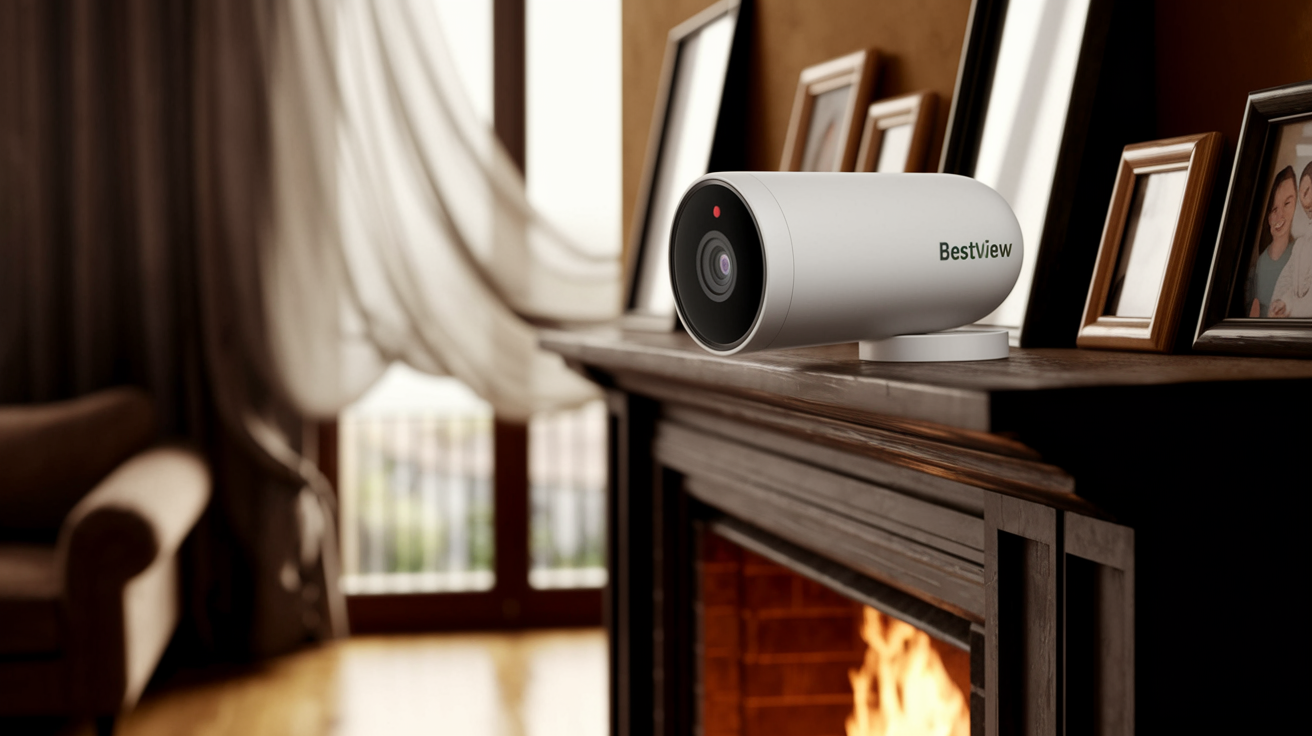
Choosing the best home video surveillance system involves balancing advanced features with user-friendliness and budget. This guide will help you navigate the options, from DIY kits to professional installations, ensuring your home is secure and monitored effectively in 2025-26.
Understanding Home Video Surveillance Systems
In today's world, the concept of home security has evolved significantly. Gone are the days when a simple lock on the door was considered sufficient. Home video surveillance systems have become an integral part of modern home safety, offering peace of mind and a tangible deterrent against potential threats. These systems allow homeowners to monitor their property remotely, record events, and receive real-time alerts, providing an unparalleled layer of security. The market in 2025-26 is flooded with options, ranging from basic doorbell cameras to comprehensive multi-camera setups integrated with smart home technology. Understanding the core components and functionalities is the first step towards selecting the best system for your unique needs.
At its heart, a home video surveillance system is designed to capture visual information of your property. This can include everything from the front porch to the backyard, internal living spaces, and even driveways. The primary goal is to deter criminals, provide evidence in case of a crime, monitor for package theft, keep an eye on children or pets, and offer a general sense of security. The technology behind these systems has advanced rapidly, with high-definition video, night vision, motion detection, two-way audio, and cloud storage becoming standard features for many offerings. The best home video surveillance system is one that effectively addresses your specific security concerns and integrates seamlessly into your lifestyle.
The proliferation of smart home devices has also influenced the surveillance market. Many systems now offer integration with platforms like Amazon Alexa, Google Assistant, and Apple HomeKit, allowing for voice control and interconnectedness with other smart devices. This convergence of security and smart home technology creates a more robust and convenient security ecosystem. For instance, a motion detected by an outdoor camera could trigger smart lights to turn on, further enhancing deterrence. The complexity and capability of these systems mean that a thoughtful approach to selection is crucial. It's not just about buying cameras; it's about building a comprehensive security solution tailored to your property and lifestyle.
What Makes a System Effective?
An effective home video surveillance system is characterized by several key attributes. Firstly, it must provide clear, high-quality video footage. In 2025-26, this typically means cameras capable of at least 1080p resolution, with many higher-end options offering 2K or even 4K clarity. This level of detail is essential for identifying individuals and capturing crucial evidence. Secondly, reliable connectivity is paramount. Whether wired or wireless, the system must maintain a stable connection to your home network and the internet for remote viewing and alerts. Thirdly, intelligent features like advanced motion detection, person detection, and customizable alert zones significantly reduce false alarms and ensure you are notified of genuine security events. Finally, secure data storage, whether through local DVR/NVR or encrypted cloud services, protects your recorded footage from unauthorized access.
Legal and Privacy Considerations
Before installing any surveillance system, it's vital to be aware of legal and privacy implications. While you have the right to monitor your own property, laws vary regarding the recording of public spaces or areas where individuals might have a reasonable expectation of privacy (e.g., a neighbor's window). Generally, it is permissible to record areas visible from your property, such as your front door or backyard. However, pointing cameras directly into a neighbor's private yard or window is usually not allowed. Furthermore, the storage and handling of recorded data should comply with privacy regulations. Many systems offer end-to-end encryption for cloud storage, adding an extra layer of security and privacy. It's advisable to consult local regulations or a legal professional if you have specific concerns about privacy boundaries.
Key Considerations Before You Buy
Selecting the right home video surveillance system requires careful consideration of your specific needs, property layout, and budget. Rushing into a purchase without a clear understanding of these factors can lead to a system that is either overkill, insufficient, or difficult to manage. In 2025-26, the market offers a diverse range of solutions, making it even more important to define your priorities upfront. Think about what you want to achieve with the system – is it primarily for deterring burglars, monitoring package deliveries, keeping an eye on pets, or ensuring the safety of children? Your answers will guide you towards the most suitable features and types of cameras.
Property Size and Layout
The size and layout of your home and property are critical determinants of the number and type of cameras you'll need. For a small apartment, a single doorbell camera and perhaps one indoor camera might suffice. For a larger house with a sprawling yard, you'll likely need multiple outdoor cameras to cover all entry points, blind spots, and vulnerable areas. Consider the placement of potential blind spots – areas that are not visible from the street or common vantage points. Also, think about the terrain; hilly yards might require cameras with wider fields of view or multiple units to cover slopes effectively. The presence of trees or other obstructions can also affect camera placement and signal strength for wireless systems.
Indoor vs. Outdoor Monitoring
Decide whether you need to monitor exclusively outdoors, indoors, or both. Outdoor cameras are designed to withstand various weather conditions (rain, snow, extreme temperatures) and often feature enhanced night vision and wider fields of view. Indoor cameras, while generally less robust, can offer features like pan-and-tilt functionality, better audio quality, and more discreet designs. Many systems offer a mix of both, allowing you to create a comprehensive security bubble around your entire property. For instance, an outdoor camera might monitor the perimeter, while an indoor camera could watch over a main living area or a nursery.
Power Source and Connectivity
Cameras can be powered in several ways: wired (requiring connection to a power outlet), battery-powered (offering flexibility but requiring periodic recharging or replacement), or Power over Ethernet (PoE), where data and power are transmitted through a single Ethernet cable. Wired systems are generally the most reliable, as they don't rely on battery life. Battery-powered cameras are excellent for locations where running wires is difficult or impossible, but you must factor in the hassle of maintenance. PoE systems are common in professional installations and offer a stable power source and data connection.
Connectivity is another major factor. Wireless cameras connect to your home Wi-Fi network, offering easy installation. However, they can be susceptible to signal interference or require a strong Wi-Fi signal throughout your property. Wired cameras, typically connected to a Network Video Recorder (NVR) or Digital Video Recorder (DVR), offer a more stable and secure connection but require running Ethernet cables. The choice between Wi-Fi and wired connectivity often depends on your home's infrastructure and your comfort level with running cables. For 2025-26, many Wi-Fi systems have improved their signal strength and reliability, but a robust Wi-Fi network is still essential.
Storage Options
Recorded footage needs to be stored somewhere. The primary options are local storage (on an NVR/DVR or microSD card) and cloud storage. Local storage means you own the hardware and have direct access to your footage, which can be appealing for privacy-conscious users. However, if the recording device is stolen or damaged, your footage is lost. Cloud storage, offered by most modern systems, provides off-site backup, meaning your footage is safe even if your property is compromised. This typically involves a monthly subscription fee. The best approach often involves a hybrid system, with local storage for immediate access and cloud backup for long-term security. Consider the storage capacity needed – longer recording times or higher resolutions require more storage space.
Integration with Smart Home Ecosystems
If you already have a smart home setup (e.g., Amazon Alexa, Google Assistant, Apple HomeKit), consider how the surveillance system will integrate. Seamless integration allows for voice commands, automated routines (e.g., turning on lights when motion is detected), and a unified control experience. Many modern systems are designed with this in mind, offering compatibility with major smart home platforms. Check the specific integration capabilities before purchasing to ensure it aligns with your existing smart home devices.
Types of Home Video Surveillance Systems
The landscape of home video surveillance systems can be broadly categorized into several main types, each with its own advantages and disadvantages. Understanding these distinctions is crucial for identifying the system that best fits your security needs and technical comfort level. The options available in 2025-26 cater to a wide spectrum of users, from the tech-savvy DIY enthusiast to those who prefer a hands-off, professionally managed solution.
Wireless Wi-Fi Cameras
Wireless Wi-Fi cameras are perhaps the most popular choice for homeowners due to their ease of installation and flexibility. These cameras connect directly to your home's Wi-Fi network, eliminating the need for extensive wiring. They are typically powered by batteries or a standard power outlet. Many offer features like motion detection, night vision, and two-way audio, with footage accessible via a smartphone app or web portal.
Pros:
- Easy and quick installation.
- Flexible placement options.
- No need for complex wiring.
- Remote access via smartphone apps.
Cons:
- Reliant on Wi-Fi signal strength; can be prone to interference.
- Battery-powered models require regular charging or replacement.
- May have limited storage options compared to wired systems.
- Potential security vulnerabilities if Wi-Fi network is compromised.
Examples of popular wireless Wi-Fi camera brands include Ring, Arlo, and Google Nest.
Wired Systems (NVR/DVR)
Wired systems, often referred to as NVR (Network Video Recorder) or DVR (Digital Video Recorder) systems, offer a more robust and reliable solution. NVR systems use IP cameras that connect via Ethernet cables to an NVR, which records the video. DVR systems use analog cameras that connect via coaxial cables to a DVR. These systems typically offer higher resolution, more consistent performance, and greater storage capacity than wireless systems.
Pros:
- Highly reliable and stable connection.
- Less susceptible to interference.
- Higher potential for storage capacity (local hard drives).
- Often offer continuous recording options.
- Generally more secure than standalone Wi-Fi cameras.
Cons:
- Installation is more complex and time-consuming due to wiring requirements.
- Placement options are limited by cable length.
- Can be more expensive upfront.
- Remote access setup can sometimes be more involved.
Popular brands for wired systems include Lorex, Swann, and Amcrest.
Doorbell Cameras
Doorbell cameras have surged in popularity as a primary point of entry monitoring. These devices replace your existing doorbell and feature a built-in camera, microphone, and speaker. They offer motion detection, two-way audio for speaking with visitors, and often HD video with night vision. Many can be integrated into larger smart home security systems.
Pros:
- Monitors your front door 24/7.
- Allows you to see and speak to visitors remotely.
- Deters package theft.
- Easy to install, often replacing existing doorbells.
Cons:
- Limited field of view, typically focused on the immediate area.
- Battery-powered models require charging.
- Can be susceptible to vandalism or tampering.
Prominent players in this category include Ring, Google Nest Doorbell, and Eufy.
All-in-One Security Systems
These systems combine video surveillance with other security features like door/window sensors, motion detectors, and even professional monitoring services. They are designed to provide a comprehensive security solution for your entire home. Many offer a single app for managing all aspects of your security.
Pros:
- Integrated security solution.
- Often include professional monitoring options.
- Centralized control and management.
- Can be more cost-effective than purchasing individual components.
Cons:
- May be less customizable than building a system piece by piece.
- Reliance on a single provider for all security needs.
- Subscription fees can add up.
Companies like SimpliSafe, ADT, and Vivint offer such integrated systems.
Top Features to Look For in 2025-26
The home video surveillance market is constantly innovating, with new features emerging regularly. When selecting the best home video surveillance system for your needs in 2025-26, prioritize features that enhance clarity, intelligence, and user experience. These advancements are designed to provide more actionable insights and reduce the burden of constant monitoring. Investing in systems with these cutting-edge features will ensure your security setup remains effective and relevant for years to come.
Video Resolution and Quality
High-definition video is no longer a luxury; it's a necessity. In 2025-26, look for cameras with at least 1080p (Full HD) resolution. However, many advanced systems now offer 2K or even 4K resolution, providing incredibly sharp and detailed footage. This higher resolution is crucial for identifying faces, license plates, and other fine details, which can be vital for security purposes. Wide Dynamic Range (WDR) technology is also important, as it helps cameras capture clear images in challenging lighting conditions, such as bright sunlight and deep shadows, without losing detail in either extreme.
Night Vision Capabilities
Security doesn't stop when the sun goes down. Effective night vision is a critical feature. Most modern cameras utilize infrared (IR) LEDs to illuminate the scene in darkness, producing black-and-white images. The range and clarity of this IR illumination vary significantly between models. Look for cameras with a sufficient IR range to cover the areas you need to monitor. Some advanced systems are also incorporating color night vision technology, which uses ambient light or specialized sensors to provide color images even in low-light conditions, offering a more natural and detailed view.
Motion Detection and Alerts
Intelligent motion detection is a game-changer. Instead of simply alerting you to any movement, advanced systems can differentiate between people, vehicles, animals, and general motion. This significantly reduces false alarms caused by swaying branches or passing cars. Features like customizable motion zones allow you to designate specific areas within the camera's view where you want to detect motion, further refining alerts. Push notifications to your smartphone or email are standard, ensuring you're immediately aware of potential security events.
Two-Way Audio
The ability to communicate directly through the camera is a valuable feature. Two-way audio allows you to speak with visitors at your door, warn off potential intruders, or even communicate with family members or pets remotely. This feature is particularly useful for doorbell cameras but is also found on many other indoor and outdoor surveillance cameras.
Field of View (FOV)
The field of view refers to the area a camera can capture. A wider FOV means the camera can see more of a given space, reducing the number of cameras needed to cover an area. For outdoor monitoring, a wide FOV (e.g., 130-180 degrees) is often desirable. For specific tasks like monitoring a doorway, a narrower, more focused FOV might be sufficient. Some cameras offer pan-and-tilt functionality, allowing you to remotely adjust the camera's position and expand its coverage area.
Weather Resistance (IP Rating)
For outdoor cameras, weather resistance is paramount. Look for cameras with a high Ingress Protection (IP) rating, such as IP65, IP66, or IP67. These ratings indicate the camera's ability to withstand dust and water ingress. For example, an IP65 rating means the camera is protected against dust and low-pressure water jets, while IP67 offers protection against immersion in water up to 1 meter for 30 minutes. Ensure the camera is rated for the temperature extremes it might experience in your climate.
Local vs. Cloud Storage and Encryption
As discussed earlier, storage is a key consideration. In 2025-26, both local (microSD, NVR/DVR) and cloud storage options are prevalent. For cloud storage, look for robust encryption (e.g., AES-256 bit) and secure data centers. Many providers offer tiered subscription plans based on storage duration and features. For local storage, ensure the NVR/DVR has sufficient capacity for your recording needs. Hybrid solutions, offering both local and cloud backup, provide the best of both worlds.
Artificial Intelligence (AI) Features
AI is increasingly integrated into surveillance systems. Beyond person detection, AI can power features like package detection, facial recognition (though this raises privacy concerns and is not widely adopted for consumer use due to regulations), and even anomaly detection (e.g., identifying unusual activity patterns). These AI-driven features make your surveillance system smarter and more efficient, providing more relevant alerts and reducing the need for manual review of footage.
DIY vs. Professional Installation
Deciding between a do-it-yourself (DIY) installation and professional installation is a significant choice that impacts cost, complexity, and the final outcome of your home video surveillance system. Both approaches have their merits, and the best option for you will depend on your technical skills, budget, and the complexity of the system you desire.
DIY Installation
DIY installation is often the most budget-friendly option. It involves purchasing a system and installing it yourself, typically following the manufacturer's instructions. This approach is well-suited for simpler systems like wireless Wi-Fi cameras or doorbell cameras, which are designed for easy setup.
Pros:
- Significant cost savings on labor.
- Complete control over the installation process.
- Opportunity to learn about your security system.
- Flexibility to make adjustments as needed.
Cons:
- Requires technical aptitude and time.
- Can be frustrating if you encounter issues.
- Potential for suboptimal placement or configuration if not done correctly.
- May not be suitable for complex wired systems.
For DIY, wireless cameras are the easiest to set up. You'll typically need to download an app, connect the camera to your Wi-Fi, and follow on-screen prompts. Wired systems, even DIY kits, can be challenging due to the need for running cables through walls and attics.
Professional Installation
Professional installation involves hiring a security company or an independent contractor to install your surveillance system. This is generally recommended for more complex wired systems (NVR/DVR) or for homeowners who prefer a hassle-free experience and guaranteed optimal performance.
Pros:
- Expert installation ensures optimal camera placement and performance.
- Handles complex wiring and configuration.
- Saves you time and potential frustration.
- Often comes with a warranty on the installation work.
- Ensures system integration with other smart home devices.
Cons:
- Significantly higher upfront cost due to labor charges.
- Less control over the exact installation process.
- May require scheduling appointments.
When choosing a professional installer, look for reputable companies with good reviews and experience in installing the type of system you are interested in. Get multiple quotes to compare pricing and services offered. For example, companies like ADT and Vivint offer professional installation as part of their service packages.
Factors Influencing the Decision
When deciding between DIY and professional installation, consider the following:
- Your Technical Skill Level: Are you comfortable with tools, basic wiring, and network configuration?
- System Complexity: Is it a single wireless camera or a multi-camera wired NVR system?
- Time Availability: Do you have the time to dedicate to installation?
- Budget: How much are you willing to spend on installation labor?
- Desired Outcome: Do you need a perfectly integrated, seamless system, or are you okay with a more basic setup?
For many homeowners in 2025-26, a hybrid approach is also possible. You might install simple wireless cameras yourself and hire a professional for more complex wiring or integration tasks.
Budgeting for Your Home Security System
The cost of a home video surveillance system can vary dramatically, from under $100 for a single indoor camera to several thousand dollars for a comprehensive, professionally installed wired system. Understanding the various cost factors will help you budget effectively and choose the best system that aligns with your financial constraints without compromising on essential security features.
Initial Hardware Costs
This is the most visible cost and includes the cameras, recorders (NVR/DVR), storage devices (hard drives, microSD cards), and any necessary accessories like cables, mounting brackets, or power adapters.
- Single Wireless Camera: $50 - $300+
- Multi-Camera Wireless Kit: $200 - $1000+
- Wired NVR/DVR System (4-8 cameras): $300 - $1500+
- Doorbell Cameras: $100 - $300+
Prices in 2025-26 reflect improvements in resolution, AI features, and build quality. High-end 4K cameras or systems with advanced AI capabilities will naturally command higher prices.
Ongoing Subscription Fees
Many modern surveillance systems, especially those relying on cloud storage, require monthly or annual subscription fees. These fees typically cover cloud storage for recorded footage, advanced AI features, professional monitoring, and software updates.
- Cloud Storage Plans: $5 - $30+ per month per system or per camera.
- Professional Monitoring: $15 - $50+ per month.
It's crucial to factor these recurring costs into your long-term budget. Some systems offer a free tier with limited features or storage, which might be sufficient for basic needs.
Installation Costs
As discussed in the DIY vs. Professional section, installation costs can be a significant part of the overall budget if you opt for professional services.
- DIY: Free, but requires your time and effort.
- Professional Installation: $100 - $1000+, depending on system complexity and labor rates.
Some companies bundle installation into a longer-term contract, which can sometimes offer perceived value but locks you into a service agreement.
Hidden Costs and Considerations
Beyond the obvious expenses, consider these potential costs:
- Wi-Fi Network Upgrade: If you have a weak Wi-Fi signal, you might need to invest in a mesh Wi-Fi system or Wi-Fi extenders to ensure reliable connectivity for wireless cameras. This could add $100 - $500+.
- Power Outlets/Wiring: If you need to run new power outlets for wired cameras, this will incur electrician costs.
- Storage Upgrades: If you opt for local storage and need more capacity than initially provided, purchasing larger hard drives or upgrading your NVR/DVR can add costs.
- Maintenance and Repairs: While most systems are designed for durability, occasional maintenance or replacement of parts (like batteries) might be necessary.
When budgeting, it's wise to add a buffer of 10-15% for unforeseen expenses. A thorough assessment of your property and needs will help you create a realistic budget for the best home video surveillance system for your situation.
Popular Brands and Reviews for 2025-26
The home video surveillance market is dominated by several key players, each offering a range of products catering to different needs and budgets. In 2025-26, these brands continue to innovate, offering advanced features and improved user experiences. Here's a look at some of the most popular and well-regarded brands, along with their typical offerings and strengths.
Ring
Owned by Amazon, Ring is renowned for its user-friendly doorbell cameras and a growing ecosystem of security cameras, alarms, and smart lighting. Their products are generally easy to install and integrate well with other Amazon devices.
- Strengths: Ease of use, affordability, strong ecosystem integration, wide range of products.
- Typical Offerings: Battery-powered and wired doorbell cameras, outdoor spotlight and floodlight cameras, indoor cameras.
- Considerations: Cloud storage requires a subscription (Ring Protect Plan), some users have raised privacy concerns in the past.
Arlo
Arlo is a leader in high-quality, wire-free security cameras. Their cameras are known for their excellent video quality, robust features, and stylish design. Many Arlo cameras are battery-powered, offering great flexibility.
- Strengths: Superior video quality (often 2K/4K), wire-free flexibility, advanced AI features (with subscription), weather resistance.
- Typical Offerings: Wire-free indoor/outdoor cameras, doorbell cameras, security lights with cameras.
- Considerations: Cloud storage requires a subscription (Arlo Secure), higher upfront cost compared to some competitors.
Google Nest
Google's Nest line offers smart home devices, including highly integrated security cameras and doorbell cameras. They are known for their sleek design, intelligent features, and seamless integration with the Google Assistant ecosystem.
- Strengths: Intelligent alerts (person, package, animal detection), excellent integration with Google Assistant, user-friendly app, sophisticated design.
- Typical Offerings: Wired and battery-powered doorbell cameras, indoor and outdoor cameras.
- Considerations: Cloud storage requires a subscription (Nest Aware), fewer battery-powered options compared to Arlo or Ring.
Lorex
Lorex specializes in comprehensive wired and wireless security systems, often catering to users who want more advanced features and greater control over their recordings. They offer a wide range of NVR/DVR systems.
- Strengths: High-resolution cameras (often 4K), robust wired systems with local storage options, professional-grade features, competitive pricing for bundles.
- Typical Offerings: Wired NVR/DVR systems, wireless IP cameras, PTZ (Pan-Tilt-Zoom) cameras.
- Considerations: Installation can be more complex, especially for wired systems; app interface can sometimes be less intuitive than competitors.
Swann
Swann offers a broad selection of security cameras and systems, from simple DIY kits to more advanced NVR/DVR setups. They are known for providing good value for money and a range of features suitable for home use.
- Strengths: Good value for money, user-friendly interfaces, variety of camera types, strong focus on DIY installation.
- Typical Offerings: Wired and wireless cameras, NVR/DVR systems, doorbell cameras.
- Considerations: Video quality may not match the absolute top-tier brands, cloud storage options can be more limited.
Eufy
Eufy, from Anker, aims to provide a balance of advanced features, ease of use, and privacy. Many of their systems offer local storage options, reducing reliance on cloud subscriptions.
- Strengths: Local storage options (reducing subscription fees), good video quality, AI features, battery-powered cameras with long life.
- Typical Offerings: Wireless cameras, doorbell cameras, home security kits.
- Considerations: Ecosystem is still growing, some advanced features may require a subscription.
Amcrest
Amcrest is known for offering a wide array of IP cameras and NVRs, often at competitive prices. They cater to users who want a lot of control and customization over their surveillance setup.
- Strengths: Wide variety of camera types and resolutions, robust NVR/DVR options, local storage focus, competitive pricing.
- Typical Offerings: IP cameras (dome, bullet, PTZ), NVRs, PoE cameras.
- Considerations: User interface can be less polished, requires more technical knowledge for advanced setups.
When reviewing brands in 2025-26, always look for recent reviews and compare specifications against your specific needs. Consider factors like warranty, customer support, and the availability of firmware updates.
Installation and Setup Guide
Setting up a home video surveillance system can range from a simple plug-and-play process to a more involved installation. This guide provides a general overview for common types of systems, focusing on DIY installation. For professional installation, follow the guidance provided by your chosen service provider.
Step 1: Planning and Placement
Before you begin, identify the key areas you want to monitor. This includes entry points (doors, windows), driveways, backyards, and any vulnerable spots. Consider the field of view of your cameras and where they will provide the most comprehensive coverage. For outdoor cameras, think about weather protection and potential obstructions. For wireless cameras, ensure your Wi-Fi signal is strong in the desired locations. Mark the intended mounting spots.
Step 2: Mounting the Cameras
Wireless Cameras: Most wireless cameras come with mounting brackets. Secure the bracket to the wall or ceiling using the provided screws. Ensure it's firmly attached. Then, attach the camera to the bracket. If the camera is battery-powered, ensure the battery is installed and charged.
Wired Cameras (NVR/DVR): These require running Ethernet (for IP cameras) or coaxial cables (for analog cameras) from the camera location back to the NVR/DVR. This is often the most challenging part of DIY installation and may involve drilling holes, running cables through attics or walls, and using cable management tools. Once the cables are run, mount the cameras securely.
Doorbell Cameras: Turn off power to your existing doorbell at the circuit breaker. Remove the old doorbell and connect the wires to the new doorbell camera according to the manufacturer's instructions. Mount the doorbell camera to the wall using its bracket.
Step 3: Connecting to Power and Network
Wireless Cameras: Connect the camera to power if it's not battery-powered. Then, proceed to the app setup to connect it to your Wi-Fi network.
Wired Cameras: Connect the Ethernet or coaxial cables from the cameras to the corresponding ports on the NVR or DVR. Connect the NVR/DVR to your router using an Ethernet cable for internet access. Connect the NVR/DVR to a monitor and power it on.
Doorbell Cameras: Once wired and mounted, restore power at the circuit breaker. The doorbell should power on.
Step 4: Setting Up the Software and App
Wireless Cameras: Download the manufacturer's mobile app onto your smartphone or tablet. Follow the app's instructions to create an account, add your camera(s), and connect them to your Wi-Fi network. This usually involves scanning a QR code or entering network credentials.
Wired Systems (NVR/DVR): Access the NVR/DVR's interface via the connected monitor or through a web browser on your computer. Follow the on-screen setup wizard to configure basic settings, such as date and time, network connection, and storage. You may also need to download a desktop or mobile app for remote viewing.
Doorbell Cameras: Download the specific app for your doorbell camera brand (e.g., Ring app, Nest app). Follow the app's instructions to connect the doorbell to your Wi-Fi network and configure settings like motion detection zones and notification preferences.
Step 5: Configuring Settings and Testing
Once connected, configure your system's settings. This includes:
- Motion Detection: Adjust sensitivity and define motion zones to minimize false alerts.
- Recording Settings: Choose between continuous recording, motion-activated recording, or scheduled recording. Set video quality and resolution.
- Notifications: Configure how and when you want to receive alerts (push notifications, email).
- User Access: If applicable, set up access for other family members.
Thoroughly test your system. Walk in front of cameras to ensure motion detection works and alerts are received. Check live view and recorded footage for clarity and completeness. Test two-way audio if available.
Step 6: Final Checks and Maintenance
Ensure all cables are neatly managed and secured. Check camera angles one last time. For battery-powered cameras, note the battery status and establish a routine for charging or replacement. For wired systems, ensure the NVR/DVR has adequate ventilation. Regularly check for firmware updates for your cameras and NVR/DVR, as these often include security patches and new features.
Maintenance and Troubleshooting Tips
To ensure your home video surveillance system operates reliably and effectively over time, regular maintenance and prompt troubleshooting are essential. Even the best systems can encounter issues, but many common problems can be resolved with simple steps.
Routine Maintenance
- Clean Camera Lenses: Periodically clean the lenses of your cameras with a soft, lint-free cloth to remove dust, dirt, or water spots that can obscure the view.
- Check Cable Connections: For wired systems, ensure all cable connections are secure and free from damage.
- Monitor Battery Life: For battery-powered cameras, regularly check battery levels and replace or recharge them as needed. Establish a schedule to avoid unexpected downtime.
- Update Firmware: Keep your cameras, NVR/DVR, and mobile apps updated with the latest firmware. Manufacturers release updates to fix bugs, improve performance, and patch security vulnerabilities.
- Test System Regularly: Periodically test motion detection, recording, and remote access to ensure everything is functioning as expected.
- Check Storage Space: For systems with local storage, monitor the available space and configure it to overwrite old footage if necessary.
Common Troubleshooting Issues
Camera Offline or Not Connecting
- Wireless Cameras: Check your Wi-Fi router and ensure it's powered on and connected to the internet. Verify that the camera is within range of the Wi-Fi signal. Try restarting both the camera and the router. If the problem persists, you might need a Wi-Fi extender or mesh system.
- Wired Cameras: Ensure the Ethernet or coaxial cable is securely connected to both the camera and the NVR/DVR. Check for any visible damage to the cable. Restart the NVR/DVR.
Poor Video Quality
- Blurry Image: Clean the camera lens. Ensure the camera is securely mounted and not vibrating.
- Pixelated or Lagging Video: This is often due to a weak Wi-Fi signal or network congestion. Try moving the camera closer to the router, reducing the number of devices using your network, or upgrading your internet plan. For wired systems, check the cable integrity.
- Dark or Overexposed Images: Adjust camera settings for brightness, contrast, or exposure. Ensure the lens is not obstructed by light sources.
False Motion Alerts
- Adjust Sensitivity: Lower the motion detection sensitivity in your camera's settings.
- Define Motion Zones: Use the app to set up specific motion zones, excluding areas where frequent false triggers occur (e.g., trees swaying in the wind, busy streets).
- Use AI Features: If your system supports person detection or other AI features, enable them to filter out non-human motion.
No Recording or Storage Issues
- Check Storage Device: Ensure the microSD card is properly inserted or the NVR/DVR hard drive is functioning. For cloud storage, verify your subscription is active.
- Recording Settings: Confirm that your recording settings are configured correctly (e.g., motion-activated or continuous recording is enabled).
- Storage Capacity: If using local storage, check if it's full. Configure it to overwrite old footage if desired.
Audio Problems
- No Sound or Poor Quality: Ensure the microphone and speaker are not obstructed. Check audio settings in the app or NVR/DVR interface. Test two-way audio functionality.
If you are unable to resolve an issue, consult the manufacturer's support documentation or contact their customer service. For complex issues with wired systems, professional assistance might be required.
Future Trends in Home Surveillance
The evolution of home video surveillance systems is rapid, driven by advancements in technology and increasing consumer demand for smarter, more integrated security solutions. As we look ahead to the coming years, several key trends are poised to shape the future of home security in 2025-26 and beyond.
Enhanced AI and Machine Learning
Artificial intelligence will continue to be a major driving force. Expect more sophisticated AI capabilities that go beyond simple motion detection. This includes advanced facial recognition (with appropriate privacy considerations and regulations), anomaly detection for identifying unusual patterns of behavior, predictive analytics for potential threats, and even AI-powered analysis of recorded footage to quickly find specific events. Machine learning will enable systems to become more accurate and adaptive over time, learning from your environment and preferences.
Greater Integration with Smart Homes
The trend towards a fully integrated smart home ecosystem will accelerate. Surveillance systems will become even more interconnected with other smart devices, such as smart locks, lighting, thermostats, and voice assistants. This will enable more complex automated security routines, such as lights turning on and changing color when a specific person is detected, or doors automatically locking when the system arms. The goal is a seamless, unified home management experience where security is an inherent part of the overall smart home functionality.
Advancements in Wireless Technology
While wired systems offer reliability, the convenience of wireless technology will continue to improve. Expect advancements in Wi-Fi protocols (like Wi-Fi 7) and potentially the adoption of 5G or other cellular technologies for more robust and faster wireless connectivity, even in areas with weak Wi-Fi. Battery technology will also see improvements, leading to longer-lasting batteries for wire-free cameras and faster charging times.
Privacy and Data Security Focus
As surveillance technology becomes more pervasive, concerns about privacy and data security will intensify. Manufacturers will need to prioritize end-to-end encryption, secure data storage practices, and transparent privacy policies. The development of decentralized or on-device processing for AI features could also emerge as a way to enhance privacy by keeping sensitive data local. Regulatory bodies will likely play a more significant role in setting standards for data handling.
Increased Use of Edge Computing
Edge computing, where data processing occurs directly on the device (the camera or a local hub) rather than in the cloud, will become more prevalent. This reduces latency, conserves bandwidth, and enhances privacy by minimizing the amount of raw data sent to the cloud. AI algorithms are increasingly being optimized for edge devices, enabling features like real-time object recognition and analysis directly on the camera.
Modular and Customizable Systems
Consumers will have more options for building highly customized surveillance systems. This could involve modular camera components that can be swapped out or upgraded, or platforms that allow users to mix and match devices from different manufacturers more easily. The focus will be on flexibility and scalability, allowing users to adapt their systems as their needs change.
These trends indicate a future where home video surveillance is not just about recording events but about intelligent, integrated, and secure systems that proactively contribute to the safety and convenience of our homes.
In conclusion, selecting the best home video surveillance system in 2025-26 requires a comprehensive understanding of your needs, the available technologies, and your budget. Prioritize high-resolution video, intelligent motion detection, reliable connectivity, and secure storage. Whether you opt for a DIY wireless setup or a professionally installed wired system, a well-chosen surveillance system offers invaluable peace of mind and enhanced security for your home and loved ones. Invest wisely, and stay informed about emerging trends to ensure your security solution remains cutting-edge.