
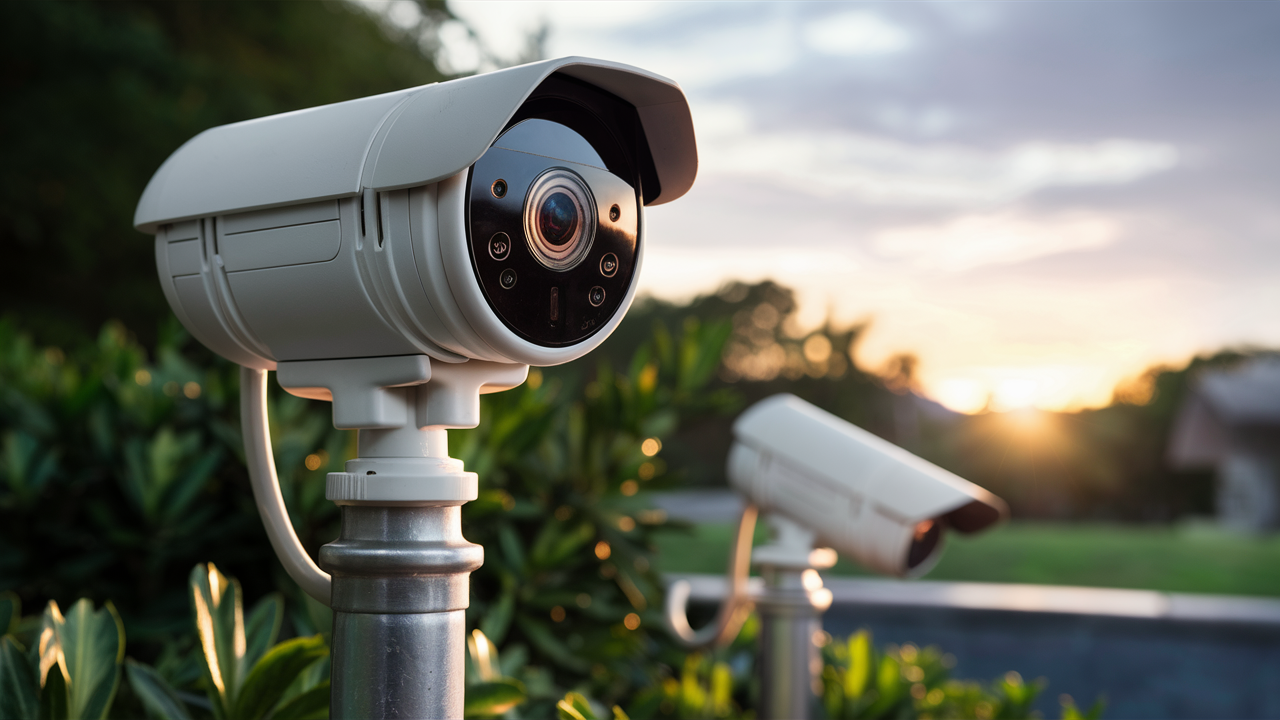
Choosing the best outdoor security camera in 2025-26 involves navigating a landscape of advanced features, diverse needs, and evolving technology. This guide cuts through the noise, offering a comprehensive analysis to help you secure your property effectively, whether you prioritize crystal-clear night vision, seamless smart home integration, or robust weather resistance.
Understanding Your Outdoor Security Camera Needs
Before diving into specific models, it's crucial to define what "best" means for your unique situation. The ideal outdoor security camera for a sprawling estate will differ significantly from one suited for a compact urban dwelling. Consider the following factors:
Property Size and Layout
The sheer scale of your property dictates the number of cameras needed and their placement. For larger areas, you'll want cameras with wider fields of view or multiple units strategically positioned to cover blind spots. Think about entry points, vulnerable windows, garages, and the perimeter.
Specific Security Concerns
Are you primarily concerned about package theft, vandalism, or deterring intruders? Some cameras excel at motion detection and instant alerts, while others offer advanced analytics like person detection or facial recognition to provide more context. For instance, if package theft is a major worry, a camera with a clear view of your porch and excellent motion alerts is paramount.
Existing Smart Home Ecosystem
If you already use smart home devices, compatibility is key. Look for cameras that integrate seamlessly with platforms like Amazon Alexa, Google Assistant, or Apple HomeKit. This allows for voice control, integration with other smart devices (e.g., turning on lights when motion is detected), and centralized management through a single app.
Power Source and Connectivity
Will you opt for wired (PoE - Power over Ethernet or AC adapter) or wireless (battery-powered) cameras? Wired cameras generally offer more reliable power and data transmission but require professional installation or running cables. Battery-powered cameras offer flexibility but need regular recharging or battery replacement. Similarly, consider your Wi-Fi strength in outdoor areas; a strong, stable connection is vital for reliable streaming and alerts.
Local vs. Cloud Storage
Decide whether you prefer to store footage locally (on an SD card or NVR/DVR) or in the cloud. Cloud storage offers convenience and off-site backup but often comes with subscription fees. Local storage provides more control and avoids ongoing costs but can be vulnerable if the device is stolen or damaged.
Key Features to Consider for Outdoor Security Cameras
The technology packed into modern security cameras is impressive. Understanding these features will help you make an informed decision:
Video Resolution and Quality
Higher resolution means clearer images, which are crucial for identifying faces, license plates, and other important details. Look for cameras offering at least 1080p (Full HD), with 2K or 4K (Ultra HD) becoming increasingly common and providing superior clarity, especially for wide-angle views. Frame rate (FPS - frames per second) also contributes to smooth video playback.
Night Vision Capabilities
Essential for round-the-clock security. Infrared (IR) LEDs are standard for black-and-white night vision. The range of the IR LEDs (measured in feet or meters) is important for covering larger areas. Some advanced cameras offer color night vision, which uses ambient light or built-in spotlights to produce color images even in low-light conditions, significantly improving detail recognition.
Field of View (FOV)
This determines how much an area the camera can see. A wider FOV (e.g., 130-180 degrees) covers more ground with a single camera, reducing the need for multiple units. However, ultra-wide-angle lenses can sometimes introduce distortion.
Motion Detection and Alerts
All outdoor cameras feature motion detection, but the sophistication varies. Advanced systems use AI-powered analytics to distinguish between people, vehicles, animals, and even packages, reducing false alarms. Customizable motion zones allow you to focus detection on specific areas (e.g., your driveway but not the sidewalk). Instant push notifications to your smartphone are standard.
Two-Way Audio
Allows you to hear what's happening and speak through the camera's built-in speaker and microphone. This is useful for greeting visitors, deterring potential intruders with your voice, or communicating with family members.
Weather Resistance (IP Rating)
Outdoor cameras must withstand the elements. Look for an IP (Ingress Protection) rating, typically IP65 or higher, indicating resistance to dust and water. Higher ratings offer better protection against heavy rain, snow, and extreme temperatures.
Connectivity Options (Wi-Fi, Ethernet, PoE)
As mentioned, reliable connectivity is paramount. Wi-Fi cameras offer ease of installation but can be susceptible to signal interference. Ethernet (wired) or Power over Ethernet (PoE) connections provide the most stable and secure link, often preferred for permanent installations.
Storage Options (Local & Cloud)
Consider where your footage will be stored. SD cards offer local storage for individual cameras. Network Video Recorders (NVRs) or Digital Video Recorders (DVRs) are used for multi-camera systems for local storage. Cloud storage services, often with tiered subscription plans, provide remote access and backup.
Power Source (Wired, Battery, Solar)
Wired cameras offer continuous power. Battery-powered cameras provide installation flexibility but require charging. Solar panels can extend battery life for some wireless models, offering a more sustainable solution.
Smart Home Integration
Check for compatibility with popular smart home platforms (Alexa, Google Assistant, HomeKit) for voice control and automation capabilities.
Types of Outdoor Security Cameras Available
The market offers several distinct types of outdoor security cameras, each with its own advantages:
Wireless/Wi-Fi Cameras
Pros: Easy to install, flexible placement, no complex wiring. Cons: Dependent on Wi-Fi signal strength, battery life needs management (unless wired for power), potential for signal interference.
Wired/PoE Cameras
Pros: Highly reliable power and data connection, no battery concerns, generally more secure connection.
Cons: Requires running cables, more complex installation, less flexible placement.
Solar-Powered Cameras
Pros: Eco-friendly, reduced reliance on battery charging, flexible placement.
Cons: Performance dependent on sunlight, may still require occasional battery top-ups, initial cost can be higher.
Doorbell Cameras
Pros: Replaces existing doorbell, provides a clear view of the front door, often includes two-way audio and motion detection, can deter package thieves.
Cons: Limited field of view to the immediate area around the door, requires existing doorbell wiring or battery power.
Floodlight Cameras
Pros: Integrated bright LED floodlights to deter intruders and illuminate the area, motion-activated lighting, dual functionality as a security camera.
Cons: Can be more expensive, installation might require electrical work.
PTZ (Pan-Tilt-Zoom) Cameras
Pros: Remote control to pan, tilt, and zoom, allowing for a much wider coverage area and the ability to focus on specific details.
Cons: Typically more expensive, often require wired connections, can be more complex to set up and manage.
Top Contenders: The Best Outdoor Security Cameras of 2025-26
Based on current market trends, user reviews, and expert analysis for the 2025-26 period, here are some of the top-performing outdoor security cameras, categorized by their strengths. Note that specific model numbers can change rapidly, so these represent leading brands and types.
| Camera Type | Key Strengths | Considerations | Example Models (2025-26) |
|---|---|---|---|
| All-Around Performer | Excellent video quality (2K/4K), reliable AI motion detection, good night vision, robust app, strong integration options. | May require subscription for full AI features or extended cloud storage. | Arlo Pro 5, Google Nest Cam (Outdoor, Battery), Ring Spotlight Cam Pro |
| Best Value | Good balance of features and price, decent video quality (1080p/2K), reliable motion alerts, easy setup. | Night vision might be less advanced, fewer AI features compared to premium models. | Wyze Cam Outdoor v3, Eufy SoloCam E40, Blink Outdoor 4 |
| Best Wired System | Superior reliability, continuous power, high-resolution recording (4K), advanced analytics, local storage options. | Requires professional installation or DIY expertise for wiring. | Reolink RLK8-800B4 (8-channel NVR kit), Lorex 4K IP NVR System |
| Best Battery-Powered | Maximum installation flexibility, long battery life (months), good video quality, easy to move. | Requires periodic charging or solar panel accessory. | Arlo Pro 5, Blink Outdoor 4, EufyCam 3 |
| Best Doorbell Camera | Clear view of the front door, two-way audio, package detection, smart alerts, easy integration. | Limited to the immediate vicinity of the door. | Ring Video Doorbell Pro 2, Google Nest Doorbell (Battery), Eufy Dual Camera Doorbell |
| Best Floodlight Camera | Integrated powerful floodlights, motion-activated illumination, deterrent effect, high-quality video. | Installation may require electrical work, can be more expensive. | Ring Floodlight Cam Pro, Arlo Pro 3 Floodlight Camera, Eufy Floodlight Cam 2 Pro |
Detailed Breakdown of Top Contenders:
Arlo Pro 5 (All-Around Performer)
Arlo continues to impress with its Pro series. The Pro 5 offers 2K HDR video, a 160-degree field of view, and industry-leading color night vision. Its AI capabilities, including person, package, and vehicle detection, are robust, minimizing false alerts. The battery life is commendable, often lasting several months on a single charge, and it supports both Wi-Fi and optional 4G LTE for enhanced connectivity. Arlo's ecosystem is well-developed, offering cloud storage plans with advanced features. The build quality is excellent, designed to withstand various weather conditions.
Google Nest Cam (Outdoor, Battery) (All-Around Performer)
Google's Nest Cam line is known for its sleek design and seamless integration with the Google Home ecosystem. The battery-powered outdoor model provides 1080p HDR video with a 130-degree field of view. Its intelligent alerts, powered by Google's AI, are highly accurate, distinguishing between people, animals, and vehicles. The camera offers excellent two-way audio and a magnetic mount for easy installation. While it offers local storage via an SD card slot, many advanced features, like familiar face detection, require a Nest Aware subscription.
Ring Spotlight Cam Pro (All-Around Performer / Floodlight Camera)
Ring, now part of Amazon, offers a compelling option with the Spotlight Cam Pro. This camera features 1080p HD video, a 140-degree field of view, and advanced motion detection with 3D Motion Detection and Bird's Eye View for a more comprehensive understanding of events. It includes bright, motion-activated LED spotlights and a siren for added deterrence. Available in wired, battery, and solar-powered versions, it offers flexibility. Integration with Alexa is seamless, allowing for voice control and integration with other Ring devices.
Eufy SoloCam E40 (Best Value)
Eufy has carved out a niche by offering robust features without mandatory subscription fees for basic functionality. The SoloCam E40 provides 2K resolution, a 130-degree field of view, and AI-powered human detection. It boasts a built-in spotlight and a siren. Crucially, it stores footage locally on its internal storage, eliminating cloud fees for essential recording. Battery life is generally good, and it's weather-resistant. This is an excellent choice for those seeking high-quality surveillance without ongoing costs.
Blink Outdoor 4 (Best Battery-Powered)
Amazon's Blink Outdoor 4 is a highly affordable and reliable battery-powered camera. It offers 1080p HD video, a 110-degree field of view, and good motion detection. The standout feature is its exceptional battery life, with some users reporting up to two years on a single set of AA lithium batteries. It integrates with Alexa and offers optional cloud storage via a Blink Subscription Plan, or local storage via the Sync 2 module (sold separately). It's a great option for budget-conscious users or those needing to monitor remote areas where power is unavailable.
Reolink RLK8-800B4 (Best Wired System)
For users seeking a comprehensive, high-performance wired system, Reolink's NVR kits are a strong contender. The RLK8-800B4 includes an 8-channel NVR and four 4K PoE cameras. These cameras offer exceptional detail, excellent night vision (up to 100ft), and robust build quality. The NVR provides ample local storage and the ability to manage multiple cameras from one interface. Reolink's app is user-friendly, offering remote access and customizable alerts. This is ideal for larger properties or those who prioritize ultimate reliability and data control.
Installation and Setup: A Step-by-Step Guide
Installing an outdoor security camera, whether wired or wireless, can be a DIY project. Here’s a general guide:
Step 1: Planning and Placement
Identify Key Areas: Determine the most critical points to monitor (entrances, driveways, yards, vulnerable windows). Check Wi-Fi Signal: For wireless cameras, ensure a strong Wi-Fi signal reaches the intended mounting location. You might need a Wi-Fi extender. Consider Power: For wired cameras, plan the cable routes. For battery cameras, decide if you’ll use solar panels or manual charging.
Step 2: Mounting the Camera
Follow Manufacturer Instructions: Each camera comes with specific mounting hardware and instructions. Secure Mounting: Use appropriate screws and anchors for your wall material (wood, brick, stucco). Ensure the camera is mounted firmly to prevent tampering or falling.
Step 3: Connecting and Configuring
Wired Cameras: Connect the Ethernet cable from the camera to your router or PoE switch, and then to the NVR if applicable. Connect the NVR to your router and a power source. Wireless Cameras: Power on the camera. Download the manufacturer's app on your smartphone or tablet. Follow the app's prompts to connect the camera to your Wi-Fi network (usually involves scanning a QR code or entering Wi-Fi credentials).
Step 4: App Setup and Customization
Create Account: Set up an account within the camera's app. Name Your Camera: Assign a descriptive name (e.g., "Front Porch," "Backyard"). Adjust Settings:
- Motion Zones: Define specific areas for motion detection.
- Sensitivity: Fine-tune motion detection sensitivity to reduce false alerts.
- Notification Preferences: Choose how and when you want to receive alerts.
- Video Quality: Select resolution and frame rate based on your network capabilities.
- Night Vision: Set to auto or manual, depending on your preference.
- Two-Way Audio: Test the microphone and speaker.
Step 5: Testing and Refinement
Walk Test: Walk through the camera's field of view at different times of day and night to ensure motion detection is working as expected and that there are no blind spots. Review Footage: Check recorded clips for clarity and accuracy. Adjust Settings: Make any necessary adjustments to motion zones, sensitivity, or notification settings based on your testing.
Advanced Considerations for Optimal Security
Beyond the basic features, several advanced considerations can elevate your outdoor security:
AI-Powered Analytics
The 2025-26 landscape sees AI becoming more sophisticated. Look for cameras that offer:
- Person Detection: Distinguishes humans from animals or moving objects.
- Package Detection: Alerts you specifically when a package is delivered or removed.
- Vehicle Detection: Identifies cars, reducing alerts from passing traffic.
- Facial Recognition: Some high-end systems can identify known individuals, notifying you of arrivals.
These features significantly reduce nuisance alerts and provide more actionable information.
Integration with Smart Home Automation
Leverage your security cameras as part of a broader smart home security strategy. Examples include:
- Smart Lighting: Triggering outdoor lights or smart bulbs when motion is detected.
- Smart Locks: Receiving alerts when someone approaches your door and being able to unlock it remotely if needed.
- Voice Assistants: Using Alexa or Google Assistant to view live feeds ("Hey Google, show me the front door camera").
This interconnectedness enhances both convenience and security.
Network Security Best Practices
Security cameras are connected devices, so network security is paramount:
- Strong, Unique Passwords: Use complex passwords for your Wi-Fi network and camera accounts. Avoid default passwords.
- Two-Factor Authentication (2FA): Enable 2FA on your camera accounts whenever possible.
- Firmware Updates: Keep your camera's firmware and your router's firmware up to date to patch security vulnerabilities.
- Guest Network: Consider placing IoT devices on a separate guest Wi-Fi network to isolate them from your main network.
- VPN: For advanced users, a VPN can add an extra layer of security for remote access.
Researching network security best practices can significantly bolster your home's defenses.
Professional Installation vs. DIY
While many cameras are designed for DIY installation, complex systems (like multi-camera wired NVR setups) or situations requiring extensive wiring might benefit from professional installation. Professionals can ensure optimal placement, secure wiring, and proper configuration, saving you time and potential headaches.
Privacy Considerations
Be mindful of privacy laws and neighborly etiquette. Ensure your cameras are primarily focused on your property and do not excessively record public areas or neighboring properties without consent. Many cameras offer privacy modes that disable recording when you're home.
Budgeting for Outdoor Security Cameras
The cost of outdoor security cameras varies widely. Here’s a general breakdown of what to expect for 2025-26:
Entry-Level Cameras ($50 - $150)
These typically offer 1080p resolution, basic motion detection, and often rely on cloud storage with a subscription for full functionality. Battery life may be shorter, and build quality might be less robust. Examples include some Blink models or basic Wyze cameras.
Mid-Range Cameras ($150 - $300)
This segment offers a good balance of features and price. Expect 2K or even 4K resolution, improved AI-powered motion detection, better night vision, and more durable construction. Many offer local storage options or more generous cloud plans. Brands like Eufy, Arlo Essential, and some Ring models fall into this category.
Premium Cameras ($300+)
These are top-tier cameras with the best video quality (4K HDR), advanced AI analytics (person, package, vehicle, facial recognition), superior night vision (color night vision), robust build, and seamless smart home integration. They may also include features like spotlights, sirens, and advanced audio. Examples include higher-end Arlo Pro models, Google Nest Cam (with subscription), and advanced Ring Pro models.
Subscription Costs
Be aware of ongoing subscription costs for cloud storage, advanced AI features, and extended recording history. These can range from $3 to $20+ per month per camera or per system, depending on the provider and features. Many users opt for systems with local storage to avoid these fees.
Installation Costs
If you opt for professional installation, budget an additional $100 - $300+ per camera, depending on the complexity and your location.
Additional Accessories
Consider costs for Wi-Fi extenders, solar panels, or additional mounting hardware if needed.
When budgeting, consider the total cost of ownership, including the initial purchase price and any recurring subscription fees.
Conclusion
Determining the "best" security camera for outside in 2025-26 is a personalized journey. By carefully assessing your property's needs, understanding the advanced features available, and considering your budget, you can make an informed decision. Whether you prioritize crystal-clear 4K footage, reliable battery power, seamless smart home integration, or cost-effective local storage, there's a solution to fit your requirements. Prioritize cameras with robust AI detection to minimize false alerts and enhance the actionable intelligence they provide. Always ensure strong network security and keep firmware updated. Ultimately, the best investment is in peace of mind, secured by a system that reliably protects what matters most.





