
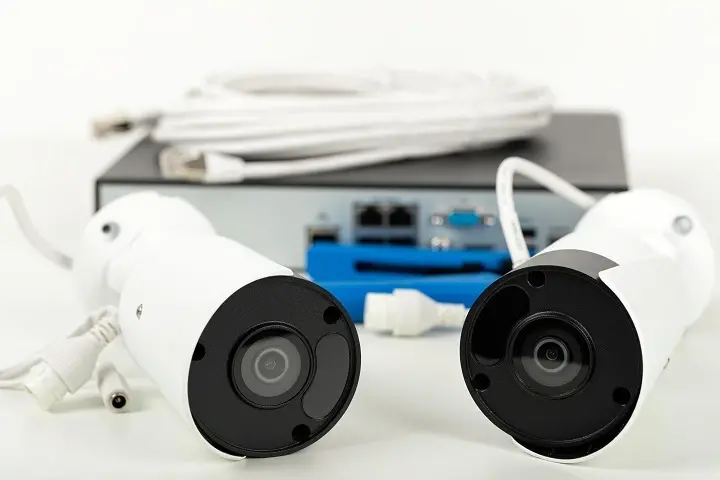
Choosing the best security camera system involves understanding your specific needs, from home protection to business surveillance. This guide breaks down the essential factors, types of systems, and top considerations for 2025-26 to help you make an informed decision for unparalleled peace of mind.
Understanding Security Camera Systems
In today's world, security is paramount. A robust security camera system acts as a vigilant guardian, deterring potential threats and providing crucial evidence if an incident occurs. But what constitutes the "best" system? It's not a one-size-fits-all answer. The ideal security camera setup is one that meticulously aligns with your unique requirements, budget, and technical comfort level. Whether you're safeguarding your family at home, protecting valuable assets in a commercial space, or monitoring remote properties, understanding the landscape of modern surveillance technology is the first step towards achieving true peace of mind.
The market in 2025-26 offers an astonishing array of options, from simple single-camera setups to sophisticated, multi-camera networks integrated with smart home devices. These systems range from basic analog setups to cutting-edge IP (Internet Protocol) cameras that offer high-definition video, advanced analytics, and remote accessibility. The "best" system will leverage the right blend of these technologies to meet your specific security objectives. We'll delve into the core components, essential features, and different system types to equip you with the knowledge needed to navigate this complex but vital decision.
Key Factors to Consider Before Buying
Before diving into specific brands or models, it's crucial to establish a clear understanding of your needs and the constraints you're working within. This foundational step will prevent overspending on unnecessary features and ensure you select a system that effectively addresses your security concerns. By carefully evaluating these factors, you can significantly narrow down your options and make a more confident purchase.
1. Your Specific Security Needs
The primary driver for any security camera system is its intended purpose. Are you looking to monitor a small residential property, a large commercial building, or a specific area like a driveway or backyard? Consider the most vulnerable points of your property. For instance, a home might prioritize monitoring entry points like doors and windows, while a business might need to cover cash registers, stockrooms, and customer-facing areas.
- Home Security: Focus on deterring intruders, monitoring children or pets, and providing evidence in case of a break-in. Key areas include front/back doors, ground-floor windows, and driveways.
- Business Surveillance: Aims to prevent theft (internal and external), monitor employee activity, ensure customer safety, and provide evidence for legal proceedings. High-traffic areas, entrances, exits, and sensitive zones are critical.
- Property Monitoring: For larger estates or remote locations, the focus might be on perimeter security, detecting unauthorized access, and monitoring for environmental hazards.
2. Budget Allocation
Security camera systems vary widely in price, from budget-friendly DIY kits to high-end professional installations. Establish a realistic budget that encompasses not only the initial hardware cost but also potential ongoing expenses like cloud storage subscriptions, professional installation fees, and maintenance. In 2025-26, while the cost of advanced technology has decreased, premium features still command a higher price point.
- Entry-Level: Typically under $300 for a basic 2-4 camera kit.
- Mid-Range: $300 - $1000 for more features, better resolution, and more cameras.
- High-End/Professional: $1000+ for advanced features, superior image quality, robust NVRs/DVRs, and professional installation.
3. Wired vs. Wireless Systems
This is a fundamental decision that impacts installation complexity, reliability, and cost. Each has its pros and cons:
- Wired Systems (PoE - Power over Ethernet):
- Pros: Highly reliable, consistent power and data transmission, less susceptible to interference, often higher video quality.
- Cons: More complex and costly installation due to running cables, less flexible placement.
- Wireless Systems (Wi-Fi):
- Pros: Easier and faster installation, greater flexibility in camera placement, often more affordable for smaller setups.
- Cons: Dependent on Wi-Fi signal strength and stability, potential for interference, may require battery charging or replacement for some models.
For 2025-26, advancements in Wi-Fi technology have improved reliability, but for mission-critical, high-density surveillance, wired PoE systems remain the gold standard.
4. Indoor vs. Outdoor Cameras
The environment where cameras will be placed dictates their design and features. Outdoor cameras need to be weatherproof, durable, and often equipped with night vision capabilities. Indoor cameras can be more discreet and may not require the same level of ruggedness.
- Outdoor Cameras: Look for IP ratings (e.g., IP65, IP66, IP67) indicating resistance to dust and water. They should also withstand temperature extremes.
- Indoor Cameras: Focus on discreet design, wide-angle lenses for broader coverage, and potentially audio recording (where legally permissible).
5. Recording and Storage Options
How will your video footage be stored? This is a critical aspect that affects accessibility, security, and cost.
- Local Storage (DVR/NVR):
- DVR (Digital Video Recorder): Used with analog or HD-TVI cameras. Records directly to a hard drive.
- NVR (Network Video Recorder): Used with IP cameras. Records to a hard drive, often offering more advanced features and scalability.
- Pros: No recurring fees, footage is stored on-site, generally more secure against remote hacking.
- Cons: Risk of data loss if the NVR/DVR is stolen or damaged, limited by storage capacity.
- Cloud Storage:
- Pros: Accessible from anywhere with internet, footage is safe even if the local hardware is compromised, often includes advanced analytics.
- Cons: Requires a monthly or annual subscription fee, dependent on internet upload speed, potential privacy concerns.
- Hybrid Storage: Some systems offer both local and cloud backup for redundancy.
In 2025-26, cloud storage is increasingly popular due to its convenience, with many providers offering tiered plans based on storage duration and number of cameras. However, data privacy regulations are also becoming more stringent, making on-premise solutions attractive for businesses with sensitive data.
6. Resolution and Image Quality
Higher resolution means clearer images, which are essential for identifying faces, license plates, and other details. The standard has moved beyond 1080p (Full HD).
- 720p (HD): Basic clarity, suitable for general overview but may struggle with fine details.
- 1080p (Full HD): Good clarity, standard for most consumer-grade systems.
- 2K/4MP: Offers significantly more detail than 1080p, excellent for identifying individuals.
- 4K/8MP: The highest resolution available, providing incredibly detailed footage, ideal for large areas or critical identification needs.
Consider the trade-off between resolution and storage space/bandwidth. Higher resolutions require more storage and can strain Wi-Fi networks.
Types of Security Camera Systems
Understanding the different categories of security camera systems available in 2025-26 will help you align technology with your needs. Each type offers distinct advantages and is suited for different applications.
1. Standalone Security Cameras
These are individual cameras that operate independently or can be added to an existing system. They are often wireless and connect directly to your Wi-Fi network, with footage typically stored in the cloud or on an SD card.
- Pros: Easy to set up, affordable for basic needs, flexible placement, good for monitoring specific areas.
- Cons: Limited scalability, reliant on Wi-Fi, may have limited local storage options, often require separate subscriptions for full features.
- Examples: Ring Stick Up Cam, Arlo Pro, Wyze Cam.
2. DIY Wireless Kits
These kits typically include multiple wireless cameras and a base station or hub that connects to your router. Storage is often managed via an NVR or cloud service.
- Pros: Relatively easy installation, good balance of features and affordability, scalable to some extent.
- Cons: Still dependent on Wi-Fi for camera connectivity, potential for signal interference, battery life can be a concern for some models.
- Examples: Eufy Security, Blink XT2.
3. Wired Systems (DVR/NVR Based)
These are traditional surveillance systems where cameras are physically connected via coaxial cables (for DVR) or Ethernet cables (for NVR) to a central recording unit. These are often considered the most robust and reliable for comprehensive surveillance.
- DVR Systems (Analog/HD-TVI):
- Pros: Mature technology, reliable, often more affordable than IP systems for basic setups, good for existing coaxial cable infrastructure.
- Cons: Lower resolution compared to IP, less flexible features, installation can be more complex.
- NVR Systems (IP Cameras):
- Pros: Highest resolution and image quality, advanced features (AI analytics, two-way audio), easier to scale, PoE simplifies wiring (single cable for power and data).
- Cons: Can be more expensive, requires network knowledge for optimal setup, dependent on network infrastructure.
- Examples: Lorex, Swann, Reolink (offer both wired and wireless options).
4. Smart Home Integrated Systems
These systems are designed to work seamlessly with other smart home devices (e.g., Alexa, Google Assistant, smart locks, smart lights). They offer advanced automation and remote control capabilities.
- Pros: Enhanced convenience and automation, centralized control, potential for complex security routines.
- Cons: Can be more expensive, reliance on specific ecosystems, potential privacy concerns with data integration.
- Examples: Nest Cam, Ring Alarm Pro (integrates with Ring cameras).
5. Professional Security Systems
These are typically installed and monitored by professional security companies. They often include high-end equipment, dedicated monitoring centers, and integrated alarm systems.
- Pros: Expert installation and maintenance, 24/7 professional monitoring, often integrated with alarm services, high reliability.
- Cons: Most expensive option, typically involves long-term contracts, less control over equipment choices.
- Examples: ADT, Vivint.
Essential Features for 2025-26
The security camera landscape is constantly evolving. In 2025-26, certain features have become essential for effective and convenient surveillance. Prioritizing these will ensure your system is future-proof and meets modern security demands.
1. High-Definition Resolution (2K or 4K)
As mentioned, clarity is king. 2K (4MP) and 4K (8MP) resolutions are now the standard for discerning users. They capture significantly more detail than 1080p, making it easier to identify individuals, vehicles, and specific events. This is crucial for both home and business security. For example, distinguishing between two similar-looking individuals or capturing a clear license plate number at a distance is far more achievable with higher resolutions.
2. Advanced Night Vision (Color Night Vision & Infrared)
Effective surveillance doesn't stop when the sun goes down. Modern systems offer:
- Infrared (IR) Night Vision: Standard black-and-white night vision that uses infrared LEDs to illuminate the scene. Good for general visibility.
- Color Night Vision: Utilizes advanced sensors and ambient light to produce color images even in very low light conditions. This significantly enhances detail and makes it easier to identify colors of clothing, vehicles, etc. Many 2025-26 models are incorporating this feature.
- Smart IR: Adjusts the intensity of IR illumination to prevent overexposure of nearby objects and ensure clear images of distant subjects.
3. Wide-Angle Lenses and Field of View (FOV)
A wider field of view means a single camera can cover a larger area, reducing the number of cameras needed. Look for cameras with FOVs of 110 degrees or more. Some cameras offer pan-tilt-zoom (PTZ) capabilities for dynamic coverage, but for static coverage, a wide-angle lens is key.
4. Motion Detection and Smart Alerts
Basic motion detection can trigger recordings, but advanced systems offer more sophisticated options:
- Person Detection: Differentiates between people and other motion (e.g., pets, falling leaves), significantly reducing false alarms.
- Vehicle Detection: Identifies cars, trucks, or motorcycles.
- Package Detection: Alerts you when a package is delivered or removed from your doorstep.
- Customizable Activity Zones: Allows you to define specific areas within the camera's view where motion should be monitored, ignoring irrelevant activity.
- Push Notifications: Instant alerts sent to your smartphone or email when motion is detected.
These AI-powered features are becoming standard in mid-to-high-end systems in 2025-26, offering actionable intelligence rather than just raw footage.
5. Two-Way Audio
Allows you to hear what's happening and speak through the camera's built-in speaker. This is useful for communicating with visitors, deterring intruders remotely, or speaking with children or pets.
6. Weatherproofing and Durability
For outdoor cameras, robust weatherproofing (IP65 or higher) is essential to protect against rain, dust, and extreme temperatures. Materials should be durable to withstand vandalism or minor impacts.
7. Remote Access and Mobile App Control
The ability to view live feeds, recorded footage, and manage settings from your smartphone or tablet via a dedicated app is non-negotiable for most users. Ensure the app is user-friendly and offers reliable performance.
8. Power Options (PoE, Battery, Solar)
PoE (Power over Ethernet): Ideal for wired systems, providing both power and data over a single Ethernet cable, simplifying installation and ensuring constant power.
Battery-Powered: Offers maximum flexibility for wireless cameras, but requires regular charging or battery replacement. Look for long-lasting batteries or solar charging options.
Solar Powered: Increasingly viable for wireless cameras, reducing maintenance and environmental impact. Requires sufficient sunlight.
9. Integration Capabilities (Smart Home Ecosystems)
If you have a smart home setup, ensure your security cameras can integrate with your existing ecosystem (e.g., Amazon Alexa, Google Assistant, Apple HomeKit). This allows for voice control, automated routines, and unified management.
10. Cybersecurity Measures
With increased connectivity comes increased risk. Look for systems that employ strong encryption (e.g., WPA2/WPA3 for Wi-Fi), secure authentication methods, and regular firmware updates to protect against hacking and unauthorized access.
Installation and Setup: DIY vs. Professional
The method you choose for installing your security camera system can significantly impact cost, time, and the final quality of the setup. Both DIY and professional installation have their merits, and the best choice depends on your technical skills, budget, and the complexity of the system.
DIY Installation
This approach is suitable for individuals comfortable with basic home improvement tasks and technology. It can save considerable money compared to professional services.
- Best for: Wireless camera systems, standalone cameras, smaller wired systems where cable runs are straightforward.
- Steps involved:
- Planning: Determine camera placement based on coverage needs and power source availability. Map out cable routes if using wired systems.
- Mounting Cameras: Securely attach cameras to walls, ceilings, or eaves using provided hardware.
- Connecting to Network:
- Wireless: Connect cameras to your Wi-Fi network via the mobile app.
- Wired: Run Ethernet or coaxial cables from cameras to the NVR/DVR. Connect the NVR/DVR to your router and power source.
- Configuration: Set up the NVR/DVR, format the hard drive, configure recording schedules, and set up motion detection zones and alerts through the software or app.
- Testing: Verify camera feeds, recording quality, and alert functionality.
- Pros: Significant cost savings, flexibility in scheduling installation, learning opportunity.
- Cons: Can be time-consuming, requires technical aptitude, potential for errors leading to suboptimal performance, voiding warranties if done incorrectly.
Professional Installation
Hiring professionals ensures that your system is installed correctly, optimally configured, and tested thoroughly. This is often the preferred route for complex systems or when you lack the time or expertise.
- Best for: Large wired systems (NVR/DVR), complex network configurations, commercial installations, ensuring optimal placement and concealment, systems requiring specialized tools or knowledge.
- Steps involved:
- Consultation: A technician assesses your property and security needs to recommend the best system and placement.
- Installation: Professionals will run cables neatly, mount cameras securely, and connect all components to the recording unit and network. They often have specialized tools for drilling and cable management.
- Configuration and Setup: The technician will configure the NVR/DVR, set up recording parameters, customize motion detection, and ensure remote access is functional.
- System Testing and Demonstration: They will thoroughly test the system and provide a demonstration of how to use it, including accessing footage and managing settings.
- Pros: Ensures optimal performance and reliability, saves time and effort, expert advice on system configuration, often includes a warranty on installation.
- Cons: Higher upfront cost, requires scheduling appointments, less flexibility in installation timing.
Choosing the Right Path
For simple wireless camera setups in a small home, DIY is often perfectly adequate. However, for comprehensive wired systems covering multiple entry points, large properties, or businesses, professional installation is highly recommended to ensure the system's effectiveness and longevity. Many reputable security camera brands offer professional installation services or partner with certified installers.
Top Security Camera Systems for 2025-26
Selecting the "best" system depends heavily on individual needs, but based on current trends, feature sets, and user reviews for 2025-26, here are some of the top contenders across different categories:
1. Best Overall (NVR System): Lorex 4K Ultra HD
Lorex consistently offers high-quality, feature-rich NVR systems. Their 4K Ultra HD lines provide exceptional detail, robust night vision, and reliable local storage. Many kits come with multiple cameras, offering a comprehensive solution for homes and small businesses.
- Key Features: 4K resolution, advanced IR night vision, local NVR storage (no monthly fees for basic recording), PoE connectivity, weather-resistant cameras.
- Ideal for: Users prioritizing maximum image detail, reliable local storage, and a scalable system.
2. Best Wireless System: Arlo Pro 4 / Arlo Ultra 2
Arlo is renowned for its wire-free cameras, ease of use, and excellent mobile app. The Pro 4 and Ultra 2 offer 2K and 4K resolution respectively, color night vision, and robust cloud storage options. They are ideal for users who want flexibility without complex wiring.
- Key Features: Wire-free design, 2K/4K resolution, color night vision, two-way audio, wide field of view, smart alerts, cloud storage (subscription required for full features).
- Ideal for: Renters, users prioritizing easy installation and placement flexibility, smart home integration.
3. Best Budget-Friendly System: Reolink (Various Models)
Reolink offers a compelling balance of features and affordability. They provide a range of wired and wireless options, including 2K and 4K cameras, with many models supporting local SD card storage or NVRs, often without mandatory subscription fees.
- Key Features: Excellent value for money, 2K/4K options, good night vision, PoE and Wi-Fi models, local storage options (SD card/NVR).
- Ideal for: Budget-conscious users who still want high-resolution video and reliable performance.
4. Best Smart Home Integration: Google Nest Cam (Battery) / Google Nest Cam (Wired)
Google's Nest Cams integrate seamlessly with the Google Home ecosystem. They offer intelligent alerts, good video quality, and a user-friendly app. The battery-powered version provides installation flexibility.
- Key Features: Seamless Google Home integration, intelligent alerts (person, animal, vehicle), 1080p HDR video, two-way audio, cloud storage (Nest Aware subscription required).
- Ideal for: Users heavily invested in the Google smart home ecosystem.
5. Best Professional-Grade System: Hikvision / Dahua (Typically Installed by Professionals)
These brands are industry leaders for commercial and professional installations, offering a vast range of cameras and NVRs with advanced features like AI analytics, superior low-light performance, and robust build quality. They are usually sold through professional installers rather than directly to consumers.
- Key Features: High-end performance, advanced AI analytics (facial recognition, intrusion detection), exceptional low-light capabilities, robust build, scalable for large deployments.
- Ideal for: Businesses, large properties, and users requiring advanced surveillance capabilities and professional support.
Comparison Table (Illustrative - Specific Models Vary)
| Feature | Lorex 4K NVR | Arlo Pro 4/Ultra 2 | Reolink | Google Nest Cam |
|---|---|---|---|---|
| Type | Wired (NVR) | Wireless (Wi-Fi) | Wired/Wireless | Wireless/Wired |
| Max Resolution | 4K | 2K/4K | Up to 4K | 1080p HDR |
| Night Vision | Advanced IR | Color Night Vision | IR/Color (model dependent) | Color Night Vision |
| Storage | Local NVR (HDD) | Cloud (Subscription) | Local (SD/NVR) or Cloud | Cloud (Subscription) |
| Smart Alerts | Basic Motion | Person/Package/Vehicle | Person/Vehicle (model dependent) | Person/Animal/Vehicle |
| Installation | Professional Recommended | DIY Friendly | DIY Friendly | DIY Friendly |
Legal and Privacy Considerations
Implementing a security camera system involves navigating a landscape of legal and privacy concerns that vary by location. Understanding these is crucial to avoid potential liabilities and maintain ethical surveillance practices.
1. Recording Audio
In many jurisdictions, it is illegal to record audio conversations without the consent of all parties involved. Be aware of your local laws regarding audio recording. Most security camera systems allow you to disable audio recording on a per-camera basis.
2. Privacy Zones
If your cameras can view areas where individuals have a reasonable expectation of privacy (e.g., a neighbor's backyard, public restrooms), you may need to configure privacy zones within the camera's settings to mask these areas from recording. This is particularly important for businesses with cameras in public-facing areas.
3. Data Security and Encryption
Ensure your chosen system uses strong encryption protocols for both data transmission (e.g., between camera and router, router and cloud) and data storage. Regularly update firmware to patch security vulnerabilities. Be cautious about using default passwords and enable two-factor authentication where available.
4. Notification and Signage
In some public or commercial settings, it may be legally required to post signage indicating that surveillance is in operation. This informs individuals that they are being recorded. Check local regulations for specific requirements.
5. Employee Monitoring
For businesses, employee monitoring via cameras must comply with labor laws. Typically, employers can monitor common areas but may face restrictions in private areas like restrooms or break rooms. Clear policies and employee notification are essential.
6. Third-Party Access
Be mindful of who has access to your camera feeds and recordings. Limit access to authorized individuals and review access logs if available. If using cloud services, understand their data handling policies and security measures.
By staying informed about these legal and privacy aspects, you can deploy your security camera system responsibly and ethically, ensuring compliance and building trust with those around your monitored property.
Conclusion: Making Your Choice
The quest for the "best security camera system" culminates in a personalized decision, balancing cutting-edge technology with your specific security needs and budget. In 2025-26, the market offers unparalleled options, from high-definition clarity and intelligent motion detection to seamless smart home integration and robust local storage solutions. Whether you opt for the reliability of a wired NVR system like Lorex, the flexibility of a wireless setup from Arlo, the value of Reolink, or the smart ecosystem integration of Google Nest, the key is thorough evaluation.
Prioritize features that directly address your vulnerabilities – consider advanced night vision for dark areas, wide-angle lenses for expansive coverage, and smart alerts to minimize false alarms. Remember to weigh the convenience of cloud storage against the control and cost-effectiveness of local NVR/DVR solutions. For complex installations or commercial needs, professional setup ensures optimal performance and peace of mind. Ultimately, the best security camera system is the one that provides you with the most comprehensive, reliable, and user-friendly surveillance, safeguarding what matters most.
Take the time to assess your property, define your priorities, and explore the options detailed in this guide. Making an informed choice now will equip you with a powerful tool for security and an invaluable sense of safety for years to come.





