
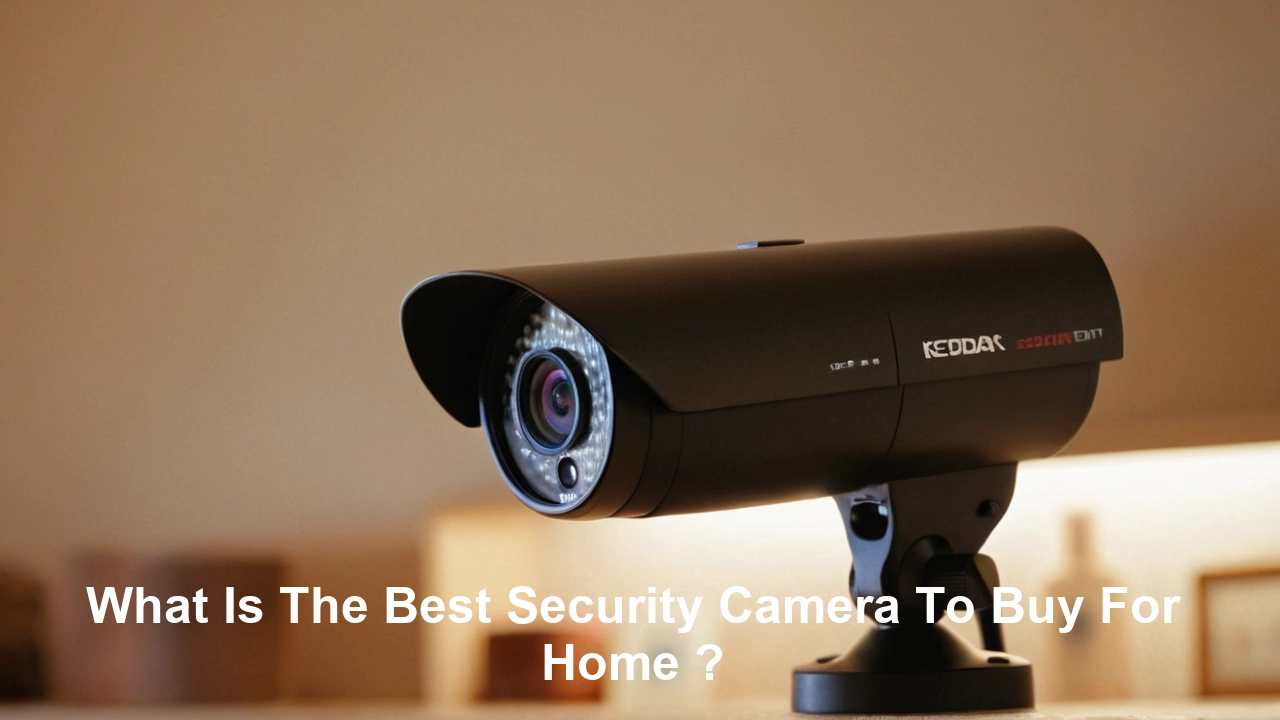
Choosing the best security camera for your home involves balancing advanced features, ease of use, and budget. This guide will navigate you through the essential considerations, from resolution and night vision to smart home integration and storage options, ensuring you make an informed decision for ultimate peace of mind.
Understanding Your Home Security Needs
Before diving into specific models, it's crucial to assess what you truly need from a home security camera system. This foundational step will prevent you from overspending on unnecessary features or regretting a purchase that doesn't meet your core requirements. Consider the size of your property, potential blind spots, and your primary security concerns. Are you looking to deter burglars, monitor package deliveries, keep an eye on pets, or check in on children or elderly family members? Each of these scenarios might call for different camera types and features. For instance, monitoring a large backyard might require cameras with a wider field of view and robust weatherproofing, while indoor monitoring might prioritize discreet design and two-way audio for communication. The prevalence of smart home technology in 2025-26 also means considering how your cameras will integrate with your existing ecosystem, whether it's Google Home, Amazon Alexa, or Apple HomeKit.
The increasing sophistication of AI-powered analytics in security cameras is a significant trend for 2025-26. These systems can now differentiate between people, vehicles, and animals, reducing false alarms from passing wildlife or swaying branches. This intelligent detection is invaluable for users who want to be alerted only to genuine security events. Furthermore, the shift towards higher resolutions, such as 2K and 4K, is becoming standard, offering incredibly detailed footage that can be crucial for identification purposes. Understanding these evolving capabilities will help you align your needs with the most advanced and effective solutions available.
Assessing Your Property and Key Concerns
A thorough walk-through of your property is the first step. Identify entry points like doors and windows, as well as vulnerable areas such as detached garages, side gates, and backyards. For exterior coverage, consider areas that are poorly lit at night or have limited visibility from the street. For interior coverage, think about high-traffic areas like living rooms, hallways, and entrances. Are there specific rooms or valuable items you want to monitor? Your assessment should also include your tolerance for privacy. Some homeowners prefer cameras that are visible as a deterrent, while others opt for more discreet options. Understanding these nuances will guide your choice between visible dome cameras, discreet bullet cameras, or even hidden indoor cameras.
In 2025-26, the conversation around home security extends beyond just intrusion detection. Many homeowners are now integrating cameras into their broader smart home security strategies. This includes linking cameras with smart locks, motion sensors, and smart lighting. For example, a camera detecting motion at your front door could trigger your porch lights to turn on, acting as an immediate deterrent. Similarly, if a door sensor is triggered, your cameras could automatically start recording and send an alert to your phone. This interconnectedness is a key driver in selecting cameras that offer robust API support or are part of a unified smart home platform.
Defining Your Security Goals
What are your primary objectives for installing security cameras?
- Deterrence: Visible cameras can discourage potential intruders.
- Evidence Collection: High-resolution footage is vital for identifying perpetrators and providing evidence to law enforcement.
- Remote Monitoring: Checking in on family, pets, or deliveries while you're away.
- Activity Alerts: Receiving notifications for specific events, such as motion detection or package arrival.
- Two-Way Communication: Speaking with visitors or delivery personnel remotely.
For 2025-26, the focus is increasingly on proactive security. This means cameras that not only record but also actively alert you to potential threats and offer features like person detection to minimize nuisance notifications. The ability to customize detection zones and sensitivity levels is also paramount, allowing users to fine-tune their alerts based on specific areas of concern, such as a pathway leading to a back door.
Key Features to Consider in 2025-26
The home security camera market is constantly evolving, with new technologies emerging annually. For 2025-26, several features stand out as essential for a robust and user-friendly system. These include advanced resolution, superior night vision, intelligent motion detection, reliable connectivity, and flexible storage options. Understanding these core components will help you differentiate between basic models and those that offer truly comprehensive security solutions.
Resolution and Video Quality
The days of grainy, pixelated footage are largely behind us. In 2025-26, 1080p (Full HD) is considered the minimum acceptable resolution for home security cameras. However, many of the best models now offer 2K (1440p) or even 4K (2160p) resolution. Higher resolution means sharper images, allowing for greater detail, better facial recognition, and the ability to zoom in on footage without significant loss of quality. This is crucial for identifying individuals or license plates. Look for cameras that also support HDR (High Dynamic Range) to ensure balanced exposure in challenging lighting conditions, such as bright sunlight or deep shadows.
Night Vision Capabilities
Effective night vision is non-negotiable for 24/7 security. Most cameras use infrared (IR) LEDs to illuminate the scene in darkness, producing black-and-white images. For 2025-26, advancements in IR technology offer longer ranges and clearer images. Some premium cameras also feature color night vision, which uses ambient light or specialized sensors to capture color images even in low-light conditions. This can be incredibly useful for distinguishing details like clothing color or the make of a vehicle at night. The effectiveness of night vision is often measured by its range (e.g., 30 feet, 100 feet) and the clarity of the resulting image.
Motion Detection and AI Features
Basic motion detection simply registers any movement within the camera's field of view. However, for 2025-26, the focus is on intelligent motion detection powered by Artificial Intelligence (AI). This includes:
- Person Detection: Alerts you only when a human is detected, significantly reducing false alarms from pets, vehicles, or environmental changes.
- Package Detection: Notifies you specifically when a package is delivered or removed from your doorstep.
- Vehicle Detection: Identifies when a car enters or leaves a designated area.
- Facial Recognition: Some advanced systems can recognize familiar faces and alert you to unknown individuals.
- Customizable Motion Zones: Allows you to define specific areas within the camera's view to monitor for motion, ignoring irrelevant areas.
These AI-driven features are a game-changer, making security systems more efficient and less intrusive. For example, a camera with person detection will not bother you every time a squirrel runs across the lawn, but it will alert you immediately if someone approaches your door.
Field of View and Coverage
The field of view (FOV) determines how much of an area a single camera can capture. Standard cameras typically offer a FOV of around 110-130 degrees. For wider areas, such as large rooms or expansive yards, consider cameras with a wider FOV (150 degrees or more) or even fisheye lenses. If you need to cover multiple angles with a single camera, a pan-tilt-zoom (PTZ) camera might be a suitable option, allowing you to remotely control its movement. For comprehensive coverage, you might need a combination of cameras with different FOVs.
Connectivity and Power Options
Home security cameras connect to your network in two primary ways: Wi-Fi or Ethernet (wired). Wi-Fi cameras offer flexibility in placement but can be susceptible to signal interference. Wired cameras generally provide a more stable connection but require running cables. Power options also vary:
- Wired Power: Requires a nearby power outlet.
- Battery-Powered: Offers maximum placement flexibility but requires periodic recharging or battery replacement. Rechargeable batteries are common in 2025-26.
- Solar Powered: For outdoor battery-powered cameras, solar panels can extend battery life significantly.
Consider the convenience and reliability of each option for your specific installation location. For critical areas, a wired connection is often preferred for its stability.
Audio Features and Two-Way Talk
Many modern security cameras include built-in microphones and speakers. This enables two-way audio communication, allowing you to speak to visitors, delivery personnel, or even warn off potential intruders remotely via your smartphone app. Some cameras also offer audio detection, which can alert you to sounds like breaking glass or smoke alarms, adding another layer of security.
Storage Options: Cloud vs. Local
Video footage needs to be stored somewhere. The two main options are:
- Cloud Storage: Footage is uploaded to a remote server. This is convenient, accessible from anywhere, and often includes features like event-based recording and AI analysis. However, it typically requires a monthly subscription fee. In 2025-26, cloud storage plans are becoming more sophisticated, offering longer retention periods and advanced AI features.
- Local Storage: Footage is saved to an SD card within the camera or to a Network Video Recorder (NVR) or Digital Video Recorder (DVR) connected to your system. This avoids subscription fees but requires physical access to the storage device and can be more complex to manage remotely.
Many systems offer a hybrid approach, allowing for both local backup and optional cloud subscriptions for enhanced features and accessibility. The choice depends on your budget, privacy concerns, and desired level of convenience.
Smart Home Integration
For a truly connected home, your security cameras should integrate seamlessly with your existing smart home ecosystem. Compatibility with platforms like Amazon Alexa, Google Assistant, and Apple HomeKit allows for voice control, integration with smart routines (e.g., turning on lights when motion is detected), and viewing camera feeds on smart displays. In 2025-26, this integration is becoming more sophisticated, with deeper control over camera settings and more complex automation possibilities.
Types of Home Security Cameras
The landscape of home security cameras is diverse, with various types designed for specific purposes and environments. Understanding these categories will help you pinpoint the best fit for your needs.
Wired Security Cameras
Wired cameras, often part of a larger CCTV system, connect via Ethernet cables to a DVR or NVR.
- Pros: Highly reliable, stable connection, often higher resolution, continuous recording, less susceptible to Wi-Fi interference.
- Cons: Installation can be complex and may require professional help, less flexible placement due to cabling, potentially higher upfront cost for a full system.
These are ideal for comprehensive, permanent installations where signal stability is paramount. The data transfer is direct and secure, making them a robust choice for serious security applications.
Wireless Wi-Fi Cameras
These cameras connect to your home Wi-Fi network and transmit data wirelessly. They are popular for their ease of installation and flexibility.
- Pros: Easy to set up, flexible placement, no extensive cabling required, wide variety of models available.
- Cons: Dependent on Wi-Fi signal strength, can be susceptible to interference, may require battery charging or replacement if not wired for power.
For most homeowners in 2025-26, Wi-Fi cameras offer the best balance of convenience and functionality. Brands are continually improving their Wi-Fi connectivity to ensure stable streams even with more devices on the network.
Battery-Powered Cameras
A subset of wireless cameras, these rely on rechargeable batteries, offering ultimate placement freedom.
- Pros: Extremely easy to install and relocate, no power cords needed.
- Cons: Batteries need regular recharging or replacement, recording is often event-triggered to conserve power, may miss continuous events if battery dies.
Solar panel add-ons are increasingly common for these models, helping to keep them charged outdoors. They are perfect for areas where running power is difficult or impossible.
Doorbell Cameras
These replace your existing doorbell and offer a camera, microphone, speaker, and motion sensor at your front door.
- Pros: Monitor who is at your door, communicate with visitors remotely, receive alerts for motion or doorbell presses, often include package detection.
- Cons: Limited field of view (focused on the door area), may require existing doorbell wiring or battery power.
Doorbell cameras are a significant deterrent and convenience for managing front-door activity. In 2025-26, they are becoming more integrated with smart home systems, allowing for automated responses.
Outdoor Security Cameras
Designed to withstand the elements, these cameras are built for exterior surveillance.
- Pros: Weatherproof (IP-rated), durable, often feature wider fields of view and enhanced night vision.
- Cons: Can be more expensive, installation might require drilling into exterior walls.
Key considerations for outdoor cameras include their IP rating (e.g., IP65, IP67) for water and dust resistance, and their operating temperature range. For 2025-26, many outdoor cameras also boast advanced AI features for detecting vehicles or people approaching the property.
Indoor Security Cameras
These are designed for monitoring inside your home.
- Pros: Discreet designs, often more affordable, can monitor pets, children, or activity within the house.
- Cons: Privacy concerns for some, typically not weatherproof, limited range compared to outdoor cameras.
Indoor cameras range from simple stationary units to PTZ models that can pan, tilt, and zoom. Features like two-way audio are particularly useful for interacting with family members or pets.
Pan-Tilt-Zoom Cameras (PTZ)
PTZ cameras offer remote control over their camera head, allowing you to pan left/right, tilt up/down, and zoom in/out.
- Pros: Cover a wide area with a single camera, excellent for monitoring large spaces or tracking moving subjects.
- Cons: More expensive, can be more complex to set up and operate, may require a more stable internet connection for smooth operation.
These are ideal for commercial settings or very large residential properties where manual oversight of specific areas is needed.
Top Security Camera Brands and Models (2025-26)
The market is dominated by several reputable brands, each offering a range of products with varying features and price points. Based on industry reviews and emerging trends for 2025-26, here are some of the leading contenders:
Brand Comparison Table
This table provides a snapshot of some leading brands and their typical offerings. Specific model availability and features can change rapidly.
| Brand | Key Strengths | Typical Price Range (USD) | Best For |
|---|---|---|---|
| Arlo | Wire-free, excellent battery life, premium features, strong app. | $$$ - $$$$ | Users prioritizing wire-free installation and long battery life. |
| Google Nest Cam | Seamless Google Home integration, intelligent alerts, sleek design. | $$ - $$$ | Existing Google Home users, smart home enthusiasts. |
| Ring (Amazon) | Affordable, wide product range (doorbells, cameras), strong Amazon ecosystem integration. | $ - $$ | Budget-conscious buyers, Amazon Echo users. |
| Eufy | Local storage options (no mandatory subscriptions), good value, AI features. | $$ - $$$ | Users preferring local storage and avoiding monthly fees. |
| Reolink | Feature-rich, good value for money, variety of wired and wireless options, PoE cameras. | $ - $$ | DIY enthusiasts, users seeking high-value, feature-packed systems. |
| Wyze | Extremely affordable, basic but functional features, good for entry-level. | $ | Budget beginners, simple monitoring needs. |
Specific Model Recommendations (2025-26)
While specific model numbers change, here are types of cameras from top brands that generally perform well:
- For Wire-Free Flexibility: Look for models like the Arlo Pro 5 or Arlo Ultra 3. These offer excellent battery life, 2K or 4K resolution, and advanced AI detection. They are ideal for renters or those who want to avoid running wires.
- For Smart Home Integration: The Google Nest Cam (Battery) and Google Nest Cam (Wired) are top choices for Google Home users. They provide seamless integration, intelligent alerts, and a clean aesthetic.
- For Budget-Friendly Comprehensive Systems: Ring Spotlight Cam and Ring Stick Up Cam series offer good value with motion-activated lights and sirens. For doorbell cameras, the Ring Video Doorbell Pro 2 is a strong contender.
- For Local Storage Advocates: EufyCam 3 or Eufy Solo IndoorCam series often come with a HomeBase that provides local storage, eliminating mandatory subscription fees while still offering advanced AI features.
- For Robust DIY Systems: Reolink's RLC-810A (PoE) or Argus 3 Pro (wireless) are excellent options. Reolink often provides higher resolutions and more advanced features at competitive prices.
When selecting a model, always check the latest reviews for 2025-26 to ensure it meets current performance standards for video quality, battery life (if applicable), and app usability.
Installation and Setup: DIY vs. Professional
The installation process for home security cameras can range from incredibly simple to quite involved, depending on the type of camera and your technical comfort level.
DIY Installation
Most modern wireless and battery-powered cameras are designed for easy DIY installation.
- Wireless/Battery Cameras: Typically involve mounting a bracket, screwing in the camera, and connecting it to your Wi-Fi network via a mobile app. This process usually takes minutes to an hour per camera.
- Doorbell Cameras: If you have existing doorbell wiring, installation is straightforward. You'll remove your doorbell cameraonnect the wires to the new doorbell camera, and mount it. If no wiring exists, you might need to run wires or opt for a battery-powered model.
- Wired Wi-Fi Cameras: These still require a power source, but their wireless data transmission makes them easier than fully wired systems.
The key to successful DIY installation is following the manufacturer's instructions carefully, ensuring a strong Wi-Fi signal at the installation point, and having the necessary tools (e.g., screwdriver, drill for some mounts).
Professional Installation
Professional installation is recommended for more complex systems, such as traditional wired CCTV systems with DVRs/NVRs, or if you're uncomfortable with any aspect of DIY setup.
- Wired Systems (DVR/NVR): Running cables through walls, attics, or basements can be challenging and time-consuming. Professionals have the tools and expertise to do this cleanly and efficiently.
- Complex Networks: If your home has a weak Wi-Fi signal in certain areas or requires network configuration, a professional can ensure optimal performance.
- Peace of Mind: For those who want a system installed correctly the first time without the hassle, professional installation offers convenience and assurance.
Costs for professional installation vary widely depending on the number of cameras, complexity of wiring, and the installer's rates. It's advisable to get quotes from multiple reputable installers.
App Setup and Configuration
Regardless of installation method, setting up the accompanying mobile app is a critical step. This is where you'll connect your camera to your Wi-Fi, configure motion detection settings, set up notifications, view live feeds, and access recorded footage. In 2025-26, these apps are highly sophisticated, offering features like:
- Live streaming and recording
- Two-way audio communication
- Motion zone customization
- AI detection settings
- Firmware updates
- Sharing access with family members
A user-friendly app is as important as the camera hardware itself for a positive user experience.
Budgeting for Home Security Cameras
The cost of home security cameras can vary dramatically, from under $50 for a basic indoor camera to over $500 for a high-end outdoor PTZ system. A realistic budget involves considering not just the initial hardware cost but also ongoing expenses.
Initial Hardware Costs
As seen in the table above, prices range significantly.
- Entry-Level: $30 - $80 per camera (e.g., Wyze, basic Ring/Eufy indoor cameras). Suitable for simple monitoring needs.
- Mid-Range: $100 - $250 per camera (e.g., Nest Cam, Ring Spotlight Cam, EufyCam, Reolink). Offers better resolution, AI features, and build quality.
- Premium: $250+ per camera (e.g., Arlo Ultra, high-end Nest/Ring models, professional-grade systems). Features 4K resolution, advanced AI, superior build, and often integrated hubs.
Consider whether you need a single camera or a multi-camera system. Bundles often offer better value than purchasing cameras individually.
Ongoing Subscription Fees
This is a critical factor, especially for cloud-based systems.
- Cloud Storage: Most brands offer subscription plans for cloud storage, which typically range from $3 to $30 per month per camera or per system, depending on the features and storage duration. These plans often unlock advanced AI features like extended person detection or package detection.
- Monitoring Services: Some systems integrate with professional monitoring services, which can add another layer of security but also increase monthly costs, often ranging from $10 to $50+ per month.
Brands like Eufy and Reolink often emphasize local storage options to reduce or eliminate these recurring fees, which can be a significant long-term saving.
Installation Costs
If you opt for professional installation, budget an additional $50 - $200 per camera, or a flat fee for a system installation, depending on the complexity and the installer.
Other Potential Costs
- Base Stations/Hubs: Some systems (like Arlo) require a base station or hub, which is an additional upfront cost.
- Extended Warranties: May be an option for added peace of mind.
- Replacement Batteries/Solar Panels: For battery-powered cameras, these can be ongoing expenses.
When budgeting, it's wise to calculate the total cost of ownership over 2-3 years, factoring in both hardware and subscription fees, to truly compare different systems.
Future-Proofing Your Home Security
Investing in a home security camera system is a long-term decision. To ensure your investment remains relevant and effective for years to come, consider these future-proofing strategies for 2025-26 and beyond.
Choosing Systems with Regular Updates
Reputable manufacturers continuously update their camera firmware and mobile apps to improve performance, add new features, and patch security vulnerabilities. Opt for brands known for their commitment to ongoing software support. This ensures your system benefits from the latest advancements in AI, cybersecurity, and user experience without needing to replace hardware prematurely.
Considering Expandability
Your security needs might grow over time. Choose a system that allows for easy expansion. If you start with two cameras, can you add more later without needing a completely new system? This is particularly relevant for wired systems where adding cameras might involve significant rewiring. Modular systems or brands with a wide range of compatible accessories offer better long-term flexibility.
Embracing AI and Smart Features
AI-powered features like person detection, package detection, and advanced analytics are becoming standard. These features not only improve convenience by reducing false alarms but also enhance security by providing more actionable insights. As AI technology advances, expect even more sophisticated capabilities, such as anomaly detection or behavioral analysis. Investing in systems that are already embracing these technologies positions you well for future innovations.
Prioritizing Cybersecurity
With increased connectivity comes increased risk. Ensure the cameras you choose have robust security protocols. This includes strong encryption for video streams and stored data, secure login procedures, and regular security updates. Look for brands that are transparent about their security practices and have a good track record of protecting user data. Two-factor authentication for app access is a must-have feature in 2025-26.
Understanding Connectivity Standards
While Wi-Fi is prevalent, consider how future wireless standards (like Wi-Fi 7 or beyond) might impact performance. For wired systems, Power over Ethernet (PoE) is a reliable standard that delivers both data and power over a single Ethernet cable, offering a stable and future-proof solution.
Evaluating Storage Flexibility
Cloud storage plans can change, and subscription costs can increase. Systems that offer flexible storage options, such as both cloud and local storage (SD card, NVR), provide greater control and can save money in the long run. This flexibility ensures you're not locked into a single, potentially expensive, storage solution.
Researching Emerging Technologies
Keep an eye on advancements like integrated solar power for outdoor cameras, AI-powered facial recognition that respects privacy, and even drone-based security solutions. While these might be niche now, they represent the future direction of home security. Choosing brands that are actively innovating in these areas can lead to more future-proof investments.
By considering these factors, you can select a security camera system that not only meets your current needs but also adapts and evolves with technological advancements, providing reliable protection for years to come.
Conclusion
Selecting the best security camera to buy for your home in 2025-26 hinges on a clear understanding of your unique needs, a thorough evaluation of key features, and a realistic budget. From high-resolution 4K video and advanced AI-powered person detection to reliable night vision and seamless smart home integration, the options are more sophisticated than ever. Whether you opt for the wire-free convenience of Arlo, the smart ecosystem of Google Nest, the affordability of Ring, the local storage focus of Eufy, or the value of Reolink, prioritize features that directly address your security goals. Remember to factor in ongoing costs like cloud subscriptions and consider the ease of installation, whether DIY or professional. By investing wisely in a system that balances cutting-edge technology with practical usability and future-proofing, you can significantly enhance your home's safety and gain invaluable peace of mind.





