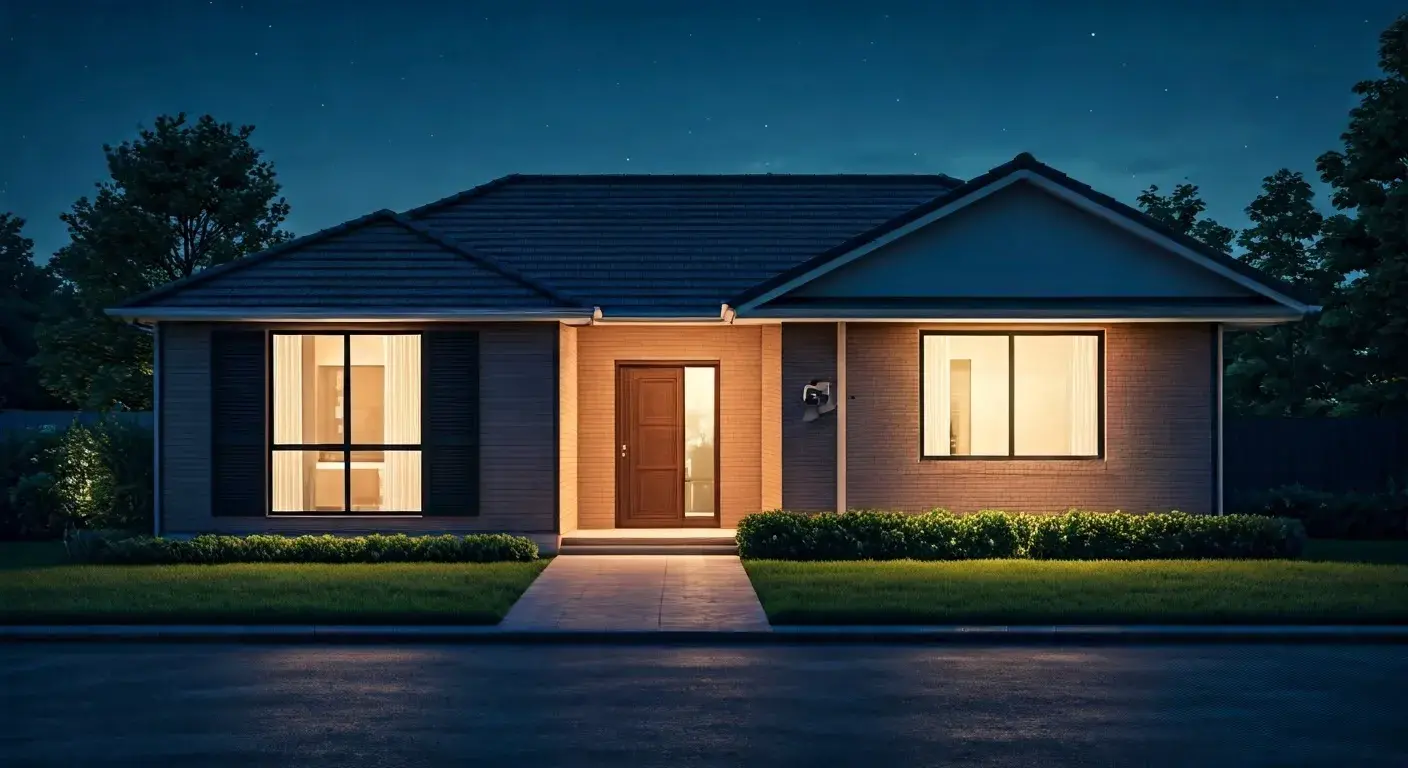
Choosing the best security system for your residential home involves balancing advanced technology, ease of use, and affordability. This guide explores key features, system types, and expert recommendations to help you secure your peace of mind in 2025-26, ensuring comprehensive protection against modern threats.
Understanding Home Security Systems
In today's world, the concept of a "home security system" has evolved significantly beyond simple alarms. Modern residential security systems are integrated networks of devices designed to detect, deter, and alert you and authorities to potential threats, ranging from intruders to environmental hazards like fires and carbon monoxide leaks. These systems aim to provide a multi-layered defense, offering peace of mind and protecting your most valuable asset: your home and family. As of 2025, the market offers a diverse range of solutions, from basic sensor kits to sophisticated smart home integrations, catering to every need and budget. Understanding the core components and functionalities is the first step in identifying the best security system for your residential home.
The Evolution of Home Protection
Historically, home security relied on physical barriers like strong doors and windows, and perhaps a dog. The advent of electronic alarms marked a significant shift, with early systems often requiring professional installation and dedicated phone lines for monitoring. The digital revolution and the rise of the internet brought about more advanced solutions. Today, wireless technology, smartphone integration, and artificial intelligence are standard features, allowing for remote control, real-time alerts, and even predictive capabilities. This continuous innovation means that what was considered cutting-edge a few years ago might be standard today, and new technologies are constantly emerging to enhance safety and convenience.
Core Objectives of a Security System
At its heart, any effective home security system strives to achieve three primary objectives:
- Deterrence: Visible signs of a security system, such as cameras and yard signs, can discourage potential intruders from targeting your home in the first place.
- Detection: Sensors and cameras are designed to identify unauthorized entry, movement, or environmental dangers.
- Notification: Upon detection, the system must promptly alert the homeowner, a monitoring service, and/or emergency services to facilitate a rapid response.
Beyond these core functions, modern systems often offer additional benefits like remote access, home automation integration, and data logging for review.
Types of Residential Security Systems
The landscape of home security systems can be broadly categorized into several main types, each with its own advantages and disadvantages. The "best" system often depends on your specific needs, property type, and comfort level with technology. Understanding these categories will help you narrow down your options.
Monitored vs. Unmonitored Systems
This is perhaps the most fundamental distinction.
- Monitored Systems: These systems are connected to a professional monitoring center. When an alarm is triggered, the center is alerted and can dispatch emergency services (police, fire department) on your behalf. This offers a higher level of security and peace of mind, especially when you're away from home. These typically involve a monthly fee.
- Unmonitored Systems: These systems alert you directly via your smartphone or a local siren. While they can deter intruders and notify you of an event, they do not automatically contact emergency services. You are responsible for contacting authorities. These systems often have no monthly fees, or significantly lower ones for app access.
Wired vs. Wireless Systems
The choice between wired and wireless systems impacts installation complexity, flexibility, and potential vulnerabilities.
- Wired Systems: Components are connected via physical wires. They are generally considered more reliable and less susceptible to jamming or interference. However, installation can be more invasive, requiring drilling through walls, and repositioning components later is difficult.
- Wireless Systems: Components communicate wirelessly using radio frequencies or Wi-Fi. Installation is significantly easier and faster, making them ideal for renters or those who prefer not to alter their home's structure. They offer greater flexibility for adding or moving sensors. However, they rely on battery power and can be susceptible to signal interference or jamming, though modern systems have robust encryption and anti-jamming technology.
Smart Home Integrated Systems
These are the most advanced systems, seamlessly integrating with other smart home devices like smart locks, thermostats, lights, and voice assistants (e.g., Alexa, Google Assistant). They offer extensive control and automation capabilities. For instance, you can arm your system with a voice command, have lights turn on when motion is detected, or unlock your door remotely for a guest. These systems provide convenience and enhanced functionality but can also be more complex and potentially more expensive.
DIY (Do-It-Yourself) vs. Professional Installation
This distinction often overlaps with wired/wireless and monitored/unmonitored categories.
- DIY Systems: Designed for easy self-installation. Components are typically wireless and come with straightforward instructions. This option offers cost savings on installation fees and greater flexibility.
- Professionally Installed Systems: Require a trained technician to set up and configure. This ensures optimal placement of sensors and devices, proper system calibration, and can be a good option for those less tech-savvy or for complex home layouts.
Key Features to Consider
When evaluating security systems, several key features are crucial for effective protection. Prioritizing these based on your home's specific vulnerabilities and your lifestyle will lead you to the best solution.
Sensors and Detectors
These are the eyes and ears of your security system.
- Door and Window Sensors: These magnetic contacts trigger an alarm when a door or window is opened. Essential for perimeter security.
- Motion Detectors: Use infrared or microwave technology to detect movement within a room. Pet-immune options are available to prevent false alarms from animals.
- Glass Break Detectors: Listen for the specific sound frequency of breaking glass, providing an early warning before an intruder enters.
- Environmental Sensors: Include smoke detectors, carbon monoxide (CO) detectors, and flood sensors. These are critical for detecting non-intrusion threats and are often integrated into the main security system for unified alerts.
Security Cameras
Cameras provide visual evidence and act as a strong deterrent.
- Indoor Cameras: Useful for monitoring activity inside your home, especially when you're away or have children and pets.
- Outdoor Cameras: Essential for monitoring entry points, driveways, and yards. Look for weather-resistant models with night vision and motion detection.
- Video Doorbells: Allow you to see and speak to visitors at your door from your smartphone, whether you're home or not.
- Resolution and Field of View: Higher resolution (1080p or 4K) provides clearer images. A wider field of view covers more area.
- Two-Way Audio: Allows you to communicate with people through the camera.
- Storage: Options include local storage (SD card) or cloud storage (subscription-based).
Control Panel and App
The central hub of your system.
- Touchscreen Interface: Modern systems often feature intuitive touchscreen control panels for easy arming, disarming, and system management.
- Smartphone App: A robust mobile app is crucial for remote control, receiving alerts, viewing camera feeds, and managing system settings from anywhere.
- Voice Control Integration: Compatibility with smart assistants like Amazon Alexa or Google Assistant for hands-free operation.
Sirens and Alarms
Audible alerts designed to scare off intruders and alert neighbors. The loudness (measured in decibels) and duration of the siren are important factors.
Backup Power and Connectivity
Ensuring your system remains operational during power outages or internet disruptions is vital.
- Battery Backup: Most systems have a backup battery for the control panel and key components.
- Cellular Backup: For monitored systems, cellular backup ensures that the monitoring center can still be contacted if your home internet goes down. This is a critical feature for reliable monitoring.
DIY vs. Professionally Installed Systems
The decision between installing a system yourself or hiring a professional is a significant one, impacting cost, time, and potential effectiveness. Both approaches have merits, and the "best" choice depends on your technical aptitude, budget, and desired level of involvement.
DIY Security Systems
DIY systems have surged in popularity due to their affordability, ease of installation, and flexibility. Companies like SimpliSafe, Ring Alarm, and Abode are leaders in this space.
- Pros:
- Cost Savings: Eliminates professional installation fees, which can range from $100 to $500+.
- Flexibility: Easy to move or expand the system, ideal for renters or frequent movers.
- Control: You have complete control over the installation process and placement of devices.
- Quick Setup: Most systems can be installed and operational within a few hours.
- Cons:
- Technical Aptitude Required: While designed to be simple, some users may still find setup challenging.
- Potential for Errors: Incorrect placement or configuration can lead to false alarms or missed events.
- No Professional Guidance: You don't have an expert advising on optimal system design for your specific home.
Professionally Installed Systems
Companies like ADT, Vivint, and Brinks offer systems that are installed and often monitored by their trained technicians.
- Pros:
- Expert Installation: Ensures optimal placement and configuration of all components for maximum effectiveness.
- Convenience: Saves you time and effort, especially for complex systems or larger homes.
- System Design: Professionals can assess your home's vulnerabilities and recommend the best system layout.
- Troubleshooting Support: Often includes ongoing technical support and maintenance.
- Cons:
- Higher Upfront Costs: Installation fees can be substantial.
- Less Flexibility: Harder to make changes or move components once installed.
- Contractual Obligations: Many professional services require long-term monitoring contracts.
Making the Decision
For individuals comfortable with technology and seeking cost-effectiveness, DIY systems are often the best route. If you prefer a hands-off approach, have a complex home layout, or want the assurance of expert setup, professional installation might be worth the investment. Many providers now offer hybrid models, where you purchase the equipment DIY but can opt for professional setup services.
Top Residential Security Systems for 2025-26
Selecting the "best" system is subjective, but based on current market offerings, user reviews, and feature sets for 2025-26, several providers consistently rank high. These systems offer a good balance of features, reliability, and value.
System A: The All-Rounder (e.g., SimpliSafe)
SimpliSafe is frequently lauded for its user-friendly interface, robust wireless technology, and flexible monitoring options. It's a strong contender for those seeking a reliable, easy-to-use system without long-term contracts.
- Key Strengths: Easy setup, no mandatory contracts, professional monitoring available, wide range of sensors, strong customer support.
- Potential Drawbacks: Limited smart home integration compared to some competitors, camera quality is good but not top-tier.
- Ideal For: Homeowners and renters looking for a dependable, flexible, and affordable security solution.
System B: The Smart Home Enthusiast's Choice (e.g., Vivint)
Vivint offers a premium, integrated smart home security experience. Their systems are professionally installed and come with advanced features and seamless integration with other smart devices, often managed through a sleek touchscreen panel.
- Key Strengths: Professional installation and support, extensive smart home integration, high-quality equipment, advanced features like professional monitoring and 24/7 customer service.
- Potential Drawbacks: Higher cost, requires a long-term contract, less flexibility for DIY adjustments.
- Ideal For: Those who want a fully integrated, high-tech smart home security system and are willing to invest in professional service and contracts.
System C: The Budget-Conscious & Connected (e.g., Ring Alarm Pro)
Ring, known for its video doorbells, offers a compelling DIY security system that integrates well with its camera ecosystem. The Ring Alarm Pro adds enhanced features like a built-in Eero Wi-Fi 6 router and local processing for cameras.
- Key Strengths: Affordable equipment, easy DIY setup, excellent integration with Ring cameras, robust mobile app, optional professional monitoring. The Pro version offers enhanced network capabilities.
- Potential Drawbacks: Relies heavily on Wi-Fi, limited advanced automation compared to some competitors.
- Ideal For: Existing Ring users, budget-conscious homeowners, and those who prioritize video surveillance alongside intrusion detection.
System D: The Established Professional (e.g., ADT)
ADT is one of the oldest and most recognized names in home security. They offer comprehensive, professionally installed and monitored systems with a strong reputation for reliability and customer service, though often at a higher price point and with longer contracts.
- Key Strengths: Extensive experience, 24/7 professional monitoring, wide range of equipment options, strong brand recognition and trust.
- Potential Drawbacks: Can be more expensive, typically requires long-term contracts, installation process can take longer.
- Ideal For: Homeowners who prioritize a well-established, reliable, and fully managed security service and are comfortable with contractual commitments.
Note: Specific product models and pricing can vary. Always check the latest offerings and read recent reviews before making a decision.
Factors Influencing Your Choice
Beyond the system types and brands, several personal and property-specific factors should guide your decision for the best residential security system.
Home Size and Layout
A small apartment will require a different setup than a large, multi-story house. For larger homes, consider the number of entry points, rooms, and potential blind spots. Wireless systems are generally more adaptable to complex layouts, but ensure strong signal strength throughout.
Occupancy and Lifestyle
Are you home most of the time, or do you travel frequently? Do you have children or pets? If you have pets, ensure motion sensors are pet-immune. If you're often away, robust remote monitoring and camera capabilities become paramount. For families, integrating environmental sensors like smoke and CO detectors is crucial.
Budget Considerations
Home security systems involve upfront equipment costs and potential ongoing fees for monitoring, app access, or cloud storage. Determine your budget for both initial purchase and monthly expenses. DIY systems often have lower upfront costs and optional, flexible monitoring fees, while professionally installed systems typically involve higher initial investment and mandatory contracts.
Technological Comfort Level
Are you comfortable troubleshooting minor technical issues, or do you prefer a system that "just works" with minimal intervention? If you're less tech-savvy, a professionally installed system with ongoing support might be a better fit. If you enjoy tinkering and customizing, a DIY system offers more control.
Smart Home Integration Needs
If you already have or plan to build a smart home ecosystem, choose a security system that integrates seamlessly with your existing devices and platforms (e.g., Alexa, Google Home, Apple HomeKit). This enhances convenience and automation.
Monitoring Preferences
Do you want the peace of mind that comes with 24/7 professional monitoring, or are you comfortable with self-monitoring and contacting authorities yourself? Professional monitoring offers an added layer of security, especially when you cannot respond immediately.
Rental vs. Ownership
Renters typically benefit from wireless, DIY systems that can be easily installed and removed without damaging property. Homeowners have more flexibility to opt for wired systems or more permanent installations.
Installation and Setup Guide
While professional installation is an option, many modern systems are designed for DIY setup. Here’s a general step-by-step guide for installing a typical wireless DIY security system.
Step 1: Plan Your System Layout
Before unboxing, walk through your home and identify key areas to protect.
- Entry Points: All exterior doors and accessible windows should have sensors.
- High-Traffic Areas: Place motion detectors in hallways or main living areas.
- Vulnerable Spots: Consider areas like basements or back porches.
- Camera Placement: Decide where indoor and outdoor cameras will provide the best coverage.
Step 2: Install the Base Station/Hub
This is the brain of your system.
- Choose a central location, ideally near your router if it uses Wi-Fi or Ethernet.
- Plug it into a power outlet.
- Follow the app or manual instructions to connect it to your home network (Wi-Fi or Ethernet).
Step 3: Install Sensors
Most wireless sensors use adhesive strips for mounting.
- Door/Window Sensors: Clean the surface of the door/window and frame. Mount the larger part of the sensor on the frame and the smaller magnet on the door/window, ensuring they are aligned and close together when closed.
- Motion Detectors: Mount them in corners of rooms, typically 6-8 feet high, angled to cover the most space. Avoid placing them facing heat sources or windows that get direct sunlight, which can cause false alarms.
- Glass Break Sensors: Mount them on a wall or ceiling within the recommended range of the windows they are meant to protect.
Step 4: Set Up Cameras and Doorbells
Follow the specific instructions for each device.
- Indoor Cameras: Place on shelves or mount to walls for optimal viewing angles.
- Outdoor Cameras: Mount securely, ensuring they are weather-resistant and positioned to cover desired areas without being easily tampered with.
- Video Doorbells: Typically replace existing doorbell buttons. Ensure you have a strong Wi-Fi signal at the door.
Step 5: Configure System Settings via the App
This is where you personalize your system.
- Name Devices: Assign clear names to each sensor (e.g., "Front Door," "Living Room Motion").
- Set Entry/Exit Delays: Determine how much time you have to disarm the system when entering or leave after arming.
- Customize Notifications: Choose how you want to be alerted (push notifications, emails, SMS).
- Link Monitoring Service: If opting for professional monitoring, follow the prompts to activate it.
- Test the System: Trigger each sensor to ensure it's working correctly and communicating with the base station.
Step 6: Test and Refine
Conduct a full system test by arming the system and then triggering various sensors. Ensure you receive alerts as expected. Adjust sensor placement or system settings if needed.
Monitoring Options Explained
The monitoring service is a critical component of a comprehensive security strategy. It dictates how your alarm is handled when triggered. Understanding the different types will help you choose the best option for your needs.
Professional Monitoring
This is the most comprehensive monitoring option.
- How it Works: When an alarm is triggered, the signal is sent to a 24/7 professional monitoring center. Trained operators verify the alarm (often by contacting you or using two-way audio if available) and then dispatch the appropriate emergency services (police, fire, medical).
- Pros: Provides the highest level of security, especially when you're away or unable to respond. Peace of mind knowing help is on the way.
- Cons: Typically involves a monthly fee, which can vary significantly. May require a contract.
- Key Features: 24/7 live agents, emergency dispatch, cellular backup for reliable communication.
Self-Monitoring
This option puts the responsibility of responding to alarms on you.
- How it Works: When an alarm is triggered, the system sends alerts directly to your smartphone or other designated contacts. You are then responsible for assessing the situation and contacting emergency services if necessary.
- Pros: No monthly fees or significantly lower fees for app access. You have direct control over when to call for help.
- Cons: Requires you to be available and responsive to alerts. If you miss an alert or are in a situation where you can't respond, there's no automatic dispatch of help.
- Key Features: Smartphone notifications, email/SMS alerts.
Video Monitoring
Some systems offer video verification as part of their monitoring.
- How it Works: When an alarm is triggered, the monitoring center can access live or recorded video footage from your security cameras to verify the threat before dispatching emergency services. This can help reduce false alarms.
- Pros: Faster and more accurate dispatch by providing visual evidence to authorities.
- Cons: Requires a robust camera system and often a higher-tier monitoring plan.
Cellular Backup
This is a crucial feature for monitored systems, regardless of whether it's professional or self-monitored.
- How it Works: If your home's internet connection is disrupted (e.g., power outage, ISP issue), the security system can use a cellular network to maintain its connection to the monitoring center or send alerts to your phone.
- Importance: Essential for ensuring your system remains operational and can communicate during critical events.
Budgeting for a Home Security System
The cost of a home security system can vary widely. A realistic budget involves considering both upfront expenses and ongoing fees.
Upfront Costs
This includes the purchase of the security system hardware.
- DIY Systems: Typically range from $200 to $600 for a basic starter kit. Expanding the system with additional sensors, cameras, or smart devices can add $50-$200 per item.
- Professionally Installed Systems: Can have higher upfront costs for equipment, sometimes bundled with installation fees that can range from $100 to $500+. Some providers may offer free or heavily discounted equipment if you sign a long-term contract.
Ongoing Monthly Fees
These are recurring costs for monitoring, cloud storage, and app features.
- Professional Monitoring: Generally ranges from $20 to $60 per month, depending on the provider and the services included.
- Self-Monitoring with App Access: Some DIY systems offer optional, low-cost monthly plans ($10-$20) for enhanced app features, cellular backup, or extended cloud video storage.
- Cloud Video Storage: If you have security cameras, cloud storage plans typically cost $5-$20 per month per camera or for a bundle of cameras.
- Smart Home Integrations: Some advanced smart home features or integrations might incur small additional fees.
Hidden Costs to Consider
- Contract Penalties: Breaking a long-term contract with a professional installer can incur significant fees.
- Battery Replacements: Wireless sensors require battery replacements every 1-3 years, which is usually a minor cost but should be factored in.
- Equipment Upgrades: Technology evolves, and you might want to upgrade components over time.
Getting the Best Value
Compare quotes from multiple providers. Read contract terms carefully. Consider if the features offered by a more expensive system justify the cost for your specific needs. For many, a DIY system with optional professional monitoring offers the best balance of cost and security.
Future Trends in Home Security
The home security industry is rapidly evolving, driven by advancements in AI, IoT, and connectivity. Here’s a glimpse into what the future holds for residential security systems in 2025-26 and beyond.
AI-Powered Analytics
Artificial intelligence is transforming how security systems detect and respond to threats.
- Smarter Detection: AI can differentiate between people, pets, vehicles, and even package deliveries, reducing false alarms and providing more context.
- Facial Recognition: Future systems may incorporate facial recognition to identify known individuals and alert homeowners to strangers.
- Predictive Analytics: AI could analyze patterns of activity to predict potential security breaches before they happen.
Enhanced Cybersecurity
As systems become more connected, cybersecurity is paramount.
- Robust Encryption: Stronger encryption protocols will protect data transmitted between devices and the cloud.
- Network Segmentation: Security systems will be better isolated from other home networks to prevent breaches.
- Regular Security Updates: Manufacturers will need to provide frequent and seamless software updates to patch vulnerabilities.
Seamless IoT Integration
The Internet of Things (IoT) will continue to drive deeper integration.
- Interoperability: Standards like Matter will allow security devices from different brands to work together more seamlessly.
- Advanced Automation: Security systems will trigger more complex automations, such as locking all doors, turning on lights, and closing blinds when an intrusion is detected.
- Energy Management: Integration with smart thermostats and lighting can optimize energy usage while maintaining security.
Drone and Robotic Integration
While still nascent for residential use, expect to see more exploration of drones or small robots for perimeter checks or rapid response in larger properties.
Biometric Authentication
Beyond PIN codes and apps, expect more use of fingerprint scanners or voice biometrics for disarming systems, offering a convenient and secure method of access.
Focus on Privacy
With increased data collection, there will be a growing emphasis on user privacy controls, transparent data usage policies, and secure data storage solutions.
These trends suggest that future home security systems will be more intelligent, integrated, and proactive, offering an unprecedented level of safety and convenience.
Conclusion
Determining the best security system for your residential home in 2025-26 is a nuanced decision that hinges on your unique circumstances, priorities, and budget. Whether you lean towards the flexibility and cost-effectiveness of a DIY system or the comprehensive assurance of professional installation and monitoring, the market offers robust solutions. Key considerations include the type of monitoring, the necessity of smart home integration, the ease of installation, and the specific features like camera quality and sensor variety. Prioritizing systems that offer reliable cellular backup and strong cybersecurity measures is paramount in today's connected world. By carefully evaluating your home's layout, your lifestyle, and your comfort with technology, you can select a system that not only deters threats but also provides invaluable peace of mind. Ultimately, the best security system is one that you understand, trust, and use effectively to safeguard your family and property.