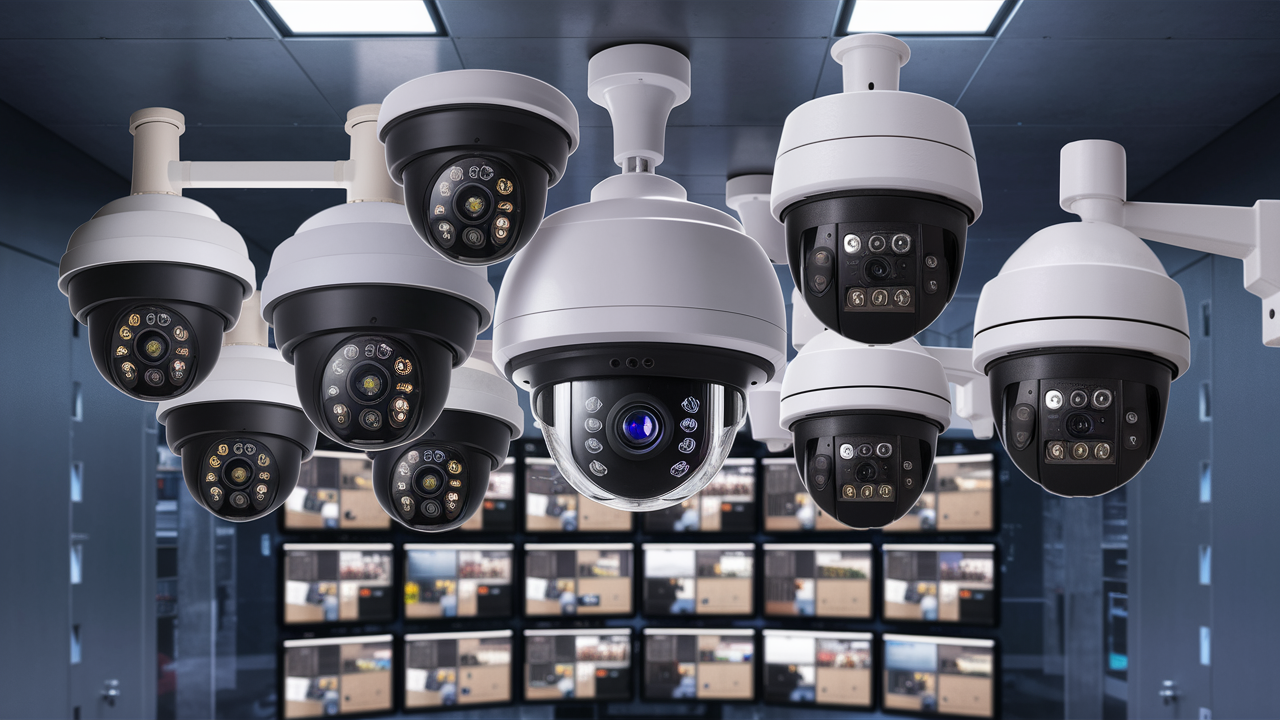
Discover the ultimate wireless surveillance cameras for your security needs. This guide dives deep into the features, benefits, and top-rated models of 2025-26, helping you make an informed decision for robust home or business protection without the hassle of extensive wiring.
Understanding Wireless Surveillance Cameras
In the ever-evolving landscape of home and business security, wireless surveillance cameras have emerged as a leading solution, offering unparalleled flexibility and ease of installation. Unlike their wired counterparts, which require extensive cabling for power and data transmission, wireless cameras leverage Wi-Fi or other wireless technologies to transmit footage. This significantly reduces installation complexity and opens up a world of placement options, from remote corners of your property to temporary setups. The core appeal lies in their ability to provide comprehensive monitoring without the aesthetic disruption or installation costs associated with running wires through walls and ceilings.
The market for wireless security cameras is booming, with global sales projected to reach over $8.5 billion by the end of 2025, indicating a strong consumer demand for these convenient and effective security solutions. This growth is fueled by advancements in battery technology, improved video quality, and the increasing integration of smart home ecosystems. Users are no longer compromising on performance for convenience; modern wireless cameras offer high-definition video, advanced motion detection, two-way audio, and seamless integration with smartphones and cloud storage. This comprehensive guide aims to demystify the options available and help you pinpoint the best wireless surveillance cameras to meet your specific security requirements in 2025-26.
Key Features to Consider for Your Wireless Cameras
Selecting the right wireless surveillance camera involves evaluating several critical features that directly impact its effectiveness and suitability for your needs. Beyond the basic ability to transmit video wirelessly, a multitude of functionalities can enhance your security posture. Understanding these features will empower you to make an informed decision, ensuring you invest in a system that provides reliable monitoring and peace of mind.
Video Quality and Resolution
The clarity of the video feed is paramount. Look for cameras offering at least 1080p Full HD resolution. Higher resolutions like 2K (1440p) or 4K (2160p) provide even sharper details, which can be crucial for identifying faces or license plates. Consider the frame rate (FPS); a higher FPS (e.g., 30 FPS) results in smoother video playback, especially for capturing fast-moving objects.
Night Vision Capabilities
Effective surveillance extends beyond daylight hours. Infrared (IR) night vision is standard, allowing cameras to see in complete darkness. Check the IR range (typically measured in feet or meters) to ensure it covers the area you need to monitor. Some advanced models feature color night vision, which uses ambient light to produce color images in low-light conditions, offering better detail and recognition.
Motion Detection and Alerts
Intelligent motion detection is a cornerstone of modern security cameras. Look for cameras with customizable motion zones, allowing you to define specific areas within the camera's view to trigger alerts. Advanced features include person detection, vehicle detection, and even package detection, which significantly reduce false alarms caused by pets or passing shadows. Instant mobile alerts are essential for timely response.
Audio Capabilities
Two-way audio allows you to communicate through the camera, enabling you to speak to visitors, deter intruders, or communicate with family members. A built-in microphone and speaker are necessary for this feature. Some systems also offer sound detection, which can trigger alerts for loud noises like breaking glass.
Storage Options
Video footage needs to be stored. Common options include local storage via microSD cards (convenient for individual cameras but limited capacity) and cloud storage. Cloud storage offers the advantage of off-site backup, accessibility from anywhere, and often advanced analytics, but usually requires a subscription fee. Some systems offer a Network Video Recorder (NVR) or Digital Video Recorder (DVR) for centralized local storage, though this is more common with wired systems.
Power Source and Battery Life
Wireless cameras can be powered by rechargeable batteries, solar panels, or plugged into a power outlet. Battery-powered cameras offer the most placement flexibility but require periodic recharging or replacement. Solar-powered options can extend battery life significantly, while plug-in cameras offer continuous power but limit placement to areas near an outlet. Battery life varies greatly, so check manufacturer specifications and user reviews for realistic performance.
Field of View (FOV)
The FOV determines how much of an area the camera can capture. A wider FOV (e.g., 130-180 degrees) covers more ground, reducing the number of cameras needed. However, ultra-wide-angle lenses can sometimes distort images at the edges.
Durability and Weather Resistance
If the camera will be used outdoors, it must have a suitable IP rating (e.g., IP65, IP66, IP67) to protect it from dust, water, and extreme temperatures. Indoor cameras typically do not require such ratings.
Connectivity and App Experience
Reliable Wi-Fi connectivity is crucial. Ensure the camera supports your network's frequency (2.4GHz or 5GHz) and has a strong signal strength at its intended location. The accompanying mobile app should be intuitive, user-friendly, and offer robust control over camera settings, live viewing, and recorded footage.
Types of Wireless Surveillance Cameras
The category of wireless surveillance cameras is broad, encompassing various designs and functionalities tailored to different surveillance needs. Understanding these distinct types will help you narrow down your choices and select a camera that best fits its intended purpose and environment. From discreet indoor monitoring to robust outdoor protection, there's a wireless camera for almost every scenario.
Indoor Cameras
Designed for monitoring inside homes or offices, indoor wireless cameras are typically compact and unobtrusive. They often feature pan-and-tilt capabilities, allowing remote adjustment of the camera's angle to cover a wider area. Many include features like two-way audio for communication and advanced motion detection to alert you to activity within the home. They are ideal for keeping an eye on pets, children, or as a deterrent against potential intruders when you're away.
Outdoor Cameras
Built to withstand the elements, outdoor wireless cameras are weather-resistant and often feature enhanced night vision capabilities. They are crucial for perimeter security, monitoring entry points, driveways, and yards. Look for robust construction, wide-angle lenses, and strong Wi-Fi connectivity to ensure reliable performance in various weather conditions. Solar-powered options are increasingly popular for outdoor use, offering continuous operation without frequent battery changes.
Doorbell Cameras
Wireless doorbell cameras replace your existing doorbell and integrate a camera, microphone, and speaker. They provide a visual and auditory connection to visitors at your front door, allowing you to see, hear, and speak to them remotely via your smartphone. Many offer motion detection to alert you to anyone approaching your door, even if they don't ring the bell. This type is excellent for package theft deterrence and general front-door security.
Wire-Free (Battery-Powered) Cameras
These are the most flexible wireless cameras, relying entirely on batteries for power and Wi-Fi for connectivity. This means no power cables are needed at all, offering ultimate freedom in placement. They are perfect for renters or situations where running power is difficult. However, battery life is a key consideration, and users must be prepared for periodic recharging or battery replacement. Advances in battery technology and solar charging accessories are making these increasingly practical.
Wi-Fi Connected Cameras (Plug-In)
While still wireless in terms of data transmission, these cameras require a power outlet. This eliminates the need for battery management, ensuring continuous operation. They are a good option for areas where power is readily available, such as living rooms, kitchens, or covered patios. They offer a balance between the flexibility of wireless data and the reliability of constant power.
Pan-and-Tilt (PT) Cameras
These cameras can be remotely controlled to move horizontally (pan) and vertically (tilt). This allows you to cover a much larger area with a single camera, panning across a room or tilting to follow a subject. PT cameras are excellent for monitoring large open spaces or areas with dynamic activity.
AI-Enabled Cameras
Leveraging artificial intelligence, these cameras go beyond basic motion detection. They can differentiate between people, animals, vehicles, and even specific events like package deliveries or facial recognition. This significantly reduces false alerts and provides more relevant notifications, enhancing the intelligence of your surveillance system.
Top Wireless Surveillance Camera Models for 2025-26
The market for wireless surveillance cameras is dynamic, with new models and improved features emerging constantly. Based on current trends, expert reviews, and user feedback for the 2025-26 period, here are some of the top contenders that offer a compelling blend of performance, features, and value. These selections represent a range of price points and functionalities to suit diverse security needs.
1. Arlo Ultra 3 Spotlight Camera
Key Features: 4K HDR video, 180-degree FOV, color night vision, integrated spotlight, two-way audio, weather-resistant, wire-free (rechargeable battery), cloud storage (subscription required). Why it's a Top Pick: Arlo continues to impress with its premium offerings. The Ultra 3 provides exceptional video clarity in both day and night conditions, enhanced by its powerful spotlight. Its wide field of view captures more detail, and the wire-free design offers great flexibility. The Arlo ecosystem is robust, though cloud storage fees can add up.
2. Google Nest Cam (Battery)
Key Features: 1080p HDR video, 130-degree FOV, battery-powered, magnetic mount, intelligent alerts (person, animal, vehicle detection), two-way audio, weather-resistant, cloud storage (some features free, advanced require subscription). Why it's a Top Pick: The Nest Cam excels in its intelligent detection capabilities and seamless integration with the Google Home ecosystem. Its battery-powered design makes installation simple, and the companion app is user-friendly. The magnetic mount adds to its versatility. While 1080p is standard, its AI features are top-notch for reducing false alarms.
3. Ring Stick Up Cam Battery
Key Features: 1080p HD video, 130-degree FOV, motion detection, two-way audio, rechargeable battery, weather-resistant, integrates with Ring Alarm system. Why it's a Top Pick: For those invested in the Ring ecosystem, the Stick Up Cam Battery offers a straightforward and affordable way to expand their security coverage. It provides reliable HD video and two-way communication. Its primary strength lies in its integration with other Ring devichome securitya cohesive smart home security network. It’s a solid choice for general indoor/outdoor monitoring.
4. Eufy Security SoloCam S40
Key Features: 2K resolution, integrated solar panel for continuous charging, built-in spotlight, AI human detection, 130-degree FOV, local storage (8GB), no monthly fees. Why it's a Top Pick: The SoloCam S40 stands out for its solar charging capability, offering a truly set-and-forget experience for outdoor surveillance. The 2K resolution provides sharper images than many competitors in its price range. Crucially, it offers local storage, eliminating recurring cloud subscription costs, making it a cost-effective long-term solution for many users.
5. Wyze Cam v3 Pro
Key Features: 2K resolution, color night vision, spotlight, AI person detection, 130-degree FOV, local storage (microSD card), cloud storage available, budget-friendly. Why it's a Top Pick: Wyze continues to disrupt the market with incredibly affordable yet feature-rich cameras. The v3 Pro offers 2K resolution and color night vision at a price point that's hard to beat. Its AI person detection is a significant upgrade, and the option for local storage keeps costs down. It's an excellent choice for budget-conscious users who still want advanced features.
Comparison Table: Top Wireless Surveillance Cameras 2025-26
| Feature | Arlo Ultra 3 Spotlight | Google Nest Cam (Battery) | Ring Stick Up Cam Battery | Eufy Security SoloCam S40 | Wyze Cam v3 Pro |
|---|---|---|---|---|---|
| Resolution | 4K HDR | 1080p HDR | 1080p HD | 2K | 2K |
| Field of View | 180° | 130° | 130° | 130° | 130° |
| Night Vision | Color + IR | Color + IR | IR | Color + IR + Spotlight | Color + IR + Spotlight |
| Power | Rechargeable Battery | Rechargeable Battery | Rechargeable Battery | Solar + Rechargeable Battery | Rechargeable Battery |
| Storage | Cloud (Subscription) | Cloud (Subscription) | Cloud (Subscription) | Local (8GB) | Local (microSD) / Cloud |
| AI Features | Person, Package, Animal | Person, Animal, Vehicle | Basic Motion | Human Detection | Person Detection |
| Price Point | Premium | Mid-Range | Budget-Friendly | Mid-Range | Budget-Friendly |
Installation and Setup: A Step-by-Step Guide
Setting up wireless surveillance cameras is designed to be user-friendly, even for those with limited technical experience. The process generally involves connecting the camera to your Wi-Fi network and configuring it through a mobile app. While specific steps may vary slightly between brands, the following guide covers the general procedure to get your wireless security cameras up and running smoothly.
Step 1: Unboxing and Initial Charging
Carefully unbox your new wireless camera(s) and all included accessories. If your camera is battery-powered, connect it to its charger and ensure the battery is fully charged before proceeding. This might take a few hours, so it's best to do this while you prepare other aspects of the setup.
Step 2: Download the Manufacturer's App
Locate the name of the manufacturer's mobile application on the camera's packaging or in the user manual. Download and install this app from your smartphone's app store (e.g., Apple App Store or Google Play Store). Create an account or log in if you already have one.
Step 3: Power On and Connect to Wi-Fi
Once the battery is charged (or if it's a plug-in model), power on the camera. The app will typically guide you through the Wi-Fi connection process. This usually involves:
- Putting the camera into pairing mode (often by pressing a button or it automatically enters this mode on startup).
- Using the app to scan for the camera's temporary Wi-Fi network or by scanning a QR code displayed on your phone with the camera.
- Selecting your home Wi-Fi network (SSID) and entering your Wi-Fi password within the app.
Ensure your smartphone is connected to the same Wi-Fi network you intend to use for the camera during this setup phase.
Step 4: Camera Placement
Choose the optimal location for your camera. Consider the following:
- Field of View: Ensure the camera's angle covers the desired area.
- Wi-Fi Signal Strength: Test the Wi-Fi signal at the intended location. You might need a Wi-Fi extender if the signal is weak.
- Power Source: For battery-powered cameras, consider how often you'll need to recharge or if solar charging is an option. For plug-in cameras, ensure proximity to an outlet.
- Mounting: Use the provided mounting hardware to secure the camera. For outdoor cameras, ensure they are mounted at a height that deters tampering but still provides a clear view.
Step 5: Finalizing Setup in the App
After the camera is connected to your Wi-Fi, the app will typically prompt you to:
- Name your camera (e.g., "Front Door," "Backyard").
- Configure motion detection settings, including sensitivity and detection zones.
- Set up notification preferences.
- Choose your preferred storage method (local microSD or cloud subscription).
- Test the live view and two-way audio features.
Step 6: Testing and Adjustments
Walk through the camera's field of view to test motion detection and ensure you receive alerts. Review the recorded footage to check video quality and audio clarity. Make any necessary adjustments to camera placement, motion settings, or detection zones based on your testing. For outdoor cameras, ensure they are securely mounted and protected from direct harsh weather if possible.
Tip: If you encounter issues, consult the manufacturer's troubleshooting guide or customer support. Sometimes, simply restarting your router or camera can resolve connectivity problems.
Advanced Features and Considerations
Beyond the core functionalities, several advanced features and considerations can significantly enhance the performance, utility, and long-term value of your wireless surveillance camera system. Understanding these elements can help you future-proof your security setup and tailor it precisely to your lifestyle and property needs.
AI-Powered Analytics
The integration of Artificial Intelligence (AI) is revolutionizing surveillance. AI-powered analytics allow cameras to do more than just detect motion; they can differentiate between people, animals, vehicles, and even recognize specific faces. This drastically reduces nuisance alerts from swaying trees or passing cars. Features like package detection are invaluable for home deliveries, and facial recognition can alert you to known individuals versus strangers. The accuracy and sophistication of these AI features vary by brand and often depend on cloud processing, which may incur subscription fees.
Smart Home Integration
For users with existing smart home ecosystems, seamless integration is a key consideration. Wireless cameras that work with platforms like Amazon Alexa, Google Assistant, or Apple HomeKit offer enhanced convenience. This allows for voice control (e.g., "Show me the front door camera"), integration into routines (e.g., arming cameras when you leave home), and display of camera feeds on smart displays. Ensure compatibility before purchasing if this is a priority.
Powering Solutions: Beyond Batteries
While battery-powered cameras offer ultimate flexibility, managing battery life can be a chore. Consider advanced powering solutions:
- Solar Panels: Many outdoor wireless cameras are compatible with optional solar panels. These continuously trickle-charge the battery, significantly extending its life and reducing the need for manual charging, especially in sunny climates.
- Continuous Power Adapters: For some wire-free cameras, manufacturers offer optional power adapters that allow them to run off a mains power source, essentially turning them into plug-in cameras without the need for running long cables.
Enhanced Connectivity and Range
The reliability of your Wi-Fi connection is critical for wireless cameras. If your router is far from the camera's intended location, consider:
- Wi-Fi Extenders/Mesh Systems: These devices boost your Wi-Fi signal strength throughout your property, ensuring a stable connection for your cameras.
- Cameras with Dual-Band Support: Some cameras support both 2.4GHz and 5GHz Wi-Fi bands. The 2.4GHz band offers better range and penetration through walls, while 5GHz provides faster speeds, which can be beneficial for higher-resolution streaming.
Advanced Audio Features
Beyond basic two-way audio, some cameras offer:
- Noise Cancellation: Improves the clarity of audio picked up by the microphone and transmitted through the speaker.
- Siren Functionality: Many cameras include a built-in siren that can be remotely activated to deter intruders.
- Customizable Audio Alerts: Some systems allow you to set up specific audio cues for different types of events.
Security and Encryption
When transmitting video footage wirelessly, data security is paramount. Look for cameras that employ end-to-end encryption to protect your video streams from unauthorized access. Reputable manufacturers will clearly outline their security protocols. Regularly updating your camera's firmware is also crucial for patching any security vulnerabilities.
Scalability of the System
Consider whether you might want to expand your surveillance system in the future. If you plan to add more cameras, check if the chosen brand offers a wide range of compatible models and if its app or hub can support multiple cameras efficiently. Some systems are designed for single-camera use, while others are built for multi-camera installations.
Professional Monitoring Options
While most wireless cameras rely on self-monitoring via mobile alerts, some systems offer optional professional monitoring services. This means a third-party service will monitor your camera feeds and dispatch authorities in case of an alert. This adds an extra layer of security but typically involves a monthly fee.
Legal and Privacy Aspects of Surveillance
The deployment of surveillance cameras, even wireless ones, comes with legal and privacy considerations that are crucial to understand and adhere to. While enhancing security, these systems can also infringe on the privacy of individuals if not used responsibly and within legal boundaries. Staying informed about these aspects is as important as choosing the right hardware.
Recording Audio
In many jurisdictions, recording audio without the consent of all parties involved is illegal. This is particularly relevant for two-way audio features. Be aware of the laws in your specific location regarding audio recording. Some cameras allow you to disable audio recording independently of video recording, which can be a useful safeguard.
Privacy of Neighbors
Outdoor surveillance cameras should be positioned to primarily monitor your own property. Pointing cameras directly into a neighbor's private spaces, such as their windows, yards, or balconies, can be a violation of their privacy and may lead to legal disputes or complaints. Always aim for a clear view of your property's entry points and perimeter without encroaching on your neighbors' private lives.
Public Areas
Surveillance in public areas is subject to stricter regulations. While monitoring your front sidewalk or driveway is generally acceptable, extended coverage of public streets or sidewalks may be restricted depending on local ordinances. It's advisable to keep camera angles focused on your private property as much as possible.
Data Security and Storage
When using cloud storage, ensure the provider has robust security measures in place to protect your data. Understand their privacy policy regarding how your footage is stored, accessed, and used. For local storage, secure your microSD cards or NVR/DVR physically to prevent unauthorized access to recorded data.
Disclosure of Surveillance
In some commercial settings or for larger residential complexes, it may be legally required or advisable to inform individuals that they are being monitored. Posting clear signage indicating the presence of surveillance cameras can help manage expectations and potentially deter unwanted activity. While not always legally mandated for private homes, it can be a good practice for transparency.
Employee Monitoring
If you are using cameras for business purposes to monitor employees, specific labor laws and privacy regulations apply. These often require clear policies, employee consent, and limitations on what can be monitored (e.g., avoiding monitoring in private areas like restrooms). Consult with legal counsel if deploying cameras in a workplace.
Child Privacy
When using cameras inside the home, particularly for monitoring children, be mindful of their privacy rights as they grow older. Ensure that monitoring is conducted in a manner that respects their developing autonomy and privacy, especially in personal spaces.
Recommendation: It is always best to consult with a legal professional or review your local laws and regulations regarding surveillance and privacy to ensure full compliance. Ignorance of the law is not a defense.
Conclusion: Making the Best Choice for Your Security
Choosing the best wireless surveillance camera in 2025-26 hinges on a careful assessment of your unique security needs, property layout, and budget. We've explored the critical features to consider, from video resolution and night vision to advanced AI analytics and storage options. Whether you prioritize ultimate flexibility with wire-free, battery-powered models or the convenience of continuous power, the market offers robust solutions.
For top-tier image quality and expansive coverage, the Arlo Ultra 3 remains a premium choice. For seamless smart home integration and intelligent detection, the Google Nest Cam (Battery) excels. If cost-effectiveness without sacrificing essential features is key, the Wyze Cam v3 Pro and Eufy SoloCam S40 (with its solar advantage) present compelling arguments. Remember to factor in potential subscription costs for cloud storage and to always consider the legal and privacy implications of your surveillance setup.
By prioritizing features like reliable motion detection, clear night vision, and a user-friendly app experience, you can significantly enhance your property's security. Take the time to evaluate your specific requirements, compare the leading models discussed, and make an informed decision that provides you with the peace of mind you deserve. Your ideal wireless surveillance camera awaits, ready to offer vigilant protection for your home or business.