
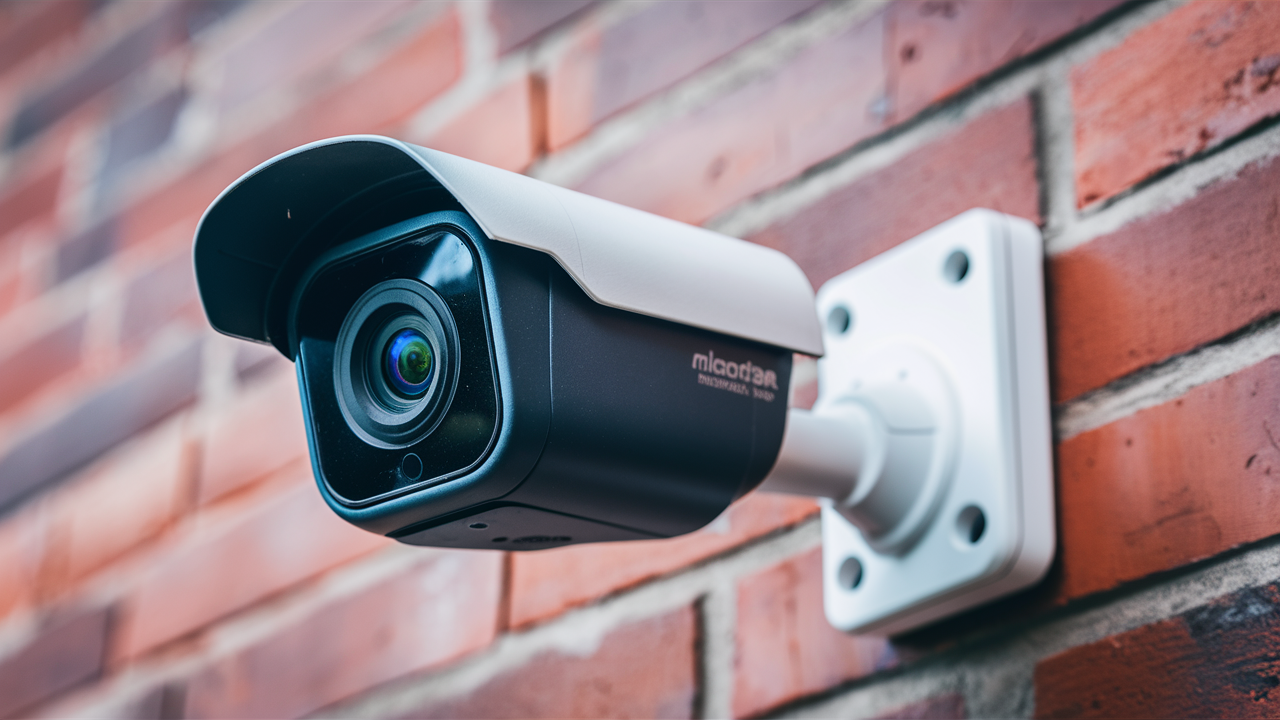
Choosing the best wireless outdoor security camera in 2025-26 involves navigating a landscape of advanced features, battery life considerations, and robust connectivity. This guide cuts through the noise to help you find a reliable, high-performance solution for safeguarding your property, ensuring peace of mind without the hassle of complex wiring.
Understanding Wireless Outdoor Security Cameras
Wireless outdoor security cameras have revolutionized home and business security. Unlike their wired counterparts, these devices offer unparalleled flexibility in placement, eliminating the need for drilling through walls or running lengthy cables. They connect to your home network via Wi-Fi, transmitting video feeds and alerts directly to your smartphone, tablet, or computer. This convenience makes them an attractive option for renters, homeowners who prefer a cleaner aesthetic, or those with challenging property layouts.
The term "wireless" in this context primarily refers to the data transmission. Most wireless cameras still require a power source. This can be a rechargeable battery, a solar panel, or a connection to an outdoor power outlet. Battery-powered models offer the ultimate in placement freedom but require periodic recharging or battery replacement. Solar-powered options extend battery life significantly, making them a sustainable choice for sunny locations. Cameras that plug into an outlet offer continuous power but limit placement to areas near an accessible socket.
In 2025-26, the market is flooded with options, each touting unique selling points. Understanding the core technology and your specific needs is the first step towards identifying the best wireless outdoor security camera for your situation. We'll delve into the critical features that differentiate these devices, helping you make an informed choice.
Key Features to Consider for Your Wireless Outdoor Camera
Selecting the right wireless outdoor security camera involves evaluating several key features. These elements directly impact the camera's effectiveness, reliability, and your overall user experience. Here’s a breakdown of what to look for:
1. Video Quality and Resolution
High-definition video is non-negotiable for effective surveillance. Look for cameras offering at least 1080p (Full HD) resolution. However, in 2025-26, many advanced models now offer 2K or even 4K resolution, providing incredibly sharp and detailed footage. This enhanced clarity is crucial for identifying faces, license plates, or other distinguishing features in the event of an incident. Consider cameras with a wide field of view (FOV) to cover more ground with a single device. A FOV of 130-150 degrees is generally considered good, while wider angles (160 degrees and above) can offer more comprehensive coverage.
2. Night Vision Capabilities
Outdoor security is a 24/7 operation. Effective night vision is paramount. Most cameras use infrared (IR) LEDs to illuminate the scene in darkness, producing black and white footage. The range of the IR LEDs is an important specification to check – a longer range means the camera can see further in the dark. Some premium cameras also offer color night vision, which uses ambient light or specialized sensors to produce color images even in low-light conditions. This can be invaluable for distinguishing details that might be lost in monochrome.
3. Motion Detection and Alerts
Intelligent motion detection is a hallmark of modern security cameras. Basic motion detection triggers an alert whenever any movement is detected, which can lead to frequent false alarms from passing cars, swaying branches, or pets. More advanced cameras utilize AI-powered person detection, distinguishing between people, vehicles, animals, and other motion. This significantly reduces nuisance alerts, allowing you to focus on genuine security events. Look for adjustable motion zones, which let you define specific areas within the camera's view to monitor for activity.
4. Power Source and Battery Life
As mentioned, "wireless" doesn't always mean "battery-powered." Carefully consider how the camera will be powered:
- Battery-Powered: Offers maximum placement flexibility. Battery life varies greatly, from a few weeks to several months on a single charge, depending on usage, settings, and environmental conditions. Rechargeable batteries are standard, but some models use disposable ones.
- Solar-Powered: A sustainable option that extends battery life by using a connected solar panel. Performance depends on sunlight availability. Many solar-powered cameras still have a backup battery.
- Wired (Plug-in): Requires a nearby power outlet. This provides continuous power, eliminating battery concerns, but limits placement options.
For battery-powered models, check the manufacturer's estimated battery life and the ease of battery replacement or recharging. Removable batteries can be swapped out for charged ones, minimizing downtime.
5. Connectivity and Wi-Fi Range
A stable Wi-Fi connection is critical for reliable performance. Ensure the camera supports the latest Wi-Fi standards (e.g., Wi-Fi 5 or Wi-Fi 6) for better speed and range. Consider the distance between your Wi-Fi router and the camera's intended location. If the distance is significant or there are many obstructions, you might need a camera with a stronger antenna or consider a Wi-Fi extender or mesh network system. Some cameras also offer dual-band Wi-Fi (2.4GHz and 5GHz), which can improve performance.
6. Storage Options (Cloud vs. Local)
Video footage needs to be stored somewhere. You'll typically have two options:
- Cloud Storage: Footage is uploaded to the manufacturer's servers. This is convenient and accessible from anywhere, but often requires a monthly subscription fee. Subscription costs can vary based on storage duration and the number of cameras.
- Local Storage: Footage is stored on an SD card inserted into the camera or on a local base station. This avoids subscription fees but may offer less convenience for remote access and can be vulnerable if the camera or storage device is stolen.
Many modern cameras offer both options, giving you flexibility. Check the subscription costs and features included in cloud plans carefully.
7. Durability and Weather Resistance
Outdoor cameras must withstand the elements. Look for an IP rating, such as IP65, IP66, or IP67. These ratings indicate the camera's protection against dust and water ingress. An IP65 rating means it's protected against dust and low-pressure water jets, while IP67 offers protection against immersion in water up to 1 meter for 30 minutes. Consider the operating temperature range to ensure it functions reliably in your local climate.
8. Two-Way Audio
The ability to communicate through the camera is a valuable feature. Two-way audio allows you to speak to visitors (or deter intruders) through the camera's built-in speaker and microphone, using your smartphone app. This is useful for greeting delivery personnel, talking to family members, or warning off potential trespassers.
9. Smart Home Integration
If you have a smart home ecosystem (e.g., Amazon Alexa, Google Assistant), check if the camera integrates with it. This allows for voice control, such as asking your smart display to show the camera feed, or incorporating camera alerts into smart home routines.
10. Ease of Use and App Interface
The accompanying mobile app is your primary interface with the camera. It should be intuitive, easy to navigate, and provide quick access to live feeds, recorded footage, settings, and alerts. A clunky or confusing app can detract significantly from the user experience.
Top Wireless Outdoor Camera Picks for 2025-26
The market for wireless outdoor security cameras is dynamic, with new models and technologies emerging constantly. Based on performance, features, and user reviews from late 2024 and projections for 2025-26, here are some of the top contenders, categorized by their strengths. Remember that the "best" camera is subjective and depends on your individual needs and budget.
1. Best Overall: Arlo Pro 5 Spotlight
Arlo continues to be a leader in the wireless security camera space. The Arlo Pro 5 Spotlight offers a compelling combination of 2K HDR video quality, a wide 160-degree field of view, and advanced AI-powered detection. Its integrated spotlight provides color night vision and can deter intruders. Battery life is impressive, often lasting several months on a single charge, and it supports both cloud storage (with subscription) and local storage via an Arlo Smart Hub.
Key Features: 2K HDR video, 160° FOV, color night vision, integrated spotlight, AI detection (person, vehicle, animal), two-way audio, IP65 rating, 6-month battery life (estimated), Arlo Secure cloud subscription required for full features.
2. Best Value: Ring Spotlight Cam Plus (Battery)
Ring, owned by Amazon, offers a strong balance of features and affordability. The Ring Spotlight Cam Plus (Battery) delivers sharp 1080p HD video, a wide-angle lens, and an integrated spotlight and siren. Its motion detection is robust, with customizable zones and integration with the Ring ecosystem. Battery life is decent, typically lasting several months, and it offers optional Ring Protect plans for cloud storage. Its integration with Alexa is seamless.
Key Features: 1080p HD video, 140° FOV, integrated spotlight and siren, motion detection, two-way audio, IP65 rating, Ring Protect subscription for cloud storage, Alexa integration.
3. Best Battery Life: EufyCam 3
For those prioritizing extended battery life and no subscription fees for local storage, the EufyCam 3 is an excellent choice. It features 4K resolution, a 130-degree FOV, and a built-in solar panel that can continuously charge the battery, meaning you may rarely, if ever, need to manually recharge. It stores footage locally on the HomeBase 3, which also acts as a hub for other Eufy devices and offers advanced AI detection capabilities. The video quality is exceptional, and the absence of mandatory subscription fees is a major plus.
Key Features: 4K resolution, 130° FOV, integrated solar panel, local storage (HomeBase 3), AI person detection, no subscription fees for local storage, two-way audio, IP67 rating.
4. Best for Extreme Durability: Reolink Argus 3 Pro
Reolink is known for offering robust features at competitive prices. The Argus 3 Pro boasts 2K resolution, a 120-degree FOV, and a dual-band Wi-Fi connection for improved stability. It includes a color night vision spotlight and a siren. What sets it apart is its excellent durability and weather resistance (IP65), making it suitable for harsh environments. Battery life is good, and it supports local SD card storage or Reolink's cloud service. Its AI detection is also quite effective.
Key Features: 2K resolution, 120° FOV, color night vision spotlight, siren, dual-band Wi-Fi, IP65 rating, local SD card storage or cloud, AI detection.
5. Best Budget Option: Wyze Cam Outdoor v2
Wyze consistently delivers impressive value. The Wyze Cam Outdoor v2 offers 1080p HD video, a 130-degree FOV, and decent night vision. It's battery-powered, with a quoted battery life of up to 6 months, though real-world usage may vary. It supports local SD card storage, and while it offers an optional cloud subscription, it's not required for basic functionality. Its motion detection is basic but functional, and the app is user-friendly. It’s an excellent choice for those on a tighter budget who need basic outdoor surveillance.
Key Features: 1080p HD video, 130° FOV, battery-powered, local SD card storage, optional cloud subscription, IP65 rating, basic motion detection.
Comparison Table: Top Wireless Outdoor Cameras (2025-26)
| Feature | Arlo Pro 5 Spotlight | Ring Spotlight Cam Plus (Battery) | EufyCam 3 | Reolink Argus 3 Pro | Wyze Cam Outdoor v2 |
|---|---|---|---|---|---|
| Resolution | 2K HDR | 1080p HD | 4K | 2K | 1080p HD |
| Field of View | 160° | 140° | 130° | 120° | 130° |
| Power Source | Rechargeable Battery | Rechargeable Battery | Solar-Powered (Rechargeable Battery) | Rechargeable Battery | Rechargeable Battery |
| Storage | Cloud (Subscription) / Local (Hub) | Cloud (Subscription) | Local (HomeBase 3) | Local (SD Card) / Cloud | Local (SD Card) / Cloud (Optional) |
| Night Vision | Color (Spotlight) | Color (Spotlight) | Color (Spotlight) | Color (Spotlight) | Infrared |
| AI Detection | Yes (Person, Vehicle, Animal) | Yes (Person) | Yes (Person, Vehicle, Animal) | Yes (Person) | Basic Motion |
| Weather Resistance | IP65 | IP65 | IP67 | IP65 | IP65 |
Installation and Setup: A Step-by-Step Guide
Setting up a wireless outdoor security camera is generally straightforward, but following these steps will ensure a smooth process:
Step 1: Choose the Right Location
Consider what you want to monitor. Common areas include entryways, driveways, backyards, and garages. Ensure the location provides a clear view of the area and is within range of your Wi-Fi network. For battery-powered cameras, think about accessibility for eventual recharging or battery replacement. For solar-powered cameras, ensure the panel will receive ample sunlight throughout the day.
Step 2: Charge the Battery (if applicable)
If your camera is battery-powered, fully charge the battery before installation. This might involve connecting it to a USB charger or placing it in a charging dock. For solar-powered cameras, ensure the solar panel is connected and positioned correctly.
Step 3: Download the App and Create an Account
Most wireless cameras require a dedicated mobile app for setup and management. Download the app from your device's app store (iOS App Store or Google Play Store) and follow the on-screen instructions to create an account. This account will be used to access your camera feed and settings.
Step 4: Connect the Camera to Wi-Fi
This is typically done through the mobile app. The app will guide you through the process, which usually involves:
- Putting the camera into pairing mode (often by pressing a button).
- Connecting your smartphone to a temporary Wi-Fi network broadcast by the camera.
- Selecting your home Wi-Fi network from a list and entering your Wi-Fi password.
- The camera then disconnects from the temporary network and connects to your home Wi-Fi.
Ensure you have your Wi-Fi password ready. If you have a dual-band router, it's often recommended to connect to the 2.4GHz band for better range, though some cameras support 5GHz for faster speeds.
Step 5: Mount the Camera
Most wireless cameras come with a mounting bracket. Follow the manufacturer's instructions for mounting. This usually involves attaching the bracket to a wall or eave using screws and anchors (provided or recommended). Position the camera at a height that provides a good view but is difficult to reach or tamper with (e.g., 6-10 feet off the ground). Adjust the camera's angle to cover the desired area.
Step 6: Configure Settings
Once the camera is mounted and connected, use the mobile app to fine-tune its settings:
- Motion Detection: Set up motion zones, adjust sensitivity, and choose detection types (e.g., person detection).
- Notifications: Configure how and when you want to receive alerts.
- Video Quality: Select resolution and frame rate (higher settings use more battery and data).
- Night Vision: Set it to auto or manual.
- Audio: Enable or disable two-way audio.
- Storage: If using an SD card, format it through the app. If using cloud storage, ensure your subscription is active.
Step 7: Test the System
Walk through the monitored area to test motion detection and ensure you receive alerts on your smartphone. Check the live feed to confirm the video quality and field of view are as expected. Review recorded footage to verify storage is working correctly.
Advanced Considerations and Future Trends
As the security technology landscape evolves, several advanced features and upcoming trends are worth considering when choosing your wireless outdoor security camera for 2025-26 and beyond.
1. AI and Machine Learning Enhancements
Artificial intelligence is no longer a niche feature; it's becoming standard. Expect even more sophisticated AI capabilities, such as facial recognition (allowing you to tag familiar faces and receive alerts only for unknown individuals), package detection (notifying you when a delivery arrives or is removed), and advanced behavior analysis (identifying unusual patterns of activity). These advancements promise to reduce false alarms dramatically and provide more actionable security insights.
2. Improved Connectivity Options
While Wi-Fi remains dominant, some manufacturers are exploring alternative or supplementary connectivity methods. This could include LoRaWAN for low-power, long-range communication for sensors, or even cellular backup for cameras in areas with unreliable Wi-Fi. For cameras that require continuous power, Power over Ethernet (PoE) is still the gold standard for wired systems, but advancements in wireless power transfer might emerge for battery-assisted devices in the future.
3. Enhanced Privacy and Data Security
With increasing concerns about data privacy, manufacturers are focusing on robust security measures. End-to-end encryption for video streams and stored footage is becoming more common. Features like local processing of AI detection (reducing reliance on cloud servers) and clear data usage policies are also gaining importance. Users are demanding more control over their data, and companies that prioritize this will likely gain consumer trust.
4. Integration with Smart Home Ecosystems
The trend towards integrated smart homes will continue. Expect deeper integration with platforms like Apple HomeKit, Google Home, and Amazon Alexa. This means not only voice control but also more complex routines, such as lights turning on automatically when motion is detected, or cameras triggering other smart devices. Matter, the new smart home connectivity standard, will likely play a more significant role in ensuring interoperability between different brands.
5. Advanced Power Solutions
While solar power is already a popular option for extending battery life, expect further innovations. This could include more efficient solar panels, improved battery management systems, and potentially even kinetic energy harvesting in some niche applications. For permanently installed cameras, advancements in low-voltage power distribution might make wired installations more feasible for DIY users.
6. Cybersecurity Considerations
As cameras become more connected, their vulnerability to cyber threats increases. Manufacturers are investing more in cybersecurity to protect against hacking and unauthorized access. Users should also practice good cybersecurity hygiene, such as using strong, unique passwords for their camera accounts and Wi-Fi networks, and keeping firmware updated.
7. Multi-Camera Systems and Hubs
Many brands are moving towards integrated systems where a central hub manages multiple cameras. This can simplify setup, improve network performance, and centralize storage. These hubs often offer advanced features like local AI processing and can support a wider range of sensors and accessories, creating a more comprehensive security solution.
When evaluating cameras for 2025-26, consider not just the current features but also how well they align with these emerging trends. A camera that offers robust AI and integrates well with your existing smart home setup today will likely provide better long-term value.
Making Your Final Decision: A Checklist
To help you solidify your choice for the best wireless outdoor security camera, use this checklist to evaluate your options against your specific needs:
1. Prioritize Your Must-Have Features:
- What resolution is acceptable? (1080p, 2K, 4K)
- How important is night vision quality (color vs. B&W, range)?
- Do you need advanced AI detection (person, vehicle, animal)?
- What is your preferred power source (battery, solar, wired)?
- How long does the battery life need to be?
- What are your storage requirements (cloud, local, hybrid)?
- Is two-way audio essential?
- Do you need smart home integration (Alexa, Google Assistant, HomeKit)?
- What level of weather resistance is required for your climate?
2. Assess Your Budget:
- Consider the upfront cost of the camera.
- Factor in ongoing subscription costs for cloud storage or advanced features.
- Think about potential costs for accessories like extra batteries, solar panels, or Wi-Fi extenders.
3. Evaluate Your Network Capabilities:
- What is the strength of your Wi-Fi signal at the camera's intended location?
- Do you have a stable internet connection with sufficient upload speed for video streaming?
- Will you need a Wi-Fi extender or mesh system?
4. Read Reviews and Compare:
- Look for reviews from reputable tech sites and real users.
- Pay attention to comments on battery life, app usability, motion detection accuracy, and customer support.
- Compare the specifications of your top choices side-by-side.
5. Consider the Ecosystem:
- If you already use devices from a particular brand (e.g., Ring, Arlo, Eufy), sticking with that ecosystem might offer better integration and a more unified experience.
6. Check Return Policies:
- Ensure the retailer or manufacturer has a reasonable return policy in case the camera doesn't meet your expectations.
By systematically going through these points, you can confidently select a wireless outdoor security camera that provides robust protection, reliable performance, and peace of mind for your property in 2025-26.
In conclusion, the quest for the best wireless outdoor security camera in 2025-26 is about finding the perfect synergy of advanced technology, user-friendly operation, and reliable performance tailored to your specific needs. Whether you prioritize crystal-clear 4K footage, extended battery life, or seamless smart home integration, there's a camera designed to meet those demands. Prioritize features like AI-powered motion detection and robust weatherproofing for true peace of mind. Ultimately, the top choice will be the one that best balances your budget, technical requirements, and desired level of security. Invest wisely in a system that offers both deterrence and detailed evidence when you need it most.





