
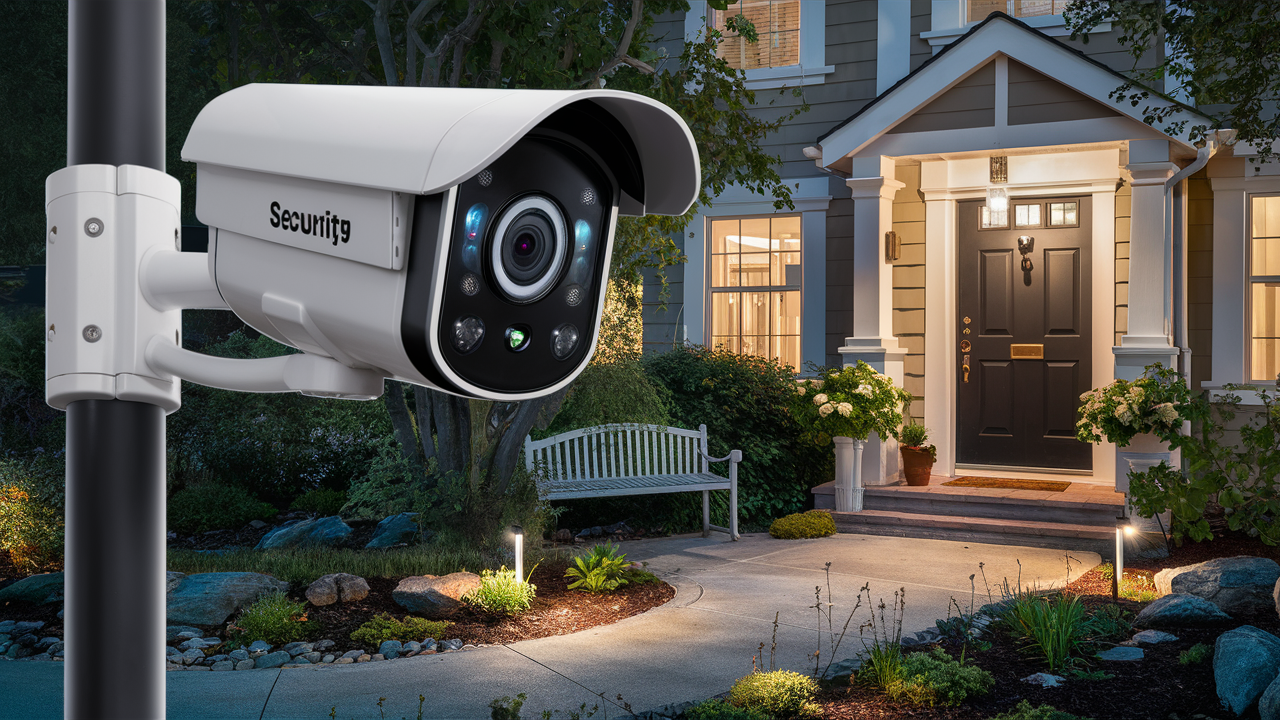
Choosing the best outdoor security camera in 2025-26 involves balancing advanced features, reliable performance, and user-friendly operation. This guide cuts through the noise to help you find a system that offers robust protection, seamless integration, and peace of mind for your home or business.
Understanding Your Outdoor Security Camera Needs
Before diving into specific models, it's crucial to define what "best" means for your unique situation. Are you looking to monitor a large property, a small entryway, or multiple access points? Consider the environment: extreme weather conditions, low-light areas, and potential for vandalism. Your budget will also play a significant role. Understanding these factors will help narrow down the vast array of options available in the 2025-26 market. Think about what specific threats you are most concerned about – package theft, unauthorized entry, or simply keeping an eye on children and pets. The best outdoor security camera for one person might be entirely unsuitable for another. For instance, a homeowner in a rural area with a large yard will have different priorities than a city dweller with a small apartment balcony. Identifying your primary security goals is the foundational step to making an informed decision.
Assessing Your Property Layout
A thorough assessment of your property's layout is paramount. Walk around your home or business and identify key areas that require surveillance. This typically includes:
- Entry Points: Front door, back door, garage doors, and any side entrances.
- Vulnerable Areas: Ground-floor windows, gates, secluded pathways, and areas with poor natural lighting.
- High-Traffic Zones: Driveways, sidewalks, and areas where deliveries are typically made.
- Perimeter: For larger properties, monitoring the entire perimeter might be necessary.
The number of cameras needed will depend on this assessment. A single camera might suffice for a small apartment, while a large estate could require a multi-camera system. Consider the field of view each camera offers and how they can be strategically placed to cover blind spots.
Determining Your Budget
Outdoor security cameras range from budget-friendly options to high-end professional systems. In 2025-26, you can expect to find a wide spectrum of prices. Entry-level cameras might start around $50-$100, offering basic motion detection and HD recording. Mid-range options, typically $100-$300, often include better resolution, wider fields of view, and more advanced features like two-way audio and color night vision. High-end systems, which can cost $300 and upwards per camera, may offer professional-grade durability, advanced AI analytics, superior low-light performance, and integrated smart home capabilities. Don't forget to factor in potential ongoing costs, such as cloud storage subscriptions, which are becoming increasingly common.
Identifying Essential Features
What features are non-negotiable for you? Do you need crystal-clear 4K resolution, or is 1080p sufficient? Is wireless convenience a must, or are you comfortable with wired installations? Think about how you want to receive alerts and view footage. Do you prefer instant mobile notifications, or will you be checking in periodically? Prioritizing these features will help you filter through the options and find a camera that truly meets your needs.
Key Features to Consider in 2025-26
The outdoor security camera market is constantly evolving, with new technologies emerging each year. For 2025-26, several key features stand out as critical for effective and reliable surveillance.
Resolution and Image Quality
Higher resolution means clearer images, which are vital for identifying faces, license plates, and other crucial details. In 2025-26, 1080p (Full HD) is the standard baseline, offering good clarity. However, 2K (1440p) and 4K (2160p) resolutions are becoming increasingly prevalent and are highly recommended for outdoor use. These higher resolutions provide significantly more detail, especially when zooming in on footage. Look for cameras with good HDR (High Dynamic Range) capabilities, which help balance bright and dark areas in the image, ensuring details are visible even in challenging lighting conditions, like a bright sunlit yard or a dimly lit porch.
Night Vision Capabilities
Effective night vision is crucial for 24/7 surveillance. Most outdoor cameras offer infrared (IR) night vision, which produces black-and-white images in low light. The range of IR illumination varies by model, so check the specifications for how far the camera can "see" in complete darkness. For enhanced visibility, consider cameras with color night vision. These use ambient light sensors or small LED spotlights to capture color images even at night, providing more detail and making it easier to identify objects and people. Some advanced models even offer "smart" IR, which adjusts the IR intensity to prevent overexposure of nearby objects.
Field of View (FOV)
The FOV determines how wide an area the camera can capture. A wider FOV means fewer cameras are needed to cover a large area. For outdoor use, a FOV of 110 degrees or wider is generally recommended. Ultra-wide-angle lenses can offer 150 degrees or more, providing an almost panoramic view. However, be aware that extremely wide lenses can sometimes introduce distortion at the edges of the image.
Motion Detection and Alerts
Sophisticated motion detection is a hallmark of modern security cameras. Basic motion detection triggers recording and alerts whenever any movement is detected. More advanced systems utilize AI-powered person detection, differentiating between humans, vehicles, animals, and general motion. This significantly reduces false alarms caused by swaying trees or passing cars. Look for customizable motion zones, allowing you to designate specific areas within the camera's view to monitor for activity, and adjustable sensitivity levels. Instantaneous push notifications to your smartphone are standard, but the reliability and speed of these alerts can vary.
Audio Capabilities
Two-way audio allows you to not only hear what's happening around the camera but also to speak through the camera's speaker. This is useful for deterring intruders, communicating with delivery personnel, or speaking with family members. Ensure the microphone and speaker quality are adequate for clear communication.
Weather Resistance and Durability
Outdoor cameras must withstand the elements. Look for IP ratings, such as IP65, IP66, or IP67, which indicate the camera's level of protection against dust and water. A rating of IP65 or higher is generally sufficient for most outdoor environments, protecting against rain, snow, and dust. Consider the operating temperature range as well, especially if you live in an area with extreme heat or cold.
Connectivity and Power
Wi-Fi vs. Wired: Wireless (Wi-Fi) cameras offer easier installation but can be susceptible to signal interference and may require battery changes or recharging. Wired cameras (Ethernet) offer a more stable connection and continuous power but require running cables, which can be more complex. Power over Ethernet (PoE) is an excellent option for wired cameras, providing both data and power through a single Ethernet cable.
Power Options:
- Battery-Powered: Offers maximum flexibility in placement but requires regular charging or battery replacement. Battery life can vary significantly based on usage and settings.
- Wired (AC Adapter): Requires a nearby power outlet, limiting placement options but providing continuous power.
- Solar Powered: Increasingly popular for battery-powered cameras, offering a sustainable and low-maintenance power solution, though performance can be affected by sunlight availability.
- PoE: Ideal for wired systems, simplifying installation and ensuring reliable power.
Storage Options
How will your video footage be stored? Options include:
- Local Storage: Typically via a microSD card inserted into the camera or a Network Video Recorder (NVR) for multi-camera systems. This offers privacy and avoids subscription fees but can be vulnerable to theft or damage if the device is compromised.
- Cloud Storage: Footage is uploaded to a remote server. This is convenient for remote access and protects against local device damage but usually requires a monthly or annual subscription fee. Subscription costs vary widely based on storage duration, number of cameras, and features.
Check the terms of service for cloud storage, including data privacy policies and the length of time footage is retained.
Smart Home Integration
For users invested in a smart home ecosystem, compatibility with platforms like Amazon Alexa, Google Assistant, or Apple HomeKit can be a significant advantage. This allows for voice control, integration with other smart devices (e.g., triggering lights when motion is detected), and centralized management through a single app.
Types of Outdoor Security Cameras
The market offers various types of outdoor security cameras, each suited to different needs and installation preferences.
Wireless Wi-Fi Cameras
These cameras connect to your home's Wi-Fi network and are powered by batteries or an AC adapter. They are popular for their ease of installation, as they don't require running video cables. However, Wi-Fi signal strength can be an issue in some locations, and battery-powered models need regular recharging.
Pros: Easy installation, flexible placement, no cables needed.
Cons: Wi-Fi signal dependency, potential for battery maintenance, can be more susceptible to interference.
Wired Ethernet Cameras
These cameras connect to your router or an NVR via Ethernet cables. They offer a more stable and reliable connection than Wi-Fi cameras and are typically powered through the Ethernet cable (PoE) or a separate power adapter. Installation can be more involved due to the need for cable runs.
Pros: Stable connection, reliable performance, continuous power (especially with PoE), less susceptible to interference.
Cons: More complex installation, requires running cables, less flexible placement.
Solar-Powered Cameras
Often a subset of wireless cameras, these come with a solar panel that continuously charges the internal battery. They offer a sustainable and low-maintenance solution, ideal for remote locations where frequent battery changes are inconvenient. However, their effectiveness depends on consistent sunlight exposure.
Pros: Eco-friendly, low maintenance, ideal for remote areas.
Cons: Dependent on sunlight, initial cost may be higher, performance can vary with weather.
Doorbell Cameras
These replace your existing doorbell and offer a discreet way to monitor your front porch. They typically include a wide-angle lens, two-way audio, and motion detection. Many integrate with smart home systems and offer package detection features.
Pros: Discreet, focused on front door, two-way communication, package detection.
Cons: Limited to front door area, wired models require existing doorbell wiring.
PTZ Cameras (Pan-Tilt-Zoom)
PTZ cameras offer remote control over their movement, allowing you to pan left and right, tilt up and down, and zoom in and out. This makes them ideal for monitoring large areas or tracking moving objects. They are often found in higher-end security systems and professional surveillance setups.
Pros: Wide coverage, ability to track subjects, remote control.
Cons: Higher cost, more complex setup, may require continuous monitoring or pre-set tours.
Top Outdoor Security Camera Recommendations (2025-26)
Based on current market trends, performance benchmarks, and user reviews for 2025-26, here are some of the top contenders for the best outdoor security cameras, categorized by their strengths. Prices are approximate and subject to change.
Best Overall Value
Arlo Pro 5 Spotlight Camera
The Arlo Pro 5 continues its legacy of delivering excellent performance with a balance of features and price. It offers 2K HDR video, a 160-degree FOV, color night vision, and robust two-way audio. Its wire-free design with rechargeable batteries provides installation flexibility. Arlo's ecosystem is well-developed, offering various cloud storage plans. Its AI detection capabilities are strong, minimizing false alerts. The built-in spotlight is a great deterrent.
Key Features: 2K HDR, 160° FOV, Color Night Vision, Wire-Free, Two-Way Audio, Built-in Spotlight, Weatherproof.
Approximate Price: $200 - $250 per camera.
Best Budget-Friendly Option
Wyze Cam Outdoor v2
For those on a tighter budget, the Wyze Cam Outdoor v2 offers impressive features for its price point. It provides 1080p HD video, motion detection, and a 110-degree FOV. It's battery-powered and connects wirelessly to a base station (sold separately or in kits), which then connects to your router. While night vision is standard IR (black and white), it's effective for its class. Local storage via microSD card is supported, and optional cloud storage is available at a low cost.
Key Features: 1080p HD, 110° FOV, Motion Detection, Battery-Powered, Local Storage (microSD), Weatherproof.
Approximate Price: $70 - $100 (for camera and base station kit).
Best Premium 4K Camera
Reolink Argus PT 2K (or similar 4K model)
Reolink consistently delivers high-resolution cameras with advanced features at competitive prices. Models like the Argus PT 2K (or their dedicated 4K offerings) provide stunning 2K or 4K resolution, excellent color night vision, and often include advanced AI detection for people and vehicles. Many Reolink outdoor cameras are solar-powered or battery-powered with optional solar panels, offering flexibility. They support both local microSD storage and optional cloud plans.
Key Features: 2K/4K Resolution, Excellent Night Vision, AI Detection, Solar/Battery Powered Options, Two-Way Audio, Weatherproof.
Approximate Price: $150 - $300+ depending on model and features.
Best Wired PoE System
Amcrest 4K PoE Bullet Camera (e.g., IP8M-2496EB)
For ultimate reliability and performance, a wired PoE system is hard to beat. Amcrest offers robust 4K PoE cameras that provide exceptional image quality, advanced analytics, and a stable connection. These cameras typically connect to an Amcrest NVR for comprehensive local storage and management. They are built for durability and professional-grade surveillance, offering features like intelligent analytics, wide dynamic range, and superior low-light performance.
Key Features: 4K Resolution, PoE Connectivity, Robust Build, Advanced Analytics, Superior Low-Light Performance, Local NVR Storage.
Approximate Price: $150 - $250 per camera (NVR sold separately).
Best Doorbell Camera
Ring Video Doorbell Pro 2
The Ring Video Doorbell Pro 2 offers a 150-degree field of view, 3D motion detection with Bird's Eye View, and 2K HDR video. It provides excellent two-way audio and integrates seamlessly with the Ring ecosystem and Alexa. It requires hardwiring, ensuring continuous power and a reliable connection. Its advanced motion detection and package detection are highly effective for monitoring the front entry.
Key Features: 2K HDR, 150° FOV, 3D Motion Detection, Bird's Eye View, Two-Way Audio, Hardwired.
Approximate Price: $250 - $300.
Best for Advanced AI Features
Google Nest Cam (Outdoor, Battery)
Google's Nest Cam lineup is renowned for its intelligent AI capabilities. The battery-powered outdoor model offers 1080p HDR video, a 130-degree FOV, and excellent person, animal, and vehicle detection. It integrates seamlessly with the Google Home app and Google Assistant. While it relies on Nest Aware subscriptions for extended event history and familiar face detection, its on-device intelligence for real-time alerts is top-notch. Its sleek design is also a plus.
Key Features: 1080p HDR, 130° FOV, Advanced AI Detection (Person, Animal, Vehicle), Two-Way Audio, Battery-Powered, Google Home Integration.
Approximate Price: $180 - $200.
Note: Prices are estimates for single units and may vary based on retailers, promotions, and bundle deals in 2025-26. Always check the latest specifications and reviews before purchasing.
Installation and Setup Guide
Installing an outdoor security camera can range from a simple DIY task to a more involved project, depending on the type of camera you choose. Here's a general guide:
Step 1: Planning and Placement
As discussed earlier, identify the best locations for your cameras. Consider:
- Height: Mount cameras high enough to prevent tampering but low enough to capture clear details (typically 8-10 feet off the ground).
- Angle: Angle the camera downwards to capture faces and movement effectively. Avoid pointing directly at the sun, which can wash out the image.
- Power Source: Ensure easy access to a power outlet for wired cameras or consider the sun's path for solar-powered models.
- Wi-Fi Signal Strength: For wireless cameras, test your Wi-Fi signal strength at the intended mounting location. You might need a Wi-Fi extender if the signal is weak.
Step 2: Mounting the Camera
Wireless Cameras: Most wireless cameras come with mounting brackets. Use the provided screws and anchors to secure the bracket to the wall, siding, or soffit. Follow the manufacturer's instructions carefully, as some brackets allow for angle adjustment.
Wired Cameras: For wired cameras, you'll need to run the Ethernet cable from your router or NVR to the camera location. This may involve drilling holes through walls or ceilings. If using PoE, ensure your network switch or router supports PoE. Mount the camera using its bracket, similar to wireless cameras.
Doorbell Cameras: These typically replace your existing doorbell. Turn off power to your doorbell circuit at the breaker box. Unscrew the old doorbell, disconnect the wires, and connect tdoorbell cameradoorbell camera. Mount the new doorbell using its provided bracket and screws. Restore power and test.
Step 3: Connecting to Your Network
Wireless Cameras: Download the manufacturer's app on your smartphone or tablet. Follow the in-app instructions to connect the camera to your Wi-Fi network. This usually involves scanning a QR code on the camera or the app, or manually entering network credentials.
Wired Cameras: If connecting directly to a router, the camera will typically obtain an IP address automatically. If connecting to an NVR, the NVR will manage the camera's network settings. You'll usually access the camera's settings through the NVR's interface or a dedicated desktop client.
Step 4: Configuring Settings
Once connected, use the mobile app or desktop software to:
- Adjust Motion Detection: Set motion zones and sensitivity to minimize false alerts.
- Set Up Notifications: Configure how and when you receive alerts.
- Configure Recording: Choose between continuous recording (if supported) or motion-activated recording. Set up local or cloud storage.
- Test Audio: Ensure the two-way audio is working clearly.
- Update Firmware: Always ensure your camera's firmware is up to date for security and performance enhancements.
Step 5: Testing and Monitoring
Walk around the camera's field of view to test motion detection and ensure you receive alerts. Check the live view and recorded footage to confirm image quality and coverage. Regularly review your footage and adjust settings as needed.
Advanced Considerations and Future-Proofing
As you select and set up your outdoor security cameras, consider these advanced aspects to ensure long-term effectiveness and compatibility with future technologies.
Cybersecurity and Privacy
Security cameras collect sensitive data. Prioritize cameras from reputable brands that have strong cybersecurity practices. Use strong, unique passwords for your camera accounts and your Wi-Fi network. Enable two-factor authentication (2FA) whenever possible. Be aware of the manufacturer's data privacy policies, especially concerning cloud storage. Regular firmware updates are crucial for patching security vulnerabilities.
Integration with Alarm Systems
For comprehensive home security, consider how your cameras can integrate with a professional or DIY alarm system. Some systems allow cameras to trigger alarms or record footage when an alarm event occurs. This provides a layered security approach, where cameras act as a visual deterrent and provide evidence, while an alarm system offers immediate notification and response.
Power Backup Solutions
In areas prone to power outages, consider backup power solutions for your security system. This could include uninterruptible power supplies (UPS) for wired systems or ensuring battery-powered cameras are fully charged. For wired systems, a UPS can keep your cameras and network equipment running for a period during an outage, ensuring continuous surveillance.
Future Technologies and Standards
The security landscape is rapidly evolving. Consider cameras that support newer standards like Wi-Fi 6/6E for improved wireless performance, or those that are designed with future upgrades in mind. Technologies like AI-powered analytics are becoming more sophisticated, so choosing cameras that can benefit from these advancements through firmware updates can be a wise investment.
Legal and Ethical Considerations
Be mindful of privacy laws and regulations in your area. Ensure your cameras are not inadvertently recording private areas of your neighbors' properties. Clearly indicate that your property is under surveillance with signage, which can also act as a deterrent. Understand the laws regarding the recording of audio, as regulations can vary significantly.
Conclusion: Securing Your Property with Confidence
Selecting the best outdoor security camera in 2025-26 hinges on a clear understanding of your property's needs, a careful evaluation of key features like resolution, night vision, and motion detection, and a consideration of different camera types and power sources. Whether you prioritize budget-friendly options like the Wyze Cam Outdoor v2, the overall value of the Arlo Pro 5, the premium quality of a 4K Reolink or Amcrest system, or the specialized functionality of a Ring doorbell, there's a solution tailored for you. Prioritizing ease of installation with wireless options or opting for the robust reliability of wired PoE systems are both valid paths to enhanced security. Remember to factor in storage solutions, smart home integration, and crucial cybersecurity measures. By thoroughly assessing your requirements and choosing wisely from the advanced options available today, you can confidently enhance your property's safety and gain invaluable peace of mind.





