
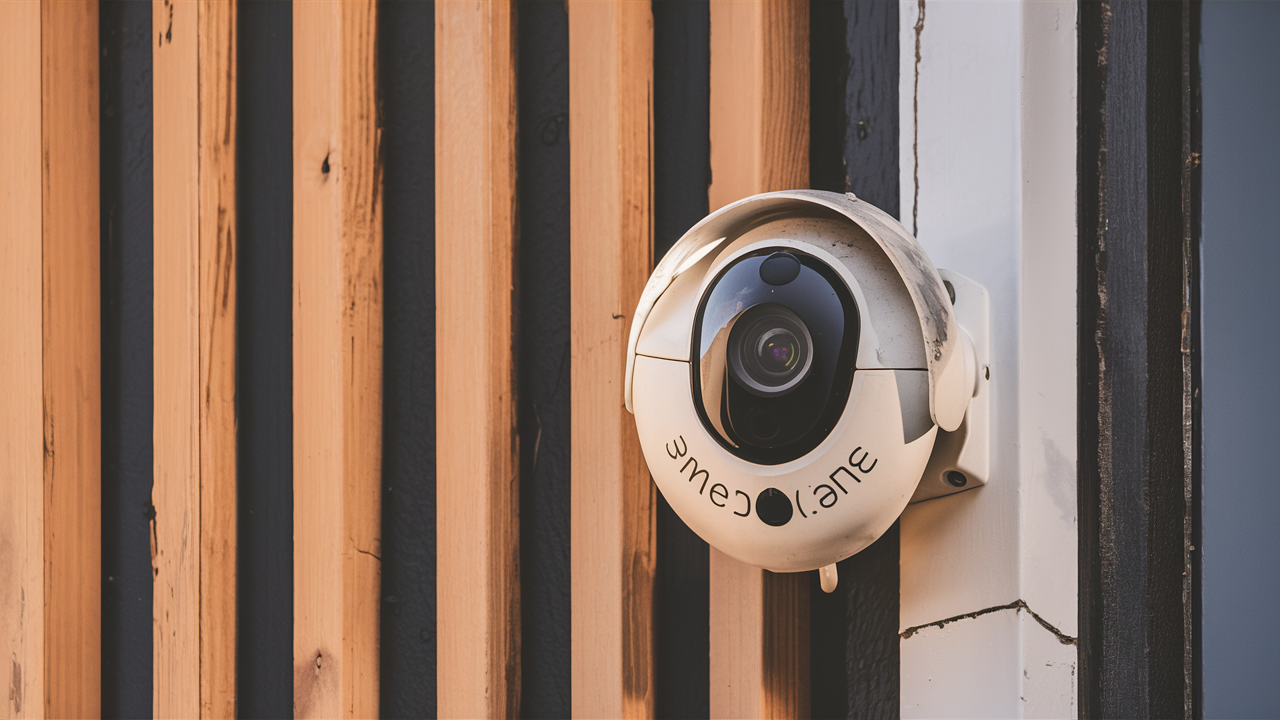
Navigating the world of home security can feel overwhelming, but finding the best security cameras for your needs is achievable. This guide will equip you with the knowledge to make an informed decision, covering everything from essential features to top-tier recommendations for 2025-26, ensuring your peace of mind.
Understanding Your Security Camera Needs
Before diving into specific models, it's crucial to define what "best" means for *your* unique situation. The ideal security camera system is one that directly addresses your primary concerns and integrates seamlessly into your lifestyle. Are you looking to deter potential intruders, monitor package deliveries, keep an eye on pets, or check in on children or elderly family members? Your answers will dictate the features and types of cameras that will serve you best. For instance, a homeowner primarily concerned with deterring burglars might prioritize cameras with loud sirens and bright floodlights, while a pet owner might focus on two-way audio and clear, high-resolution video for daytime viewing.
In 2025, the security landscape is more sophisticated than ever. With the rise of smart homes and interconnected devices, the best security cameras often offer robust integration capabilities. Consider your existing smart home ecosystem (e.g., Amazon Alexa, Google Assistant, Apple HomeKit) and whether you want your cameras to work in tandem with other devices like smart locks or lighting. Furthermore, think about your property's layout. Do you need indoor cameras, outdoor cameras, or a combination? The placement of cameras is paramount; a camera with an excellent wide-angle lens might be perfect for covering a large backyard, but less ideal for a narrow hallway.
The prevalence of connected homes is projected to reach over 70% of households in developed nations by 2026, according to industry analysis. This trend underscores the importance of choosing cameras that are not only effective but also compatible with your digital life. Understanding your specific needs is the foundational step towards selecting a system that provides genuine security and peace of mind, rather than just a collection of blinking lights.
Key Features to Consider in 2025-26
The technology behind security cameras is rapidly evolving. Staying abreast of the latest advancements will help you choose a system that offers optimal performance and value. Here are the critical features to evaluate for your 2025-26 security camera purchase:
Video Resolution and Quality
High-definition video is no longer a luxury; it's a necessity. Look for cameras offering at least 1080p (Full HD) resolution. However, many of the best systems now boast 2K or even 4K resolution, providing incredibly detailed footage. This clarity is vital for identifying faces, license plates, and other crucial details that could be missed with lower resolutions. Features like HDR (High Dynamic Range) are also important for outdoor cameras, as they help balance bright and dark areas, ensuring clear images even in challenging lighting conditions like direct sunlight or deep shadows.
Field of View (FOV)
The FOV determines how wide an area your camera can see. A wider FOV means fewer cameras are needed to cover a specific area. For outdoor use, a FOV of 130-150 degrees is common and effective. Some advanced cameras offer even wider FOVs, sometimes up to 180 degrees or more, though this can sometimes lead to a fisheye effect. Consider the shape of the area you need to monitor; a long driveway might benefit from a narrower, more focused FOV, while a large yard might require a broader sweep.
Night Vision Capabilities
Effective night vision is non-negotiable for 24/7 security. Most cameras use infrared (IR) LEDs to illuminate the scene in darkness. Look for cameras with a good IR range (e.g., 30-100 feet) and consider models with advanced night vision technologies like color night vision, which uses ambient light or small LEDs to produce color images in low-light conditions, offering much greater detail than traditional black-and-white IR.
Motion Detection and Alerts
Sophisticated motion detection is key to receiving timely alerts. Basic motion detection can trigger alerts for any movement, leading to false alarms from swaying trees or passing cars. Advanced systems use AI-powered detection to differentiate between people, vehicles, animals, and even package deliveries. This reduces nuisance notifications and allows you to focus on genuine security events. Customizable motion zones allow you to define specific areas within the camera's view where motion should be monitored.
Audio Capabilities (Two-Way Talk)
Many modern security cameras include built-in microphones and speakers, enabling two-way audio communication. This feature is invaluable for interacting with visitors, deterring intruders by speaking to them remotely, or even communicating with pets or children. The quality of the audio transmission is important; look for cameras with noise cancellation for clearer sound.
Storage Options (Cloud vs. Local)
Deciding how your video footage will be stored is a critical choice.
- Cloud Storage: Offers convenience and accessibility from anywhere. Footage is uploaded to a remote server. Most services require a subscription fee, which can vary based on storage duration and the number of cameras.
- Local Storage: Typically involves a microSD card inserted into the camera or a Network Video Recorder (NVR)/Digital Video Recorder (DVR) for multi-camera systems. This offers more privacy and no recurring fees but can be less convenient if the device is stolen or damaged.
Connectivity and Power
Security cameras come in wired (PoE - Power over Ethernet, or traditional power adapter) and wireless (Wi-Fi) varieties. Wireless cameras offer easier installation but rely on a strong Wi-Fi signal. Wired cameras generally offer more reliable connections and power, especially PoE, which delivers both data and power over a single Ethernet cable. Battery-powered cameras offer ultimate flexibility but require regular charging or battery replacement.
Durability and Weatherproofing (for Outdoor Cameras)
Outdoor cameras must withstand the elements. Look for an IP rating (e.g., IP65, IP66, IP67) indicating the level of protection against dust and water. A higher IP rating signifies better resistance to rain, snow, and extreme temperatures. Operating temperature ranges are also important for performance in harsh climates.
Smart Home Integration
For a truly connected home security system, ensure your chosen cameras are compatible with your existing smart home platforms (Amazon Alexa, Google Assistant, Apple HomeKit). This allows for voice control, integration with routines (e.g., turning on lights when motion is detected), and a more unified user experience.
Types of Security Cameras Available
The market offers a diverse range of security cameras, each designed for specific applications and environments. Understanding these types will help you narrow down your choices:
Bullet Cameras
These are the classic, cylindrical-shaped cameras often seen mounted on walls or eaves. They are typically weatherproof and designed for outdoor use, offering a visible deterrent. Their fixed lens and directional nature make them suitable for monitoring specific entry points or areas.
Dome Cameras
Dome cameras are discreet and often mounted on ceilings or walls. Their semi-spherical shape makes it difficult for intruders to tell which way they are pointing, adding to their deterrent effect. Many dome cameras are also vandal-resistant, making them a good choice for public or easily accessible areas.
Turret Cameras (Eyeball Cameras)
Similar to dome cameras but with a more adjustable ball-and-socket design, turret cameras allow for greater flexibility in aiming. They are often more compact and easier to install than traditional dome cameras and are frequently used indoors and outdoors.
PTZ (Pan-Tilt-Zoom) Cameras
These advanced cameras offer remote control over their movement. They can pan horizontally, tilt vertically, and zoom in on specific areas. PTZ cameras are ideal for covering large areas or for situations where you need to actively monitor activity in real-time, such as in commercial settings or for monitoring expansive properties.
Wireless Security Cameras
These cameras connect to your home network via Wi-Fi. They offer the most flexible installation as they don't require a wired network connection. However, they do require a power source, either a battery or a nearby outlet. Their performance is heavily dependent on the strength and reliability of your Wi-Fi signal.
Wired Security Cameras (PoE)
Power over Ethernet (PoE) cameras transmit both data and power through a single Ethernet cable. This offers a highly reliable connection and eliminates the need for a separate power outlet near the camera. They are often preferred for professional installations and for ensuring consistent performance, especially in larger systems.
Doorbell Cameras
These integrate a camera, microphone, speaker, and motion sensor into a doorbell unit. They allow you to see, hear, and speak to visitors remotely via a smartphone app, enhancing front-door security and convenience. Many offer features like package detection and customizable motion zones.
Indoor Cameras
Designed for use inside the home, these cameras come in various forms, from small, discreet units to more robust models with advanced features like AI detection and two-way audio. They are useful for monitoring children, pets, or for general home surveillance.
Outdoor Cameras
Built to withstand the elements, outdoor cameras are weatherproof and often feature enhanced night vision and motion detection capabilities. They are crucial for securing the perimeter of your property.
Top Security Camera Brands and Models (2025-26)
The security camera market is competitive, with several brands consistently delivering high-quality products. Based on current trends and anticipated performance for 2025-26, here are some of the leading contenders and their standout offerings:
Brand Spotlight: Arlo
Arlo is renowned for its wire-free, battery-powered cameras that offer exceptional flexibility and ease of installation. Their systems often feature high-resolution video, advanced AI detection, and robust cloud storage options.
Arlo Pro 5S Spotlight
This model continues to be a top performer, offering 2K HDR video, a 160-degree field of view, and integrated spotlights for color night vision. Its wire-free design, long battery life, and smart detection capabilities make it ideal for comprehensive home surveillance. It also boasts enhanced connectivity with dual-band Wi-Fi.
Brand Spotlight: Google Nest
Google Nest cameras are known for their seamless integration with the Google Home ecosystem, intelligent alerts, and user-friendly apps. They often feature built-in AI for person detection and familiar face recognition.
Google Nest Cam (Battery)
This versatile camera offers 1080p HDR video, a 130-degree field of view, and intelligent alerts powered by Google's AI. Its battery-powered design allows for flexible placement indoors or outdoors. Nest Aware subscription provides extended cloud storage and advanced features like familiar face detection.
Brand Spotlight: Ring
Ring, an Amazon company, is a popular choice for its doorbell cameras and robust outdoor camera systems, often integrated with their alarm systems. They offer good value and strong motion detection features.
Ring Spotlight Cam Pro (Battery/Wired)
The Spotlight Cam Pro delivers 1080p HD video with HDR and a 140-degree field of view. It features a built-in spotlight, siren, and advanced motion detection with 3D motion detection for more precise alerts. Available in battery-powered and wired versions for maximum flexibility.
Brand Spotlight: Eufy
Eufy emphasizes local storage options, meaning no mandatory subscription fees for basic functionality. Their cameras offer good video quality and smart features, appealing to users concerned about data privacy.
EufyCam 3 (S330)
This system stands out with its solar-powered charging capability for continuous power and 4K resolution. It offers advanced AI detection and local storage via a HomeBase 3 unit. The integration of solar panels significantly reduces the need for battery recharges.
Brand Spotlight: Wyze
Wyze offers incredibly affordable smart home devices, including security cameras, without compromising on essential features. They are a fantastic option for budget-conscious consumers.
Wyze Cam Pan v3
For its price point, the Wyze Cam Pan v3 is remarkable, offering 2K resolution, 360-degree pan and tilt capabilities, and color night vision. It supports local storage via microSD card and offers optional cloud storage. It’s an excellent choice for indoor monitoring on a tight budget.
Comparison Table: Key Features
Here's a quick comparison of some popular models:
| Camera Model | Resolution | Field of View | Night Vision | Storage | Power Source | Key Differentiator |
|---|---|---|---|---|---|---|
| Arlo Pro 5S Spotlight | 2K HDR | 160° | Color Night Vision (Spotlight) | Cloud (Subscription), Local (Base Station) | Rechargeable Battery | Wire-free flexibility, advanced AI |
| Google Nest Cam (Battery) | 1080p HDR | 130° | Infrared | Cloud (Subscription) | Rechargeable Battery | Seamless Google integration, familiar face detection |
| Ring Spotlight Cam Pro | 1080p HDR | 140° | Color Night Vision (Spotlight) | Cloud (Subscription) | Battery or Wired | 3D Motion Detection, integrated siren |
| EufyCam 3 (S330) | 4K | 130° | Infrared | Local (HomeBase 3) | Rechargeable Battery (Solar Assist) | 4K resolution, solar charging, no subscription |
| Wyze Cam Pan v3 | 2K | 110° (Vertical), 360° (Pan) | Color Night Vision | Local (microSD), Cloud (Subscription) | Wired (USB-C) | Exceptional value, pan & tilt feature |
Installation and Setup Guide
Setting up your security cameras can range from a simple plug-and-play process to a more involved installation. Here’s a general guide:
Step 1: Plan Your Camera Placement
Before you begin, identify the key areas you want to monitor. For outdoor cameras, consider entry points (doors, windows), driveways, garages, and blind spots around your property. For indoor cameras, think about main living areas, hallways, and rooms containing valuables. Ensure you have good Wi-Fi coverage at each intended location if using wireless cameras. For wired cameras, plan the cable runs.
Step 2: Power Up and Connect
Wireless Cameras:
- Charge the camera's battery fully (if applicable).
- Download the manufacturer's app to your smartphone or tablet.
- Follow the app's instructions to create an account and add your camera.
- Connect the camera to your Wi-Fi network by entering your network name and password.
- Mount the camera in its desired location. Many come with magnetic mounts or screw-in brackets.
Wired Cameras (PoE):
- Connect the camera to your NVR or PoE switch using an Ethernet cable.
- Connect the NVR or PoE switch to your router.
- Power on the NVR/switch and camera.
- Access the NVR's interface (usually via a connected monitor or web browser) to configure camera settings and network access.
Step 3: Configure Settings in the App/Software
Once connected, open the camera's app or software. You'll typically need to:
- Adjust Motion Detection: Set motion zones and sensitivity to minimize false alerts.
- Configure Alerts: Choose how and when you want to receive notifications (push notifications, email).
- Set Up Recording Schedules: Decide if you want continuous recording, motion-triggered recording, or scheduled recording.
- Enable Audio: Turn on two-way audio if available and desired.
- Review Night Vision Settings: Ensure night vision is enabled and adjust settings if necessary.
- Link to Smart Home Assistants: If compatible, link your cameras to Alexa, Google Assistant, or HomeKit.
Step 4: Test and Refine
Walk through the areas covered by your cameras to test motion detection and alert accuracy. Adjust camera angles and sensitivity settings as needed. Check the video quality at different times of day and night. Ensure you can reliably access the live feed and recorded footage through the app.
For more complex installations, such as multi-camera wired systems or cameras requiring drilling through walls, consider consulting a professional installer. The cost can be justified by ensuring a secure and reliable setup.
Advanced Considerations for Enhanced Security
Beyond the basic features, several advanced considerations can significantly enhance your security camera system's effectiveness and your overall peace of mind.
AI-Powered Analytics
As mentioned, Artificial Intelligence is revolutionizing security cameras. Look for features like:
- Person Detection: Distinguishes human movement from other objects.
- Vehicle Detection: Identifies cars and trucks.
- Package Detection: Alerts you when a package is delivered or removed.
- Facial Recognition: Identifies known individuals (requires careful privacy consideration).
- Sound Detection: Alerts for unusual noises like glass breaking or smoke alarms.
Cybersecurity and Privacy
With cameras connected to the internet, cybersecurity is paramount. Choose brands with a strong track record of security updates and data protection.
- Strong Passwords: Always use unique, strong passwords for your camera accounts and Wi-Fi network.
- Two-Factor Authentication (2FA): Enable 2FA on your camera accounts whenever possible.
- Regular Updates: Keep your camera firmware and the manufacturer's app updated to patch security vulnerabilities.
- Network Segmentation: For advanced users, consider placing security cameras on a separate Wi-Fi network (VLAN) to isolate them from other devices.
Integration with Other Security Systems
The most robust home security often comes from integrating various components. Consider cameras that can work with:
- Smart Home Hubs: For unified control and automation (e.g., Alexa, Google Home, HomeKit).
- Smart Locks: Trigger recording when a door is unlocked.
- Smart Lights: Turn on lights when motion is detected.
- Alarm Systems: Integrate camera feeds with professional monitoring services for a comprehensive security response.
Power Backup Solutions
Power outages can render security cameras useless. Consider backup solutions:
- Uninterruptible Power Supply (UPS): For wired cameras or NVRs/DVRs, a UPS can provide several hours of backup power.
- Battery-Powered Cameras: As discussed, these offer flexibility and can continue operating during outages if their batteries are charged.
- Solar Power: For outdoor cameras, solar panels can significantly extend battery life and provide continuous power in sunny conditions.
Professional Monitoring vs. Self-Monitoring
Most DIY security camera systems are self-monitored, meaning you receive alerts and decide how to respond. However, some systems offer optional professional monitoring services. For a monthly fee, a monitoring center can be alerted to events and dispatch emergency services if necessary. This adds an extra layer of security, especially if you are frequently away from home.
Budgeting for Security Cameras
The cost of security cameras can vary widely, from under $50 for a basic indoor camera to over $500 for a high-end professional system. Your budget should be determined by your needs and the features you prioritize.
Entry-Level (Under $100 per camera)
At this price point, you can find decent indoor cameras with 1080p resolution, basic motion detection, and local storage (microSD card). Wyze is a prime example of a brand offering excellent value in this segment. These are suitable for basic monitoring of pets or specific rooms.
Mid-Range ($100 - $250 per camera)
This bracket offers a significant upgrade in features. You'll find outdoor-rated cameras with better resolution (2K), improved night vision, wider fields of view, and often two-way audio. Brands like Ring, Eufy, and some Arlo models fall into this category. Many offer cloud storage subscriptions as an optional add-on.
High-End ($250+ per camera)
Premium systems often include 4K resolution, advanced AI analytics, superior build quality, integrated spotlights and sirens, and more robust integration capabilities. Arlo Ultra, higher-end Nest models, and professional-grade systems from brands like Reolink or Amcrest are found here. These are for users who demand the best in video quality, features, and reliability.
Additional Costs to Consider:
- Subscription Fees: Cloud storage, advanced AI features, and professional monitoring often require monthly or annual subscriptions. Factor these recurring costs into your budget.
- Installation: While many cameras are DIY-friendly, professional installation can add $100-$500+ depending on the complexity.
- Storage Devices: If opting for local storage, you might need to purchase microSD cards or an NVR/DVR, which can add to the initial cost.
- Accessories: Extended battery packs, solar panels, or specialized mounts can increase the overall investment.
For 2025-26, the trend is towards more intelligent features at accessible price points. However, investing in a slightly higher-priced camera with better AI detection and video quality can save you from nuisance alerts and provide clearer evidence when it matters most.
In conclusion, determining "what's the best security cameras?" is a personalized journey. By carefully assessing your specific needs, understanding the critical features available in 2025-26, exploring the different types of cameras, and considering your budget, you can confidently select a system that provides robust security and unparalleled peace of mind for your home and loved ones. Prioritize clear video, reliable detection, and secure storage to build a defense that truly works for you.





