What Security Camera Works Without Wifi?
Discover security cameras that operate flawlessly without Wi-Fi, offering robust surveillance solutions for every need. This guide explores the best options, from cellular and wired systems to standalone recorders, ensuring your property remains secure even without a stable internet connection.
What is a Non-Wi-Fi Security Camera?
A non-Wi-Fi security camera is a surveillance device that does not rely on a wireless internet connection to transmit data. Instead, it utilizes alternative methods like cellular networks, direct wired connections (Ethernet), or local storage (SD cards) to record and store footage, making it ideal for locations without Wi-Fi access.
Why Choose a Camera Without Wi-Fi?
The decision to opt for a security camera that works without Wi-Fi stems from several practical considerations. Firstly, many locations simply lack a Wi-Fi network, such as remote construction sites, rural properties, agricultural fields, or temporary event venues. Secondly, even in areas with Wi-Fi, reliability can be an issue. Power outages, network congestion, or deliberate jamming can render Wi-Fi cameras useless. For businesses or homeowners prioritizing uninterrupted surveillance, a non-Wi-Fi solution offers superior resilience. Furthermore, some users prefer to avoid connecting security systems to their home or office network for security reasons, mitigating potential vulnerabilities. The global market for security cameras is projected to reach over $30 billion by 2027, with a growing segment focusing on robust, independent solutions. In 2025-26, the demand for cameras that offer autonomy from traditional networks is expected to surge, driven by these practical needs and advancements in alternative connectivity.
Types of Security Cameras That Work Without Wi-Fi
Understanding the different categories of non-Wi-Fi security cameras is crucial for selecting the right solution. Each type offers distinct advantages and is suited for specific applications. The market in 2025-26 continues to see innovation in these core technologies, providing more options than ever before.
Cellular Security Cameras
Cellular security cameras, often referred to as 4G or 5G security cameras, are the most direct alternative to Wi-Fi. These cameras contain a SIM card slot and connect to the internet via a cellular data plan, much like a smartphone. This makes them incredibly versatile, as they can be deployed virtually anywhere with a cellular signal, regardless of the presence of a Wi-Fi network or power outlet (though they still require a power source, which can be batteries, solar panels, or a traditional power adapter).
Advantages:
- Extreme Portability: Ideal for remote locations, temporary setups, and areas with no infrastructure.
- Ease of Installation: Often plug-and-play, requiring minimal technical expertise.
- No Wi-Fi Dependency: Operates independently of your home or office network.
Disadvantages:
- Subscription Costs: Requires a monthly data plan, which can add up over time.
- Signal Strength Dependency: Performance is directly tied to cellular network coverage and signal quality.
- Potential for Latency: Video streaming might experience delays depending on network conditions.
Use Cases: Construction sites, farms, remote cabins, event security, temporary monitoring.
Wired Security Cameras (DVR/NVR Systems)
Wired security camera systems, typically comprising Digital Video Recorders (DVRs) or Network Video Recorders (NVRs), offer a robust and reliable solution that bypasses Wi-Fi entirely. In these systems, cameras are connected to the DVR or NVR via coaxial cables (for analog cameras with DVRs) or Ethernet cables (for IP cameras with NVRs). The DVR/NVR then processes, records, and stores the video footage locally.
DVR Systems: These are generally older but still prevalent. Analog cameras connect via coaxial cables to the DVR. The DVR converts the analog signal to digital for recording. While simpler, they often offer lower resolution compared to IP systems.
NVR Systems: These are more modern and use IP (Internet Protocol) cameras that connect to the NVR via Ethernet cables. NVRs are designed to handle digital signals directly, often offering higher resolutions, more advanced features, and greater flexibility in camera placement.
Advantages:
- High Reliability: Wired connections are generally more stable and less prone to interference than wireless.
- No Subscription Fees: Once purchased, there are no ongoing data plan costs.
- Local Storage: Footage is stored on-site, offering greater privacy and control.
- Consistent Performance: Less susceptible to signal degradation or jamming.
Disadvantages:
- Installation Complexity: Requires running physical cables, which can be labor-intensive and may require professional installation.
- Limited Mobility: Cameras are fixed to their cable runs.
- Potential for Cable Damage: Physical cables can be cut or damaged.
Use Cases: Homes, businesses, retail stores, offices where permanent installation is feasible.
Standalone Recorders and SD Card Cameras
Standalone cameras with built-in SD card slots offer a simple, self-contained surveillance solution. These cameras record directly onto a removable microSD card, eliminating the need for an external recorder or network connection. They are often battery-powered or can be plugged into a standard outlet.
Advantages:
- Simplicity: Extremely easy to set up and use.
- Cost-Effective: No additional recorder or subscription fees.
- Portability: Can be easily moved and redeployed.
- Privacy: Footage is stored locally on the card.
Disadvantages:
- Limited Storage Capacity: The amount of footage is restricted by the size of the SD card.
- Risk of Theft/Damage: If the camera or SD card is stolen or damaged, all footage is lost.
- No Remote Access (Typically): Accessing footage usually requires physically retrieving the SD card. Some advanced models offer limited cloud backup options.
- Power Dependency: Requires a consistent power source.
Use Cases: Temporary surveillance, monitoring specific areas, budget-conscious users, backup recording.
PoE (Power over Ethernet) Cameras
Power over Ethernet (PoE) cameras are a subset of IP cameras that utilize Ethernet cables not only for data transmission but also for power. A single Ethernet cable connects the camera to a PoE-enabled switch or injector, which then provides both data connectivity and electrical power. This simplifies installation by reducing the need for separate power cables and outlets near the camera's location.
Advantages:
- Simplified Wiring: One cable for both data and power.
- Reliable Connection: Wired Ethernet provides a stable and secure connection.
- Scalability: Easy to add more cameras to a PoE network.
- Remote Management: Often integrates with NVRs for centralized recording and management.
Disadvantages:
- Requires PoE Infrastructure: Needs a PoE switch or injector.
- Cable Length Limitations: Standard Ethernet cable runs are limited to about 100 meters (328 feet).
- Installation Effort: Still requires running Ethernet cables.
Use Cases: Offices, warehouses, larger homes, anywhere reliable wired connectivity is desired and power outlets are inconvenient.
Key Features to Consider
When selecting a security camera that operates without Wi-Fi, several features are paramount to ensure it meets your specific surveillance needs. The right combination of these features will provide effective, reliable security in any environment. By 2025-26, manufacturers are focusing on enhancing these core functionalities.
Storage Options
Storage is a critical consideration for any security camera, especially those not relying on cloud-based Wi-Fi solutions. Options include:
- Local Storage (SD Card): Convenient for standalone cameras, but capacity is limited. MicroSD cards up to 512GB are common in 2025-26, offering significant recording time for single cameras.
- DVR/NVR Internal Hard Drive: These systems typically come with or support high-capacity hard drives (e.g., 1TB to 8TB or more), allowing for extensive recording periods for multiple cameras.
- External Hard Drive (eSATA/USB): Some DVR/NVR systems allow for expansion of storage capacity via external drives.
- Cloud Storage (via Cellular/Ethernet): While the camera itself might not use Wi-Fi, some cellular or wired systems can back up footage to cloud services via their respective connections. This often involves a subscription fee.
The choice depends on how much footage you need to store, for how long, and your budget for storage solutions or subscription services.
Power Source
Non-Wi-Fi cameras still need power. Common sources include:
- AC Power Adapter: The most common and reliable source, requiring a nearby electrical outlet.
- Battery Powered: Ideal for temporary placement or where outlets are unavailable. Battery life varies significantly, with some lasting weeks or months, while others require frequent recharging. Rechargeable vs. disposable batteries is also a factor.
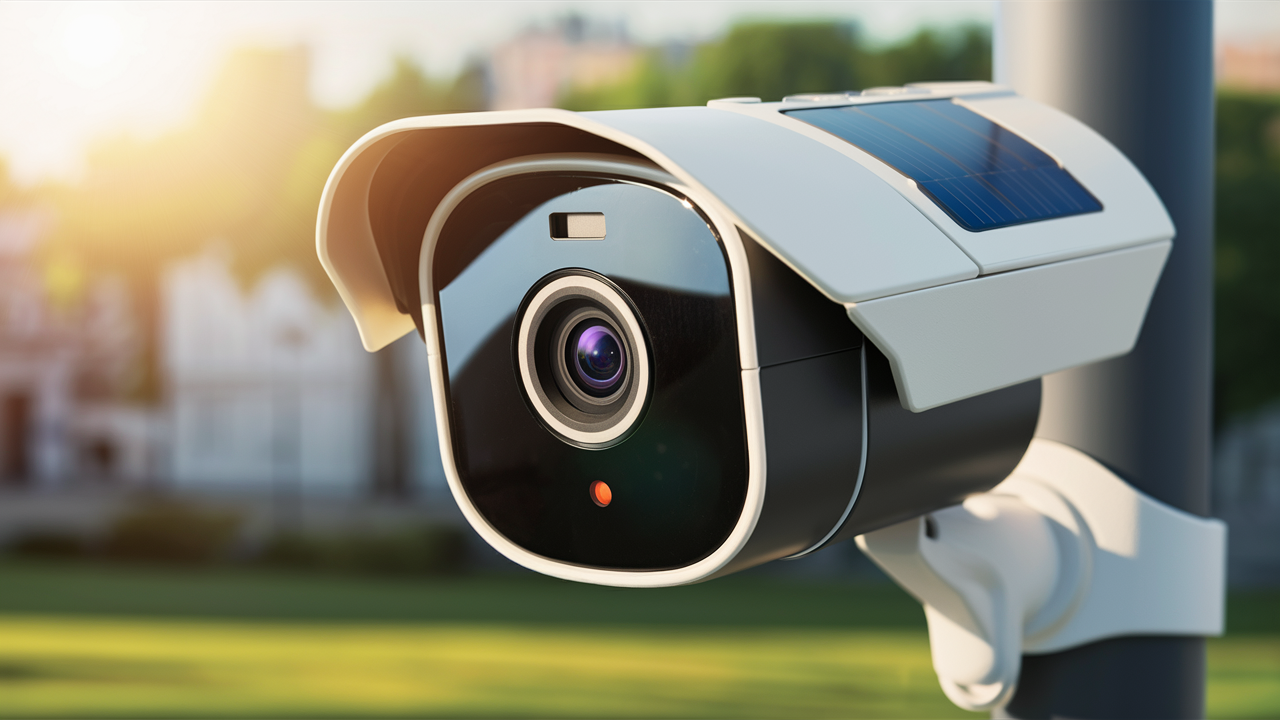
- Solar Powered: Often paired with battery-powered cameras, solar panels can continuously charge batteries, offering a sustainable, long-term solution for remote locations.
- PoE: As mentioned, Ethernet cables can supply power to IP cameras, simplifying installation.
Consider the power availability at your desired camera locations and the maintenance commitment you're willing to undertake (e.g., recharging batteries vs. having a constant power supply).
Resolution and Image Quality
High resolution is crucial for capturing clear details, such as faces or license plates. Look for cameras offering at least 1080p (Full HD) resolution. For enhanced clarity, especially in challenging lighting conditions or for long-distance surveillance, consider 2K (QHD) or 4K (UHD) resolutions. Features like Wide Dynamic Range (WDR) and Digital/Optical Zoom also contribute to better image quality by balancing bright and dark areas and allowing you to magnify specific parts of the scene.
Durability and Weatherproofing
If your camera will be installed outdoors, it must be able to withstand the elements. Look for an IP (Ingress Protection) rating, such as IP66 or IP67, which indicates resistance to dust and water. Consider temperature ranges, humidity, and resistance to impact (IK ratings) if vandalism is a concern. For 2025-26, many outdoor-rated cameras are built with robust materials like metal alloys to ensure longevity.
Night Vision Capabilities
Effective night vision is essential for 24/7 surveillance. Most security cameras use infrared (IR) LEDs to illuminate the scene in darkness. Key specifications to check include:
- IR Range: The maximum distance the IR illuminators can effectively light up.
- Color Night Vision: Some advanced cameras can produce color images even in low light by using ambient light or specialized sensors, offering better detail than traditional black-and-white IR.
- Smart IR: Adjusts IR intensity to prevent overexposure of nearby objects.
Audio Recording
Some non-Wi-Fi cameras come equipped with built-in microphones, allowing for audio recording along with video. This can be invaluable for gathering more context during an incident. Ensure that audio recording is legal in your jurisdiction and that the camera's audio quality is sufficient for your needs. Some systems also support two-way audio, enabling communication through the camera.
Remote Access and Management
Even without Wi-Fi, remote access is often desired. For cellular cameras, this is typically achieved through a dedicated mobile app that connects via the cellular data network. For wired DVR/NVR systems, remote access is usually facilitated by connecting the DVR/NVR to your home or office network via an Ethernet cable. This allows you to view live feeds, recorded footage, and manage settings from your smartphone, tablet, or computer, regardless of your physical location. Ensure the system provides a user-friendly interface for this purpose.
Top Non-Wi-Fi Security Camera Options (2025-26)
Navigating the market for non-Wi-Fi security cameras can be daunting. Based on current trends and anticipated performance for 2025-26, here are some leading categories and examples of what to look for. Remember that specific model availability and features can change rapidly.
Cellular Camera Recommendations
Cellular cameras are perfect for remote locations. Leading brands often focus on ease of use and reliable connectivity.
- Reolink Go Series: Often praised for their battery-powered, solar-compatible designs and 4G LTE connectivity. They offer good resolution and motion detection features, suitable for temporary or remote surveillance.
- Blink Solar (with Sync Module 2): While Blink is known for Wi-Fi, some of their systems can be adapted with cellular modems for the Sync Module, offering a hybrid approach. Their solar charging capability is a significant advantage for off-grid use.
- BOSMA 4G Cellular Security Camera: These offer standalone 4G connectivity, often with features like pan-tilt-zoom and good night vision, making them versatile for various outdoor monitoring needs.
When choosing a cellular camera, always check the supported network bands (e.g., AT&T, Verizon, T-Mobile) and compare data plan costs from different providers.
Wired System Recommendations
For robust, permanent installations, DVR and NVR systems are the gold standard. Brands like Lorex, Swann, and Amcrest are consistently strong performers.
- Lorex NVR Systems: Lorex offers a wide range of NVR kits with IP cameras, often featuring 2K or 4K resolution, advanced motion detection (like person/vehicle detection), and substantial local storage. Their systems are designed for comprehensive home and business security.
- Swann DVR/NVR Kits: Swann provides user-friendly wired systems that are relatively easy to install. They offer good value with decent image quality and reliable recording capabilities, suitable for general surveillance needs.
- Amcrest IP Camera Systems (with NVR): Amcrest is known for its high-quality IP cameras and NVRs, offering excellent resolution, robust build quality, and advanced features like WDR and superior night vision. They are a popular choice for users who want more control and customization.
When selecting a wired system, consider the number of camera channels you need (e.g., 4-channel, 8-channel, 16-channel NVR) and the desired storage capacity.
Standalone Camera Recommendations
For simple, point-and-shoot surveillance, cameras with SD card recording are ideal.
- Wyze Cam v3 (with SD Card): While primarily a Wi-Fi camera, the Wyze Cam v3 can record continuously to an SD card even if the Wi-Fi connection is lost, providing a basic level of offline recording. It's incredibly affordable.
- Campark Trail Cameras: Though designed for wildlife, trail cameras are excellent standalone surveillance devices. They are rugged, battery-powered, and record to SD cards. They offer good motion detection and night vision, perfect for discreet monitoring.
- Eufy Security SoloCam E40 (with local storage): Some Eufy cameras offer local storage options via SD card, providing a wire-free and Wi-Fi-free recording solution, though they might require occasional Wi-Fi for initial setup or firmware updates.
Always check the maximum supported SD card size and whether the camera offers any form of remote access or notification when using local storage.
Installation and Setup Guides
Proper installation is key to the effectiveness of any security camera system. While specific steps vary by model, here are general guides for each type of non-Wi-Fi camera.
Cellular Camera Setup
Cellular cameras are generally the easiest to set up.
- Choose a Location: Select a spot with a strong cellular signal and a clear view of the area you want to monitor.
- Insert SIM Card: Open the camera's compartment and insert an activated SIM card with a data plan.
- Power On: Connect the camera to its power source (battery, solar panel, or AC adapter).
- Download App: Install the manufacturer's mobile app on your smartphone or tablet.
- Pair Camera: Follow the app's instructions to pair your phone with the camera. This usually involves scanning a QR code on the camera or entering a device ID.
- Configure Settings: Adjust motion detection sensitivity, recording schedules, notification preferences, and other settings within the app.
- Test: Verify that live streaming and recording are working correctly.
Wired System Installation
Wired systems require more effort but offer greater reliability.
- Plan Camera Placement: Determine the optimal positions for your cameras, considering viewing angles and cable runs.
- Install Cameras: Mount the cameras securely. For IP cameras, run Ethernet cables from the camera locations to the NVR. For analog cameras, run coaxial cables to the DVR.
- Connect to Recorder: Connect the cables to the corresponding ports on the NVR or DVR. Ensure the NVR/DVR is connected to a power source.
- Connect to Network (Optional for Remote Access): Connect the NVR/DVR to your router via an Ethernet cable if you want remote access.
- Power On and Initial Setup: Turn on the NVR/DVR and follow the on-screen prompts to set up the system, format the hard drive, and configure basic settings.
- Add Cameras: The NVR/DVR should automatically detect connected cameras. If not, follow the manual to add them.
- Configure Settings: Adjust recording modes (continuous, motion-activated), resolution, frame rates, and motion detection zones.
- Set Up Remote Access (if applicable): Use the manufacturer's software or app to configure remote viewing.
Standalone Camera Setup
Standalone cameras with SD card recording are very straightforward.
- Insert SD Card: Ensure a compatible microSD card is inserted into the camera's slot.
- Choose Location: Place the camera where it has a good view and is protected from the elements (if outdoors).
- Power On: Connect the camera to its power source (battery or AC adapter).
- Configure Settings (if applicable): Some cameras have physical buttons or a simple interface for basic settings. Others may require a brief connection to a Wi-Fi network for initial setup and configuration before operating offline.
- Test: Ensure the camera is recording to the SD card.
- Access Footage: To view recordings, you will typically need to remove the SD card and insert it into a computer or card reader. Some advanced models might offer limited Wi-Fi access for footage retrieval.
Pros and Cons of Non-Wi-Fi Cameras
Choosing a non-Wi-Fi security camera involves weighing its advantages against its limitations. Understanding these can help you make an informed decision that aligns with your security needs and budget.
| Pros | Cons |
|---|---|
| Independence from Wi-Fi: Operates in locations without internet access or when Wi-Fi is unreliable. | Installation Complexity: Wired systems require running cables, which can be time-consuming and costly. |
| Enhanced Reliability: Wired connections are less susceptible to interference, jamming, or signal degradation. | Subscription Costs: Cellular cameras require ongoing data plans, adding to the total cost of ownership. |
| Increased Security: Systems not connected to your home network can reduce potential vulnerabilities. | Limited Mobility: Cameras are fixed by cable runs (wired systems) or cellular signal strength. |
| Local Storage Options: Footage is stored on-site (DVR/NVR, SD card), offering privacy and control. | Storage Limitations: SD card capacity is finite; DVR/NVR systems require initial investment in hard drives. |
| Cost-Effectiveness (Long Term): No recurring subscription fees for wired or SD card systems. | Potential for Cable Damage: Physical cables can be cut or damaged, compromising security. |
| Versatility: Cellular options are ideal for temporary or remote deployments. | No Remote Access (for some): Some basic standalone cameras require physical retrieval of storage media. |
Future Trends in Off-Grid Surveillance
The landscape of security technology is constantly evolving, and the demand for reliable, independent surveillance solutions is driving innovation. For 2025-26 and beyond, we can anticipate several key trends in off-grid and non-Wi-Fi security cameras:
- Enhanced 5G Integration: As 5G networks become more widespread, cellular cameras will offer even faster speeds, lower latency, and greater reliability, making live streaming and real-time alerts more seamless.
- Advanced AI and Edge Computing: More processing power will be moved to the camera itself (edge computing). This means smarter motion detection, facial recognition, and anomaly detection will occur directly on the device, reducing the need to send raw data over networks and improving privacy.
- Improved Battery Technology and Solar Efficiency: Expect longer battery life and more efficient solar charging solutions, making battery-powered and solar-powered cameras more viable for extended, unattended operation.
- LoRaWAN and Other Low-Power Wide-Area Networks (LPWANs): For applications where low bandwidth is sufficient and extreme power efficiency is critical (e.g., monitoring large agricultural areas or remote infrastructure), LPWANs might offer new possibilities for long-range, low-data-rate communication.
- Hybrid Systems: The integration of different connectivity methods will become more common. For example, a system might use wired connections for primary surveillance but have a cellular backup for data transmission if the primary network fails.
- Increased Focus on Cybersecurity for Non-Wi-Fi Systems: As these systems become more sophisticated, manufacturers will place a greater emphasis on securing their devices against cyber threats, even those not connected to the internet.
These advancements will continue to make it easier and more effective to secure locations without relying on traditional Wi-Fi infrastructure.
Conclusion: Securing Your Space Without Wi-Fi
In an era where Wi-Fi is ubiquitous, the need for security cameras that function independently of it remains critical. Whether you're securing a remote property, a construction site, or simply seeking a more resilient surveillance system, the options for non-Wi-Fi cameras are robust and continually improving. Cellular cameras offer unparalleled flexibility, wired DVR/NVR systems provide rock-solid reliability, and standalone SD card cameras deliver simplicity and cost-effectiveness. By carefully considering your specific needs regarding power, storage, connectivity, and desired features like resolution and night vision, you can confidently select a solution that ensures your peace of mind. The market in 2025-26 is rich with choices, empowering you to maintain vigilant security, no matter the network environment.