
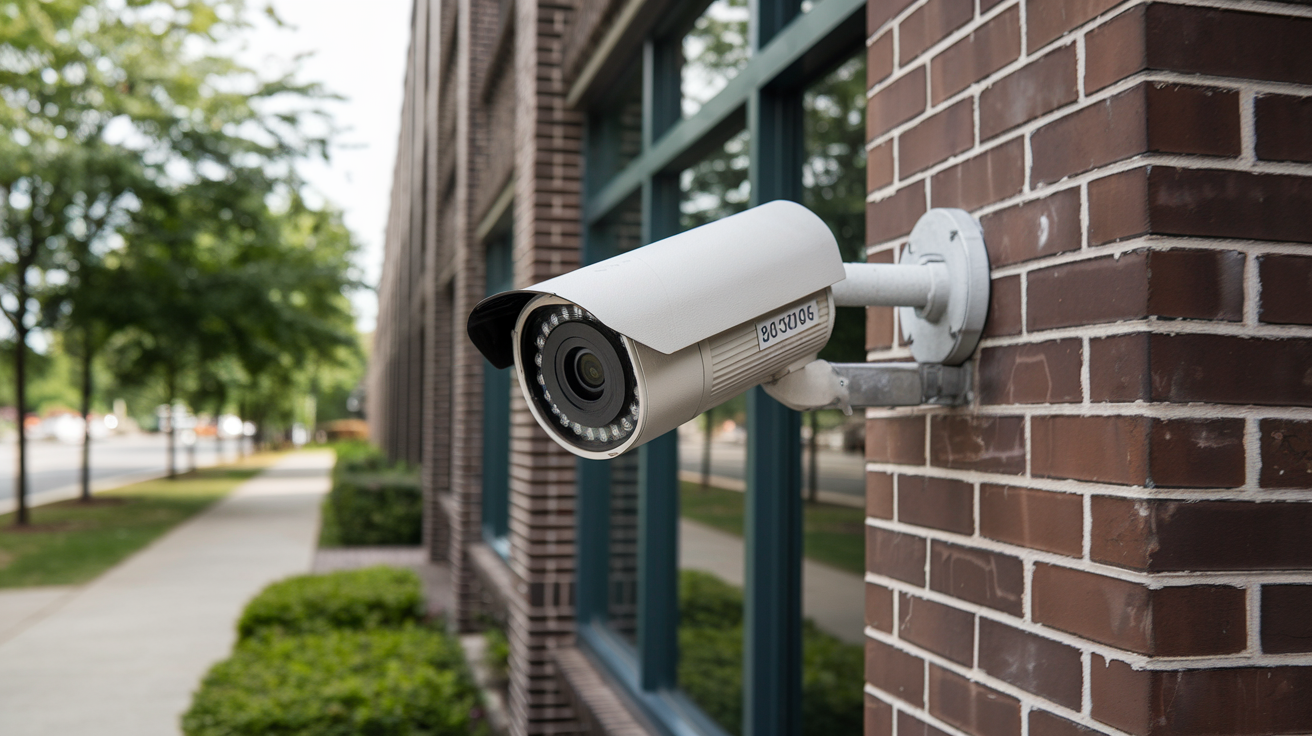
Navigating the crowded market for the "best security camera" can feel overwhelming. This comprehensive guide cuts through the noise, offering data-driven insights and expert analysis to help you find the perfect surveillance solution for your home or business in 2025-26, ensuring peace of mind and robust protection.
Understanding Your Needs: The Foundation of the Best Security Camera
Before diving into specific models and brands, the most crucial step in identifying the "best security camera" for your situation is a thorough needs assessment. This involves considering the specific areas you wish to monitor, the potential threats you aim to deter or detect, and your budget. For instance, a homeowner looking to monitor a front porch might prioritize a camera with excellent facial recognition and two-way audio, while a business owner securing a large warehouse might need wide-angle lenses, robust night vision, and continuous recording capabilities. Statistics from the Statista Global Home Security Market Report 2025 indicate a growing demand for integrated smart home security systems, suggesting that compatibility with other devices is becoming increasingly important.
Furthermore, consider the environment. Will the camera be exposed to harsh weather conditions? Indoors, you might prioritize discreet designs, while outdoors, durability and weatherproofing (IP ratings) become paramount. Think about power sources: wired cameras offer reliability but require installation near an outlet, while battery-powered cameras offer flexibility but need regular charging or battery replacement. Understanding these fundamental requirements will significantly narrow down your options and lead you to a camera that truly meets your definition of "best." The market in 2025-26 offers a spectrum of solutions, from basic DIY setups to complex professional installations, each with its own set of advantages.
Types of Security Cameras: A Deep Dive
The security camera landscape is diverse, with various types designed for different purposes and environments. Understanding these categories is key to making an informed decision.
Wired Security Cameras (CCTV)
Traditionally, wired security cameras, often referred to as Closed-Circuit Television (CCTV) systems, have been the backbone of professional surveillance. These cameras connect via coaxial cables or Ethernet cables to a Digital Video Recorder (DVR) or Network Video Recorder (NVR) for recording and storage. The primary advantage of wired systems is their reliability and stability. They are less susceptible to wireless interference and generally offer a more secure connection, as they are not broadcasting signals over Wi-Fi. Data transfer is typically more robust, leading to smoother video feeds without dropouts. However, installation can be more complex and costly, often requiring professional help to run cables through walls and ceilings. Power is also delivered via cables, eliminating the need for battery changes.
In 2025-26, wired systems are still a strong contender for businesses and larger properties where continuous, high-bandwidth recording is essential. Advancements in Power over Ethernet (PoE) technology have simplified wiring by allowing both data and power to be transmitted over a single Ethernet cable, making installation more manageable than older CCTV systems.
Wireless Security Cameras (Wi-Fi Cameras)
Wireless security cameras have surged in popularity due to their ease of installation and flexibility. These cameras connect to your home's Wi-Fi network, transmitting data wirelessly to your router, and often to cloud storage or a local microSD card. The primary appeal is the DIY-friendly setup; many models can be installed and configured within minutes. This makes them ideal for renters or those who prefer not to undertake extensive wiring. Battery-powered wireless cameras offer even greater placement freedom, allowing you to position them in areas without nearby power outlets. However, this freedom comes with the responsibility of battery management.
The main drawbacks of wireless cameras can include potential signal interference, which might lead to intermittent connectivity or lower video quality. The security of the wireless connection also needs consideration, though modern encryption standards have significantly improved this aspect. Cloud storage, while convenient, often comes with subscription fees, and the reliance on Wi-Fi means a power outage or internet disruption can render them temporarily inoperable unless they have local storage backup.
IP Cameras
Internet Protocol (IP) cameras are a type of digital camera that receives control data and sends image data via an IP network. They are essentially networked devices that can be accessed remotely over the internet. IP cameras can be either wired (Ethernet) or wireless (Wi-Fi). They offer higher resolution video quality compared to older analog CCTV cameras and provide greater flexibility in terms of features and integration with other smart home devices. Many modern "wireless" cameras are, in fact, IP cameras that use Wi-Fi for connectivity. The intelligence of IP cameras allows for advanced features like on-board analytics, motion detection, and integration with smart home platforms like Amazon Alexa or Google Home. The market for IP cameras in 2025-26 is dominated by high-resolution options, including 4K and even higher, catering to users who demand the finest detail.
Bullet Cameras
Bullet cameras are characterized by their elongated, cylindrical shape, resembling a bullet. They are typically used for outdoor surveillance due to their robust, weather-resistant casings and often visible presence, which can act as a deterrent. Many bullet cameras are designed for fixed-point monitoring, offering a clear, unobstructed view of a specific area. They often come with adjustable mounts, allowing users to position them precisely. Their design makes them less conspicuous than dome cameras in some settings but more noticeable as a security measure. Features like infrared (IR) LEDs for night vision and wide-angle lenses are common.
Dome Cameras
Dome cameras are enclosed in a transparent or opaque dome-shaped casing, making it difficult for onlookers to determine the direction the camera is pointing. This ambiguity can be a significant advantage in deterring vandalism or tampering, as potential intruders are unsure if they are being watched. Dome cameras are often used in commercial settings, retail environments, and public spaces, but are also popular for home use, especially for indoor ceilings or discreet outdoor mounting. Their compact and aesthetically pleasing design often allows them to blend in better than bullet cameras. Many modern dome cameras are IP-based and offer features like pan-tilt-zoom (PTZ) capabilities.
PTZ Cameras (Pan-Tilt-Zoom)
PTZ cameras are highly versatile and offer advanced control over their viewing angle. They can pan horizontally, tilt vertically, and zoom in on specific details, all controllable remotely via an app or software. This makes them ideal for monitoring large areas, tracking moving subjects, or quickly focusing on areas of interest when an alert is triggered. PTZ cameras are often found in professional surveillance setups, large properties, and areas requiring dynamic monitoring. While more expensive than fixed cameras, their ability to cover a wide range and zoom in on details provides significant value. In 2025-26, PTZ cameras are increasingly incorporating AI-powered auto-tracking, allowing them to follow subjects automatically once detected.
Turret Cameras
Turret cameras, also known as eyeball cameras, are a hybrid between bullet and dome cameras. They have a spherical lens housing that can be adjusted in multiple directions, similar to a dome camera, but without the full dome enclosure. This design allows for easy aiming and adjustment without needing to remove any covers. They are often more discreet than bullet cameras and can be mounted on ceilings or walls. Turret cameras are a popular choice for both indoor and outdoor use, offering a good balance of adjustability, discretion, and weather resistance.
Essential Features for the Best Security Camera in 2025-26
Selecting the "best security camera" involves evaluating a range of features that contribute to its effectiveness, usability, and overall value. Here are the most critical features to consider for 2025-26:
Video Resolution and Quality
High video resolution is paramount for capturing clear, detailed footage. In 2025-26, 1080p (Full HD) is considered the baseline, but 2K (1440p) and 4K (2160p) resolutions are becoming increasingly common and recommended for superior clarity. Higher resolution allows for better identification of faces, license plates, and other crucial details, especially when zooming in. Look for cameras with good frame rates (e.g., 25-30 frames per second) for smooth motion capture. Wide Dynamic Range (WDR) and High Dynamic Range (HDR) are also important for handling challenging lighting conditions, such as bright sunlight and deep shadows, ensuring that details are visible in both the brightest and darkest areas of the image.
Night Vision Capabilities
Effective night vision is crucial for 24/7 surveillance. Most security cameras use infrared (IR) LEDs to illuminate the scene in darkness, producing black-and-white images. The range and clarity of night vision vary significantly between models. Look for specifications like "IR range" (e.g., 30 meters or 100 feet) to understand how far the camera can see in complete darkness. Color night vision technology, which uses ambient light or specialized sensors to produce color images even in low-light conditions, is a significant advancement and becoming more prevalent in higher-end models for 2025-26. This can provide much more context and detail than traditional black-and-white IR.
Field of View (FOV)
The field of view determines how wide an area the camera can capture. A wider FOV means the camera can see more of its surroundings, reducing the number of cameras needed to cover a specific area. Standard FOVs are typically around 70-90 degrees, while wide-angle lenses can offer 120 degrees or more. Ultra-wide-angle lenses can reach 180 degrees or even fisheye perspectives. The "best" FOV depends on the area you need to monitor. For example, a narrow hallway might benefit from a narrower FOV, while a large backyard would require a much wider lens.
Motion Detection and Alerts
Advanced motion detection is a cornerstone of modern security cameras. Instead of simply recording continuously, cameras can be configured to record only when motion is detected, saving storage space and making it easier to review footage. Look for cameras with customizable motion zones, allowing you to specify areas within the camera's view where motion should be detected, and ignore irrelevant areas (like swaying trees). AI-powered person detection, package detection, and vehicle detection are increasingly sophisticated features that reduce false alarms caused by pets or environmental changes. Instant alerts sent to your smartphone or email are essential for timely response.
Audio Capabilities (Two-Way Audio)
Some security cameras include built-in microphones and speakers, enabling two-way audio communication. This feature allows you to hear what's happening in the camera's vicinity and speak through the camera, which can be useful for deterring intruders, communicating with delivery personnel, or checking in on family members. The quality of the microphone and speaker is important for clear communication. This feature is particularly valuable for cameras placed at entry points like front doors.
Storage Options (Cloud vs. Local)
Security cameras offer various storage solutions. Cloud storage, typically offered as a subscription service, provides secure off-site storage, protecting your footage even if the camera is stolen or damaged. However, it often involves recurring fees. Local storage, such as microSD cards or NVR/DVR systems, stores footage directly on the device or a dedicated recorder. This offers a one-time purchase but can be vulnerable to theft or damage. Many modern cameras offer a hybrid approach, allowing both local and cloud storage. For 2025-26, consider the storage capacity needed and the associated costs for each option.
Connectivity and Power
As discussed earlier, cameras can be wired or wireless. Wired cameras (Ethernet) generally offer the most stable connection and are powered via AC adapter or PoE. Wireless cameras rely on Wi-Fi and can be powered by AC adapters or batteries. Battery-powered cameras offer ultimate flexibility but require battery management. Consider the availability of power outlets and your Wi-Fi signal strength when choosing. A robust Wi-Fi connection is critical for wireless cameras to function reliably.
Weather Resistance (IP Rating)
For outdoor cameras, weather resistance is non-negotiable. The Ingress Protection (IP) rating indicates a device's resistance to dust and water. Look for ratings like IP65, IP66, or IP67, which denote good protection against dust and water jets or immersion. Higher ratings generally indicate better durability against various environmental conditions.
Smart Home Integration
Compatibility with smart home ecosystems like Amazon Alexa, Google Assistant, or Apple HomeKit is a significant advantage. This allows for voice control, integration with other smart devices (e.g., turning on lights when motion is detected), and viewing camera feeds on smart displays. As smart homes become more integrated, this feature is increasingly important for a seamless security experience.
User-Friendly App and Interface
The accompanying mobile app or web interface is how you'll interact with your camera daily. It should be intuitive, easy to navigate, and provide reliable access to live feeds, recorded footage, settings, and alerts. Check user reviews for feedback on app performance and stability. Features like easy playback, downloading clips, and remote control of camera settings are essential.
Top Security Camera Categories and Recommendations
Based on the features discussed, here are some of the top categories of security cameras and exemplary use cases for 2025-26. Please note that specific model recommendations change rapidly, but these categories highlight where to focus your search.
Best Overall Smart Home Security Camera
These cameras offer a balance of advanced features, ease of use, and smart home integration. They typically boast high resolution, excellent night vision, AI-powered motion detection, two-way audio, and robust app support. They are ideal for homeowners looking for a comprehensive, user-friendly system that integrates seamlessly with their existing smart home setup.
- Key Features: 2K/4K resolution, color night vision, AI person/package detection, wide FOV, two-way audio, cloud and local storage options, strong app.
- Ideal For: General home surveillance, front door monitoring, backyard security.
Best Budget-Friendly Security Camera
For those on a tighter budget, these cameras provide essential security features without breaking the bank. While they might compromise on some advanced AI features or resolution, they still offer reliable performance for basic monitoring needs. Many offer 1080p resolution, decent night vision, and motion alerts.
- Key Features: 1080p resolution, good IR night vision, basic motion detection, microSD card support, simple app.
- Ideal For: Basic indoor monitoring, small apartments, supplementing existing systems.
Best Outdoor Security Camera
Designed to withstand the elements, these cameras prioritize durability, weather resistance, and long-range night vision. They often feature wider fields of view and robust motion detection to cover larger outdoor areas effectively. Wired options often provide the most reliable power and connection for continuous outdoor monitoring.
- Key Features: IP66/IP67 rating, enhanced IR or color night vision (30m+), wide FOV, advanced motion detection (including vehicle detection), often PoE capable.
- Ideal For: Driveways, yards, perimeter monitoring, deterring break-ins.
Best Indoor Security Camera
Indoor cameras focus on discretion, ease of setup, and features like two-way audio for communication. They can be used to monitor pets, children, or as an additional layer of security within the home. Many indoor cameras are compact and aesthetically pleasing, blending into home decor.
- Key Features: Compact design, 1080p/2K resolution, decent night vision, two-way audio, motion detection, local storage (microSD).
- Ideal For: Monitoring pets, checking on children, interior security.
Best Wireless Battery-Powered Security Camera
These cameras offer unparalleled installation flexibility, as they don't require proximity to power outlets or Ethernet cables. They are perfect for renters or temporary installations. However, users must consider battery life and charging schedules.
- Key Features: Wire-free installation, good battery life (months), decent resolution, motion detection, often solar charging options available.
- Ideal For: Gates, sheds, areas without power access, temporary monitoring.
Best PTZ Security Camera
For comprehensive coverage of large areas, PTZ cameras are the top choice. Their ability to pan, tilt, and zoom remotely makes them incredibly versatile for monitoring expansive properties or dynamic environments. AI-powered auto-tracking is a key feature in higher-end models.
- Key Features: Remote pan/tilt/zoom control, optical zoom, AI auto-tracking, high resolution (often 4K), robust connectivity.
- Ideal For: Large yards, commercial properties, parking lots, areas requiring active surveillance.
A comparison of some popular camera types and their typical use cases:
| Camera Type | Primary Use Case | Key Advantage | Potential Drawback |
|---|---|---|---|
| Bullet Camera | Outdoor perimeter monitoring, deterrence | Visible presence, robust design | Less discreet, can be targeted |
| Dome Camera | Indoor/outdoor discreet surveillance, retail | Tamper-resistant, less obvious direction | Limited adjustability without specialized models |
| PTZ Camera | Large area coverage, active tracking | Wide coverage, zoom capability | Higher cost, requires stable connection |
| Wireless Wi-Fi Camera | Easy DIY installation, flexible placement | Simple setup, no wiring needed | Potential signal interference, battery management |
| Wired IP Camera (PoE) | Reliable, high-bandwidth surveillance | Stable connection, continuous power | Complex installation, requires wiring |
Installation and Setup: Making Your Camera Work for You
The "best security camera" is only effective if it's installed and configured correctly. The process can range from simple DIY to professional installation, depending on the camera type and your technical comfort level.
DIY Installation Steps (Wireless Cameras)
For most wireless Wi-Fi cameras, the setup process is designed to be user-friendly:
- Unboxing and Charging: Unpack your camera and any accessories. If it's a battery-powered camera, ensure the battery is fully charged.
- Download the App: Download the manufacturer's dedicated mobile app from your smartphone's app store (iOS or Android).
- Create an Account: Open the app and create a user account.
- Power On and Connect: Power on the camera. The app will usually guide you through connecting the camera to your Wi-Fi network. This often involves scanning a QR code displayed on your phone with the camera or entering your Wi-Fi credentials.
- Position the Camera: Mount the camera in your desired location. Use the provided mounting hardware. Ensure it has a clear view of the area you want to monitor and a strong Wi-Fi signal.
- Configure Settings: Within the app, adjust motion detection sensitivity, set up motion zones, configure alert preferences, and explore other settings like video quality and night vision modes.
- Test: Walk in front of the camera to test motion detection and ensure you receive alerts promptly. Check the live feed and recorded footage.
Professional Installation (Wired Cameras and Complex Setups)
For wired systems (DVR/NVR), PoE cameras, or if you're uncomfortable with DIY, professional installation is recommended:
- Consultation: A security professional will assess your property, discuss your needs, and recommend the best camera types and placement.
- Wiring: Technicians will run cables for power and data, often through walls, attics, or conduits. This is the most labor-intensive part.
- Device Setup: Cameras are mounted, connected to the recorder (DVR/NVR), and powered on.
- System Configuration: The DVR/NVR is configured, network settings are established for remote access, and motion detection or recording schedules are set up.
- Testing and Training: The system is tested thoroughly, and you'll be trained on how to use the software or app to view live feeds, playback recordings, and manage settings.
Professional installation ensures optimal performance, proper cable management, and secure system configuration, which can be crucial for the long-term reliability of your security system. According to the Security Magazine Industry Report 2025, over 60% of businesses opt for professional installation for comprehensive security systems.
Advanced Considerations for Optimal Security
Beyond the basic features, several advanced considerations can elevate your security camera system's effectiveness and user experience.
AI-Powered Analytics
Artificial Intelligence is revolutionizing security cameras. AI analytics go beyond simple motion detection to identify specific events. This includes:
- Person Detection: Differentiates between people and other moving objects (like animals or falling leaves), reducing false alarms.
- Package Detection: Alerts you when a package is delivered or removed from your doorstep.
- Vehicle Detection: Identifies vehicles, useful for monitoring driveways or street activity.
- Facial Recognition: Some high-end systems can identify known individuals, providing alerts for family members or flagging unknown persons.
Video Analytics and Intrusion Detection
More sophisticated analytics can create virtual tripwires or define specific zones where intrusions trigger alerts. For instance, you can set an alert if someone enters a "no-go" zone in your backyard or lingers too long near a specific area. This proactive approach can help prevent incidents before they occur.
Bandwidth Requirements
High-resolution cameras, especially those streaming 4K video or multiple streams simultaneously, consume significant internet bandwidth. If you have a limited internet plan or a slow connection, this can lead to buffering, dropped connections, or lower video quality. It's essential to check the camera's bandwidth requirements and ensure your internet service can support it. For wired IP cameras, this also impacts the network infrastructure.
Cybersecurity and Encryption
As security cameras become more connected, their vulnerability to cyber threats increases. Look for cameras that use strong encryption protocols (like WPA2/WPA3 for Wi-Fi) and offer secure remote access. Regularly updating firmware is crucial to patch any security vulnerabilities. Manufacturers with a strong reputation for cybersecurity are preferable. According to recent cybersecurity reports for 2025, IoT device security remains a critical concern, making this aspect vital.
Scalability of the System
Consider whether the system you choose can be expanded in the future. If you start with one or two cameras, you might want to add more later. Some systems are designed for easy expansion, while others are more limited. This is particularly relevant for NVR/DVR systems, which have a limited number of channels.
Integration with Alarm Systems
For a comprehensive security solution, consider cameras that can integrate with your existing alarm system. This can create a more robust defense, where motion detection from a camera can trigger an alarm, or an alarm event can prompt cameras to record. Partnerships between security camera manufacturers and alarm system providers are common in 2025-26.
Legal and Privacy Aspects of Home Surveillance
While the "best security camera" enhances your safety, it's crucial to be aware of the legal and privacy implications of surveillance.
Recording Audio
Laws regarding audio recording vary significantly by region. In many places, it is illegal to record conversations without the consent of all parties involved. Most security cameras are designed to record video only, or have an option to disable audio recording. Always check your local laws before enabling audio recording. Many modern cameras offer the ability to disable the microphone entirely.
Privacy of Neighbors and Public Spaces
Ensure your security cameras are pointed at your own property and do not excessively capture your neighbors' private spaces (yards, windows). While it's often acceptable to capture a portion of public sidewalks or streets if they are directly in front of your property, be mindful of privacy laws and avoid creating a "surveillance state" for your neighbors. Some jurisdictions have specific regulations regarding the use of cameras that overlook public areas.
Data Privacy and Cloud Storage
If you opt for cloud storage, understand the provider's data privacy policy. How is your data stored? Who has access to it? What are their security measures? Reputable providers will have clear policies and robust security protocols. Be wary of free cloud storage services that may have less stringent privacy protections.
Compliance with Regulations
For businesses, compliance with regulations like GDPR (General Data Protection Regulation) or CCPA (California Consumer Privacy Act) is essential if you are collecting or processing personal data. This includes clear signage informing individuals that they are being recorded.
Secure Network Practices
To prevent unauthorized access to your camera feeds, practice good cybersecurity. Use strong, unique passwords for your Wi-Fi network and your camera accounts. Enable two-factor authentication (2FA) if available. Keep camera firmware updated. This is a shared responsibility between the user and the manufacturer.
The landscape of security technology is constantly evolving, and by staying informed about the latest features, understanding your specific needs, and considering the legal and privacy aspects, you can confidently select the "best security camera" to safeguard what matters most to you in 2025-26.
Conclusion
Selecting the "best security camera" in 2025-26 is a decision that hinges on a thorough understanding of your unique security needs, environmental factors, and desired features. We've explored the diverse types of cameras available, from reliable wired systems to flexible wireless options, and delved into the critical features that define modern surveillance technology, including AI-powered analytics, high-resolution video, and robust night vision. Remember, the ideal camera is not necessarily the one with the most features, but the one that best addresses your specific requirements for monitoring, deterrence, and ease of use. Prioritize cameras offering clear video quality, effective night vision, and intelligent motion detection with customizable alerts. For seamless integration into your smart home, look for compatibility with popular ecosystems. If outdoor surveillance is your priority, ensure robust weatherproofing and extended range capabilities. For those seeking ultimate flexibility, battery-powered wireless cameras offer convenience, provided you manage their power needs. Ultimately, the best investment is in a system that provides peace of mind, backed by reliable performance and user-friendly operation. By carefully considering the information presented, you are well-equipped to make an informed choice that enhances your home or business security effectively and efficiently.





