
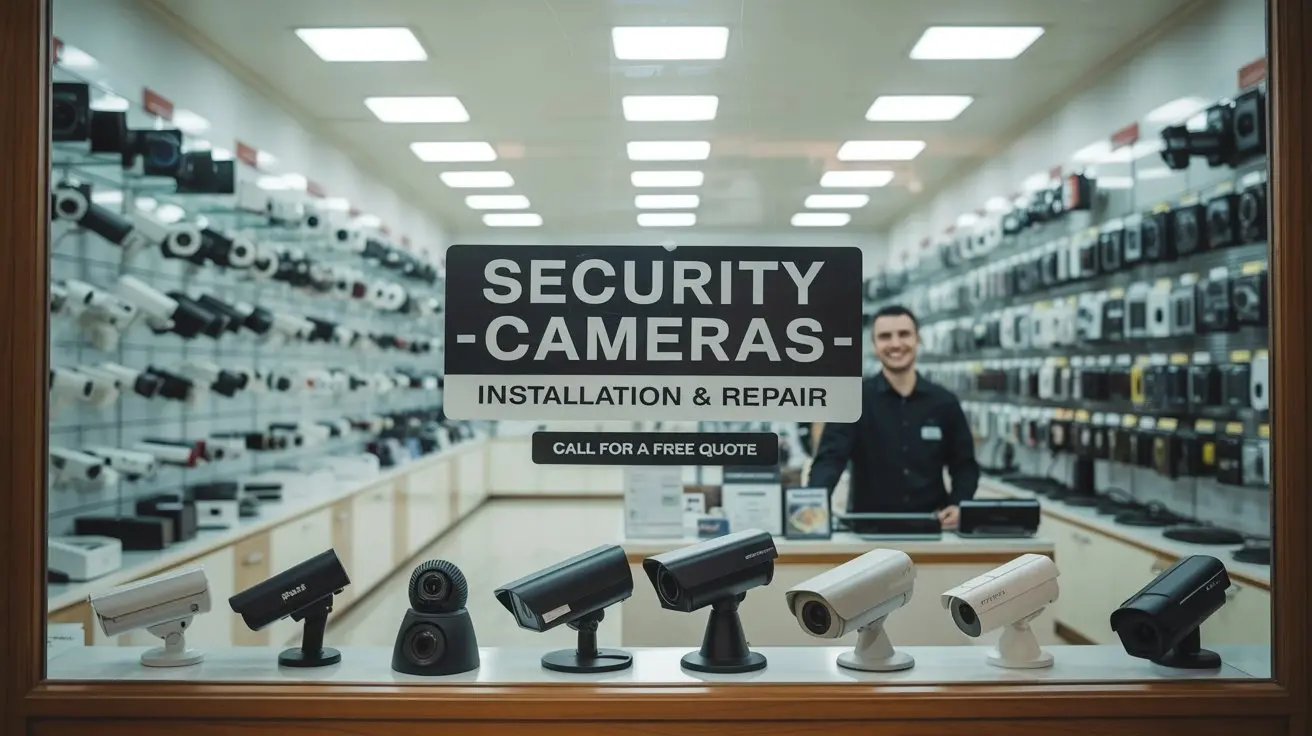
Locating the best security cameras nearby is crucial for safeguarding your property. This guide helps you find reliable retailers and online stores offering a wide selection of surveillance solutions, ensuring peace of mind and enhanced protection for your home or business.
Understanding Your Security Camera Needs
Before you embark on your quest to find security cameras near you, it's essential to define what you need. This foundational step will streamline your search and ensure you invest in a system that truly meets your security objectives. The market is flooded with options, from basic doorbell cameras to sophisticated multi-camera NVR (Network Video Recorder) systems. Understanding your specific requirements will help you filter through the noise and identify the most suitable solutions.
Assessing Your Property and Security Goals
The first consideration is the type of property you need to secure. Is it a single-family home, an apartment, a small business, or a large commercial complex? Each scenario has unique vulnerabilities and coverage requirements. For a home, you might prioritize monitoring entry points, driveways, and backyards. For a business, you may need to cover stock rooms, cash registers, entrances, and customer-facing areas.
Next, consider your primary security goals. Are you looking to deter potential intruders, monitor for package theft, keep an eye on children or pets, or simply gain peace of mind? Your goals will dictate the features you prioritize, such as night vision capabilities, motion detection sensitivity, two-way audio, or the ability to record continuously.
Key Questions to Ask Yourself:
- What specific areas do I need to monitor?
- What are the main security threats I'm concerned about (e.g., break-ins, vandalism, package theft)?
- What is my budget for the security camera system?
- Do I need indoor or outdoor cameras, or both?
- What level of video quality is acceptable (e.g., 1080p, 2K, 4K)?
- Are features like night vision, motion detection, or two-way audio essential?
- How will the cameras be powered (e.g., wired, battery-powered, solar)?
- What kind of storage do I need (e.g., local SD card, cloud storage, NVR/DVR)?
- Do I require professional installation, or am I comfortable with DIY setup?
Types of Security Cameras Available
The market offers a diverse range of camera types, each designed for specific purposes:
- Bullet Cameras: These are typically used outdoors and are easily visible, acting as a deterrent. They are often weatherproof and have infrared capabilities for night vision.
- Dome Cameras: Often used indoors or in semi-protected outdoor areas, dome cameras are discreet and can be harder to tamper with due to their enclosed design.
- Turret Cameras: Similar to dome cameras but with a more exposed lens, turret cameras offer good flexibility and are often easier to adjust.
- PTZ (Pan-Tilt-Zoom) Cameras: These cameras can be remotely controlled to pan, tilt, and zoom, allowing for a wider field of view and the ability to focus on specific details. They are ideal for large areas.
- Doorbell Cameras: A popular choice for home security, these replace your existing doorbell and offer video and audio communication with visitors, often with motion detection alerts.
- Wireless Cameras: These cameras connect to your network via Wi-Fi, offering flexible placement options without the need for extensive wiring.
- Wired Cameras: These connect via Ethernet cables, providing a more stable and reliable connection, often with Power over Ethernet (PoE) capabilities.
Wired vs. Wireless: Making the Right Choice
The decision between wired and wireless security cameras is a significant one. Wired systems generally offer superior reliability and security against signal jamming. They are less susceptible to interference and often provide higher quality video streams. However, installation can be more complex and costly, especially in existing structures. Wireless systems offer unparalleled ease of installation and flexibility in placement. They are ideal for renters or those who prefer a DIY approach. The main drawbacks are potential Wi-Fi signal issues, battery life concerns for battery-powered models, and a slightly higher susceptibility to hacking if not properly secured.
Where to Buy Security Cameras Locally
For those who prefer to see and touch products before buying, or who need immediate installation, local retailers are an excellent option. Visiting a physical store allows you to speak with sales associates who can offer expert advice and help you compare different models side-by-side. This hands-on approach can be particularly beneficial for understanding the size, build quality, and ease of use of various cameras.
Big Box Electronics Retailers
Major electronics chains are often the first place people think of when looking for security cameras. These stores typically carry a wide range of consumer-grade security camera systems from well-known brands. You'll find everything from individual smart cameras to complete home security kits.
Examples:
- Best Buy: Known for its extensive selection of consumer electronics, Best Buy usually has a dedicated security camera section. They offer various brands, including Arlo, Ring, Nest, Wyze, and Lorex. Their knowledgeable staff can often provide basic guidance.
- Walmart: While not a dedicated electronics store, Walmart carries a surprising variety of security cameras, especially budget-friendly options. You can find brands like Wyze, Blink, and Sentry.
- Target: Similar to Walmart, Target offers a curated selection of smart home devices, which often includes popular security camera brands.
Pros: Wide selection, competitive pricing, ability to see products in person, often have sales and promotions, convenient locations.
Cons: Staff expertise can vary, may not carry the most specialized or high-end professional systems, limited stock on niche items.
Home Improvement Stores
Stores focused on home improvement often carry security solutions as part of their smart home and electrical departments. These retailers are a good source for cameras designed for outdoor use, as well as related installation accessories.
Examples:
- The Home Depot: You can find a decent selection of security cameras, particularly those geared towards outdoor installation and DIY projects. Brands like Arlo, Ring, and Swann are commonly stocked.
- Lowe's: Similar to Home Depot, Lowe's offers a range of security cameras and smart home devices, often with a focus on durable, weather-resistant options.
Pros: Good for outdoor-rated cameras and accessories, often have knowledgeable staff in electrical departments, convenient for DIYers undertaking larger projects.
Cons: Selection might be less extensive than dedicated electronics stores, focus is more on DIY and home installation.
Local Electronics and Computer Stores
Smaller, independent electronics stores can sometimes be hidden gems. While their inventory might be more limited, they may offer more personalized service and potentially carry specialized brands or professional-grade equipment that larger chains don't stock.
Pros: Personalized service, potential for specialized products, supporting local businesses.
Cons: Limited selection, pricing may not always be competitive, availability can be inconsistent.
Mobile Carrier Stores
Some mobile carriers, especially those offering smart home bundles or security services, may also sell specific brands of security cameras, particularly those that integrate with their broader smart home ecosystems. This is less common for general-purpose cameras but worth checking if you're already a customer.
Pros: Potential for bundled deals if you're an existing customer, integration with other services.
Cons: Very limited selection, often tied to specific brands or service plans.
Online Retailers for Security Cameras
The convenience and vast selection offered by online retailers make them a dominant force in the security camera market. You can often find better prices, a wider array of brands, and detailed customer reviews to aid your decision-making process. For those who are comfortable researching and ordering online, this is often the most efficient route.
Major E-commerce Platforms
These platforms are the go-to for many consumers due to their sheer volume of products, competitive pricing, and fast shipping options.
Examples:
- Amazon: Undoubtedly the largest online retailer, Amazon offers an unparalleled selection of security cameras from virtually every brand imaginable. You'll find everything from budget-friendly Wyze cameras to high-end professional systems. Their customer reviews are invaluable for gauging product performance and reliability. Look for deals on Prime Day and other seasonal sales.
- eBay: While often associated with used goods, eBay also hosts many new products from authorized sellers and directly from manufacturers. It can be a good place to find deals, especially on older models or refurbished equipment.
Pros: Enormous selection, competitive pricing, detailed customer reviews, convenient home delivery, frequent sales and discounts.
Cons: Cannot physically inspect products before purchase, reliance on seller reputation and product descriptions, potential for counterfeit products if not careful.
Manufacturer Websites
Buying directly from the manufacturer's website can sometimes offer exclusive deals, extended warranties, or access to the latest models before they hit other retailers. It also ensures you are purchasing an authentic product.
Examples:
- Arlo.com
- Ring.com
- Nest (Google Store)
- Wyze.com
- Lorex.com
- Reolink.com
Pros: Direct from the source, often best prices on new releases, access to customer support, potential for extended warranties or bundles.
Cons: Limited to a single brand's offerings, may not have the best deals compared to aggregated retailers.
Specialty Online Security Stores
Beyond the giants, there are online retailers that specialize specifically in security and surveillance equipment. These stores often cater to both consumers and professionals and can offer a more curated selection of high-quality or niche products.
Examples:
- ADT.com: While primarily known for its professional installation services, ADT also offers various security camera solutions that can be purchased directly or as part of a monitored service.
- B&H Photo Video: Although a photography and video retailer, B&H has a substantial security and surveillance section, often stocking professional-grade equipment and accessories.
- AlarmSystemStore.com: This site focuses on DIY alarm systems and security cameras, offering a good range of wired and wireless options.
Pros: Expertly curated selection, often higher-quality or professional-grade equipment, knowledgeable customer support for specialized products.
Cons: Selection might be more limited to specific categories, prices can sometimes be higher for consumer-grade items.
Specialty Security Stores
For those seeking advanced solutions, professional-grade equipment, or comprehensive security consultations, specialty security stores are the best bet. These businesses are dedicated to security and surveillance and typically employ staff with deep expertise in the field.
Local Security System Installers
Many local companies that specialize in installing security systems also sell the equipment they recommend. This can be an excellent option if you plan to have your system professionally installed and want a cohesive experience from purchase to setup.
Pros: Expert advice tailored to your specific property, can often bundle equipment with installation services, access to professional-grade equipment, post-installation support.
Cons: Can be more expensive than DIY options, selection is limited to what they stock or recommend, may have contracts for monitoring services.
Commercial Security Suppliers
If you're looking for robust, high-definition cameras for a business or a large property, commercial security suppliers are the place to go. They stock equipment designed for demanding environments and advanced features.
Pros: Access to high-end, professional-grade equipment, knowledgeable staff for complex needs, solutions for large-scale deployments.
Cons: Equipment can be expensive, often geared towards business clients, may require professional installation.
Factors to Consider When Buying
Once you know where to look, you need to know what to look for. Several key factors differentiate security cameras and will influence your purchase decision. These considerations go beyond just brand names and pricing.
Video Quality and Resolution
Video resolution is measured in pixels and directly impacts the clarity of the footage. Common resolutions include:
- 720p (HD): Basic clarity, suitable for general monitoring but may struggle to capture fine details.
- 1080p (Full HD): The most common standard, offering good clarity for most home and small business applications.
- 2K (1440p) & 4K (2160p): Significantly higher resolution, providing exceptional detail, which is crucial for identifying faces, license plates, or specific events. Higher resolutions require more storage and bandwidth.
2025-26 Trend: 2K and 4K resolution cameras are becoming increasingly affordable and popular for consumers seeking superior detail. Expect to see more AI-powered features integrated into higher-resolution cameras for smarter event detection.
Field of View (FOV)
The FOV determines how wide an area the camera can see. A wider FOV means fewer cameras are needed to cover a larger space. Lenses are measured in millimeters (mm); a smaller mm number indicates a wider FOV.
- Wide-angle lenses (e.g., 2.8mm): Offer a FOV of 110-130 degrees or more, ideal for covering large areas like backyards or main rooms.
- Narrower lenses (e.g., 6mm): Provide a more focused view, suitable for monitoring specific points like a doorway or a driveway.
Night Vision Capabilities
Effective night vision is critical for 24/7 surveillance. Most cameras use infrared (IR) LEDs to illuminate the scene in low light. Key aspects to consider:
- IR Range: The distance the IR LEDs can illuminate (e.g., 30ft, 100ft).
- Color Night Vision: Some advanced cameras can produce color images even in very low light, which can be helpful for identifying details like clothing color.
- Starlight Sensors: These sensors are highly sensitive to light, allowing for clear images in extremely dim conditions without relying solely on IR.
2025-26 Trend: Color night vision and advanced starlight sensors are becoming more common in mid-range and high-end cameras, offering a significant upgrade over traditional black-and-white IR footage.
Motion Detection and Alerts
Motion detection is a standard feature, but its sophistication varies. Advanced systems use AI to differentiate between people, vehicles, animals, and general motion, reducing false alarms.
- Passive Infrared (PIR) Sensors: Detect heat signatures, generally more accurate than simple pixel-based motion detection.
- AI-Powered Detection: Differentiates between object types, allowing for customizable alerts (e.g., only notify me if a person is detected).
- Activity Zones: Allows you to define specific areas within the camera's view where motion should be monitored.
2025-26 Trend: AI-driven object recognition and customizable alert settings are becoming standard, making smart cameras much more user-friendly and effective.
Audio Capabilities
- Two-Way Audio: Allows you to speak and listen through the camera, useful for communicating with visitors, deterring intruders, or checking on pets.
- Audio Recording: Some cameras record ambient sound along with video. Check local laws regarding audio recording.
Storage Options
How and where your video footage is stored is a crucial consideration:
- Local Storage (SD Card): Many cameras have an SD card slot for local recording. This is cost-effective but can be vulnerable if the camera is stolen.
- Network Video Recorder (NVR) / Digital Video Recorder (DVR): These dedicated devices store footage from multiple cameras. NVRs are for IP (network) cameras, while DVRs are for analog cameras. They offer significant storage capacity and centralized management.
- Cloud Storage: Footage is uploaded to a remote server. This offers security against local theft and easy access from anywhere, but typically requires a monthly subscription fee.
2025-26 Trend: Cloud storage subscriptions are becoming more common, with tiered pricing based on storage duration and features. Bundled NVR/DVR solutions with built-in storage are also popular for comprehensive home and small business systems.
Connectivity and Power
- Wi-Fi: Most wireless cameras connect via 2.4GHz or 5GHz Wi-Fi. Ensure you have a strong signal in the desired camera locations.
- Wired Ethernet: Offers the most reliable connection. Power over Ethernet (PoE) allows a single Ethernet cable to provide both data and power, simplifying installation for wired cameras.
- Battery-Powered: Offers ultimate placement flexibility but requires periodic recharging or battery replacement.
- Solar Power: Some battery-powered cameras can be paired with solar panels for continuous charging.
Durability and Weatherproofing
For outdoor cameras, look for an IP rating (Ingress Protection) that indicates resistance to dust and water. An IP66 or IP67 rating is generally recommended for outdoor use.
Installation and Support Options
The process of getting your security cameras up and running can vary significantly. Understanding your options for installation and ongoing support will help you choose the right system and retailer.
DIY Installation
Many modern security cameras, especially wireless models, are designed for easy DIY installation. This typically involves mounting the camera, connecting it to your Wi-Fi network via a mobile app, and configuring settings.
Pros: Cost-effective, flexibility in placement, learn your system intimately.
Cons: Requires some technical aptitude, time commitment, potential for errors if not done correctly, may not be suitable for complex wired systems.
Resources: Most manufacturers provide detailed manuals, video tutorials, and online support forums to assist DIY installers.
Professional Installation Services
For those who prefer a hassle-free setup or have complex wiring needs, professional installation is the way to go. This can be offered by:
- Specialty Security Companies: These companies employ trained technicians who can install and configure your entire system, often offering ongoing maintenance and support.
- Retailer Installation Services: Some big-box retailers (like Best Buy's Geek Squad) offer installation services for the products they sell.
- Third-Party Installers: Platforms like Amazon Home Services or TaskRabbit connect you with local professionals for installation.
Pros: Expert setup, saves time and effort, ensures proper configuration, can handle complex wiring and system integration, often comes with a warranty on installation.
Cons: Higher upfront cost, less flexibility in scheduling, may involve contracts for ongoing services.
Customer Support and Warranties
When purchasing security cameras, always inquire about the manufacturer's warranty and the availability of customer support. A good warranty provides peace of mind, and accessible support is crucial if you encounter issues.
- Warranty Period: Typically ranges from 1 to 3 years for consumer-grade cameras.
- Support Channels: Look for companies that offer phone, email, and live chat support.
- Online Resources: FAQs, troubleshooting guides, and community forums can be invaluable.
2025-26 Trend: Many companies are enhancing their customer support with AI-powered chatbots for instant answers and more streamlined online troubleshooting tools.
Making the Final Decision
You've assessed your needs, explored your purchasing options, and understood the key features. Now it's time to synthesize this information and make an informed decision. The best place to buy security cameras near you will depend on your priorities – whether that's immediate availability, expert advice, the widest selection, or the best price.
Comparing Retailers and Products
Use the information gathered to compare specific retailers and the products they offer. A good strategy is to:
- Identify 2-3 top product models that meet your core requirements (resolution, features, budget).
- Check local availability for these models at big-box stores and home improvement centers.
- Compare prices for these models across online retailers like Amazon, manufacturer sites, and specialty stores.
- Read recent customer reviews for both the products and the retailers.
- Consider the total cost of ownership, including any necessary accessories, cloud storage subscriptions, or installation fees.
Example Scenarios and Recommendations (2025-26)
Scenario 1: Budget-Conscious Homeowner Needing Quick Setup
Needs: Basic monitoring of front door and backyard, easy installation, under $200 total.
Where to Buy: Walmart, Target, or Amazon.
Recommended Products: Wyze Cam v3, Blink Outdoor 3rd Gen. These offer good value, decent video quality, motion detection, and are easy to set up via Wi-Fi. Cloud storage is optional and affordable.
Scenario 2: Small Business Owner Requiring Reliable Surveillance
Needs: Multiple cameras covering entrance, stockroom, and sales floor; good detail for identification; reliable recording; professional installation preferred.
Where to Buy: Local Security System Installer or a specialty online retailer like B&H Photo Video.
Recommended Products: Lorex NVR systems, Reolink PoE camera kits. These offer higher resolutions (2K/4K), more robust build quality, and the reliability of wired connections with NVR/DVR storage. Professional installation is highly recommended.
Scenario 3: Tech-Savvy Homeowner Wanting Advanced Features
Needs: High-resolution video, AI-powered person detection, two-way audio, seamless integration with smart home ecosystem, cloud storage.
Where to Buy: Best Buy, Amazon, or Arlo/Google Store directly.
Recommended Products: Arlo Pro 4/Ultra 2, Google Nest Cam (battery or wired). These offer excellent video quality, advanced AI features, good night vision, and robust mobile app control. Subscription for cloud storage is usually required for full functionality.
The Importance of Reviews and Research
In the digital age, customer reviews are gold. Look for recurring themes in both positive and negative feedback. Are users consistently complaining about battery life? Is the app buggy? Or are people praising the ease of setup and video clarity? This real-world feedback is invaluable and often more reliable than marketing claims. Websites like CNET, TechRadar, and Wirecutter often provide in-depth reviews and comparisons that can help you make a final decision.
Ultimately, the "best" place to buy security cameras near you is the one that best aligns with your specific needs, budget, and comfort level with technology. Whether you walk into a local store or click 'add to cart' online, informed choices lead to effective security solutions.
By understanding your security needs, exploring local and online retail options, and carefully considering key features, you can confidently find and purchase the ideal security cameras. Prioritize reputable brands, read reviews, and choose a system that offers the right balance of features, reliability, and affordability to protect what matters most.





