
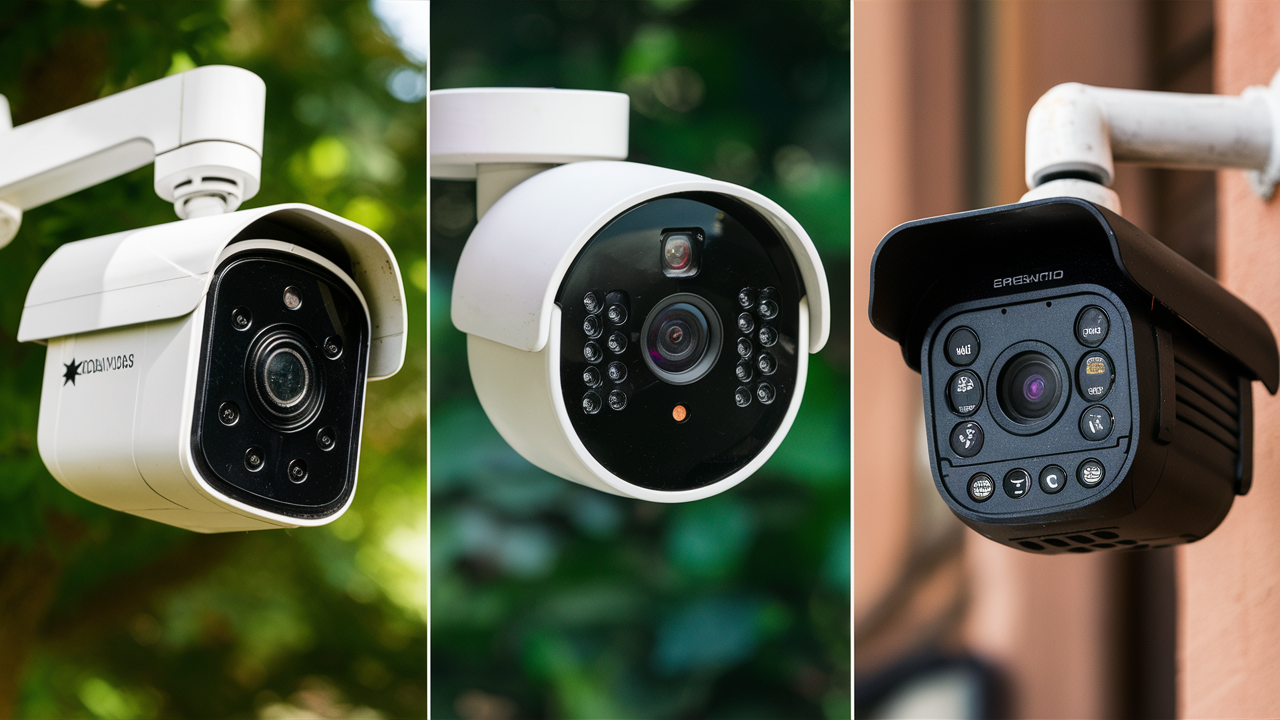
Choosing the best outdoor wireless security camera involves balancing crucial features like video quality, power source, connectivity, smart home integration, and affordability. This guide dives deep into the top contenders for 2025-26, helping you secure your property effectively.
Understanding Outdoor Wireless Security Cameras
In today's security-conscious world, safeguarding your home and loved ones is paramount. Outdoor wireless security cameras have emerged as a popular and accessible solution for homeowners looking to enhance their property's safety. Unlike their wired counterparts, these cameras offer flexibility in placement, simplified installation, and a cleaner aesthetic, eliminating the need for unsightly cables running across your exterior. The term "wireless" in this context typically refers to the camera's connection to your home's Wi-Fi network for data transmission, not necessarily its power source, which can be battery-operated, solar-powered, or still require a wired connection to an electrical outlet. For 2025-26, the market is flooded with options, each boasting unique selling points, from ultra-high definition video and advanced AI detection to seamless smart home integration. Understanding the nuances of these devices is the first step towards making an informed decision.
Key Features to Consider in 2025-26
When evaluating outdoor wireless security cameras, several key features dictate their effectiveness and suitability for your needs. The landscape of home security technology is rapidly evolving, and by 2025-26, certain specifications have become standard expectations, while others represent cutting-edge advancements. Here’s a breakdown of what truly matters:
Video Quality and Resolution
The clarity of the footage captured is arguably the most critical aspect. For 2025-26, 2K (1440p) resolution is the baseline for excellent detail, with many premium models offering 4K (2160p) or even higher resolutions. Higher resolution means sharper images, allowing you to identify faces, license plates, and other crucial details more easily, even when zoomed in. Look for cameras with a wide field of view (FOV) to cover more ground with a single device. A FOV of 130-150 degrees is common and effective for most residential applications.
Night Vision Capabilities
Security doesn't stop when the sun goes down. Effective night vision is essential. Most cameras offer infrared (IR) night vision, which produces black-and-white images. The range and clarity of this IR illumination vary significantly between models. Advanced cameras may feature color night vision, which uses ambient light or built-in spotlights to provide color footage in low-light conditions, offering a more intuitive and detailed view of nighttime events. For 2025-26, color night vision is becoming increasingly prevalent and highly desirable.
Motion Detection and Alerts
Sophisticated motion detection is a hallmark of modern security cameras. Basic models detect any movement, which can lead to frequent false alarms from passing cars or swaying branches. Advanced systems utilize passive infrared (PIR) sensors or AI-powered person detection, vehicle detection, and even package detection to differentiate between genuine threats and trivial events. Customizable activity zones allow you to specify areas where motion should be monitored, further reducing false alerts. Push notifications to your smartphone or email are standard for immediate awareness.
Audio Capabilities
Two-way audio is a valuable feature that allows you to not only hear what's happening around the camera but also to speak through it. This can be useful for deterring intruders, communicating with delivery personnel, or speaking to family members. Some cameras also offer sound detection, which can trigger alerts for unusual noises like breaking glass.
Storage Options: Local vs. Cloud
How your video footage is stored is a significant consideration.
- Local Storage: Often involves a microSD card slot, offering a one-time purchase for storage. This is ideal for users who prefer not to pay recurring fees. However, if the camera is stolen or damaged, the footage is lost.
- Cloud Storage: Subscriptions to cloud services provide secure off-site storage, accessible from anywhere. This is generally more convenient and offers peace of mind against physical theft. Subscription costs vary based on storage duration and the number of cameras. For 2025-26, tiered cloud plans are common, offering different levels of access and features.
Durability and Weather Resistance
Outdoor cameras are exposed to the elements, so they must be built to withstand rain, snow, extreme temperatures, and dust. Look for an IP rating (Ingress Protection) of at least IP65, which indicates protection against dust and low-pressure water jets. Higher ratings like IP66 or IP67 offer even greater protection.
Power Source: Battery, Solar, or Wired
This is a critical differentiator for wireless cameras.
- Battery-Powered: Offers the most placement flexibility but requires periodic recharging or battery replacement. Battery life can range from a few weeks to several months, depending on usage and settings.
- Solar-Powered: Utilizes a solar panel to keep rechargeable batteries topped up. This is an excellent eco-friendly and low-maintenance option, provided the camera receives sufficient sunlight.
- Wired (Plug-in): Requires a nearby power outlet, which might limit placement options but guarantees continuous power.
Connectivity and Wi-Fi Strength
A stable Wi-Fi connection is non-negotiable for a wireless camera. Ensure your Wi-Fi signal is strong enough at the desired camera location. Some cameras support dual-band Wi-Fi (2.4GHz and 5GHz), with 5GHz offering faster speeds but a shorter range, while 2.4GHz provides better penetration through walls but slower speeds. Consider cameras with good Wi-Fi range or those that support mesh networking if you have a large property.
Top Wireless Security Cameras for 2025-26: A Detailed Comparison
The market for outdoor wireless security cameras is highly competitive, with manufacturers constantly innovating. Based on performance, features, user reviews, and emerging trends for 2025-26, here are some of the leading contenders. We’ll compare them across key metrics to help you pinpoint the best fit for your security needs.
| Camera Model | Resolution | Field of View | Night Vision | Power Source | Storage Options | AI Detection | Price Range (USD) | Key Strengths |
|---|---|---|---|---|---|---|---|---|
| Arlo Ultra 2 | 4K | 180° | Color & IR | Rechargeable Battery | Cloud (Subscription), Local (via Base Station) | Person, Vehicle, Animal, Package | $599+ (for 2-camera kit) | Exceptional 4K video, wide FOV, color night vision, robust AI. |
| Google Nest Cam (Battery) | 1080p HDR | 130° | IR | Rechargeable Battery | Cloud (Subscription included for 3 hrs event history) | Person, Animal, Vehicle | $179 | Seamless Google Home integration, familiar face detection (with Nest Aware), easy setup. |
| Ring Spotlight Cam Pro (Battery/Solar) | 1080p HDR | 140° | Color & IR | Rechargeable Battery / Solar Panel Option | Cloud (Subscription), Local (via Ring Base Station for some models) | Person, Vehicle | $229+ | Integrated spotlight, siren, excellent ecosystem integration, strong motion detection. |
| EufyCam 3 | 2K | 130° | IR | Rechargeable Battery (Solar Panel Built-in) | Local (HomeBase 3), Cloud (Subscription optional) | Person, Vehicle, Pet, Package | $549+ (for 2-camera kit with HomeBase 3) | No monthly fees for local storage, built-in solar charging, strong AI. |
| Wyze Cam Outdoor v2 | 1080p | 130° | IR | Rechargeable Battery | Local (microSD), Cloud (Subscription optional) | Basic Motion Detection | $60+ (for camera only) | Incredible value, budget-friendly, decent performance for the price. |
| Reolink Argus 3 Pro | 2K | 122° | Color & IR | Rechargeable Battery / Solar Panel Option | Local (microSD), Cloud (Subscription optional) | Person | $150+ | Good balance of features and price, color night vision, dual-band Wi-Fi. |
Arlo Ultra 2: The Premium Choice
The Arlo Ultra 2 continues to be a benchmark for high-end wireless security. Its 4K resolution captures an astonishing level of detail, and the 180-degree field of view ensures almost complete coverage of your property's exterior. The color night vision is superb, making it easy to see what's happening even in near-total darkness. Its AI detection capabilities are among the best, accurately distinguishing between people, vehicles, animals, and even packages. While the upfront cost is high, and a subscription is recommended for full cloud functionality, the Arlo Ultra 2 offers unparalleled image quality and advanced features for those who want the absolute best.
Google Nest Cam (Battery): Simplicity and Integration
For users deeply embedded in the Google ecosystem, the Google Nest Cam (Battery) is a compelling choice. It offers 1080p HDR video, which is clear and bright, and its 130-degree FOV is adequate for most residential areas. The real strength lies in its seamless integration with Google Home and its advanced AI features, including familiar face detection when paired with a Nest Aware subscription. The battery life is respectable, and the camera’s design is sleek and unobtrusive. While it lacks the extreme resolution of some competitors, its ease of use and intelligent features make it a top contender for many.
Ring Spotlight Cam Pro: Feature-Rich and Versatile
Ring's Spotlight Cam Pro is a robust option that combines excellent video quality with practical security features. The 1080p HDR video is clear, and the 140-degree FOV covers a good area. What sets it apart is the integrated spotlight, which can deter intruders and provide color illumination for night vision. It also features a siren for added security. Available in battery-only or battery with a solar panel option, it offers flexibility in power management. Its integration with the Ring ecosystem and Alexa is seamless, making it a strong choice for existing Ring users.
EufyCam 3: The No-Subscription Champion
Eufy has carved out a niche by offering high-quality cameras with the significant advantage of local storage via their HomeBase 3, eliminating mandatory monthly fees. The EufyCam 3 boasts 2K resolution, built-in solar panels for continuous charging, and advanced AI detection that rivals more expensive options. The 130-degree FOV is standard, and its night vision is effective. For users who want to avoid recurring subscription costs and maintain full control over their data, the EufyCam 3 is an outstanding value proposition, even with its higher initial investment.
Wyze Cam Outdoor v2: The Budget King
For those on a tight budget, the Wyze Cam Outdoor v2 is almost unbeatable. It delivers 1080p video and a 130-degree FOV at a fraction of the cost of its competitors. While its AI detection is basic, and night vision is standard IR, it provides essential security monitoring without breaking the bank. The battery life is decent, and it offers both local microSD storage and an optional cloud subscription. It's an excellent entry-level option for basic home surveillance.
Reolink Argus 3 Pro: Balanced Performance
The Reolink Argus 3 Pro strikes a great balance between features and price. It offers 2K resolution, color night vision, and person detection, making it a capable performer. The 122-degree FOV is a bit narrower than some, but its dual-band Wi-Fi support and optional solar panel add to its appeal. It provides both local microSD storage and an optional cloud service, giving users flexibility. It’s a solid mid-range option for those seeking good performance without the premium price tag.
Installation and Setup: Making it Easy
One of the primary advantages of wireless security cameras is their relatively straightforward installation process. While specific steps vary by manufacturer, the general procedure is designed to be user-friendly, even for those with limited technical expertise. For 2025-26, most brands emphasize a quick setup experience.
Step-by-Step Installation Guide
- Unboxing and Charging: First, unbox your camera and its accessories. If it's battery-powered, ensure the battery is fully charged before proceeding. This might involve plugging it into a USB charger or connecting it to its solar panel.
- Download the App: Most wireless cameras require a dedicated mobile app for setup and management. Download the app from your device's app store (iOS or Android) and create an account.
- Connect to Wi-Fi: Follow the app's instructions to connect the camera to your home's Wi-Fi network. This typically involves putting the camera into pairing mode (often by pressing a button) and then entering your Wi-Fi credentials into the app. Some cameras use Bluetooth for initial setup before switching to Wi-Fi.
- Mounting the Camera: Choose a suitable location for your camera. For outdoor use, consider areas that cover entry points, driveways, or vulnerable areas of your property. Use the provided mounting bracket and screws to securely attach the camera. Many cameras come with adjustable mounts to fine-tune the viewing angle. Ensure the camera is positioned to receive a strong Wi-Fi signal.
- Configuration and Testing: Once mounted, open the app to view the live feed. Adjust the camera's angle as needed. Configure motion detection settings, activity zones, notification preferences, and any other available features within the app. Test the motion detection by walking in front of the camera to ensure alerts are received promptly.
Tips for Optimal Placement
Proper placement is crucial for maximizing the effectiveness of your outdoor wireless security cameras. Consider these tips:
- Height: Mount cameras at a height of about 8-10 feet (2.5-3 meters) to capture clear facial details without being easily accessible for tampering.
- Angle: Angle cameras downwards to capture faces rather than the tops of heads. Avoid pointing them directly at the sun, which can cause glare and wash out the image.
- Coverage: Identify key areas like front doors, back doors, ground-floor windows, driveways, and detached garages. A single camera can cover a wide area, but multiple cameras might be necessary for comprehensive security.
- Wi-Fi Signal: Before permanently mounting, test the Wi-Fi signal strength at your chosen location using your smartphone or the camera's setup app. If the signal is weak, consider a Wi-Fi extender or a mesh network.
- Power Source Accessibility: If using battery-powered cameras, ensure you can easily access them for charging. For solar-powered options, confirm the mounting location receives ample direct sunlight throughout the day.
Powering Your Outdoor Wireless Security Cameras
The power source is a defining characteristic of wireless security cameras and directly impacts their installation flexibility and ongoing maintenance. By 2025-26, manufacturers offer a range of solutions to cater to different user preferences and property setups.
Battery-Powered Cameras
These offer the ultimate freedom in placement. You can install them virtually anywhere without needing a nearby power outlet. However, they rely on rechargeable batteries that will eventually deplete. Battery life is a significant factor, often ranging from a few weeks to several months, depending on usage, motion events, and environmental conditions. Frequent motion detection and live streaming will drain the battery faster. Users must factor in the time and effort required to remove, recharge, and re-install batteries. Some manufacturers offer optional extended battery packs for longer intervals between charges.
Solar-Powered Cameras
A popular and eco-friendly solution, solar-powered cameras use an integrated or attachable solar panel to continuously charge their internal batteries. This significantly reduces or even eliminates the need for manual charging, provided the camera receives adequate sunlight. The effectiveness of solar charging depends heavily on the climate, the angle and orientation of the solar panel, and the amount of direct sunlight received daily. In regions with less sunshine, or if the camera is mounted in a shaded area, manual charging might still be necessary, though less frequently than with standard battery-powered models. Many solar-ready cameras are available, allowing you to purchase the solar panel separately.
Wired (Plug-in) Cameras
While the term "wireless" primarily refers to data transmission, some cameras still require a wired connection to a power source. These cameras are plugged into a standard electrical outlet, either directly or via an adapter. This guarantees a continuous power supply, eliminating battery concerns and ensuring the camera is always online and recording. The main drawback is the limitation on placement; you'll need to install the camera within reach of a power source or run extension cords, which can be less aesthetically pleasing and potentially less secure if the cable is exposed.
Hybrid Power Solutions
The trend for 2025-26 is towards hybrid solutions that offer flexibility. Many battery-powered cameras are now designed to work seamlessly with optional solar panels. This allows users to enjoy the placement freedom of battery power while benefiting from the reduced maintenance of solar charging. This combination offers a robust and convenient power strategy for most outdoor environments.
Connectivity and Network Considerations
A stable and robust Wi-Fi connection is the backbone of any outdoor wireless security camera system. Without it, your camera is essentially useless, unable to send alerts or stream live video. Understanding your home network's capabilities and the camera's connectivity requirements is crucial for optimal performance.
Wi-Fi Signal Strength
The distance between your router and the camera, as well as physical obstructions like walls, doors, and even foliage, can significantly impact Wi-Fi signal strength. For 2025-26, many cameras are designed with improved antennas and firmware to optimize signal reception. However, if your router is far from the desired camera location, you might experience dropped connections, laggy video, or an inability to connect altogether. It's recommended to test the Wi-Fi signal at the intended mounting spot using your smartphone's Wi-Fi meter or the camera manufacturer's app before permanent installation.
Dual-Band Wi-Fi Support (2.4GHz vs. 5GHz)
Most modern wireless security cameras support dual-band Wi-Fi, operating on both the 2.4GHz and 5GHz frequencies.
- 2.4GHz: Offers a longer range and better penetration through obstacles, making it ideal for outdoor cameras that are further from the router. However, it has a lower maximum data transfer rate and is more susceptible to interference from other devices (microwaves, Bluetooth devices).
- 5GHz: Provides faster speeds and less interference, resulting in smoother video streaming. However, its range is shorter, and it struggles to penetrate walls and other solid objects.
Extending Your Wi-Fi Network
If your home Wi-Fi signal is weak at the camera's location, you have several options:
- Wi-Fi Extenders/Boosters: These devices rebroadcast your existing Wi-Fi signal, extending its reach. They are a relatively inexpensive solution but can sometimes halve the available bandwidth.
- Mesh Wi-Fi Systems: A more robust solution, mesh systems use multiple nodes placed around your home to create a single, seamless Wi-Fi network. They provide better coverage and performance than extenders, making them ideal for larger properties or areas with persistent dead spots. For 2025-26, mesh systems are increasingly popular for comprehensive home connectivity.
- Ethernet over Wi-Fi Adapters (Powerline Adapters): These use your home's electrical wiring to transmit network data, creating a wired connection point closer to your camera, which can then connect wirelessly.
Cellular Backup
For the highest level of security, some advanced systems offer cellular backup. If your home internet goes down, the camera can continue to send alerts and footage via a cellular connection, ensuring your property remains monitored. This feature is typically found in higher-end or professionally monitored systems and often involves an additional monthly fee.
Smart Home Integration and AI Features
The intelligence of your security camera is just as important as its ability to record. By 2025-26, artificial intelligence (AI) and seamless smart home integration are no longer luxuries but expected features that enhance usability and security effectiveness.
Smart Home Ecosystems
Compatibility with major smart home platforms like Amazon Alexa, Google Assistant, and Apple HomeKit is a significant convenience. This allows you to:
- Voice Control: Arm/disarm cameras, view live feeds on smart displays (e.g., Echo Show, Google Nest Hub), or ask about recent activity using voice commands.
- Automation: Integrate cameras into routines. For example, have your lights turn on when motion is detected by the camera, or have the camera arm automatically when you leave home (geofencing).
- Unified Control: Manage your security cameras alongside other smart devices (lights, thermostats, locks) from a single app.
Advanced AI Detection
The evolution of AI has dramatically improved the accuracy and usefulness of motion detection. Beyond basic motion sensing, advanced AI can differentiate between various types of events:
- Person Detection: Significantly reduces false alerts from pets, cars, or swaying trees by only notifying you when a human figure is detected.
- Vehicle Detection: Alerts you specifically when a car enters your property, useful for monitoring driveways or package deliveries.
- Animal Detection: Useful for homeowners with pets or those who want to monitor wildlife.
- Package Detection: Notifies you when a package is delivered or removed from your doorstep, a highly sought-after feature for online shoppers.
- Familiar Face Recognition: Some high-end systems can learn to recognize the faces of people who regularly visit your home (family, friends) and differentiate them from unknown individuals. This feature often requires a subscription and raises privacy considerations.
Activity Zones
Customizable activity zones allow you to define specific areas within the camera's field of view where motion detection should be active. For example, you can set a zone to cover your front porch but exclude the public sidewalk or a busy street. This further refines motion alerts and reduces false positives, making your system more efficient.
Budgeting for Your Outdoor Security Camera System
The cost of outdoor wireless security cameras can vary widely, from budget-friendly options to premium, feature-rich systems. Understanding the total cost of ownership, including potential subscription fees, is essential for making a sound investment.
Upfront Costs
The initial purchase price of a camera typically ranges from under $100 for basic models to $300-$600 or more for high-end 4K cameras with advanced features. Kits with multiple cameras and a base station (like Eufy or Arlo) will naturally cost more than single camera units. Consider the cost of accessories such as solar panels, extended batteries, or Wi-Fi extenders if needed.
Ongoing Subscription Fees
This is where many users find unexpected costs. Cloud storage is a common feature, and accessing recorded footage beyond a short, limited window (e.g., 3 hours for Google Nest Cam) usually requires a monthly or annual subscription. These subscriptions often cover:
- Cloud Storage: Access to recorded event history for a specified duration (e.g., 7 days, 30 days).
- Advanced AI Features: Some manufacturers reserve features like person detection or familiar face recognition for their premium subscription tiers.
- Multiple Cameras: Plans often scale with the number of cameras you wish to connect to the cloud.
Cost-Saving Strategies
- Local Storage: Opt for cameras that support microSD card storage or have a base station that includes local storage. This eliminates recurring cloud fees, though it means footage is lost if the camera is stolen or damaged.
- Bundles and Kits: Purchasing multi-camera kits can often be more cost-effective than buying cameras individually.
- Sales and Promotions: Keep an eye out for holiday sales, Black Friday deals, and other promotional events where prices are often significantly reduced.
- Consider Mid-Range Options: Cameras like the Reolink Argus 3 Pro offer a strong feature set at a more accessible price point than top-tier models.
Advanced Features and Future Trends
The security camera industry is in constant flux, with new technologies and features emerging regularly. By 2025-26, several trends are shaping the future of outdoor wireless security cameras, offering enhanced capabilities and user experiences.
Enhanced AI and Machine Learning
Expect AI to become even more sophisticated. Future cameras will likely offer more granular detection (e.g., distinguishing between a person walking and a person loitering), predictive analytics (identifying unusual patterns of activity before a security event occurs), and improved integration with other AI-powered smart home devices. This will lead to more proactive and intelligent security systems.
Improved Low-Light and Night Vision Technology
While color night vision is becoming standard, advancements in sensor technology and AI processing will further enhance low-light performance. Expect clearer, more detailed color footage in near-total darkness, and potentially new technologies that offer superior detail without relying on IR illumination or visible spotlights, thus maintaining a lower profile.
Seamless 5G Connectivity
As 5G networks become more widespread, some high-end cameras may offer direct 5G connectivity. This would bypass the need for home Wi-Fi altogether, providing a robust and high-speed connection that is less susceptible to local network issues. This is particularly beneficial for remote locations or areas with unreliable internet service.
Enhanced Privacy Controls and Data Security
With increasing concerns about data privacy, manufacturers are investing in more robust encryption, secure cloud storage solutions, and user-friendly privacy controls. Features like end-to-end encryption, local-only processing for sensitive data, and granular permissions will become more common, giving users greater control over their footage and personal information.
Integrated Security Solutions
The trend towards integrated smart home security systems will continue. Cameras will become more deeply intertwined with other security devices like smart locks, alarm systems, and environmental sensors. This creates a comprehensive, unified security ecosystem that can respond intelligently to a wide range of threats and events.
Longer Battery Life and More Efficient Power Management
Ongoing research into battery technology and power-efficient components will lead to even longer battery life for wireless cameras. Innovations in solar charging efficiency will also make solar-powered options more viable in a wider range of climates and lighting conditions.
Making Your Final Decision: Which is Best For You?
Choosing the "best" outdoor wireless security camera is a highly personal decision, dependent on your specific needs, budget, and existing smart home setup. By now, you should have a clearer understanding of the key features and top contenders in the 2025-26 market.
Consider Your Priorities:
- For Uncompromising Video Quality: If crystal-clear footage, superior detail, and the widest field of view are your top priorities, the Arlo Ultra 2 remains a leading choice, despite its premium price and subscription requirements.
- For Seamless Smart Home Integration: If you're already invested in the Google ecosystem, the Google Nest Cam (Battery) offers unparalleled integration and intelligent features like familiar face detection. For Alexa users, the Ring Spotlight Cam Pro is an excellent alternative.
- For No Monthly Fees: If avoiding recurring subscription costs is paramount, the EufyCam 3, with its robust local storage and built-in solar charging, offers exceptional long-term value.
- For Budget-Conscious Security: The Wyze Cam Outdoor v2 provides essential security monitoring at an incredibly affordable price point, making it ideal for basic surveillance needs.
- For a Balanced Feature Set: The Reolink Argus 3 Pro strikes a great balance between advanced features like color night vision and 2K resolution, and a more accessible price.
Final Recommendations:
Before making a purchase, ask yourself:
- What is my budget, both for the initial purchase and ongoing costs?
- How important is video resolution and night vision quality?
- Do I need advanced AI features like person or package detection?
- What are my storage preferences – local, cloud, or a hybrid approach?
- How strong is my home Wi-Fi signal at the desired camera locations?
- Does the camera need to integrate with my existing smart home ecosystem?
- How important is ease of installation and maintenance (e.g., battery charging)?





