Navigating the vast landscape of surveillance cameras can be daunting. This guide cuts through the noise to help you determine which surveillance camera is best for your specific needs, covering essential features, types, and expert recommendations for 2025-26.
Understanding Surveillance Cameras
In today's world, the need for robust security solutions has never been greater. Surveillance cameras, often referred to as CCTV (Closed-Circuit Television) systems, are a cornerstone of modern security, providing visual monitoring and recording capabilities for homes, businesses, and public spaces. The question "Which surveillance camera is best?" isn't a one-size-fits-all query. The optimal choice depends heavily on individual requirements, the environment being monitored, budget constraints, and desired functionalities. Understanding the fundamental components and evolving technologies within the surveillance camera market is the first step towards making an informed decision.
The primary purpose of a surveillance camera is to deter crime, gather evidence, monitor activities, and provide peace of mind. Modern systems go beyond simple recording, offering features like remote access, motion detection, night vision, two-way audio, and integration with smart home or business management systems. As of 2025-26, the market is flooded with options, ranging from simple DIY wireless cameras to complex, multi-camera wired systems with advanced analytics. This guide aims to demystify these options, helping you identify the best surveillance camera that aligns with your security objectives and technological preferences.
Types of Surveillance Cameras
The diversity in surveillance camera technology means there's a camera for almost every conceivable application. Understanding the different types available is crucial for narrowing down your choices. Each type offers distinct advantages and is suited for specific environments and purposes. For instance, a small business owner might require different cameras than a homeowner looking to monitor their front door.
Dome Cameras
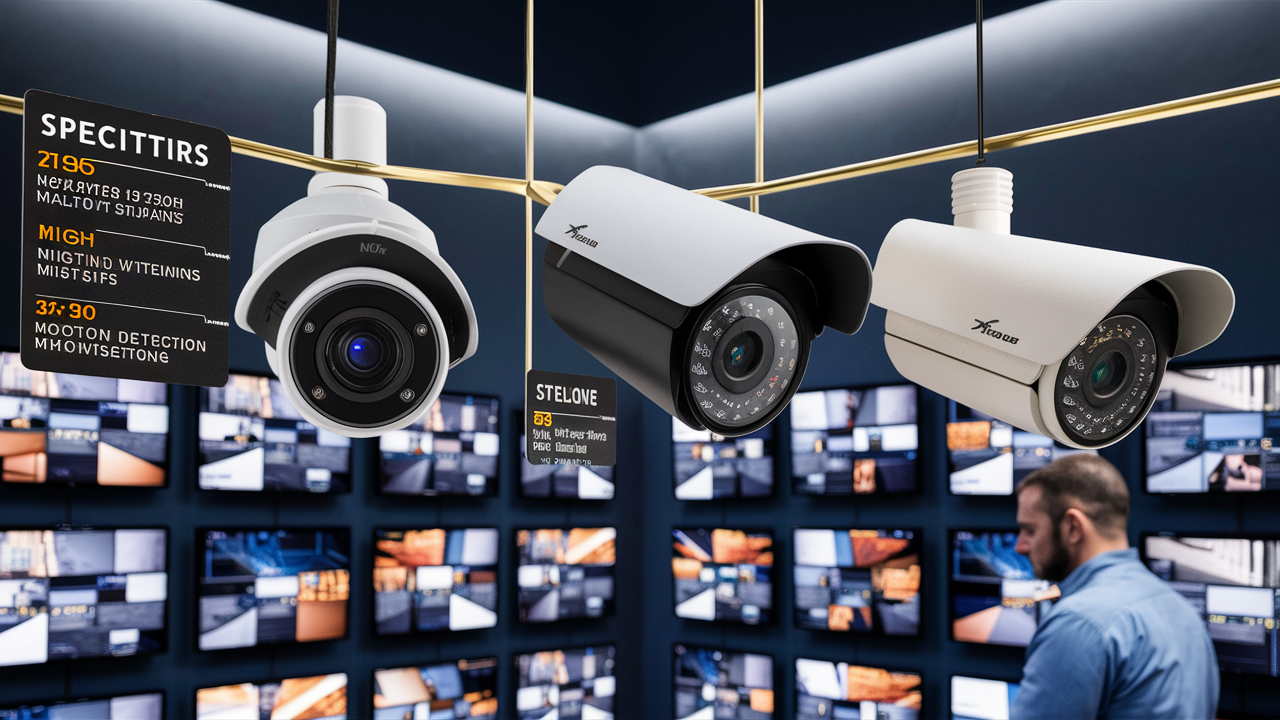
Dome cameras are easily recognizable by their semi-spherical shape, often mounted on ceilings or walls. Their discreet design makes it difficult for individuals to tell which direction they are pointing, which can be a significant deterrent. They are generally vandal-resistant and offer a wide field of view.
- Pros: Discreet, vandal-resistant, wide-angle view, suitable for indoor and outdoor use.
- Cons: Can be harder to adjust the angle once installed, may have limited zoom capabilities compared to other types.
- Best for: Retail stores, offices, public spaces, areas where a wide, general view is needed.
Bullet Cameras
Bullet cameras are cylindrical and typically mounted externally, often on walls or poles. They are highly visible, acting as a strong deterrent. Many bullet cameras come with built-in infrared (IR) LEDs for night vision and are designed to withstand harsh weather conditions.
- Pros: Highly visible deterrent, easy to aim and adjust, robust weatherproofing, often include IR night vision.
- Cons: More conspicuous, can be more susceptible to tampering if not mounted securely.
- Best for: Perimeter security, entryways, driveways, areas where a clear visual deterrent is desired.
PTZ (Pan-Tilt-Zoom) Cameras
PTZ cameras offer advanced functionality, allowing users to remotely control the camera's direction (pan and tilt) and zoom level. This makes them ideal for monitoring large areas or tracking moving subjects. They are often used in conjunction with fixed cameras to cover specific points of interest.
- Pros: Wide area coverage, remote control, ability to track subjects, high zoom capabilities.
- Cons: More expensive, require a stable network connection for remote control, can be complex to set up.
- Best for: Large properties, parking lots, event venues, active surveillance scenarios.
Turret Cameras (Eyeball Cameras)
Turret cameras are a hybrid, often featuring a spherical lens within a dome-like housing but with a more accessible adjustment mechanism. They offer a good balance of discreetness and ease of aiming, often incorporating advanced IR technology for superior night vision.
- Pros: Good balance of discreetness and adjustability, excellent night vision, often more affordable than PTZ.
- Cons: Less vandal-resistant than fully enclosed dome cameras, field of view can be more focused.
- Best for: Home security, small to medium businesses, areas requiring good night vision and flexible aiming.
Fisheye Cameras
These cameras offer an ultra-wide, 180-degree or even 360-degree field of view, allowing a single camera to cover an entire room or large open space. The image produced is often "de-warped" through software to provide a more conventional view.
- Pros: Extremely wide field of view, reduces the number of cameras needed, excellent for comprehensive coverage.
- Cons: Image distortion without de-warping, can be challenging to identify details at the edges of the frame.
- Best for: Large open indoor spaces like warehouses, retail floors, lobbies.
Thermal Cameras
Thermal cameras detect heat signatures rather than visible light. They are effective in complete darkness, through smoke, fog, or camouflage, making them invaluable for critical infrastructure, border security, and high-risk environments.
- Pros: Operates in complete darkness, unaffected by smoke or fog, detects heat signatures.
- Cons: Very expensive, image quality is not as detailed as optical cameras, primarily for detection rather than identification.
- Best for: Critical infrastructure, search and rescue, military applications, areas with extreme environmental conditions.
Specialty Cameras
This category includes cameras designed for specific purposes, such as license plate recognition (LPR) cameras, body-worn cameras, or cameras integrated into smart doorbells.
- Pros: Highly specialized for particular tasks.
- Cons: Limited general-purpose use.
- Best for: Targeted applications where standard cameras are insufficient.
Key Features to Consider
Once you've identified the type of camera that best suits your needs, it's time to delve into the specific features that differentiate performance and utility. These features will significantly impact the camera's effectiveness in various conditions and its ease of use. For 2025-26, advancements in AI and sensor technology are leading to more sophisticated features becoming standard.
Resolution and Image Quality
Higher resolution means clearer images, which is crucial for identifying faces, license plates, or other important details. Common resolutions include 1080p (Full HD), 4MP, 5MP, and 4K (8MP). While 4K offers superior detail, it requires more storage space and bandwidth.
- 1080p (1920x1080): Sufficient for general monitoring, entry-level.
- 4MP (2560x1440): Offers a noticeable improvement in detail over 1080p.
- 5MP (2560x1920): Good balance of detail and file size.
- 4K (3840x2160): Highest detail, ideal for capturing fine details in large areas.
Frame Rate (FPS): This determines how smooth the video playback is. Higher frame rates (e.g., 30 FPS) capture more fluid motion, which is important for tracking fast-moving objects. Lower frame rates (e.g., 15 FPS) can save storage space but may result in choppier video.
Night Vision (Infrared - IR)
Essential for 24/7 surveillance, night vision allows cameras to see in low-light or no-light conditions. Look for the IR range (measured in meters or feet) to ensure it covers the area you need to monitor. Advanced IR technologies, like Smart IR, adjust the IR intensity to prevent overexposure of nearby objects.
Color Night Vision: Some newer cameras offer color night vision, which uses ambient light and advanced sensors to produce color images even in very low light, providing more detail than traditional black-and-white IR footage.
Field of View (FoV)
The FoV dictates how wide an area the camera can capture. Wide-angle lenses (e.g., 110 degrees or more) cover more ground but may distort images at the edges. Narrower lenses offer more focused detail on a specific area.
Weatherproofing and Durability
For outdoor cameras, weatherproofing is paramount. Look for IP (Ingress Protection) ratings. An IP66 or IP67 rating indicates resistance to dust and water jets, making them suitable for most outdoor environments. Vandal resistance (often indicated by IK ratings) is also important for cameras in accessible locations.
Audio Capabilities
Some cameras feature built-in microphones for audio recording, while others offer two-way audio, allowing for communication through the camera. This can be useful for deterring intruders or communicating with visitors.
Motion Detection and Smart Alerts
Motion detection triggers recording or alerts when movement is detected. Advanced systems use AI-powered analytics for person detection, vehicle detection, or even package detection, significantly reducing false alarms caused by pets or swaying trees. These smart alerts are a critical feature for 2025-26.
Storage Options
Surveillance footage needs to be stored. Options include:
- Local Storage: MicroSD cards (for single cameras) or Network Video Recorders (NVRs) / Digital Video Recorders (DVRs) for multi-camera systems.
- Cloud Storage: Subscription-based services that store footage remotely, offering accessibility and backup.
Consider the recording duration you need and the associated costs for storage.
Power Source
- PoE (Power over Ethernet): Transmits both data and power over a single Ethernet cable, simplifying installation for wired cameras.
- AC Power Adapter: Requires a nearby power outlet.
- Battery-Powered: Offers flexibility in placement but requires regular charging or battery replacement.
Connectivity
Wired (Ethernet): Offers the most stable and reliable connection, ideal for critical security. Requires running cables.
Wireless (Wi-Fi): Offers easier installation and flexibility but can be susceptible to interference and requires a strong Wi-Fi signal.
Cellular: For locations without internet access, though less common for general surveillance.
Installation and Connectivity Options
The method of installation and how your surveillance cameras connect to your network are critical factors that influence both the setup process and the system's reliability. Choosing the right approach can save significant time, effort, and potential headaches down the line. As of 2025-26, both wired and wireless solutions have matured considerably, each with its own set of advantages.
Wired Systems (NVR/DVR)
Wired systems typically involve connecting cameras via Ethernet cables to a Network Video Recorder (NVR) for IP cameras or a Digital Video Recorder (DVR) for analog cameras. NVRs are more common in modern setups due to their higher resolution and advanced features.
- Installation Process: This usually involves running cables from each camera location back to the NVR/DVR. This can be done through walls, attics, or conduits. For DIY installations, careful planning is required. Professional installation is often recommended for complex setups or when running cables through finished spaces.
- Connectivity: Cameras connect directly to the NVR via Ethernet cables. The NVR is then connected to your router for remote access.
- Pros:
- Highly reliable and stable connection.
- Less susceptible to interference.
- Often supports Power over Ethernet (PoE), simplifying wiring by providing power and data over a single cable.
- Generally offers higher image quality and frame rates.
- Cons:
- Installation can be labor-intensive and invasive, requiring drilling and cable management.
- Less flexible for repositioning cameras once installed.
- Initial setup can be more complex.
- Best For: Businesses, large properties, new constructions, or situations where maximum reliability is paramount.
Wireless Systems (Wi-Fi Cameras)
Wireless cameras connect to your network via your existing Wi-Fi signal. They still require a power source, either via an AC adapter or batteries, but they eliminate the need for data cables.
- Installation Process: Generally much simpler. Cameras are mounted in their desired locations, powered on, and then connected to the Wi-Fi network through a mobile app. Positioning is flexible as long as there is a strong Wi-Fi signal and a power source.
- Connectivity: Cameras connect to your router wirelessly. Remote access is typically managed through a cloud-based platform or a mobile app provided by the manufacturer.
- Pros:
- Easy and quick installation, ideal for DIYers.
- Flexible placement options.
- No need to run data cables.
- Ideal for renters or situations where invasive installation is not possible.
- Cons:
- Reliability can be affected by Wi-Fi signal strength and interference.
- May have limitations on video quality or frame rates compared to wired systems.
- Requires a strong and stable Wi-Fi network.
- Battery-powered models require regular charging or battery replacement.
- Best For: Homeowners, small businesses, renters, or situations where ease of installation and flexibility are prioritized.
Hybrid Systems
Some advanced systems offer a hybrid approach, allowing for a mix of wired and wireless cameras within the same network, providing a balance of reliability and flexibility.
Power over Ethernet (PoE)
PoE is a significant advantage for wired IP camera systems. It allows a single Ethernet cable to carry both data and electrical power from a PoE-enabled switch or injector to the camera. This drastically simplifies installation, reduces the need for nearby power outlets, and makes the system more robust.
- How it Works: A PoE switch or injector sends DC power along with the data signals over the Ethernet cable. The camera must be PoE-compatible to receive power this way.
- Benefits: Simplified wiring, reduced installation costs, cleaner aesthetic (fewer cables), increased reliability as it uses a centralized power source.
Choosing the Right Connectivity
When deciding between wired and wireless, consider:
- Network Strength: Do you have a robust Wi-Fi network capable of supporting multiple devices and high bandwidth streams?
- Installation Feasibility: Are you comfortable running cables, or do you need a simpler, less invasive setup?
- Reliability Needs: For critical security applications, wired systems generally offer superior reliability.
- Budget: Wired systems can sometimes have higher upfront costs due to cabling and installation, while wireless systems might involve ongoing cloud subscription fees.
Many modern surveillance camera systems, especially those targeting home users, are primarily wireless, leveraging the ubiquity of Wi-Fi. However, for professional-grade security, wired PoE systems remain the gold standard for their unparalleled stability and performance.
Budget and Value Proposition
Determining the "best" surveillance camera also hinges on your budget and what you expect to get for your investment. The market offers a wide spectrum of prices, from budget-friendly single cameras to high-end, multi-camera professional systems. Understanding the value proposition—what features and benefits you receive for the cost—is key to making a smart purchase.
Cost Breakdown
The total cost of a surveillance system can be broken down into several components:
- Camera Hardware: The price of individual cameras varies significantly based on type, resolution, features (like AI analytics, PTZ capabilities), and brand reputation. Expect to pay anywhere from $50 for a basic Wi-Fi camera to $500+ for advanced PTZ or specialized cameras.
- Recording Device (NVR/DVR): If you opt for a wired system, you'll need an NVR or DVR. These can range from $150 for a basic 4-channel NVR to over $1000 for high-capacity, feature-rich units.
- Storage: Hard drives for NVRs/DVRs or cloud storage subscriptions. A 2TB hard drive might cost around $70-$100, while cloud storage can range from $5-$30 per month per camera or for a system.
- Cabling and Accessories: For wired systems, this includes Ethernet cables, connectors, junction boxes, and potentially PoE switches, which can add $50-$300+ depending on the system size.
- Installation Costs: If you hire a professional, expect to pay anywhere from $200-$1000+ for installation, depending on the complexity and number of cameras.
DIY vs. Professional Installation
DIY (Do-It-Yourself): This is the most cost-effective option if you are comfortable with basic technical tasks. Wireless systems are particularly suited for DIY installation. The primary cost is the hardware and any necessary tools.
Professional Installation: This offers convenience, expertise, and often a more polished and reliable setup, especially for wired systems. However, it significantly increases the overall cost. For busineshome securityx home security needs, professional installation is often recommended.
Value Proposition: What to Look For
When evaluating the "best value," consider these factors:
- Reliability and Durability: A cheaper camera that fails after a year offers poor value. Investing in reputable brands known for reliability, even if slightly more expensive, often proves more economical in the long run.
- Feature Set: Does the camera offer the essential features you need (e.g., good night vision, motion detection, adequate resolution) without paying for unnecessary extras?
- Scalability: Can the system be easily expanded if your needs change?
- Customer Support and Warranty: A good warranty and responsive customer support can save you money and frustration if issues arise.
- Total Cost of Ownership: Factor in potential subscription fees for cloud storage or advanced features.
Budget Tiers (2025-26 Estimates)
Entry-Level ($100 - $300 for 1-2 cameras): Basic Wi-Fi cameras with 1080p resolution, motion detection, and limited night vision. Suitable for simple home monitoring. Often relies on MicroSD cards or basic cloud storage.
Mid-Range ($300 - $800 for 2-4 cameras): Higher resolution (4MP/5MP), better night vision, wider fields of view, and more advanced motion detection (e.g., person detection). May include a basic NVR or offer more robust cloud features. Good for comprehensive home security or small businesses.
High-End ($800+ for 4+ cameras): 4K resolution, advanced AI analytics, PTZ capabilities, superior low-light performance, robust weatherproofing, and professional-grade NVRs/DVRs. Suitable for large homes, businesses, and critical infrastructure.
Remember that the "best" surveillance camera isn't necessarily the most expensive. It's the one that provides the most effective and reliable security solution for your specific circumstances within your budget. Prioritize essential features like resolution, night vision, and reliability over flashy but unnecessary add-ons.
Top Surveillance Camera Recommendations 2025-26
Based on current market trends, technological advancements, and user feedback for the 2025-26 period, here are some top contenders and categories to consider when asking "Which surveillance camera is best?". These recommendations focus on a balance of performance, features, reliability, and value across different use cases.
Best Overall Home Security Camera: Reolink RLC-810A
Type: Bullet Camera (PoE/Wi-Fi options)
Resolution: 4K UHD
Features: Person/Vehicle Detection (AI), Color Night Vision, Wide FoV, MicroSD Card Slot, IP66 Weatherproof.
Why it's recommended: The RLC-810A consistently delivers exceptional 4K clarity, both day and night, thanks to its color night vision. Its AI-powered person and vehicle detection significantly reduces false alerts. With both PoE and Wi-Fi versions available, it offers installation flexibility. It's a robust, reliable camera that provides excellent value for comprehensive home surveillance.
Best Smart Doorbell Camera: Google Nest Doorbell (Battery)
Type: Smart Doorbell
Resolution: 1080p HDR
Features: Person, Package, Animal, Vehicle Detection (AI), Two-Way Audio, HDR Video, 160° Diagonal FoV, Rechargeable Battery.
Why it's recommended: For front-door security, the Nest Doorbell excels with its intelligent alerts, clear video quality, and seamless integration into the Google Home ecosystem. The battery-powered option offers easy installation without wiring. Its AI capabilities are among the best for distinguishing between different types of activity, making it a top choice for smart home enthusiasts.
Best Budget-Friendly Wireless Camera: Wyze Cam v3
Type: Indoor/Outdoor Camera
Resolution: 1080p
Features: Color Night Vision, Motion Detection, Two-Way Audio, IP65 Weatherproof, MicroSD Card Slot, Optional Cloud Subscription.
Why it's recommended: The Wyze Cam v3 continues to be a standout for its incredible price-to-performance ratio. It offers features typically found in much more expensive cameras, including surprisingly good color night vision and decent motion detection. While it relies on a strong Wi-Fi connection and its cloud features are subscription-based, it's an unbeatable option for basic, affordable surveillance.
Best Business Surveillance System (Wired): Amcrest 4K NVR System
Type: Dome/Bullet Cameras with NVR
Resolution: 4K UHD
Features: AI Detection, Advanced IR, Wide Dynamic Range (WDR), PoE, IP67 Weatherproof.
Why it's recommended: Amcrest offers a comprehensive range of professional-grade IP cameras and NVRs that provide excellent performance and reliability for businesses. Their 4K systems deliver crisp footage, and the inclusion of AI detection, WDR for challenging lighting, and PoE connectivity makes them a robust solution. The NVRs offer ample storage and advanced management features, ensuring continuous, high-quality surveillance.
Best Advanced AI Camera: Hikvision DeepinView Series
Type: Bullet/Dome Cameras
Resolution: Up to 8MP (4K)
Features: Advanced AI Analytics (Face Recognition, Intrusion Detection, Line Crossing Detection), AcuSense Technology, ColorVu Technology (Enhanced Color Night Vision), IP67/IK10 Ratings.
Why it's recommended: For applications requiring sophisticated monitoring and analytics, Hikvision's DeepinView cameras are top-tier. Their AI capabilities go beyond simple motion detection, offering features like facial recognition and behavioral analysis. Coupled with ColorVu technology for superior color imaging in low light, these cameras are ideal for high-security environments where detailed event analysis is crucial.
Best PTZ Camera for Large Areas: Dahua SD59 Series PTZ
Type: PTZ Dome Camera
Resolution: Up to 4MP
Features: 25x/30x Optical Zoom, Starlight Technology (Excellent Low-Light Performance), Auto-Tracking, IP67 Weatherproof, IK10 Vandal Resistance.
Why it's recommended: When you need to cover vast areas and track moving subjects with precision, a PTZ camera is essential. Dahua's SD59 series offers powerful optical zoom, excellent low-light performance (Starlight), and intelligent auto-tracking features. These cameras are built for demanding outdoor environments and provide the flexibility needed for comprehensive surveillance of large properties or public spaces.
Table: Feature Comparison of Top Recommendations
| Camera Model | Type | Resolution | Key Feature | Connectivity | Price Range (Est.) |
|---|---|---|---|---|---|
| Reolink RLC-810A | Bullet | 4K UHD | AI Person/Vehicle Detection, Color Night Vision | PoE / Wi-Fi | $80 - $120 |
| Google Nest Doorbell (Battery) | Doorbell | 1080p HDR | Intelligent Alerts, Two-Way Audio | Wi-Fi | $180 - $200 |
| Wyze Cam v3 | Indoor/Outdoor | 1080p | Color Night Vision, Budget Price | Wi-Fi | $30 - $40 |
| Amcrest 4K NVR System | Bullet/Dome + NVR | 4K UHD | AI Detection, PoE, Professional Grade | PoE | $400+ (for a basic 4-camera kit) |
| Hikvision DeepinView | Bullet/Dome | Up to 8MP (4K) | Advanced AI Analytics | PoE | $200 - $600+ per camera |
| Dahua SD59 Series PTZ | PTZ Dome | Up to 4MP | 25x/30x Optical Zoom, Auto-Tracking | PoE | $400 - $800+ |
These recommendations represent some of the best options available in the 2025-26 market, but always research the latest models and reviews before making a final purchase. Factors like user interface, app stability, and customer support can also play a significant role in your overall satisfaction.
Making the Final Decision
Choosing the "best" surveillance camera ultimately boils down to a personalized assessment of your unique security needs, environment, and budget. By systematically considering the types of cameras available, the critical features that matter most, the installation and connectivity options, and your financial constraints, you can confidently select a system that provides optimal protection and peace of mind. Remember that the surveillance landscape is constantly evolving, with advancements in AI, resolution, and connectivity becoming more accessible each year.
For homeowners, a combination of a smart doorbell for front-door monitoring and a few high-resolution bullet or turret cameras with AI detection for key areas like driveways and backyards often strikes an excellent balance between coverage, features, and cost. Businesses may require more robust, wired NVR systems with PTZ capabilities and advanced analytics for comprehensive site security. Don't underestimate the importance of features like superior night vision, weatherproofing for outdoor installations, and reliable storage solutions, whether local or cloud-based.
Actionable Recommendation: Start by defining your primary security concerns. Are you looking to deter petty crime, monitor package deliveries, keep an eye on pets, or secure a commercial property? Once your objectives are clear, prioritize features accordingly. For instance, if identifying individuals is crucial, high resolution and excellent night vision are non-negotiable. If you're prone to false alarms, AI-powered person detection is a worthwhile investment. Explore brands known for reliability and customer support, and always check for current models and user reviews from 2025-26 to ensure you're getting the latest technology and best value. Investing in a well-chosen surveillance camera system is an investment in your safety and security.