
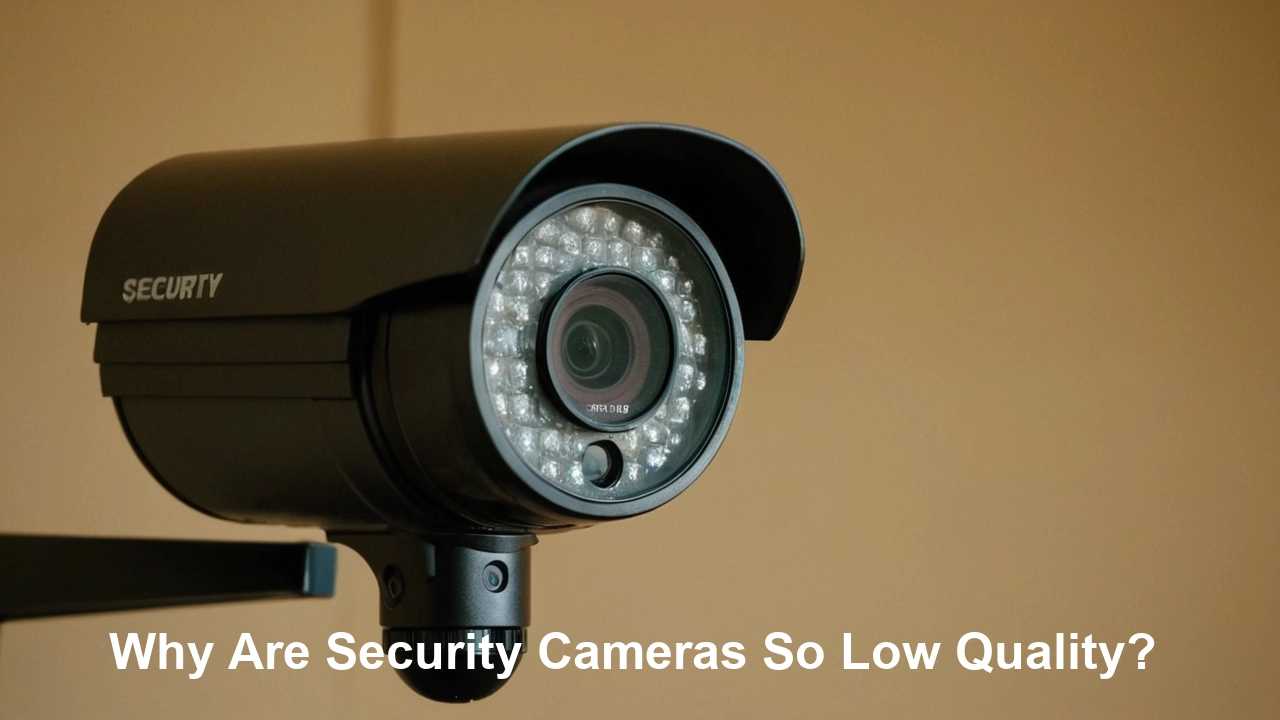
Many users wonder why their security cameras produce grainy, unclear footage, especially when it matters most. This post dives deep into the common reasons behind low-quality security camera video, offering insights and solutions to help you understand and improve your surveillance system.
Understanding Resolution: Pixels and Their Impact
The most immediate factor contributing to the perceived quality of a security camera's video is its resolution. In simple terms, resolution refers to the number of pixels that make up the image. Higher resolution means more pixels, which translates to a sharper, more detailed image.
Defining Resolution Standards
For years, standard definition (SD) cameras, often with resolutions around 480p or 720p, were common. While these might suffice for basic motion detection, they struggle to capture fine details like faces or license plates. The industry has largely shifted towards high definition (HD), full HD (FHD), and even ultra-high definition (UHD) or 4K resolutions.
- 720p (HD): Approximately 1 million pixels (1280x720). Offers a noticeable improvement over SD but can still appear pixelated on larger displays or when zooming in.
- 1080p (Full HD): Approximately 2 million pixels (1920x1080). This is the current standard for many consumer and professional security cameras, offering a good balance of detail and file size.
- 4MP (Quad HD): Approximately 4 million pixels (2560x1440). Provides significantly more detail than 1080p, allowing for better identification at a distance.
- 5MP: Around 5 million pixels (2560x1920 or similar aspect ratios). A step up from 4MP, offering even finer detail.
- 8MP (4K UHD): Approximately 8 million pixels (3840x2160). Delivers incredibly sharp and detailed images, ideal for large areas or situations where minute details are critical.
The Pixel Count Fallacy
It's a common misconception that simply buying a camera with a higher megapixel count guarantees superior image quality. While a higher megapixel count is foundational, it's only one piece of the puzzle. A 4K camera with a poor-quality lens or sensor will likely produce worse results than a well-designed 1080p camera. Furthermore, the way these pixels are processed and compressed significantly impacts the final output. A camera might capture a high-resolution image, but if it's heavily compressed, the detail can be lost, leading to a blocky or artifact-ridden video stream.
Resolution vs. Field of View
Another critical consideration is the trade-off between resolution and field of view (FOV). A camera with a very high resolution but a narrow FOV might capture incredible detail within that small window, but it misses a larger area. Conversely, a camera with a wide FOV might capture a lot of the scene, but the resolution is spread thinner across that area, reducing the detail in any given spot. For example, a 4K camera with a 120-degree FOV will have less pixel density per degree than a 4K camera with a 60-degree FOV. This is why choosing a camera with an appropriate resolution for its intended FOV is crucial.
Real-World Implications of Low Resolution
In 2025, the need for high-resolution security footage is paramount. Law enforcement and insurance companies often require clear, identifiable images for investigations and claims. A low-resolution camera might capture an event but fail to provide enough detail to identify a perpetrator, a vehicle's license plate, or even the specific make and model of an object. This renders the footage less useful, sometimes to the point of being inadmissible or unhelpful.
The Crucial Role of Lens Quality and Aperture
Beyond the digital resolution, the physical components of the camera, particularly the lens, play an indispensable role in image quality. A high-resolution sensor is rendered ineffective if the lens cannot properly focus light onto it.
Lens Aberrations and Distortion
Camera lenses are complex optical instruments. Cheaper lenses often suffer from various aberrations, which are imperfections that distort the image. These include:
- Chromatic Aberration: Color fringing, where different colors of light are not focused at the same point, leading to purple or green halos around objects.
- Spherical Aberration: Light rays passing through the edges of the lens are focused at a different point than rays passing through the center, resulting in a loss of sharpness.
- Distortion: This can be barrel distortion (lines appear to bow outwards, common in wide-angle lenses) or pincushion distortion (lines appear to bow inwards, common in telephoto lenses). While some distortion is expected and can be corrected in software, excessive distortion degrades image quality.
High-quality lenses use multiple elements made from specialized glass to minimize these aberrations and provide a sharp, clear image across the entire frame.
Aperture: Controlling Light and Depth of Field
The aperture is the opening in the lens that controls how much light enters the camera. It's measured by an f-stop number (e.g., f/1.8, f/2.8). A lower f-stop number indicates a wider aperture, allowing more light to enter.
- Wider Aperture (Lower f-stop): Crucial for low-light performance. It allows the camera to capture usable images in darker conditions without resorting to excessive digital noise or overly aggressive infrared illumination. It also creates a shallower depth of field, which can be useful for isolating subjects but can also mean that only a narrow range of distances is in focus.
- Narrower Aperture (Higher f-stop): Allows less light but increases the depth of field, meaning more of the scene from foreground to background will be in focus. This is often preferred in bright daylight.
Many budget security cameras use fixed apertures or less sophisticated mechanisms that struggle to adapt to varying light conditions. This can lead to overexposed, washed-out images in bright sunlight or dark, noisy images at night.
Fixed vs. Varifocal Lenses
Fixed Lenses: These have a single, set focal length and field of view. They are simpler and cheaper to manufacture. The quality of the fixed lens dictates the camera's capabilities.
Varifocal Lenses: These allow the user to adjust the focal length, changing the field of view and zoom level. While offering flexibility, the quality of the varifocal mechanism and the optics themselves can vary wildly. Cheaper varifocal lenses can lose sharpness when zoomed or adjusted.
The Impact of Lens Quality on Detail
A good lens ensures that the light hitting the sensor is as sharp and undistorted as possible. This allows the sensor to capture the maximum amount of detail. If the lens is poor, even the best sensor will struggle to produce a clear image. For instance, when trying to read a license plate from a distance, a sharp lens is absolutely critical. A blurry or distorted image from a poor lens makes this task impossible, regardless of the camera's resolution.
Image Sensor Limitations: The Heart of the Camera
The image sensor is the digital equivalent of film in a traditional camera. It's the component that converts light into electrical signals, which are then processed into a digital image. The size, type, and quality of the image sensor significantly influence a camera's performance, especially in challenging conditions.
Sensor Size Matters
Generally, larger image sensors are better. A larger sensor can capture more light and has larger individual pixels (photosites). Larger photosites are more sensitive to light and produce less noise, especially in low-light situations. This is a fundamental reason why professional cameras with larger sensors often outperform consumer-grade cameras, even at the same megapixel count.
- Small Sensors (e.g., 1/3" or smaller): Common in budget cameras. They are more susceptible to noise and have poorer dynamic range.
- Larger Sensors (e.g., 1/2", 1/1.8", or larger): Found in higher-end cameras. They offer better light sensitivity, lower noise, and improved detail capture.
The challenge for manufacturers is that larger sensors are more expensive to produce and require larger, more complex lenses, driving up the overall cost of the camera.
Sensor Technology: CMOS vs. CCD
While CMOS (Complementary Metal-Oxide-Semiconductor) sensors are now dominant in security cameras due to their lower power consumption, faster readout speeds, and lower cost, the quality of the CMOS sensor itself varies greatly. Older or lower-quality CMOS sensors can suffer from:
- Rolling Shutter Artifacts: When the sensor is read out line by line, fast-moving objects can appear distorted (e.g., bent poles, skewed wheels). This is less common with global shutter sensors, which are more expensive.
- Fixed Pattern Noise (FPN): A persistent pattern of noise that can appear in images, especially in low light.
- Limited Dynamic Range: The ability to capture detail in both the brightest and darkest parts of a scene simultaneously. Poor dynamic range leads to blown-out highlights or crushed shadows.
High-quality CMOS sensors, often found in premium cameras, incorporate advanced technologies to mitigate these issues, such as improved pixel design, on-chip noise reduction, and wider dynamic range capabilities (e.g., WDR - Wide Dynamic Range).
Low-Light Performance and Noise
One of the most common complaints about security camera quality is their performance in low light. When light levels drop, the camera's sensor has to work harder to produce an image. This often involves increasing the gain (amplifying the signal), which also amplifies noise. Noise appears as grainy speckles in the image, obscuring detail. Lower-quality sensors and image processing struggle to manage this noise effectively, leading to unusable footage.
In 2025, advancements in sensor technology have made significant strides in low-light performance. Cameras boasting "starlight" or "night vision" capabilities often use larger sensors, larger pixels, and advanced noise reduction algorithms. However, these premium features come at a higher cost, which is why many budget cameras still perform poorly in the dark.
The Impact of Sensor Quality on Detail and Color
A good image sensor captures more accurate color information and finer gradations of light and shadow. This is crucial for distinguishing between similar-colored objects or discerning subtle details. A low-quality sensor might produce washed-out colors or a limited tonal range, making it harder to interpret the scene accurately.
Low-Light Performance and Infrared (IR) Technology
Nighttime surveillance is a primary function of security cameras, and how they handle darkness is a major determinant of their perceived quality. This involves both the camera's ability to capture ambient light and its use of infrared (IR) illumination.
The Limitations of Ambient Light Capture
As discussed, the sensor and lens are the first line of defense against poor low-light performance. Even with advanced sensors, there's a physical limit to how much detail can be extracted from very low ambient light. When light levels drop significantly, cameras often rely on artificial illumination.
Understanding Infrared (IR) Illumination
Most modern security cameras incorporate IR LEDs around the lens. These LEDs emit infrared light, which is invisible to the human eye but can be detected by the camera's sensor. This allows the camera to "see" in complete darkness. However, IR illumination isn't a perfect solution and comes with its own set of quality-related issues:
- Range Limitations: The effective range of IR illumination is limited by the power of the LEDs and the camera's sensitivity. Cheaper cameras often have weak IR LEDs, resulting in a very short effective range, meaning objects beyond a certain distance will be invisible.
- Uneven Illumination: IR LEDs can sometimes create "hot spots" (overly bright areas) in the center of the image and darkness at the edges, leading to uneven visibility.
- IR Reflectivity: Certain materials, like glass or reflective surfaces, can reflect IR light back into the lens, causing glare or washing out the image. This is why indoor cameras with IR facing windows can struggle.
- IR Cut Filter: High-quality cameras use an IR cut filter that automatically moves out of the way in low light, allowing IR light to reach the sensor. In daylight, this filter blocks IR light to maintain accurate color reproduction. Cheaper cameras might have fixed filters or less sophisticated switching mechanisms, leading to color casts or poor IR performance.
The "Black and White" Trade-off
When IR illumination is active, the camera typically switches to a monochrome (black and white) mode. This is because color sensors are less sensitive to IR light, and capturing color in near-total darkness is extremely difficult and prone to noise. While black and white images can be clearer than noisy color images in the dark, they lack the color information that might be crucial for identification (e.g., clothing color, vehicle color).
Advanced Night Vision Technologies
To overcome the limitations of basic IR, manufacturers have developed more advanced technologies:
- Starlight/DarkFighter Sensors: These use extremely sensitive sensors and large pixels to capture usable color images in very low light conditions, often without relying solely on IR.
- Low-Light Color Technology: Some cameras employ specialized sensors and image processing to maintain color even in dim light, though this is still a challenging area.
- Smart IR: Adjusts the intensity of IR illumination based on the distance of the subject, preventing overexposure of nearby objects.
- External IR Illuminators: For areas requiring extended IR range, separate, more powerful IR illuminators can be used.
The quality of these advanced features varies greatly. A marketing term like "night vision" on a budget camera might simply refer to basic IR LEDs with limited range and poor performance.
Example Scenario: Identifying a Vehicle at Night
Imagine a break-in occurring at 2 AM. A low-quality camera with weak IR might only illuminate the immediate vicinity of the camera, leaving the getaway vehicle in darkness. Even if the vehicle is visible, the grainy black and white image might make it impossible to read the license plate or identify the make and model. A higher-quality camera with powerful, well-distributed IR or advanced low-light color capabilities would provide a much clearer image, potentially capturing the crucial details needed for identification.
Compression and Bandwidth Issues: Data vs. Detail
Capturing high-resolution video generates a massive amount of data. To make this data manageable for storage and transmission, video streams are compressed. The effectiveness of this compression is a critical factor in image quality, especially for remote viewing and recording on limited hardware.
Understanding Video Compression Codecs
Video compression uses algorithms (codecs) to reduce file size by identifying and discarding redundant information. Common codecs used in security cameras include:
- H.264 (AVC): A widely adopted standard that offers good compression ratios. However, older or poorly implemented H.264 can still lead to significant detail loss.
- H.265 (HEVC): A more advanced codec offering significantly better compression than H.264, meaning higher quality video can be stored or transmitted at the same bitrate, or the same quality video can be achieved at a lower bitrate.
- MJPEG: Motion JPEG compresses each frame individually. It offers good image quality but results in much larger file sizes and requires more bandwidth than H.264 or H.265.
The Impact of Compression Settings
Even with advanced codecs like H.265, image quality can be degraded if the compression settings are too aggressive. Manufacturers often allow users to adjust:
- Bitrate: The amount of data used per second of video. A higher bitrate generally means better quality but larger file sizes and higher bandwidth requirements.
- Keyframe Interval: The frequency of full frames (I-frames) in the video stream. More frequent keyframes improve playback seeking but increase file size.
- Compression Level: A setting that dictates how much data is discarded. Lower compression levels preserve more detail but result in larger files.
Budget cameras often default to high compression levels or low bitrates to save on storage costs and reduce bandwidth needs, leading to visible artifacts like blockiness, smearing, and loss of fine detail, especially in scenes with a lot of motion.
Bandwidth Limitations
For cameras connected via Wi-Fi or older network infrastructure, bandwidth can be a bottleneck. If the camera's required bitrate exceeds the available bandwidth, the system will either drop frames, reduce the frame rate, or aggressively compress the video, all of which degrade quality. This is particularly problematic for higher-resolution cameras (4K, 5MP) which demand significant bandwidth.
Storage and Recording Issues
Similarly, if a Network Video Recorder (NVR) or Digital Video Recorder (DVR) has limited storage capacity or processing power, it may struggle to handle high-resolution, low-compression streams. To compensate, it might force the cameras to use higher compression, reducing their output quality.
Remote Viewing Quality
When viewing footage remotely via a smartphone or computer, the quality is further constrained by your internet upload speed (for the camera/NVR) and your download speed (for your viewing device). Many systems offer dual-stream functionality, providing a lower-resolution "sub-stream" for remote viewing and a higher-resolution "main stream" for local recording. If the sub-stream is poorly configured or the connection is weak, remote viewing can appear pixelated and unusable, even if the recorded footage is of good quality.
Real-World Example: Identifying a Fast-Moving Object
Consider a scenario where a car speeds past the camera. If the camera is using aggressive compression or a low bitrate, the car's details—like its make, model, or even color—might become a blur of pixels. The wheels might appear distorted, and any distinguishing marks would be lost. A camera with a higher bitrate and less aggressive compression (using H.265 effectively) would capture a much clearer image, preserving these critical details.
Environmental Factors and Essential Maintenance
Beyond the camera's internal specifications, external factors and a lack of proper maintenance can significantly degrade video quality. These are often overlooked but are crucial for ensuring optimal performance.
Weather and Environmental Conditions
Security cameras, especially outdoor ones, are exposed to the elements. This can directly impact image quality:
- Rain and Snow: Water droplets or snowflakes on the lens or dome cover can distort the image, creating blurry spots or obscuring the view.
- Dust and Dirt: Accumulation of dust, pollen, or grime on the lens can cause a perpetual haze or blurriness.
- Fog and Mist: These can reduce visibility and create a washed-out, indistinct image.
- Sun Glare: Direct sunlight hitting the lens can cause severe glare and washout, making it impossible to see details.
- Temperature Extremes: While most cameras are designed to withstand a range of temperatures, extreme heat or cold can affect internal components and potentially lead to condensation on the lens.
The Importance of Lens Cleaning
Regular cleaning of the camera lens is paramount. A simple wipe-down with a microfiber cloth can make a world of difference. Many users neglect this simple maintenance task, leading to a gradual but noticeable decline in image quality. For outdoor cameras, the protective dome cover also needs cleaning.
Proper Camera Placement and Angle
Incorrect placement can lead to poor image quality:
- Backlighting: Placing a camera directly facing a bright light source (like the sun or a strong lamp) will result in a silhouetted image where the subject is dark and indistinguishable.
- Obstructions: Overhanging branches, signs, or other objects can partially block the camera's view, degrading the quality of the footage from that area.
- Incorrect Angle: An angle that is too steep or too shallow might not capture the desired details. For example, a camera angled too high might miss facial details of someone walking below.
Infrared Reflections and Obstructions
As mentioned earlier, IR light can reflect off surfaces. If an outdoor camera is mounted too close to a wall, the IR light can bounce back, creating a bright, washed-out area near the camera and reducing visibility further away. Similarly, spiderwebs or debris accumulating on the camera's IR LEDs can block or scatter the light.
Power Supply and Stability
An unstable power supply can cause intermittent issues, including image glitches, freezing, or even camera reboots, all of which disrupt the recording and impact perceived quality. For Power over Ethernet (PoE) cameras, ensuring the switch or injector provides sufficient and stable power is essential.
Firmware Updates and Compatibility
Outdated firmware can lead to suboptimal performance or bugs that affect image processing. Ensuring cameras are running the latest firmware, and that they are compatible with the NVR/DVR, is important for maintaining quality and security.
A Case Study: The Neglected Outdoor Camera
Consider an outdoor camera installed on a house for two years without any maintenance. It's covered in dust, cobwebs obscure the lens, and a nearby tree branch has grown to partially block the view. The once-clear footage is now hazy, grainy, and has blind spots. A simple cleaning and pruning session would drastically improve its performance, demonstrating the critical role of ongoing maintenance.
Budget Constraints and Manufacturing Choices
The price of a security camera is often a direct indicator of the quality of its components and the sophistication of its design. Manufacturers operate within cost constraints, and these choices directly influence why some cameras are low quality.
Cost of Components
High-quality components are expensive. This includes:
- Image Sensors: Larger, more sensitive sensors with better dynamic range and lower noise characteristics are significantly more costly than smaller, basic sensors.
- Lenses: Multi-element, high-precision lenses with low aberration are far more expensive than simple plastic or single-element glass lenses.
- Processors: Advanced image signal processors (ISPs) capable of sophisticated noise reduction, WDR processing, and efficient H.265 encoding are costly.
- IR LEDs: Powerful, long-range IR LEDs and intelligent IR control systems add to the cost.
- Build Quality: Weatherproof housings, robust materials, and reliable connectors all contribute to the overall cost.
When a camera is priced very low, it's almost certain that compromises have been made in one or more of these areas.
Manufacturing Economies of Scale
While economies of scale can reduce per-unit costs, manufacturers producing extremely low-cost cameras often rely on mass production of the cheapest available parts. This can lead to a higher failure rate and inconsistent quality across batches.
Marketing vs. Performance
Some manufacturers may use marketing terms like "HD," "night vision," or "high resolution" without delivering on the underlying performance. They might advertise a high megapixel count but pair it with a subpar sensor and lens, knowing that the megapixel number alone is a strong selling point for less informed consumers.
Trade-offs in Features
To keep prices down, manufacturers often cut corners on features that are essential for high-quality imaging:
- Limited WDR: Basic digital WDR (DWDR) is often implemented through software, which is less effective than true hardware WDR found in higher-end cameras.
- Basic Motion Detection: Cheaper cameras might have rudimentary motion detection that is prone to false alarms or misses events.
- Poor Audio Quality: If audio is included, the microphone and audio processing are often of low quality.
- Limited Frame Rates: To reduce data load, cameras might record at lower frame rates (e.g., 15fps instead of 30fps), which can make motion appear jerky.
The "Good Enough" Philosophy
For many budget camera manufacturers, the goal is to produce a product that is "good enough" for basic surveillance needs, rather than one that provides exceptional clarity and detail. This "good enough" often translates to footage that is acceptable for general monitoring but insufficient for critical identification tasks.
Comparing Price Tiers (2025 Estimates)
The security camera market in 2025 reflects these cost differences:
- Budget (< $50): Typically 720p or 1080p, with basic sensors, cheap lenses, limited IR, and aggressive compression. Quality is often poor, especially in low light.
- Mid-Range ($50 - $150): Often 1080p or 2MP/4MP, with improved sensors, better lenses, decent IR, and H.265 compression. Offers a good balance for most home users.
- High-End ($150+): 4MP, 5MP, 8MP (4K), featuring large sensors, high-quality optics, advanced WDR, superior low-light performance (starlight sensors), and robust build quality. These offer the best image clarity and detail.
Choosing a camera outside of your actual needs or budget will inevitably lead to compromises in quality.
Software and Firmware Limitations
The hardware components of a security camera are only part of the equation. The software and firmware that control the camera's operations, image processing, and communication play an equally vital role in determining the final image quality.
Image Signal Processing (ISP)
The ISP is a dedicated chip within the camera responsible for taking the raw data from the image sensor and converting it into a viewable image. The sophistication of the ISP directly impacts:
- Noise Reduction: How effectively the camera can clean up grainy images, especially in low light. Poor ISPs can over-smooth images, losing detail, or fail to remove noise adequately.
- Color Accuracy: How well the camera reproduces colors as they appear in reality.
- White Balance: The camera's ability to adjust for different lighting conditions to ensure whites appear white and colors are accurate.
- Sharpness and Detail Enhancement: Algorithms that sharpen the image and bring out finer details. Over-sharpening can create artifacts.
- Dynamic Range Processing (WDR): How the camera handles scenes with both very bright and very dark areas.
Budget cameras often use less powerful or less optimized ISPs, leading to less refined image processing and a noticeable drop in quality compared to cameras with advanced ISPs.
Firmware Bugs and Optimization
Firmware is the embedded software that runs the camera. Bugs or poor optimization in the firmware can lead to a variety of issues:
- Performance Glitches: The camera might freeze, drop frames, or exhibit inconsistent behavior.
- Suboptimal Image Settings: Default settings might not be well-tuned for clarity or low-light performance.
- Connectivity Issues: Problems with network stability can indirectly affect the quality of transmitted video.
- Security Vulnerabilities: While not directly impacting image quality, unpatched firmware can leave cameras vulnerable to being compromised, potentially affecting their operation.
Manufacturers are responsible for releasing firmware updates to fix bugs and improve performance. However, support for older or very low-cost models may be limited, leaving users with potentially flawed firmware.
Proprietary Software and Ecosystem Lock-in
Many manufacturers develop proprietary software for their cameras (e.g., mobile apps, desktop clients, NVR/DVR interfaces). The quality of this software can influence the user's perception of the camera's performance. If the software is clunky, slow, or poorly designed, it can make even a good camera seem frustrating to use. Furthermore, some systems are designed to work only within their own ecosystem, limiting compatibility and forcing users to use potentially lower-quality bundled software.
Open Standards vs. Proprietary Protocols
Cameras that adhere to open standards like ONVIF (Open Network Video Interface Forum) offer greater interoperability and often allow users to leverage third-party software or NVRs that are better optimized for image processing. Cameras that use proprietary protocols might have their quality tied to the manufacturer's specific, and potentially limited, software solutions.
The Importance of Updates
For cameras that do receive updates, it's crucial to install them. A firmware update released in late 2025 might significantly improve a camera's low-light performance or compression efficiency, effectively upgrading its quality without any hardware changes. Conversely, a camera that is never updated may suffer from performance issues that were later resolved by the manufacturer.
Advanced Factors and Future Trends in Security Cameras
Beyond the fundamental aspects of resolution, optics, sensors, and compression, several advanced factors and emerging trends are shaping the quality of security camera footage. Understanding these can help explain current limitations and anticipate future improvements.
AI and Smart Analytics
Artificial Intelligence (AI) is increasingly being integrated into security cameras. While AI can enhance functionality (e.g., person detection, facial recognition), its implementation can also affect perceived quality:
- AI Processing Load: Running complex AI algorithms on the camera's onboard processor can sometimes divert resources away from image processing, potentially leading to lower frame rates or reduced image quality in certain modes.
- AI-Based Image Enhancement: Conversely, AI can be used to intelligently enhance images, reducing noise, sharpening details, or improving low-light performance beyond traditional methods. The effectiveness depends heavily on the AI model and its training.
- Data Prioritization: AI can help prioritize what data is transmitted or recorded. For instance, if a camera detects a person, it might increase the bitrate for that specific event to ensure higher quality recording, while maintaining a lower bitrate for uneventful periods.
Edge Computing vs. Cloud Processing
The debate between processing data on the camera itself (edge computing) versus sending it to the cloud for analysis continues. Edge computing offers faster response times and reduced bandwidth needs but is limited by the camera's processing power. Cloud processing allows for more sophisticated analysis but relies on a stable internet connection and can introduce latency.
Sensor Technology Advancements
Research and development continue to push the boundaries of image sensor technology:
- Quantum Dot Sensors: Emerging technologies that promise greater light sensitivity and wider dynamic range.
- Event-Based/Neuromorphic Sensors: These sensors only transmit data when a change occurs in the scene, drastically reducing bandwidth and power consumption. While revolutionary, they are still niche and expensive.
- Improved Global Shutter: Eliminating rolling shutter artifacts entirely for perfectly clear capture of fast motion.
The Role of 5G and Enhanced Connectivity
The rollout of 5G networks promises higher bandwidth and lower latency for wireless security cameras. This could enable higher resolution streams, more efficient compression, and more robust cloud-based AI analytics, leading to better overall image quality, especially for mobile or remote installations.
Cybersecurity and Image Integrity
As cameras become more connected, cybersecurity is paramount. While not directly about image quality, a compromised camera could have its feed manipulated or degraded by attackers. Ensuring cameras are secure prevents malicious interference that could affect video integrity.
Future of Resolution and Frame Rates
We can expect to see 8K and even higher resolution cameras become more accessible. Alongside higher resolutions, frame rates will likely increase, offering smoother, more lifelike video. The challenge will be managing the immense data generated and ensuring efficient processing and transmission.
The Convergence of Imaging and Data
The future of security cameras lies in their ability to not just capture video but to extract meaningful, actionable data from it. This convergence will drive innovation in both hardware and software, ultimately leading to cameras that are not only high quality in their visual output but also intelligent and indispensable tools for security and beyond.
Conclusion
The question "Why are security cameras so low quality?" is multifaceted, stemming from a complex interplay of hardware limitations, software constraints, environmental factors, and manufacturing choices. From insufficient resolution and poor lens optics to inadequate image sensors and aggressive video compression, numerous elements can contribute to grainy, unclear footage. Low-light performance, often reliant on basic IR technology, frequently presents a significant challenge, further compounded by the need to balance detail with manageable file sizes.
Budget constraints are a primary driver behind the prevalence of lower-quality cameras, as manufacturers opt for cheaper components to meet price points. However, even seemingly high-resolution cameras can disappoint if their lenses, sensors, or image processing capabilities are subpar. Environmental factors and a lack of regular maintenance, such as cleaning lenses, also play a critical role in degrading image quality over time.
To achieve superior security camera quality in 2025 and beyond, users must look beyond marketing jargon and understand the technical specifications. Prioritize cameras with higher native resolutions (4MP and above), reputable lens manufacturers, larger image sensors, and efficient compression codecs like H.265. Invest in models with advanced features like Wide Dynamic Range (WDR) and superior low-light performance, and always factor in the importance of regular maintenance. By making informed choices and understanding these underlying factors, you can significantly improve the clarity and reliability of your surveillance system, ensuring it captures the detail you need when it matters most.





