Best Buy Home Security System: Ensuring Safety and Peace of Mind
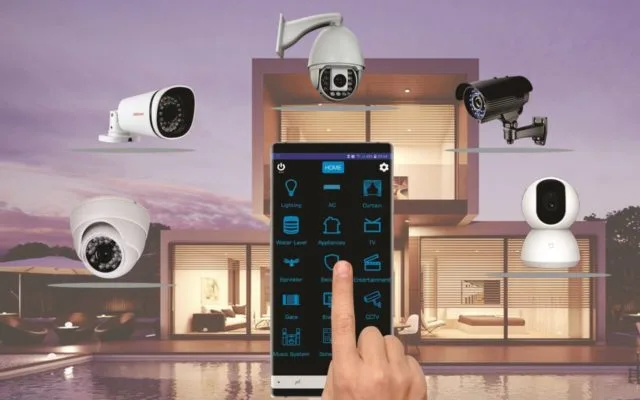
Choosing the right home security system from Best Buy is a crucial step towards safeguarding your loved ones and property. This guide dives deep into the top options, helping you find a solution that offers robust protection and unparalleled peace of mind for your home in 2025-26.
Understanding Home Security Systems
Home security systems are designed to protect your residence from unauthorized entry, theft, fire, and other emergencies. In 2025-26, these systems have evolved significantly, incorporating advanced technologies like artificial intelligence, enhanced connectivity, and seamless integration with smart home devices. A comprehensive system typically includes a central hub or control panel, various sensors (door/window, motion, glass break), security cameras, and often a siren. The primary goal is to deter potential intruders, alert you and authorities to breaches, and provide valuable evidence if an incident occurs. The market offers a wide spectrum, from simple alarm systems to sophisticated, integrated smart home security networks.
The landscape of home protection is continually being reshaped by technological advancements. For instance, the rise of AI in security cameras means better threat detection, distinguishing between pets and people, and even identifying suspicious behavior patterns before an event unfolds. Similarly, the expansion of 5G networks ensures faster and more reliable communication between devices and monitoring centers, crucial in emergency situations. Understanding the core components and their functions is the first step in selecting a system that aligns with your specific needs and property type. Whether you're securing a small apartment or a large family home, the principles of detection, deterrence, and response remain paramount. In 2025-26, the emphasis is on proactive security measures, intelligent automation, and user-friendly interfaces that empower homeowners to manage their safety effortlessly.
Why Choose Best Buy for Home Security
Best Buy stands out as a premier destination for home security solutions due to its extensive product selection, competitive pricing, and commitment to customer support. As a leading electronics retailer, Best Buy offers a curated range of top-tier security brands, from established giants to innovative newcomers. This variety ensures that customers can find systems tailored to their specific needs, whether they prioritize DIY installation, professional monitoring, smart home integration, or a combination of all three. The ability to physically examine products, read customer reviews, and consult with knowledgeable in-store associates provides a tangible advantage over online-only retailers.
Furthermore, Best Buy frequently offers exclusive deals and bundles on security equipment, making advanced home protection more accessible. Their Geek Squad services provide professional installation, setup, and troubleshooting, alleviating the stress of DIY projects for those who prefer expert assistance. This end-to-end support, from purchase to ongoing maintenance, instills confidence in consumers. In 2025-26, Best Buy continues to adapt, stocking the latest in smart home security technology, including advanced cameras with AI capabilities, smart locks, and comprehensive alarm systems that integrate seamlessly with popular smart home platforms like Google Assistant and Amazon Alexa. Their commitment to staying current with technological trends ensures that customers have access to the most effective and up-to-date security solutions available on the market, making them a reliable one-stop shop for home safety.
Key Features to Consider in 2025-26
When evaluating home security systems in 2025-26, several key features are paramount for comprehensive protection and convenience. The evolution of technology means that modern systems offer more than just basic alarms.
1. Smart Detection and AI Capabilities
In 2025-26, artificial intelligence is a game-changer. Look for systems with AI-powered cameras that can distinguish between people, pets, vehicles, and even package deliveries. This reduces false alarms and provides more relevant notifications. Advanced AI can also detect unusual activity patterns, offering proactive security insights. For example, a system might alert you if a person lingers suspiciously near your property for an extended period, even if they haven't breached a perimeter.
2. High-Definition Video and Night Vision
Crystal-clear video footage is essential for identification and evidence. Ensure cameras offer at least 1080p resolution, with 2K or 4K options providing even greater detail. Robust night vision, often utilizing infrared LEDs, is critical for round-the-clock surveillance, allowing you to see clearly in complete darkness. Features like color night vision are becoming more common, offering richer detail in low-light conditions.
3. Two-Way Audio
The ability to communicate through your security devices is increasingly important. Two-way audio allows you to speak with visitors at your door (via smart doorbells) or even warn off potential intruders remotely. This feature adds a layer of interaction and control, enhancing both convenience and security.
4. Wireless Connectivity and Battery Backup
Most modern systems rely on Wi-Fi for connectivity, but it's crucial to have a robust signal throughout your home. Many systems also offer cellular backup, ensuring your system remains operational even if your internet connection is disrupted. Battery backup for the main hub and key components is vital to maintain security during power outages, a common vulnerability.
5. Environmental Sensors
Beyond intrusion detection, consider systems that include environmental sensors. Smoke detectors, carbon monoxide detectors, and water leak sensors can provide early warnings for critical household hazards, offering a more holistic approach to home safety. These are often integrated into professional monitoring services.
6. Mobile App Control and Remote Access
A user-friendly mobile app is non-negotiable in 2025-26. It should allow you to arm/disarm the system, view live camera feeds, receive alerts, and manage settings from anywhere in the world. Push notifications for events are standard, but advanced apps offer customizable alert zones and event timelines.
7. Integration with Smart Home Ecosystems
For a truly connected home, ensure your security system can integrate with other smart devices. Compatibility with platforms like Amazon Alexa, Google Assistant, Apple HomeKit, and smart home hubs (e.g., Samsung SmartThings) allows for voice control, automated routines (e.g., lights turning on when motion is detected), and a unified control experience.
8. Storage Options for Video Footage
Decide how you want to store your video recordings. Options include local storage (SD card, hard drive), cloud storage (often subscription-based), or a combination. Cloud storage offers accessibility and off-site backup, but requires ongoing fees. Local storage provides a one-time purchase but can be vulnerable to theft or damage.
These features, when considered together, form the foundation of an effective and modern home security strategy. Prioritizing those that best match your lifestyle and property will lead to a more satisfying and secure experience.
Top Best Buy Home Security Systems in 2025-26
Best Buy offers a diverse range of home security solutions, catering to various needs and budgets. Here are some of the top contenders available in 2025-26, highlighting their strengths:
1. SimpliSafe Home Security Systems
SimpliSafe is renowned for its user-friendly, DIY-friendly approach. Their systems are modular, allowing you to customize components like entry sensors, motion detectors, cameras, and environmental sensors. They offer professional monitoring services without long-term contracts, a significant advantage for many consumers. The system is easy to set up, and the mobile app provides comprehensive control and notifications.
- Pros: Easy installation, no contracts, wide range of sensors, professional monitoring option, reliable performance.
- Cons: Camera quality can be slightly lower than some competitors, limited integration with some third-party smart home devices compared to broader ecosystems.
2. Ring Alarm Security Kits
Ring, a subsidiary of Amazon, offers integrated security systems that work seamlessly with their popular video doorbells and cameras. The Ring Alarm system is also DIY-friendly, featuring a central hub, contact sensors, motion detectors, and a keypad. Their subscription service, Ring Protect Plus, provides cellular backup, unlimited Ring Camera recording, and professional monitoring. The strong integration with the Amazon ecosystem is a major draw for Alexa users.
- Pros: Excellent integration with Ring cameras and Alexa, affordable subscription plans, easy setup, good mobile app.
- Cons: Reliance on Ring ecosystem for full functionality, some advanced features require a subscription.
3. Arlo Security Systems
Arlo is primarily known for its high-quality wireless security cameras, but they also offer integrated security system kits. These kits often include their advanced cameras, along with contact sensors and motion detectors. Arlo's cameras are celebrated for their superior video quality, battery life, and advanced AI features like package detection. Their systems can be monitored professionally or used in a self-monitored capacity.
- Pros: Exceptional camera quality (video and night vision), long battery life for wireless cameras, robust AI features, good mobile app.
- Cons: Can be more expensive than other options, some advanced features require cloud subscription.
4. Google Nest Secure (if available/supported)
While Google has shifted focus, previous iterations of Nest Secure systems, or systems utilizing Nest components, might still be available or supported through Best Buy. These systems emphasize smart home integration and ease of use, often controlled via the Google Home app. They typically include sensors and a central hub with a built-in siren and motion detection.
- Pros: Seamless integration with Google Assistant and other Nest devices, user-friendly interface.
- Cons: Availability and ongoing support may be a concern depending on Google's product roadmap; may lack the comprehensive sensor options of dedicated security brands.
5. ADT Professional Installation Services (via Best Buy partnerships)
For those seeking a fully managed, professionally installed, and monitored solution, Best Buy often partners with established providers like ADT. These systems are typically more robust, feature-rich, and come with dedicated professional installation and 24/7 monitoring. While more expensive, they offer the highest level of security and peace of mind for many homeowners.
- Pros: Professional installation and support, comprehensive monitoring, advanced features, high level of security.
- Cons: Higher cost, typically involves long-term contracts, less flexibility for DIY adjustments.
When choosing, consider your comfort level with DIY installation, your budget for equipment and potential monthly fees, and your existing smart home setup. Visiting Best Buy to see these systems in person can also be highly beneficial.
DIY vs. Professionally Installed Systems
The decision between a Do-It-Yourself (DIY) and a professionally installed home security system is a significant one, impacting cost, complexity, and the level of support you receive. Both approaches have distinct advantages and disadvantages, and the best choice depends on your technical skills, time availability, and desired level of security.
DIY Home Security Systems
DIY systems, such as those offered by SimpliSafe, Ring, and Arlo, are designed for easy self-installation. They typically involve wireless components that communicate with a central hub. Setup usually involves mounting sensors, plugging in the hub, and configuring settings through a mobile app.
- Pros:
- Cost-Effective: Lower upfront costs as you're not paying for installation labor. Monthly monitoring fees, if chosen, are often optional or more affordable.
- Flexibility: You can install the system at your convenience and easily add or move components as your needs change.
- Control: You have complete control over the setup and management of your system.
- No Long-Term Contracts: Many DIY systems offer month-to-month monitoring or no contracts at all, giving you freedom to cancel anytime.
- Cons:
- Technical Skill Required: While designed to be simple, some users may still find troubleshooting or optimal placement challenging.
- Time Commitment: Installation and setup can still take a few hours, depending on the size of your home and the number of devices.
- Potential for Errors: Incorrect installation can lead to false alarms or missed events, compromising security.
- Limited Advanced Features: Some highly integrated or specialized features might be exclusive to professionally installed systems.
Professionally Installed Home Security Systems
These systems, often provided by companies like ADT or through partnerships Best Buy facilitates, involve trained technicians who install and configure the entire system. They handle wiring, component placement, and ensure everything is working optimally.
- Pros:
- Expert Installation: Ensures components are optimally placed for maximum effectiveness and reliability.
- Comprehensive Setup: Technicians handle all aspects, including network configuration and system integration.
- Dedicated Support: You have a direct line to professional support for any issues that arise.
- Advanced Features: Often include more robust hardware, integrated smart home capabilities, and sophisticated monitoring services.
- Peace of Mind: For many, the assurance of expert installation and ongoing professional support is invaluable.
- Cons:
- Higher Cost: Installation fees can be substantial, and monthly monitoring contracts are usually mandatory and longer-term.
- Less Flexibility: Moving or adding components later can be more complex and may incur additional charges.
- Contractual Obligations: Most professional services require a multi-year contract, which can be restrictive.
- Scheduling: You need to schedule appointments, which may not always align with your immediate availability.
Statistics for 2025-26: Recent surveys indicate that while DIY systems continue to grow in popularity due to cost and flexibility, a significant portion of homeowners (estimated 35-40%) still opt for professional installation, particularly for larger homes or those with specific security concerns. The trend is towards hybrid models, where components might be DIY-friendly but professional monitoring is preferred.
Ultimately, the choice hinges on your personal preferences and circumstances. If you're comfortable with technology and want to save money, DIY is a great option. If you prioritize convenience, expert setup, and ongoing professional support, a professionally installed system is likely the better investment.
Installation and Setup Guide
Installing a DIY home security system from Best Buy is designed to be straightforward. Here’s a general step-by-step guide that applies to most popular systems like SimpliSafe, Ring, and Arlo. Always refer to your specific system’s manual for detailed instructions.
Step 1: Unboxing and Inventory
Carefully unpack all components. Lay them out and compare them against the packing list in your manual to ensure nothing is missing. Familiarize yourself with each piece: the base station/hub, keypad, door/window sensors, motion detectors, cameras, and any included accessories.
Step 2: Choose a Location for the Base Station/Hub
The base station is the brain of your system. It needs to be placed in a central location within your home to ensure good wireless range to all other devices. It should also be near a power outlet and, if it uses Ethernet, your router. Avoid placing it in basements or enclosed spaces that might obstruct its signal.
Step 3: Connect the Base Station to Power and Network
Plug the base station into a power outlet. If your system has an Ethernet port, connect it to your router using the provided cable. Most modern systems also connect via Wi-Fi, which you'll configure through the mobile app in a later step.
Step 4: Download and Set Up the Mobile App
On your smartphone or tablet, download the manufacturer’s app (e.g., SimpliSafe app, Ring app, Arlo app) from your device's app store. Create an account or log in if you already have one. Follow the app’s on-screen instructions to connect your base station to your Wi-Fi network and pair it with your account.
Step 5: Install Door and Window Sensors
These sensors come in two parts: a magnet and a sensor. When the two parts are separated (i.e., the door or window is opened), the sensor detects the breach. Clean the surface where you’ll mount the sensor and the corresponding door/window frame. Use the included adhesive strips (or screws for a more permanent installation). Mount one part on the door/window and the other on the frame, ensuring they are aligned and within 1 inch of each other when closed. The app will guide you through naming each sensor (e.g., "Front Door," "Living Room Window").
Step 6: Install Motion Detectors
Motion detectors are typically placed in high-traffic areas or rooms where an intruder is likely to pass. Mount them in a corner of the room, about 6-8 feet off the ground, angled downwards. Most detectors have a range of 30-50 feet and a wide field of view. Avoid pointing them directly at heat sources (like vents or windows that get direct sunlight) or where pets might trigger them unnecessarily, unless they have pet-immune technology.
Step 7: Install Cameras (if applicable)
For wired cameras, connect them to power and your network (Wi-Fi or Ethernet). For wireless cameras, ensure they are fully charged and follow the app's instructions for Wi-Fi connection. Mount cameras in strategic locations to cover entry points, hallways, or valuable areas. Consider the field of view and any specific mounting hardware required.
Step 8: Install Keypad and Other Accessories
Mount the keypad near your primary entry point for easy arming and disarming. If you have a siren, ensure it's placed in a location where it can be heard throughout the house. Follow app instructions for pairing any other accessories like glass break sensors or environmental sensors.
Step 9: Test Your System
This is a crucial step. Arm your system in "Test Mode" (if available) or follow the app's testing procedure. Open doors and windows, walk in front of motion detectors, and trigger any other sensors to ensure they are all detected and reported correctly by the base station and the app. Check camera feeds to confirm image quality and positioning.
Step 10: Configure Settings and Notifications
Use the mobile app to customize settings. This includes setting entry/exit delays, creating user codes, adjusting motion sensitivity, and selecting which events trigger notifications. If you opt for professional monitoring, ensure this is activated and configured correctly.
2025-26 Trends: Many newer systems offer guided setup through augmented reality (AR) in their apps, helping users position sensors and cameras more effectively. Voice-guided setup is also becoming more common.
Remember to keep your system’s firmware updated through the app for the latest security patches and features.
Monitoring Options Explained
When you choose a home security system, one of the most significant decisions is how it will be monitored. The two primary options are self-monitoring and professional monitoring. Each has different implications for response times, cost, and peace of mind.
1. Self-Monitoring
With a self-monitored system, you are responsible for responding to any alerts or alarms generated by your security system. When a sensor is triggered, you will receive a notification on your smartphone via the system’s mobile app. This notification could be a push alert, text message, or email, depending on your settings.
- How it works:
- A sensor is tripped (e.g., a door opens, motion is detected).
- The base station registers the event.
- You receive an immediate notification on your smartphone.
- You then need to assess the situation (e.g., check camera feeds) and decide whether to disarm the system, call emergency services yourself, or ignore the alert if it's a false alarm.
- Pros:
- Cost Savings: This is the most significant advantage. Self-monitored systems typically have no monthly fees or very low fees for cloud storage, making them the most budget-friendly option.
- No Contracts: You are not tied into long-term monitoring contracts.
- Full Control: You decide when and how to respond to alerts.
- Cons:
- Reliance on You: If you miss a notification (e.g., phone is on silent, you're in an area with no service, or you're asleep), there is no one else to alert authorities.
- Response Time: Response times depend entirely on your availability and speed of action.
- Potential for False Alarms: You must be diligent in identifying and dismissing false alarms to avoid unnecessary stress or calls to emergency services.
- Not Ideal for Frequent Travelers: If you're away from home often, self-monitoring might not provide adequate peace of mind.
2. Professional Monitoring
Professional monitoring involves a third-party company that monitors your security system 24/7. When an alarm is triggered, the signal is sent to a central monitoring station. Trained operators then follow a protocol to verify the alarm and dispatch the appropriate emergency services (police, fire department, medical assistance).
- How it works:
- A sensor is tripped.
- The signal is sent to the monitoring center.
- A monitoring agent attempts to contact you (usually via phone) to verify the alarm.
- If they cannot reach you or confirm it's a false alarm, they dispatch emergency services to your home.
- Many systems also offer video verification, where operators can view camera feeds to confirm an event before dispatching.
- Pros:
- Immediate Response: Ensures that emergency services are contacted even if you are unavailable, incapacitated, or unaware of the intrusion.
- Peace of Mind: Provides a high level of security and reassurance, knowing professionals are watching over your home.
- Reduced False Alarm Burden: Monitoring centers are trained to verify alarms, potentially reducing the likelihood of false alarm fines from local authorities.
- Potential Insurance Discounts: Many insurance companies offer discounts on homeowner's insurance for homes with professionally monitored security systems.
- Cons:
- Monthly Fees: This is the primary drawback. Professional monitoring typically incurs a monthly subscription fee, which can range from $15 to $60 or more, depending on the provider and features.
- Contracts: Many professional monitoring services require a contract, often for 1-3 years, which can be restrictive.
- Less Direct Control: You have less direct control over the response process, as the monitoring center follows its established protocols.
2025-26 Trends: The lines between self-monitoring and professional monitoring are blurring. Some DIY systems now offer optional professional monitoring on a month-to-month basis, providing flexibility. Advanced AI in cameras is also enabling better video verification for professional monitoring services, making dispatches more accurate.
Choosing the right option:
- Consider your lifestyle: If you travel frequently or have a busy schedule, professional monitoring offers greater security.
- Evaluate your budget: Self-monitoring is significantly cheaper.
- Assess your comfort level: If you want the highest level of assurance, professional monitoring is the way to go.
- Check local regulations: Some areas have stricter rules regarding false alarms, which might influence your decision.
Many systems available at Best Buy, like SimpliSafe and Ring, offer both self-monitoring and optional professional monitoring, allowing you to choose the best fit for your needs and budget.
Integrating with Smart Home Ecosystems
In 2025-26, a truly modern home security system isn't just about alarms; it's about seamless integration with your broader smart home ecosystem. This integration enhances convenience, automation, and overall security by allowing your security devices to communicate with other smart devices in your home.
Why Integrate?
- Unified Control: Manage your lights, thermostat, locks, and security system from a single app or through voice commands.
- Automated Routines: Create scenarios that trigger actions across multiple devices. For example, when you arm your security system in "Away" mode, lights can turn off, the thermostat can adjust, and doors can lock automatically.
- Enhanced Security: Integrate security events with other devices. If your motion detector senses activity when you're away, you could program your smart lights to turn on and off to simulate occupancy, deterring potential intruders.
- Convenience: Use voice commands to arm/disarm your system, check camera feeds, or lock doors without needing to pick up your phone.
Major Smart Home Ecosystems and Compatibility
When purchasing a security system from Best Buy, look for compatibility with the following major platforms:
1. Amazon Alexa
Compatibility: Many security systems, especially those from Ring, are built with Alexa in mind. Devices compatible with Alexa can be controlled via Echo smart speakers and displays. You can ask Alexa to arm/disarm your system (often with a voice PIN for security), check the status of sensors, or view camera feeds on compatible Echo Show devices.
Example: "Alexa, arm SimpliSafe in Away mode." or "Alexa, show me the front door camera on Echo Show."
2. Google Assistant
Compatibility: Systems like Google Nest (if available/supported) and many third-party systems integrate with Google Assistant. Similar to Alexa, you can use voice commands to control your security system, check its status, and view camera feeds on Google Nest Hub displays.
Example: "Hey Google, is the alarm armed?" or "Hey Google, lock the front door."
3. Apple HomeKit
Compatibility: For users invested in the Apple ecosystem, HomeKit compatibility is key. HomeKit-certified security devices can be controlled through the Apple Home app and Siri voice commands. This offers a secure and private way to manage your smart home devices.
Example: "Hey Siri, set the security system to Home mode."
4. Samsung SmartThings
Compatibility: SmartThings is a versatile smart home hub that can connect and automate a wide range of devices, including many security sensors, cameras, and smart locks. If your chosen security system is compatible with SmartThings, you can create complex automations involving your security devices and other connected appliances.
Example: A SmartThings automation could be set up so that if a window sensor is triggered while the system is armed, all smart lights in the house flash red.
What to Look For:
- Platform Logos: Check the product packaging or online descriptions for logos like "Works with Alexa," "Works with Google Assistant," or "Works with Apple HomeKit."
- Integration Hubs: Some systems require a separate smart home hub (like SmartThings or Hubitat) to bridge communication between different brands.
- App Features: Explore the security system's mobile app to see its built-in integration capabilities and automation options.
2025-26 Trends: The trend is towards greater interoperability. Matter, a new connectivity standard, aims to simplify smart home device compatibility, making it easier for security systems to work with a wider array of devices regardless of brand. Look for systems that are Matter-enabled or are expected to gain support.
By carefully considering smart home integration, you can transform your security system from a standalone protective measure into an integral part of a smarter, more convenient, and more secure home environment.
Budgeting for Your Home Security System
Investing in a home security system is a significant decision, and understanding the associated costs is crucial for making an informed choice. The total investment typically involves upfront hardware costs and ongoing service fees. Best Buy offers solutions across a wide price spectrum, so careful budgeting can help you find the best value.
1. Upfront Hardware Costs
This is the initial purchase price of the security system components. The cost varies greatly depending on the brand, the number of sensors, camera quality, and included features.
- Basic Kits: Entry-level DIY kits (e.g., a base station, keypad, one or two door/window sensors, one motion detector) can range from $150 to $300.
- Mid-Range Kits: More comprehensive DIY kits with additional sensors, a better camera, or a video doorbell might cost between $300 and $600.
- Premium/Professional Systems: Professionally installed systems or high-end DIY systems with multiple cameras and advanced features can easily exceed $600, sometimes reaching $1,000 or more for the initial hardware.
- Add-on Components: Individual sensors, cameras, smart locks, or environmental sensors can add $20 to $200+ each, depending on the item.
2. Monthly Service Fees (Monitoring & Cloud Storage)
Many security systems offer optional or mandatory monthly services. These fees cover professional monitoring, cellular backup, and cloud storage for video footage.
- Self-Monitored (No Fees): If you choose to self-monitor and don't need cloud storage for cameras, your monthly cost can be $0.
- Cloud Storage Fees: Many systems charge a monthly fee per camera or per system for cloud video storage. These typically range from $5 to $20 per month, depending on the number of cameras and the storage duration.
- Professional Monitoring Fees: For systems with professional monitoring, expect to pay between $15 and $60 per month. This fee often includes cellular backup and sometimes advanced features like video verification.
- Bundled Services: Some providers offer bundled packages that include monitoring, cloud storage, and other features for a single monthly price.
3. Installation Costs
- DIY Systems: The installation cost is $0, as you are doing it yourself.
- Professional Installation: If you opt for a professionally installed system (like ADT through Best Buy), installation fees can range from $100 to $500+, depending on the complexity of the installation. Some providers may waive or reduce these fees with a long-term contract.
4. Contractual Obligations
- DIY Systems: Most DIY systems do not require contracts for the hardware or for optional monitoring services, offering flexibility.
- Professional Systems: Professionally installed systems almost always come with a contract, typically ranging from 1 to 3 years. Early termination fees can be substantial. Carefully read the contract terms before signing.
Budgeting Strategies:
- Prioritize Needs: Determine which features are essential (e.g., camera quality, professional monitoring) and which are nice-to-haves.
- Compare DIY vs. Pro: Calculate the total cost over 3-5 years. A DIY system with professional monitoring might be cheaper long-term than a contract-based professional system, even with monthly fees.
- Look for Bundles and Sales: Best Buy frequently offers discounts and bundled packages on security systems, especially during holiday seasons.
- Consider Scalability: Choose a system that allows you to start with a basic setup and add components later as your budget allows.
- Factor in Cloud Storage: If you want video recording, budget for monthly cloud storage fees, as these can add up.
2025-26 Cost Considerations: The market is becoming more competitive, with many DIY systems offering robust features at lower price points. However, the cost of advanced AI features and high-resolution cameras can still drive up hardware prices. Subscription services remain a significant ongoing cost for many.
By carefully analyzing these cost components, you can create a realistic budget that ensures you get the home security solution that best fits your needs and financial plan.
Making the Final Decision
Selecting the "best" home security system from Best Buy in 2025-26 involves a personalized assessment of your unique needs, budget, and comfort level with technology. There isn't a single universal best option; rather, the ideal system is the one that provides the most effective and convenient protection for your specific circumstances.
Recap of Key Considerations:
- Your Home's Vulnerabilities: Assess your property. Are you in a high-crime area? Do you have multiple entry points? Are there blind spots you need to cover?
- Your Budget: Determine your upfront spending capacity and your tolerance for monthly fees. Remember to factor in potential costs for cloud storage or professional monitoring.
- DIY vs. Professional Installation: Honestly evaluate your technical skills and time availability. If you're comfortable with tech, DIY offers flexibility and savings. If you prefer a hands-off approach and guaranteed expert setup, professional installation is likely better.
- Monitoring Preference: Decide whether self-monitoring is sufficient or if the peace of mind from 24/7 professional monitoring is worth the recurring cost.
- Smart Home Integration: If you already have or plan to build a smart home ecosystem, prioritize systems that integrate seamlessly with your preferred platform (Alexa, Google Assistant, HomeKit).
- Essential Features: List the non-negotiable features: high-definition cameras, specific sensor types, two-way audio, battery backup, etc.
How Best Buy Facilitates Your Choice:
Best Buy offers a unique advantage by allowing you to:
- Compare Brands Side-by-Side: Physically see and handle different systems.
- Consult Experts: Speak with knowledgeable sales associates who can guide you through options.
- Access Reviews: Read customer reviews for real-world feedback on performance and reliability.
- Take Advantage of Deals: Find competitive pricing and bundled offers.
- Utilize Services: Opt for Geek Squad installation and support if needed.
Final Steps to Secure Your Home:
- Research Specific Models: Once you've narrowed down brands (e.g., SimpliSafe, Ring, Arlo), research the specific models available at Best Buy that fit your criteria.
- Read Detailed Reviews: Look for in-depth reviews that cover installation, app usability, reliability, and customer support.
- Check for Compatibility: Double-check that the system integrates with any existing smart home devices you own.
- Understand the Return Policy: Familiarize yourself with Best Buy's return policy in case the system doesn't meet your expectations.
- Plan for Installation: Whether DIY or professional, have a clear plan for when and how the system will be installed.
By following these steps and leveraging the resources available at Best Buy, you can confidently choose a home security system that delivers robust protection and lasting peace of mind for your home in 2025-26 and beyond. Your safety and the security of your loved ones are paramount, and investing in the right system is a critical step in achieving that goal.