
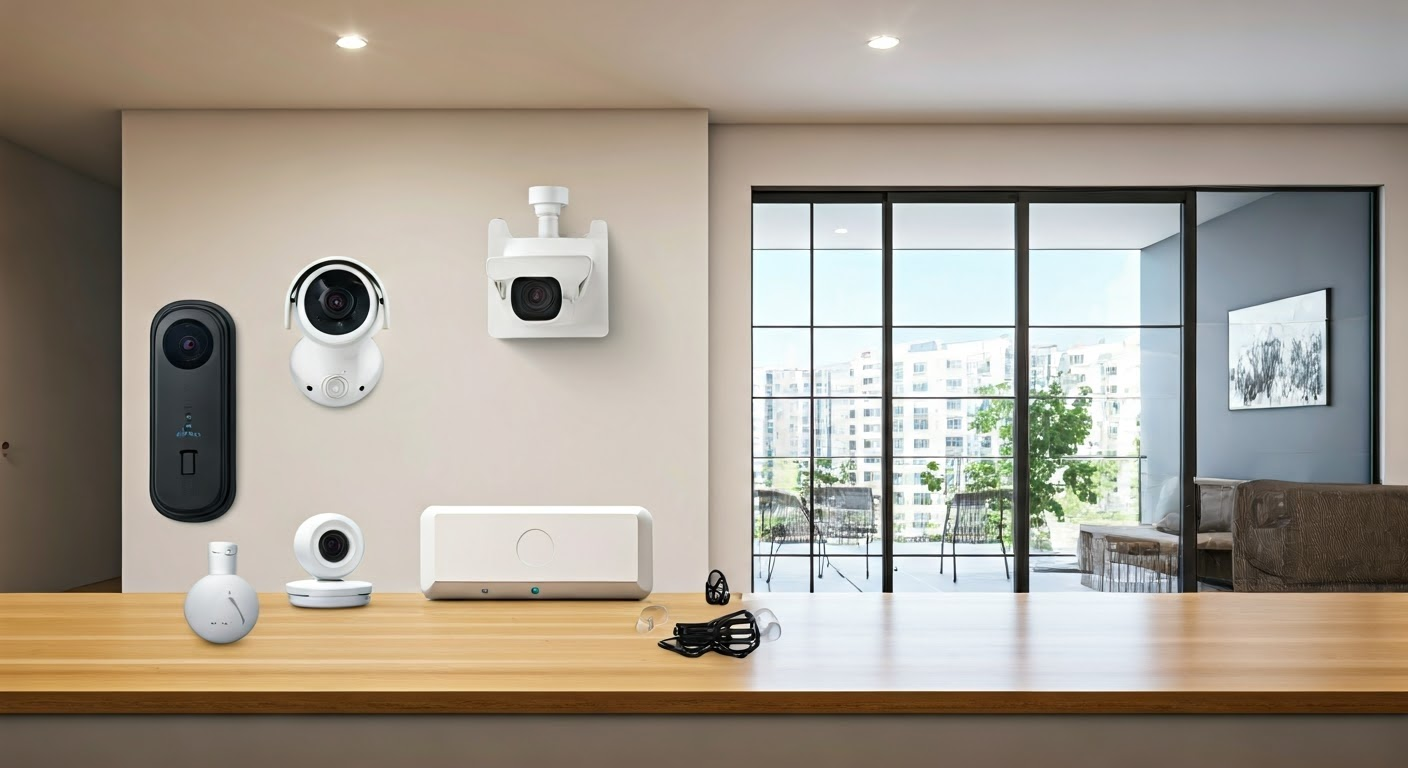
Protecting your sanctuary is paramount. This guide dives deep into the best home security system options available in 2025-26, offering clear comparisons and actionable advice to help you choose the perfect solution for your peace of mind and property safety.
Why Invest in a Home Security System?
In today's world, the importance of a robust home security system cannot be overstated. Beyond deterring potential intruders, these systems offer a sense of safety and control, providing invaluable peace of mind for you and your loved ones. Statistics from the FBI's 2025 Uniform Crime Reporting (UCR) Program indicate a slight uptick in residential burglaries in certain metropolitan areas, making proactive protection more crucial than ever. A monitored security system can significantly reduce the risk of becoming a victim, with studies showing that homes with security systems are up to 300% less likely to be targeted. Furthermore, modern systems offer features that go beyond basic intrusion detection, including environmental hazard monitoring (smoke, CO, water leaks), remote access, and integration with smart home devices, enhancing your overall home management and safety.
Understanding the Types of Home Security Systems
Navigating the landscape of home security can seem daunting, but understanding the fundamental types of systems available will clarify your options. The primary distinction lies in how the system is monitored and managed.
Monitored vs. Unmonitored Systems
Monitored systems are connected to a professional monitoring center. When an alarm is triggered, the center receives a notification and can dispatch emergency services (police, fire department) after verifying the situation. This offers the highest level of security and responsiveness.
Unmonitored systems, often referred to as DIY systems, do not connect to a professional service. Instead, they typically send alerts directly to your smartphone or designated contacts. While this can be more affordable, it relies on you or your contacts to take action in an emergency.
Wired vs. Wireless Systems
Wired systems connect all components (sensors, cameras, control panel) via physical wires. They are generally considered more reliable and less susceptible to interference but can be more complex and costly to install, often requiring professional installation.
Wireless systems use radio frequencies or Wi-Fi to communicate between components. They are easier and faster to install, more flexible for renters, and simpler to expand. However, they can be susceptible to signal interference or battery depletion, requiring regular maintenance. The vast majority of modern systems are wireless due to their convenience and advanced features.
Traditional vs. Smart Home Security Systems
Traditional systems focus primarily on intrusion detection, with components like door/window sensors, motion detectors, and sirens. They are effective for their core purpose but lack advanced connectivity.
Smart home security systems integrate seamlessly with other smart devices (lights, thermostats, locks) and are controlled via smartphone apps. They offer remote access, live video feeds, and automation capabilities, providing a comprehensive approach to home safety and convenience. For most homeowners in 2025-26, a smart system offers the best balance of security and functionality.
Essential Features to Look For
When evaluating home security systems, certain features are critical for comprehensive protection and user convenience. Prioritizing these will ensure you select a system that meets your specific needs.
Sensors
Door and Window Sensors: These are fundamental, detecting when a door or window is opened. They are small, unobtrusive, and crucial for perimeter security.
Motion Detectors: These sensors detect movement within a designated area, typically placed in high-traffic zones or rooms. Advanced models offer pet-immune technology to prevent false alarms.
Glass Break Sensors: These listen for the specific frequency of breaking glass, providing an additional layer of security for windows.
Environmental Sensors: Essential for comprehensive safety, these include smoke detectors, carbon monoxide (CO) detectors, and water leak sensors. Many systems can integrate these, providing alerts for fire, CO poisoning, and potential water damage.
Cameras
Indoor Cameras: Useful for monitoring activity inside your home, especially in common areas or where pets are kept. Look for features like two-way audio and night vision.
Outdoor Cameras: Designed to withstand weather conditions, these are vital for monitoring your property's exterior, driveways, and entry points. Features like motion-activated recording, high-definition resolution (1080p or higher), and infrared night vision are standard expectations for 2025-26.
Video Doorbells: These combine a doorbell with a camera, allowing you to see, hear, and speak to visitors from your smartphone, whether you're home or away.
Control Panel and App
Central Hub/Control Panel: This is the brain of the system, where you arm/disarm it and manage settings. Modern systems often have sleek touchscreens or can be controlled entirely via an app.
Mobile App: A robust and user-friendly mobile app is non-negotiable for smart security systems. It should allow for remote arming/disarming, live camera feeds, event history, sensor status checks, and customizable alerts.
Monitoring Services
Professional Monitoring: As discussed, this involves a 24/7 call center that responds to alarms. The quality of response and verification protocols can vary significantly between providers.
Self-Monitoring: Relies on your own vigilance and the system's alerts to your devices.
Connectivity
Wi-Fi: Most wireless systems rely on your home's Wi-Fi network. Ensure your router can handle the bandwidth, especially if you have multiple cameras.
Cellular Backup: A critical feature for monitored systems. If your internet goes down, cellular backup ensures the system can still communicate with the monitoring center.
Battery Backup: The control panel and key components should have battery backup to function during power outages.
Top Home Security System Providers in 2025-26
The home security market is competitive, with several providers offering excellent systems tailored to different needs and budgets. Here's a look at some of the leading options for 2025-26, considering their features, reliability, and customer satisfaction.
| Provider | System Type | Installation | Key Features | Pricing Model | Pros | Cons |
|---|---|---|---|---|---|---|
| ADT Command | Professional & DIY (Command) | Professional recommended, DIY option available | 24/7 professional monitoring, smart home integration, customizable packages, mobile app, cellular backup. Advanced AI detection in 2025 models. | Monthly monitoring fees, equipment purchase/lease. | Established reputation, comprehensive monitoring, robust equipment. | Can be more expensive, longer contract terms for some plans. |
| Vivint Smart Home | Professional | Professional only | Integrated smart home control, 24/7 monitoring, high-quality cameras, professional installation, mobile app, advanced analytics. Focus on AI-driven threat detection. | Monthly service fee includes equipment and monitoring. | Seamless smart home integration, excellent customer service, premium hardware. | Higher monthly costs, professional installation required. |
| SimpliSafe | DIY | DIY | Easy setup, no contracts, 24/7 professional monitoring option, wide range of sensors, customizable kits, mobile app. Enhanced encryption for 2025. | One-time equipment cost, optional monthly monitoring fees. | Affordable, flexible, no long-term contracts, good for renters. | Relies on user setup, professional monitoring is optional and adds cost. |
| Frontpoint Security | DIY | DIY | User-friendly setup, professional monitoring, no long-term contracts, robust sensors, mobile app, strong customer support. Emphasis on robust connectivity. | One-time equipment cost, monthly monitoring fees. | Excellent customer service, reliable monitoring, easy to use. | Slightly higher equipment costs than some competitors, professional monitoring required for full benefits. |
| Ring Alarm Pro | DIY | DIY | Amazon integration, Z-Wave hub built-in, optional professional monitoring, affordable, mobile app, battery backup. Advanced AI threat analysis. | One-time equipment cost, optional monthly subscription for enhanced features and monitoring. | Affordable, integrates with Alexa ecosystem, good for existing Ring users. | Professional monitoring is a subscription add-on, limited advanced features compared to premium systems. |
When choosing a provider, consider your comfort level with DIY installation, your budget, and the importance of professional monitoring. Many providers offer free consultations to help you design a system.
DIY vs. Professional Installation: Which is Right for You?
The decision between a DIY (Do-It-Yourself) and professionally installed home security system is a significant one, impacting cost, convenience, and the overall effectiveness of your setup.
DIY Home Security Systems
Pros:
- Cost Savings: Eliminates installation fees, often leading to lower upfront costs.
- Flexibility: You can install it on your own schedule and move it easily if you relocate.
- Simplicity: Modern DIY systems are designed for easy setup, often with wireless components and clear instructions.
- No Contracts (Often): Many DIY providers offer month-to-month monitoring plans or allow you to self-monitor, avoiding long-term commitments.
Cons:
- Time Commitment: Requires your time and effort to set up.
- Technical Aptitude: While generally simple, some technical understanding might be needed for optimal placement and network integration.
- Potential for Error: Improper installation can lead to blind spots or system malfunctions.
- Reliance on Self-Monitoring: If you opt out of professional monitoring, you are solely responsible for responding to alerts.
Best for: Renters, budget-conscious homeowners, tech-savvy individuals, and those who prefer flexibility and control over their installation. Examples include SimpliSafe, Ring Alarm Pro, and Abode.
Professional Installation Home Security Systems
Pros:
- Expert Setup: Trained technicians ensure optimal placement of sensors and cameras, maximizing coverage and minimizing false alarms.
- Time Savings: Frees up your time, as professionals handle the entire installation process.
- System Optimization: Professionals can fine-tune the system for your specific home layout and needs.
- Warranty and Support: Often comes with better warranties and dedicated support for professionally installed systems.
Cons:
- Higher Upfront Cost: Installation fees can add significantly to the initial expense.
- Less Flexibility: Moving the system can be more complex and may incur additional costs.
- Contractual Obligations: Many professional services require long-term contracts for monitoring.
Best for: Homeowners who want a hassle-free experience, those with larger or more complex homes, individuals who prefer not to deal with technical setup, and those seeking the highest level of assurance in system performance. ExampleVivintude ADT, Vivint, and Brinks Home Security.
Budgeting for Your Home Security System
The cost of a home security system can vary widely, from a few hundred dollars for a basic DIY kit to several thousand for a comprehensive, professionally installed smart home security solution. Understanding the cost components is key to budgeting effectively.
Upfront Costs
These are the initial expenses for purchasing the hardware:
- Control Panel/Hub: The central unit that manages the system.
- Sensors: Door/window sensors, motion detectors, glass break sensors, etc.
- Cameras: Indoor, outdoor, and video doorbell cameras.
- Keypads/Key Fobs: For arming and disarming.
- Installation Fees (for professional systems): Can range from $100 to $500 or more, depending on the system's complexity.
Monthly/Ongoing Costs
These are recurring fees for monitoring and services:
- Professional Monitoring Fees: Typically range from $10 to $60 per month, depending on the provider and the level of service.
- Cloud Storage for Cameras: Many systems charge a monthly fee for storing video footage online, often tiered by the number of cameras and recording duration. This is a crucial feature for 2025-26, with many providers offering advanced AI analytics within these plans.
- Smart Home Integration Fees: Some premium services may include fees for integrating with other smart devices or for advanced app features.
- Maintenance and Support: While often included in monitoring fees, some providers might have separate plans for extended warranties or premium support.
Factors Influencing Cost
- System Type: DIY systems are generally cheaper upfront than professionally installed ones.
- Number of Components: More sensors and cameras mean higher hardware costs.
- Monitoring Service: Professional monitoring is more expensive than self-monitoring.
- Brand Reputation: Premium brands often command higher prices.
- Contract Length: Longer contracts might offer lower monthly fees but lock you in.
- Smart Features: Advanced AI, facial recognition, and extensive smart home integration will increase costs.
Example Budget Breakdown (2025-26):
A typical mid-range DIY system (e.g., SimpliSafe starter kit with a few extra sensors and optional professional monitoring) might cost:
- Upfront: $300 - $600
- Monthly: $15 - $30 (for monitoring and basic cloud storage)
A professional installation system (e.g., Vivint or ADT with several cameras and smart home integration) might cost:
- Upfront: $500 - $1500+ (including installation)
- Monthly: $50 - $100+ (for comprehensive monitoring, cloud storage, and service)
Always read the fine print regarding contract terms, equipment ownership, and potential hidden fees. For example, some providers lease equipment, meaning you pay for it over time as part of your monthly fee.
Step-by-Step Guide to Installing Your System
Installing a DIY home security system is designed to be straightforward. While specific instructions vary by manufacturer, the general process remains consistent. This guide provides a comprehensive overview for a typical wireless DIY system.
Step 1: Planning and Placement
Before you begin, walk through your home and identify key entry points (doors, ground-floor windows) and high-traffic areas.
- Control Panel: Place it in a central location, near your primary entry point, with good Wi-Fi signal.
- Door/Window Sensors: Install on all accessible doors and windows. Ensure the two parts of the sensor are aligned when the door/window is closed.
- Motion Detectors: Place in corners of rooms or hallways, about 6-8 feet high, facing entry points. Avoid placing them opposite heat sources (vents, direct sunlight) or where pets can easily trigger them (unless pet-immune).
- Cameras: Position indoor cameras to cover main living areas. Outdoor cameras should cover entry points, driveways, and backyards, ensuring they are weather-resistant and have a clear view.
- Keypads: Install near main entry points for easy arming/disarming.
Step 2: Set Up the Base Station/Hub
- Unpack the base station and connect it to power.
- Connect it to your home's Wi-Fi network, usually via a mobile app or a direct Ethernet connection. Follow the manufacturer's on-screen or app instructions.
- Ensure the base station has a good Wi-Fi signal or is within range of your router.
Step 3: Install Sensors
- Most sensors use adhesive backing. Clean the surface thoroughly before applying.
- Door/Window Sensors: Mount one piece on the frame and the other on the door/window itself, ensuring they are aligned and close together when closed.
- Motion Detectors: Mount using the provided screws or adhesive. Ensure it's secure and at the recommended height.
- Pairing: Follow your system's app instructions to "pair" each sensor with the base station. This usually involves pressing a button on the sensor or entering a code.
Step 4: Install Cameras and Video Doorbell
- Indoor Cameras: Place on a shelf or mount to a wall, connect to power, and pair with the base station/app.
- Outdoor Cameras: Mount securely in desired locations, ensuring they are protected from direct weather if not fully weatherproof. Connect to power (some are battery-powered, requiring periodic recharging).
- Video Doorbell: This often requires replacing your existing doorbell. Follow the specific wiring instructions carefully. Ensure it's connected to your Wi-Fi and paired with the app.
Step 5: Set Up the Mobile App and Configure Settings
- Download the system's mobile app onto your smartphone or tablet.
- Create an account and link it to your base station.
- Configure your system settings:
- Set entry and exit delays (the time you have to disarm the system after entering or before leaving).
- Customize notification preferences (e.g., alerts for specific sensors, camera motion).
- Set up user codes for family members.
- If opting for professional monitoring, complete the sign-up process through the app or website.
Step 6: Test Your System
This is a crucial step to ensure everything works correctly.
- Arm the system and then trigger each sensor one by one (open a door, walk past a motion detector).
- Verify that you receive alerts on your phone and that the base station sounds an alarm (if configured).
- If you have professional monitoring, inform them you are testing the system.
- Test camera feeds, two-way audio, and recording functions.
Step 7: Ongoing Maintenance
- Regularly check battery levels for wireless sensors and replace them as needed.
- Keep camera lenses clean.
- Ensure your Wi-Fi network is stable and your router is updated.
- Periodically test your system to ensure it's functioning optimally.
Integrating Your Security System with Your Smart Home
The true power of modern home security lies in its ability to integrate with your existing smart home ecosystem. This creates a more automated, convenient, and secure living environment. In 2025-26, this integration is more seamless and feature-rich than ever before.
Benefits of Integration
- Automation: Trigger other smart devices based on security events (e.g., lights turn on when motion is detected outdoors).
- Convenience: Control your entire home from a single app or voice assistant.
- Enhanced Security: Create "scenes" that enhance security, such as automatically locking doors and turning on lights when the alarm is armed.
- Remote Management: Manage your security and smart home devices from anywhere.
Common Integration Points
Smart Assistants (Amazon Alexa, Google Assistant):
- Most security systems offer voice control capabilities. You can arm/disarm your system (often with a voice PIN for security), check sensor status, and even view camera feeds on smart displays.
- Example: "Alexa, arm the security system in away mode."
Smart Lights:
- When an alarm is triggered, smart lights can flash or turn on to deter intruders and illuminate escape routes.
- Example: If a door sensor is triggered at night, all smart lights in the house turn on to 100% brightness.
Smart Locks:
- Automatically lock all doors when the security system is armed in "away" mode.
- Receive notifications if a door is unlocked while the system is armed.
- Example: Arming the system can trigger smart locks to secure all entry points.
Smart Thermostats:
- Some systems can adjust your thermostat when you leave the house and arm the system, saving energy.
- Example: When the system is armed in "away" mode, the thermostat can set back to an energy-saving temperature.
Smart Plugs and Switches:
- Control non-smart devices as part of your security routines.
- Example: An outdoor smart plug could turn on floodlights when the security system detects motion.
How to Integrate
The integration process typically involves linking your security system account with your smart home platform account (e.g., linking your Ring account to your Amazon Alexa account).
- Check Compatibility: Ensure your security system and smart devices are compatible with your chosen smart home platform. Look for "Works with Alexa" or "Works with Google Assistant" badges.
- Use the Security System's App: Many systems have built-in integrations or allow you to connect to platforms like IFTTT (If This Then That) for more complex custom automations.
- Use the Smart Home Platform App: Within Alexa or Google Home apps, you can often discover and add your security system as a device and set up routines.
Example Routine (using IFTTT or native app): If [Security System Sensor] detects [Event] (e.g., "Front Door Sensor opens"), Then [Smart Light] [Action] (e.g., "Turn on Porch Light").
As AI and machine learning become more sophisticated in 2025-26, expect even more predictive and adaptive smart home security integrations, such as systems that learn your routines and proactively alert you to anomalies.
Future Trends in Home Security
The home security landscape is constantly evolving, driven by advancements in technology and changing consumer expectations. Here are some key trends shaping the future of home security for 2025-26 and beyond:
AI and Machine Learning Integration
Artificial intelligence is moving beyond simple motion detection. Future systems will leverage AI for:
- Smarter Threat Detection: Differentiating between people, pets, vehicles, and even specific types of events (e.g., package delivery vs. suspicious loitering).
- Predictive Analytics: Analyzing patterns to predict potential security risks before they occur.
- Reduced False Alarms: AI will significantly improve the accuracy of alerts, leading to fewer unnecessary dispatches.
- Facial Recognition: Identifying known individuals versus strangers at your doorstep.
Enhanced Connectivity and 5G
The rollout of 5G networks promises faster speeds, lower latency, and greater reliability for connected devices. This will benefit home security by:
- Faster Video Streaming: Seamless, high-definition live video feeds from cameras.
- More Responsive Systems: Quicker communication between devices and monitoring centers.
- Increased Device Density: Supporting a larger number of connected security devices without performance degradation.
- Improved Cellular Backup: More robust and faster backup communication for systems.
Biometric Authentication
Beyond PIN codes, expect to see more biometric options for arming and disarming systems:
- Fingerprint Scanners: Integrated into control panels or smart locks.
- Voice Recognition: More advanced and secure voice authentication methods.
- Facial Recognition: Used not just for identifying visitors but also for user authentication.
Drone and Robotic Integration
While still nascent for widespread consumer adoption, the concept of security drones or robots is gaining traction:
- Patrolling Drones: Automated drones that can patrol larger properties or respond to alerts.
- Robotic Assistants: Mobile robots that can provide visual and auditory confirmation of events.
Cybersecurity Focus
As systems become more connected, cybersecurity becomes paramount. Providers are investing heavily in:
- End-to-End Encryption: Protecting data transmitted between devices and servers.
- Regular Software Updates: Patching vulnerabilities and ensuring system security.
- Secure Network Protocols: Implementing robust security measures to prevent hacking.
Sustainability and Energy Efficiency
With growing environmental awareness, expect more focus on:
- Low-Power Devices: Sensors and cameras that consume less energy.
- Solar-Powered Components: Outdoor cameras and sensors that can be powered by the sun.
- Smart Energy Management: Systems that optimize energy usage based on security needs.
The future of home security is intelligent, interconnected, and proactive. By staying informed about these trends, consumers can make informed decisions about systems that offer not just protection, but also a truly smart and secure living experience.
Conclusion
Securing your home is a fundamental aspect of modern living, and the array of home security system options available in 2025-26 offers unprecedented levels of protection and convenience. From robust professional monitoring services to flexible DIY solutions, the key is to align your choice with your specific needs, budget, and comfort level with technology. Prioritize essential features like reliable sensors, high-definition cameras, and a user-friendly mobile app. Consider the benefits of smart home integration to create a truly connected and automated living environment. Whether you opt for the comprehensive support of a professionally installed system or the cost-effectiveness and flexibility of a DIY setup, investing in a quality home security system is an investment in your peace of mind and the safety of your loved ones. Take the time to research providers, compare features, and choose the system that best safeguards your sanctuary.



