Discover the Essential Features of a Home Security System
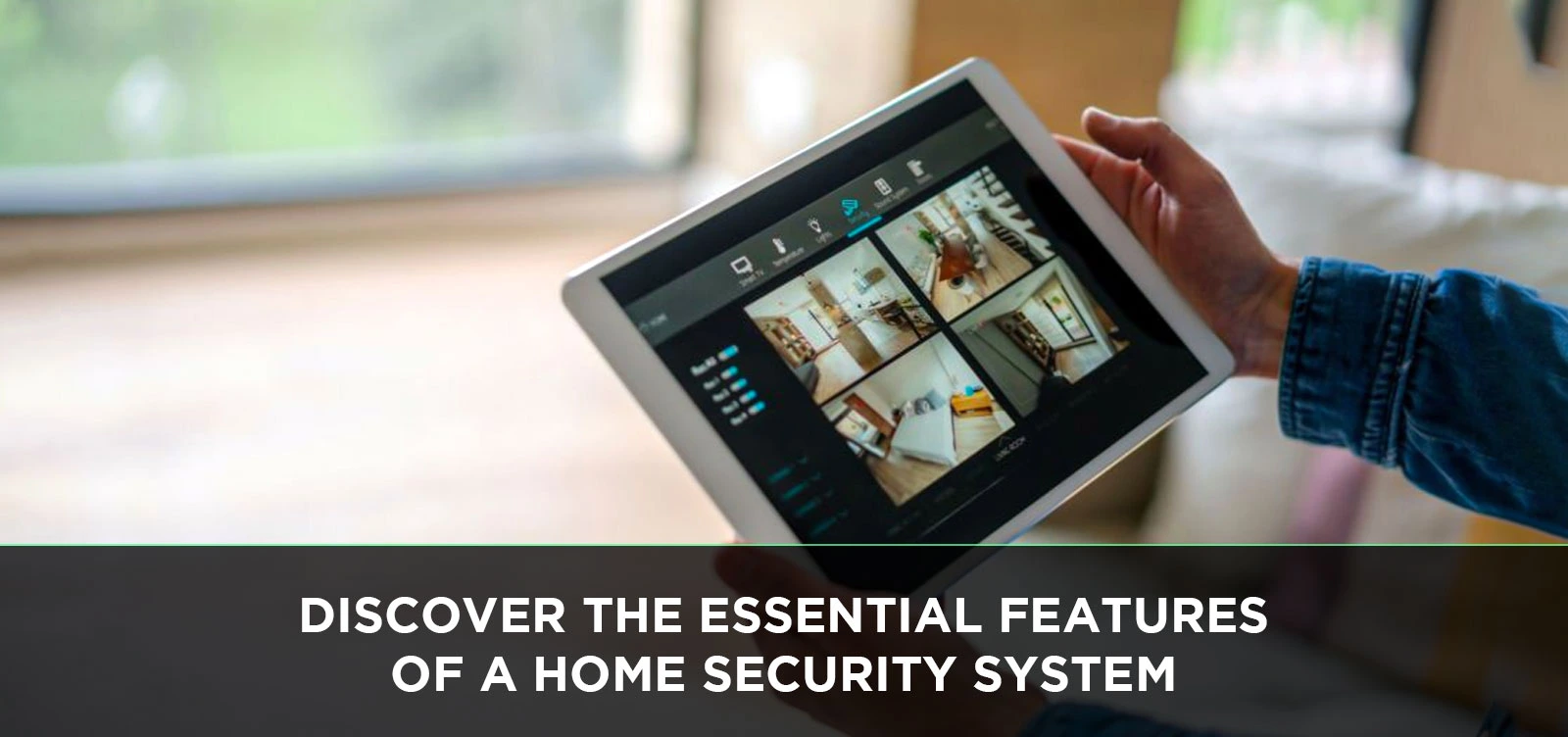
Securing your home is paramount in today's world. This guide dives deep into the essential features of a home security system, empowering you to make informed decisions for unparalleled peace of mind and robust protection against modern threats.
Understanding Your Home Security Needs
Before diving into the specific features, it's crucial to assess your individual security requirements. This personalized approach ensures you invest in a system that truly addresses your concerns and provides the most effective protection. Consider the following factors:
Assessing Your Property and Location
The type of property you own and its location significantly influence the kind of security features you might need. A sprawling suburban home might benefit from perimeter detection, while a city apartment could prioritize window and door sensors. Factors to consider include:
- Size of your home: Larger homes require more sensors and potentially more advanced coverage.
- Number of entry points: Doors, windows, and even pet doors need to be secured.
- Proximity to neighbors: While not a direct security feature, it can influence your perception of risk.
- Neighborhood crime rates (2025-26 data): Research local statistics to understand prevalent threats in your area. For instance, reports from the FBI's Uniform Crime Reporting (UCR) Program (though often a year or two behind) can provide valuable insights into property crime trends. Current analyses for 2025-26 suggest a continued focus on residential burglaries in certain demographics, making robust entry point protection essential.
- Presence of outbuildings: Garages, sheds, and other detached structures may also require monitoring.
Identifying Potential Vulnerabilities
Walk through your property, both inside and out, and identify potential weak spots. Think like a potential intruder. Where are the easiest points of access? What areas are most exposed?
- Ground-floor windows and doors: These are typically the most accessible.
- Basement windows: Often overlooked, these can be a significant vulnerability.
- Balconies and accessible upper-floor windows: Especially in multi-story homes or apartments.
- Unsecured gates or fences: These can provide an easy entry to your yard.
- Areas with poor visibility: Dark corners or overgrown landscaping can offer cover for intruders.
Considering Your Lifestyle and Household Members
Your daily routines and the people living in your home are also key considerations. Do you have young children, elderly relatives, or pets? Do you travel frequently? These aspects impact the type of system and its features:
- Presence of children: Features like remote monitoring and alerts for doors opening can provide peace of mind.
- Elderly residents: Medical alert features or panic buttons can be crucial.
- Pets: Pet-immune motion detectors are essential to avoid false alarms.
- Frequent travelers: Remote access and control via smartphone apps are invaluable.
- Work-from-home individuals: You might prioritize internal monitoring and instant alerts.
Budgetary Constraints
Home security systems range in price from DIY kits to professionally installed, comprehensive packages. Determine a realistic budget, keeping in mind both upfront costs and potential monthly monitoring fees. According to industry analyses for 2025, the average cost for a professionally installed system can range from $500 to $2,000, with monthly monitoring fees typically between $30 and $60.
Core Components of a Modern Home Security System
At its heart, a home security system is a network of devices designed to detect intrusions and alert you and/or authorities. Understanding these fundamental components is the first step to building an effective security strategy.
Control Panel (The Brains of the Operation)
The control panel is the central hub of your security system. It's where you arm and disarm the system, receive alerts, and manage settings. Modern control panels are often touchscreens, offering intuitive interfaces. Some advanced systems even allow for voice control.
- Functionality: Receives signals from sensors, triggers alarms, and communicates with monitoring centers or your smartphone.
- User Interface: Typically a keypad or touchscreen, with options for PIN codes, key fobs, or mobile app control.
- Connectivity: Connects to your home network (Wi-Fi or Ethernet) and often uses cellular backup for uninterrupted communication.
Door and Window Sensors
These are arguably the most critical components for preventing unauthorized entry. They work by detecting when a door or window is opened.
- How they work: Consist of two parts – a magnet and a sensor. When the door or window is closed, the magnet is close to the sensor, completing a circuit. When opened, the magnet moves away, breaking the circuit and triggering an alert.
- Types:
- Contact sensors: The most common type, easy to install.
- Glass break sensors: Detect the specific sound frequency of breaking glass, providing an extra layer of security for windows.
- Placement: Essential for all accessible entry points, including doors, windows, and even garage doors.
Motion Detectors
Motion detectors are designed to sense movement within a specific area, typically used to cover larger spaces or as a secondary layer of defense after entry points have been breached.
- Types:
- Passive Infrared (PIR): Detects changes in infrared radiation (heat) emitted by moving bodies. These are the most common and cost-effective.
- Dual-Technology: Combine PIR with microwave or ultrasonic sensors for increased accuracy and reduced false alarms.
- Pet-Immune: Specifically designed to differentiate between human and animal movement, preventing false alarms from pets weighing up to a certain limit (e.g., 40-80 lbs).
- Placement: Strategically placed in high-traffic areas, hallways, or rooms with multiple entry points. Avoid placing them facing heat sources like vents or direct sunlight.
Security Cameras (Indoor and Outdoor)
Cameras provide visual verification of events, acting as both a deterrent and a crucial tool for evidence gathering. With the rise of smart home technology, cameras are increasingly integrated into security systems.
- Indoor Cameras:
- Purpose: Monitor activity within the home, useful for keeping an eye on children, pets, or potential internal threats.
- Features: Two-way audio, night vision, motion detection, and cloud or local storage.
- Outdoor Cameras:
- Purpose: Deter intruders, monitor the perimeter, and record any suspicious activity.
- Features: Weatherproof, night vision, motion detection (often with customizable zones), wide-angle lenses, and sometimes integrated spotlights or sirens.
- 2025-26 Trends: Increased adoption of AI-powered analytics for person detection, package detection, and facial recognition.
- Resolution: Aim for at least 1080p HD for clear footage.
- Field of View: A wider field of view covers more area.
Siren/Alarm
The audible alarm is a critical component designed to scare off intruders and alert occupants and neighbors to a security breach.
- Decibel Level: Typically range from 85 to 110 decibels, loud enough to be heard from a significant distance.
- Placement: Usually integrated into the control panel or as separate units placed strategically within the home.
- Function: Activates when a sensor is triggered and the system is armed.
Key Fobs and Remote Controls
These provide a convenient way to arm and disarm the system without needing to access the control panel. Many also include a panic button for emergencies.
- Functionality: Simple buttons for arming (away/stay), disarming, and panic.
- Convenience: Ideal for quick arming/disarming upon entering or leaving the home.
- Panic Button: A dedicated button that immediately triggers the alarm and alerts the monitoring center.
Advanced Features for Enhanced Protection
Beyond the core components, modern home security systems offer a range of advanced features that significantly enhance their effectiveness and provide greater convenience and control.
Environmental Sensors
These sensors go beyond intrusion detection to protect your home from other potential hazards, offering a more comprehensive safety net.
- Smoke Detectors:
- Function: Detect smoke and fire, triggering an alarm and alerting the monitoring center. Many systems integrate with smart smoke detectors that send alerts to your phone.
- Importance: Crucial for early fire detection, saving lives and minimizing property damage. According to the National Fire Protection Association (NFPA), in 2023, the majority of fatal fires occurred in homes without working smoke alarms. This trend is projected to continue into 2025-26, highlighting their critical importance.
- Carbon Monoxide (CO) Detectors:
- Function: Detect the presence of dangerous levels of carbon monoxide gas, a colorless, odorless, and deadly byproduct of incomplete combustion.
- Importance: Essential for homes with fuel-burning appliances like furnaces, water heaters, and fireplaces.
- Water Leak/Flood Sensors:
- Function: Detect water leaks or flooding, alerting you to potential water damage from burst pipes, overflowing appliances, or heavy rain.
- Benefits: Can prevent costly repairs and mold growth.
- Temperature Sensors:
- Function: Monitor extreme temperature fluctuations, which can be indicative of HVAC system failures or potential freezing pipes in winter.
Smart Locks and Access Control
Smart locks offer keyless entry and enhanced control over who can access your home, integrating seamlessly with security systems.
- Keyless Entry: Unlock doors using a keypad code, smartphone app, or even fingerprint scanner.
- Remote Access: Grant temporary access to guests, service providers, or family members from anywhere.
- Activity Logs: Receive notifications when doors are locked or unlocked, and by whom.
- Integration: Can be programmed to automatically lock doors when the alarm is armed.
Glass Break Sensors
These specialized sensors are designed to detect the specific sound frequency of breaking glass, providing an additional layer of security for windows.
- How they work: Utilize acoustic technology to listen for the distinct sound pattern of shattering glass.
- Placement: Ideal for rooms with multiple windows or large panes of glass.
- Benefit: Can detect break-ins even if the window is not fully opened, and can work in conjunction with traditional door/window sensors.
Panic Buttons (Fixed and Wearable)
Panic buttons are designed for immediate emergency alerts, providing a quick way to summon help in a crisis.
- Fixed Panic Buttons: Typically installed in strategic locations within the home (e.g., bedside, near the front door).
- Wearable Panic Buttons: Often in the form of pendants or wristbands, allowing for immediate activation even when away from the control panel.
- Function: When pressed, they silently or audibly trigger an alarm and send an emergency signal to the monitoring center.
- Use Cases: Home invasions, medical emergencies, or any situation where immediate assistance is required.
Yard Signs and Window Decals
While not a technological feature, these visible deterrents play a significant role in a comprehensive security strategy.
- Deterrent Effect: The mere presence of a security system sign or decal can discourage potential burglars who prefer easier targets.
- Psychological Impact: They signal that a property is protected and actively monitored.
- Complementary: Best used in conjunction with an actual functioning security system.
Integration and Smart Home Capabilities
The modern home security system is no longer a standalone entity; it's a connected part of a larger smart home ecosystem. This integration offers unparalleled convenience, automation, and control.
Smart Home Hubs and Platforms
A smart home hub acts as the central controller for all your connected devices, including your security system. Popular platforms include Amazon Alexa, Google Assistant, and Apple HomeKit.
- Unified Control: Manage security, lighting, thermostats, and other smart devices from a single app or voice command.
- Automation: Create routines and scenes where devices work together. For example, "Goodnight" could arm the security system, turn off lights, and lower the thermostat.
- Voice Control: Arm/disarm your system, check camera feeds, or lock doors using voice commands.
Mobile App Control
Virtually all modern security systems come with a dedicated mobile app, putting control of your home's security directly into your hands, no matter where you are.
- Remote Arming/Disarming: Control your system from your smartphone or tablet.
- Real-time Alerts: Receive instant notifications for triggered sensors, camera motion, or system status changes.
- Live Camera Feeds: View live video streams from your security cameras.
- Event History: Access logs of all security events.
- System Customization: Adjust settings, manage user codes, and configure notifications.
Automation and Scene Creation
The true power of integration lies in automation. You can set up your security system to work in conjunction with other smart devices to create personalized "scenes" or routines.
- "Away" Scene: When you leave, the system can automatically arm, turn off lights, lock doors, and adjust the thermostat.
- "Welcome Home" Scene: Upon disarming, lights can turn on, and the thermostat can adjust to your preferred temperature.
- "Movie Night" Scene: Dim lights, lock doors, and ensure the security system is in "Stay" mode.
Integration with Other Smart Devices
Beyond lighting and thermostats, security systems can integrate with a growing array of smart devices.
- Smart Blinds/Shades: Automatically close when the alarm is armed for added privacy and deterrence.
- Smart Garage Door Openers: Ensure your garage door is closed and locked when the system is armed.
- Smart Appliances: Some advanced systems can even monitor smart appliances for potential issues.
Connectivity Options (Wi-Fi, Cellular, Ethernet)
Reliable communication is paramount for any security system. Modern systems offer multiple connectivity options.
- Wi-Fi: The most common connection for smart devices, offering convenience and ease of setup.
- Cellular Backup: Essential for ensuring your system remains connected even if your home internet goes down or power is lost. This is a critical feature for reliable monitoring.
- Ethernet: A wired connection can offer greater stability and speed for the control panel.
Understanding Monitoring Options
The decision of how your security system alerts you in case of an emergency is as important as the system itself. There are two primary monitoring approaches: self-monitoring and professional monitoring.
Self-Monitoring
With self-monitoring, the responsibility of responding to alerts falls entirely on you. Your system will send notifications directly to your smartphone or email.
- How it works: When a sensor is triggered, you receive an alert and must decide whether to investigate, contact authorities, or dismiss it.
- Pros:
- Cost-effective: No monthly monitoring fees.
- Full Control: You decide how to respond.
- Cons:
- Requires constant attention: You must be available and able to respond to alerts promptly.
- Potential for missed alerts: If your phone is off, out of service, or you're asleep, you might miss critical notifications.
- No direct dispatch: You are responsible for contacting emergency services, which can delay response times.
- Ideal for: Individuals who are home frequently, tech-savvy, and comfortable managing their own security.
Professional Monitoring
Professional monitoring involves a third-party company that monitors your system 24/7. When an alarm is triggered, they verify the emergency and dispatch appropriate authorities.
- How it works: When a sensor is tripped, the signal goes to a central monitoring station. Trained operators will attempt to contact you to verify the alarm. If they cannot reach you or confirm a false alarm, they will dispatch emergency services (police, fire department).
- Pros:
- Peace of mind: Knowing that trained professionals are watching over your home around the clock.
- Faster response times: Direct dispatch to emergency services can significantly reduce response times.
- Reduced false alarm burden: Monitoring centers are trained to verify alarms, reducing the likelihood of false alarms being dispatched.
- Potential insurance discounts: Many insurance companies offer discounts for professionally monitored systems.
- Cons:
- Monthly fees: Typically range from $30 to $60 per month.
- Less direct control: You rely on the monitoring company's protocols for response.
- Ideal for: Those who travel frequently, have families, or simply want the highest level of security and peace of mind.
Hybrid Monitoring
Some systems offer a hybrid approach, allowing you to choose specific features from both self-monitoring and professional monitoring.
- Example: You might opt for self-monitoring for intrusion alerts but choose professional monitoring for fire and CO detection.
- Flexibility: Offers a balance between cost and comprehensive protection.
Emergency Service Dispatch
This is the core function of professional monitoring. It involves the direct communication with local police, fire, and medical services.
- Verification Process: Professional monitoring stations have established protocols for verifying alarms, often involving calling the homeowner or designated contacts.
- Response Prioritization: In genuine emergencies, dispatching authorities can be a life-saving feature.
- False Alarm Fines: Be aware that many municipalities have fines for excessive false alarms, which professional monitoring can help mitigate.
Installation and Maintenance Considerations
Proper installation and ongoing maintenance are crucial for the reliable performance of your home security system. Understanding these aspects will help you maximize your investment.
DIY vs. Professional Installation
The choice between installing the system yourself or hiring a professional depends on your technical skills, time availability, and the complexity of the system.
- DIY Installation:
- Pros: Cost savings on installation fees, flexibility in scheduling.
- Cons: Requires technical aptitude, time commitment, potential for errors if not done correctly, may void warranties if improperly installed.
- Best for: Simpler, wireless systems with clear instructions.
- Professional Installation:
- Pros: Expert setup, ensures optimal placement and functionality, often comes with a warranty, saves time and effort.
- Cons: Higher upfront cost, requires scheduling appointments.
- Best for: Complex wired systems, larger homes, or those who prefer a hands-off approach.
System Maintenance and Testing
Regular maintenance ensures your system is always ready to protect your home.
- Regular Testing:
- Frequency: Monthly testing is recommended.
- Procedure: Arm the system and then intentionally trigger a sensor (e.g., open a door) to ensure the alarm sounds and the monitoring center (if applicable) is notified. Test all sensors and components.
- Note: If you have professional monitoring, inform the company before testing to avoid unnecessary dispatch.
- Battery Replacement:
- Importance: Wireless sensors rely on batteries. Low batteries can lead to system malfunctions.
- Notifications: Most systems will alert you when a sensor battery is low.
- Frequency: Varies by device and usage, but typically every 1-3 years.
- Cleaning Sensors:
- Purpose: Dust and debris can obstruct sensors, especially motion detectors and cameras.
- Method: Gently wipe with a soft, dry cloth.
- Software Updates:
- Importance: Many modern systems receive over-the-air software updates to improve performance, add features, and patch security vulnerabilities.
- Action: Ensure your system is connected to the internet and allow for automatic updates.
Understanding False Alarms
False alarms are a common issue with security systems and can lead to fines from local authorities and unnecessary stress.
- Common Causes:
- User error: Forgetting to disarm the system in time, incorrect code entry.
- Pet interference: Motion detectors not being pet-immune or improperly placed.
- Environmental factors: Drafts, open windows, vibrations, insects near sensors.
- Equipment malfunction: Faulty sensors or wiring.
- Prevention Strategies:
- Thorough training: Ensure all household members know how to operate the system correctly.
- Proper sensor placement: Follow installation guidelines carefully.
- Use of pet-immune sensors.
- Regular system testing.
- Consider professional monitoring: They can often verify alarms before dispatching authorities.
Power Outages and Backup Power
A security system is only effective if it has power. Most systems include backup power solutions.
- Battery Backup: The control panel and many wireless sensors have internal batteries that provide power during outages.
- Cellular Backup: Ensures communication with the monitoring center even if your internet connection is lost due to a power outage.
- Duration: Battery backup typically lasts for several hours, depending on the system and its components.
Choosing the Right System for You
With a comprehensive understanding of the essential features, it's time to synthesize this knowledge and make an informed decision about the best home security system for your specific needs.
Key Features Comparison Table (2025-26 Focus)
This table highlights key features and their relevance in the current security landscape. Prices are estimates based on 2025-26 market trends.
| Feature | Description | Importance (2025-26) | Estimated Cost (Initial) | Estimated Cost (Monthly) |
|---|---|---|---|---|
| Core Intrusion Detection (Door/Window Sensors, Motion Detectors) | Basic entry point and interior movement detection. | Essential for all systems. | $100 - $500 | $0 (Self-Monitored) / $30 - $50 (Pro-Monitored) |
| Smart Control Panel (App/Voice) | Remote access and management via smartphone or voice assistant. | Highly Recommended for convenience and modern living. | $150 - $400 | Included in monitoring fee. |
| HD Security Cameras (Indoor/Outdoor) | Visual monitoring and recording. AI features are becoming standard. | Increasingly Essential for verification and evidence. | $100 - $300 per camera | $0 - $20 (Cloud Storage) |
| Environmental Sensors (Smoke, CO, Water) | Protection against fire, gas leaks, and water damage. | Crucial for comprehensive home safety. | $30 - $80 per sensor | Included in monitoring fee. |
| Smart Lock Integration | Keyless entry and remote access control. | Highly Desirable for convenience and access management. | $150 - $300 per lock | $0 (if self-monitored) |
| Cellular Backup | Ensures system connectivity during internet/power outages. | Critical for reliable monitoring. | Often included in professional systems. | Included in monitoring fee. |
| Professional Monitoring | 24/7 surveillance and emergency dispatch. | Recommended for maximum peace of mind. | N/A (part of service) | $30 - $60 |
| DIY Installation Option | Self-setup for cost savings. | Good for budget-conscious or tech-savvy users. | N/A (part of system purchase) | N/A |
Questions to Ask Potential Providers
When evaluating different security companies and systems, don't hesitate to ask detailed questions.
- What is the warranty period for the equipment?
- Are there any hidden fees or long-term contracts?
- What is the average response time of your monitoring center?
- How does your system handle power outages and internet disruptions?
- Can I customize the monitoring plan to suit my needs?
- What is your policy on false alarms and associated fines?
- How often are software updates released, and how are they managed?
- What is the process for adding or removing devices later?
- Do you offer any discounts for bundling services or for specific professions (e.g., military, first responders)?
Reading Reviews and Seeking Recommendations
Leverage the experiences of other consumers to make a more informed choice.
- Online Reviews: Check reputable consumer review websites, tech blogs, and forums for unbiased opinions on different security systems and providers.
- Customer Testimonials: Look for testimonials on company websites, but be aware that these are often curated.
- Ask Friends and Family: Personal recommendations from people you trust can be invaluable.
- Industry Reports: Consult reports from consumer advocacy groups or independent testing agencies that evaluate home security products.
Considering Long-Term Value
While upfront cost is important, consider the long-term value and reliability of the system. A slightly more expensive system that offers better reliability, advanced features, and superior customer support may be a better investment over time.
- Durability of Equipment: Will the components last for many years?
- Scalability: Can the system be easily expanded or upgraded as your needs change?
- Customer Service: Is the provider responsive and helpful when you have questions or issues?
- Technological Advancements: Does the system incorporate current and future-proof technologies?
By carefully considering these factors and thoroughly researching your options, you can select a home security system that provides robust protection, seamless integration, and the peace of mind you deserve.
In conclusion, a comprehensive home security system is a vital investment in protecting your property and loved ones. By understanding the core components like sensors, control panels, and sirens, and exploring advanced features such as environmental monitoring and smart home integration, you can tailor a solution to your unique needs. Whether you opt for self-monitoring or professional oversight, regular maintenance and informed choices are key. Prioritize systems offering reliable cellular backup, intuitive mobile control, and features that align with your lifestyle. Ultimately, the best home security system is one that offers robust protection, seamless integration, and enduring peace of mind for years to come.