
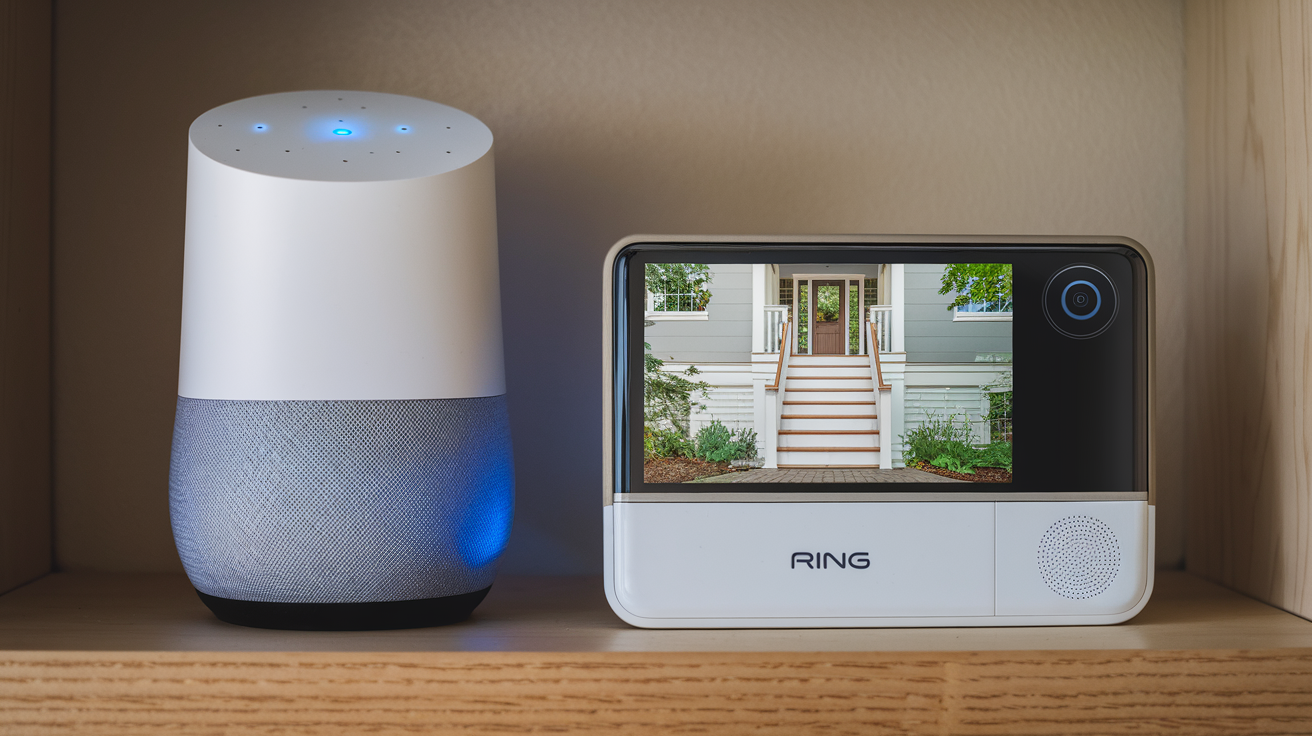
Unlock the full potential of your smart home by seamlessly integrating your Ring devices with Google Home. This guide explores the unparalleled benefits, from enhanced convenience and unified control to advanced automation possibilities, making your connected living experience smarter and more efficient than ever before. Discover how this powerful synergy transforms your daily routines.
Introduction: The Smart Home Synergy
In the rapidly evolving landscape of smart home technology, the ability to seamlessly connect and control various devices is paramount. For homeowners invested in both Ring's robust security ecosystem and Google Home's intuitive voice control and automation capabilities, integration is not just a convenience—it's a significant upgrade. This article delves deep into the multifaceted benefits of bringing Ring and Google Home together, transforming your house into a truly intelligent, responsive, and secure living space. We'll explore how this powerful combination enhances daily life, streamlines security, and unlocks new levels of automation, all powered by simple voice commands and intelligent routines. By the end, you'll understand precisely why this integration is a game-changer for modern homeowners.
Why Integrate Ring with Google Home?
The primary driver for integrating Ring devices with Google Home is to create a unified and more efficient smart home experience. Without integration, users often find themselves juggling multiple apps and interfaces to manage different aspects of their home. Ring excels in providing advanced security features, such as high-definition video surveillance, two-way talk, and motion detection. Google Home, on the other hand, is the central hub for voice control, smart speaker functionality, and creating complex automations that can orchestrate multiple devices from different brands. When these two powerhouses are combined, users gain a single point of command for both security and general home management, leading to unparalleled convenience and a more cohesive smart home ecosystem. This synergy allows for a level of interaction and automation that simply isn't possible with standalone systems.
Consider the sheer volume of smart home devices available. According to Statista, the global smart home market is projected to reach over $200 billion by 2026, with a significant portion attributed to smart security and smart speakers. This growth highlights a clear consumer demand for interconnected devices. However, the challenge often lies in making these diverse devices work harmoniously. Integrating Ring with Google Home directly addresses this challenge, enabling users to leverage the strengths of both platforms to their fullest potential. It’s about moving beyond individual device functionality to create a truly intelligent and responsive environment.
Core Benefits of Integration
The integration of Ring devices with Google Home offers a wealth of advantages that significantly enhance the user experience. These benefits span across control, convenience, security, and automation, making it a worthwhile endeavor for any smart home enthusiast.
Unified Control: One Voice, Many Devices
Perhaps the most immediate and impactful benefit is the ability to control your Ring devices using Google Assistant voice commands. Instead of reaching for your phone and opening the Ring app, you can simply speak to your Google Home device. This unified control means you can ask Google to show you the feed from your Ring Doorbell ("Hey Google, show me the front door camera"), arm or disarm your Ring Alarm system ("Hey Google, arm Ring in away mode"), or even trigger specific actions within your Ring ecosystem. This centralized command structure drastically simplifies interaction with your security system, making it more accessible and less intrusive.
This unification extends to visual feedback as well. When you ask Google to display your Ring camera feed, it can appear on compatible smart displays like the Google Nest Hub. This provides an immediate, glanceable view of your property without needing to interact with a separate app, adding a layer of effortless monitoring to your daily life. This is particularly useful for quick checks when you're busy or when multiple family members want to see who's at the door.
Enhanced Convenience: Voice Commands & Automation
Beyond basic control, the integration significantly boosts convenience through sophisticated voice commands and the ability to incorporate Ring devices into broader Google Home routines. Imagine this: you're arriving home, arms full of groceries. Instead of fumbling for your phone, you can simply say, "Hey Google, I'm home." This command, if set up as a routine, could trigger Google Home to disarm your Ring Alarm, unlock your smart lock (if compatible and linked), turn on your entryway lights, and even play your favorite music. This level of automation, orchestrated by a single voice command, transforms mundane tasks into effortless actions.
Furthermore, the convenience extends to everyday interactions. You can ask Google to check the status of your Ring sensors ("Hey Google, are any windows open?") or to record a video clip from a specific camera ("Hey Google, record a video of the backyard"). These quick, voice-activated interactions save time and reduce friction, making the smart home truly work for you. The ability to interact with your security system as naturally as you would with any other smart device is a hallmark of a well-integrated system.
Improved Security: Smarter Monitoring & Alerts
Integrating Ring with Google Home doesn't just make security more convenient; it makes it smarter and more proactive. When your Ring system detects motion or an event, it can now trigger actions within your Google Home ecosystem. For instance, if your Ring motion sensor detects activity in the backyard at night, you could set up a routine that turns on your backyard floodlights and sends a notification to your Google Nest Hub. This immediate, multi-faceted response enhances your home's security by deterring potential intruders and providing instant awareness.
Moreover, Google Assistant can act as a crucial intermediary for alerts. If your Ring Alarm is triggered, Google Assistant can announce the alert audibly throughout your home via your Google Home speakers, ensuring that everyone present is immediately aware of a security breach. For users with hearing impairments or those who might be in a different part of the house, this audible alert system is invaluable. The integration allows for a more robust and pervasive notification system, ensuring that critical security information reaches you and your household effectively. For 2025-26, advancements in AI are further refining these alert systems, making them more context-aware and less prone to false positives.
Seamless Automation: Routines & Scenarios
The true power of smart home integration lies in automation, and the Ring-Google Home connection excels here. Google Home's robust "Routines" feature allows you to create custom sequences of actions triggered by a single command, time of day, or sensor event. You can integrate Ring devices into these routines to create sophisticated scenarios. For example:
- "Good Morning" Routine: When you say "Hey Google, good morning," it could disarm your Ring Alarm, turn on your smart lights, adjust your thermostat, and then tell you the weather and play your morning news briefing. Your Ring camera could also be set to disarm automatically during this routine if you are home.
- "Leaving Home" Routine: A simple "Hey Google, I'm leaving" command could arm your Ring Alarm in "Away" mode, turn off all lights, lock your smart doors, and ensure all Ring sensors are active.
- "Movie Night" Routine: This could dim your lights, lower your smart blinds, and then, if you have a Ring camera monitoring your front door, it could be set to disarm only if motion is detected during the routine, ensuring security without interruption.
These routines move beyond simple device control to create dynamic environments tailored to your lifestyle. The ability to orchestrate security events with entertainment or daily tasks offers a level of convenience and personalization that defines the modern smart home. By 2025, we expect to see even more complex routines leveraging AI to predict user needs.
Accessibility and Inclusivity
For individuals with mobility challenges or those who find traditional interfaces difficult to use, the voice-controlled nature of Google Home integration with Ring devices is a significant benefit. Simple voice commands can control security systems, view camera feeds, and receive alerts, making home security and monitoring more accessible than ever before. This empowers individuals to maintain independence and feel more secure in their homes. The ability to manage security without physical interaction is a key aspect of inclusive smart home design.
Furthermore, audible alerts and announcements from Google Assistant ensure that critical security information is communicated effectively to all household members, regardless of their individual needs or abilities. This inclusive approach to smart home technology ensures that everyone can benefit from enhanced safety and convenience. As smart home technology evolves, accessibility remains a core focus, and this integration is a prime example of that commitment.
Getting Started: Setting Up Your Integration
Integrating your Ring devices with Google Home is a straightforward process, designed to be user-friendly even for those new to smart home technology. By following these steps, you can quickly unlock the benefits of a unified smart home experience.
Prerequisites
Before you begin, ensure you have the following:
- A Google Account: You'll need a Google account to use Google Home and Google Assistant.
- Google Home App: Download and install the Google Home app on your smartphone or tablet (available for iOS and Android).
- Ring Account: You must have an active Ring account with your Ring devices already set up and connected to your Wi-Fi network.
- Google Home or Nest Device: You'll need at least one Google Home, Nest Mini, Nest Hub, or other compatible Google Assistant-enabled speaker or display.
- Stable Wi-Fi Connection: Both your Ring devices and your Google Home devices need to be connected to the same Wi-Fi network.
It's also recommended to ensure your Ring app and Google Home app are updated to their latest versions to ensure compatibility and access to all features.
Step-by-Step Integration Guide
Follow these steps to link your Ring account to Google Home:
- Open the Google Home App: Launch the Google Home app on your mobile device.
- Navigate to "Add": Tap the "+" icon, usually located in the top-left corner of the app.
- Select "Set up device": From the menu, choose "Set up device."
- Choose "Works with Google": Under the "Works with Google" section, tap "Have something already set up?"
- Search for Ring: In the search bar, type "Ring" and select it from the list of available services.
- Link Your Ring Account: You will be redirected to the Ring login page. Enter your Ring account email address and password to authorize the connection.
- Authorize Access: Grant Google permission to access your Ring devices and their features.
- Assign Devices to Rooms: Once linked, Google Home will discover your Ring devices. You'll be prompted to assign each Ring device (e.g., Ring Doorbell, Ring Stick Up Cam) to a specific room in your home within the Google Home app. This helps with organization and voice command accuracy.
- Test Your Integration: After setup, test your integration by using voice commands. For example, say "Hey Google, show me the front door camera" or "Hey Google, arm Ring."
For more advanced automation, you can now create Routines within the Google Home app. Tap the "Routines" icon (often a circular arrow) and follow the prompts to set up custom commands that include your Ring devices.
Advanced Use Cases and Real-World Examples
The integration of Ring and Google Home opens up a world of practical applications that can significantly enhance security, convenience, and daily living. These use cases go beyond basic commands to create truly intelligent home environments.
Morning Routines: Waking Up Smarter
Start your day with effortless control. A "Good Morning" routine can be customized to:
- Disarm your Ring Alarm system.
- Turn on your bedroom lights and kitchen lights.
- Adjust your smart thermostat to your preferred morning temperature.
- Tell you the weather forecast.
- Play your favorite morning news podcast or music.
- If you have a Ring Doorbell, it can be set to disarm only if motion is detected during this routine, ensuring you don't miss deliveries while enjoying your morning.
This streamlines your morning, reducing the need to interact with multiple apps or devices. By 2025, AI-powered routines can even learn your patterns and suggest adjustments to these morning sequences.
"Away" Modes: Enhanced Security While You're Out
When you leave the house, a single voice command can secure your home. A "Leaving Home" routine can:
- Arm your Ring Alarm system in "Away" mode.
- Turn off all lights and smart plugs.
- Lock your smart doors.
- Ensure all Ring motion sensors are active.
- If you have a Ring camera, it can be set to send you instant alerts for any motion detected.
This provides peace of mind, knowing your home is protected with a single, simple command. The integration ensures that your security system is robustly activated without requiring manual intervention.
Guest Management: Welcoming Visitors
Effortlessly manage visitors. When a guest arrives, you can:
- Ask Google to show you the Ring Doorbell feed on your Nest Hub.
- Use the two-way talk feature through Google Assistant to speak with the visitor.
- If you have a smart lock integrated, you can even unlock the door remotely via voice command or through a routine triggered by a specific guest's arrival (e.g., a family member's phone detected nearby).
- For deliveries, you can instruct the delivery person via two-way talk to leave the package in a secure location, with your Ring camera recording the entire interaction.
This simplifies the process of interacting with visitors, whether they are expected guests or unexpected deliveries, enhancing both security and convenience.
Family Safety: Keeping an Eye on Loved Ones
The integration offers enhanced safety features for families:
- Child Monitoring: If you have Ring cameras in common areas or children's rooms, you can easily check in by asking Google to display the feed on a Nest Hub.
- Elderly Care: For elderly family members, voice commands can provide an easy way to check on them or call for assistance if needed, especially when integrated with other smart home safety devices.
- Pet Monitoring: Keep an eye on your pets while you're away, and use two-way talk to calm them or give them instructions if they're misbehaving.
- Emergency Alerts: In case of a Ring Alarm trigger, Google Assistant can announce the alert throughout the house, ensuring everyone is aware and can respond appropriately.
These applications highlight how the combined power of Ring and Google Home can contribute to a safer and more connected family environment. By 2026, expect even more sophisticated AI-driven safety features.
Which Ring Devices Work Best with Google Home?
Most modern Ring devices are compatible with Google Home integration, offering a wide range of options for enhancing your smart home security. Key compatible devices include:
- Ring Video Doorbells: All models, including the Ring Video Doorbell, Video Doorbell 2, Video Doorbell 3, Video Doorbell 4, and Video Doorbell Pro, allow you to see and speak with visitors via Google Assistant and display feeds on smart displays.
- Ring Security Cameras: Devices like the Ring Stick Up Cam, Ring Spotlight Cam, and Ring Floodlight Cam can be controlled and monitored through Google Home. You can view live feeds, receive motion alerts, and trigger other smart home actions.
- Ring Alarm Security System: The Ring Alarm base station and its associated sensors (contact sensors, motion detectors, keypads) can be armed and disarmed via voice command and integrated into Google Home Routines.
- Ring Cams: Newer models like the Ring Cam Battery are also compatible, offering flexible placement and smart home integration.
While most devices are compatible, it's always best to check the specific product details on the Ring or Google website to confirm compatibility with the latest Google Home features and updates. The ongoing development ensures that as new Ring devices are released, they are typically designed with Google Home integration in mind.
Google Home Devices to Enhance Your Ring Experience
To truly maximize the benefits of integrating Ring with Google Home, consider using specific Google Home devices:
- Google Nest Hub & Nest Hub Max: These smart displays are ideal for viewing Ring camera feeds. When you ask Google to show your doorbell or camera, the live video will appear on the screen, providing immediate visual confirmation. The Nest Hub Max also includes a built-in camera for Google Duo calls, further enhancing your communication capabilities.
- Google Nest Mini & Google Home Speakers: These devices are crucial for voice control and audible alerts. They allow you to arm/disarm your Ring system, check camera feeds, and receive important security announcements throughout your home. The ability to hear alerts from any room is invaluable for quick response.
- Google Pixel Phones and Tablets: These devices offer the full Google Assistant experience on the go, allowing you to control your Ring devices and receive alerts from anywhere.
The synergy between these devices creates a comprehensive smart home ecosystem where security and convenience are seamlessly intertwined. By 2026, we anticipate even tighter integration, with Google Assistant offering more proactive suggestions based on Ring device activity.
Troubleshooting Common Integration Issues
While the integration is generally smooth, occasional issues can arise. Here are some common problems and their solutions:
- "Ring is not responding" or "I can't link Ring":
- Ensure your Ring and Google accounts are linked correctly in the Google Home app. Try unlinking and relinking the service.
- Verify that your Ring devices are online and connected to your Wi-Fi network.
- Check that you are using the correct Ring account credentials.
- Ensure both your Google Home app and Ring app are updated to the latest versions.
- Voice commands not working:
- Make sure you are using the correct command phrasing. Refer to the Google Home app for supported commands.
- Ensure your Google Assistant is properly set up and listening.
- Check that the Ring device is assigned to a room in the Google Home app and that you are addressing the correct device name.
- Try rebooting your Google Home device and your Ring devices.
- Camera feeds not displaying on Nest Hub:
- Confirm that your Nest Hub is on the same Wi-Fi network as your Ring devices.
- Ensure the Ring camera is properly linked and assigned to a room.
- Check the Ring app to ensure the camera is online and functioning correctly.
- Try restarting both your Nest Hub and your Ring camera.
- Routines not triggering Ring actions:
- Double-check the setup of your Google Home Routine. Ensure the Ring action is correctly added and configured.
- Verify that the Ring service is still linked and authorized.
- Make sure the trigger for the routine is functioning as expected.
If problems persist, consult the official support pages for both Ring and Google Home, or contact their customer support for further assistance. By 2025-26, troubleshooting guides will likely incorporate AI-driven diagnostic tools.
The Future of Ring and Google Home Integration
The partnership between Ring and Google Home is constantly evolving, with both companies committed to enhancing the smart home experience. Looking ahead to 2025-26 and beyond, we can anticipate several key advancements:
- Deeper AI Integration: Expect more intelligent automation driven by AI. Google Assistant may become more proactive in suggesting routines based on your Ring device activity, such as automatically arming your system if it detects unusual patterns or alerting you to potential issues before they become serious.
- Enhanced Cross-Platform Functionality: Integration will likely become even more seamless, with new Ring devices being designed from the ground up for compatibility with Google Home. This could include more advanced control options and richer data sharing between platforms.
- Improved Security Features: As security threats evolve, so too will the integrated security capabilities. We might see more sophisticated threat detection, faster response times, and even AI-powered analysis of video footage to identify potential risks.
- Broader Device Compatibility: While many Ring devices are already compatible, future integrations could extend to more niche Ring accessories or offer enhanced control over existing ones, such as granular control over specific motion zones or alert sensitivities via voice command.
- More Intuitive User Interfaces: Both the Ring and Google Home apps are likely to see updates that make managing integrated devices even simpler, with clearer dashboards and more user-friendly setup processes for advanced features.
The ongoing collaboration between Ring and Google signifies a commitment to creating a truly unified, intelligent, and secure smart home ecosystem that adapts to the user's needs and anticipates future demands.
Conclusion: Embracing a Smarter Connected Future
Integrating your Ring devices with Google Home is more than just a technical upgrade; it's a fundamental step towards a more convenient, secure, and intelligent living experience. The ability to control your security cameras, doorbells, and alarm systems with simple voice commands, and to weave them into sophisticated automated routines, transforms your house into a responsive and proactive home. From streamlining your morning routines to ensuring robust security when you're away, the benefits are profound and far-reaching. This synergy empowers you with unparalleled control, enhanced peace of mind, and a level of convenience that truly defines the modern smart home. As technology continues to advance, the integration of Ring and Google Home stands as a prime example of how interconnected devices can work together to simplify and enrich our daily lives, making a truly smart and secure home an accessible reality for everyone.



