
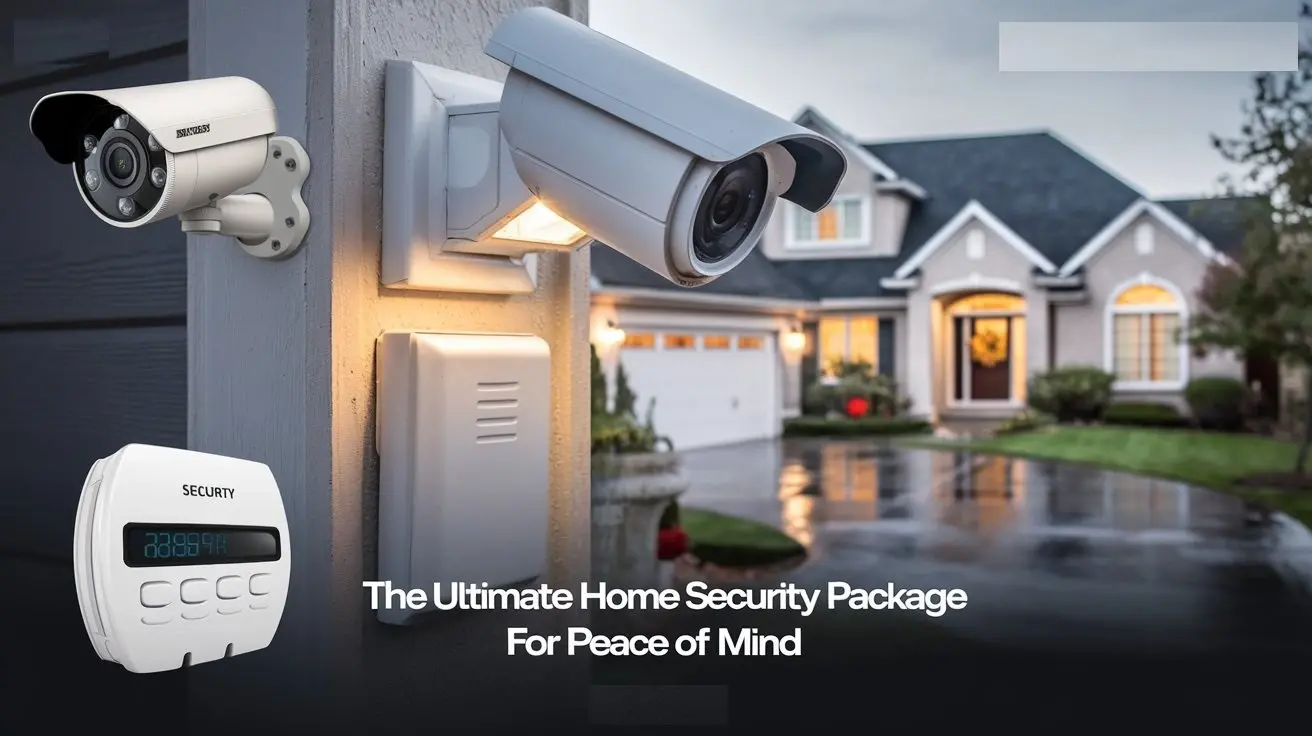
Discover the ultimate home security package designed to deliver unparalleled peace of mind. This comprehensive guide explores essential components, smart technologies, and strategic considerations for creating a robust defense system that safeguards your home and loved ones against modern threats.
Understanding Modern Home Security Threats
In 2025 and 2026, the landscape of home security threats continues to evolve, demanding a proactive and comprehensive approach. While traditional burglary remains a concern, new challenges have emerged, amplified by technological advancements and shifting societal patterns. Understanding these threats is the first crucial step in building an effective security package.
The Evolving Threat Landscape
Home invasions, while still a significant worry for many, are no longer the sole focus. We're seeing an increase in sophisticated cyber threats targeting connected homes, as well as more opportunistic crimes like package theft and vandalism. The rise of smart home devices, while offering convenience, also introduces potential vulnerabilities if not properly secured. Furthermore, the increasing frequency of extreme weather events necessitates security systems that can withstand environmental challenges and provide remote monitoring capabilities.
Burglary and Home Invasion Statistics (2025-2026 Projections
According to recent FBI projections and industry reports for 2025-2026, while overall burglary rates may see a slight decline in some areas due to increased awareness and security measures, the sophistication of break-ins can still be a concern. Data suggests that homes without any visible security measures are significantly more likely to be targeted. The average financial loss from a residential burglary in 2025 is estimated to be between $2,000 and $5,000, not including the emotional distress and loss of irreplaceable items. Home invasions, though rarer, carry a higher risk of personal harm, making their prevention a top priority.
Package Theft: A Growing Nuisance
The surge in e-commerce has unfortunately led to a corresponding rise in package theft, often referred to as "porch piracy." In 2025, it's estimated that over 100 million packages were stolen in the US alone. This crime, while less severe than a home invasion, can lead to significant financial losses and frustration. Solutions often involve smart doorbells with cameras and secure delivery options.
Cybersecurity Threats to Connected Homes
The interconnected nature of modern homes, with smart locks, thermostats, cameras, and voice assistants, presents a new frontier for criminals. Hackers can exploit weak passwords or unpatched vulnerabilities to gain access to your network, potentially compromising cameras, smart locks, or even sensitive personal data. Protecting your Wi-Fi network and ensuring all smart devices are up-to-date with security patches is paramount.
Vandalism and Property Damage
Beyond theft, vandalism and property damage can also impact homeowners. This can range from graffiti to more destructive acts. Visible security measures, such as cameras and well-lit exteriors, can act as a deterrent. Outdoor security cameras with motion detection and night vision are particularly effective in capturing evidence and deterring such incidents.
Core Components of the Ultimate Package
Building an ultimate home security package involves a layered approach, integrating several key components that work together to create a robust defense. This isn't about having just one or two gadgets; it's about a synergistic system designed to detect, deter, and document any potential threats.
1. Monitored Security System (The Central Hub)
A professionally monitored security system forms the backbone of any comprehensive home security strategy. Unlike unmonitored systems, which only alert you or your chosen contacts, a monitored system connects to a central monitoring station that can dispatch emergency services (police, fire, medical) on your behalf. This is crucial for ensuring a rapid response, especially when you're away from home or unable to act.
Key Features to Look For:
- 24/7 Professional Monitoring: The most critical feature. This ensures that your alarm is always being watched.
- Cellular Backup: Essential for maintaining connectivity if your landline or internet is cut by an intruder.
- Remote Access and Control: The ability to arm/disarm your system, receive alerts, and view camera feeds via a smartphone app.
- Integration Capabilities: Compatibility with other smart home devices like smart locks, lights, and thermostats.
- Environmental Sensors: Smoke, carbon monoxide, flood, and freeze sensors can be integrated for comprehensive home protection.
Comparison of Monitored vs. Unmonitored Systems
| Feature | Monitored System | Unmonitored System |
|---|---|---|
| Response | Professional dispatch of emergency services. | Alerts sent to homeowner or designated contacts. |
| Cost | Higher monthly fees, but potentially lower insurance premiums. | Lower or no monthly fees, but no professional response. |
| Effectiveness | Higher likelihood of rapid response and crime deterrence. | Relies on homeowner's ability to respond. |
| Peace of Mind | Significantly higher, especially when away. | Moderate, dependent on homeowner's availability. |
2. High-Definition Security Cameras (Eyes on Your Property)
Security cameras are vital for both deterrence and evidence gathering. In 2025-26, advancements in camera technology offer crystal-clear images, advanced motion detection, and two-way audio, making them indispensable.
Types of Cameras:
- Indoor Cameras: For monitoring activity within the home, especially useful for families with children or pets.
- Outdoor Cameras: Weatherproof, durable cameras designed to withstand the elements and provide surveillance of entry points, driveways, and yards.
- Doorbell Cameras: A crucial component for combating package theft and screening visitors.
- Bullet Cameras: Often used for perimeter surveillance due to their directional focus.
- Dome Cameras: Discreet and harder to tamper with, suitable for both indoor and outdoor use.
Key Features for 2025-26:
- 4K Resolution: For unparalleled detail and clarity.
- Night Vision (Infrared & Color): Clear footage even in complete darkness.
- Wide-Angle Lenses: To cover larger areas with fewer cameras.
- Motion Detection with AI: Differentiating between people, vehicles, and animals to reduce false alarms.
- Two-Way Audio: To communicate with visitors or deter intruders.
- Local and Cloud Storage Options: For secure and accessible video recording.
3. Smart Door Locks and Access Control
Smart locks offer convenience and enhanced security by allowing you to control access to your home remotely. They eliminate the need for physical keys, which can be lost or copied.
Benefits:
- Keyless Entry: Via smartphone app, keypad codes, or even fingerprint scanners.
- Remote Locking/Unlocking: Granting temporary access to guests, service providers, or family members.
- Activity Logs: Track who enters and exits your home and when.
- Auto-Locking: Ensuring your doors are always secured.
- Integration with Security Systems: Automatically lock doors when the alarm is armed.
Considerations:
- Battery Life: Ensure reliable battery performance and low-battery alerts.
- Connectivity: Wi-Fi or Z-Wave/Zigbee compatibility for seamless integration.
- Security Protocols: Look for strong encryption to prevent hacking.
4. Entry Point Sensors (Doors and Windows)
These are fundamental to any alarm system. Contact sensors detect when a door or window is opened, triggering an alarm.
Functionality:
Each sensor consists of two parts: a magnet and a switch. When the door or window is closed, the magnet is close to the switch, keeping the circuit complete. When opened, the magnet moves away, breaking the circuit and sending a signal to the control panel.
Placement Strategy:
- All exterior doors (front, back, patio, garage entry).
- All accessible ground-floor windows.
- Any windows or doors on upper floors that are easily reachable from a balcony or tree.
5. Motion Detectors and Environmental Sensors
Motion detectors add another layer of security, alerting you to movement within your home. Environmental sensors protect against non-intrusion threats.
Motion Detectors:
- Passive Infrared (PIR): Detects body heat.
- Microwave: Emits microwave pulses and detects changes in the reflected signal.
- Dual-Technology: Combine PIR and microwave for fewer false alarms.
- Pet-Immune Options: Designed to ignore pets below a certain weight to prevent false alarms.
Environmental Sensors:
- Smoke Detectors: Early detection of fire.
- Carbon Monoxide (CO) Detectors: Crucial for detecting this odorless, deadly gas.
- Flood Sensors: Alert you to water leaks, preventing extensive damage.
- Freeze Sensors: Protect against frozen pipes in colder climates.
Smart Technology Integration for Enhanced Security
The true power of an "ultimate" home security package in 2025-26 lies in the seamless integration of smart technologies. This interconnected ecosystem not only enhances security but also provides convenience and automation.
1. The Smart Home Hub: The Conductor of Your Security Orchestra
A smart home hub acts as the central controller for all your connected devices. It allows different devices, even from different manufacturers, to communicate with each other and execute commands based on predefined rules or schedules.
Key Hub Functions:
- Device Compatibility: Supports various communication protocols (Wi-Fi, Z-Wave, Zigbee, Bluetooth).
- Automation Rules: Create "if-then" scenarios (e.g., "If motion is detected outdoors after 10 PM, turn on porch lights and send an alert").
- Voice Control Integration: Works with virtual assistants like Amazon Alexa, Google Assistant, or Apple HomeKit.
- Remote Management: Control all connected devices from a single app.
2. Smart Lighting: Deterrence and Illumination
Smart lighting is a powerful, often overlooked, security tool. It can deter potential intruders by simulating occupancy and can enhance visibility during nighttime or emergencies.
Security Applications:
- Simulated Occupancy: Schedule lights to turn on and off randomly when you're away, making it appear as if someone is home.
- Motion-Activated Lighting: Link motion sensors to outdoor lights to instantly illuminate an area when movement is detected, startling potential intruders and improving visibility for cameras.
- Emergency Lighting: In case of a power outage, smart lights can be programmed to turn on to a low level, providing essential visibility.
- Integration with Alarm System: Have all lights flash red when the alarm is triggered.
3. Smart Thermostats: Energy Efficiency Meets Security Awareness
While primarily for energy savings, smart thermostats can also contribute to home security.
Security Benefits:
- Remote Temperature Monitoring: Receive alerts if the temperature in your home drops too low (risk of frozen pipes) or rises too high (risk of spoilage in refrigerators).
- Integration with HVAC: Some systems can be programmed to adjust HVAC settings based on occupancy detected by security sensors.
4. Smart Plugs and Switches: Extending Control
These simple devices can make almost any appliance "smart."
Security Uses:
- Control of Lamps: Use smart plugs to control traditional lamps for simulated occupancy.
- Visual Deterrents: Connect radios or televisions to smart plugs to create audible deterrents.
- Monitoring Appliances: Ensure critical appliances are running or turned off as needed.
5. Integration with Virtual Assistants
Voice assistants like Alexa, Google Assistant, and Siri can be powerful tools for managing your smart security system.
Voice Commands for Security:
- "Alexa, arm the security system."
- "Hey Google, show me the front door camera."
- "Siri, lock the front door."
Ensure you set up voice passcodes for critical commands like disarming the system or unlocking doors.
6. Video Doorbells: The First Line of Defense Against Porch Pirates
As mentioned earlier, video doorbells are essential for modern home security. They provide a visual and audio link to your front door, allowing you to see and speak to visitors remotely.
Advanced Features:
- Pre-Roll Recording: Captures a few seconds of video *before* motion is detected, providing context.
- Person Detection: AI-powered alerts specifically for human presence, reducing nuisance notifications from passing cars or animals.
- Package Detection: Some advanced models can even alert you when a package is delivered.
- Two-Way Talk: Communicate with delivery drivers or potential solicitors.
Beyond Technology: The Human Element and Best Practices
While technology is a cornerstone of an ultimate home security package, it's crucial to remember that human vigilance and smart practices are equally important. Technology is a tool; how you use it and the habits you cultivate will significantly impact your home's security.
1. Strong Passwords and Network Security
The weakest link in any smart home system is often its network security. Weak passwords on your Wi-Fi router or individual devices can be an open invitation for hackers.
Best Practices:
- Unique, Complex Passwords: Use a combination of upper and lowercase letters, numbers, and symbols. Avoid easily guessable information.
- Change Default Passwords: Always change the default administrator password on your router and all connected devices.
- Enable WPA3 Encryption: If your router supports it, use WPA3 for the strongest Wi-Fi security.
- Guest Network: Set up a separate guest network for visitors to keep your main network isolated.
- Regularly Update Firmware: Keep your router and all smart device firmware up-to-date to patch security vulnerabilities.
2. Physical Security Measures
Before relying solely on technology, ensure your home's physical defenses are sound.
Key Physical Elements:
- Reinforced Doors and Frames: Ensure all exterior doors are solid core and have sturdy frames.
- Deadbolt Locks: Install high-quality deadbolt locks on all exterior doors.
- Window Security: Use strong window locks and consider security film for ground-floor windows.
- Secure Garage Doors: Ensure your garage door is robust and the entry door from the garage into the house is as secure as any exterior door.
- Landscaping: Trim bushes and trees near windows and doors to eliminate hiding spots.
3. Deterrent Strategies
Making your home appear less appealing to criminals is a powerful security strategy.
Effective Deterrents:
- Visible Security System Signs/Stickers: Even if you don't have a system, these can deter opportunistic criminals.
- Well-Lit Exterior: Motion-activated lights are highly effective.
- "Beware of Dog" Signs: Can be a simple deterrent.
- Maintaining Your Property: A well-kept home suggests it's occupied and cared for.
4. Emergency Preparedness and Response Plan
Having a plan in place for various emergency scenarios is crucial.
Developing a Plan:
- Family Meeting Point: Designate a safe meeting spot outside your home in case of evacuation.
- Emergency Contact List: Keep a list of emergency contacts (family, neighbors, police, fire department) readily accessible.
- Fire Escape Plan: Ensure everyone in the household knows multiple escape routes from each room.
- Practice Drills: Conduct periodic fire and evacuation drills.
- What to Do in Case of Intrusion: Educate family members on whether to stay put and hide or evacuate, depending on the situation and their location.
5. Community Awareness and Neighborhood Watch
Your neighbors can be your greatest allies in home security.
Engaging Your Community:
- Get to Know Your Neighbors: Exchange contact information and look out for each other's properties.
- Join or Start a Neighborhood Watch Program: These programs foster communication and coordinated vigilance.
- Report Suspicious Activity: Don't hesitate to report anything unusual to the authorities.
Choosing Your Package: Factors to Consider
Selecting the right home security package is a significant decision. It's not a one-size-fits-all solution. Several factors should influence your choice to ensure you get the best value and coverage for your specific needs and circumstances.
1. Your Home's Layout and Vulnerabilities
The size, type, and location of your home will dictate the number and type of sensors and cameras you need.
Assessment Questions:
- How many entry points (doors, windows) does your home have?
- Are there any easily accessible windows on the ground floor or from adjacent structures?
- What is the surrounding neighborhood like? (e.g., busy street, secluded area)
- Do you have a detached garage or outbuildings that need monitoring?
- What is your home's typical occupancy schedule?
2. Your Specific Security Concerns
Are you primarily worried about burglaries, package theft, environmental hazards, or a combination?
Prioritizing Threats:
- High Crime Area: Focus on robust intrusion detection and professional monitoring.
- Frequent Deliveries: Prioritize video doorbells and robust outdoor camera coverage.
- Remote Location: Cellular backup for your alarm system is critical.
- Elderly Residents or Children: Consider panic buttons and environmental sensors.
- Smart Home Enthusiast: Look for systems with extensive integration capabilities.
3. Professional Installation vs. DIY
The choice between professional installation and a DIY system has implications for cost, complexity, and effectiveness.
DIY Systems:
- Pros: Generally lower upfront cost, flexibility in choosing components, no installation fees.
- Cons: Requires technical aptitude, potential for incorrect installation leading to system failure, no professional setup support.
Professionally Installed Systems:
- Pros: Expert setup ensures optimal performance, often includes system testing and user training, professional support available.
- Cons: Higher upfront cost, less flexibility in component selection, potential for ongoing service contracts.
4. Monitoring Options: Professional vs. Self-Monitoring
This is a critical decision that directly impacts response times and your peace of mind.
Professional Monitoring:
- Pros: 24/7 oversight, rapid dispatch of emergency services, often leads to lower insurance premiums.
- Cons: Monthly fees, potential for false alarm fees from local authorities.
Self-Monitoring:
- Pros: No monthly monitoring fees.
- Cons: Relies entirely on you or your designated contacts to respond to alerts, slower response times, potential for missed alarms.
5. Budget and Long-Term Costs
Home security packages vary widely in price, from basic DIY kits to comprehensive professionally installed and monitored systems.
Cost Considerations:
- Upfront Equipment Costs: The price of sensors, cameras, control panels, etc.
- Installation Fees: If opting for professional installation.
- Monthly Monitoring Fees: For professionally monitored systems.
- Cloud Storage Fees: For video recordings if not using local storage.
- Potential Maintenance or Repair Costs.
Remember to factor in the potential savings on homeowner's insurance, which often offers discounts for monitored security systems.
6. Brand Reputation and Customer Reviews
Researching the reputation of security companies and reading customer reviews is essential.
What to Look For:
- Customer Service Quality: How responsive and helpful is their support team?
- System Reliability: Are there common complaints about false alarms or system failures?
- Contract Terms: Understand any long-term contracts, cancellation policies, and equipment ownership.
- Warranty Information: What is covered and for how long?
Installation and Ongoing Maintenance
Once you've chosen your ultimate home security package, proper installation and consistent maintenance are key to ensuring its long-term effectiveness and reliability.
1. Professional Installation Best Practices
If you opt for professional installation, here's what to expect and ensure:
During Installation:
- System Walkthrough: The installer should walk you through the system's capabilities and how to use it.
- Sensor Placement: Ensure sensors are placed optimally for coverage and effectiveness.
- Network Configuration: Verify that all smart devices are properly connected to your Wi-Fi network.
- Testing: The system should be thoroughly tested, including all sensors, cameras, and the monitoring connection.
- User Training: Make sure you and other household members understand how to arm/disarm the system, respond to alerts, and use the mobile app.
2. DIY Installation Tips
For those who choose a DIY route:
Key Steps:
- Read the Manuals: Thoroughly read all installation and user manuals before starting.
- Plan Your Layout: Map out where each sensor and camera will be placed.
- Follow Manufacturer Instructions: Adhere strictly to the provided guides for mounting and connecting devices.
- Test Each Component: Test each sensor and camera individually as you install it.
- Network Setup: Ensure your Wi-Fi signal is strong where devices are placed.
- Seek Support: Don't hesitate to contact the manufacturer's customer support if you encounter issues.
3. Routine Maintenance for Optimal Performance
Like any technology, security systems require regular upkeep.
Maintenance Schedule:
- Monthly:
- Test your alarm system by arming it and triggering a sensor (remember to put it in "test mode" with your monitoring company first).
- Check battery levels on all wireless sensors and replace them as needed.
- Clean camera lenses for clear visibility.
- Quarterly:
- Check for firmware updates for your router and all smart security devices.
- Inspect outdoor cameras and sensors for any damage or wear.
- Annually:
- Have your monitoring company perform a full system diagnostic.
- Review your emergency contact list and family plan.
4. Battery Replacement
Wireless sensors rely on batteries. Low batteries are a common cause of system failure.
Best Practices:
- Use High-Quality Batteries: Invest in reputable brands for longer life.
- Replace Batteries Promptly: Don't wait for a low-battery alert if you know a battery is old.
- Keep Spares: Have spare batteries on hand for all your devices.
5. Software and Firmware Updates
Manufacturers regularly release updates to improve performance, add features, and patch security vulnerabilities.
Importance:
Neglecting updates can leave your system exposed to new threats. Ensure your system is configured to receive automatic updates or check for them regularly.
Budgeting for Peace of Mind
Investing in an ultimate home security package is an investment in your family's safety and your own peace of mind. While the cost can vary significantly, understanding the pricing structures and potential long-term savings can help you make an informed decision that fits your budget.
1. Understanding the Cost Components
As discussed in the "Factors to Consider" section, several elements contribute to the overall cost:
- Equipment Costs: The initial purchase price of the hardware (control panel, sensors, cameras, etc.).
- Installation Fees: A one-time charge for professional setup.
- Monthly Monitoring Fees: Recurring charges for professional monitoring services.
- Subscription Services: For advanced features like extended cloud storage for video footage.
- Maintenance and Repair: Potential costs for replacing parts or servicing the system.
2. DIY vs. Professional Installation Costs
Generally, DIY systems have lower upfront costs due to the absence of installation fees and often more competitive equipment pricing. However, the total cost of ownership can be influenced by the quality of the DIY equipment and any troubleshooting you might need to do yourself.
Professionally installed systems typically have higher initial costs but offer the assurance of expert setup and ongoing support, which can be invaluable for complex systems.
3. Monthly Monitoring Fees: What to Expect
Professional monitoring services are priced based on the level of service and the company providing it. In 2025-26, you can expect monthly fees to range from approximately $25 to $60, depending on the features included (e.g., cellular backup, smart home integration, environmental monitoring).
Factors Influencing Monthly Costs:
- Basic Intrusion Monitoring: Covers alarms triggered by door/window sensors and motion detectors.
- Video Monitoring: Often involves higher fees due to the complexity of managing video streams and storage.
- Environmental Monitoring: Including smoke, CO, flood, and freeze sensors.
- Smart Home Integration: Some packages charge extra for advanced automation and integration features.
- Contract Length: Longer contracts may sometimes offer slightly lower monthly rates.
4. Long-Term Value and Potential Savings
While the upfront and monthly costs are important, consider the long-term value:
- Insurance Discounts: Many homeowner's insurance policies offer discounts of 5-20% for homes with monitored security systems. This can offset a significant portion of your monthly monitoring fees.
- Preventing Loss: The cost of a security system is often negligible compared to the financial and emotional cost of a burglary, home invasion, or significant property damage.
- Increased Property Value: A well-integrated smart home security system can be an attractive feature for potential buyers.
5. Finding the Right Balance
The "ultimate" package doesn't have to mean the most expensive. It means finding the right combination of components and services that effectively addresses your specific needs and budget. Prioritize the core elements that provide the most significant security benefits for your situation, and then add complementary features as your budget allows.
When budgeting, create a spreadsheet to compare the total cost of ownership over 3-5 years for different systems. This will give you a clearer picture of the long-term financial commitment.
Ultimately, the investment in an ultimate home security package is an investment in your family's well-being and the protection of your most valuable asset – your home. By carefully considering the threats, components, smart technologies, best practices, and your specific needs, you can build a comprehensive system that delivers true peace of mind.



