How to Choose Home Security System ?
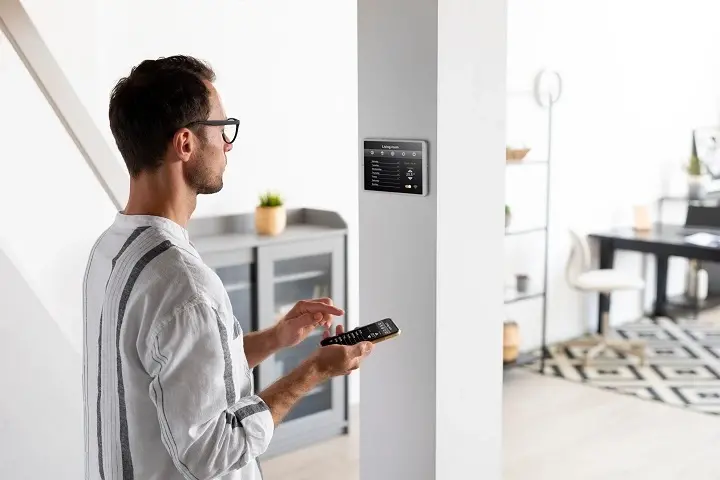
Selecting the right home security system is crucial for safeguarding your loved ones and property. This comprehensive guide will empower you to make an informed decision, covering everything from essential components to advanced features and professional monitoring, ensuring your peace of mind.
Understanding Your Home Security Needs
Before diving into the technical specifications and features of various home security systems, it's paramount to first assess your unique needs and concerns. This foundational step will guide your entire selection process, ensuring you invest in a system that truly addresses your specific vulnerabilities and lifestyle. Consider the following questions to pinpoint your requirements:
Assessing Your Property and Vulnerabilities
The physical characteristics of your home play a significant role in determining the type and extent of security measures you'll need. Walk through your property, both inside and out, with a critical eye. Identify potential entry points that might be more susceptible to intrusion. For instance, homes with multiple ground-floor windows, sliding glass doors, or secluded back entrances might require more comprehensive sensor coverage than a smaller, more centrally located apartment.
- Size and Layout: Larger homes with more rooms and levels will necessitate a broader network of sensors and potentially multiple control panels or keypads. Consider the number of doors and windows, and the accessibility of different areas.
- Location: Is your home in a densely populated urban area, a quiet suburban neighborhood, or a more isolated rural setting? Crime statistics for your specific area, which can often be found through local law enforcement agencies or online resources, can provide valuable insights. A higher-crime area might warrant more robust detection and deterrent measures.
- Occupancy Patterns: When is your home typically occupied? If it's often empty during work hours, you'll want systems that offer remote monitoring and alerts. If you have pets, you'll need motion sensors that can differentiate between humans and animals.
- Existing Security Measures: Do you already have any security features in place, such as sturdy locks, exterior lighting, or a fenced yard? These can complement a new system and inform what additional layers of protection are most beneficial.
Identifying Your Primary Security Concerns
Beyond general protection, what specific threats are you most concerned about? Home security systems can be tailored to address a range of risks, from simple break-ins to more complex emergencies.
- Burglary and Intrusion: This is the most common concern. Systems focusing on door/window sensors, motion detectors, and glass break sensors are essential here.
- Fire and Smoke: Many modern security systems integrate smoke and carbon monoxide detectors, providing a crucial early warning system that can save lives.
- Water Leaks and Flooding: For areas prone to plumbing issues or flooding, water sensors can alert you to potential damage before it becomes catastrophic.
- Medical Emergencies: Panic buttons or wearable medical alert devices can be integrated into some systems, offering immediate assistance in case of a health crisis.
- Environmental Hazards: Some advanced systems can monitor for extreme temperature fluctuations or other environmental risks.
Lifestyle Considerations
Your daily routine and how you interact with your home will influence the usability and effectiveness of a security system. Think about how you and other household members will operate the system.
- Tech Savviness: Are you comfortable with smartphone apps and digital interfaces, or do you prefer simpler, more traditional controls? This will influence whether a smart, app-controlled system or a more basic keypad-operated one is a better fit.
- Family Members: Consider the age and capabilities of everyone in your household. Children might need simple ways to arm/disarm the system, while elderly family members might benefit from features like medical alerts.
- Pet Ownership: As mentioned, pets can trigger motion sensors. Many systems offer pet-immune sensors that can be adjusted to avoid false alarms.
- Frequent Travel: If you travel often, remote access and real-time alerts via a mobile app become indispensable.
Types of Home Security Systems
Home security systems have evolved significantly, offering a range of options from basic alarms to sophisticated, integrated smart home solutions. Understanding these categories will help you narrow down your choices based on your needs and budget.
Traditional Wired Systems
These systems rely on physical wires to connect sensors, control panels, and other components. They are known for their reliability and often considered more secure against jamming attempts, as wireless signals can theoretically be intercepted.
- Pros: Highly reliable, less susceptible to wireless interference or jamming, often more durable.
- Cons: Installation can be complex and intrusive, requiring drilling through walls and ceilings. Difficult to move or expand once installed. Can be more expensive to install due to labor costs.
Wireless Systems
These systems use radio frequencies to communicate between components. They have become increasingly popular due to their ease of installation and flexibility.
- Pros: Easy and quick to install, no need for extensive wiring, flexible and easily expandable, portable (can be moved to a new home).
- Cons: Can be susceptible to wireless interference or jamming (though modern systems have advanced anti-jamming technology), battery-powered sensors require periodic replacement.
Smart Home Security Systems
These are typically wireless systems that integrate with other smart home devices (lights, thermostats, locks, voice assistants) and are controlled via a smartphone app or web interface. They offer advanced features like remote access, video monitoring, and automation.
- Pros: High level of convenience and control, remote access and monitoring, integration with other smart devices, advanced features like geofencing and custom automation.
- Cons: Can be more expensive, reliance on Wi-Fi and app functionality, potential privacy concerns with connected devices.
Professionally Monitored Systems
These systems are connected to a central monitoring station that can dispatch emergency services (police, fire, ambulance) when an alarm is triggered. This is often a subscription-based service.
- Pros: 24/7 professional oversight, immediate dispatch of emergency services, peace of mind knowing trained professionals are watching.
- Cons: Ongoing monthly fees, potential for false alarm fines from local authorities.
Self-Monitored Systems
With self-monitored systems, you are responsible for responding to alerts. When an alarm is triggered, you'll receive notifications on your smartphone or other devices and must decide whether to contact emergency services yourself.
- Pros: No monthly monitoring fees, full control over response.
- Cons: Requires constant vigilance and immediate action, you might miss alerts if your phone is off or you're unavailable, no automatic dispatch of emergency services.
Key Components of a Home Security System
A comprehensive home security system is comprised of several interconnected components, each serving a specific function to detect, deter, and alert. Understanding these parts is crucial for designing a system that offers robust protection.
Control Panel (Keypad)
This is the central hub of your security system. It's where you arm and disarm the system, view status updates, and can sometimes access system settings. Modern control panels can be physical keypads, touchscreens, or even integrated into smartphone apps.
- Function: To manage the entire security system.
- Features to Consider: Ease of use, backlit keys for visibility, user code management, system status indicators.
Door and Window Sensors
These are typically two-part magnetic sensors. When a door or window is opened, the magnetic connection is broken, triggering the alarm.
- Function: Detects unauthorized entry through doors and windows.
- Placement: Essential for all ground-floor entry points, basement windows, and any accessible upper-floor windows.
- Types: Standard magnetic contact sensors, recessed sensors (less visible), glass break sensors (detect the sound of breaking glass).
Motion Detectors
These sensors use infrared technology (passive infrared or PIR) to detect movement within a specific area. They are designed to sense body heat.
- Function: Detects movement inside the home.
- Placement: Ideal for covering large areas like living rooms, hallways, or basements. Place them in corners for maximum coverage.
- Considerations: Pet-immune models are available to prevent false alarms from pets. Ensure they are not pointed directly at heat sources like vents or windows that receive direct sunlight.
Glass Break Sensors
These sensors are designed to detect the specific sound frequency of breaking glass. They provide an additional layer of security for windows, especially large panes.
- Function: Detects the sound of breaking glass.
- Placement: Useful for rooms with many windows or large glass surfaces, complementing door/window sensors.
Security Cameras (Indoor and Outdoor)
Cameras provide visual surveillance, allowing you to see what's happening at your property in real-time or review recorded footage. They can act as a deterrent and provide valuable evidence in case of an incident.
- Function: Visual monitoring and recording of activity.
- Types: Indoor cameras, outdoor cameras (weatherproof), doorbell cameras, wired (PoE), wireless.
- Features: High-definition resolution, night vision, motion detection, two-way audio, cloud or local storage.
Environmental Sensors
These sensors monitor for hazards beyond intrusion.
- Smoke Detectors: Crucial for early fire detection. Modern systems often integrate smart smoke detectors that send alerts to your phone.
- Carbon Monoxide (CO) Detectors: Detects the presence of this odorless, colorless, and deadly gas.
- Water Leak Sensors: Placed near water heaters, washing machines, or in basements to detect leaks.
- Temperature Sensors: Can alert you to extreme temperature drops (risk of freezing pipes) or rises (risk of equipment failure).
Key Fobs and Panic Buttons
Key fobs allow for easy arming and disarming of the system without needing to use the keypad. Panic buttons (fixed or wearable) can be used to manually trigger an alarm in case of an emergency.
- Function: Convenient system control and emergency activation.
Sirens
An audible alarm designed to scare off intruders and alert neighbors. Systems can have internal and external sirens.
- Function: Deterrent and alert.
DIY vs. Professionally Installed Systems
One of the most significant decisions you'll make when choosing a home security system is whether to opt for a do-it-yourself (DIY) installation or a professionally installed system. Each approach has its own set of advantages and disadvantages, impacting cost, complexity, and the overall user experience.
DIY Home Security Systems
DIY systems are designed for homeowners to install themselves. They typically consist of wireless components that are easy to set up, often with guided instructions via mobile apps or online tutorials.
- Pros:
- Cost Savings: Significantly lower upfront costs as you eliminate professional installation fees.
- Flexibility: You can install the system on your own schedule and customize placement without waiting for an installer.
- Portability: Easy to move to a new home if you relocate.
- Control: You have complete control over the installation process and system configuration.
- Cons:
- Time Investment: Requires your time and effort to set up.
- Technical Aptitude: While designed to be simple, some users might still find troubleshooting or advanced configuration challenging.
- Potential for Error: Incorrect placement of sensors or improper setup can lead to system vulnerabilities or false alarms.
- Limited Support: While support is available, it might not be as immediate or comprehensive as with professional installation.
Examples of DIY Systems: SimpliSafe, Ring Alarm, Abode, Wyze Home Monitoring.
Professionally Installed Systems
These systems are installed by trained technicians from the security company. They typically involve a more comprehensive assessment of your home and a more robust installation process.
- Pros:
- Expert Installation: Technicians ensure optimal placement of all components for maximum effectiveness and minimal blind spots.
- Comprehensive Setup: The installer will configure the system, test all components, and often provide a thorough walkthrough for the homeowner.
- Reliability: Professional installation often ensures a more robust and reliable system.
- Warranty and Support: Typically come with better warranties and dedicated customer support.
- Cons:
- Higher Upfront Costs: Installation fees can add a significant amount to the initial price.
- Scheduling: You need to schedule an appointment, which might involve waiting periods.
- Less Flexibility: Once installed, moving or significantly altering the system can be more complex and costly.
- Contractual Obligations: Many professionally installed systems come with long-term contracts for monitoring services.
Examples of Professionally Installed Systems:Vivintng> ADT, Vivint, Brinks Home Security.
Making the Choice
Your decision should be based on your comfort level with technology, the complexity of your home, your available time, and your budget. For those comfortable with technology and looking to save money, DIY is a strong contender. For homeowners who prefer a hands-off approach, want the assurance of expert setup, or have complex home layouts, professional installation might be the better choice.
Monitoring Options Explained
The monitoring aspect of a home security system is what provides true peace of mind. It dictates how your system responds when an alarm is triggered. There are two primary categories: self-monitoring and professional monitoring.
Self-Monitoring
In a self-monitored system, you are the sole responder to any alerts. When a sensor is tripped, the system sends a notification directly to your smartphone, tablet, or computer. You then have the responsibility to assess the situation and contact the appropriate emergency services if necessary.
- How it Works:
- A sensor is triggered (e.g., a door opens).
- The control panel registers the event.
- You receive an immediate alert via a mobile app or text message.
- You can view live camera feeds (if applicable) to verify the situation.
- You decide whether to call the police, fire department, or disregard the alert.
- Pros:
- No Monthly Fees: This is the biggest advantage, making it a cost-effective solution for many.
- Full Control: You are in complete control of how and when to respond.
- Privacy: Your data and alerts are not shared with a third party unless you initiate it.
- Cons:
- Responsibility: You must be available and able to respond to alerts at all times.
- Missed Alerts: If your phone is off, in an area with no service, or you're otherwise unavailable, you could miss critical notifications.
- No Automatic Dispatch: Emergency services are not automatically contacted, which can delay response times in critical situations.
- Potential for False Alarms: You are responsible for determining if an alarm is false and for canceling any potential dispatch.
Best For: Budget-conscious individuals, those who live in low-crime areas, or people who are frequently at home and can respond quickly.
Professional Monitoring
With professional monitoring, your security system is connected to a central monitoring station staffed by trained professionals 24/7. When an alarm is triggered, the monitoring center receives the signal and follows a predetermined protocol.
- How it Works:
- A sensor is triggered.
- The signal is sent to the monitoring station.
- A trained operator verifies the alarm (often by attempting to contact you or reviewing camera feeds).
- If the alarm is confirmed or cannot be verified as false, the operator dispatches the appropriate emergency services (police, fire, medical).
- Pros:
- 24/7 Peace of Mind: Knowing that trained professionals are always watching over your home.
- Immediate Emergency Response: Ensures rapid dispatch of help, even if you're unavailable or incapacitated.
- Reduced False Alarm Risk (for you): The monitoring center often has protocols to verify alarms, potentially reducing your liability for false alarms.
- Insurance Discounts: Many insurance companies offer discounts for homes with professionally monitored security systems.
- Cons:
- Monthly Fees: This is the primary drawback, as it adds an ongoing cost to your security system.
- Potential for False Alarm Fines: While the monitoring center helps, you may still be responsible for fines if emergency services are dispatched unnecessarily.
- Less Direct Control: You rely on the monitoring service's protocols for response.
Best For: Families, frequent travelers, those in higher-crime areas, or anyone who wants the highest level of security and peace of mind.
Hybrid Monitoring
Some systems offer a hybrid approach, allowing you to choose self-monitoring for certain types of alerts and professional monitoring for others, or a tiered subscription model. This can offer a balance between cost and comprehensive protection.
Smart Home Integration
In today's connected world, home security systems are increasingly becoming integral parts of broader smart home ecosystems. This integration offers enhanced convenience, automation, and a more holistic approach to home management.
What is Smart Home Integration?
Smart home integration refers to the ability of your security system to communicate and work in conjunction with other smart devices in your home. This can include smart lights, thermostats, door locks, garage door openers, voice assistants (like Amazon Alexa or Google Assistant), and more.
Benefits of Integration
- Enhanced Convenience: Arm or disarm your system, check camera feeds, or even unlock your door remotely using a single app or voice command.
- Automation and Routines: Create custom "scenes" or routines. For example, when you arm your system in "Away" mode, lights could turn off, the thermostat could adjust, and smart locks could engage.
- Improved Security:
- Deterrence: Lights can be programmed to turn on when motion is detected outdoors, deterring potential intruders.
- Access Control: Grant temporary access to guests or service providers by remotely unlocking smart locks.
- Visual Verification: If a smoke alarm goes off, your smart lights can turn on to help you navigate to safety.
- Energy Efficiency: Smart thermostats can adjust settings when the security system is armed to save energy.
- Unified Control: Manage multiple aspects of your home from a single interface, whether it's a smartphone app or a voice assistant.
Popular Integration Examples
- Voice Assistants (Alexa, Google Assistant): "Alexa, arm my home security system." "Hey Google, show me the front door camera."
- Smart Lights: When motion is detected outside, turn on porch lights. When an alarm is triggered, flash all interior lights.
- Smart Locks: Automatically lock doors when the system is armed. Remotely unlock for visitors.
- Smart Thermostats: Adjust temperature settings based on the arming status of the security system.
- Garage Door Openers: Remotely open or close your garage door, or receive alerts when it's opened.
Compatibility and Protocols
When considering smart home integration, it's crucial to check compatibility. Most modern security systems will list the smart home platforms and devices they work with. Common protocols include:
- Wi-Fi: The most common for smart home devices.
- Z-Wave and Zigbee: Low-power wireless protocols specifically designed for smart home devices, often used by security systems for their reliability and mesh networking capabilities.
- Matter: A newer, emerging standard designed to unify smart home device communication across different brands.
Choosing a System for Smart Home Integration
If smart home integration is a priority, look for systems that explicitly state their compatibility with your existing or desired smart devices. Companies like Vivint, Ring, and Abode are known for their strong smart home integration capabilities. Ensure the system's app or platform provides robust options for creating custom automation rules.
Budgeting for Home Security
The cost of a home security system can vary dramatically, from a few hundred dollars for a basic DIY setup to several thousand for a comprehensive, professionally installed and monitored system. Understanding the cost factors involved will help you set a realistic budget and find a solution that fits your financial plan.
Upfront Costs
These are the initial expenses you'll incur when purchasing and installing the system.
- Equipment Costs: This includes the control panel, sensors (door/window, motion, glass break), cameras, sirens, and any additional accessories. DIY systems often have lower equipment costs per component but might require more individual pieces. Professionally installed systems may bundle equipment into a package.
- Installation Fees: For professionally installed systems, this can range from $100 to $500 or more, depending on the complexity of the installation and the company. DIY systems, by definition, have no installation fees.
- Permits: Some municipalities require permits for alarm systems, which can incur a small fee.
Ongoing Costs
These are the recurring expenses associated with maintaining and operating your security system.
- Monitoring Fees: This is the most significant ongoing cost for professionally monitored systems. Fees typically range from $20 to $60 per month, depending on the provider, the level of service, and any included features like video storage. Self-monitored systems have no monitoring fees.
- Cloud Storage for Cameras: If you opt for video recording with security cameras, you'll likely need a subscription for cloud storage, which can range from $5 to $30 per month per camera or for a bundle of cameras.
- Battery Replacements: Wireless sensors require batteries that will need to be replaced periodically (typically every 1-3 years), incurring a small cost.
- Maintenance and Repairs: While most systems come with warranties, out-of-warranty repairs or accidental damage could lead to additional costs.
- Internet Service: For Wi-Fi-enabled systems and smart home integration, a reliable internet connection is essential.
Factors Influencing Cost
- System Type: DIY systems are generally cheaper upfront than professionally installed ones.
- Number of Components: The more sensors, cameras, and other devices you need, the higher the cost.
- Features: Advanced features like high-definition cameras, two-way audio, advanced analytics, and smart home integration can increase the price.
- Monitoring Service: Professional monitoring is the primary driver of ongoing costs.
- Contract Length: Some companies offer discounts for longer monitoring contracts (e.g., 3-5 years).
- Provider Reputation: Well-established brands with extensive support networks may charge a premium.
Budgeting Tips
- Prioritize Needs: Identify your absolute essential security needs and focus your budget there first.
- Compare Quotes: Get quotes from multiple providers, both DIY and professional, to compare pricing for similar packages.
- Look for Deals: Many companies offer introductory discounts, free equipment with long-term contracts, or bundled packages.
- Consider Long-Term Value: A slightly more expensive system that offers better reliability, features, or customer service might provide better long-term value than a cheaper, less robust option.
- Factor in All Costs: Don't just look at the upfront price; calculate the total cost of ownership over 3-5 years, including monitoring fees and potential add-ons.
For 2025-26, expect the average cost for a professionally installed and monitored system to be between $500-$1500 upfront and $30-$60 per month. DIY systems can range from $200-$800 upfront with optional monitoring fees of $10-$30 per month or no fees for self-monitoring.
Choosing the Right Provider
Selecting the right home security provider is as important as choosing the right equipment. A reputable provider will offer reliable service, excellent customer support, and a system that meets your specific needs. Here’s what to look for:
Reputation and Reviews
Research the company's history, customer reviews, and ratings from independent sources like the Better Business Bureau (BBB), Trustpilot, and consumer review websites. Look for patterns in feedback regarding installation quality, customer service responsiveness, and reliability of the monitoring service.
Monitoring Services
Understand the monitoring options offered:
- 24/7 Professional Monitoring: Ensure they have a UL-listed monitoring center, which signifies adherence to high operational standards.
- Response Times: Inquire about their average response times to alarm signals.
- Dispatch Protocols: How do they verify alarms and dispatch emergency services?
- Self-Monitoring Options: If you prefer self-monitoring, ensure their app and notification system are robust and reliable.
Equipment Quality and Options
Evaluate the quality and variety of equipment the provider offers. Do they have the types of sensors, cameras, and smart home devices that align with your needs? Are the components known for their durability and reliability?
Contract Terms and Fees
This is a critical area to scrutinize:
- Contract Length: Many professional services require 3-5 year contracts. Understand the commitment and any early termination fees.
- Cancellation Policy: What happens if you need to cancel the service?
- Price Increases: Are there provisions for price increases during the contract term?
- Hidden Fees: Ask about all potential fees, including activation, equipment leases, and service charges.
Customer Support
Good customer support is essential, especially if issues arise. Inquire about:
- Availability: Are they available 24/7?
- Support Channels: Phone, email, chat?
- Technical Support: How do they handle troubleshooting and technical issues?
- Customer Service Reputation: Reviews often highlight the quality of customer service.
Installation Process
For professionally installed systems, understand the installation process:
- Installer Qualifications: Are they certified and background-checked?
- Scheduling: How flexible is their scheduling?
- Post-Installation Walkthrough: Will they thoroughly explain the system and how to use it?
Smart Home Compatibility
If smart home integration is important, verify which platforms and devices the provider's system supports. Ensure it aligns with your existing or planned smart home ecosystem.
Company History and Financial Stability
A company with a long history and strong financial standing is more likely to be around to provide service for the duration of your contract.
DIY vs. Professional Provider Comparison
| Feature | DIY Providers (e.g., SimpliSafe, Ring) | Professional Providers (e.g., ADT, Vivint) |
|---|---|---|
| Upfront Cost | Lower | Higher (includes installation fees) |
| Installation | Self-installed | Professional installation |
| Monthly Fees | Optional (for monitoring/cloud storage) | Required (for professional monitoring) |
| Flexibility | High (easy to move/expand) | Lower (more permanent installation) |
| Support | Online, phone support | Dedicated technician, 24/7 support |
| Contracts | Often month-to-month or no contracts | Typically 3-5 year contracts |
Installation and Setup
The installation and setup phase is where your chosen home security system comes to life. Whether you're a DIYer or have opted for professional installation, a smooth process ensures the system functions optimally and provides the intended security.
DIY Installation Steps
For DIY systems, the process is designed to be user-friendly, often guided by an app. Here's a general overview:
- Unboxing and Inventory: Carefully unpack all components and verify that everything listed on the packing slip is present.
- Download the App: Install the provider's mobile app on your smartphone or tablet. This app will be your primary interface for setup and management.
- Set Up the Base Station/Hub: Connect the base station to power and your home's Wi-Fi network (or via an Ethernet cable, depending on the model). Follow the app's instructions for pairing.
- Install Sensors:
- Door/Window Sensors: Clean the surfaces where you'll mount the sensor and its magnet. Attach them to the door/window and frame, ensuring they are aligned and within the specified range when closed.
- Motion Detectors: Mount them in corners of rooms at the recommended height (usually 6-8 feet). Avoid pointing them at heat sources or windows that get direct sunlight.
- Glass Break Sensors: Place them within the recommended range of the windows they are meant to protect.
- Install Cameras: Mount cameras in desired locations, ensuring good Wi-Fi signal strength. Connect them to power and pair them with the app.
- Add Key Fobs and Other Devices: Pair any additional accessories like key fobs or panic buttons according to the app's instructions.
- Configure Settings: Use the app to set up user codes, entry/exit delays, notification preferences, and any custom automation rules.
- Test the System: This is a crucial step. Arm the system and intentionally trigger each sensor to ensure it's detected and that you receive alerts. Test cameras and other functions.
Professional Installation Process
If you've chosen professional installation, the process is handled by trained technicians:
- Scheduling: You'll schedule an appointment with the security company.
- Site Survey: The technician will typically conduct a brief survey of your home to determine optimal placement for all components.
- Installation: Technicians will mount and connect all sensors, the control panel, cameras, and any other devices. They may drill small holes for wires or discreetly place wireless sensors.
- System Configuration: They will configure the system settings, set up user codes, and connect it to the monitoring center.
- System Testing: The technician will thoroughly test every component of the system to ensure it's functioning correctly.
- Customer Walkthrough: The technician will provide a comprehensive demonstration of how to use the system, including arming/disarming, checking status, and using any smart features. They will answer any questions you have.
- Post-Installation Support: The company will typically provide contact information for ongoing customer support.
Tips for a Smooth Installation
- Read the Manual: Even with professional installation, familiarize yourself with the basic operation of your system.
- Clear the Area: For DIY installation, ensure the areas where you need to mount sensors are clear of clutter.
- Ensure Wi-Fi Strength: For wireless systems, check that you have a strong Wi-Fi signal in all areas where wireless components will be placed.
- Have Necessary Tools Ready (DIY): If DIY, ensure you have a drill, screwdriver, ladder, and any other tools recommended by the manufacturer.
- Ask Questions: Don't hesitate to ask the installer or consult the manual if you're unsure about anything.
Testing and Maintenance
Once your home security system is installed, ongoing testing and maintenance are essential to ensure it remains reliable and effective. Neglecting these steps can lead to system failures, false alarms, or a false sense of security.
Regular Testing
It's recommended to test your system at least monthly, and ideally quarterly. This ensures all components are communicating properly and that the monitoring service (if applicable) is receiving signals.
- Test the Control Panel: Arm and disarm the system to ensure the keypad or app is responsive.
- Test Sensors:
- Door/Window Sensors: Arm the system in "test mode" (if available, or ensure you are not charged for false alarms during testing). Open each protected door and window one by one and confirm that the system registers the event.
- Motion Detectors: Arm the system and walk through the areas covered by motion detectors. Verify that they trigger the alarm.
- Glass Break Sensors: These are harder to test without causing damage. Many systems have a self-test function or can be tested by the monitoring company during a scheduled test.
- Test Cameras: Check live feeds to ensure they are clear and functioning. Review recorded footage if applicable.
- Test Sirens: Ensure the audible alarm sounds when triggered.
- Test Panic Buttons/Key Fobs: Confirm they are working correctly.
- Test Environmental Sensors: If you have smoke, CO, or water sensors, test them according to the manufacturer's instructions (e.g., using test spray for smoke detectors, or by briefly submerging a water sensor in water).
Important Note: If you have professional monitoring, always notify your monitoring company before conducting a system test to avoid unnecessary dispatch of emergency services. Many systems have a specific "test mode" that can be activated through the app or by calling the monitoring center.
Maintenance Tasks
- Battery Replacement: Wireless sensors are battery-powered. Check the system's status regularly for low battery warnings. Replace batteries promptly. Most batteries last 1-3 years, but this can vary.
- Sensor Cleaning: Dust and debris can accumulate on sensors, potentially affecting their performance. Gently clean them with a soft, dry cloth. For cameras, ensure lenses are clean for clear video.
- Camera Lens Cleaning: Keep camera lenses clean from dust, spiderwebs, and smudges for optimal image quality.
- Software Updates: For smart systems, ensure your system's firmware and mobile app are kept up-to-date. Updates often include security patches and new features.
- Wi-Fi Network Check: Ensure your home Wi-Fi network is stable and secure, as many modern systems rely on it.
- Check Wiring (Wired Systems): Periodically inspect visible wiring for any signs of damage or wear.
- Review Monitoring Account: Ensure your contact information with the monitoring service is up-to-date.
Troubleshooting Common Issues
- False Alarms: Often caused by improper sensor placement, pets triggering motion detectors, loose doors/windows, or environmental factors. Re-evaluate sensor placement and settings.
- System Not Responding: Check power to the control panel and ensure Wi-Fi is working. For wireless systems, check sensor batteries.
- Missed Alerts: Ensure your phone's notification settings are correctly configured and that the app has permission to send alerts. Check your internet connection.
- Camera Feed Issues: Verify Wi-Fi signal strength at the camera's location. Check if the camera is powered on.
By dedicating a small amount of time to regular testing and maintenance, you can significantly extend the lifespan of your home security system and ensure it provides reliable protection when you need it most.
Conclusion
Choosing the right home security system is a multifaceted decision that hinges on a thorough understanding of your unique needs, the available technologies, and your budget. By carefully assessing your property's vulnerabilities, identifying your primary security concerns, and considering your lifestyle, you can confidently navigate the options available. Whether you lean towards a DIY approach for cost savings and flexibility, or a professionally installed system for expert setup and peace of mind, remember to prioritize reliable components, robust monitoring, and seamless smart home integration if desired. Always scrutinize contract terms, compare providers, and commit to regular testing and maintenance. Investing in a well-chosen home security system is an investment in the safety and well-being of your family and the protection of your valuable assets, offering invaluable peace of mind in today's world.