How to Integrate Home Automation With a Smart Home Security System
Integrating home automation with your smart home security system unlocks unparalleled convenience, enhanced safety, and significant energy savings. This guide provides a comprehensive roadmap to seamlessly connect your devices, creating a truly intelligent and responsive living space. Discover how to leverage technology for a more secure and efficient home.
What is Home Automation?
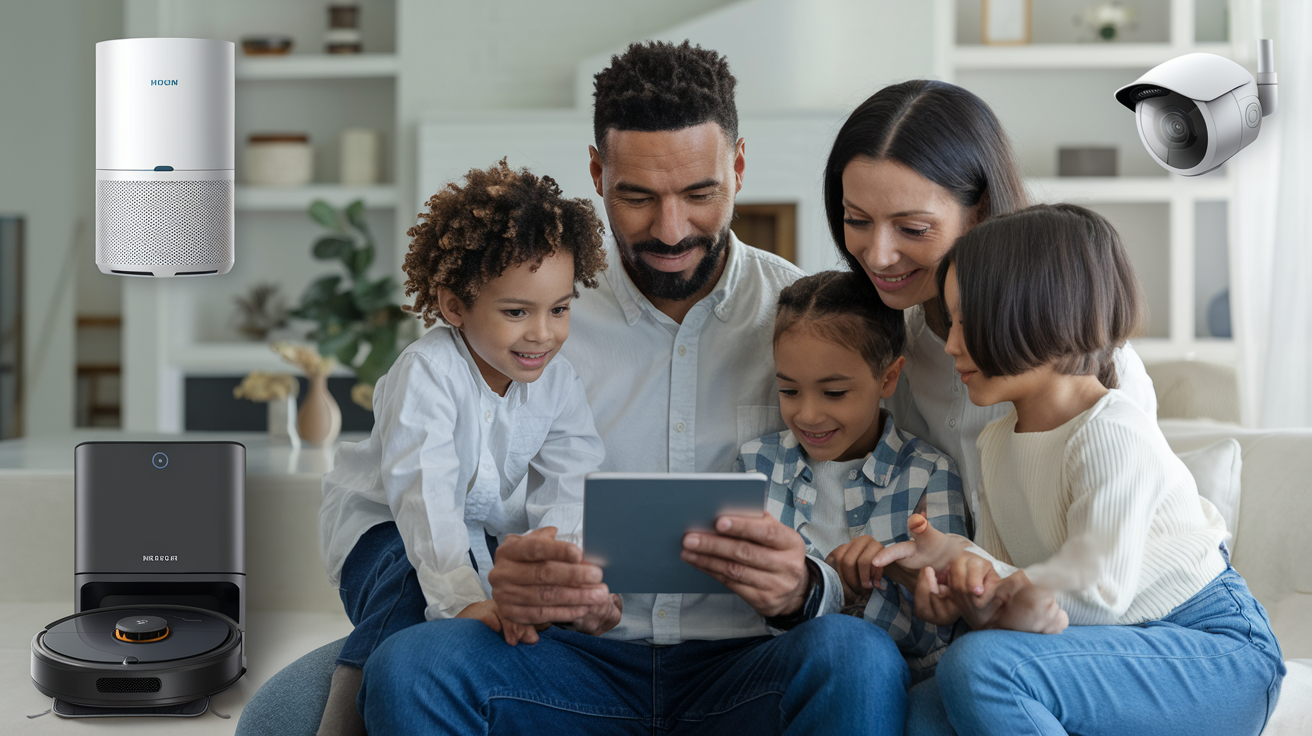
Home automation, often referred to as a "smart home," involves the use of technology to control and automate various household systems and appliances. This can range from simple tasks like turning lights on and off remotely to complex scenarios like adjusting thermostats based on occupancy or weather forecasts. The core principle is to enhance convenience, comfort, energy efficiency, and security through interconnected devices and intelligent software. In 2025, the global smart home market is projected to reach over $150 billion, with a significant portion driven by security and automation integrations. This growth signifies a widespread adoption of technologies that simplify daily life and provide greater control over our living environments.
Benefits of Home Automation
The advantages of implementing home automation are multifaceted:
- Convenience: Automate routine tasks, control devices from anywhere, and create personalized routines.
- Energy Efficiency: Optimize energy consumption through smart thermostats, lighting controls, and appliance management, leading to potential savings of up to 20% on utility bills.
- Enhanced Comfort: Create ideal living conditions by automatically adjusting lighting, temperature, and entertainment systems.
- Increased Security: Integrate with security systems for remote monitoring, automated responses to events, and improved peace of mind.
- Accessibility: Assist individuals with mobility issues or disabilities by providing voice control and automated functions.
Understanding Smart Home Security Systems
A smart home security system goes beyond traditional alarms. It's a network of interconnected devices designed to protect your home and its occupants. These systems typically include a central hub or control panel, sensors (door/window, motion, glass break), cameras (indoor and outdoor), smart locks, and often integrate with other smart home devices. The primary goal is to detect, deter, and alert homeowners and authorities to potential threats, such as intrusions, fires, or carbon monoxide leaks. In 2026, the smart home security market is expected to see a compound annual growth rate (CAGR) of 15%, indicating a strong consumer demand for advanced protection solutions.
Key Components of Smart Security
Understanding the individual components is crucial for effective integration:
- Central Hub/Control Panel: The brain of the system, connecting all devices and allowing for remote management.
- Sensors:
- Door/Window Sensors: Detect when an entry point is opened.
- Motion Sensors: Identify movement within a designated area.
- Glass Break Sensors: Detect the sound frequency of breaking glass.
- Environmental Sensors: Monitor for smoke, CO, water leaks, and temperature extremes.
- Smart Cameras: Provide live video feeds, motion-activated recording, two-way audio, and night vision.
- Smart Locks: Allow for keyless entry, remote locking/unlocking, and user code management.
- Sirens/Alarms: Emit loud audible alerts to deter intruders and notify occupants.
- Professional Monitoring: Optional service where a third-party company monitors your system and dispatches emergency services when needed.
Advantages of Smart Security
Smart security systems offer significant advantages over their traditional counterparts:
- Remote Access and Control: Monitor your home and arm/disarm the system from anywhere via a smartphone app.
- Real-time Alerts: Receive instant notifications on your phone for any detected events.
- Video Surveillance: Visually verify events and record evidence with smart cameras.
- Integration Capabilities: Connect with other smart home devices for automated responses.
- Customization: Tailor the system to your specific needs and property layout.
Why Integrate Home Automation with Security?
The true power of a smart home lies in the synergy between its different components. Integrating home automation with your smart home security system transforms your home from a collection of smart devices into a cohesive, intelligent ecosystem. This integration creates a more proactive, responsive, and secure environment.
Enhanced Security Through Automation
Automation can significantly bolster your security measures. For instance, when your security system detects an intrusion, automated actions can be triggered:
- Lights On: All lights in the house can turn on to startle intruders and make it easier for cameras to capture footage.
- Doors Lock: All smart locks can automatically engage, preventing further unauthorized access.
- Sirens Activate: Audible alarms can be triggered to deter intruders and alert neighbors.
- Camera Recording: Cameras can begin recording at higher resolutions or with enhanced motion detection.
- Notifications: Custom alerts can be sent to you and designated contacts, or even directly to emergency services if professional monitoring is enabled.
By 2025, studies indicate that homes with integrated smart security and automation systems experience a 30% reduction in reported break-ins compared to those with standalone security systems. This demonstrates the tangible benefits of a connected approach.
Convenience and Efficiency
Beyond security, integration offers unparalleled convenience:
- "Away" Mode: A single command or trigger can arm your security system, turn off lights, adjust the thermostat, and lock doors.
- "Welcome Home" Scene: As you approach your home, the system can disarm, unlock the door, turn on specific lights, and adjust the temperature to your preference.
- Voice Control: Use voice assistants like Amazon Alexa or Google Assistant to arm your system, check camera feeds, or lock doors without lifting a finger.
- Automated Lighting: Lights can be programmed to turn on and off at specific times or when motion is detected, mimicking occupancy even when you're away, which also acts as a deterrent.
Energy Savings Synergy
When your security system knows you're away (e.g., armed in "Away" mode), your smart thermostat can automatically adjust to an energy-saving temperature. Conversely, when you disarm the system upon returning, it can revert to your preferred comfort settings. This intelligent management of heating and cooling can contribute to significant energy savings, estimated at an additional 5-10% beyond standard smart thermostat usage.
Key Components for Integration
To build a robust integrated system, you'll need several key components that can communicate with each other. The choice of these components will largely depend on your existing infrastructure, budget, and desired level of sophistication.
Central Hub or Ecosystem Controller
This is the central nervous system of your smart home. It acts as a bridge between different devices and protocols, allowing them to communicate and work together. Popular options include dedicated smart home hubs (e.g., Samsung SmartThings, Hubitat) or voice assistants with hub capabilities (e.g., Amazon Echo Plus, certain Google Nest devices).
- Functionality: Manages device connections, runs automations, and often provides remote access.
- Compatibility: Crucial to ensure the hub supports the protocols used by your security system and automation devices.
Smart Security Devices
These are the devices that form the backbone of your home security:
- Smart Alarm Systems: Systems from brands like Ring Alarm, SimpliSafe, or ADT Command offer app control, sensor integration, and often professional monitoring options.
- Smart Cameras: Indoor and outdoor cameras from Arlo, Nest, Wyze, or Eufy provide live feeds, motion detection, and recording capabilities.
- Smart Locks: August, Schlage, Yale, and Kwikset offer keyless entry, remote access, and integration with security systems.
- Sensors: Beyond basic door/window and motion sensors, consider smart smoke detectors, CO detectors, and water leak sensors that can trigger broader alerts.
Smart Automation Devices
These devices enhance convenience and can be triggered by security events or your presence:
- Smart Lighting: Philips Hue, LIFX, or Wyze bulbs and switches can be programmed to turn on/off, change color, or dim.
- Smart Thermostats: Nest, Ecobee, or Honeywell thermostats learn your habits and can be controlled remotely for energy savings.
- Smart Plugs and Switches: Control non-smart appliances and devices by plugging them into a smart plug or wiring in smart switches.
- Smart Blinds/Shades: Lutron Serena or IKEA FYRTUR can be automated to open/close based on time or other triggers.
- Smart Speakers/Displays: Amazon Echo, Google Nest Hub, and Apple HomePod act as voice control interfaces and can also serve as hubs for certain devices.
Networking Infrastructure
A stable and robust home network is paramount. This includes a reliable Wi-Fi router capable of handling multiple connected devices and potentially a mesh Wi-Fi system for larger homes to ensure consistent connectivity for all your smart devices.
By 2025, the average connected home is expected to have over 50 smart devices, highlighting the need for a strong network foundation. A weak network can lead to device unreliability, delayed alerts, and frustration.
Choosing the Right Platform and Protocols
The interoperability of your devices hinges on the platforms and communication protocols they use. Understanding these is key to a seamless integration.
Communication Protocols
These are the languages your devices use to talk to each other:
- Wi-Fi: Ubiquitous and offers high bandwidth, suitable for cameras and devices requiring constant connectivity. However, it can be power-hungry and may congest your network.
- Zigbee: A low-power, low-data rate protocol ideal for sensors, lights, and locks. It creates a mesh network, meaning devices can relay signals, extending range and reliability. Requires a Zigbee-compatible hub.
- Z-Wave: Similar to Zigbee, it's a low-power mesh networking protocol designed for home automation. It operates on a different frequency, reducing interference with Wi-Fi. Also requires a Z-Wave-compatible hub.
- Bluetooth/Bluetooth Low Energy (BLE): Used for direct device-to-device communication or short-range connections. Often found in smart locks and some sensors.
- Thread: An emerging IP-based wireless networking protocol designed for IoT devices, offering low power consumption, reliability, and security. It's a key component of the Matter standard.
Smart Home Platforms/Ecosystems
These platforms provide the software layer that allows you to control and automate devices from different manufacturers. Choosing a platform often dictates which devices will be compatible.
- Apple HomeKit: Known for its strong emphasis on privacy and security. Devices must meet Apple's strict certification requirements. Integrates seamlessly with Apple devices.
- Google Home/Google Assistant: A widely adopted platform with broad device compatibility. Integrates with Nest products and offers robust voice control.
- Amazon Alexa: The most popular smart home platform, with an extensive range of compatible devices ("Works with Alexa"). Offers voice control and a vast ecosystem of skills.
- Samsung SmartThings: A highly versatile platform that supports a wide array of protocols (Zigbee, Z-Wave, Wi-Fi) and offers powerful automation capabilities. It acts as a central hub for many devices.
- Hubitat Elevation: A local-processing hub that prioritizes privacy and speed by running automations directly on the device, rather than relying on the cloud. Excellent for advanced users.
Compatibility Considerations
Before purchasing any device, always check for compatibility with your chosen platform and protocols. Look for labels like "Works with Alexa," "Works with Google Assistant," "HomeKit Compatible," or "Works with SmartThings." For seamless integration, aim for devices that use the same primary protocols (e.g., Zigbee or Z-Wave) and are supported by your central hub.
The advent of the Matter standard is set to simplify this further, promising greater interoperability between devices from different brands and across various ecosystems. By 2026, Matter-certified devices are expected to become the norm, significantly reducing compatibility headaches.
Step-by-Step Integration Guide
Integrating your home automation with your smart home security system involves a series of logical steps. This guide outlines a general process, but specific steps may vary based on your chosen devices and platforms.
Step 1: Assess Your Current Setup
Before buying anything new, take stock of the smart devices you already own. Identify their brands, models, and communication protocols (Wi-Fi, Zigbee, Z-Wave, etc.). Determine your primary smart home platform (e.g., Google Home, Alexa, HomeKit, SmartThings).
Questions to ask:
- What smart security devices do I have?
- What smart automation devices do I have?
- What is my primary smart home ecosystem/hub?
- Is my Wi-Fi network robust enough for additional devices?
Step 2: Choose Your Central Hub or Platform
If you don't have a central hub, select one that aligns with your existing devices and desired ecosystem. If you already have a hub (like SmartThings or a voice assistant with hub capabilities), ensure it supports the protocols of the devices you intend to integrate.
Example: If you have several Zigbee lights and Z-Wave door sensors, a hub like Samsung SmartThings or Hubitat would be a good choice as they support both protocols.
Step 3: Select Compatible Devices
Based on your chosen platform and protocols, select new devices that are guaranteed to work together. Prioritize devices that offer the specific integrations you desire.
Example: If you want your smart lock to disarm your security system when you enter the code, ensure both the lock and the security system are compatible with your chosen hub and can trigger each other.
Step 4: Install and Configure Devices
Follow the manufacturer's instructions for installing each device. This typically involves:
- Powering on the device.
- Putting the device in pairing mode.
- Using your smart home app to search for and add the new device.
- Naming the device logically (e.g., "Front Door Lock," "Living Room Lights").
Ensure your security system sensors are properly placed and calibrated, and your cameras have a clear view.
Step 5: Link Security and Automation Devices
This is where the true integration happens. Within your smart home app or hub's interface, you'll create "automations," "routines," or "scenes."
Common Integration Examples:
- Arming/Disarming:
- Automation: When the security system is armed to "Away," turn off all lights and set the thermostat to 68°F.
- Automation: When the security system is disarmed, turn on the entryway lights and set the thermostat to 72°F.
- Intrusion Detection:
- Automation: If a door/window sensor is triggered while the system is armed, turn on all lights to 100%, activate the smart siren, and send a notification with a live camera feed link.
- Occupancy-Based Automation:
- Automation: If motion is detected in the living room between 7 PM and 10 PM, turn on the living room lamp to 50% brightness.
- Voice Control:
- Routine: Create a "Goodnight" routine that, when triggered by voice command, arms the security system, locks all doors, turns off all lights, and lowers the thermostat.
Table: Integration Scenarios and Triggers
| Trigger Event (Security/Automation) | Action (Automation/Security) | Benefit |
|---|---|---|
| Security system armed "Away" | Turn off all lights, adjust thermostat to energy-saving mode. | Energy savings, peace of mind. |
| Door sensor triggered (armed) | Turn on entryway lights, activate siren, send notification with camera snapshot. | Deterrence, immediate awareness. |
| Smoke detector triggered | Unlock all doors, turn on all lights, send emergency alert. | Safety, escape facilitation. |
| Voice command "I'm leaving" | Arm security system, lock doors, turn off lights. | Convenience, security. |
Step 6: Test and Refine
Thoroughly test all your created automations. Trigger each scenario to ensure it functions as expected. For example, arm the system and open a door to verify the alert and light activation. If something doesn't work, revisit the device pairing, network connection, and automation rules. Refine the timing, conditions, and actions until the system behaves precisely as you intend.
Advanced Integration Scenarios
Once you have the basics covered, you can explore more sophisticated integrations to further enhance your smart home's intelligence and security.
Geofencing for Automated Security
Geofencing uses your smartphone's GPS to trigger actions when you enter or leave a defined geographic area (your home's perimeter). This allows for truly hands-free automation.
- Scenario: When your phone leaves the geofenced area, the system automatically arms itself, locks doors, and turns off non-essential lights. When your phone re-enters the area, it disarms the system, unlocks the front door, and turns on the porch light.
- Considerations: Ensure your smart home platform supports geofencing and that location services are enabled on your phone. Battery life on your phone can be a factor.
Using Cameras for Automation Triggers
Beyond simple motion detection, some advanced camera systems can identify specific events or even recognize individuals. This can unlock more nuanced automations.
- Scenario: If an outdoor camera detects a person loitering for an extended period, it can trigger brighter floodlights, send a more urgent alert with a live video feed, and even play a pre-recorded warning message.
- Scenario: If a camera inside your home detects motion during a time when the system is disarmed and no one is expected to be home, it can send an alert to your phone.
- Considerations: Requires cameras with advanced AI capabilities and a platform that can interpret these events. Privacy concerns should be carefully managed.
Integrating with Emergency Services
For the highest level of security, consider systems that can directly notify emergency services.
- Professional Monitoring: Services like ADT, Vivint, or even some DIY systems offer optional professional monitoring. When an alarm is triggered, a monitoring center is alerted and can dispatch police, fire, or medical personnel.
- Smart Dispatch: Some advanced systems allow for smart dispatch, where the system can automatically send specific information (e.g., type of alarm, location, relevant camera footage) to emergency responders.
- Considerations: Professional monitoring typically involves a monthly fee. Ensure your system is reliable and that false alarms are minimized to avoid unnecessary dispatch fees or penalties.
Interoperability with Other Smart Devices
Think beyond just lights and thermostats. You can integrate with smart appliances, garage door openers, and even smart pet feeders.
- Scenario: If the security system detects a smoke alarm, not only can it unlock doors and turn on lights, but it can also trigger a smart oven to turn off, preventing a potential secondary hazard.
- Scenario: Integrate with a smart garage door opener. When the security system is armed, the garage door automatically closes and locks.
- Considerations: The complexity of these integrations can increase significantly. Ensure all devices involved are compatible with your central hub and platform.
Troubleshooting Common Integration Issues
Even with the best planning, you might encounter issues. Here are some common problems and their solutions.
Device Not Connecting or Responding
- Check Wi-Fi Signal: Ensure the device is within range of your router or mesh Wi-Fi access point. Weak signals are a common cause of unresponsiveness.
- Restart Devices: Power cycle the problematic device, your router, and your smart home hub.
- Check Protocol Compatibility: Verify that the device uses a protocol supported by your hub (e.g., Zigbee, Z-Wave).
- Re-Pair Device: Remove the device from your app and re-pair it.
- Firmware Updates: Ensure the device and your hub have the latest firmware installed.
Automations Not Triggering Correctly
- Review Automation Rules: Double-check the conditions and actions in your automation settings. Ensure they are precisely defined.
- Check Device Status: Make sure all devices involved in the automation are online and functioning correctly.
- Order of Operations: In complex automations, the order in which actions are executed can matter. Some platforms allow you to adjust this.
- Cloud vs. Local Processing: If your hub relies on cloud processing, internet outages can prevent automations from running. Hubs that process locally (like Hubitat) are more reliable in such cases.
- Conflicting Automations: Ensure you don't have multiple automations that might be overriding each other.
False Alarms
- Sensor Placement: Ensure motion sensors are not pointed at vents, windows with direct sunlight, or areas with pets that could trigger them.
- Pet Immunity: If you have pets, ensure your motion sensors are pet-immune or set to ignore smaller animals.
- Door/Window Sensor Gaps: Make sure doors and windows are fully closed and sensors are properly aligned.
- False Trigger Testing: Test your system regularly to identify and address potential false alarm triggers.
- Professional Monitoring Policies: Understand your monitoring service's policies regarding false alarms to avoid fines.
App or Platform Issues
- Update App: Ensure your smart home app is updated to the latest version.
- Clear Cache: On mobile devices, clearing the app's cache can sometimes resolve glitches.
- Check Service Status: If your platform relies heavily on cloud services (e.g., Alexa, Google Home), check their status pages for reported outages.
- Contact Support: If issues persist, reach out to the customer support for your smart home platform or individual devices.
Future Trends in Smart Home Security and Automation
The smart home landscape is constantly evolving. Here are some key trends shaping the future of integrated security and automation:
AI and Machine Learning Enhancements
Artificial intelligence and machine learning will play an increasingly significant role. Expect systems that can:
- Predictive Security: AI algorithms will analyze patterns to predict potential threats before they occur.
- Smarter Anomaly Detection: Systems will become better at distinguishing between normal activity and genuine security risks, reducing false alarms.
- Personalized Automation: AI will learn your routines and preferences more deeply, creating highly personalized and proactive automations without explicit programming.
Increased Interoperability with Matter
The Matter standard, backed by major tech companies, aims to unify smart home devices. By 2026, Matter is expected to significantly simplify the integration process, allowing devices from different manufacturers to communicate seamlessly regardless of their underlying protocol.
Privacy and Data Security Focus
As more data is collected, consumer demand for privacy and robust security will intensify. Future systems will likely feature:
- Enhanced Encryption: Stronger end-to-end encryption for all device communications.
- Local Processing Options: More devices and hubs will offer local processing capabilities to reduce reliance on cloud servers and enhance privacy.
- Transparent Data Usage Policies: Clearer communication from manufacturers about how user data is collected, stored, and used.
Integration with Wearables and Health Tech
The lines between home security, automation, and personal health are blurring.
- Emergency Fall Detection: Wearables detecting a fall could trigger a smart home system to alert emergency services or family members.
- Health Monitoring Automation: Integration with health monitors could adjust home environments (e.g., lighting, temperature) for optimal well-being.
Advanced Energy Management
Beyond simple thermostat control, integrated systems will manage energy consumption more holistically, coordinating with smart grids, solar panels, and electric vehicle charging to optimize costs and reduce environmental impact.
Conclusion
Integrating home automation with your smart home security system is no longer a luxury but a strategic enhancement for modern living. By understanding the components, protocols, and platforms, you can create a secure, convenient, and efficient home that responds intelligently to your needs. From automating daily routines to providing robust protection against threats, the benefits are substantial. By 2025-26, the adoption of these integrated systems will continue to soar, making them an essential part of a connected lifestyle. Start by assessing your current setup, choosing compatible devices, and building automations that enhance both your security and your comfort. Embrace the future of smart living today.