
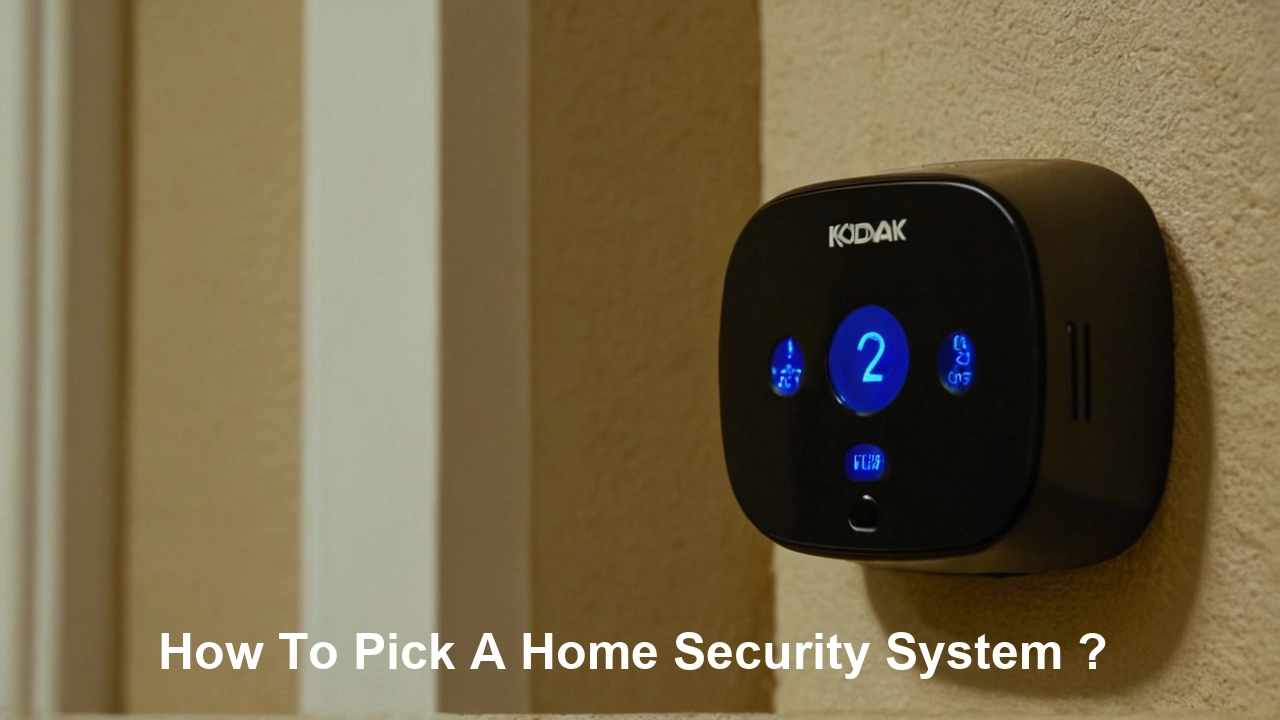
Selecting the right home security system involves understanding your unique needs, budget, and desired features. This comprehensive guide will walk you through every crucial step, from assessing your risks to choosing the best technology, ensuring your home and loved ones are protected effectively.
Assessing Your Home Security Needs
Before diving into the vast array of options, a thorough assessment of your specific security needs is paramount. This isn't a one-size-fits-all situation. Consider the following factors to tailor a system that offers the most effective protection for your property and family.
Understanding Your Property's Vulnerabilities
Walk around your home, both inside and out, with a critical eye. Identify potential entry points that might be more susceptible to intrusion. This includes:
- Doors: Front, back, patio, garage, and basement doors. Are they solid? Do they have deadbolts? Are there any weak points like glass panels?
- Windows: Ground-floor windows are obvious targets. Also, consider upper-floor windows that might be accessible via balconies, trees, or adjacent structures.
- Garages: Garages can be a weak link, especially if they have direct access to the main house.
- Outdoor Areas: Sheds, detached workshops, and even poorly lit yards can be attractive to burglars.
Evaluating Your Lifestyle and Household Composition
Your daily routines and who lives in your home significantly influence your security requirements. Ask yourself:
- Who lives in the home? Are there young children, elderly individuals, or pets? This might influence the need for features like panic buttons, medical alerts, or pet-friendly motion sensors.
- What are your typical hours at home? If you're frequently away for work or travel, remote monitoring and control become more critical.
- Do you have valuable items? While not solely about monetary value, if you possess highly desirable or irreplaceable items, enhanced security measures are warranted.
- What are your neighborhood's crime statistics? While not always indicative of individual risk, understanding local trends can inform your choices. For 2025-26, many urban and suburban areas are seeing a slight uptick in property crime, making robust systems more relevant than ever. According to recent FBI data projections for 2025, property crimes are expected to remain a concern, with burglary rates potentially fluctuating based on economic conditions.
Determining Your Desired Level of Security
Are you looking for basic deterrence, comprehensive intrusion detection, or advanced surveillance capabilities? Consider:
- Deterrence: Visible signs, cameras, and outdoor lighting can discourage potential intruders.
- Detection: Sensors on doors and windows, motion detectors, and glass break sensors alert you to unauthorized entry.
- Surveillance: Cameras provide visual evidence and allow for real-time monitoring.
- Environmental Monitoring: Smoke, carbon monoxide, and flood detectors are crucial for overall home safety, not just security.
Understanding the Types of Home Security Systems
Home security systems have evolved significantly. Broadly, they can be categorized based on their technology and how they are managed. Understanding these distinctions will help you narrow down your options.
Wired vs. Wireless Systems
This is a fundamental difference affecting installation, flexibility, and potential vulnerabilities.
- Wired Systems: These systems rely on physical wires connecting sensors, control panels, and cameras to a central hub.
- Pros: Generally more reliable with less interference, often considered more secure against jamming, and don't require battery changes for sensors.
- Cons: Installation can be complex and invasive, often requiring drilling through walls and ceilings, making them less suitable for renters or older homes. They are also less flexible for reconfiguring or expanding.
- Wireless Systems: These systems communicate wirelessly using radio frequencies (RF) or Wi-Fi.
- Pros: Easy to install, highly flexible for adding or moving components, and ideal for renters.
- Cons: Sensors require battery replacements, can be susceptible to wireless interference or jamming (though modern systems have advanced anti-jamming technology), and may have a shorter range than wired systems.
DIY (Do-It-Yourself) vs. Professionally Installed Systems
This distinction often overlaps with wired vs. wireless but focuses on the installation process and ongoing management.
- DIY Systems: These are designed for easy self-installation and often come with user-friendly apps for control and monitoring. Examples include SimpliSafe, Ring Alarm, and Wyze Home Monitoring.
- Pros: Lower upfront costs, greater flexibility in choosing components, and no installation fees.
- Cons: Requires your time and effort for setup, troubleshooting can be solely your responsibility, and may lack the integrated support of professional systems.
- Professionally Installed Systems: Companies like ADT, Vivint, and Brinks offer systems that are installed and often maintained by their technicians.
- Pros: Expert installation ensures optimal performance, comprehensive support and maintenance, and often a more integrated and robust system.
- Cons: Higher upfront costs due to installation fees, potential for long-term contracts, and less flexibility in choosing specific components outside the provider's offerings.
Monitored vs. Unmonitored Systems
This refers to how alerts are handled when an event is detected.
- Monitored Systems: These systems are connected to a professional monitoring center. When an alarm is triggered, the center is notified and can dispatch emergency services (police, fire, medical) after verifying the alarm. This is typically a subscription-based service.
- Unmonitored Systems: When an alarm is triggered, the system will sound a local siren and send notifications directly to your smartphone or designated contacts. You are responsible for contacting emergency services. This is often a feature of DIY systems without a monthly monitoring fee.
Key Components and Features to Consider
A robust home security system is comprised of several interconnected components, each playing a vital role in protecting your home. Understanding these elements will help you build a comprehensive setup.
Control Panel/Hub
This is the brain of your security system. It communicates with all the sensors and devices, allowing you to arm and disarm the system, and often serves as the central point for system status and notifications. Modern hubs are often touchscreen-enabled and connect to your home's Wi-Fi network.
Sensors
These are the eyes and ears of your system, detecting various types of intrusion or environmental hazards.
- Door and Window Sensors: These consist of two parts, typically a magnet and a sensor. When the door or window is opened, the magnet is separated from the sensor, triggering an alert.
- Motion Sensors: These detect movement within a specific area. They use passive infrared (PIR) technology to sense body heat. Advanced models can be pet-immune to avoid false alarms. For 2025-26, look for dual-technology sensors that combine PIR with microwave detection for even greater accuracy.
- Glass Break Sensors: These listen for the specific frequency of breaking glass, alerting you before an intruder even enters.
- Environmental Sensors:
- Smoke Detectors: Essential for fire safety. Many modern systems integrate smart smoke detectors that can send alerts to your phone.
- Carbon Monoxide (CO) Detectors: Crucial for detecting the odorless, colorless gas that can be deadly.
- Water/Flood Sensors: Placed in basements, near water heaters, or washing machines to detect leaks and prevent water damage.
- Temperature Sensors: Can alert you to extreme temperature drops that might indicate a furnace failure or potential freezing pipes.
Keypads and Remote Controls
These allow you to arm and disarm the system. Keypads are usually mounted near entry points, while key fobs offer convenient arming/disarming on the go.
Siren
An audible alarm designed to deter intruders and alert occupants and neighbors. Systems can range from internal sirens to powerful external ones.
Cameras
Cameras provide visual monitoring and evidence. Options include:
- Indoor Cameras: For monitoring activity within the home.
- Outdoor Cameras: Weatherproof cameras for perimeter surveillance. Look for features like night vision, motion detection, and two-way audio.
- Doorbell Cameras: Allow you to see and speak with visitors at your door, even when you're not home. Many 2025-26 models offer advanced AI detection for distinguishing between people, packages, and vehicles.
Yard Signs and Window Decals
These are simple but effective deterrents. The mere presence of a security system sign can make a potential burglar think twice.
Monitoring Options: Professional vs. DIY
The way your security system responds to alerts is a critical decision. You have two primary paths: professional monitoring and DIY monitoring.
Professional Monitoring
This is the traditional model where a third-party company actively monitors your system 24/7. When an alarm is triggered, the monitoring center receives the signal.
- The Process:
- An alarm is triggered (e.g., a door sensor opens).
- The signal is sent to the monitoring center.
- A trained operator attempts to verify the alarm. This might involve calling your designated contact list.
- If the alarm is confirmed or unverified but suspicious, the operator dispatches the appropriate emergency services (police, fire department, ambulance).
- Pros:
- Peace of Mind: You know someone is always watching, even when you're asleep or away.
- Faster Response: Professional dispatchers are trained to act quickly and efficiently.
- Reduced False Alarms: Verification protocols help minimize unnecessary calls to emergency services, which can sometimes result in fines.
- Potential Insurance Discounts: Many insurance companies offer discounts for homes with professionally monitored systems.
- Cons:
- Monthly Fees: This is the most significant drawback, as professional monitoring requires a recurring subscription, typically ranging from $20 to $60+ per month.
- Contract Requirements: Many professional security companies require long-term contracts (2-5 years), which can be restrictive.
- Less Control: You have less direct control over the response process compared to DIY.
2025-26 Trends: Professional monitoring services are increasingly offering more flexible plans, including month-to-month options and tiered services that allow you to customize features and costs. Some providers are also integrating AI-powered video verification to improve accuracy and reduce false alarms.
DIY (Unmonitored) Monitoring
With DIY monitoring, you are responsible for responding to alerts. The system notifies you directly, and you decide whether to contact emergency services.
- The Process:
- An alarm is triggered.
- Your system sends an alert directly to your smartphone via an app, and/or sounds a local siren.
- You receive the notification and assess the situation (e.g., check live camera feeds).
- You then decide whether to call the police, fire department, or other emergency services yourself.
- Pros:
- No Monthly Fees: This is the primary advantage, saving you significant money over time.
- Complete Control: You have full control over when and how to respond to alerts.
- Flexibility: Ideal for those who are comfortable managing their own security and don't want long-term contracts.
- Cons:
- Responsibility: You must be vigilant and responsive to alerts. If you miss a notification or are unable to act, your home is unprotected.
- Potential Delays: Your response time might be slower than a professional monitoring center, especially if you're in a meeting or unable to check your phone.
- No Insurance Discount (Often): Many insurance companies require professional monitoring for discounts.
- False Alarm Fines: If you accidentally trigger an alarm and call emergency services unnecessarily, you might incur fines.
Hybrid Options: Many DIY systems now offer optional professional monitoring as a subscription add-on. This provides the flexibility of DIY with the security net of professional oversight when you need it. For example, Ring Alarm Pro offers this hybrid model.
Installation: Professional vs. DIY
The way your security system is installed can impact its effectiveness, cost, and your overall satisfaction. Both professional and DIY installation have their own set of advantages and disadvantages.
Professional Installation
This involves hiring technicians from the security company to install and set up your system.
- Process: A technician will visit your home, assess the best placement for components, run wires (if applicable), mount devices, connect them to the control panel, and configure the system. They will also typically walk you through the system's operation.
- Pros:
- Expertise: Professionals ensure all components are installed correctly and optimally for maximum coverage and reliability.
- Time-Saving: You don't have to spend your own time on installation.
- System Integration: They ensure all parts of the system communicate seamlessly.
- Troubleshooting: If issues arise during installation, they are handled on the spot.
- Warranty: Installation is usually covered by a warranty.
- Cons:
- Cost: Professional installation typically incurs an upfront fee, which can range from $100 to $500 or more, depending on the system's complexity.
- Scheduling: You need to schedule an appointment, which might involve waiting for availability.
- Less Customization: While they'll place sensors strategically, you have less direct control over the exact placement compared to DIY.
When to Choose Professional Installation:
- You have a complex home layout with many entry points.
- You are uncomfortable with tools or technology.
- You are installing a wired system.
- You want to ensure the system is set up for optimal performance from day one.
- You are investing in a high-end, integrated system that requires expert setup.
DIY (Do-It-Yourself) Installation
This approach involves you purchasing the system and installing it yourself.
- Process: Components are typically wireless and designed for easy mounting with adhesive strips or simple screws. You'll follow instructions provided by the manufacturer, often through an app, to connect devices to the hub and configure settings.
- Pros:
- Cost Savings: Eliminates installation fees, significantly reducing the upfront cost.
- Flexibility: You can install the system at your own pace and choose exact placement for sensors and cameras.
- Learning Curve: You gain a thorough understanding of your system, making troubleshooting easier.
- Ideal for Renters: No permanent alterations are needed, making it easy to take with you when you move.
- Cons:
- Time and Effort: Requires your time and effort to install correctly.
- Potential for Errors: Incorrect installation can lead to system malfunctions or blind spots.
- Troubleshooting Responsibility: You are responsible for diagnosing and fixing any issues.
- May Not Be Suitable for All Homes: Very large homes or those with significant signal interference might pose challenges.
When to Choose DIY Installation:
- You are comfortable with basic tools and technology.
- You want to save money on installation fees.
- You are renting your home.
- You have a smaller to medium-sized home.
- You prefer to learn how your system works intimately.
2025-26 Considerations: The market for DIY systems is booming, with manufacturers investing heavily in intuitive app-based guides and video tutorials. Many DIY systems now include advanced features previously only found in professional installations, making them a compelling choice for many homeowners.
Budgeting for Your Home Security System
The cost of a home security system can vary dramatically. Establishing a clear budget upfront will help you make informed decisions and avoid overspending or underspending on critical protection.
Upfront Costs
These are the expenses you incur when you first purchase and set up your system.
- Equipment Costs: This includes the control panel, sensors, cameras, sirens, and any other devices.
- DIY Systems: Can range from $100-$500 for a basic starter kit to $1,000+ for a comprehensive system with multiple cameras and advanced sensors.
- Professionally Installed Systems: Often bundle equipment costs into a package, but the total upfront can be higher, sometimes starting from $500 and going up to $2,000 or more for premium setups.
- Installation Fees: As discussed, professional installation can add $100-$500+ to the initial cost. DIY systems have no installation fees.
- Professional Monitoring Setup Fees: Some companies may charge a small fee for setting up your professional monitoring service.
Ongoing Costs
These are the recurring expenses associated with maintaining and operating your security system.
- Monthly Monitoring Fees:
- Professional Monitoring: Typically ranges from $20 to $60+ per month, depending on the provider and the level of service.
- Cloud Storage for Cameras: If you want to store video footage from your cameras, you'll likely need a subscription service. These can range from $5 to $20 per month per camera, or a tiered plan for multiple cameras.
- Battery Replacements: For wireless systems, sensors and devices will eventually need new batteries. This is usually a minor cost, perhaps $5-$20 per year depending on the number of devices.
- Maintenance and Repairs: While most systems come with warranties, out-of-warranty repairs or replacements can incur costs.
- Internet Service: If your system relies on Wi-Fi or cellular backup, you need a reliable internet connection. The cost of this is usually separate from the security system itself.
Factors Influencing Cost
- System Type: Wired systems often have higher installation costs, while wireless systems might have more ongoing battery replacement needs.
- Number of Components: More sensors, cameras, and other devices naturally increase the overall cost.
- Features: Advanced features like AI-powered analytics, high-resolution cameras, and smart home integration will increase the price.
- Monitoring Choice: Professional monitoring is the most significant ongoing expense.
- Provider Reputation: Established, premium brands may charge more than newer or budget-friendly options.
- Contract Length: Longer contracts for professional services might sometimes offer a slightly lower monthly rate but lock you in.
Example Budget Scenarios (2025-26 Estimates)
Here's a look at potential costs for different scenarios:
| Scenario | Upfront Cost (Est.) | Monthly Cost (Est.) | Annual Cost (Est.) |
|---|---|---|---|
| Basic DIY (No Monitoring) Starter kit, 2 door/window sensors, 1 motion sensor |
$150 - $300 | $0 - $10 (for optional cloud storage) | $0 - $120 |
| Advanced DIY (Optional Pro Monitoring) Starter kit, 5 door/window sensors, 2 motion sensors, 1 indoor camera, 1 doorbell camera |
$400 - $800 | $20 - $40 (for pro monitoring) + $10 - $30 (for cloud storage) | $360 - $840 |
| Mid-Range Professional Install Standard package, 5 door/window sensors, 2 motion sensors, 1 indoor camera, 1 doorbell camera, professional monitoring |
$500 - $1000 (includes installation) | $40 - $60 (for pro monitoring) | $480 - $720 |
| Premium Professional Install High-end system, comprehensive sensors, multiple cameras (indoor/outdoor), professional monitoring, smart home integration |
$1000 - $2500+ (includes installation) | $50 - $70+ (for pro monitoring) | $600 - $840+ |
Tip: Always read the fine print regarding contract terms, equipment ownership, and potential price increases for monitoring services.
Choosing the Right Provider
Selecting a security company is as important as selecting the right equipment. A good provider will offer reliable service, responsive support, and transparent pricing.
Reputation and Reviews
Research potential providers thoroughly. Look for:
- Online Reviews: Check reputable review sites (e.g., Trustpilot, Consumer Reports, BBB) for customer feedback on installation, service, and reliability.
- Industry Awards and Certifications: Some organizations recognize security providers for excellence.
- Longevity: Companies that have been in business for a long time often indicate stability and customer satisfaction.
Customer Service and Support
Consider how easy it is to get help when you need it.
- Availability: Are they available 24/7 for urgent issues?
- Support Channels: Do they offer phone, email, chat, or in-person support?
- Response Time: How quickly do they typically respond to inquiries or service calls?
Contract Terms and Fees
This is a critical area to scrutinize, especially with professional installation and monitoring.
- Contract Length: Are you comfortable with a multi-year commitment? Look for providers offering month-to-month options if possible.
- Cancellation Policies: Understand the penalties for breaking a contract.
- Equipment Ownership: Do you own the equipment outright after the contract, or do you lease it? If you lease, what happens when you move?
- Price Increases: Are there clauses that allow for price increases over time?
Technology and Equipment Quality
Ensure the provider uses reliable and up-to-date technology.
- System Compatibility: Does the system integrate with other smart home devices you might own or plan to buy?
- App Functionality: If the system has a mobile app, check its features, ease of use, and user reviews.
- Equipment Durability: Are the sensors and cameras built to last?
Monitoring Center Quality (for Professional Monitoring)
If you opt for professional monitoring, the quality of the monitoring center is crucial.
- UL Certification: Ensures the monitoring center meets stringent safety and operational standards.
- Redundancy: Does the center have backup power and communication lines?
- Response Protocols: Are their protocols clear and effective for various emergency situations?
DIY Provider Considerations
For DIY systems, focus on:
- Ease of Installation: Clear instructions and user-friendly setup process.
- App Performance: A stable and feature-rich mobile app is essential for control and notifications.
- Customer Support: Even with DIY, you might need technical support for troubleshooting.
- Component Quality: Ensure sensors are reliable and cameras offer good video quality.
2025-26 Market Snapshot: The home security market is highly competitive. Many companies are focusing on offering flexible plans, robust mobile apps, and seamless smart home integration to attract customers. It's worth comparing at least 2-3 providers before making a decision.
Advanced Features and Smart Home Integrations
Modern home security systems are increasingly becoming part of a broader smart home ecosystem, offering convenience, automation, and enhanced functionality beyond basic intrusion detection.
Smart Home Hub Integration
Many security systems can integrate with popular smart home hubs like Amazon Alexa, Google Assistant, and Apple HomeKit. This allows for:
- Voice Control: Arm/disarm your system, check status, or even trigger specific actions using voice commands.
- Automation: Create routines where your security system interacts with other smart devices. For example, when you arm your system in "Away" mode, lights can turn off, and the thermostat can adjust.
- Centralized Control: Manage your security and other smart home devices from a single app.
Video Analytics and AI
Beyond simple motion detection, advanced cameras now employ artificial intelligence for more intelligent monitoring.
- Person Detection: Distinguishes between people, pets, and other moving objects, reducing false alarms.
- Package Detection: Alerts you when a package is delivered or removed from your doorstep.
- Vehicle Detection: Notifies you when a car enters your driveway or approaches your home.
- Facial Recognition: Some high-end systems can identify familiar faces, differentiating between family members and strangers.
Two-Way Audio
Found on many doorbell and security cameras, this feature allows you to speak with visitors remotely through your app, whether it's a delivery person, a guest, or an unexpected visitor.
Cellular Backup
For systems that primarily rely on Wi-Fi, cellular backup is a critical feature. If your home internet goes down (due to an outage or tampering), the system can still communicate with the monitoring center via a cellular signal. This is standard for most professionally monitored systems and an optional add-on for many DIY systems.
Environmental Monitoring Integration
As mentioned earlier, integrating smart smoke, CO, and water leak detectors with your security system ensures that a wider range of emergencies triggers appropriate alerts and potentially dispatches emergency services.
Smart Locks and Garage Door Openers
Integrating smart locks and garage door openers with your security system allows for:
- Remote Locking/Unlocking: Grant access to trusted individuals remotely.
- Automated Locking: Have doors automatically lock when the system is armed.
- Garage Door Control: Open or close your garage door remotely and receive notifications when it's operated.
Geofencing
This feature uses your smartphone's location to automatically arm or disarm your system when you leave or arrive home. For instance, when your phone leaves a predefined radius around your house, the system can automatically arm itself.
Power Outage Protection
Most modern security systems have battery backup for their control panels, allowing them to function for several hours during a power outage. This is crucial for maintaining security when it's most needed.
2025-26 Outlook: The trend towards seamless smart home integration is accelerating. Expect more security systems to offer advanced AI capabilities, enhanced interoperability with a wider range of smart devices, and more sophisticated automation possibilities. Consider which smart home features are most important to you when choosing a system.
Legal and Regulatory Considerations
While securing your home, it's important to be aware of any legal or regulatory aspects that might apply to your home security system, particularly concerning privacy and emergency service interactions.
Permits for Alarm Systems
Many municipalities require homeowners to obtain an alarm permit from their local police department or city hall. This is typically to help manage the number of false alarm dispatches and ensure that only legitimate alarms trigger a police response.
- Why they are required: To reduce the burden on emergency services from non-emergency situations and to track who has an active alarm system.
- How to obtain one: Contact your local police department or city government. The process is usually straightforward and involves filling out a form and often paying a small annual fee.
- Penalties: Failure to obtain a permit can result in fines. Repeated false alarms can also lead to fines, even if you have a permit.
False Alarm Policies
Most jurisdictions have policies in place to address false alarms. These can include:
- Warning Systems: Initial false alarms might result in a warning.
- Fines: Subsequent false alarms will likely incur escalating fines.
- Suspension of Service: In extreme cases, repeated false alarms can lead to the suspension of police response to your alarm.
Best Practices: Ensure your system is installed correctly, train all household members on its proper use, and use verification methods (like camera feeds) before calling emergency services if you have an unmonitored system.
Privacy Laws and Camera Usage
When installing cameras, especially those that capture public areas or your neighbors' property, be mindful of privacy laws.
- Recording Audio: Laws regarding audio recording can be complex. In many places, it is illegal to record conversations without the consent of all parties involved. Be cautious with audio recording features on cameras.
- Neighboring Properties: Avoid pointing cameras directly into your neighbors' private yards or windows. Ensure your camera's field of view is focused on your own property.
- Data Security: If your system stores video footage in the cloud, ensure the provider has robust data security measures to protect your footage from unauthorized access.
Contractual Obligations
As discussed in the "Choosing a Provider" section, carefully review all contracts with security companies. Understand:
- Service Level Agreements (SLAs): What response times are guaranteed? What happens if the service fails?
- Equipment Warranties: What is covered, and for how long?
- Data Privacy Policies: How does the company handle your personal data and system usage information?
Local Ordinances
Some local governments may have specific ordinances related to security systems, such as noise restrictions for sirens or requirements for specific types of equipment. It's always a good idea to check with your local city or county government for any specific regulations.
2025-26 Update: With the increasing prevalence of smart home technology and surveillance, expect more evolving regulations around data privacy and the use of AI in security systems. Staying informed about local laws is crucial for responsible system ownership.
Future-Proofing Your Home Security
Investing in a home security system is a long-term decision. To ensure your system remains effective and relevant for years to come, consider future-proofing it during the selection process.
Scalability and Expandability
Your security needs might change over time. Choose a system that allows for easy expansion.
- Modular Design: Systems where you can easily add more sensors, cameras, or other components are ideal.
- Wireless Compatibility: Wireless systems are generally more scalable, as adding new devices is often as simple as pairing them with the hub.
- Provider Offerings: Ensure the provider offers a wide range of compatible accessories for future upgrades.
Technology Updates and Software Support
Technology evolves rapidly. Consider how the manufacturer handles updates.
- Regular Software Updates: Look for companies that regularly release software updates to improve performance, add new features, and patch security vulnerabilities.
- Firmware Updates: Ensure your devices can receive firmware updates, either automatically or through an app.
- End-of-Life Policies: Understand how long the manufacturer commits to supporting older versions of their hardware and software. A system that stops receiving updates after a few years can become a security risk itself.
Smart Home Ecosystem Compatibility
As smart home technology becomes more integrated, choose a system that plays well with others.
- Open Standards: Systems that support open standards like Z-Wave, Zigbee, or Matter (the emerging standard for smart home interoperability) are more likely to be compatible with future devices.
- Integration with Major Platforms: Ensure compatibility with Amazon Alexa, Google Assistant, and Apple HomeKit if these are or might become part of your smart home setup.
Reliable Connectivity Options
Your system's ability to communicate is paramount.
- Multiple Communication Paths: Systems that offer both Wi-Fi and cellular backup provide the most robust connectivity.
- Broadband Speed Requirements: If you plan to use high-definition cameras, ensure your internet service can support the bandwidth requirements. Consider upgrading your internet plan if necessary.
Power Resilience
Ensure your system can withstand power outages.
- Battery Backup: A control panel with a sufficient battery backup is essential.
- UPS for Network Gear: Consider a Uninterruptible Power Supply (UPS) for your modem and router to keep your internet running during short outages, which is crucial for Wi-Fi-based systems.
Professional Monitoring Long-Term Value
If you opt for professional monitoring, consider the long-term value and flexibility of the service. Will the provider offer new features or integrations in the future? Can you adjust your plan as your needs change?
2025-26 Forward Look: The concept of a "smart security ecosystem" is gaining traction. Future-proofing means selecting a system that can adapt and integrate with emerging technologies, rather than becoming obsolete quickly. Prioritize flexibility, robust connectivity, and a manufacturer committed to ongoing development and support.
Conclusion
Picking the right home security system is a significant decision that impacts your peace of mind and the safety of your loved ones and property. By diligently assessing your unique needs, understanding the various system types and components, and carefully considering monitoring, installation, and budgeting, you can make an informed choice. Prioritize providers with strong reputations, transparent terms, and technology that aligns with your lifestyle and future goals. Whether you opt for the comprehensive oversight of professional monitoring or the cost-effectiveness of a DIY setup, remember that a well-chosen system is a powerful deterrent and a critical layer of protection in today's world. Invest wisely, and secure your sanctuary.



